
Jump to section
Try OnTheClock Free
Save time and make payroll effortless with our easy-to-use, affordable employee time tracking app.
Try It FreeQuickBooks Time, formerly TSheets, offers time tracking that works closely with QuickBooks accounting. Time Premium is listed at $20/month plus $10 per user, and Time Elite at $40/month plus $12 per user. For 10 paid users, that is $120 or $160 per month before the required QuickBooks Online subscription. Compare the full package before deciding what works best for your team.
For some businesses, the combined cost of accounting and time tracking is a reason to compare other options, especially if they do not need every part of the QuickBooks ecosystem.
In this article, I'll walk you through the best QuickBooks Time alternatives for 2026, starting with what we’ve built at OnTheClock, then show you five other options worth considering. I’ll compare their clock-in methods, location controls, job tracking, ease of use, and standard monthly costs.
No hype or cheap shots. Just a clear look at what you gain, what you lose, and which tool fits your team best.
What Most Teams Actually Want from a QuickBooks Time Alternative
QuickBooks Time is still a solid tool. It tracks hours, builds schedules, logs GPS, and syncs well with QuickBooks Online payroll. If your business already runs inside that system, the connection is convenient.
One important consideration is the combined cost of time tracking and any required accounting subscription.
Small businesses may also compare support access, mobile clock-in options, GPS settings, payroll exports, and compatibility with the accounting software they already use.
The goal is to find the features your team uses at a cost that makes sense.
They want a tool that works on its own without forcing them into a full accounting system just to track hours. At the same time, they still need clean exports to QuickBooks, Gusto, ADP, or Paychex when it’s time to run payroll.
They also want the basics to work every day. Employees should have reliable ways to clock in, and managers need clear timecards and location information where those features apply.
This is where many alternatives start to stand out.
Quick Picks: Which QuickBooks Time Alternative Best Fits Your Team
-
OnTheClock: Best QuickBooks Time Alternative for Small Businesses
-
Workyard: Best QuickBooks Time Alternative for Construction and Specialty Trades
-
Homebase: Best QuickBooks Time Alternative for Single-Location Teams
-
Clockify: Best QuickBooks Time Alternative for Freelancers and Simple Time Tracking
-
Buddy Punch: Best QuickBooks Time Alternative for Preventing Buddy Punching
-
Timeero: Best QuickBooks Time Alternative for Mobile Teams and Mileage Tracking
How We Evaluated These QuickBooks Time Alternatives
We compared six QuickBooks Time alternatives using their published pricing, clock-in methods, location controls, job and project tracking, payroll connections, and suitability for different teams.
Here’s what we focused on:
-
User reviews and reputation
-
Time tracking system quality
-
Mobile-first design
-
GPS and geofencing
-
Job costing and cost codes
-
Payroll integration
-
Ease of use
-
Pricing transparency
-
Compliance and overtime
We focused on what affects your daily workflow, not just feature lists.
The Best QuickBooks Time Alternatives

OnTheClock: Best QuickBooks Time Alternative for Small Businesses
Available on: Web, iOS, Android, Kiosk
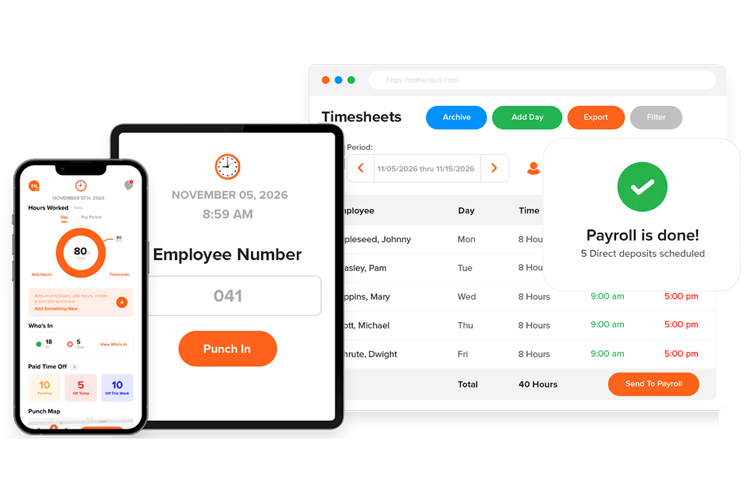
If you want time tracking without a required accounting subscription, OnTheClock is worth considering.
We’ve been around since 2004, based in Clinton Township, Michigan, and we serve more than 16,000 small businesses. Most of our customers have between two and 100 employees. We are independently operated and focus on straightforward time tracking for small businesses.
Our pricing is simple. It’s $4 per employee per month plus a $5 base fee. A 10-person team pays about $45 a month. That includes GPS, geofencing, PTO tracking, scheduling, overtime calculations, reports, and supported payroll exports. Identity verification options depend on the device and configuration. You don’t need a QuickBooks Online subscription just to use it.
What Makes it Different from QuickBooks Time?
What makes us different comes down to how we build the product. We grow based on customer revenue, so we focus on what small businesses actually need.
Teams can begin configuring time tracking after signing up. Full-service payroll is separately priced, requires time tracking, and involves an onboarding process before the first payroll run.
Support follows the same idea. You get real people based in the U.S., and it’s included on every plan. When payroll is coming up, you don’t have time to wait. You need access to responsive support during available support hours.
Key Features
Integrations:
Pros
Cons
Pricing
-
Time tracking is free for 30 days; no credit card required
-
After the 30-day trial: $5/month base + $4 per active employee/month for time tracking. Separately enrolled full-service payroll requires time tracking and adds $40/month base + $6 per paid employee, plus a standard one-time $250 onboarding fee
Explore a Simpler QuickBooks Time Alternative
Try OnTheClock free for 30 days and see how simple time tracking can be.
Try Free
Workyard: Best QuickBooks Time Alternative for Construction
Available on: Web, iOS, Android
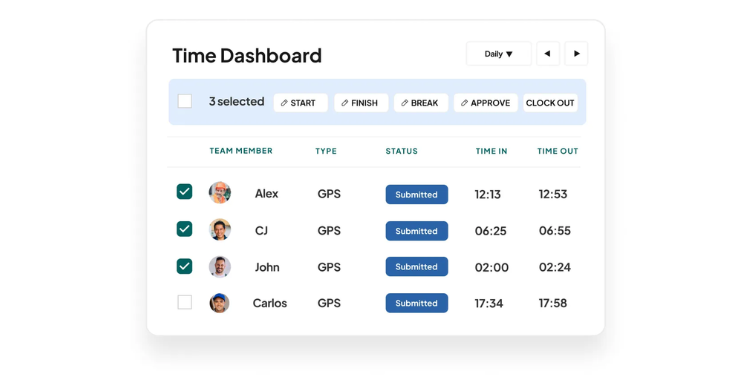
Workyard focuses on time tracking and job management for construction teams. If you run a general contracting, electrical, plumbing, HVAC, landscaping, or framing business, this is usually the next tool to look at after OnTheClock.
Workyard offers GPS-verified time tracking and field activity information. Different plans provide travel reporting and job-based workflows, which can help teams distinguish hours spent at different locations. That matters when you’re billing clients or tracking labor costs.
One distinction is job and cost-code tracking on eligible plans. Recorded crew hours can be associated with jobs and reviewed alongside labor costs as work progresses.
Key Features
Integrations:
Pros
Cons
Pricing
-
Starter, Pro, Autopilot, and Enterprise are offered; confirm standard month-to-month per-user pricing and any base fee with Workyard

Homebase: Best QuickBooks Time Alternative for Single-Location Teams
Available on: Web, iOS, Android
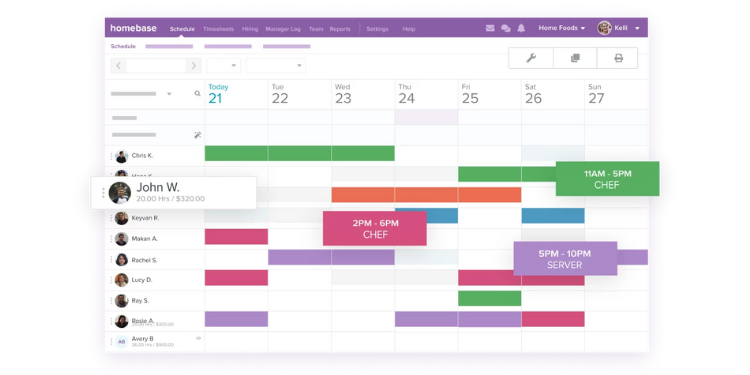
Homebase is built for very small, hourly teams. Think one café, retail shop, salon, or quick-service restaurant. If that sounds like your setup, it may be a good fit.
The biggest draw is the free plan. You can run one location with up to 10 employees without paying. For a five-person coffee shop or small boutique, Basic may cover the team’s core scheduling and time tracking needs.
Homebase emphasizes scheduling and team communication. Basic includes web and shared-device clock-ins; location-based mobile punches begin with Essentials, while PTO controls are available with Plus and All-in-One. Its labor-cost tools are not the same as detailed construction cost-code tracking.
Key Features
Integrations:
Pros
Cons
Pricing
-
Basic is free for one location with up to 10 employees
-
Paid plans: Essentials $30, Plus $70, All-in-One $120 per location/month

Clockify: Best QuickBooks Time Alternative for Freelancers and Agencies
Available on: Web, iOS, Android, Desktop
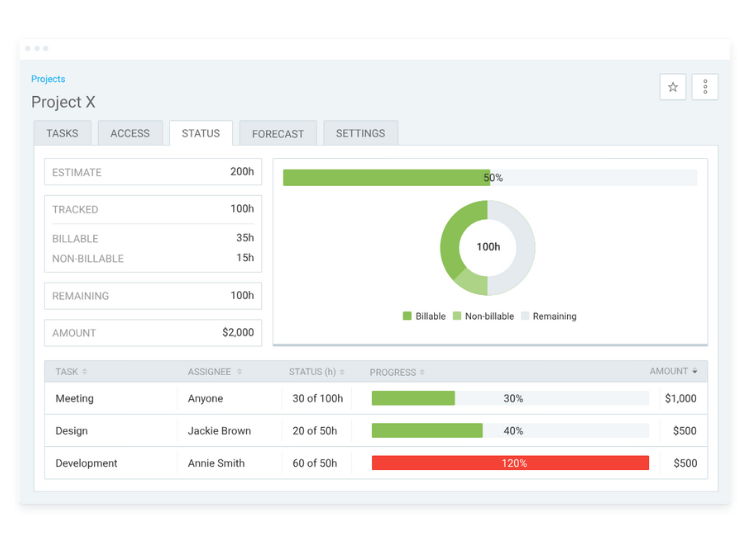
Clockify offers a free plan for up to five users, with unlimited time tracking and projects; no credit card is required. For agencies, consultants, or remote teams, that’s hard to beat.
I usually recommend Clockify to teams that were using QuickBooks Time only for project work. If you’re not managing field crews or hourly staff, QuickBooks Time can feel like too much. Clockify keeps it simple and focused on tracking time across projects.
It works well for marketing agencies, bookkeepers, and software teams that need to track billable hours, review time sheets, and understand where time is going each week.
Key Features
Integrations:
Pros
Cons
Pricing
-
Free for up to five users
-
Basic starts at $4.99 per seat/month with monthly billing

Buddy Punch: Best QuickBooks Time Alternative for Preventing Buddy Punching
Available on: Web, iOS, Android
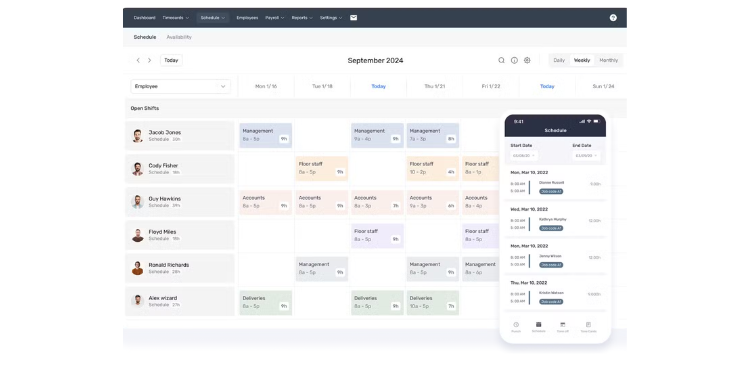
Buddy Punch offers several clock-in methods, including options for location and identity checks. Available methods and restrictions depend on the plan.
Compared with a general-purpose time clock, Buddy Punch emphasizes configurable punch restrictions and employee verification. Review the plan details to see which controls are included.
That matters because buddy punching — when one employee clocks in for another — is one of the most common issues I see with small teams. Buddy Punch offers tools such as Face ID and geofencing, with geofencing included on Pro and higher or available through add-ons in certain configurations.
For teams with five to 25 employees, especially those split between office and field work, it’s a strong fit.
Key Features
Integrations:
Pros
Cons
Pricing
-
Monthly billing: Starter $5.99, Pro $7.99, Advanced $13.99 per user/month, each plus $19/month base; optional payroll costs extra

Timeero: Best QuickBooks Time Alternative for Mobile Teams
Available on: Web, iOS, Android
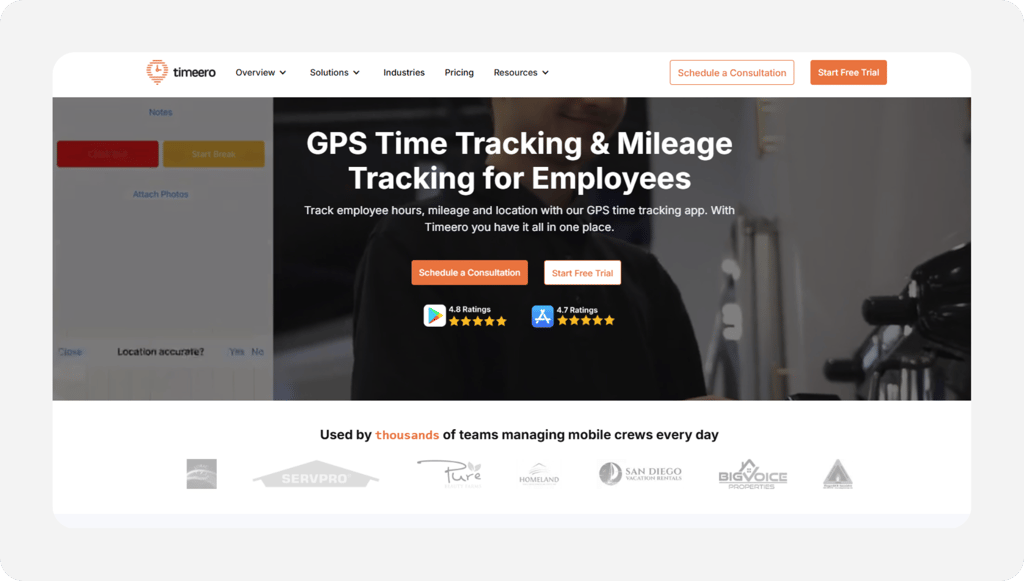
Timeero specializes in GPS-based time and mileage tracking for mobile teams.
Teams that reimburse mileage or travel between jobs may benefit from reviewing how each platform distinguishes travel, stops, and job-site hours. Accuracy depends on device permissions and tracking settings.
Timeero offers optional segmented tracking, starting at an additional $5 per user/month on eligible Pro and Premium plans, to help categorize travel and time spent at locations.
It’s also built with compliance in mind. If you operate in states like California, where meal and break rules are strict, Timeero helps you stay on track.
Key Features
Integrations:
Pros
Cons
Pricing
-
Monthly billing: Basic $6/user (up to 10 users), Pro $9/user, Premium $12/user; Enterprise by quote; no base fee
A Side-by-Side Comparison of QuickBooks Time Alternatives
Why Choose OnTheClock?
See how OnTheClock stacks up against other QuickBooks Time alternatives.
| Tool | Best For | Standard Monthly Pricing | GPS/Geofence | Job Costing |
|---|---|---|---|---|
| OnTheClock | Small business overall value | $5 base + $4/active employee/month | GPS and geofencing included | Job/project time reports |
| Workyard | Construction & trades | Monthly rate and base fee: Confirm with vendor | GPS; geofencing features vary by plan | Construction cost codes on eligible plans |
| Homebase | Retail & restaurants | Basic free (1 location, up to 10 employees); paid from $30/location/month | Location-based mobile punches on paid plans | Labor-cost tools; limited construction costing |
| Clockify | Agencies & freelancers | Free up to 5 users; Basic $4.99/seat/month | Limited location controls | Projects, tasks and billable hours |
| Buddy Punch | Flexible clock-in teams | Starter $5.99/user + $19 base/month | GPS on Starter; geofencing on Pro+ | Timecards and labor reporting |
| Timeero | Field sales & healthcare | Basic $6/user/month; no base fee | GPS on Basic; geofencing on Pro+ | Job tracking on Pro+ |
Pricing and features reviewed November 13, 2026. Listed rates reflect monthly billing where verified; plan restrictions, optional services, and promotions may change total costs. Workyard month-to-month pricing requires a current quote.
What’s the Best Option for You?
There isn’t one “best” tool for everyone. The right choice depends on how your team works day to day.
Instead of guessing, ask yourself a few simple questions:
-
Where does your team work?
-
What are you actually tracking?
-
What problems are you trying to fix right now?
-
Do you need simple or detailed controls?
-
How fast do you need to get started?
If you answer those honestly, the right option usually becomes clear.
Frequently Asked Questions About QuickBooks Time Alternatives
Is QuickBooks Time the same as TSheets?
Yes. QuickBooks Time was previously called TSheets. Intuit acquired it in 2018 and rebranded it in 2021.
Is QuickBooks Time being discontinued?
QuickBooks Time remains supported, although Intuit is transitioning some classic time tracking workflows into QuickBooks Online. Existing customers should check Intuit’s migration notices for changes to their account.
Can I use QuickBooks Time without QuickBooks Online?
QuickBooks Time Premium and Elite generally require an active QuickBooks Online subscription. Time tracking may also be included with eligible QuickBooks Workforce Payroll packages; confirm your specific subscription.
What’s the cheapest alternative?
Homebase Basic is free for one location with up to 10 employees, while Clockify offers a free plan for up to five users. OnTheClock offers published employee-based pricing for time tracking with scheduling, GPS, geofencing, and PTO included.
What’s best for construction?
Workyard is designed for construction crews and offers GPS-verified time tracking and job/cost-code workflows on eligible plans. Compare your required features and the total monthly quote.
Will I lose my data if I switch?
Before switching, export timecards and historical reports from QuickBooks Time and ask the new provider which data can be imported. Running both systems for one payroll cycle may help verify totals.
Do these tools integrate with QuickBooks?
Yes. Most offer direct integrations or clean exports, even if they don’t match native sync depth.