Skip to content

Time Tracking for Hospitality

No missing hours. No overtime surprises.

OnTheClock shows you who’s on-site and how many hours each department has already used, so you can catch labor costs before they turn into an expensive Friday surprise.
No credit card required
Cancel anytime
5-minute setup

ontheclock-hospitality
18,000+
Companies rely on OnTheClock Everyday
160,000+
Employees Punching in Daily
★★★★★
4.8
Capterra
★★★★★
4.5
G2

When Every Shift Changes, Time Tracking Has to Keep Up


It’s 5:12 p.m. Your dinner shift needs 11 people, but one server swapped shifts, a cook clocked in early, and someone missed a punch after break. The schedule says one thing. Payroll is recording another.

The problem isn't your crew, it's that printed schedules and group texts don't tell you who's actually working, where they clocked in, or who’s nearing overtime. You find out after the fact, if at all.

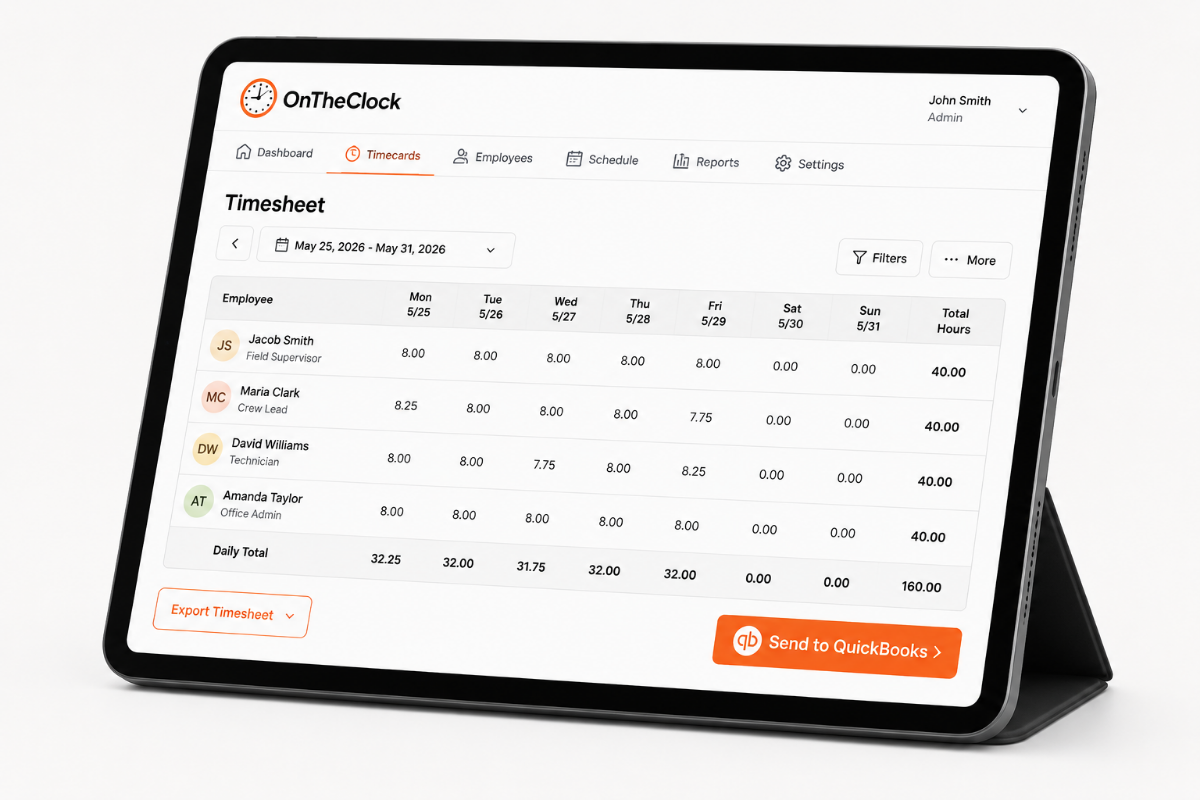
OnTheClock solves this specifically for hospitality with geofenced clock-ins, live attendance visibility, and overtime alerts. You see who’s in, catch issues during the shift, and keep payroll accurate before the rush is over.
ontheclock-quickbooks-timesheet-export-ipad-1
Designed for Hospitality Teams

From Clock-In to Payroll, It’s All Covered

Shift Scheduling

 Build and update schedules so front desk, housekeeping, maintenance, and service shifts stay covered as plans change. Managers can fix a coverage gap before it becomes a guest-service problem. 

Overtime Alerts

 See when employees are approaching overtime before the extra hours hit payroll. Managers can rebalance upcoming shifts instead of letting one busy week quietly eat into labor margins. 

Hours by Department

 Review hours across departments to see where labor is actually being used. You can spot whether housekeeping, front desk, maintenance, or another team is consistently running heavier than expected. 

Kiosk & PIN Clock-In

 Let employees clock in from a shared tablet or station using their own secure punch access. Staff get one simple clock-in point without needing to use personal phones on shift. 

Break & Lunch Tracking

 Track breaks alongside worked hours and apply consistent break rules across the team. Managers can catch missing or inaccurate break time before it turns into another timecard correction. 

Payroll Export

 Approve completed timecards and send accurate hours directly into your supported payroll workflow. Once the week is reviewed, payroll moves forward without rebuilding shifts, breaks, and overtime by hand. 
BEFORE & AFTER

Sound familiar? 

Here’s the real cost of running a business without OnTheClock.

Without OnTheClock
With OnTheClock
Anyone with the back-office login can punch for anyone. Your 7 a.m. housekeeper is on the clock at 6:52.
Punching takes a PIN or a fingerprint, and you can block punches before a scheduled start. One person, one punch, one start time.
A housekeeper clocks in from her kitchen at 7:30 and pulls into the lot at 7:50. You paid for the drive and never knew.
Clock-ins only count on the hotel's Wi-Fi, an approved device, or your IP address. If she isn't on property, the punch doesn't go through.
Someone calls out Tuesday, the desk covers, and you find out Friday it cost six hours of overtime.
An overtime alert reaches you Wednesday, while you can still move the Thursday shift and keep the week under 40.
Check-in's at 3:00 and four rooms aren't turned. Nobody remembers who came in late Monday.
The schedule vs. actual report puts every scheduled shift next to the real punch and flags late arrivals and no-shows automatically.
Occupancy drops 15% and labor doesn't. You can't tell if it's housekeeping, the desk, or breakfast.
Hours and gross pay split by department, so you can see which one didn't flex when the rooms emptied.
Sunday night you're retyping paper time cards into a spreadsheet and adding hours by hand.
Approve time cards once and export to QuickBooks, Gusto, ADP, Paychex, or Square. Payroll's done before you leave the desk.
How it works
01
Add your staff and set up your departments
Add everyone and assign them to housekeeping, front desk, maintenance, or breakfast. Set your pay period, your overtime rule, and whether breaks come off automatically. A team of fifteen takes a few minutes.
add-team-member-screenshot (1)
02
Staff punch in when they arrive
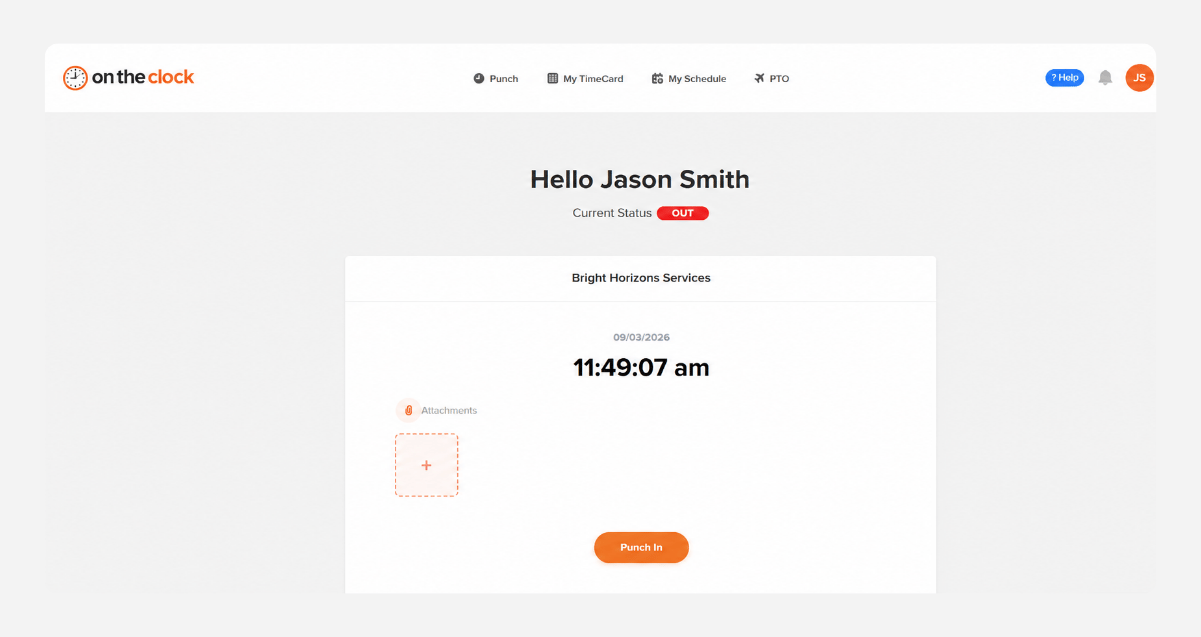
 Housekeeping punches from a phone, the front desk from the back-office computer or a tablet in kiosk mode. Each punch takes a PIN or a fingerprint, only counts on your hotel's Wi-Fi, and won't go through before a scheduled start. 
punch-in-screenshot
03
See who's on property
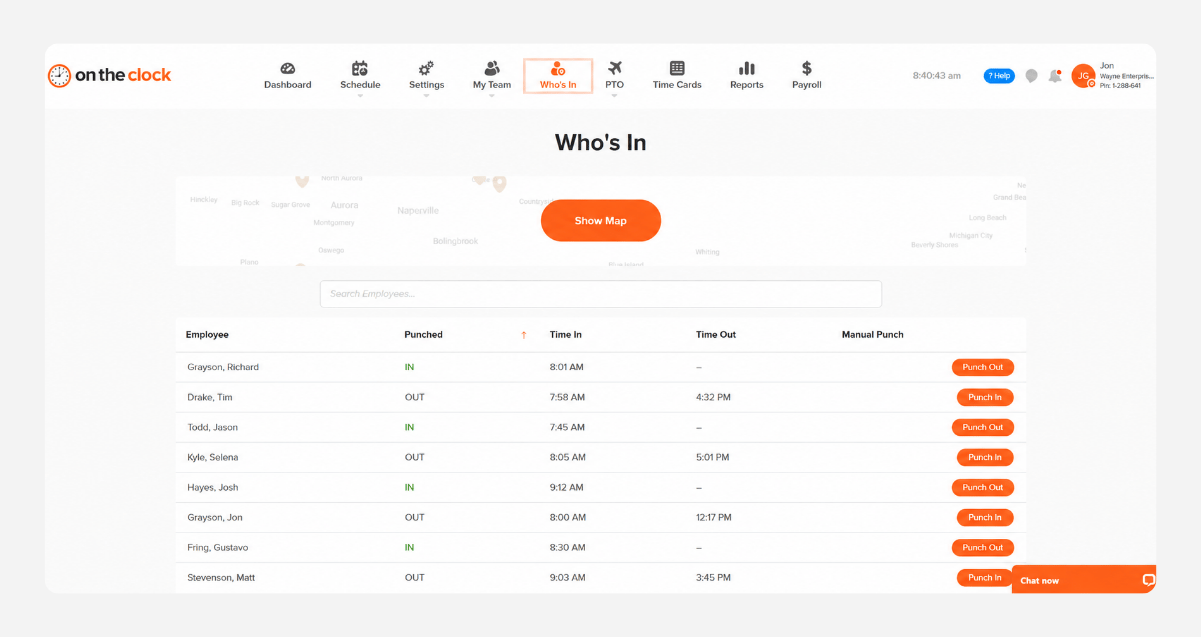
 The Who's In dashboard shows who's clocked in and which department they're in. Schedule vs. actual flags late arrivals and no-shows, and overtime alerts reach you mid-week — while you can still move a shift. 
who-is-in-screenshot
04
Approve time cards and run payroll
 Review the week, fix anything that needs fixing, and approve. Hours go to QuickBooks, Gusto, ADP, Paychex, or Square in one click — or run payroll inside OnTheClock with direct deposit and tax filing handled. 
payroll-export-screenshot-1
Side by Side

How OnTheClock compares

A feature-by-feature look at OnTheClock, Homebase, and Connecteam for cleaning businesses.

Feature OnTheClock Homebase (Essentials) Connecteam (Basic)
 Starting price (10 staff)    $45/month   $30/month per location $35/month per hub
 Kiosk with PIN at the front desk   ✓ Included   ✓ Included   ✓ Included 
 Departments  ✓ Included  ✗ Not included   ✗ Not included 
Punch controls ✓ Included  ✗ Not included   ✗ Not included 
 PTO tracking and accruals   ✓ Included   ✗ Not included   ✗ Not included 
 All features in one plan   ✓ Included   ✗ Not included   ✗ Not included 
 Built-in payroll   ✓ Included   ✓ Included   ✗ Not included 
 OnTheClock is best for small hotels that want departments, punch controls, PTO, and payroll in one plan — not spread across tiers or add-ons. 
FROM REAL HOTEL OPERATORS

Small hotel owners who stopped chasing time cards

★★★★★
"So easy to use and a great way to keep track of all my employees' time as well as PTO time. This has helped alleviate the burden of making sure all my employees' timecards are totaled correctly and has saved me so much extra time that I was spending each week."

MM
M. McDaniel
★★★★★
" We’ve been using OnTheClock for years, and it’s worked very well for our team. It makes it easy to keep track of hours worked, and the GPS tools have become an important part of how we manage employee time "

CL
Crystal L.
★★★★★
"OnTheClock is easy to navigate, and clocking in and out has been simple. I also like being able to check my hours whenever I need to, which makes it much easier to stay on top of my time"

CL
Covina L
Transparent pricing

 One plan, one price, no tiers to climb 

Everything on this page is included from the first day — PIN and fingerprint punching, Wi-Fi and device restrictions, departments, PTO accruals, schedule vs. actual, and one-click payroll export. There's nothing to upgrade to. 
$0 /mo
0 active employees

Need payroll, too?

OnTheClock Payroll runs $40/month plus $6 per employee, with direct deposit, automated tax calculations, and the same dashboard your crew already uses for time tracking.

There are no feature upgrades. No plan switching. No "GPS is a Pro feature" surprises.
Start your free 30-day trial
No credit card required at sign-up.
Get Started Today

 Your next payroll doesn't have to eat your Sunday. 

 Set it up this week and approve the hours instead of retyping them. 

QUESTIONS FROM HOTEL OWNERS

Questions from electrical contractors

 Yes. Set up kiosk mode on the back-office computer or a tablet at the desk, and staff punch with a PIN or a fingerprint. No personal phone required, no app to install, no data plan. Front desk and maintenance can use the same kiosk, or punch from their own phones if you'd rather. 
 Restrict punches to your hotel's Wi-Fi network, an approved device, or your IP address. A clock-in from a kitchen across town doesn't go through. You can also block punches before a scheduled start time, so a 7 a.m. housekeeper can't be on the clock at 6:52. 
 Yes. Assign every employee to housekeeping, front desk, maintenance, or breakfast, and hours and gross pay break out by department. When occupancy drops and labor doesn't, you can see which department didn't flex instead of guessing. 
 Set an alert threshold and OnTheClock notifies you when someone's approaching it. If a housekeeper calls out Tuesday and the front desk covers, you hear about it Wednesday — while you can still move Thursday's shift and keep the week under 40. 
 The schedule vs. actual report puts every scheduled shift next to the real punch and flags late arrivals and no-shows automatically. When four rooms aren't turned by three o'clock, you'll know whether it was a coverage problem or a late start, without asking anyone. 
 Approved hours export in one click to QuickBooks, Gusto, ADP, Paychex, or Square at no extra cost. If you'd rather run payroll in one place, OnTheClock Payroll adds direct deposit, tax filing, and W-2s for $40/month plus $6 per employee. 
 $65 a month — $5 base plus $4 per active employee. You're billed only for people who punched that month, so a property that runs 25 in July and 12 in January pays for 12 in January. No setup fee and no per-location charge. 
 No. It's month to month, cancel any time, and the 30-day trial doesn't ask for a card. If seasonal staff leave, remove them and your next bill drops — you're never paying for seats you aren't using.