
Overview
In this article, we’ll cover everything you need to know about setting up your employee profile and ensure that you are ready for to get paid.
web:start
Pay Settings
Upon entering the clock in site employees will receive the following message directing them to complete payroll on-boarding.
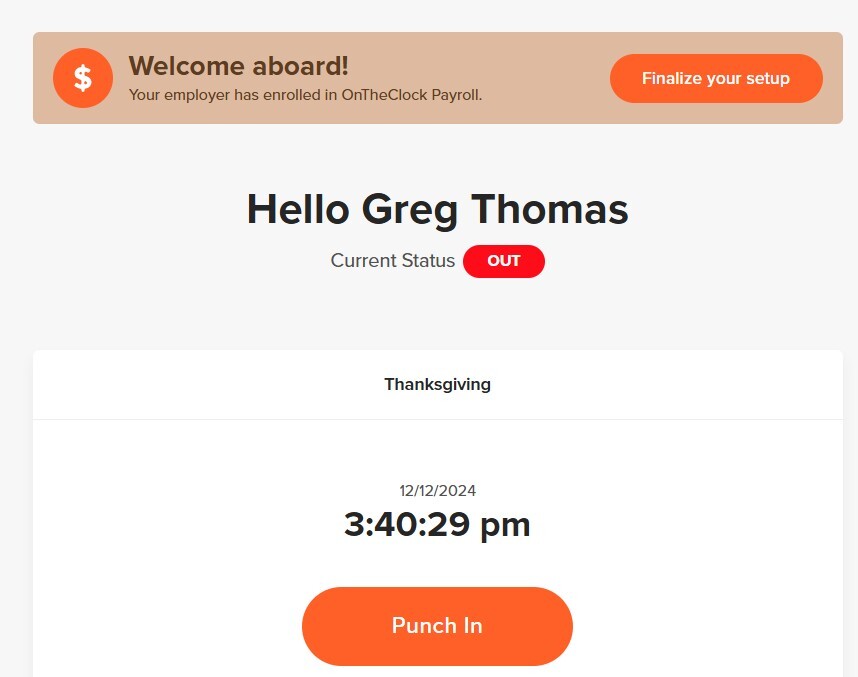
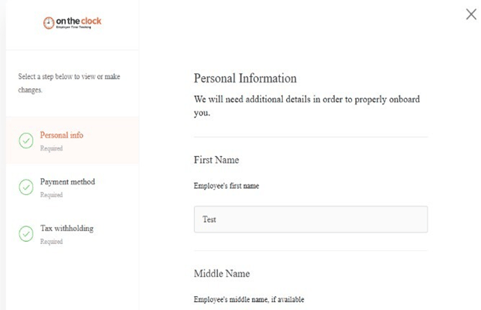
Pay settings is where you will onboard all your personal information. Personal information includes;
- Name
- Birth date
- SSN
- Address
- W-2 Paperless acknowledgment
- Click finalize your setup, or click "pay settings."
- Enter personal info.
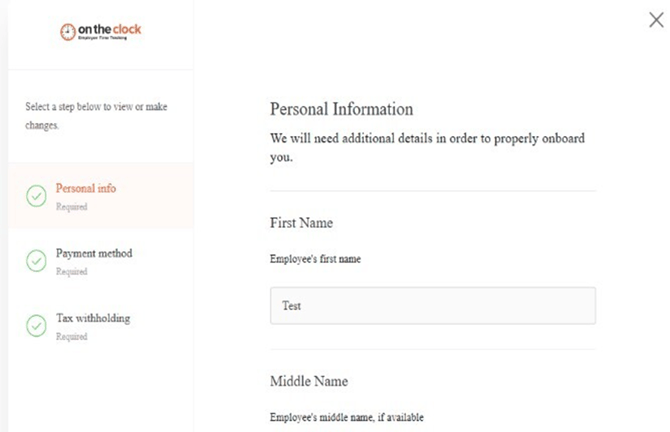
- Enter payment method.
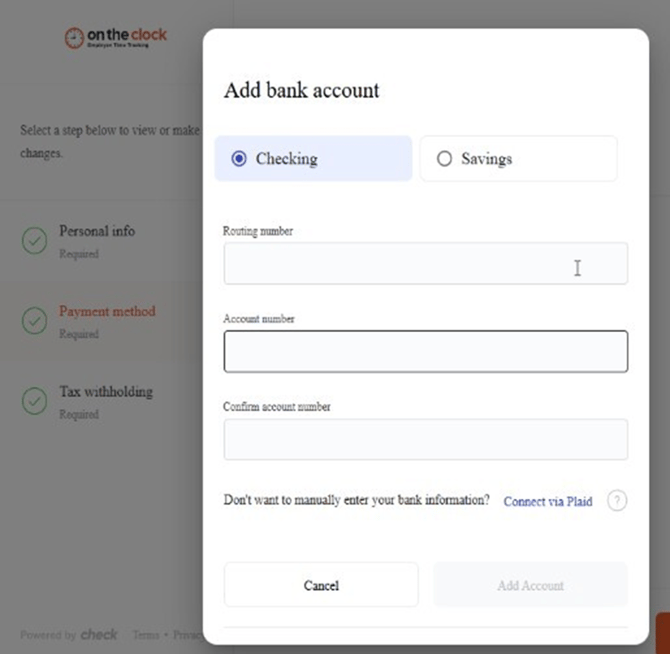
- Enter tax withholding information.
Tax Documents
Tax documents will include you W-4 form. This is an IRS document that you completed for your employer to indicate how much is withheld from your paycheck for federal income taxes. This form is typically filled out on the first day of a new job.
- Click Tax Documents.
- Click Download for a copy of your W-4.

TIP: It is recommended to revise your W-4 form after any major life event. This includes marital status changes, and dependent changes.
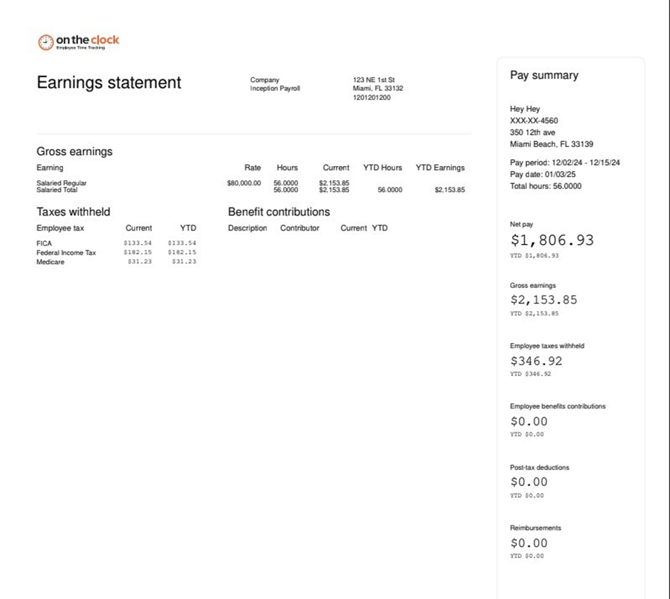
Viewing Pay Stubs
- Click Pay Stubs.
- Click download to export the pay stub on your device
Sample Pay Stub:
web:end
app:start
Pay Settings
Upon entering the clock in site employees will receive the following message directing them to complete payroll on-boarding.
Pay settings is where you will onboard all your personal information. Personal information includes;
- Name
- Birth date
- SSN
- Address
- W-2 Paperless acknowledgment

2. Enter personal info.
3. Enter payment method.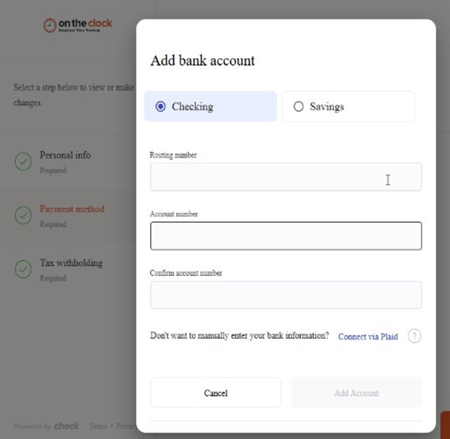
4. Enter tax withholding information.
Tax Documents
Tax documents will include you W-4 form. This is an IRS document that you completed for your employer to indicate how much is withheld from your paycheck for federal income taxes. This form is typically filled out on the first day of a new job.
- Click Tax Documents.
- Click Download for a copy of your W-4.
TIP: It is recommended to revise your W-4 form after any major life event. This includes marital status changes, and dependent changes.
Viewing Pay Stubs
- Click Pay Stubs.
- Click download to export the pay stub on your device
Sample Pay Stub:
app:end