Skip to content

Online Time Clock Software

Track Employee Hours Accurately, Efficiently, and Affordably

Start saving time. Let OnTheClock do the work for you!

No credit card needed. Setup takes five minutes or less!
track-hours-online-time-clock

Trusted by 18,000 Companies and 150,000 Employees

Stop Staying Late — Let OnTheClock Handle it!

manual-tracking-online-time-clock

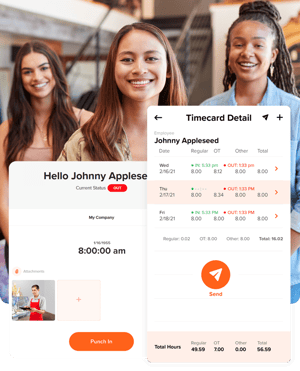
Say Goodbye to the Hassle of Manual Timecard Tracking

By switching to OnTheClock, you’ll get accurate tracking, fewer errors, and spend less time on administrative tasks.

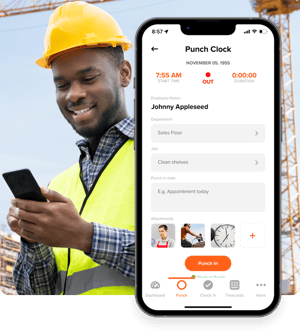
  • Employees clock in from any device, including phones, tablets, or their computers, with just a tap.
  • Calculate work hours automatically — no more guesswork or manual math.
  • Track overtime and pay rates automatically, so you always know how many extra hours were worked.

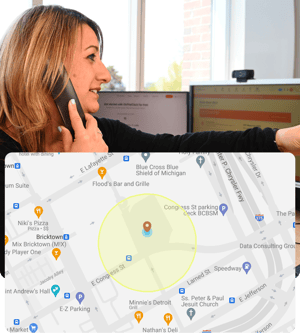
Make Sure Your Employees Are Where They Should Be

Be confident you’re paying for actual work hours, not wasted or stolen time.

  • Use geofencing to ensure employees clock in only at the job site.
  • Track your team with GPS to see where they are and how they got there.
  • Set Wi-Fi limits to ensure employees clock in from the proper locations.


geofencing-online-time-clock
accurate-records-online-time-clock

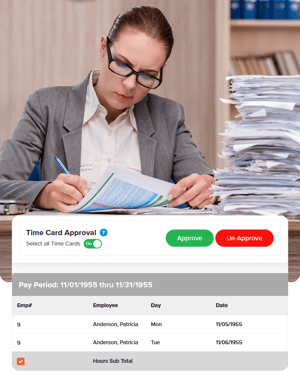
Always Keep Your Records Accurate

All changes are tracked so that records are always precise.

  • Approve submitted hours quickly and easily to ensure everything's correct.
  • Fix mistakes in mere seconds with just a few clicks.
  • See all changes in a simple log to keep everything organized and accurate.

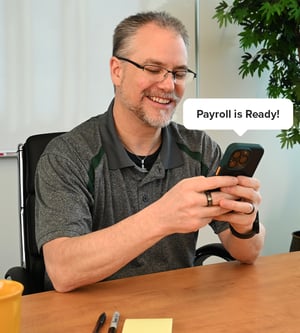
Complete Payroll in Minutes

By completing payroll in-house, or syncing with a third-party provider, you can avoid mistakes and complete payroll in just a few clicks.

  • Maximize your minutes by utilizing OnTheClock Payroll, eliminating third-party payroll delays and costs.
  • Send time sheets directly to QuickBooks, Gusto, or ADP to easily sync with your payroll provider.


payroll-is-ready

How to Start Tracking Time in OnTheClock

Create an Account
Invite your team
Employees log their hours
File your Payroll

Take Control of Your Team’s Time Tracking

What Our Customers Are Saying

5-stars

We made the switch from manual punch cards to OnTheClock a year ago. It is a great tool and has many features that we love, including employee surveys, personal messages, and job coding. The initial setup was simple, even with 85-plus employees. The support staff is also very helpful. I highly recommend OnTheClock for your time tracking needs.

Jessi

Everything You Need in One Place

FAQ

What is a time clock?

A time clock is a tool that helps track when employees start and stop work. It makes it easy to know how many hours someone has worked.

How does a time clock work?

Employees "clock in" when they start their shift and "clock out" when they finish. The time clock records these times. OnTheClock's online time clock automatically calculates hours worked and payroll.

Can employees clock in from their phones?

Yes. Employees can easily clock in and out using their phones. With the OnTheClock mobile app, employees can accurately record their hours from anywhere

Can it calculate overtime automatically?

Yes. OnTheClock's'time clock automatically calculates overtime. This means it tracks regular hours and automatically calculates any extra hours that count as overtime, saving time for managers and reducing the chance of errors in payroll calculations.

Can I track employee locations with GPS?

Yes, if OnTheClock is enabled, the time clock can track employee locations using GPS. This feature is especially useful for businesses with employees working in different locations or in the field, ensuring that workers are clocking in from the correct job site and taking the correct routes to each location.