
Jump to section
Try OnTheClock Free
Save time and make payroll effortless with our easy-to-use, affordable employee time tracking app.
Try It FreeIf you've used Deputy, you already know why it's popular. The scheduling and workforce management tool is built to help managers organize shifts, track employee hours, and keep labor costs under control. For restaurants, retail teams, health care clinics, and businesses with hourly workers, Deputy can feel like a solid "all-in-one" platform.
So why are so many managers searching for Deputy alternatives?
In our experience, it usually comes down to one of three things: pricing, usability, or missing features. Some businesses outgrow Deputy's plan structure. Others want a simpler time clock without paying for advanced tools they won't use. And plenty of teams just get tired of scheduling headaches, limited customization, or features that don't work the way their crews actually operate day to day.
The good news is you have options. In this guide, we'll break down the best Deputy alternatives based on real business needs, so you can find a tool that fits your team.
What Most Teams Actually Want From a Deputy Alternative
When managers start looking for a Deputy alternative, they're usually not chasing a completely new system. They're trying to fix everyday problems that keep showing up week after week.
Usually, that means they're dealing with things like messy timecards, scheduling confusion, last-minute shift changes, and payroll prep that takes way longer than it should.
In our experience, most teams want a platform that helps them:
-
Build schedules faster without constant edits and follow-ups
-
Track employee hours accurately without missing punches or messy timecards
-
Reduce payroll stress by keeping timecards clean and export-ready
-
Prevent time theft with GPS, geofencing, or job-site controls
-
Handle shift changes easily without blowing up the manager's phone
-
Give employees clarity on where to be, when to show up, and what changed
-
Stay compliant with breaks, overtime, and labor rules
-
Scale smoothly as the team grows without pricing getting out of control
That's the real goal. Most managers don't want "more features." They want fewer headaches and a system they can trust.
Quick Picks: Which Deputy Alternative Best Fits Your Team
If you just want the best Deputy alternatives, here are the top options. These are the tools managers and business owners are actually using in 2026 to solve real scheduling, time tracking, and payroll headaches.
-
OnTheClock — Best for small businesses that want an all-in-one system for time tracking, scheduling, and payroll
-
Connecteam — Best for time tracking accuracy and field operations (construction, mobile crews, job sites)
-
Buddy Punch — Best for time theft prevention with strict punch controls
-
7shifts — Best for restaurants and compliance-focused scheduling
-
When I Work — Best for scheduling flexibility and managing fast-changing shifts
-
Jibble — Best for pricing value, especially if you want a cost-free plan
If you already know your biggest pain point, this list can save you hours. And, if you're still unsure, don't worry. The detailed breakdowns below will make the decision a lot clearer.
How We Evaluated These Deputy Alternatives
There are many scheduling and time tracking tools that look similar on the surface. Most of them promise the same things: faster scheduling, cleaner payroll, and fewer employee headaches.
But once you actually start using them, the differences show up fast.
That's why we ranked these Deputy alternatives based on factors that actually help you run a team and get payroll done without extra work.
Here's what we looked at:
-
Time tracking accuracy (mobile punches, real-time timecards, fewer manual edits)
-
Time theft prevention (GPS tracking, geofencing, photo capture, punch rules)
-
Break and overtime controls (automatic tracking, alerts, compliance support)
-
Scheduling flexibility (availability, recurring shifts, shift swaps, coverage tools)
-
Payroll exports and integrations (QuickBooks, ADP, Gusto, Paychex, and more)
-
Timecard approval workflow (manager review tools, edit history, audit trails)
-
Paid time off (PTO) tracking (requests, balances, visibility inside scheduling)
-
Reporting quality (labor cost, hours by job, overtime reports, trends)
-
Ease of use for employees (fast adoption, simple mobile experience)
-
Pricing transparency and value (what you actually get for the cost)
This approach keeps the rankings practical.
The Best Deputy Alternatives
Deputy works well for a lot of businesses, but it's not the right fit for everyone. If you need simpler scheduling, cleaner timecards, stronger GPS controls, or better pricing as your team grows, the tools below are worth a serious look. Here are the best Deputy alternatives.

OnTheClock: Best Deputy Alternative for Small Businesses
Available on: Web, iOS, Android
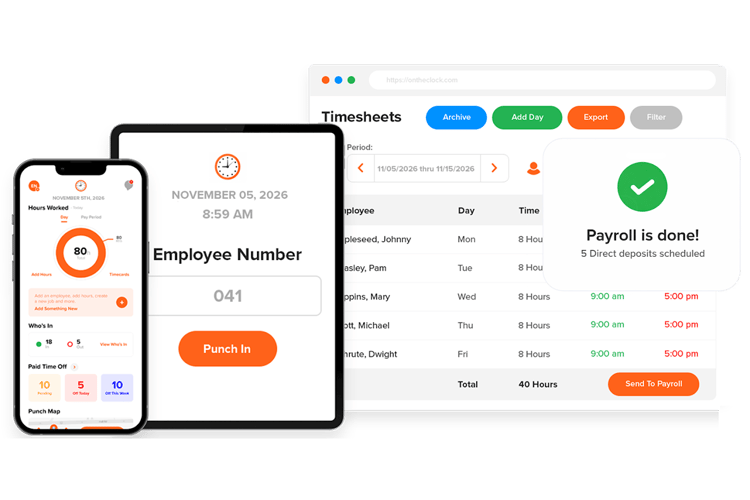
If you're a small business that wants fewer systems and headaches, OnTheClock is hard to beat.
From my perspective as a time tracking expert, it's one of the few platforms that actually feels built for how small teams operate day to day. Instead of forcing you to stitch together multiple tools, OnTheClock combines time tracking, shift scheduling, and native payroll processing into one straightforward system.
And that matters more than most people realize.
Small businesses don't struggle with time tracking because they lack features. They struggle because the tools feel bloated, overpriced, or harder to manage than the problem they were supposed to solve. OnTheClock keeps the workflow simple while still giving you the controls you need to stay organized.
Here's why it works especially well for growing teams:
-
All-in-one setup for tracking hours, scheduling shifts, and running payroll
-
Simple pricing at $4 per employee per month plus a $5 base fee, with GPS, scheduling, and PTO tracking included
-
Real customer support when you need help fast
What I like most is that OnTheClock scales without changing how you work. You can start with a small team and add employees as you grow without penalty.
What Makes It Different From Deputy
Deputy is designed to handle complex workforce scenarios, which can be useful, but it often means more setup, rules to manage, and time spent maintaining the system. For smaller teams, that extra complexity can slow things down rather than help.
OnTheClock focuses on speed and clarity. The platform is built to help managers post schedules, approve hours, and process payroll with minimal steps.
Here's where that difference matters most:
-
Faster setup and onboarding, especially for small teams
-
Less configuration to manage day-to-day scheduling and time tracking
-
Payroll handled in one place, instead of relying on multiple exports
-
PTO tracked automatically without manual adjustments
-
Location controls that are easy to turn on and manage
If Deputy feels like a platform built for managing a workforce department, OnTheClock feels like it was built for the person actually doing payroll on Friday. Want the full breakdown? See our Deputy vs. OnTheClock comparison.
Key Features
Integrations:
Pros
Cons
Pricing
-
Plans start at $5/month base fee + $4 per user/month

Connecteam: Best Deputy Alternative for Field Operations
Available on: Web, iOS, Android
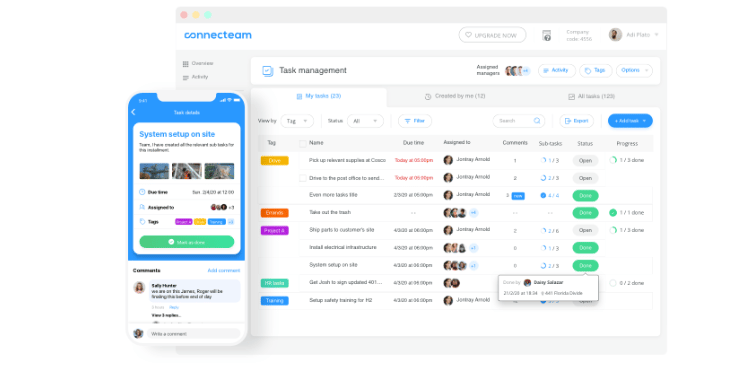
If your team works in the field instead of one fixed location, Connecteam is one of the strongest Deputy alternatives to consider.
Connecteam is built specifically for deskless teams, like construction crews, security staff, and field service technicians. Instead of focusing mainly on shift scheduling, it puts more weight on what field managers care about most. That means accurate time tracking, location accountability, and visibility into where labor hours actually go.
The biggest feature advantage is Connecteam's "Breadcrumbs" live GPS tracking, which comes with the Expert plan. Most time tracking apps only capture a GPS pin at clock-in and -out. That creates a major blind spot in the middle of the shift. Breadcrumbs fills that gap by tracking location while employees are clocked in, giving managers a route-style map that helps confirm time spent on-site.
Connecteam also handles multisite work well through job-based tracking. If employees move between clients or projects during the day, managers can track labor more accurately rather than lumping all hours into a single, generic shift.
One important limitation to know upfront is that Connecteam does not currently support offline functionality. Employees need an active internet connection (Wi-Fi or mobile data) to clock in, view schedules, submit forms, or use kiosk tools. For teams working in dead zones, that may be a dealbreaker.
But if your team has reliable connectivity, Connecteam is a great fit because it gives you something most platforms can't: A clear record of where time was spent. That makes it easier to control labor costs, reduce disputes, and stop guessing whether hours match real work.
Key Features
Integrations:
Pros
Cons
Pricing
-
Free plan for up to 10 users
-
Plans start at $29 per month for the first 30 employees, billed annually

Buddy Punch: Best Deputy Alternative for Time Theft Prevention
Available on: Web, iOS, Android
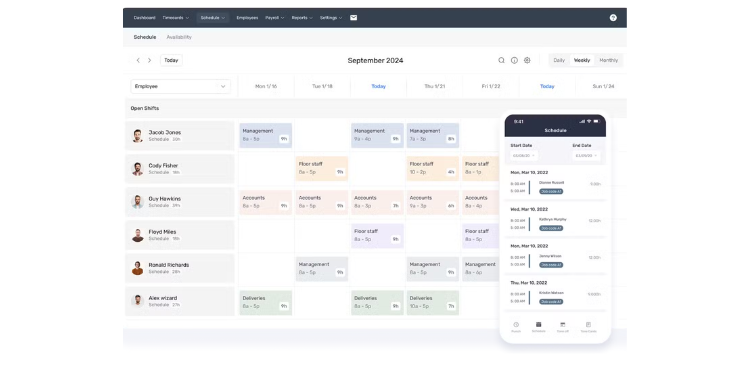
As the name suggests, Buddy Punch is built around one core idea: making timecards more difficult to falsify through added punch-verification controls. While many platforms treat fraud prevention as a secondary feature, Buddy Punch makes it the centerpiece of the product.
Where Buddy Punch really separates itself is in how deeply it layers verification into the clock-in process. Facial recognition is not an optional add-on buried in settings; it's designed to be part of the normal punch flow. The system uses biometric facial recognition, including support for mobile device standards, like Face ID, to help verify the identity of the employee clocking in.
For teams that can't rely on full biometric setups, Buddy Punch offers photo capture on every punch. Each time an employee clocks in or out, the system takes a photo and attaches it to the timecard. During approval, managers can quickly scan images for inconsistencies.
Location controls are also stricter than most competitors. Instead of merely flagging off-site punches for review, Buddy Punch can be configured to block the punch entirely if the employee is outside the approved geofence. This can help prevent off-site punches rather than simply flagging them for review later.
Deputy does offer biometric options through its kiosk mode on shared iPads. But Buddy Punch applies these rigid controls more consistently across personal mobile devices, which is where many time theft issues actually occur.
Key Features
Integrations:
Pros
Cons
Pricing
-
14-day free trial available
-
Plans start at $19/month base fee + $4.99 per user per month when billed annually

7shifts: Best Deputy Alternative for Restaurants
Available on: Web, iOS, Android
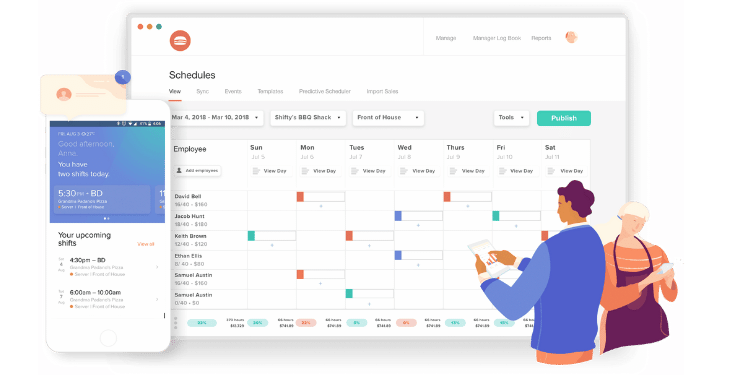
If you run a restaurant, 7shifts is one of the best Deputy alternatives for staying on top of labor laws. It's built for restaurant teams, and it helps managers catch problems before they turn into penalties.
For example, 7shifts flags scheduling patterns that can trigger legal risk, such as "clopens." A clopen is when an employee closes late at night and opens early the next morning without the required rest period. Instead of catching that after the schedule goes live, the system warns managers while they're building the schedule. That gives you a chance to fix it before it becomes a payroll or legal problem.
Another feature that sets 7shifts apart is its punch attestation tools. When a break is missed, the system can prompt employees with a confirmation question like, "Did you take your full uninterrupted meal break today?" That small step creates a digital record that can help protect your business if break compliance ever gets challenged.
Deputy is also a strong compliance platform, especially with its fatigue and stress profile settings. But in my experience, 7shifts has the edge for restaurants because it focuses more directly on the penalties and labor rules that hit hospitality teams the hardest.
If you manage hourly staff, tips, and shifting schedules, 7shifts is one of the best Deputy alternatives because it helps you stay compliant without adding more work to your week.
Key Features
Integrations:
Pros
Cons
Pricing
-
Free for single locations with up to 15 employees
-
Plans start at $39.99 per month per location with up to 30 employees, billed annually

When I Work: Best Deputy Alternative for Scheduling
Available on: Web, iOS, Android
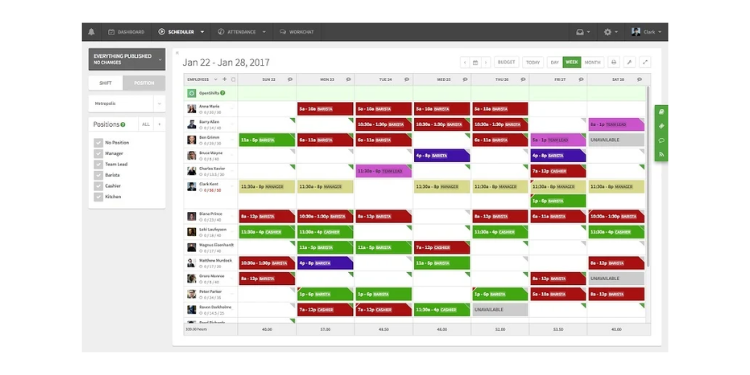
If scheduling is the part of your job that eats the most time, When I Work is one of the most flexible Deputy alternatives you can use.
When I Work is built around the idea that schedules are never final. Shifts change, people call out, and coverage gaps occur. Instead of treating scheduling like a static plan, the platform is designed to adapt in real time.
What puts When I Work at the top for scheduling is how much of the work it removes from the manager's plate. Its Auto-Assign tool can build out a full schedule in a few clicks by factoring in employee availability, role qualifications, and hour limits. That alone can save hours each week and help remove bias from shift assignments.
The real standout, though, is OpenShifts. Managers can post unassigned or suddenly open shifts, and eligible employees can claim them directly in the app. This turns last-minute call-outs from a stressful scramble into a self-serve process. Employees who want extra hours step in, and managers stop chasing coverage through texts and calls.
Also, shift swapping is handled with the same hands-off approach. Employees initiate trades inside the app, work out the details themselves, and managers only step in at the final approval stage. That keeps managers out of the middle while still maintaining control.
By giving employees more control over their schedules, many teams see fewer no-shows and better engagement. And for managers, the biggest win is simple: less time spent fixing schedules and more time focused on running the business.
Key Features
Integrations:
Pros
Cons
Pricing
- A 14-day free trial is available
- Plans start at $2.50 per employee

Jibble: Best Deputy Alternative for Pricing
Available on: Web, iOS, Android
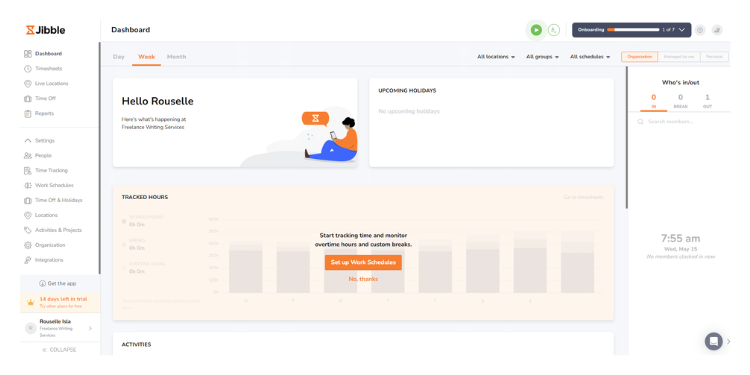
If your main goal is to save money, Jibble is one of the most cost-effective Deputy alternatives on the market.
Its biggest advantage is simple: The free plan is genuinely usable. Unlike most platforms that offer a "free trial" disguised as a free plan, Jibble gives you unlimited users with core time tracking features that many competitors reserve for paid tiers. That includes GPS tracking and even facial recognition, which is rare at this price point.
For startups and small businesses running on tight margins, this can be a huge win. You can get a functional time clock system in place without committing to a monthly per-user bill. That makes it easier to scale your team without constantly worrying about software costs rising alongside payroll.
If you want the lowest-cost way to get reliable time tracking in place, Jibble is one of the best "set it and forget it" options available. It works especially well if you're fine keeping things simple.
Key Features
Integrations:
Pros
Cons
Pricing
- Free plan is available for unlimited users
- Paid plans add more features; check Jibble's site for current rates
A Side-by-Side Comparison of Deputy Alternatives
Why Choose OnTheClock?
See how we stack up against the competition.
| Tool | Pricing & Feature Access | GPS + Mobile | Scheduling + Payroll | Support |
|---|---|---|---|---|
| OnTheClock | $5/month + $4/employee; GPS, scheduling, and PTO included | GPS + geofencing; strong mobile time clock | Strong scheduling + native payroll processing | Known for responsive support |
| Connecteam | Tiered pricing; advanced tools often tied to higher plans | Breadcrumbs GPS tracking; mobile-first for field teams | Scheduling + job-based time tracking; payroll exports | Strong help resources and training |
| Buddy Punch | Paid plans focused on punch security features | GPS + strict geofencing + webcam photos | Basic scheduling + payroll integrations | Strong customer service reputation |
| 7shifts | Restaurant-focused plans; compliance features add value | Mobile-friendly; location tools available | Scheduling built for restaurants; compliance-first payroll exports | Strong for hospitality onboarding |
| When I Work | Affordable entry pricing; feature tiers based on plan | Strong mobile scheduling; GPS available | Best-in-class scheduling tools; payroll integrations | Mixed support feedback |
| QuickBooks Time | Higher pricing; strongest value inside Intuit ecosystem | Strong GPS + mobile tracking | Job costing focus; deep QuickBooks payroll integration | Reliable support, but can be tier-dependent |
| Homebase | Free plan available; upgrades unlock advanced tools | Good mobile experience; GPS tools available | Scheduling + payroll options depending on plan | Good support for small teams |
| Jibble | Free plan with unlimited users; paid tiers for reporting/integrations | GPS + facial recognition; mobile-friendly | Limited scheduling; payroll integrations vary | Support is solid, but advanced help may require paid tier |
Comparison data is approximate and subject to change by respective providers.
What's the Best Option for You?
The best Deputy alternative depends on what problem you're actually trying to solve.
If you want a simple, all-in-one system that keeps scheduling, time tracking, and payroll in one place, OnTheClock is usually the best fit for small businesses. It's built for managers who want clean timecards and fewer systems to manage, not extra features they'll never use.
If your team works in the field and location accuracy matters, Connecteam stands out for visibility into where work actually happens. It's a strong option for construction crews, service teams, and any business that doesn't operate from a single location.
If time theft is your biggest concern, Buddy Punch is hard to beat. Its identity verification and strict punch controls are ideal for workplaces where accountability matters more than scheduling flexibility.
If you run a restaurant, 7shifts is often the safest choice. Its labor compliance tools are designed specifically for hospitality, helping you avoid costly mistakes around breaks, overtime, and scheduling laws.
If scheduling chaos is your main issue, When I Work offers the most flexibility. Its Auto-Assign and OpenShifts tools take a lot of the back-and-forth out of managing coverage.
And, if budget is your top priority, Jibble is a strong option. Its free plan makes it easy to get time tracking in place without committing to per-employee costs.
There isn't a single "best" tool for everyone. The right choice is the one that removes the most stress from your week and fits how your team actually works.
If you're ready to simplify scheduling and time tracking without overcomplicating payroll, you can start tracking time with OnTheClock for free. Setup takes just a few minutes, and you can see right away whether it's the right fit for your team.
Frequently Asked Questions About Deputy Alternatives
Switching scheduling or time tracking software can feel like a big decision, especially if your team already has a routine. In my experience, most managers don't struggle with picking a tool; they worry about what happens after the switch.
Here are the most common questions I hear from businesses comparing Deputy alternatives.
What Is the Best Alternative to Deputy?
The best alternative depends on what problem you're trying to solve. If you want an all-in-one platform built for small businesses, OnTheClock is usually the best fit. If your top priority is scheduling flexibility, When I Work stands out. For restaurants and compliance-heavy labor laws, 7shifts is often the strongest option.
Which Deputy Alternative Is Best for Preventing Buddy Punching?
If time theft is your biggest concern, Buddy Punch is one of the best tools available. It focuses heavily on identity verification with features like facial recognition, webcam photos on punch, and strict geofencing controls.
Is Deputy Still Worth It?
Yes, Deputy is still a strong platform, especially for businesses that need workforce management features beyond basic time tracking. But many small businesses end up switching because they want simpler pricing, faster payroll workflows, or tools that feel less complex to manage.
How Long Does It Take to Switch From Deputy to Another Platform?
Most small businesses can switch in a few days if they already have employee data ready. The main setup work is adding employees, setting pay rules, and building schedules. In my experience, teams that assign one manager to lead setup usually complete the switch faster and avoid confusion.
Is There a Free Version of Deputy?
No. Deputy doesn't have a free plan, but it does offer a free trial of up to 31 days, with no credit card required. If you want a free option for the long term, Jibble's free plan covers unlimited users, and Connecteam is free for up to 10 users.
What Should I Look For When Choosing a Deputy Alternative?
Most managers should focus on the basics: time tracking accuracy, scheduling speed, payroll exports, mobile usability, and GPS controls, if needed. You should also look at customer support and determine whether key features are locked behind expensive tiers.
Do Deputy Alternatives Integrate With Payroll Tools Like QuickBooks or ADP?
Yes. Most Deputy alternatives integrate with popular payroll systems, like QuickBooks, ADP, Gusto, and Paychex. The difference is how clean the exports are and whether integrations require higher-tier plans, so it's worth confirming before you switch.
