FAQ
What is paid time off (PTO)?
PTO is employer-provided leave that employees can use for vacation, illness, personal time, or other approved absences while continuing to receive their regular pay. Many businesses combine vacation and sick time into a single PTO policy to simplify time off management.
What is a PTO tracker?
A PTO tracker helps businesses manage employees' paid time off. OnTheClock's paid time off tracker tracks accruals, balances, requests, and usage in real time for both employees and administrators.
Can employees request PTO from their phones?
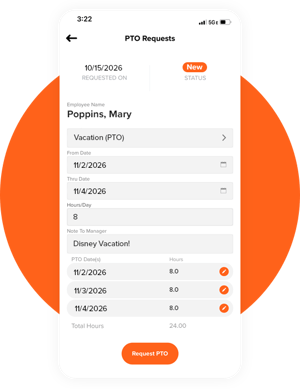
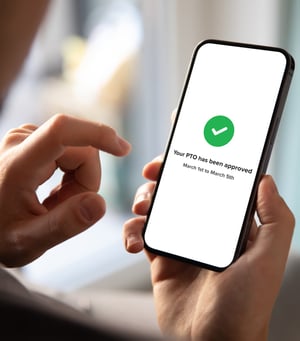
Yes. Employees can request time off, view PTO balances, and track accruals directly from the OnTheClock mobile app. Managers are automatically notified when requests are submitted and can approve or deny them in just a few clicks.
How does OnTheClock calculate PTO accruals?
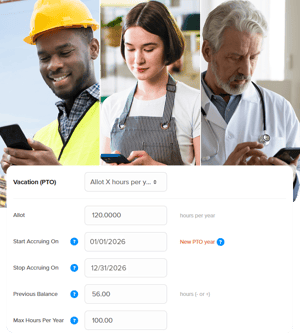
OnTheClock can be customized to calculate PTO accruals based on your company's unique policies — by hours worked, pay periods, or a fixed annual amount.
Can I set different PTO policies for different employees or departments?
Yes. Different accrual rates, carryover limits, and holiday schedules can be set for different employees, teams, or departments.
Can PTO be assigned in bulk?
Yes. Administrators can assign days off in bulk to multiple employees at once, which is useful for company-wide holidays or closures.
Can I generate PTO usage and balance reports?
Yes. Reports on usage, accruals, and balances can be generated for planning, budgeting, and compliance.
What is time off management software, and how is it different from a spreadsheet?
A time off tracker automates what a spreadsheet leaves manual — accrual math, balance updates, and approval routing. Instead of someone manually updating a shared file every time a request comes in, OnTheClock updates balances instantly and keeps everyone looking at the same real-time numbers.
Does OnTheClock's PTO tracker prevent double-booked time off?
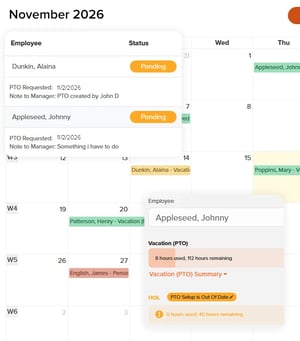
Yes. The shared team calendar shows who's already scheduled off, so managers can catch overlapping requests before approving them, rather than after.
What kind of support do I get if I have questions setting up PTO policies?
OnTheClock provides live U.S.-based chat and phone support, so you're not stuck waiting on an email reply while you're mid-setup.
Is OnTheClock a good vacation tracker for a small team without an HR department?
Yes. Setup takes about five minutes, and the interface is simple and uncluttered enough that employees don't need training to use it — they check a balance, tap request, and they're done. Managers approve with one click. No manual tracking or dedicated HR staff is required.
Is OnTheClock's PTO tracker affordable for small businesses?
Yes. PTO tracking is included as part of OnTheClock's plans, so you get accruals, balances, approvals, and reporting without paying for a separate HR platform on top of your time clock and payroll.