Skip to content

Time Tracking Software for Restaurants

Stop paying for punches nobody worked. Track every shift, every hour.

Your team clocks in with a PIN, and every shift lands on one accurate timecard.
No credit card required
Cancel anytime
5-minute setup
ontheclock-time-tracking-for-restaurants
16,000+
Companies rely on OnTheClock Everyday
160,000+
Employees Punching in Daily
★★★★★
4.8
Capterra
★★★★★
4.5
G2

Why time tracking is different for restaurants


It's 9:50 p.m. on a Friday. You have 12 people on the schedule, a full dining room, and a shared tablet by the pass. One server was clocked in at 4 p.m. by another employee. He didn't show up until 5.

Without a secure way to verify each punch, you may not catch the extra hour until you're reviewing timecards for payroll. Add paper tip slips to the mix, and now you're piecing together hours and earnings at the end of a busy week.

OnTheClock gives restaurants PIN and fingerprint punching, early clock-in restrictions, and tip tracking. Employees punch in for themselves, scheduled start times can be enforced, and tips stay with their timecards. Breaks and overtime calculate automatically, and approved hours can flow straight into OnTheClock Payroll.
ontheclock-server-clock-in

What OnTheClock does for restaurants

Punches tied to one person

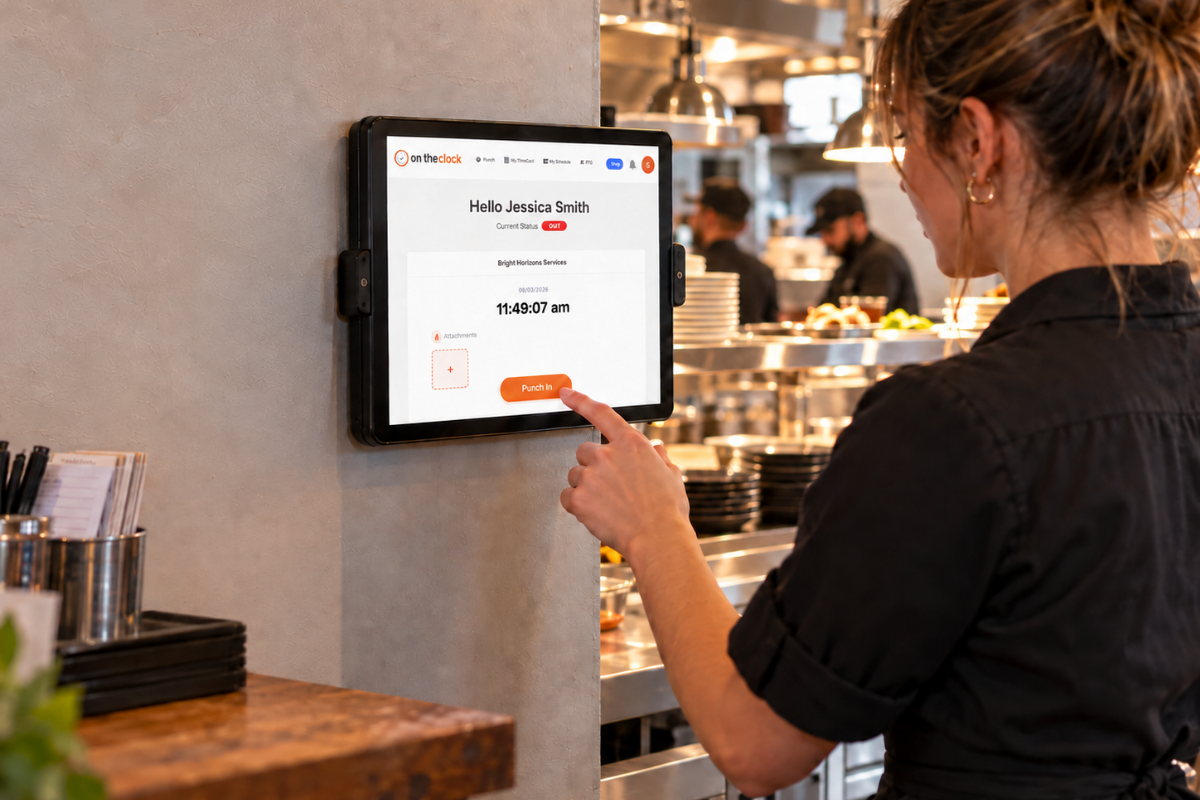
Servers and cooks clock in at a tablet kiosk with their own PIN or a fingerprint. Nobody taps in a friend who's still in the parking lot.

No more early clock-ins

Block punches before a scheduled start time. A cook who arrives at 3:40 for a 4:00 shift starts getting paid at 4:00.

Tips recorded with every shift

Enter tips for each shift, so they sit next to hours instead of on paper slips. Pay night stops being a math project.

Automatic break tracking

Set break rules once, and OnTheClock tracks every break automatically. You see who got their meal break, even on a Saturday rus

Overtime alerts preempt hours

Get notified before a server picking up doubles crosses 40 hours. Adjust the schedule while there's still time to fix it.

Schedules that match real punches

Build the week with drag and drop, and send changes to every phone instantly. Schedule-vs-actual reports flag no-shows and late arrivals automatically.

Before and after

Without OnTheClock
With OnTheClock
✕ A server taps in a friend on the shared POS at 4 p.m. He ties on his apron at 5.
✓ Each person punches in with their own PIN or fingerprint, so every hour belongs to someone real.
✕ Three line cooks clock in at 3:40 for a 4:00 shift and stand around until the rush.
✓ Punches are blocked until the scheduled start, so pay starts when the shift does
✕ Tips live on paper slips and the POS, and you total them by hand after close.
✓ Tips are entered with each shift and sit next to hours when you run payroll.
✕ Nobody logs meal breaks during the Saturday rush, and you can't prove who took one.
✓ Automatic break tracking records every break, so you know who got one and who didn't.
✕ A server picks up two doubles through text swaps and ends the week at 47 hours.
✓ Overtime alerts reach you before 40 hours, while you can still move a shift.
✕ A cook no-shows on Friday, and you find out when the tickets start backing up.
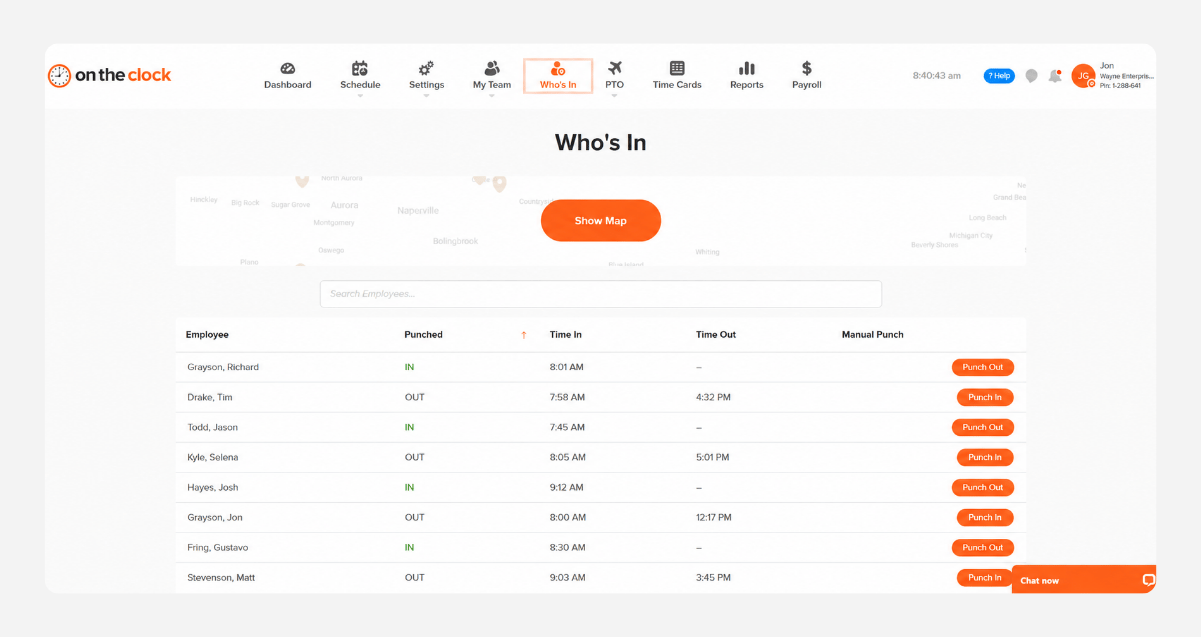
✓ The Who's In dashboard shows who's clocked in as the shift starts, right from your phone.
How it works
01
Add your team and build your first schedule

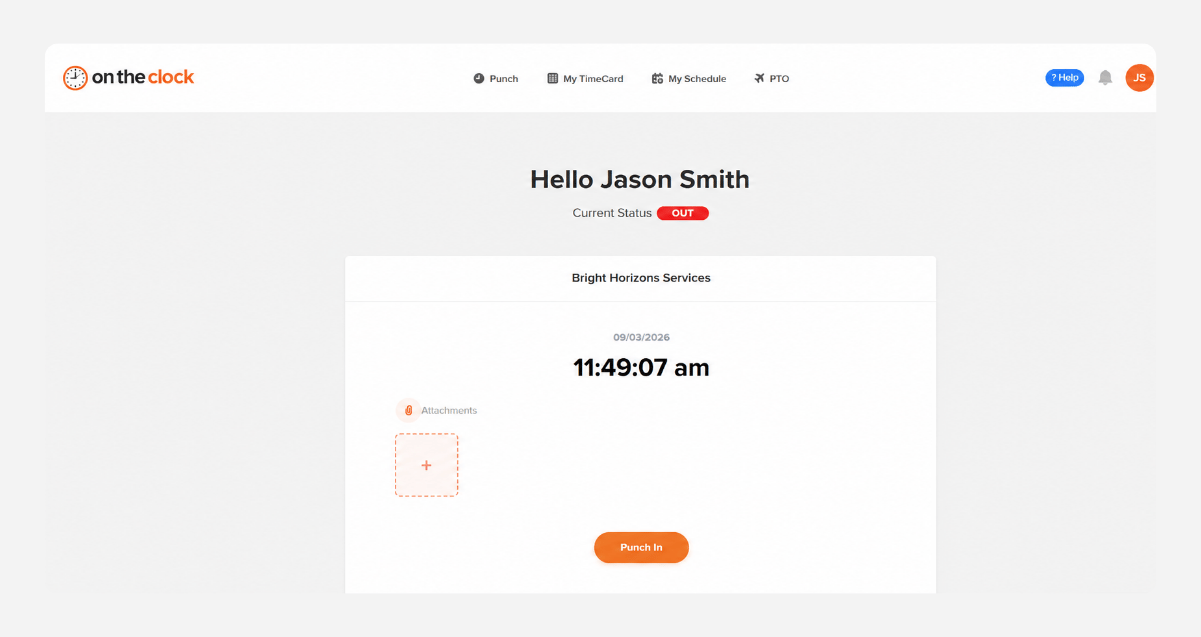
Create your account, add your team, and drag and drop your first week's schedule. Set up a tablet by the pass as a PIN kiosk. There's nothing to install.

add-team-member-screenshot (1)
02
Your team clocks in for their shift
Servers and cooks punch in at the kiosk with their PIN or from their phones inside the geofence. Early punches are blocked until the shift starts, and breaks are tracked automatically.
punch-in-screenshot
03
See who's in and what labor costs tonight
The Who's In dashboard shows who's working right now. Overtime alerts, labor cost reports, and schedule-vs-actual reports help you cut a shift or call in help before the night gets away from you.
who-is-in-screenshot
04
Approve hours and send them to payroll
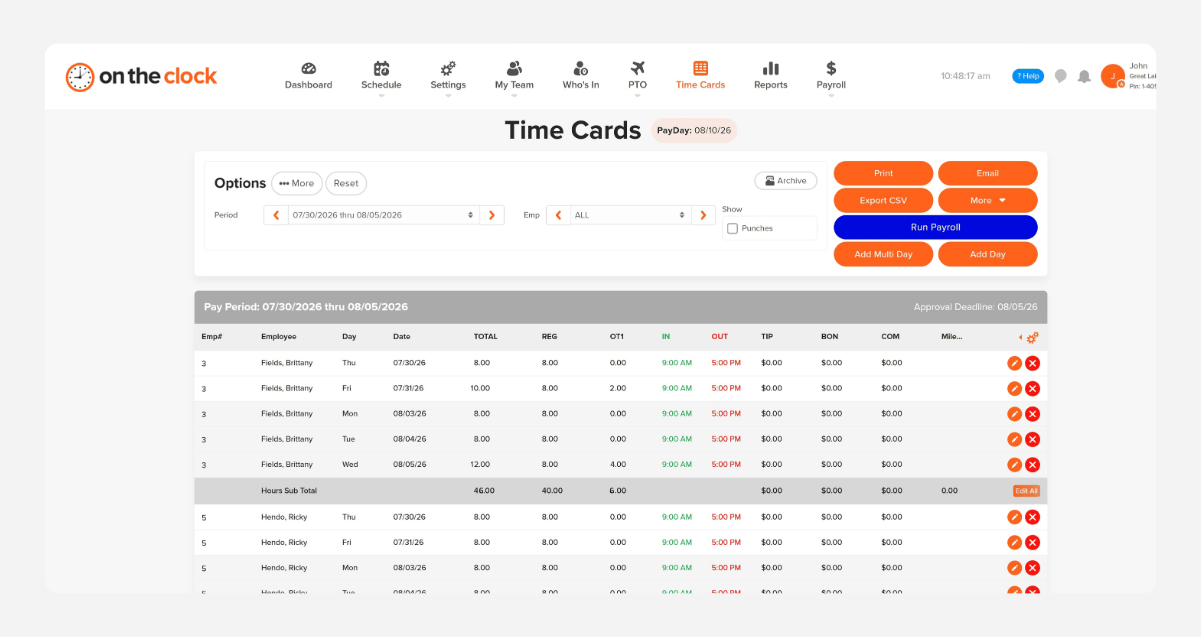
At the end of the pay period, review hours, breaks, and tips, approve everything in one place, and export to payroll. QuickBooks, Gusto, ADP, Paychex, and Square are supported.
payroll-export-screenshot-1
How OnTheClock compares
A feature-by-feature look at OnTheClock, TimeCamp, and TimeClock 365 for restaurants.
Feature OnTheClock TimeCamp TimeClock 365
Best for Small restaurant teams Billable-hours and project tracking Attendance plus door access control
Pricing (per user/mo) $4/user + $5 base Free; paid $3.99–$9.99/user (annual) From $2.70/user (annual)
Free trial 30 days, no credit card Free plan + free trial 14 days, no credit card
Buddy-punch controls ✓ PIN kiosk + fingerprint ✓ Kiosk, Enterprise plan only ✓ PIN, fingerprint, face, NFC
Geofencing ✓ Included ✓ Enterprise plan only ✓ Included
Mobile clock-in with GPS ✓ Included ✓ Included ✓ Included
Automatic break tracking ✓ Included ✗ Not offered ✓ Automatic break deduction
Overtime tracking ✓ Alerts + overtime report ✓ Starter plan+ ✓ Real-time alerts
Scheduling ✓ Included ✗ Not offered ✓ Included
Payroll integrations ✓ QuickBooks, Gusto, ADP, Paychex, Square ✗ Invoice export only (QuickBooks, Xero) ✓ QuickBooks, ADP, HiBob, GreytHR
OnTheClock is best for small restaurants that need buddy-punch control, tip and break tracking, and payroll integration at a transparent price with real U.S.-based support.
From real restaurants

Why small teams trust OnTheClock on busy nights

★★★★★
"I looked at quite a few time card systems - including ones that were more expensive. OnTheClock was the best bang for the buck. I love how employees have it on their phone for easy punch in and punch out. Add tasks to know what people are working on and attribute time to it. If someone forgets to punch in or out, it is easy to fix and have hours recalculate. This is an excellent tool for keeping track of employee and contractor hours."

MR
Merance
★★★★★
"We only have a couple of contract employees, but this saves me a lot of time in figuring checks. A+"

KF
Kathy Fortner
★★★★★
"OnTheClock is a great tool for any small business or independent contractor to manage time spent on projects. I highly recommend it - especially to any independent contractors out there!"

JN
James Nichols
Transparent pricing

Simple pricing. No feature tiers. No surprises.

OnTheClock charges $4 per active employee per month plus a $5 base fee. That's it. Every feature, including GPS tracking, geofencing, scheduling, PTO management, audit trails, and payroll exports, is included from day one.
$0 /mo
0 active employees

Need payroll, too?

Need payroll too? OnTheClock Payroll runs $40/month plus $6 per employee with direct deposit, automated tax calculations, and the same dashboard your crew already uses for time tracking.

There are no feature upgrades. No plan switching. No "GPS is a Pro feature" surprises.
Start your free 30-day trial
No credit card required at sign-up.
Get Started Today

Your team is ready. Setup takes 5 minutes.

No credit card, contracts, or IT is required. Just shorter pay nights and hours you can trust after every close.

Common Questions

Questions from restaurant managers

A 12-person restaurant pays $53/month ($4 per active employee per month plus the $5 base fee). There are no feature tiers or setup fees. Kiosk punching, tip tracking, scheduling, and payroll exports are all included from day one.
Each person clocks in with their own PIN at the kiosk, or with a fingerprint. You can also lock punches to your restaurant with geofencing, Wi-Fi, or device restrictions, so nobody clocks in from home.
Yes. Tips are entered manually for each shift and stored with that employee's hours. OnTheClock doesn't pool or split tips, so if you run a tip pool, handle the split before entering tips.
Yes. Automatic break tracking records breaks for every employee based on the rules you set. Break laws vary by state, so set your rules to match your state and check them against your local requirements.
Yes. Set up front of house, back of house, or individual stations as departments or jobs. Labor cost and job costing reports show hours and labor cost for each, for any pay period.
Yes. Hourly, part-time, seasonal, and salaried employees all use the same account and the same app. You only pay for active employees, so seasonal staff don't cost anything in the months they're not working.
Only if you want it to. GPS punch recording logs location at clock-in and clock-out. GPS breadcrumb trails are a separate feature for delivery and catering staff, and you decide whether to turn it on.
No contract. You can cancel anytime from your account settings. Every account starts with a free, 30-day trial, so you can test it with real staff first.
Get Started Today

Make pay night the easy part

OnTheClock is affordable time clock and payroll software built for restaurants with hourly and tipped staff.