Employee Time Tracking for Operations Managers
Keeps Your Operation Running Smoothly
OnTheClock gives you the control and visibility you need to manage time, attendance, and productivity without the daily headaches.
No credit card needed. Set your system up in 5 minutes or less!

More than 18k companies use OnTheClock for Time Tracking, Scheduling, and Payroll


Know exactly who’s working, when, and where.
Track employee hours in real time with GPS, geofencing, and punch-in alerts, so you're never guessing who’s on the clock or where they’re working.
Real Time Oversight of Your Workforce
Ensure every shift starts and ends as scheduled with precise, location-aware time tracking.
-
Monitor Punches as They Happen: See clock-ins and outs in real time so you always know who’s on the clock and when they started.
-
Track Locations with GPS and Geofencing: Confirm employees are punching in from approved worksites.
-
Restrict Clock-Ins to Approved Devices: Prevent buddy punching and off-site punches with Wi-Fi and device-level restrictions you control.
Make Time Policies Work for You
Set rules once and let the system handle the rest. OnTheClock helps you stay compliant, reduce confusion, and keep payroll accurate.
-
Set Overtime Rules That Fit Your Needs: Define how and when overtime kicks in. OnTheClock calculates it automatically.
-
Customize Break Requirements: Choose how long breaks should be, whether they’re paid or unpaid.
-
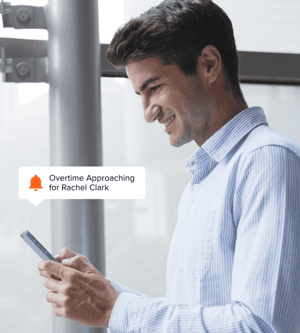
Get Notified Before Overtime Adds Up: Know when employees are nearing overtime so you can adjust schedules.


Turn Time Data into Actionable Insights
Make informed decisions with clear, customizable reports that help you manage teams, control labor costs, and streamline payroll.
-
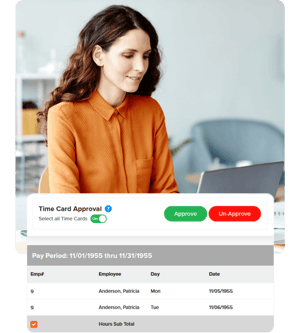
Automated Time Card Reports: Quickly view total hours, breaks, and overtime by employee or department.
-
Customizable Time Card Views: Filter and customize time card data by employee, department, or date range to focus on the metrics that matter most to your operations.
-
Export to Payroll Providers: Easily send employee hours to QuickBooks, Gusto, ADP, and more, so payroll takes minutes, not hours.
How Operations Managers Track Employee Time with OnTheClock
What Our Customers Are Saying
"After trying expensive alternatives, we found OnTheClock. Thank you for making functions so simple, clear, and user-friendly!!!! I love that I can control the information gathered from the admin account so our employees don’t have to worry about being tracked. Just simple punch in/out, PTO, and manager tracking of hours. I love that there is a payroll option as well. And, I especially love that users can edit their punch-ins if they forget to clock in or out! So simple! Thank you!!!!."