ClockShark is a time tracking system built for construction and field service teams. It helps crews clock in from job sites, track hours by project, and manage payroll from one place.
But, if you're searching for a ClockShark alternative, something isn’t working.
Maybe the pricing feels high, scheduling feels limited, or reporting doesn't give you the answers you need. Perhaps your crew simply wants a system that is easier to use every day.
We’ve worked with small construction companies and service teams that have reached this exact point. They didn’t hate ClockShark; they just needed software that fit their workflows better and caused fewer headaches during payroll week.
In this guide, I’ll break down the best ClockShark alternatives in 2026. You’ll see what each platform does well, where it falls short, and which one may actually fit your team.
What Most Teams Actually Want from a ClockShark Alternative
When most people start looking for a ClockShark alternative, they usually mention one simple thing first: cost.
For smaller crews, pricing can feel high. As your team grows, monthly fees add up quickly. Managers start asking, “Are we getting enough value for what we pay each month?”
But pricing is rarely the only issue.
Some teams want stronger attendance controls. For example, several users have said they want an easier way to track short breaks. Right now, ClockShark doesn't make short break-tracking simple. If your crew takes quick 10-15 minute breaks, that gap can create confusion during payroll.
Other managers say they want:
-
Clearer attendance tracking
-
More flexible clock-in and -out rules
-
Better visibility into who is working and who is on break
-
Cleaner reports during payroll week
When you step back, the pattern becomes clear. Most teams are not just looking for a cheaper tool. They are looking for more control, better visibility, and fewer payroll surprises.
Quick Picks: Which ClockShark Alternative Best Fits Your Team
If you do not want to read the full breakdown, here is the short version.
Each platform below serves a different type of team. The best choice depends on what problem you are trying to fix.
-
OnTheClock — Best ClockShark Alternative for Small Businesses
-
Workyard — Best ClockSharkAlternative for GPS Tracking & Automated Mileage
-
TimeTrex — Best ClockShark Alternative for Payroll
-
SmartBarrel — Best ClockShark Alternative for Rugged Hardware Kiosks
-
BusyBusy — Best ClockShark Alternative for Equipment & Crew Tracking
-
hh2 Remote Payroll — Best ClockShark Alternative for ERP Integration
How We Evaluated These ClockShark Alternatives
To evaluate these ClockShark alternatives, we focused on what actually matters on real job sites. We looked at reliability, payroll accuracy, ease of use, and real control for managers.
This matters because if any one of those areas fails, the system breaks down. To ensure the software could truly deliver, we looked closely at the features that support daily fieldwork and payroll accuracy.
Here is what we measured:
-
Mobile-first design: Is the app simple enough for someone wearing gloves to use? Can it load fast on an older phone with a cracked screen? Field software must be practical.
-
Real-time dashboard visibility: Can project managers see exactly who is on which job site right now? Whether they are in the truck or in the office, managers need instant visibility without making multiple calls.
-
GPS and geofencing: Can you set a virtual boundary around a job site? This helps ensure crews are actually on-site when they clock in.
-
Job costing and cost codes: Can workers switch between cost codes like framing, electrical, or concrete in seconds? Accurate job costing protects your labor margins.
-
Kiosk mode: Can you set up a central tablet at the gang box for crew-wide clock-ins? Some teams prefer one device instead of individual phones.
-
Photo or biometric verification: Does the system prevent buddy punching? A quick selfie or fingerprint check can stop time theft before it starts.
-
Overtime and compliance tracking: Can it calculate overtime automatically based on local labor laws? Does it handle meal breaks and prevailing wage requirements? Compliance errors can lead to costly penalties.
-
Payroll sync: Does it integrate directly with your accounting software, such as QuickBooks, Sage, or Procore? Direct integration removes manual data entry and reduces payroll mistakes.
-
Offline capability: Does the app work in basements or remote job sites without Wi-Fi? Hours should sync automatically once a signal returns. If time entries disappear, payroll becomes a problem fast.
The Best ClockShark Alternatives
Below, we break down the best ClockShark alternatives based on real operational needs. For each platform, we’ll explain who it fits best, where it stands out, and where it may not be the right move for your team.

OnTheClock: Best ClockShark Alternative for Small Businesses
Available on: Web, iOS, Android
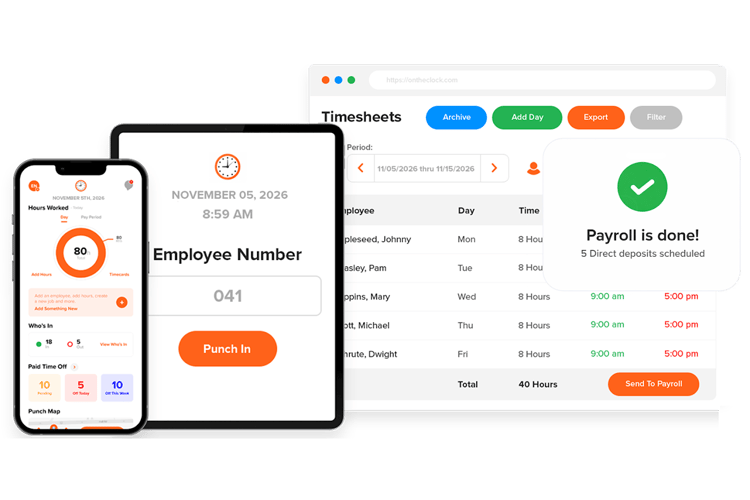
OnTheClock is built for small to mid-sized businesses that want strong time tracking without unnecessary complexity. Most small construction and service teams do not need enterprise layers of software. They need something that works every day, especially on payroll week.
In our experience, small business owners care about three things: accurate hours, clean payroll exports, and simple tools their crew will actually use. OnTheClock focuses on those fundamentals and keeps everything on one affordable plan. You do not have to unlock basic features behind multiple pricing tiers.
For example, a small construction company with eight field workers does not need advanced workforce analytics. They need to know who showed up, where they clocked in, and how many hours belong to each job. OnTheClock keeps that clear and easy to manage.
With OnTheClock, your crew can clock in from their phones using accurate GPS location data. If you prefer a shared setup, you can use kiosk mode on a tablet so everyone clocks in from one central location. Both options give you flexibility without adding confusion.
Because your crew can clock in from anywhere, they can also switch between jobs or tasks in seconds. That keeps labor hours tied to the correct project and improves job costing accuracy.
For many small and mid-sized teams, that balance makes the difference. You get accountability in the field and simplicity in the office.
What Makes it Different from ClockShark?
At first glance, both platforms look similar. They offer mobile clock-ins, GPS tracking, and tools designed for field teams, but the difference shows up in how each system feels during daily use.
ClockShark leans heavily into construction-focused workflows, with deeper job-costing layers. That can be helpful for larger crews managing complex projects. However, some smaller teams find they use only a portion of those features.
OnTheClock focuses on simplicity and clarity. Instead of multiple feature tiers or advanced configuration steps, it keeps the setup straightforward. Most small businesses can create an account, invite employees, and start tracking time within minutes.
Another difference centers on pricing. OnTheClock consolidates features into a single affordable plan. Teams do not have to upgrade just to unlock basic controls or payroll integrations.
Key Features
Integrations:
Pros
Cons
Pricing
-
Plans start at $5/month base fee + $4 per user/month

Workyard: Best ClockShark Alternative for GPS Tracking & Automated Mileage
Available on: Web, iOS, Android
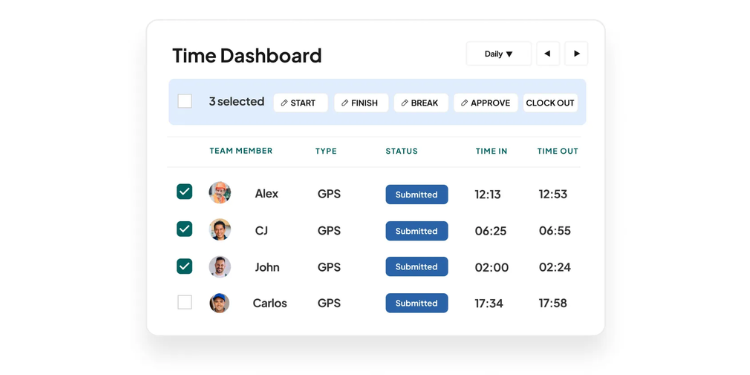
Workyard, like ClockShark, is built for construction and field service teams; however, it places greater emphasis on high-precision location tracking and travel automation.
If you manage a mobile team and need full visibility throughout the day, Workyard emphasizes that level of control. The system uses continuous GPS tracking, allowing managers to see movement between job sites, supply houses, and travel routes in real time.
For companies that bill for travel time or manage crews across multiple locations, this level of detail can make a measurable difference. Workyard automatically calculates mileage and travel time between sites, eliminating manual entry. That reduces missed billable hours and keeps job costing more accurate.
Another important distinction is boundary precision. Instead of relying solely on circular geofences, Workyard supports more detailed job site mapping. This reduces false clock-ins caused by overlapping properties or irregular job site layouts.
For teams that need accurate location data to protect payroll, verify travel time, and reduce disputes, Workyard delivers a higher level of tracking control.
Key Features
Pros
Cons
Pricing
-
A 14-day free trial is available
-
Plans start at $8 per user per month

TimeTrex: Best ClockShark Alternative for Payroll
Available on: Web, iOS, Android
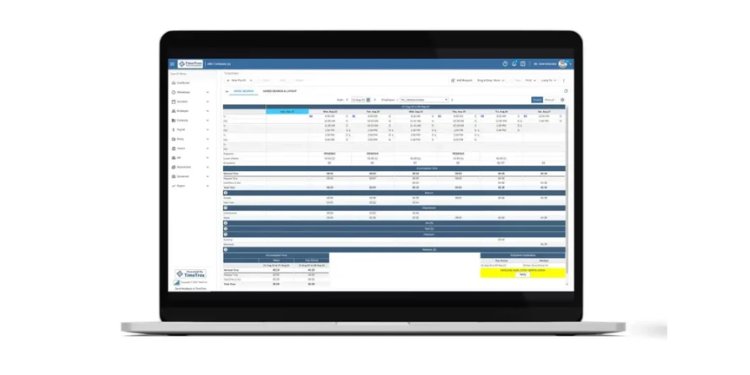
TimeTrex takes a different approach than many time tracking platforms. Instead of relying on integrations to connect time data with payroll software, it incorporates payroll directly inside the same system.
For construction companies tired of syncing errors between time-tracking apps and accounting software, this setup can reduce risk. Because time, attendance, HR, and payroll all live in a single database, there is no need to export files or rely on APIs to move data from one system to another.
That unified structure makes TimeTrex especially strong in complex payroll environments. It can handle multistate overtime rules, double-time calculations, and union pay requirements. For commercial and public works contractors, it also supports prevailing wage laws, such as Davis-Bacon, and can generate certified payroll reports, like Form WH-347.
This level of payroll depth makes TimeTrex a serious option for companies working under strict compliance requirements. Federal and state tax deductions are built into the system, which reduces manual adjustments and reporting errors.
Another difference is deployment flexibility. TimeTrex offers both cloud-hosted and on-premise options. Larger organizations that prefer to control their own data infrastructure may see this as an advantage.
Key Features
Pros
Cons
Pricing
-
Plans start at $ 50 per month

SmartBarrel: Best ClockShark Alternative for Rugged Hardware Kiosks
Available on: Web, iOS, Android
Most time tracking systems rely on employees' smartphones. That works well for many teams, but it also creates points of failure. Phones die. Devices get lost. Some workers do not want to use their personal phones for work. On large job sites with weak signals, mobile tracking can also become unreliable.
SmartBarrel takes a different approach. Instead of relying on employee devices, it provides rugged, on-site time clocks that stay on the job site. These units are solar-powered, include built-in cellular connections, and require minimal IT setup. That makes them well-suited for heavy civil construction, greenfield projects, and large commercial developments.
Clock-ins happen at the device itself. Workers simply enter their phone numbers and look at the screen. The system uses biometric facial verification to confirm identity in seconds. This approach prevents buddy punching and blocks off-site clock-ins because employees must physically stand in front of the device.
Key Features
Pros
Cons
Pricing
-
N/A

BusyBusy: Best ClockShark Alternative for Equipment & Crew Tracking
Available on: Web, iOS, Android
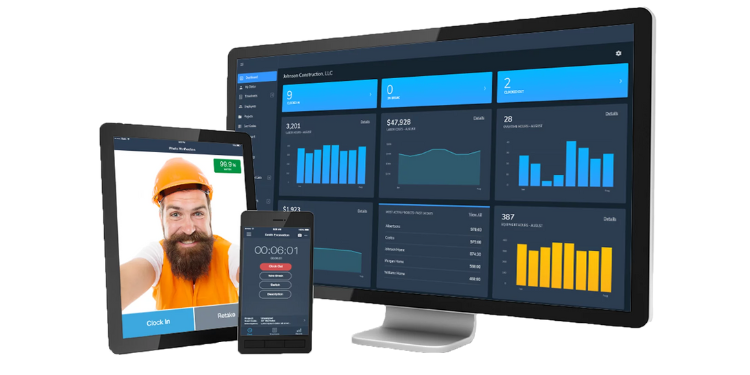
Most time tracking systems focus only on people. Equipment tracking often resides in a separate system, forcing contractors to manually compare operator hours and machine usage. That process usually ends in spreadsheets and guesswork.
BusyBusy is built specifically for equipment-heavy operations, such as excavation, heavy civil construction, and site preparation. It allows workers to track their labor hours while linking that time directly to specific pieces of equipment. Instead of separating crew data from machine data, the system connects both.
This connection gives managers clearer visibility into equipment utilization. You can see how long a machine ran, how much time it spent idling, and how that activity ties back to labor costs. That level of detail helps improve job-costing accuracy and protects margins on equipment-intensive projects.
BusyBusy also includes strong offline capabilities, which is critical on remote job sites. It supports detailed job costing and uses a strict “Required Onsite” geofence rule. Workers must physically arrive at the job location before they can clock in. This adds another layer of control for field accountability.
For contractors managing large fleets of heavy equipment, BusyBusy provides a more integrated view of labor and machinery than most ClockShark alternatives.
Key Features
Pros
Cons
Pricing
- Free plan is available
- Plans start at $11.99 per location

hh2: Best Remote Payroll: Best ClockShark Alternative for ERP Integration
Available on: Web, iOS, Android
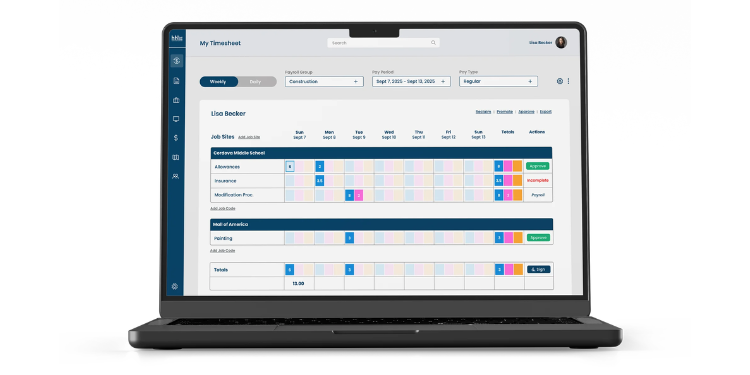
Many platforms say they integrate with enterprise accounting systems. In practice, some rely on manual exports that require back-office teams to clean up spreadsheets before payroll can run.
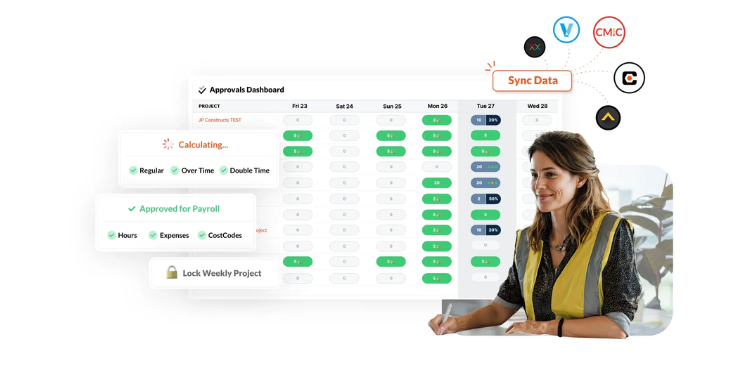
hh2 Remote Payroll takes a different approach, as it's built specifically for deep integration with construction ERPs, such as Sage 300 CRE and Procore. Instead of sending flat files back and forth, it connects directly to the existing accounting system.
For accounting teams, this matters. hh2 pulls project files, cost codes, general ledger accounts, union locals, and certified payroll classifications directly into the field app. When a foreman codes time on a job site, he or she uses the same accounting framework as the finance team.
That alignment reduces payroll processing time and lowers the risk of mapping errors. Instead of correcting timecards after export, labor costs are entered directly into the ERP, with the correct structure already applied.
Key Features
Pros
Cons
Pricing
- N/A
A Side-by-Side Comparison of Deputy Alternatives
Why Choose OnTheClock?
See how we stack up against other ClockShark alternatives.
| Tool | Best For | Pricing (Approx.) | Key Strengths | Top Integrations |
|---|---|---|---|---|
| OnTheClock | Small Businesses | $4 /employee (avg) | Simple mobile dashboard, GPS geofencing, and no complex feature gating | ADP, QuickBooks, Gusto, Square |
| Workyard | GPS & Mileage | $50 base + $8 /user | High-precision location tracking and automated mileage calculations | ADP Run, Gusto, Paychex, Sage |
| TimeTrex | Native Payroll | Varies (Free/Paid) | Built-in payroll engine eliminates sync errors; supports union/prevailing wage | Internal Payroll, QuickBooks, ADP |
| SmartBarrel | Rugged Hardware | Hardware + Subscription | Solar-powered job site kiosks with facial recognition; no phone needed | Procore, CMiC, Viewpoint, Foundation |
| BusyBusy | Equipment Tracking | $0 to $12 /user | Links operator labor hours directly to heavy machinery and equipment idling | Sage, Procore, QuickBooks, Zapier |
| hh2 Remote Payroll | ERP Integration | Custom Enterprise | Deep sync with Sage 300 CRE; uses your existing accounting framework | Sage 100/300, Acumatica, Foundation |
Comparison data based on 2026 market research and subject to change by respective providers.
What’s the Best Option for You?
The best option is not the one with the longest feature list. It is the one that solves your biggest daily frustration.
Start by asking yourself one simple question:
What problem are you actually trying to fix?
Many managers choose software based on features they might need someday. That usually leads to systems that feel heavier than necessary and crews who resist using them. Complexity slows adoption. Slow adoption creates errors.
Instead, focus on your current bottleneck.
-
Are you correcting timecards every week?
-
Are you manually reconciling job costs?
-
Are you chasing employees for mileage logs?
-
Are accounting and field teams working in separate systems?
Your answer should guide your decision.
The right ClockShark alternative removes friction from your most common problem. When that friction disappears, payroll becomes smoother, job costing becomes clearer, and managers spend less time fixing errors and more time running the business.
That is how you know you chose the right system.
Frequently Asked Questions About ClockShark Alternatives
What is the best alternative to ClockShark?
The best alternative to ClockShark depends on your main priority. For small to mid-sized businesses that want a simple setup and clean payroll integration, OnTheClock is often a strong fit. For companies that need advanced GPS tracking and automated mileage, Workyard may be a better option. The right choice depends on your biggest operational pain point.
Which ClockShark alternative is best for preventing buddy punching?
ClockShark alternatives that offer photo verification, biometric authentication, or kiosk-based facial recognition provide the strongest protection against buddy punching. Platforms with required photo capture or fingerprint verification add an extra layer of identity confirmation at clock-in. Hardware-based systems can offer even stricter on-site verification.
Is ClockShark still worth it?
ClockShark can still be worth it for construction teams that rely heavily on job costing and standard GPS tracking. However, companies seeking deeper payroll integration, stronger automation, or simpler pricing may explore alternatives that better align with their current workflow and budget.
How long does it take to switch from ClockShark to another platform?
Most small to mid-sized teams can switch time tracking platforms in a few days to two weeks. The timeline depends on employee count, payroll setup, and integration needs. Migrating employee data and training crews are usually the main steps. Simpler systems can often be deployed within a week.
Will my employees resist switching from ClockShark?
Employees usually resist change only when the new system feels more complicated. If the replacement platform is simple and mobile-friendly, most crews adapt quickly. Clear communication, short training sessions, and choosing an intuitive app significantly reduce resistance.
What should I look for when choosing a ClockShark alternative?
Focus on your biggest operational challenge. Evaluate GPS reliability, payroll integration, overtime compliance, job costing accuracy, and ease of use. Avoid choosing software based only on features you might use later. Select the system that removes friction from your most common payroll or job tracking problem.
Do ClockShark alternatives integrate with payroll tools like QuickBooks or ADP?
Yes, many ClockShark alternatives integrate directly with payroll tools, such as QuickBooks, ADP, Sage, and Gusto. Some platforms offer basic export features, while others provide deeper two-way synchronization. Always confirm the level of integration to avoid manual data entry during payroll processing.
