Clockify built much of its popularity around a generous free plan. But in 2026, that plan changed.
Free workspaces are now limited to five active users, reporting is restricted to 31-day periods, and features such as CSV and Excel exports are reserved for paid plans. For businesses that relied on Clockify to manage a growing team for free, those changes may be enough to start looking elsewhere.
And once you’re paying for time tracking anyway, the question changes.
Instead of simply asking, “What’s another free time tracker?” it makes sense to look at what you’re actually getting for the money: GPS and geofencing, scheduling, PTO tracking, payroll integrations, customer support, and tools built specifically for hourly employees.
That’s where alternatives like OnTheClock become more compelling.
This article breaks down the best Clockify alternatives for 2026, including options for businesses that have outgrown Clockify’s updated Free plan and want a time tracking system that better fits how their team actually works.
What Most Teams Actually Want from a Clockify Alternative
Once teams start exploring alternatives, the conversation shifts quickly. It’s less about tracking time and more about how that time gets managed day to day.
Because logging hours is only one part of the job.
For teams with hourly employees, time tracking has to hold up under real conditions. People clock in from different locations, shifts overlap, and payroll depends on accurate hours without last-minute fixes.
That’s where the gaps become obvious.
-
No clear clock-in rules
-
No way to confirm where someone clocked in
-
Hours that don’t move cleanly into payroll
Individually, these don’t seem like big issues. Together, they slow everything down.
Most teams don’t describe it in technical terms; they describe the extra work, such as fixing missed punches, cleaning up time sheets, double-checking numbers before payroll runs, and going back and forth to make sure everything lines up.
It turns a simple process into a weekly task that takes longer than it should.
That’s why the search changes. It’s not about finding another tool to track time; it’s about finding something that fits how hourly teams actually work.
Quick Picks: Which Clockify Alternative Best Fits Your Team
-
OnTheClock: Best Clockify Alternative for Hourly Employees
-
Toggl Track: Best Clockify Alternative for Freelancers
-
Hubstaff: Best Clockify Alternative for Remote Teams Needing Workforce Visibility
-
Connecteam: Best Clockify Alternative for Deskless Teams
-
Jibble: Best Clockify Alternative for Free Biometric Time Tracking
-
ClockShark: Best Clockify Alternative for Construction
How We Evaluated These Clockify Alternatives
Choosing a time tracking tool isn’t just about features; it’s about whether it actually holds up when payroll is on the line.
That’s why the focus stayed on what matters in day-to-day operations.
Each tool was reviewed based on how well it handles that workflow — from the moment someone clocks in to the moment payroll runs.
Here’s what we looked at:
-
Mobile-first design
-
GPS and geofencing
-
Payroll integration
-
Buddy-punch prevention
-
Ease of use
-
Pricing transparency
-
All-in-one capability
-
User reviews and reputation
These are the areas where most teams feel the difference, especially once they’ve outgrown basic time tracking.
The Best Clockify Alternatives
Below, each option is broken down based on how teams actually use it day to day.
For every platform, you’ll see how it fits best, where it stands out, and where it may fall short depending on how your team works.

OnTheClock: Best Clockify Alternative for Hourly Employees
Available on: Web, iOS, Android
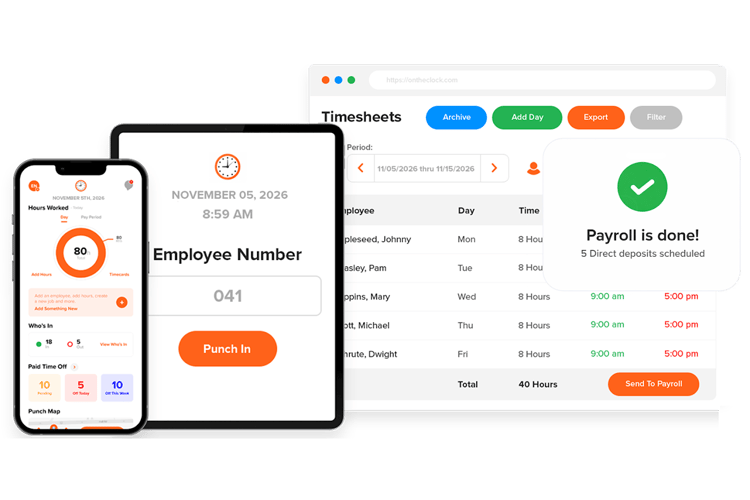
If Clockify’s updated Free plan means you now have to pay to support your whole team, OnTheClock offers another option built specifically for hourly employees.
Clockify makes sense when you’re tracking tasks. You start a timer, switch between projects, and log your hours.
That’s not how most hourly teams work. If employees clock in, do their shifts, and clock out, you need something built around that flow.
That’s where OnTheClock fits.
Employees clock in from their phones. GPS confirms where they are, hours move straight into payroll without exporting files or fixing time sheets at the end of the week, and scheduling and PTO are already there, so you’re not jumping between tools.
For small teams, construction crews, cleaning companies, restaurants, etc., that difference shows up quickly. You spend less time fixing hours and more time running the business.
If you’re moving from Clockify’s Free plan to a paid product anyway, OnTheClock starts at $4 per employee per month plus a $5 base fee, with GPS, geofencing, scheduling, PTO tracking, payroll integrations, and other core time tracking features included.
What Makes it Different from Clockify?
The difference shows up in how the tool works day to day.
With Clockify, payroll usually means exporting hours and cleaning them up before sending them over. OnTheClock connects directly with QuickBooks, Gusto, ADP, and Square, so hours go through without extra steps.
Clockify has limited location controls. OnTheClock includes GPS and geofencing, plus device and IP restrictions, so you know where employees clock in and how they’re clocking in.
The mobile experience is different, too. Clockify mirrors the desktop, while OnTheClock is built for someone actually out in the field.
For hourly teams, that means fewer mistakes, faster payroll, and less back-and-forth every week.
Key Features
Integrations:
Pros
Cons
Pricing
-
A free, 30-day trial is available
-
Plans start at $4 per employee per month + $5 base fee

Toggl Track: Best Clockify Alternative for Freelancers Who Want a Cleaner Interface
Available on: Web, Windows, macOS, iOS, Android, Chrome extension
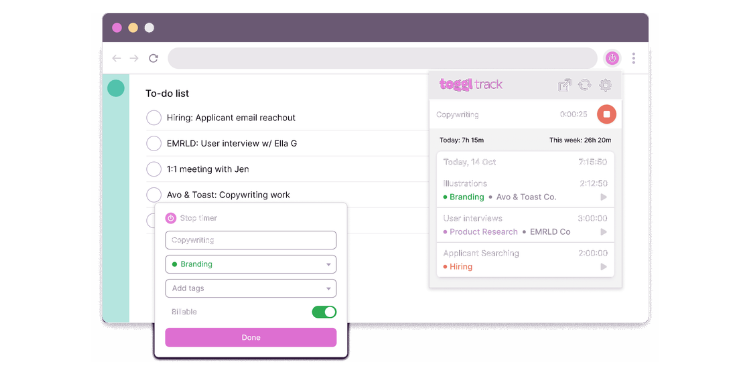
Toggl Track is one of the closest alternatives to Clockify, and it’s built for the same kind of user — freelancers, agencies, and project-based teams.
The biggest difference is how it feels to use.
Toggl is simpler. The layout is clean, and starting a timer takes a second. You can even start tracking time right from tools like Asana, Trello, or Jira without switching tabs. If you’re using it every day, that convenience adds up.
It just feels easier.
Toggl also does a better job on the reporting side. If you bill clients by the hour, it gives you a clearer view of where time is going, how projects are performing, and what your work is actually costing.
But that’s where pricing comes in.
The free plan covers the basics and works well for small teams. Once you want deeper reporting or more advanced features, you’ll need to upgrade, and it can get more expensive than Clockify pretty quickly.
Key Features
Integrations:
Pros
Cons
Pricing
-
Plans start at $8 per user/month + $50 base fee

Hubstaff: Best Clockify Alternative for Remote Teams Needing Workforce Visibility
Available on: Web, Windows, macOS, Linux, iOS, Android, Chrome
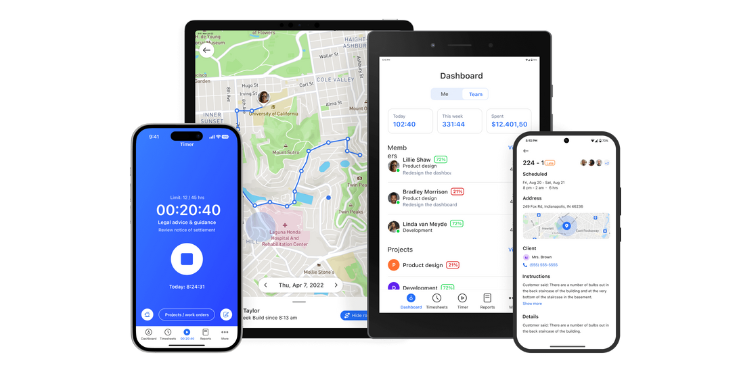
If you’re managing contractors or distributed employees, you don’t always see the work happen. Hubstaff fills that gap. It tracks activity levels based on mouse and keyboard use, shows which apps and websites are being used, and can take optional screenshots. For teams in the field, it also includes GPS tracking.
It’s built for visibility.
For agencies, outsourcing firms, or teams billing clients by the hour, that added layer can make a big difference. You’re not just logging hours — you have a way to verify them.
Hubstaff also goes further on the payroll side. You can pay contractors directly through the platform using tools like PayPal or Wise , instead of exporting hours and handling payments elsewhere.
But there’s a trade-off.
For teams that just want simple time tracking, Hubstaff can feel like too much. The monitoring features can come across as intrusive, especially for employees who don’t expect that level of oversight.
Key Features
Integrations:
Pros
Cons
Pricing
-
A free plan is available for one location
-
Paid plans start at $30 per month per location

Connecteam: Best Clockify Alternative for Deskless Teams Wanting an All-in-One App
Available on: Web, iOS, Android
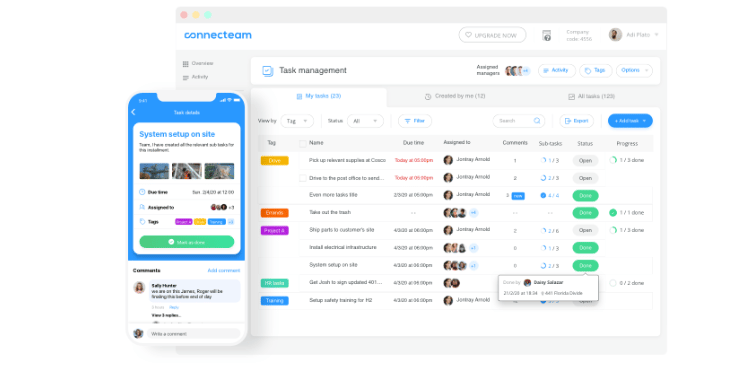
If you’re managing people in the field, work doesn’t happen in one place. Employees check schedules, clock in, get updates, and complete tasks throughout the day. Connecteam puts all of that in one app.
So instead of switching between tools, everything lives in one place.
Connecteam also includes practical features for deskless teams. GPS tracking with geofencing, kiosk mode with selfie verification, and built-in scheduling are all included on the free plan for small teams.
But it only makes sense if you need that setup.
If your goal is just to log billable hours, it’ll feel like more than you need. It’s built for teams managing people across locations, not just tracking time.
For businesses already using separate apps for scheduling, messaging, and time tracking, it can replace all of them with one system.
Key Features
Integrations:
Pros
Cons
Pricing
-
A free plan is available
-
Paid plans start at $29 per month for the first 30 users when billed annually.

Jibble: Best Clockify Alternative for Free Biometric Time Tracking
Available on: Web, iOS, Android, Tablet kiosk, Slack, Microsoft Teams
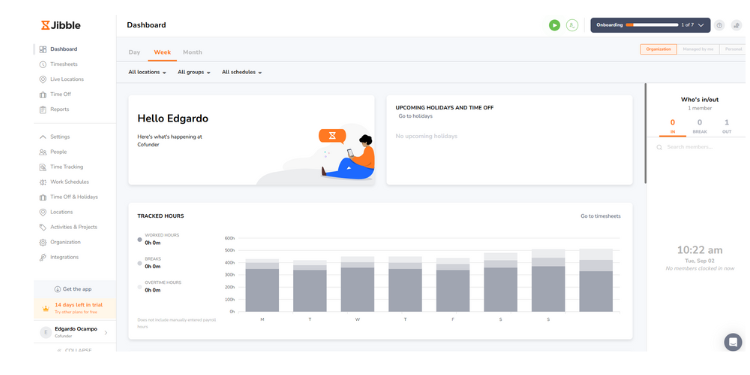
Jibble takes a different approach to “free.”
Instead of focusing on timers, it focuses on verification.
On the free plan, you get unlimited users, facial recognition, GPS tracking, kiosk mode, and basic geofencing. That’s a big shift from Clockify, which centers on manual time tracking.
For small teams trying to prevent buddy punching without paying for software, that setup stands out right away.
You know who clocked in, where they were, and when it happened.
That’s where Jibble is strongest.
It’s built around accountability. Facial recognition with liveness detection helps prevent someone from clocking in for someone else. The system also keeps a clear record of edits, so changes don’t go unnoticed.
But it’s not built for everything.
If you’re tracking billable hours or managing projects, it can feel limited. Reporting and invoicing are more basic, and some features require a paid plan.
Key Features
Integrations:
Pros
Cons
Pricing
-
Free plan available; paid plans start at $3.99 per user/month when billed annually.

ClockShark: Best Clockify Alternative for Construction and Field Service Crews
Available on: Web, iOS, Android, Tablet kiosk
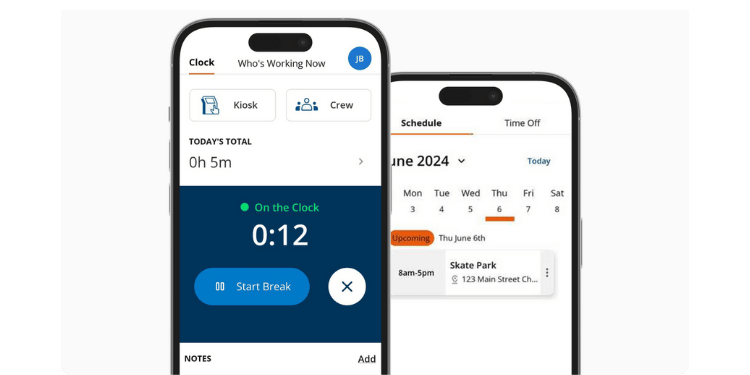
ClockShark is made for businesses with crews out in the field, such as construction companies, HVAC teams, landscapers, and similar trades.
That focus changes how it works.
Instead of just tracking hours, ClockShark ties time directly to jobs. Employees clock in to a specific project, so you can see how much time is going into each job without sorting it out later.
For field teams, that matters.
It also covers the day-to-day reality of job sites. GPS tracking and geofencing are included, so you know where people are clocking in. There’s a kiosk mode for crews sharing one device. Managers can check a live map to see who’s working and where.
There is a downside. If you’re not running field crews, it may feel like more than you need. Pricing can also add up quickly, since there’s a base fee plus a per-user cost.
Key Features
Integrations:
Pros
Cons
Pricing
-
Plans start at $42/month base + $9.50/user/month
Side-By-Side Comparison Table
Why Choose OnTheClock?
See how OnTheClock stacks up against other Clockify alternatives.
| Tool | Best For | Pricing | Key Strengths | Top Integrations |
|---|---|---|---|---|
| OnTheClock | Hourly employees/small businesses | $5 base + $4/user | Direct payroll, all-in-one, hourly focus | ADP, QuickBooks, Gusto, Square |
| Toggl Track | Freelancers/agencies | Free-$18/user | Clean UX, polished reporting | Asana, Jira, Slack, QuickBooks |
| Hubstaff | Remote teams/monitoring | $5.83-$25/user | Activity tracking, GPS, native payments | Asana, QuickBooks, PayPal, Slack |
| Connecteam | Deskless workforces | Free; paid plans start at $29/month for the first 30 users | All-in-one, scheduling, chat | Gusto, QuickBooks, Square, Paychex |
| Jibble | Free + biometric verification | Free; $3.99-$6.99/user/month when billed annually | Facial recognition, GPS, audit trail | QuickBooks, Slack, Teams, Xero |
| ClockShark | Construction / field service | $42 base + $9.50/user | Job costing, GPS, crew map | QuickBooks, Sage, ADP, Gusto |
Comparison data based on 2026 market research and subject to change by respective providers.
What's the Best Option for You?
The best Clockify alternative isn’t the one with the most features; it’s the one that fixes what’s slowing you down right now.
Start with one simple question: What’s the biggest problem you deal with every week?
Many teams choose tools based on what they might need later. That usually leads to software that feels heavier than it should and employees who don’t fully use it.
Focus on what’s happening today.
-
Are you exporting hours and fixing them before payroll?
-
Do employees forget to start or stop timers?
-
Do you need a way to confirm who actually clocked in?
-
Does the mobile app slow things down on job sites?
-
Are you paying for features that feel basic?
Your answers will point you in the right direction.
If payroll takes too long, you need something that connects directly.
If accuracy is the issue, you need better controls around clock-ins.
If your team is in the field, the mobile experience matters more than anything else.
Pick the tool that removes that friction.
When that specific problem is solved, everything else gets easier. Payroll runs smoother, hours are cleaner, and you spend less time fixing mistakes and more time actually running the business.
Frequently Asked Questions About Clockify Alternatives
What is the best alternative to Clockify?
The best option depends on your team’s main priority.
For hourly employees and small businesses that need direct payroll integration, OnTheClock is often a strong fit. For freelancers who want a cleaner interface, Toggl Track is the closest match. For deskless teams that need scheduling, communication, and time tracking, Connecteam is a better fit.
Which Clockify alternative is best for preventing buddy punching?
Jibble stands out here. Its free plan includes AI facial recognition with liveness detection, which helps confirm who is actually clocking in.
OnTheClock and Connecteam also offer kiosk-based verification on paid plans. Clockify does not include built-in biometric verification.
Is Clockify still worth it in 2026?
Clockify can still work well for freelancers and project-based teams that want unlimited users on a free plan.
For businesses with hourly employees, it often starts to fall short once payroll, location tracking, or accuracy become daily concerns.
How long does it take to switch from Clockify to another platform?
Most small to mid-sized teams can switch within a few days to two weeks.
The timeline depends on team size, payroll setup, and whether historical data needs to be moved. Some tools offer onboarding support to make the transition faster.
Will my employees resist switching from Clockify?
Most employees don’t resist if the new tool is easier to use.
If clocking in is simpler, like a one-tap mobile action instead of managing timers, teams usually adjust within a week. Field workers often prefer mobile-first tools.
Do Clockify alternatives integrate with payroll tools like QuickBooks, ADP, or Gusto?
Yes. Tools like OnTheClock, ClockShark, Hubstaff, Connecteam, and Jibble connect directly with payroll systems, such as QuickBooks, ADP, Gusto, and others.
Clockify handles this differently by requiring exports and manual uploads.
What should I look for when choosing a Clockify alternative?
Start with your biggest operational gap.
Look at payroll integration, mobile usability, GPS tracking, time theft prevention, and whether the tool supports hourly shifts or project timers.
The right choice depends on how your team works.
