We hear from small business owners every week who express the same sentiment: Prices keep going up, but the value doesn’t feel any different. What used to be a simple tool (back when it was TSheets) now often requires a QuickBooks Online subscription plus per-user fees and a base cost that adds up fast. For a 10-person team, it’s easy to cross $200 a month before you even run payroll.
That’s usually the breaking point. Not frustration with time tracking itself but with paying more every year for something that should just work.
In this article, I'll walk you through the best QuickBooks Time alternatives for 2026, starting with what we’ve built at OnTheClock, then show you five other options worth considering. I’ll break them down based on what actually matters in real businesses: accuracy, ease of use, mobile reliability, and total cost.
No hype or cheap shots. Just a clear look at what you gain, what you lose, and which tool fits your team best.
What Most Teams Actually Want from a QuickBooks Time Alternative
QuickBooks Time is still a solid tool. It tracks hours, builds schedules, logs GPS, and syncs well with QuickBooks Online payroll. If your business already runs inside that system, the connection is convenient.
However, the real issue isn’t what it does; it’s how it’s priced.
For small business owners, that’s usually where the frustration starts, but it’s not where it ends. Once people start looking at alternatives, a few practical problems quickly arise: Support can be harder to reach when payroll is on the line, mobile and GPS tracking can be inconsistent for field teams, and sync errors can delay payroll, especially with Desktop or add-ons.
Most teams aren’t asking for more features; they're asking for more reliable features at a more affordable price.
They want a tool that works on its own without forcing them into a full accounting system just to track hours. At the same time, they still need clean exports to QuickBooks, Gusto, ADP, or Paychex when it’s time to run payroll.
They also want the basics to work every day. Employees should be able to clock in from the field without errors, GPS should be accurate, and timecards shouldn’t need to be corrected right before payroll.
This is where many alternatives start to stand out.
Quick Picks: Which QuickBooks Time Alternative Best Fits Your Team
-
OnTheClock: Best QuickBooks Time Alternative for Small Businesses
-
Workyard: Best QuickBooks Time Alternative for Construction and Specialty Trades
-
Homebase: Best QuickBooks Time Alternative for Single-Location Teams
-
Clockify: Best QuickBooks Time Alternative for Freelancers and Simple Time Tracking
-
Buddy Punch: Best QuickBooks Time Alternative for Preventing Buddy Punching
-
Timeero: Best QuickBooks Time Alternative for Mobile Teams and Mileage Tracking
How We Evaluated These QuickBooks Time Alternatives
We reviewed 20 real alternatives to QuickBooks Time and scored them based on criteria that matter in day-to-day use. Then, we narrowed it down to the six that make the most sense for teams ready to switch.
Here’s what we focused on:
-
User reviews and reputation
-
Time tracking system quality
-
Mobile-first design
-
GPS and geofencing
-
Job costing and cost codes
-
Payroll integration
-
Ease of use
-
Pricing transparency
-
Compliance and overtime
We focused on what affects your daily workflow, not just feature lists.
The Best QuickBooks Time Alternatives

OnTheClock: Best QuickBooks Time Alternative for Small Businesses
Available on: Web, iOS, Android, Kiosk
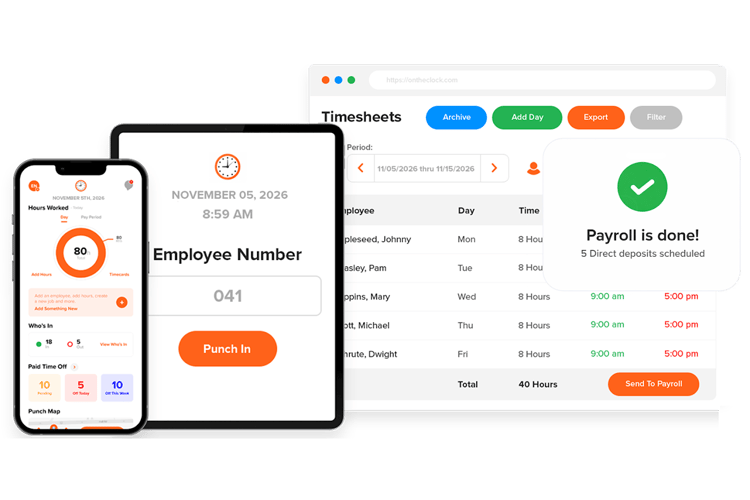
If your No. 1 reason for leaving QuickBooks Time is cost, we built OnTheClock for you.
We’ve been around since 2004, based in Clinton Township, Michigan, and we serve more than 16,000 small businesses. Most of our customers have between two and 100 employees. We’ve stayed independent the whole time, which means no outside pressure to raise prices annually or lock features behind higher plans.
Our pricing is simple. It’s $4 per employee per month plus a $5 base fee. A 10-person team pays about $45 a month. That includes GPS, geofencing, PTO tracking, scheduling, biometric options, and payroll exports. You don’t need a QuickBooks Online subscription just to use it.
What Makes it Different from QuickBooks Time?
What makes us different comes down to how we build the product. We grow based on customer revenue, so we focus on what small businesses actually need.
Most teams want to sign up, add employees, and run payroll the same day. That’s how we designed it. Setup usually takes a couple of minutes, not hours.
Support follows the same idea. You get real people based in the U.S., and it’s included on every plan. When payroll is coming up, you don’t have time to wait. You need help right away.
Key Features
Integrations:
Pros
Cons
Pricing
-
A free, 30-day trial is available
-
Plans start at $4 per employee per month + $5 base fee
Switch From QuickBooks Time Without the Price Hikes
Try OnTheClock free for 30 days and see how simple time tracking can be.
Try Free
Workyard: Best QuickBooks Time Alternative for Construction
Available on: Web, iOS, Android
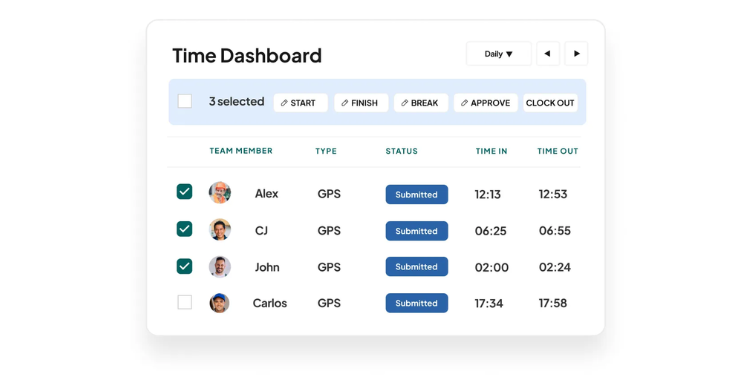
Workyard is among the most construction-focused tools on this list, and it scored the highest among the competitors we reviewed. If you run a general contracting, electrical, plumbing, HVAC, landscaping, or framing business, this is usually the next tool to look at after OnTheClock.
Where QuickBooks Time handles field teams well enough, Workyard is built specifically for them. The GPS tracking is more precise than most tools I’ve tested. It can differentiate between driving and working, helping you avoid logging drive time as job time. That matters when you’re billing clients or tracking labor costs.
The biggest difference is job costing. Time doesn’t just sit in a time sheet. It connects directly to jobs, phases, and tasks. As your crew clocks in, you can see labor costs update in real time. That gives you a clear view of how each job is performing while it’s still in progress.
Key Features
Integrations:
Pros
Cons
Pricing
-
Plans start at $8 per user/month + $50 base fee

Homebase: Best QuickBooks Time Alternative for Single-Location Teams
Available on: Web, iOS, Android
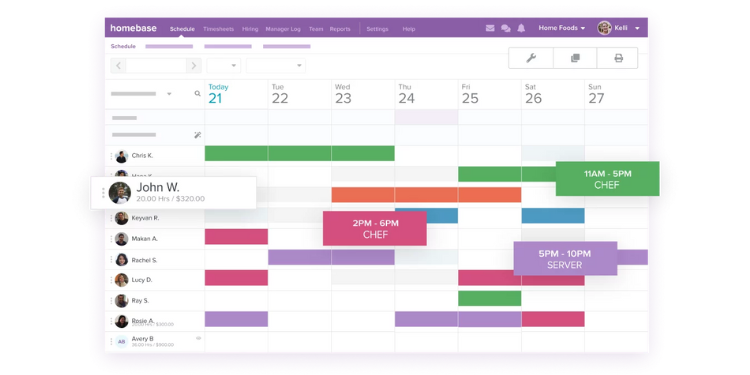
Homebase is built for very small, hourly teams. Think one café, retail shop, salon, or quick-service restaurant. If that sounds like your setup, it may be a good fit.
The biggest draw is the free plan. You can run one location with up to 10 employees without paying. For a five-person coffee shop or a small boutique, the free tier can cover everything you need.
Compared to QuickBooks Time, Homebase keeps things simple. You won’t get deep job costing or advanced GPS tools. Instead, you get an easy schedule and a time clock your team will actually use. The mobile app is clean, and employees can swap shifts or request time off in a few taps.
Key Features
Integrations:
Pros
Cons
Pricing
-
A free plan is available for one location
-
Paid plans start at $30 per month per location

Clockify: Best QuickBooks Time Alternative for Freelancers and Agencies
Available on: Web, iOS, Android, Desktop
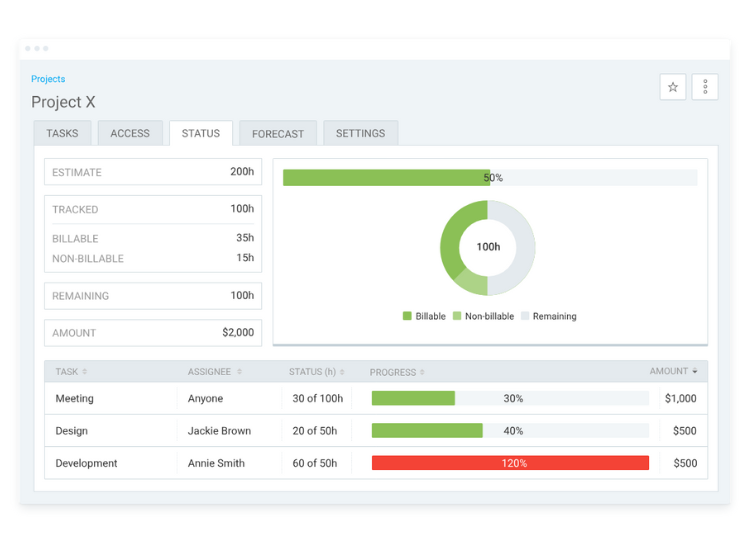
Clockify is one of the few tools in this space that is truly free. You get unlimited users, unlimited projects, and no credit card is required. For agencies, consultants, or remote teams, that’s hard to beat.
I usually recommend Clockify to teams that were using QuickBooks Time only for project work. If you’re not managing field crews or hourly staff, QuickBooks Time can feel like too much. Clockify keeps it simple and focused on tracking time across projects.
It works well for marketing agencies, bookkeepers, and software teams that need to track billable hours, review time sheets, and understand where time is going each week.
Key Features
Integrations:
Pros
Cons
Pricing
-
A free plan is available
-
Paid plans start at $3.99 per user/month

Buddy Punch: Best QuickBooks Time Alternative for Preventing Buddy Punching
Available on: Web, iOS, Android
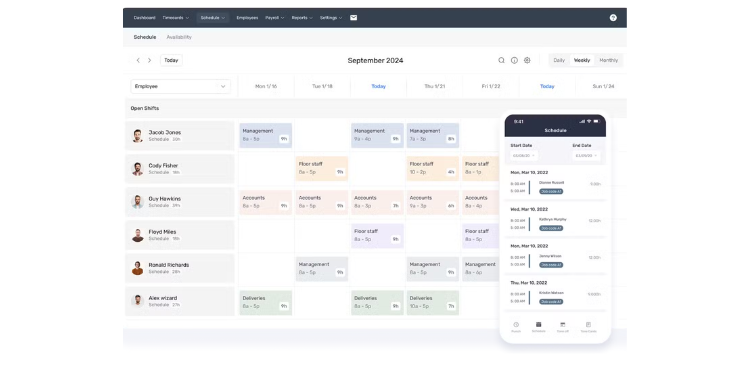
Buddy Punch is one of those tools that just works. It doesn’t get as much attention as some bigger names, but its time clock is very reliable. What stands out most is the number of ways your team can clock in.
If you’re coming from QuickBooks Time, this is where you’ll notice the difference. Buddy Punch gives you more control over how employees log time, which helps reduce mistakes and time theft.
That matters because buddy punching — when one employee clocks in for another — is one of the most common issues I see with small teams. Buddy Punch makes that action much harder with tools like facial recognition and geofencing.
For teams with five to 25 employees, especially those split between office and field work, it’s a strong fit.
Key Features
Integrations:
Pros
Cons
Pricing
-
Plans start at $4.49 per user/month + base fee

Timeero: Best QuickBooks Time Alternative for Mobile Teams
Available on: Web, iOS, Android
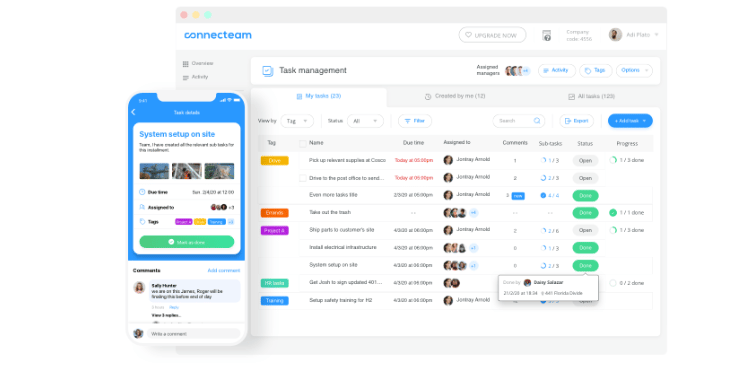
Timeero stands out for one reason: It handles mileage the right way.
If you’ve used QuickBooks Time with field teams, you’ve probably noticed that mileage can get inflated because the system tracks any movement, not just actual driving between jobs. That becomes a problem quickly if you reimburse employees or closely track costs.
Timeero fixes that with segmented tracking. It detects when someone is actually driving and only logs that time and distance. For home health care, field sales, or service routes, that makes a big difference.
It’s also built with compliance in mind. If you operate in states like California, where meal and break rules are strict, Timeero helps you stay on track.
Key Features
Integrations:
Pros
Cons
Pricing
-
Plans start at $4 per user/month
A Side-by-Side Comparison of QuickBooks Time Alternatives
Why Choose OnTheClock?
See how OnTheClock stacks up against other QuickBooks Time alternatives.
| Tool | Best For | Pricing (Approx.) | GPS/Geofence | Job Costing |
|---|---|---|---|---|
| OnTheClock | Small business overall value | $4/user + $5 base | Yes / Yes | Basic |
| Workyard | Construction & trades | $8/user + $50 base | Yes / Yes | Deep |
| Homebase | Retail & restaurants | Free (1 location) | Limited | None |
| Clockify | Agencies & freelancers | Free | Limited | Projects |
| Buddy Punch | Flexible clock-in teams | $4.49/user + base | Yes | Light |
| Timeero | Field sales & healthcare | $4/user | Yes / Yes | Medium |
Comparison data based on 2026 market research and subject to change by respective providers.
What’s the Best Option for You?
There isn’t one “best” tool for everyone. The right choice depends on how your team works day to day.
Instead of guessing, ask yourself a few simple questions:
-
Where does your team work?
-
What are you actually tracking?
-
What problems are you trying to fix right now?
-
Do you need simple or detailed controls?
-
How fast do you need to get started?
If you answer those honestly, the right option usually becomes clear.
Frequently Asked Questions About QuickBooks Time Alternatives
Is QuickBooks Time the same as TSheets?
Yes. QuickBooks Time was previously called TSheets. Intuit acquired it in 2018 and rebranded it in 2021.
Is QuickBooks Time being discontinued?
No. It’s still active in 2026, but it now requires a QuickBooks Online subscription.
Can I use QuickBooks Time without QuickBooks Online?
No. You need an active QuickBooks Online account to use it.
What’s the cheapest alternative?
Homebase and Clockify offer free plans. For full features, OnTheClock is one of the lowest-cost options.
What’s best for construction?
Workyard stands out due to GPS accuracy and job costing features.
Will I lose my data if I switch?
Most tools support CSV imports. Running both systems for one pay cycle helps ensure accuracy.
Do these tools integrate with QuickBooks?
Yes. Most offer direct integrations or clean exports, even if they don’t match native sync depth.
