7shifts is a time tracking and scheduling platform built for restaurants. It helps managers create schedules, track labor, and sync hours with payroll. For some teams, it works well at first. But many managers tell us problems show up once they start using it every day.
If you’re searching for 7shifts alternatives, something likely isn’t working. Maybe the schedule editor feels slow on busy nights. Maybe updating shifts takes longer than it should.
When service gets hectic, you don’t have time to fight your software.
If you’re considering a switch, you probably want something simpler. You want clear control over schedules, labor costs, and payroll.
In this guide, we review the best 7shifts alternatives based on what restaurant managers need to stay organized and reduce scheduling stress.
What Most Teams Actually Want from a 7shifts Alternative
After speaking with restaurant operators and small business owners, their needs are simple.
First, they want clear pricing. Managers want one plan that includes scheduling and time tracking. They do not want to stack add-ons just to get basic features. If they open a second location, they should not see their bill spike overnight. They want steady costs they can budget for.
They also want everything in one place. Scheduling, time tracking, and payroll should live in the same system. No second app for clock-ins. No bouncing between dashboards to approve hours. Make a change. See the labor impact. Keep moving.
Speed matters too. Dashboards should load fast. Notifications should arrive on time. Mobile apps should work during peak hours. When the dinner rush hits, the system cannot freeze.
Finally, they want a system that grows with them. They need clear labor costs by role. They need accurate payroll sync and overtime alerts. Multi-location controls should stay simple. Managers want confidence in their numbers. Owners want payroll finished without late-night fixes.
Quick Picks: Which 7shifts Alternative Best Fits Your Team
If you don’t want to read every full review, here’s the short version. Each 7shifts alternative below solves a different problem. The best choice depends on what is slowing your team down right now.
-
OnTheClock — Best for pricing transparency
-
Deputy — Best for compliance support
-
Connecteam — Best for multiple locations
-
Push Operations — Best for payroll integration
-
Homebase — Best for small businesses
-
Sling — Best for team communication
How We Evaluated These 7shifts Alternatives
When I review workforce tools, I do not start with feature lists. I look at how they work in real restaurants. To compare these 7shifts alternatives, we focused on what affects your daily schedule, labor costs, and payroll.
Here’s what we evaluated:
-
Pricing clarity
-
Scheduling ease
-
Labor cost visibility
-
Time tracking accuracy
-
Multi-location controls
-
Mobile performance
-
Payroll integration
We also looked at how easy each system feels for staff. If employees struggle to clock in or swap shifts, managers end up fixing mistakes instead of running the restaurant. A tool should save time, not create more work.
The Best 7shifts Alternatives
Below, we break down the best 7shifts alternatives based on real operational needs. For each platform, I’ll explain who it fits best, where it stands out, and where it may not be the right move for your team.

OnTheClock: Best Alternative to 7shifts for Transparent Pricing
Available on: Web, iOS, Android
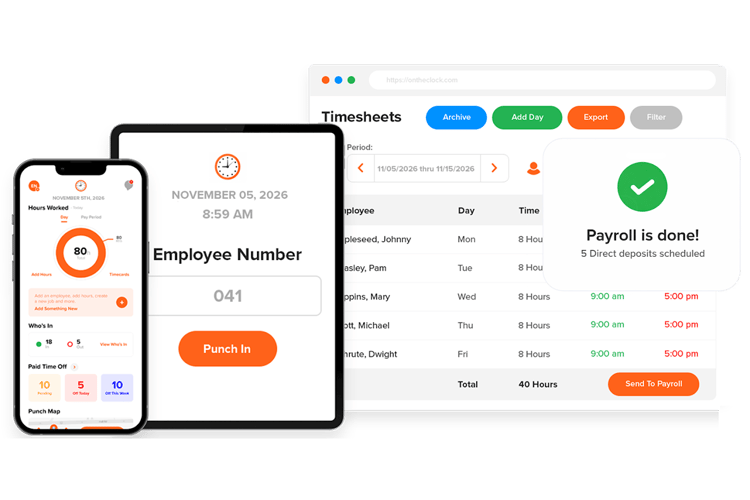
If pricing confusion is your biggest frustration, OnTheClock stands out right away.
OnTheClock is built for small and mid-sized businesses that want simple scheduling, accurate time tracking, and clean payroll exports without hidden fees. Many restaurant owners choose it because the pricing stays predictable as they grow.
Instead of complicated location tiers or locked features, OnTheClock uses a flat base fee plus a low per-employee cost. If you open a second location, you are not forced into a new pricing tier overnight. You can plan your labor software cost the same way you plan food cost or payroll.
But pricing is only part of the picture.
Restaurant managers also need reliable time tracking during busy shifts. They need to see who is on the clock, control overtime before it hits payroll, and export hours without fixing mistakes at midnight.
OnTheClock focuses on those core tasks. Employees can clock in from their phones with GPS tracking. Managers can use geofencing to reduce buddy punching. Owners can review hours and send payroll with a few clicks.
That combination of predictable pricing and clean execution makes OnTheClock one of the strongest alternatives to 7shifts for growing restaurant teams.
What Makes It Different from 7shifts
As mentioned earlier, the biggest difference is the pricing structure. OnTheClock keeps costs simple and predictable. You pay a clear base fee plus a set cost per employee. There are no surprise jumps when you add a location or activate a feature.
But pricing is only the starting point.
OnTheClock places stronger emphasis on accurate time tracking and clean payroll exports. The system helps managers capture hours correctly the first time, even during double shifts or busy weekends. GPS tracking and geofencing reduce buddy punching. Overtime alerts help prevent payroll surprises before they happen.
The platform also stays focused on core operations. You can schedule shifts, track hours, monitor labor costs, and export payroll without jumping between tools or dashboards. That simplicity reduces mistakes and saves time.
For operators who care more about clean hours and predictable costs than complex automation rules, that focus makes a real difference.
Key Features
Integrations:
Pros
Cons
Pricing
-
Plans start at $5/month base fee + $4 per user/month

Deputy: Best Alternative to 7shifts for Compliance
Available on: Web, iOS, Android
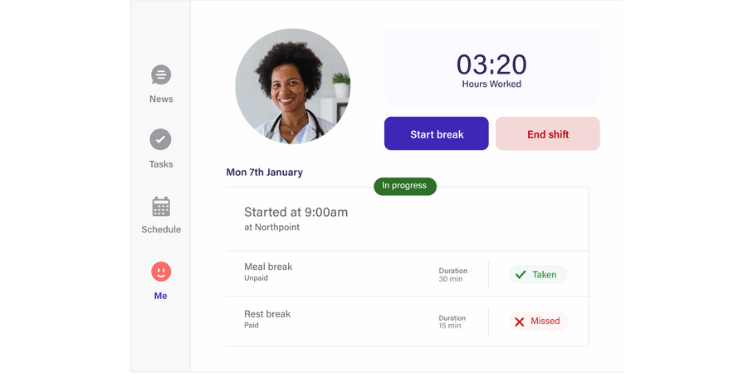
If labor law compliance keeps you up at night, Deputy deserves serious attention.
Deputy is built for businesses that operate under strict scheduling and wage laws. That includes restaurants in cities with fair workweek rules, predictive scheduling laws, or mandatory break requirements. If your state enforces meal and rest period penalties, compliance mistakes can get expensive fast.
Deputy focuses heavily on protecting you from those risks.
Its scheduling system helps managers build shifts that follow local labor rules. The platform can flag conflicts before you publish a schedule. It can warn you about overtime risks, minimum rest violations, or required break windows.
Instead of fixing problems after payroll runs, you catch them while building the schedule.
Deputy also tracks time with compliance in mind. The mobile time clock includes GPS verification and optional facial recognition. That helps confirm who clocked in and when. The system can automatically track breaks to support fair workweek and wage compliance.
For restaurants operating in regulated cities like Los Angeles, Chicago, or New York, those safeguards matter. Labor penalties can cost thousands of dollars per violation.
Key Features
Pros
Cons
Pricing
-
30-day free trial is available
-
Plans start at $5 per user per month

Connecteam: Best Alternative to 7shifts for Multiple Locations
Available on: Web, iOS, Android
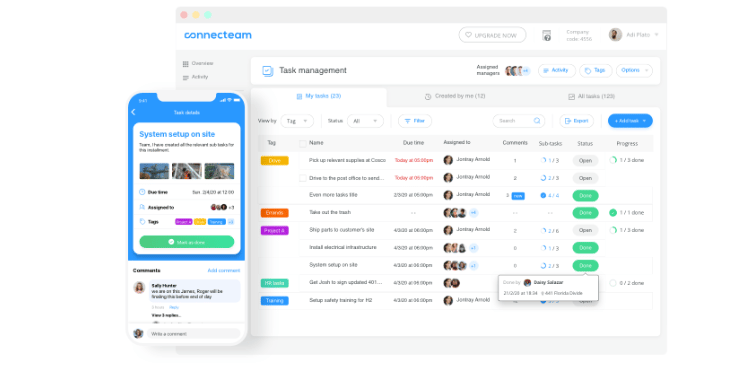
Connecteam is built for business teams spread across multiple locations. It combines scheduling, time tracking, team communication, and basic HR tools into one mobile app. For restaurant groups, that means fewer systems to manage and less time switching between apps.
Connecteam offers flat-rate plans instead of charging strictly per location. You can add new sites without watching your monthly bill jump each time. For growing restaurant groups, that makes expansion easier to budget.
On the operational side, Connecteam is highly mobile-focused. Employees use a GPS-enabled time clock with geofencing. Managers can send announcements, share updates, and assign tasks directly inside the app. Digital checklists help standardize opening and closing procedures across stores.
For teams that struggle with communication between locations, that built-in messaging system can reduce confusion.
Scheduling tools include templates and automation to help managers build weekly rosters faster. However, Connecteam does not offer the same level of deep restaurant-specific labor forecasting tied to POS data that 7shifts provides.
Key Features
Pros
Cons
Pricing
-
Free plan available
-
Plans start at $29 per month for the first 30 users + $0.80 per month for each additional user

Push Operations: Best Alternative to 7shifts for Payroll
Available on: Web, iOS, Android
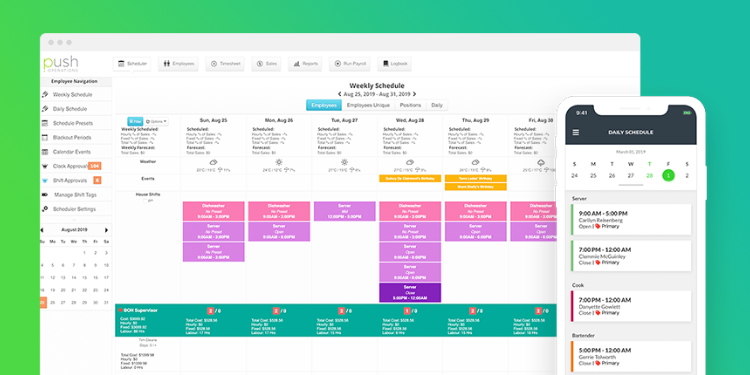
Push Operations is built for businesses that want scheduling, time tracking, HR, and payroll inside one connected system. Instead of exporting hours into a separate payroll provider, the platform processes payroll natively. Time data flows directly from approved shifts into payroll without extra uploads or manual corrections.
This structure works well for multi-location restaurants and franchises that manage complex pay rules. If you operate in multiple states or deal with overtime, holiday pay, and tax calculations, Push Operations is designed to handle that complexity in one place.
The platform also connects labor data with POS systems. Managers can compare sales and labor costs in real time. That visibility helps operators adjust staffing before labor costs impact profit margins.
Push Operations gives leadership a centralized dashboard to monitor payroll and labor performance across all locations.
Key Features
Pros
Cons
Pricing
-
Plans start at $6 per month per user ($30 minimum for 5 employees)

Homebase: Best Alternative to 7shifts for Small Businesses
Available on: Web, iOS, Android
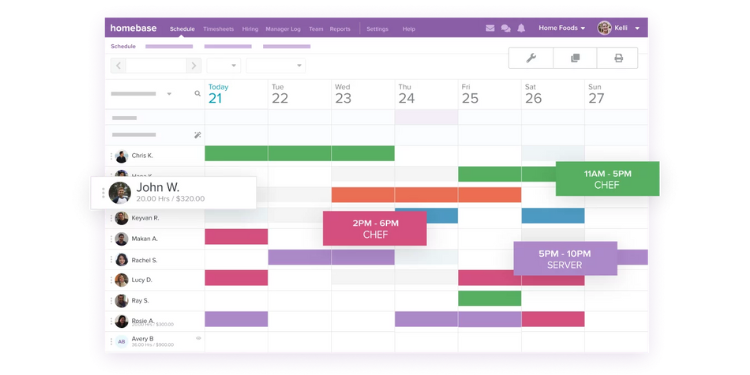
Homebase is built for independent restaurants and hourly teams that need basic scheduling and time tracking without a steep learning curve. Many small business owners choose it when they want to move away from spreadsheets and manual time cards.
One of its biggest advantages is its free plan. Homebase offers a fully functional free tier for one location with up to 10 employees. That includes core scheduling tools, a time clock, and basic POS integration. For small restaurants with tight budgets, that entry point makes adoption easier.
Beyond scheduling and time tracking, Homebase also includes hiring and onboarding tools. Restaurant owners can post jobs, track applicants, and complete onboarding paperwork inside the same system. That helps small teams manage staffing without buying separate HR software.
The mobile app supports GPS-based clock-ins and basic geofencing. Managers can build schedules using templates and send updates to staff quickly. The system covers the core needs of a small operation without adding too many layers.
Homebase does not offer advanced labor forecasting tools like some enterprise platforms. Its scheduling automation is more straightforward. But for small restaurants that want easy setup, basic payroll support, and simple team management, Homebase provides a practical option.
Key Features
Pros
Cons
Pricing
- Free plan is available
- Plans start at $30 per location

Sling: Best Alternative to 7shifts for Team Communication
Available on: Web, iOS, Android
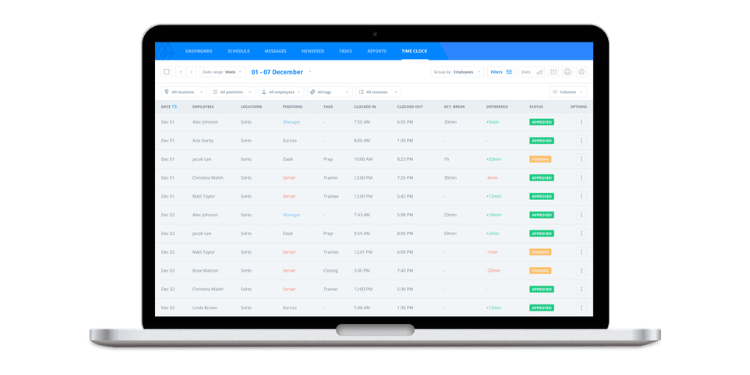
Sling is a free, all-in-one employee management platform that helps restaurant teams schedule shifts, track time, and most importantly, stay in touch. It combines messaging, announcements, and team chat with core workforce tools so your staff doesn’t have to jump between apps to get updates or swap shifts.
Sling works well for small to mid-sized restaurants, cafés, and bars that want a central place for schedules and communication. Managers can send messages to individual employees or entire teams, post news and updates, and create a shared space for notices that everyone can see no matter where they are.
Because communication lives alongside scheduling and time tracking, teams get clear updates about shift changes, time-off requests, and daily tasks without resorting to text chains or separate messaging apps. Sling’s messaging tools include both private and group chats, news feeds, and alert notifications that help keep everyone aligned.
Beyond communication, Sling still covers the basics you expect from workforce software. You can track hours, build schedules, and export timesheets for payroll. The platform also supports task management so you can assign and check off duties for each shift.
Key Features
Pros
Cons
Pricing
- Free plan is available up to 30 employees
- Plans start at $2.00 per employee
A Side-by-Side Comparison of 7shifts Alternatives
Why Choose OnTheClock?
See how we stack up against the competition.
| Tool | Best For | Pricing | Key Strengths | Top Integrations |
|---|---|---|---|---|
| OnTheClock | Transparent Pricing | $5 base + $4 /employee | GPS geofencing, simple mobile dashboard, and predictable costs | ADP, QuickBooks, Gusto, Square |
| Connecteam | Multiple Locations | $29 flat (up to 30 users) | Mobile-first design, team messaging, and digital checklists | Gusto, Xero, ADP, Square |
| Deputy | Compliance Support | $5 /user / month | Fair Workweek rule management and break compliance tracking | ADP, Gusto, BambooHR, NetSuite |
| Push Operations | Payroll Integration | $6 /employee | Native payroll processing and real-time labor vs. sales data | Toast, Square, TipHaus, QuickBooks |
| Homebase | Small Businesses | $0 or $30 /location | Free tier for 1 location and built-in hiring/onboarding tools | Clover, Toast, Restaurant365, Square |
| Sling (by Toast) | Team Communication | $2 /employee | Centralized group messaging, newsfeeds, and task management | Toast, Square, Gusto, Shopify |
Comparison data is approximate and subject to change by respective providers.
What’s the Best Option for You?
If you want clear, predictable pricing and strong time tracking, OnTheClock is a solid choice. It keeps costs simple and focuses on accurate hours and clean payroll exports.
If labor law compliance is your main concern, Deputy offers stronger safeguards for regulated cities and complex scheduling rules.
If you manage multiple locations and want everything in one mobile app, Connecteam helps centralize communication and coordination.
If payroll is your biggest headache, Push Operations connects time tracking directly to native payroll processing.
If you run a small, single-location restaurant and want an easy, budget-friendly tool, Homebase offers a simple setup with a free entry plan.
If team communication is your biggest gap, Sling keeps messaging and scheduling in one place.
Start by identifying your biggest pain point. The right system should reduce stress, not add to it.
If you’re ready for predictable pricing and accurate time tracking, you can try OnTheClock free and see how it fits your team.
Frequently Asked Questions About 7shifts Alternatives
What is the best alternative to 7shifts?
The best alternative depends on your main need. If you want stronger time tracking and predictable pricing, OnTheClock is a strong option. If compliance and advanced scheduling matter more, Deputy may fit better. Teams focused on managing multiple locations often choose Connecteam, while small businesses may prefer Homebase for its simplicity.
Which 7shifts alternative is best for preventing buddy punching?
Platforms with GPS tracking and identity verification work best. OnTheClock uses GPS and geofencing to ensure employees clock in from the correct location. Some platforms, like Push Operations, also offer facial recognition to confirm employee identity during clock-in.
Is 7shifts still worth it?
7shifts is still a good option for restaurants that rely on labor forecasting tied to POS data. It works well for teams that want scheduling built around restaurant workflows. However, businesses needing simpler pricing, stronger time tracking, or everything in one plan may outgrow it.
How long does it take to switch from 7shifts to another platform?
Most restaurants can switch within a few days to two weeks. The timeline depends on employee count, schedule setup, and payroll integrations. Many teams start by importing employees, rebuilding schedules, and running one parallel payroll cycle before fully switching.
Will my employees resist switching time tracking apps?
Some hesitation is normal, but resistance is usually short-term. Most teams adjust quickly if the new app is mobile-friendly and easy to use. Clear communication and a short walkthrough during the first week usually make the transition smooth.
What should I look for when choosing a 7shifts alternative?
Focus on the problems you want to solve first. Look for clear pricing, reliable mobile clock-ins, simple scheduling, payroll integrations, and strong support. The best platform should reduce manual work and help managers spend less time fixing schedules or payroll errors.
Do 7shifts alternatives integrate with payroll tools like QuickBooks or ADP?
Yes. Many 7shifts alternatives integrate directly with payroll providers such as QuickBooks, ADP, and Gusto. These integrations allow approved hours to sync automatically, reducing manual data entry and payroll mistakes.
