
Jump to section
Try OnTheClock Free
Save time and make payroll effortless with our easy-to-use, affordable employee time tracking app.
Try It Free
OnTheClock: Best When I Work Alternative for Time Tracking and Payroll
Available on: Web, iOS, Android
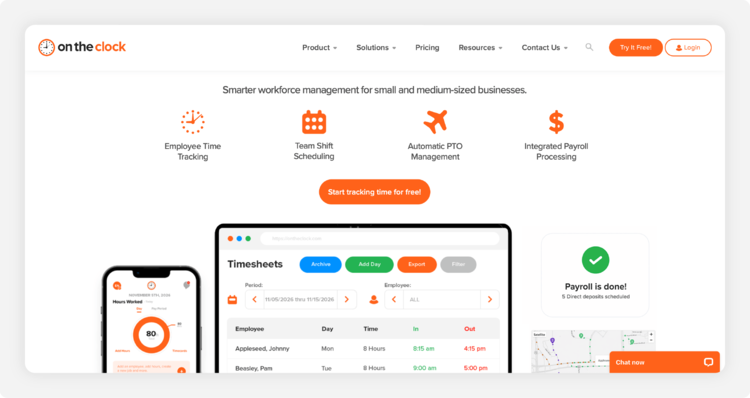
OnTheClock is a strong When I Work alternative for small and mid-sized businesses that want employee scheduling, time tracking, PTO management, and payroll in one platform.
While When I Work focuses primarily on employee scheduling, OnTheClock combines shift scheduling with tools that help businesses track employee hours, manage labor costs, and simplify payroll processing. Employees can clock in and out using a mobile device, web browser, or shared time clock kiosk. Managers can create employee schedules, review time sheets, manage PTO requests, and monitor overtime from a centralized dashboard.
OnTheClock also includes GPS tracking, geofencing, and IP restrictions to help ensure employees clock in from approved locations. For businesses looking to streamline payroll, OnTheClock offers optional built-in payroll processing, eliminating the need to transfer approved hours to a separate payroll provider.
With straightforward pricing and U.S.-based customer support, OnTheClock is particularly well-suited for businesses that want comprehensive workforce management tools without paying extra to unlock essential features.
What Makes it Different from When I Work
One of the biggest differences between OnTheClock and When I Work is how the platforms handle payroll.
When I Work integrates with third-party payroll providers, including Rippling. OnTheClock offers its own payroll solution, allowing businesses to manage employee scheduling, time tracking, PTO, and payroll within the same platform.
This integrated approach can reduce manual data entry and simplify the process of reviewing employee hours before payroll.
Other differences include:
- Built-in payroll: Process payroll with direct deposit, automated tax filings, and year-end tax forms without relying on a separate payroll provider.
- Employee scheduling: Create schedules, assign shifts by employee or department, and share schedules with your team.
- Integrated PTO management: Track employee time-off requests, balances, and accruals alongside scheduling and payroll.
- GPS and geofencing: Monitor punch locations and restrict clock-ins to approved job sites or workplaces.
- Overtime calculations: Automatically calculate overtime based on configured rules to improve time sheet accuracy.
- Transparent pricing: Access core time tracking, scheduling, PTO, and location features without upgrading to a higher-priced feature tier.
When I Work may be sufficient for businesses primarily interested in scheduling and employee communication; however, OnTheClock offers an appealing alternative for employers who want scheduling, time tracking, and payroll connected in one system.
Key Features
Integrations
Pros
Cons
Pricing
- Time Tracking and Scheduling: $4 per employee per month, plus a $5 monthly base fee.
- Built-In Payroll: Additional $6 per employee per month, plus a $40 monthly base fee.
- Payroll Onboarding: One-time $250 implementation fee.
- Free Trial: 30 days, no credit card required.
- Contracts: No long-term contracts required.
For example, a business with 10 employees pays $45 per month for employee time tracking, scheduling, PTO management, and GPS tracking. Adding payroll for all 10 employees brings the combined monthly cost to $145, plus the one-time payroll onboarding fee.

Homebase: Best Free When I Work Alternative for Single-Location Businesses
Available on: Web, iOS, Android
.png?width=750&height=429&name=homebase-homepage-screenshot%20(2).png)
Homebase is a strong When I Work alternative for small businesses that want employee scheduling and time tracking without paying a monthly subscription fee.
Designed primarily for businesses with hourly employees, including restaurants, retailers, and service providers, Homebase offers a free Basic plan for one location with up to 10 employees. The plan includes essential scheduling tools, basic time tracking, and point-of-sale integrations.
Managers can create employee schedules, track hours, and monitor attendance, while employees can access schedules and clock in and out through the Homebase app.
For growing businesses, paid plans introduce advanced scheduling, team communication, PTO management, labor cost controls, and HR features. Homebase also offers integrated payroll processing as an optional add-on.
What Makes it Different From When I Work
The biggest difference between Homebase and When I Work is its free plan.
While When I Work offers a 14-day free trial, Homebase provides free basic employee scheduling and time tracking for businesses operating from one location with 10 or fewer employees.
Homebase also offers its own payroll service, allowing businesses to manage scheduling, time sheets, and payroll within the same platform. When I Work, by comparison, relies on integrations with outside payroll providers.
However, Homebase structures its paid plans around individual locations rather than charging per employee. This can be beneficial for businesses with larger teams at a single location, but subscription costs increase as businesses add locations.
For a small restaurant, retail store, or other single-location business, Homebase offers an affordable way to manage everyday scheduling needs.
Want a closer look at how these platforms compare? Read this article: The Best Homebase Alternatives for 2026.
Key Features
Pros
Cons
Pricing
- Basic: Free for one location with up to 10 employees.
- Essentials: $24 per location per month, billed annually.
- Plus: $56 per location per month, billed annually.
- All-in-One: $96 per location per month, billed annually.
- Payroll Add-On: $49 per month plus $6 per employee paid.
- Free Trial: 14 days of All-in-One features, no credit card required.
Homebase is particularly appealing to businesses looking for a free When I Work alternative; however, employers managing multiple locations or needing more advanced workforce management tools should compare the total subscription cost before deciding.

Deputy: Best When I Work Alternative for Complex Scheduling Rules
Available on: Web, iOS, Android
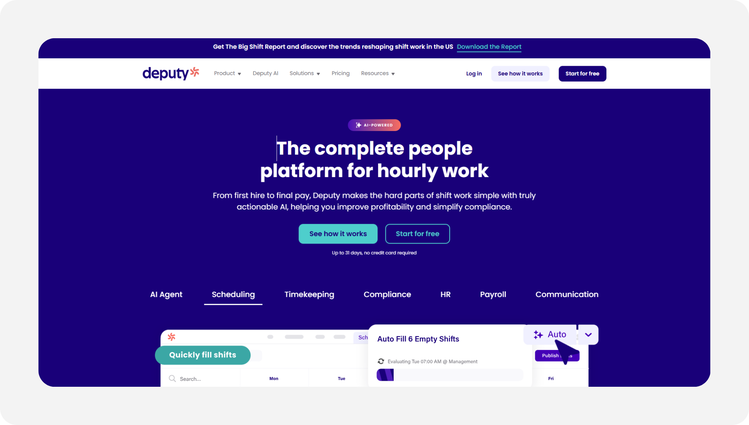
Deputy is a strong alternative to When I Work for businesses that need advanced employee scheduling, labor cost management, and compliance tools. It's particularly useful for restaurants, retailers, health care providers, and other shift-based businesses with complex staffing requirements.
While When I Work focuses on straightforward scheduling and team communication, Deputy offers tools for building schedules around employee availability, labor budgets, expected demand, and workplace rules.
Managers can automate scheduling, forecast staffing needs, monitor overtime, and manage shift swaps. Deputy also includes time tracking, mobile clock-ins, time sheet approvals, and leave management.
For businesses with multiple locations or strict scheduling requirements, these capabilities can help reduce administrative work and improve workforce planning.
What Makes it Different From When I Work
Deputy's biggest advantage is its advanced scheduling automation and labor compliance functionality.
Unlike basic scheduling systems that require managers to manually assign shifts, Deputy can automatically generate schedules using employee availability, staffing requirements, labor budgets, and anticipated demand.
Deputy also offers compliance tools that help businesses manage meal breaks, rest periods, overtime, and fair workweek requirements. These capabilities may be especially valuable for employers operating in industries or locations with complex labor regulations.
However, many of Deputy's strongest features require the Core plan, which starts at $6.50 per user per month.
Deputy also offers payroll through Deputy Payroll, enabled by Paycor. This optional service connects approved time sheets to Paycor payroll processing, but requires an eligible Core or Pro subscription and additional fees.
Businesses that prioritize sophisticated scheduling may find Deputy worth the investment. Companies looking for more affordable time tracking, straightforward employee scheduling, and integrated payroll should also consider OnTheClock.
Key Features
Integrations
Pros
Cons
Pricing
- Lite: $5 per user per month.
- Core: $6.50 per user per month.
- Pro: $9 per user per month.
- Deputy Payroll Enabled by Paycor: Advertised at $8 per user per month plus a $49 monthly base fee. Available with eligible annual Core and Pro plans in the U.S.; rates vary by business size.
- Free Trial: Available.
- Minimum Monthly Spend: $30 per invoice on monthly Lite, Core, and Pro subscriptions.
For example, a business with 10 employees would pay $65 per month for Deputy Core at the advertised rate, before payroll or other add-ons.
Deputy is worth considering for businesses with demanding scheduling and compliance needs; however, employers should compare the cost of advanced features and payroll before deciding whether it's the right alternative to When I Work.

QuickBooks Time: Best When I Work Alternative for QuickBooks Users
Available on: Web, iOS, Android
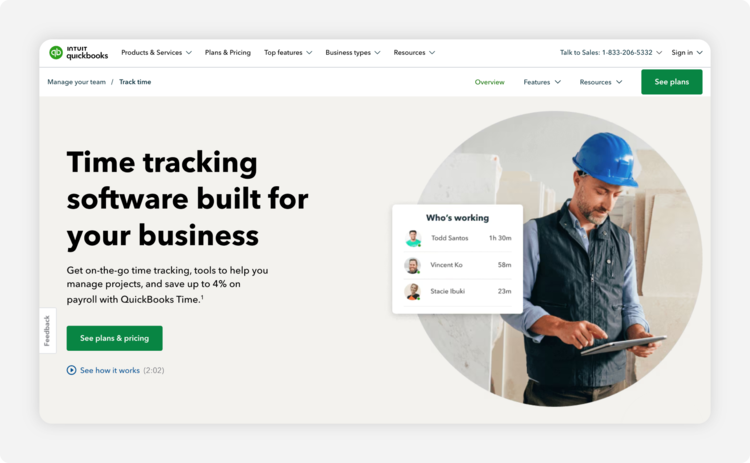
QuickBooks Time is a When I Work alternative for businesses already using QuickBooks Online that want to connect employee time tracking, scheduling, accounting, and payroll.
Unlike standalone time tracking platforms, QuickBooks Time requires a QuickBooks Online account. This makes it particularly attractive to existing QuickBooks customers, but less convenient for businesses using other accounting software.
Employees can clock in and out using the QuickBooks Workforce mobile app, track hours by job or customer, and submit time sheets for approval. Managers can create employee schedules, monitor attendance, review employee hours, and transfer approved time data into QuickBooks for payroll and invoicing.
QuickBooks Time also offers GPS tracking, while its higher-priced Elite plan includes geofencing reminders, mileage tracking, and additional project management tools. For businesses already invested in the QuickBooks ecosystem, these features can reduce duplicate data entry and simplify the process of managing employee hours.
What Makes it Different From When I Work
QuickBooks Time's biggest advantage is its connection to QuickBooks Online accounting and payroll.
When I Work focuses on shift scheduling and employee communication, while QuickBooks Time emphasizes accurate time tracking and the movement of approved employee hours into accounting, invoicing, and payroll workflows.
QuickBooks Time also includes employee scheduling, allowing managers to assign shifts, communicate schedules, and track the hours employees actually work.
For businesses with employees traveling between job sites, the Elite plan offers additional location-management tools. Geofencing sends employees reminders when they enter or leave designated job sites, while mileage tracking helps businesses record work-related travel.
However, these advanced features come at a higher cost. Businesses also need a QuickBooks Online subscription, adding another consideration when comparing QuickBooks Time with other When I Work alternatives.
Key Features
Integrations
Pros
Cons
Pricing
- Time Premium: $20 per month plus $10 per user per month.
- Time Elite: $40 per month plus $12 per user per month.
- Free Trial: 30 days, with no credit card required.
- Additional Requirement: A compatible QuickBooks Online subscription is required.
For example, a business with 10 paid users would pay $120 per month for Time Premium or $160 per month for Time Elite, excluding its QuickBooks Online subscription.
QuickBooks Time is a strong option for businesses that want employee hours connected to their existing accounting and payroll workflows. However, companies that don't already use QuickBooks should consider whether the additional subscription requirements justify the benefits.

Buddy Punch: Best When I Work Alternative for Preventing Time Theft
Available on: Web, iOS, Android
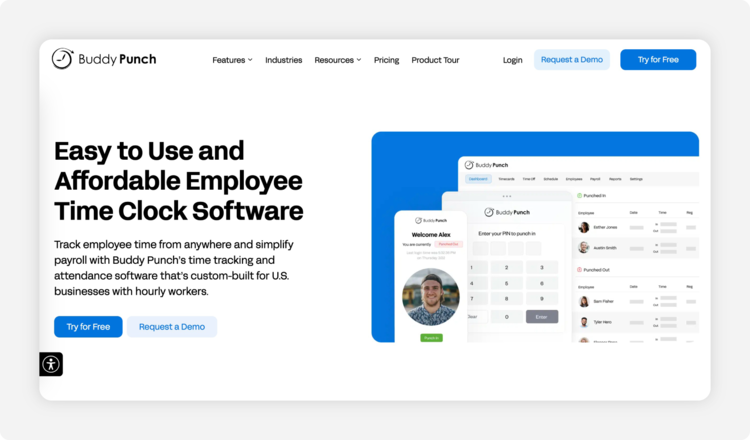
Buddy Punch is a When I Work alternative for businesses that want greater control over employee clock-ins, time tracking accuracy, and attendance. While When I Work emphasizes employee scheduling and shift communication, Buddy Punch focuses on helping employers prevent time theft and verify employee hours before processing payroll.
The platform includes GPS tracking, IP address restrictions, device locks, and time sheet approval workflows. Higher-tier plans add features such as geofencing, webcam photos during punches, and additional employee verification methods.
Buddy Punch also supports employee scheduling, shift swaps, availability management, and recurring schedules; however, scheduling incurs an extra charge on the Starter plan and is included starting with Pro.
For businesses concerned about unauthorized clock-ins, buddy punching, or inaccurate time sheets, Buddy Punch provides tools to improve employee accountability.
What Makes it Different From When I Work
Buddy Punch's biggest advantage is its focus on employee time tracking controls and punch verification.
Employers can record GPS coordinates when employees clock in or out, restrict punches to approved IP addresses, and limit which devices employees use for time tracking. The Pro plan adds geofencing, which can prevent employees from punching outside designated locations. Webcam photos, PIN-based punches, and kiosk functionality provide additional verification options.
Buddy Punch also allows managers to restrict punches to scheduled shifts, helping prevent employees from clocking in earlier than authorized; however, businesses switching from When I Work should pay attention to Buddy Punch's scheduling costs. Its entry-level Starter plan requires an additional $1 per user per month for scheduling, while its Pro plan includes scheduling at no additional charge.
Buddy Punch also offers integrated payroll processing for an additional fee, allowing businesses to manage employee hours and payroll within the same platform. Businesses prioritizing punch restrictions and employee accountability may find Buddy Punch appealing. However, those seeking affordable scheduling, time tracking, and payroll should compare the total costs before deciding.
Key Features
Integrations
Pros
Cons
Pricing
- Starter: $4.99 per user per month, billed annually, plus a $19 monthly base fee.
- Pro: $6.99 per user per month, billed annually, plus a $19 monthly base fee.
- Advanced: $12.99 per user per month, billed annually, plus a $19 monthly base fee.
- Monthly Billing: Starter costs $5.99 per user, Pro costs $7.99, and Advanced costs $13.99 per user, plus the $19 monthly base fee.
- Scheduling Add-On: Additional $1 per user per month on Starter; included with Pro and Advanced.
- Payroll Add-On: Additional $8 per user per month, plus a $49 monthly base fee.
- Free Trial: 14 days, no credit card required.
For example, a business with 10 employees would pay $68.90 per month for Starter with annual billing. Adding scheduling increases the monthly equivalent to $78.90. The Pro plan, which already includes scheduling and additional punch controls, would cost $88.90 per month at annual billing rates.
Buddy Punch is particularly useful for businesses that want tighter controls over employee punches and attendance. However, businesses comparing it with When I Work should account for scheduling, payroll, and other optional features when evaluating its total cost.

Clockify: Best When I Work Alternative for Very Small Teams
Available on: Web, iOS, Android, Windows, Mac
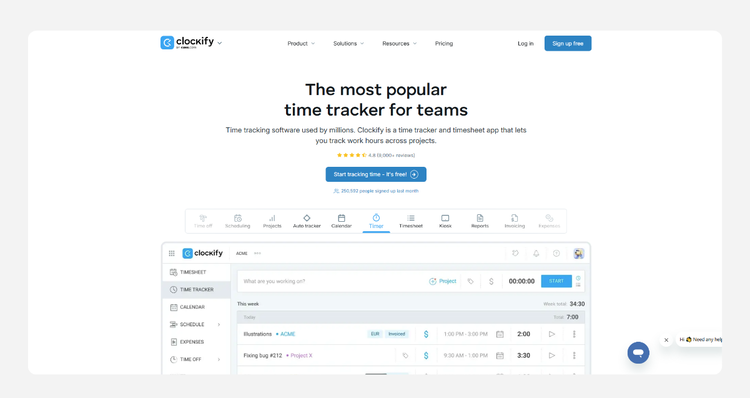
Clockify is a When I Work alternative for very small businesses, freelancers, and project-based teams that want to track employee hours without paying for a subscription.
Unlike When I Work, Clockify offers a permanent free plan for up to five users. Employees can track their hours using timers or manual entries, assign time to projects and tasks, and generate reports showing how their time is spent.
Clockify is particularly useful for businesses that bill clients by the hour, manage multiple projects, or need visibility into employee productivity and labor costs; however, Clockify is primarily a time tracking platform rather than a shift scheduling solution. Although it offers scheduling functionality, businesses must upgrade to the Pro plan or higher to access it.
For teams that primarily need free time tracking and project reporting, Clockify offers an affordable alternative to When I Work.
What Makes it Different From When I Work
Clockify's biggest advantage is its free time tracking plan.
While When I Work offers a 14-day trial before requiring a paid subscription, Clockify allows teams of up to five users to track time without a monthly fee.
Clockify also emphasizes project-based time tracking and reporting. Managers can review employee hours by project, task, client, or date range, making it useful for businesses that need detailed records for billing and cost analysis; however, Clockify's scheduling capabilities differ from When I Work's core focus on shift management. Clockify's Pro plan includes scheduling for projects and team assignments. However, businesses looking for shift swapping and coverage management may find it less suitable for their needs.
GPS tracking is also limited to Pro and Enterprise plans, rather than being included in the free version.
Clockify can be an economical choice for small teams that prioritize tracking billable hours. Businesses that need employee scheduling, location-based punch controls, and payroll management should consider the additional features and costs before switching.
Key Features
Integrations
Pros
Cons
Pricing
- Free: $0 for up to five users.
- Basic: $3.99 per user per month, billed annually, or $4.99 with monthly billing.
- Standard: $5.49 per user per month, billed annually, or $6.99 with monthly billing.
- Pro: $7.99 per user per month, billed annually, or $9.99 with monthly billing.
- Enterprise: $11.99 per user per month, billed annually, or $14.99 with monthly billing.
- Scheduling and GPS Tracking: Available with Pro and Enterprise.
- Free Trial: Seven-day trial of paid features.
For example, a team of five employees can use Clockify's free plan for basic time tracking. However, a business with 10 employees that needs scheduling and GPS tracking would pay $79.90 per month for Pro with annual billing, or $99.90 with monthly billing.
Clockify is a practical option for small businesses looking to track employee time at little or no cost. However, employers replacing When I Work should consider whether Clockify's scheduling capabilities meet their needs before choosing it as a direct alternative.

UKG Ready (Formerly Kronos Workforce Ready): Best When I Work Alternative for Large Teams
Available on: Web, iOS, Android
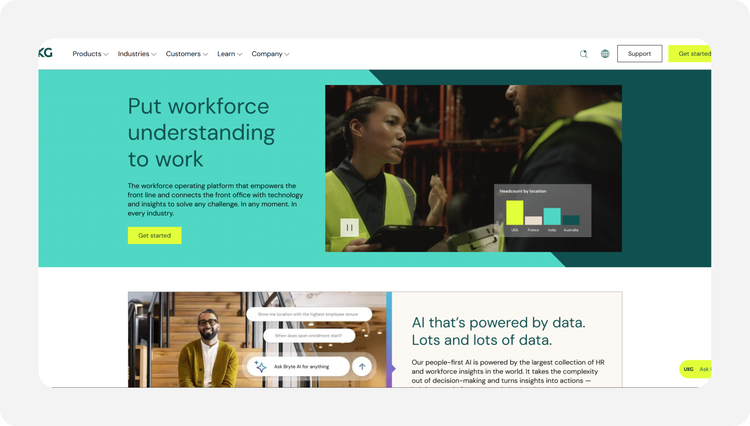
UKG Ready, formerly known as Kronos Workforce Ready, is a comprehensive workforce management platform designed for growing businesses with complex scheduling, payroll, and HR requirements.
Unlike When I Work, which primarily focuses on employee scheduling and team communication, UKG Ready combines time tracking, employee scheduling, payroll, HR administration, benefits management, and compliance tools in one system. Managers can create schedules based on staffing demands, employee availability, qualifications, and labor requirements. The platform also supports automated time tracking, overtime monitoring, time-off requests, and employee self-service.
For businesses managing multiple locations, large employee populations, or complicated pay rules, UKG Ready provides the flexibility to manage workforce operations as organizational needs evolve. However, its extensive functionality may be more than smaller businesses need, particularly those looking for affordable employee scheduling and time tracking.
What Makes it Different From When I Work
UKG Ready's biggest advantage is its ability to combine workforce management, payroll, and HR administration within a single platform. While When I Work helps businesses coordinate employee schedules and shifts, UKG Ready offers broader tools for managing employees throughout their employment lifecycle.
Its scheduling capabilities can account for labor demand, employee qualifications, availability, and compliance requirements. Managers can also automate scheduling tasks and monitor staffing needs across departments or locations.
UKG Ready includes payroll processing with configurable pay rules, helping businesses manage overtime, shift differentials, and employees working in multiple positions.
The platform also offers HR management, benefits administration, recruiting, employee development, and reporting capabilities that extend beyond traditional scheduling software; however, businesses should evaluate which features are included in their chosen plan. Advanced scheduling and other workforce management capabilities may require higher-tier packages.
For growing organizations that want to consolidate scheduling, time tracking, payroll, and HR, UKG Ready offers a comprehensive alternative to When I Work.
Key Features
Integrations
Pros
Cons
Pricing
UKG Ready offers four subscription packages:
- UKG Ready Start: Designed for businesses with fewer than 200 employees, with HR, payroll, time tracking, and basic scheduling capabilities.
- UKG Ready Core: Includes core HR, payroll, time tracking, and basic scheduling functionality.
- UKG Ready Plus: Includes Core features plus three additional capabilities selected by the customer.
- UKG Ready Advanced: Includes Core features plus six additional capabilities selected by the customer.
- Pricing: Custom quote based on business requirements and selected services.
UKG Ready does not publicly list standard per-employee subscription rates. Businesses should contact UKG for pricing and confirm which scheduling, payroll, and HR features are included in their proposed package. The solution is particularly well-suited for growing organizations that need sophisticated workforce management tools beyond basic employee scheduling. However, smaller businesses may find that a simpler platform offers the features they need at a more predictable cost.
