Skip to content

Time Clock with GPS

Track Employees Anytime, Anywhere

Manage employees' hours and locations on the go with our GPS time clock app.

No credit card needed. Setup takes five minutes or less!
Time_Clock_with_GPS _header

Trusted by More than 18,000 Companies and 175,000 Employees

Monitor Employees' Locations with GPS Tracking

timesheets-whos-in-admins-managers-anywhere

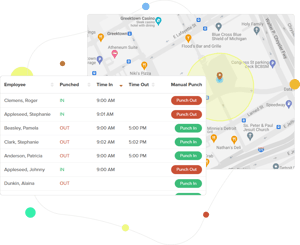
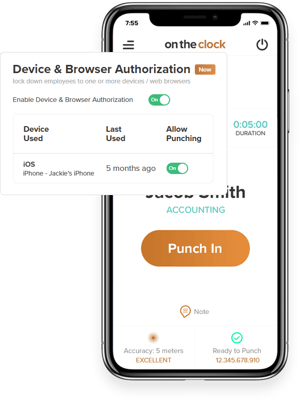
Pinpoint Employees’ Precise Locations

Digital time clocks enhance employee time tracking, making the payroll process easier and more accurate.

  • Ensure employees are working from authorized locations.
  • Verify timecard accuracy based on time and location.
  • Prevent time theft.

Efficiently Track Work Hours

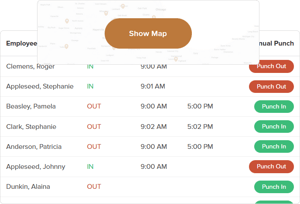
Gain visibility into the whereabouts of workers and the amount of time they’ve spent at each location.

  • Manage timecards 24/7 through our mobile app.
  • Access activity reports that detail each employee’s punch and shift.
  • Confirm employees are at designated work sites on-time.
timesheets-workforce-management-practices
Analyze-Employee-Routes

Analyze Employees' Routes

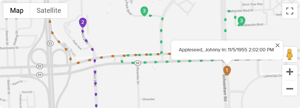
GPS reports allow managers to review and improve an employee’s journey.

  • Track every movement with breadcrumb trails.
  • Analyze employee routes for efficiency.
  • Ensure workers are abiding by all traffic laws.

Set Boundaries with Geotracking

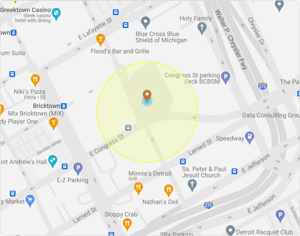
Define virtual parameters around work locations.

  • Prevent time fraud by limiting punch locations.
  • Discourage unauthorized or extended breaks or absences.
Set-Boundaries-with-Geotracking

How to enable GPS tracking in OnTheClock

Sign up to get started.
Invite your team.
Enable GPS Tracking.
Create reports.

Boost Efficiency and Security with GPS tracking

What Our Customers Are Saying

5-stars

My employees find it easy to use, and I love the accuracy and GPS services. They’re very useful. I highly recommend OnTheClock!

By Karen Carter

Everything You Need In One Place

FAQ

How accurate is GPS tracking?

OnTheClock’s GPS technology is quite accurate, providing precise location data within a certain margin of error. However, several factors may affect this, including the quality of the GPS signal, environmental conditions, and the device’s hardware/software capabilities.

Are there specific system requirements for an IP address to be enabled and used?

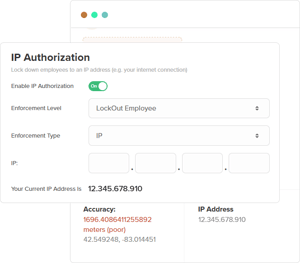
IP enforcement will only work if you have a cable, T1 line, or static DSL internet connection. Standard DSL constantly changes IP addresses; therefore, it will not work for IP enforcement.

Can I set the frequency for breadcrumbs on the app?
No. Breadcrumbs are set to record an employee’s movements approximately every 200 meters.
Can an employee deny GPS tracking on the app?

Yes. Employees need to accept tracking for their devices to be tracked. Due to privacy concerns, they can decline tracking.