
Overview
This document provides instructions on how to add a new bank account or update an existing bank account setup within OnTheClock Payroll. The account set as the "Default" will be used to draft all payroll fees and expenses for processed payrolls.
Important Notes
- Only an Administrator can make these adjustments.
- You may toggle between active accounts by adjusting the default setting. For example, you can use one bank account for bonus payrolls and then toggle back to your regular payroll account.
- Deletion is permanent: If you delete an account, the action is irreversible. Ensure the account is no longer needed before proceeding.
Steps to Add or Update a Bank Account
- Log in to OnTheClock.
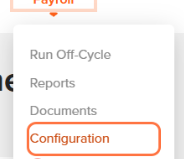
- Navigate to Payroll, then to Configuration.

- Click on Payment Method.
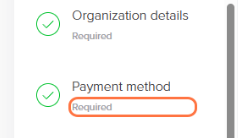
- Click Add Bank Account.

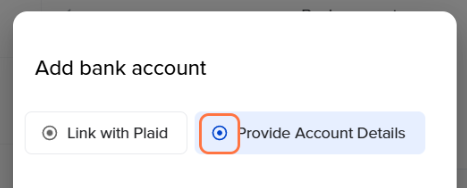
- Choose your preferred verification method:
- Link with Plaid: Instant verification once you complete the steps on the Plaid website.
- Provide Account Details: Manually enter details. This may take up to 2 business days to prenote and verify the account.
- Enter the Routing Number and Account Number (confirming the account number twice).
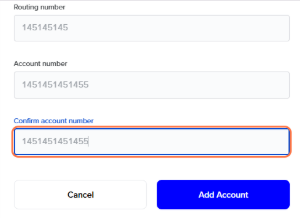
- Click Add Account.
- To set the new account as your primary, click the three dots (options menu) next to the account and select Change to Default.
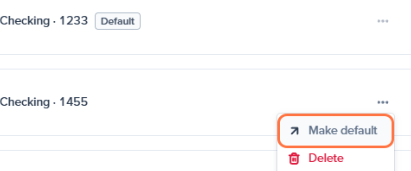
- To remove an old account, select Delete Account from the options menu.
Note: This is permanent and there is no confirmation warning.
Frequently Asked Questions
Who can add or update a payroll bank account?
Only Administrators with access to payroll settings can add, update, change, or remove payroll bank accounts.
Which bank account is used for payroll withdrawals?
The account marked as Default is used to draft payroll wages, taxes, and payroll fees.