
Where to Find Reports
Reports are available for administrator and managers and located at the top of your account. Select Reports from the main navigation to get started.
Which Report Should I Use?
| Report | Best For | Answers This Question |
|---|---|---|
| Payroll Summary | Payroll prep, totals | How many hours and pay do I have for this period? |
| Overtime Report | Cost control, compliance | Where is overtime happening and how much is it costing? |
| Schedule vs Actual | Attendance, staffing accuracy | Did employees work what was scheduled? |
Payroll Summary Report
The Payroll Summary report shows total hours worked, time off, and gross pay for a selected date range or pay period.
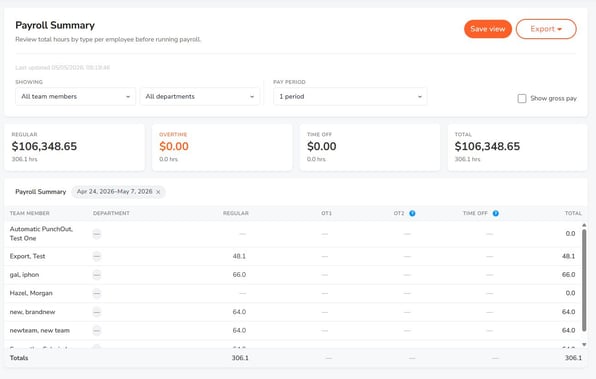
Use this report to:
- Prepare for payroll
- Review total labor hours
- Track hours across one or more pay periods
- View gross pay totals when pay rates are enabled
Note: Gross pay only appears if pay rates are enabled in your account.
Overtime Report
The Overtime report helps you review overtime hours by employee and understand where overtime is occurring.
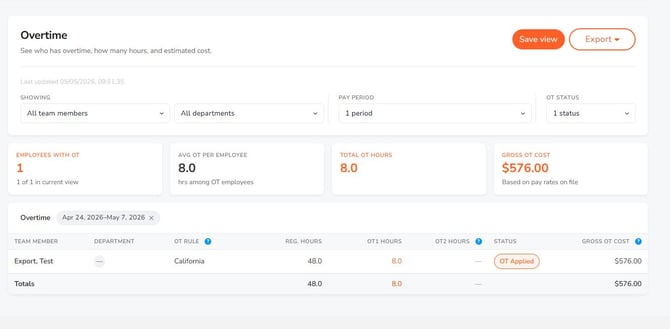
Use this report to:
- Monitor overtime trends
- Review overtime by employee
- Filter overtime by department (if applicable)
- Understand the cost impact of overtime
Note: Overtime is based on the rules configured in your account.
Schedule vs Actual Report
The Schedule vs Actual report compares scheduled shifts to actual clock-in and clock-out times.
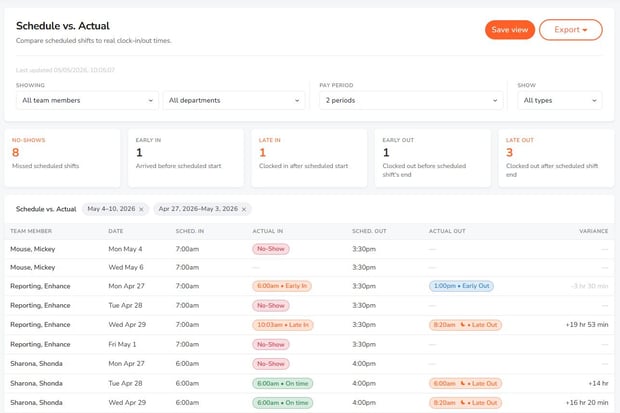
Use this report to:
- Identify late arrivals or early departures
- Review missed or uncovered shifts
- Compare planned schedules to actual worked time
- Evaluate schedule accuracy
Note: Future dates should not show as missed or no-show until the scheduled date has passed or is active.
Access and Permissions
- Admins: Full access to all reports
- Managers: Limited to assigned employees
Related Articles
- Payroll Summary Report
- Overtime Report
- Schedule vs Actual Report