Skip to content

Time Tracking Software for Cleaning Businesses

GPS-verified clock-ins. Hours tracked by job. Payroll done in minutes.

OnTheClock keeps your crew honest and your books accurate without adding work to your week.
No credit card required
Cancel anytime
5-minute setup
cleaning-time-tracking-hero
18,000+
Companies rely on OnTheClock Everyday
160,000+
Employees Punching in Daily
★★★★★
4.8
Capterra
★★★★★
4.5
G2

Why time tracking is different for cleaning businesses


You can't watch every crew. You've got 12 cleaners across six buildings, and by 7:30 a.m., they're all supposed to be on-site. Some are, some are still in their cars, and others are at the wrong building.

The problem isn't your crew, it's that paper timecards and group texts don't tell you where anyone actually was. You find out after the fact, if at all.

OnTheClock solves this specifically for cleaning businesses with GPS-verified clock-ins, geofencing by job site, and hourly reporting per job. Your crew clocks in from their phones, you see exactly where they were, and when it's time to run payroll, the numbers are already there.
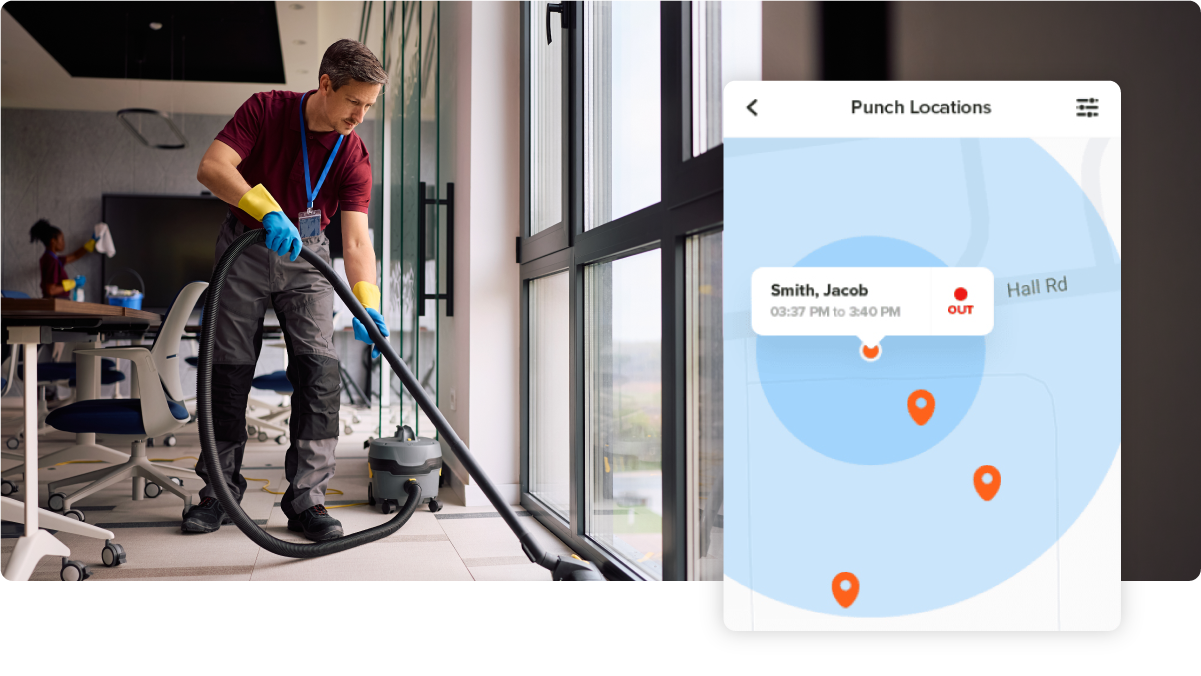
cleaning-gps-geofence-map

What OnTheClock does for cleaning businesses

GPS-Verified Clock-Ins

See exactly where each cleaner punched in. If they're not on the property, they can't clock in, no exceptions, no arguments.

Geofencing by job site

Draw a boundary around each building or property. OnTheClock enforces it automatically, so you don't have to be there to do it yourself.

Hours tracked by client or job

See which accounts take the most time. Use that data to price the next contract, find jobs that quietly lose money, and make smarter scheduling decisions.

Mobile clock-ins for every crew membe

Cleaners use their own phones. No shared kiosk, no paper, no waiting on a supervisor to submit hours. Each person clocks in and out themselves.

Overtime alerts preempt hours

Get notified before someone crosses 40 hours, so you can adjust coverage, not after you've already committed to the overtime pay.

One-Click Payroll Export

Approve hours and push them straight to QuickBooks, Gusto, ADP, or Paychex. What used to take most of a Saturday now takes less than 30 minutes.

Before and after

Without OnTheClock
With OnTheClock
You text crew members for their hours on Friday afternoon, but half don't respond until Saturday.
Every clock-in and -out appears on your dashboard in real time, tied to the job site.
A cleaner clocks in from their car at 7:45 a.m. and drives 20 minutes to the property. You pay for that time.
Geofencing only allows clock-ins once the employee is physically on the client's property.
One crew lead clocks in for the whole team, including people who showed up an hour late.
Individual mobile logins and optional photo capture make buddy punching nearly impossible to pull off.
You have no idea which accounts are profitable because hours aren't tied to clients or jobs.
Per-job reports show exactly which clients take the most time, and which ones you should be charging more.
Surprise overtime hits on payday. You don't know until after the checks go out.
Real-time overtime alerts let you adjust schedules before anyone crosses 40 hours.
Payroll takes most of your Saturday morning, adding up hours, correcting errors, and chasing missing punches.
Approve hours in one screen and export to QuickBooks or Gusto in one click. Your’re done in 30 minutes or less.
How it works
01
Add your crew and draw your job site boundaries

Create your OnTheClock account, add your employees, and draw a geofence around each client property or building. This takes most owners about 30 minutes. There's nothing to install, and your crew downloads the app on their phones.
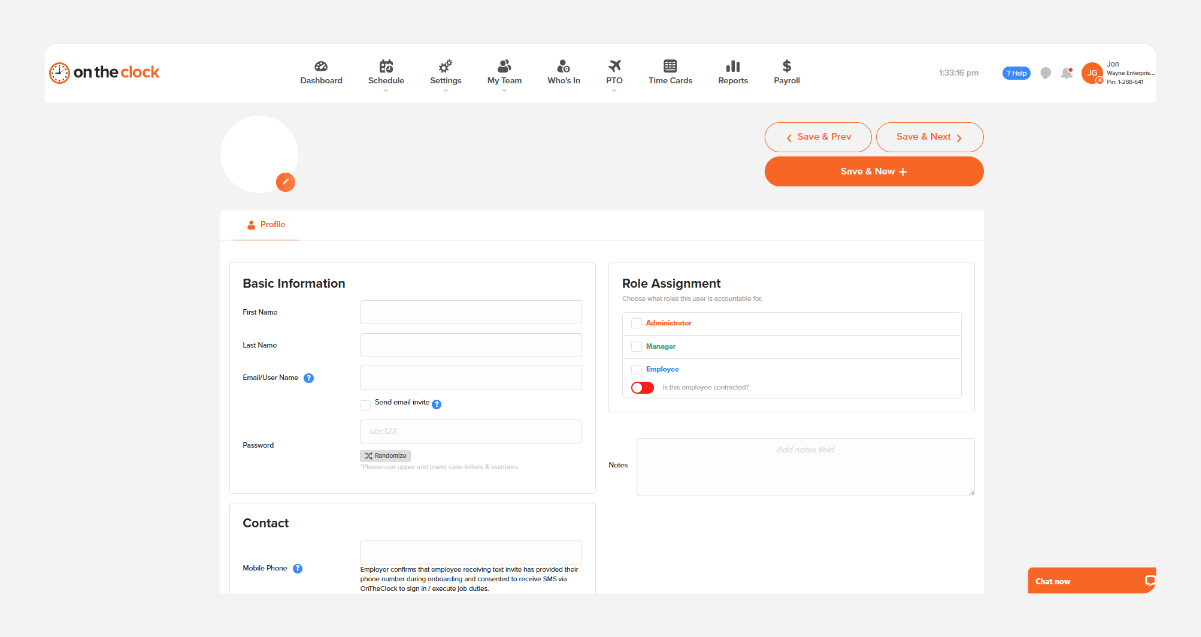
cleaning-crew-add-team-member
02
Crew clocks in from the job site
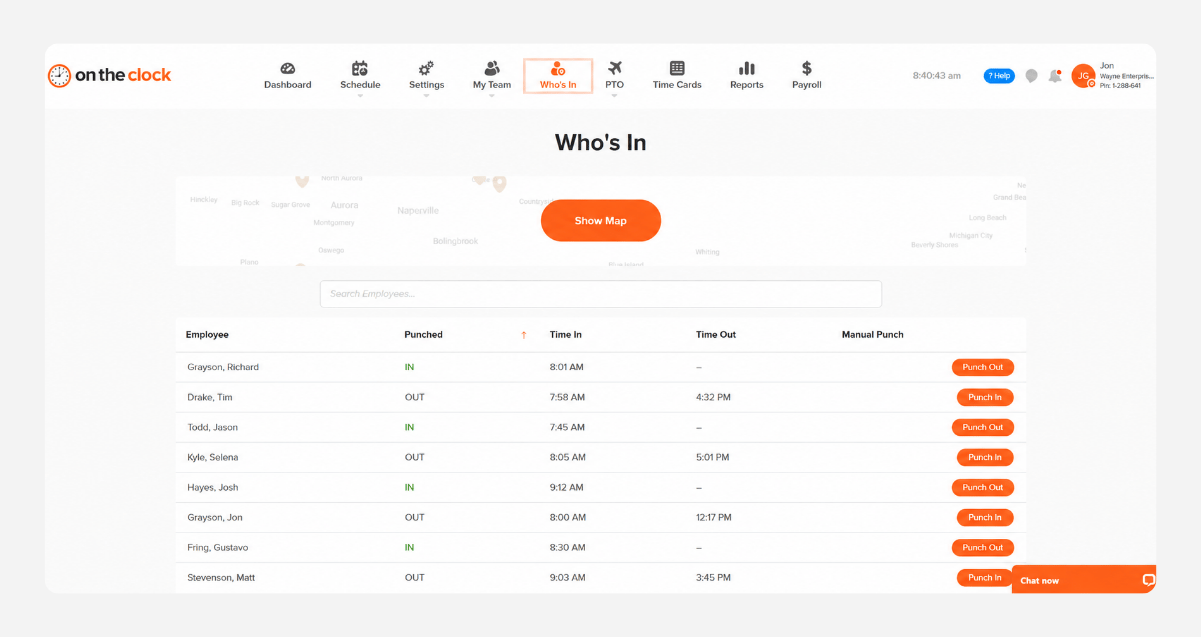
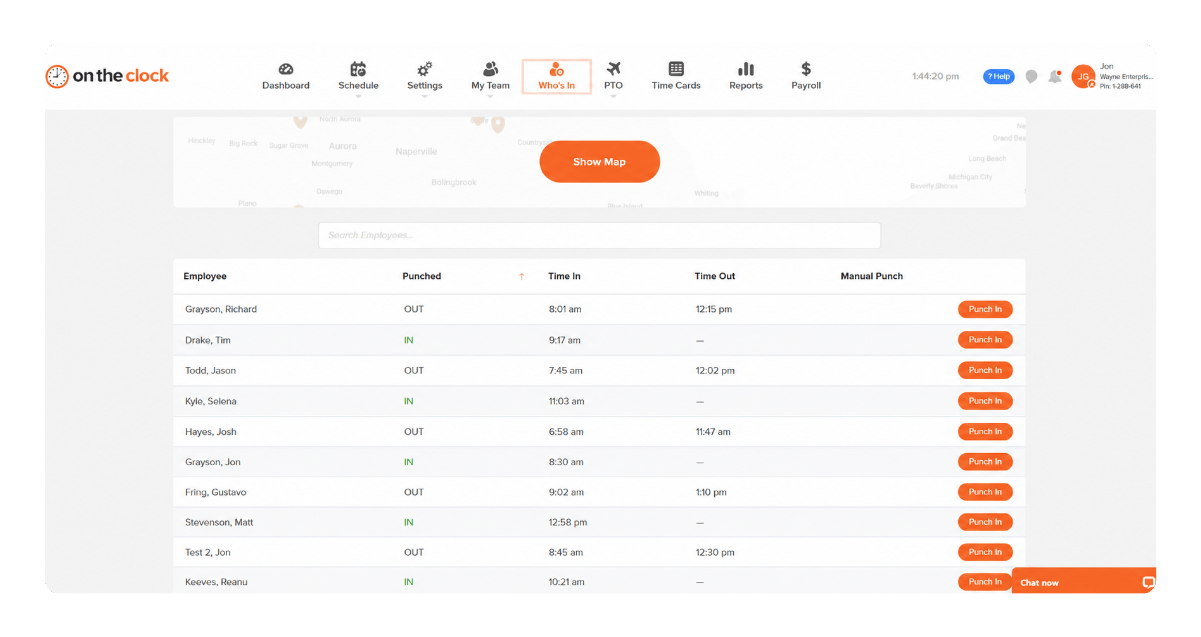
 Each cleaner opens the OnTheClock app when they arrive and taps clock in. OnTheClock verifies the GPS location and logs the time. If they're not within the geofence, the punch doesn't go through. 
cleaning-crew-gps-who-is-in
03
Watch hours by job in real time
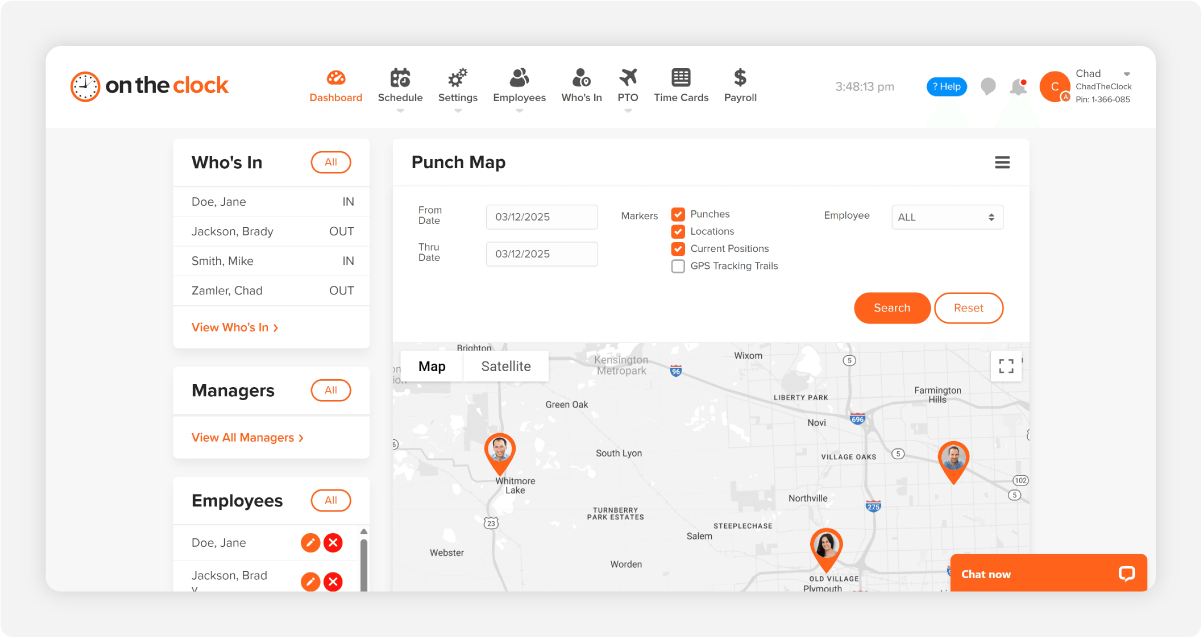
 Your dashboard shows who's clocked in, where they are, and how long they've been on each job. You can see at a glance if a crew is running long or if someone hasn't punched in yet. 
b12c23e0-de9f-4556-99fe-fc955f820d04
04
Approve and export to payroll in one click
 At the end of the week, review hours by employee or job, approve everything in one place, and push to payroll. QuickBooks, Gusto, ADP, Paychex, and Square are all supported. 
who-is-in-screenshot

Stop guessing, and start knowing where every hour went.

OnTheClock is free for the first 30 days. No credit card is required, and you can set up your account in 5 minutes from your phone.
How OnTheClock compares
A feature-by-feature look at OnTheClock, Clockify, and Buddy Punch for cleaning businesses.
Feature OnTheClock Clockify Buddy Punch
Best for Cleaning businesses Businesses that need flexible project tracking Businesses that need shift scheduling
GPS time tracking Included  Pro plan only ($9.99/user)  Included
Geofencing Included Pro plan only Included
 Mobile clock-in app  Included Included Included
Best for    Included   Not available    Included
Payroll integrations  QuickBooks, Gusto, ADP, Paychex, Square  QuickBooks only (Standard+)  QuickBooks, Gusto, Paychex
Built-in payroll  $40/mo + $6/employee     Not available     Not available
 PTO tracking   Included  Standard plan+  Included
Scheduling  Included  Pro plan only  Included
Audit trail  Included  Enterprise only  Included
Pricing (per user/mo) $4/user + $5 base Free–$14.99/user (tiered) $4.49–$10.99/user (tiered)
Free trial 30 days, no credit card Free plan (limited) 14 days
U.S.-based live support Yes, live chat Email/chat (international)   Email/chat 
OnTheClock is best for small cleaning businesses that want GPS-verified time tracking, job-level reporting, and payroll integration at a transparent flat rate with no upsells and real support.
FROM REAL CLEANING COMPANIES

Cleaning business owners who got their time back

★★★★★
"I looked at quite a few time card systems - including ones that were more expensive. OnTheClock was the best bang for the buck. I love how employees have it on their phone for easy punch in and punch out. Add tasks to know what people are working on and attribute time to it. If someone forgets to punch in or out, it is easy to fix and have hours recalculate. This is an excellent tool for keeping track of employee and contractor hours."

MR
Merance
★★★★★
"We only have a couple of contract employees, but this saves me a lot of time in figuring checks. A+"

KF
Kathy Fortner
★★★★★
"OnTheClock is a great tool for any small business or independent contractor to manage time spent on projects. I highly recommend it - especially to any independent contractors out there!"

JN
James Nichols
Transparent pricing

Simple pricing. No feature tiers. No surprises.

OnTheClock charges $4 per active employee per month plus a $5 base fee. That's it. Every feature, including GPS tracking, geofencing, scheduling, PTO management, audit trails, and payroll exports, is included from day one.
$0 /mo
0 active employees

Need payroll, too?

Need payroll too? OnTheClock Payroll runs $40/month plus $6 per employee with direct deposit, automated tax calculations, and the same dashboard your crew already uses for time tracking.

There are no feature upgrades. No plan switching. No "GPS is a Pro feature" surprises.
Start your free 30-day trial
No credit card required at sign-up.
Get Started Today

Your cleaning crew is ready. Setup takes 5 minutes.

No credit card, contracts, or IT is required. Just a cleaner, more accurate way to manage your team's hours.

Common Questions

Questions from cleaning business managers

A 15-person cleaning business pays $65/month ($4 per active employee per month plus the $5 base fee). There are no feature tiers or setup fees. GPS, geofencing, scheduling, and payroll exports are all included from day one.
Yes. Every employee downloads the OnTheClock app on their own Android or iOS device and uses their individual login to clock in and out. No shared kiosk required, though kiosk mode is also available if you prefer a single shared device at a large job site.
You draw a GPS boundary, called a geofence, around each client property. OnTheClock automatically enforces that boundary: If a cleaner tries to clock in before arriving on-site, the punch doesn't go through. You set each geofence once, and OnTheClock handles the rest. You can manage as many job sites as you need.
OnTheClock only records location when an employee clocks in or out, not while they're off the clock and not between punches. Your crew's location while they're driving between jobs, at lunch, or at home is never tracked or stored.
Yes. OnTheClock lets you assign clock-ins to specific jobs, clients, or cost codes. Your reports show hours by job, employee, or both, so you can see which accounts take the most time and catch contracts that quietly eat into your margins.
OnTheClock integrates directly with QuickBooks Online, QuickBooks Desktop, Gusto, ADP, Paychex, and Square. Approved hours export in one click, no re-entering data in your payroll system.
No contract. You can cancel anytime from your account settings. Most cleaning businesses stay because the math works, not because they're locked in
Yes. OnTheClock supports W-2 employees and 1099 contractors on the same account, with different pay rates per person. Part-time, on-call, and fill-in staff all use the same mobile app, no separate setup required.
Get Started Today

Stop guessing where every hour went

OnTheClock is an affordable GPS time tracking and payroll platform built for cleaning businesses with hourly field crews.