












Skip to content
Employee scheduling

Effortless Employee Scheduling for Smarter Workforce Management

Plan smarter, save time, and keep your team in sync using our all-in-one, intuitive platform

No credit card needed. Setup takes five minutes or less!

Leave_tracker_Image_Hero

More than 15k Companies use OnTheClock for Time Tracking, Scheduling, and Payroll

Effortless Scheduling, Maximum Efficiency.

drad_and_drop[_hero

Scheduling employees shouldn’t be difficult

From filling last-minute shift changes to keeping track of PTO, OnTheClock makes managing employee schedules easy.

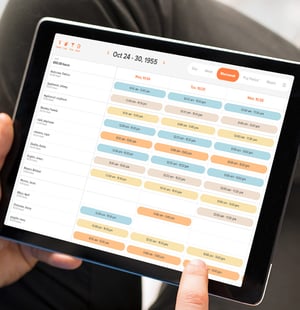
  • Quickly adjust schedules to account for any last-second changes in just a few clicks.

  • Shifts can be easily dragged and dropped into the schedule.

  • Simplify employee scheduling with intuitive tools that save time and reduce stress.


Save Time Managing Schedules

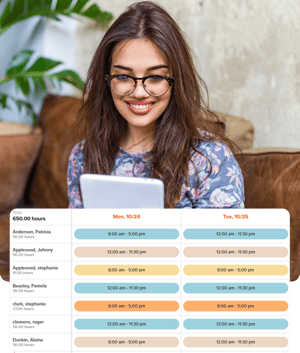
Quickly build and adjust schedules with an intuitive drag-and-drop interface.

  • Reusable templates help managers efficiently recreate recurring shifts.

  • Assign shifts based on availability, preference, or skill set.

  • Make bulk changes to shifts, employees, or employee groups at any time.

scheduleing_hero
schedule_notification_hero

Increase Workforce Productivity

Ensure the right people are in the right places at the right times.

  • Match employees to shifts based on performance metrics.

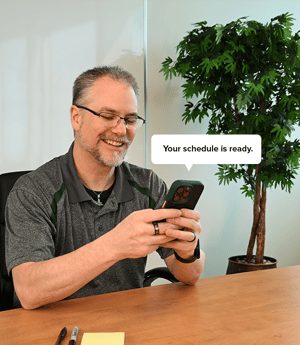
  • Notify employees about schedule changes instantly, minimizing downtime or confusion.

  • Identify gaps in coverage and keep operations running smoothly.

Enhance Team Accountability

Full schedule visibility ensures everyone knows their responsibilities at all times.

  • Sets clear expectations of who’s supposed to be where and when.

  • Transparency fosters a sense of responsibility amongst all team members.

Geofencing-Capabilities

How to Create an Employee Schedule in OnTheClock

1
Sign up to get started.
2
Invite your team
3
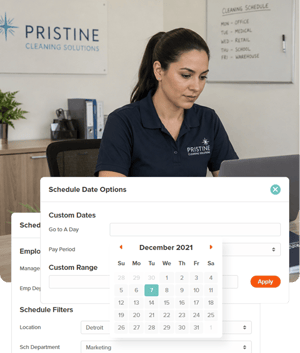
Go to schedule settings
4
Name your shift, set the times, and save.

Simplify, Adjust, and Manage Employee Schedules Instantaneously

What Our Customers Are Saying

5-stars

On The Clock has been something that our staff can count on. It’s so user-friendly and intuitive. You can adjust schedules anytime as needed and review and submit payroll hours with confidence. It’s been a time saver!! We love it!

OnTheClock Customer

Everything You Need In One Place

PTO FAQ

What is OnTheClock’s employee scheduling feature?

OnTheClock’s scheduling feature is an intuitive tool that helps managers create, manage, and adjust employee schedules with ease. It includes drag-and-drop functionality, reusable templates, and automated notifications for changes.

Can I create recurring schedules?

Yes! OnTheClock allows you to save reusable templates, making it easy to recreate recurring shifts for your team in seconds.

How can I notify employees about schedule changes?

Employees are instantly notified via email, text, or app notifications whenever a schedule is updated or a shift is swapped, ensuring everyone stays informed.

Can I track PTO and absences within the scheduling tool?

Yes! OnTheClock integrates PTO tracking directly into the scheduling system, allowing you to manage employee availability seamlessly.

How can I identify gaps in my schedule?

The scheduling dashboard highlights coverage gaps, helping you optimize staffing levels to maintain smooth operations.