Team Holiday Leave Planning Calender
Plan your team's holiday hours with our free holiday leave planning calendar
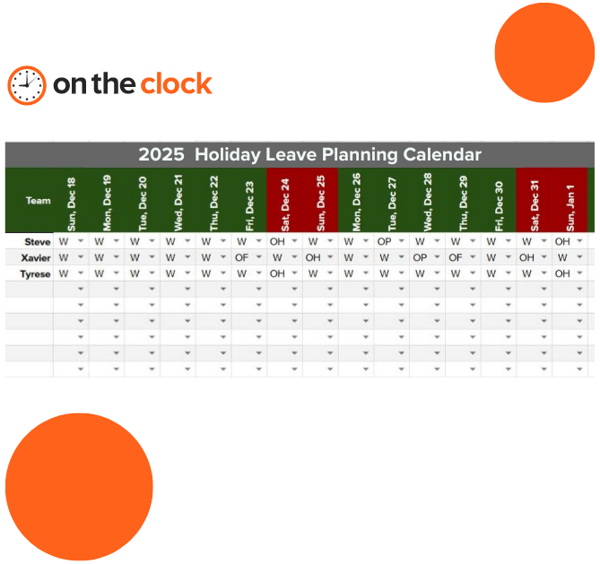
Get a quick count of who is working the holiday
Simply enter the working status to indicate what type of day an employee is scheduled for. Holiday leave planning will help you identify any gaps in holiday coverage this season
Enter employee names starting in cell B3.
Edit working status in B24 to B29 if needed. Start work day codes with W and days off with O.
Edit count limits in G24 to G27. Working has a minimum of 3 or it flags red and off has a max of 5 people off or it flags red.
Choose status from drop-downs.
Track holiday hours easier
With OnTheClock, you can set the number of holiday hours for the year, and add entries in bulk for all staff at once.
![]()
Helpful resources at your fingertips
TOUCH
Decimal hours calculator
TOUCH
Military time converter
TOUCH
Timesheet calculator
TOUCH
TOUCH
TOUCH
Over 15,000 companies track time effortlessly with OnTheClock