Skip to content
Android Time Clock

The Employee Time Clock App for Android

Clock in from your phone or a shared kiosk. The app is free to download on Google Play.

  • Free for 30 days
  • No credit card required
  • No demo needed
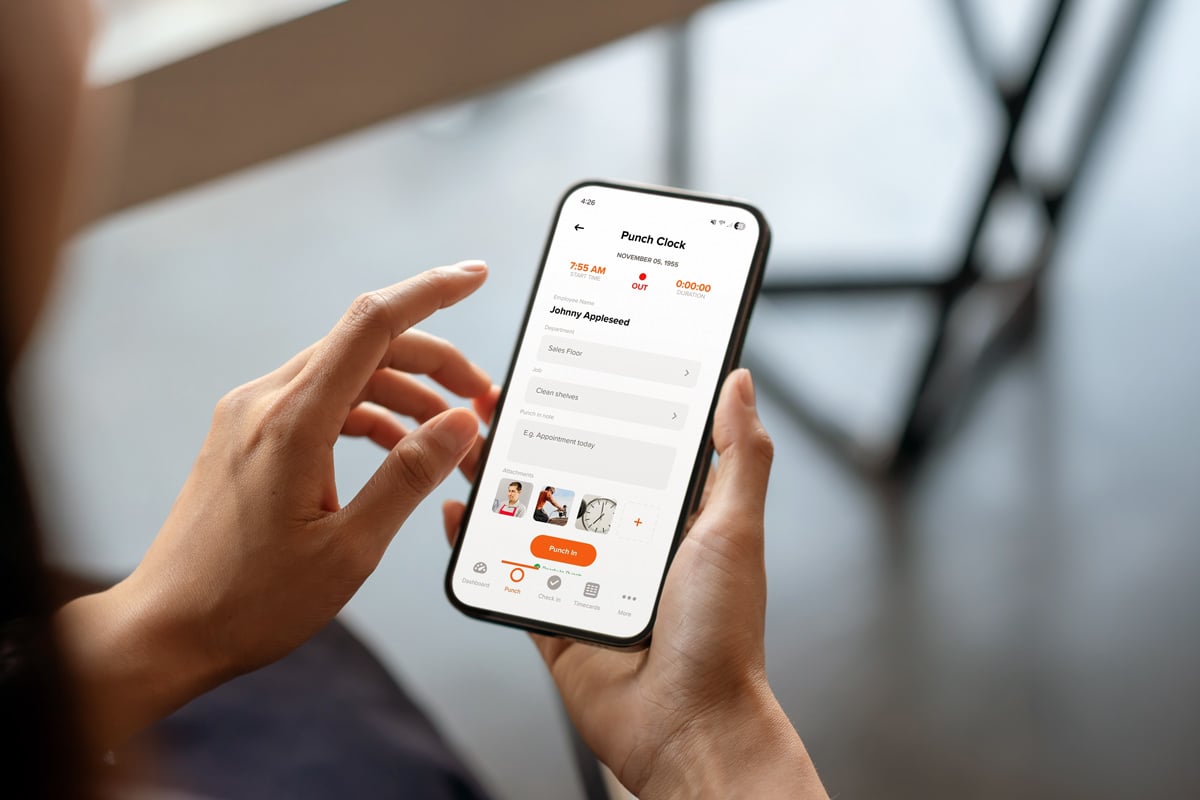
ontheclock-android-time-clock-app-screensho

Group Texts and Paper Time Sheets Just Aren't the Same

If your team is clocking in from a shared spreadsheet or a text to the office, you don't know when work actually started or whether the hours add up until payroll day.

The OnTheClock Android time clock app puts a real clock in every employee's pocket, with the location data and accuracy to back it up.

Everything You Can Do With the OnTheClock Android App

Clock in from anywhere

Employees punch in from their own Android phones, a shared kiosk, or a browser. Managers can also enter or edit punches directly.

Verify locations on every punch

See where an employee was when they clocked in, and admins have access to GPS mapping. 

Request and approve PTO

Employees request time off from the app; managers approve them without a separate system.

Build and share schedules

Let employees view schedules directly within the app.

Cut down on missed punches

 Automatic reminders reduce forgotten clock-ins and clock-outs. 

Manage your team on the go

 Managers can adjust settings, manage departments and jobs, and set up other managers, all from the Android app. 

How to Get Started


1

Create your OnTheClock account

2

Download the app from Google Play

3

Invite your team

4

Employees start clocking in

ontheclock-android-gps-punch-map

How OnTheClock's Android App Compares

Feature OnTheClock Clockify TimeClock Plus
Starting price $5/month + $4/employee $0.99–$3.99/user Contact for pricing
GPS on punch
PTO requests in-app Add-on tier Limited
Built-in payroll  (OnTheClock Payroll)
Best for Teams with hourly employees who want time tracking and payroll in one Android app Teams that want a flexible, budget-focused, timer-based tracker Larger organizations already on TimeClock Plus hardware
OnTheClock is best for small businesses that want an easy-to-use Android time clock app with GPS tracking, job-level reporting, payroll integrations, transparent pricing, and real customer support.

What Our Customers Say About the Android App

OnTheClock has a 4.7-star rating across 717-plus reviews on GetApp.
★★★★★
"I like the detailed timecard tab that shows what time I punched in and out and how many hours I’ve clocked so I can keep track of it."

Ashley V
Client Service Specialist
★★★★★
"Its design ensures users can quickly understand how to access the various tools and features, making it accessible even to those unfamiliar with similar platforms."

Javier T
Operational Manager
★★★★★
"Was very easy to login and it’s very fast and straight to the point. I really like that I can see my hours right away."

Korey M
Capterra reviewer

Simple pricing. No feature tiers. No surprises.

OnTheClock charges $4 per active employee per month plus a $5 base fee. That's it. Every feature, including GPS tracking, geofencing, scheduling, PTO management, audit trails, and payroll exports, is included from day one.
$0 /mo
0 active employees

Need payroll, too?

OnTheClock Payroll runs $40/month plus $6 per employee, with direct deposit, automated tax calculations, and the same dashboard your crew already uses for time tracking.

Time tracking costs $5/month base fee plus $4 per employee. The Android app itself is free to download and use for your whole team at no extra charge.
Start your free, 30-day trial
No credit card is required at sign-up.

Common Questions About the OnTheClock Android App

Yes. There's no additional charge to use the app on top of your OnTheClock plan.
No. OnTheClock requires an internet or Wi-Fi connection to clock in.
No. OnTheClock is optimized for minimal battery usage.
Support is available via live chat, phone, and email, and typically resolves issues in three to four minutes.

Ready to Put a Time Clock in Every Pocket?

OnTheClock's Android app puts accurate, GPS-verified time tracking on every team member's phones, and it's free to download on Google Play.  More than 18,000 businesses use OnTheClock to track hours, manage PTO, and run payroll from one place.
Try it free for 30 days. No credit card is required at sign-up. No demo is needed.

$5/month + $4 per employee. The app is free to use.