Skip to content

Time Tracking Software for Home Care Agencies

Every visit verified at the door. Hours by client. Payroll in minutes.

Know which caregiver was at which home, when they got there, and how long they stayed without calling anyone to ask.
No credit card required
Cancel anytime
5-minute setup

ontheclock-home-care
16,000+
Companies rely on OnTheClock Everyday
160,000+
Employees Punching in Daily
★★★★★
4.8
Capterra
★★★★★
4.5
G2

Know Who Showed Up. Not Just Who Was Scheduled.

It’s 9:15 a.m. on a Tuesday. You have 14 caregivers out with 22 clients. Your phone rings. A woman in Ohio wants to know if someone visited her mother on Sunday.

You open the schedule. It says yes.

But the schedule only shows what was supposed to happen. It doesn’t prove anyone showed up, when they arrived, or how long they stayed. 

That’s the problem. With schedules and paper time sheets, you often find out about missed or short visits days later, usually from the client or their family.

OnTheClock gives you a clearer record. Caregivers clock in at the client’s address with GPS verification. Hours are tracked by client, and a live dashboard shows who is on a visit right now.
ontheclock-quickbooks-timesheet-export-ipad-1

Know Who Showed Up, What Happened, and What to Pay

GPS-verified clock-ins at the door

Caregivers clock in on their phones when they arrive at the client’s home. GPS records the time and location, so you have proof of every visit when a family asks questions.

Missed visits flagged

 The Schedule vs. Actual report shows what was supposed to happen and what actually happened. Late arrivals and no-shows get flagged early, so you can fix the problem before an upset family calls you. 

Hours tracked by client

 Every clock-in can be tied to a client, giving you a clear record of hours worked. Billing and payroll come from the same numbers, so you spend less time tracking down mistakes. 

Notes and photos from the visit

Caregivers can leave a note or attach a photo when they clock out. You have more than a time stamp; you have a record of the work completed if a client or family has questions.

Overtime alerts before the week closes

Every time someone clocks in or out, the system records the exact time and the employee’s ID. If a client or patient ever questions your billing, you have clear records that show exactly who worked and when.

Payroll in a few clicks

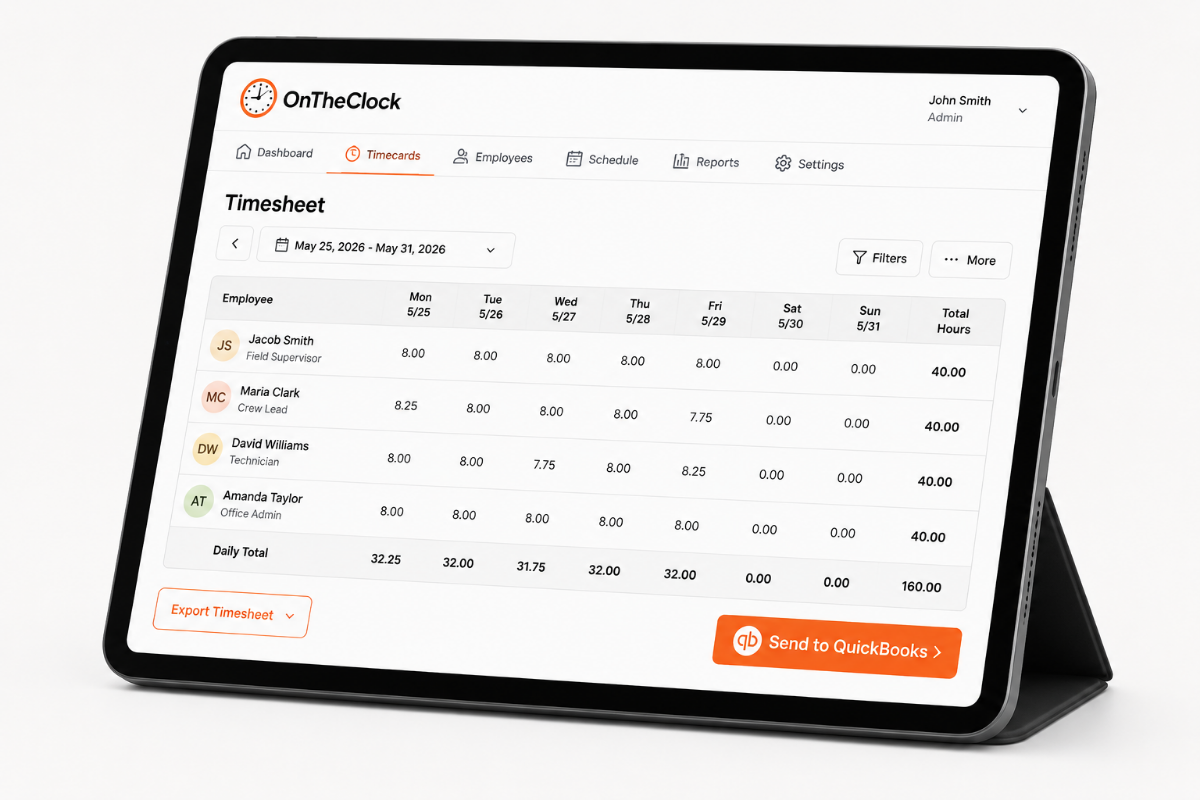
Approved timecards flow straight into payroll, or export to QuickBooks, Gusto, ADP, or Paychex. Sunday night turns into a few minutes Monday morning.
BEFORE & AFTER

Sound familiar? 

Here’s the real cost of running a home care operation without OnTheClock.

Without OnTheClock
With OnTheClock
A woman called on Wednesday asking if anyone had come on Sunday. You say you'll call her back.
You open Sunday, note the caregiver, the arrival time and location, and answer her on the call.
You hear about Monday's missed visit on Thursday, from the client's son.
The no-show is flagged that morning. A backup caregiver goes out before lunch.
Fourteen paper time sheets on Friday. Two missing, one unreadable, four rounded to the hour.
Caregivers punch at the door. Timecards are built and waiting for approval.
You billed 12 hours and paid 13.5. You catch it two months later, or never.
Every punch is tied to a client. Billing and payroll come from the same hours.
You find the overtime on payday, after someone picked up two extra visits.
An alert reaches you mid-week. Move the visit or approve the overtime on purpose.
The family says the bath didn't happen. The caregiver says it did. Two stories.
The caregiver's note from that visit sits on the timecard. Something to show.
How it works
01
Add your caregivers and clients
Enter your caregivers and then add each client as a job. That's what lets hours roll up by client later. Set a geofence around each home so clock-ins only count at the door. Most agencies finish this in an afternoon.
add-team-member-screenshot (1)
02
Caregivers clock in when they arrive
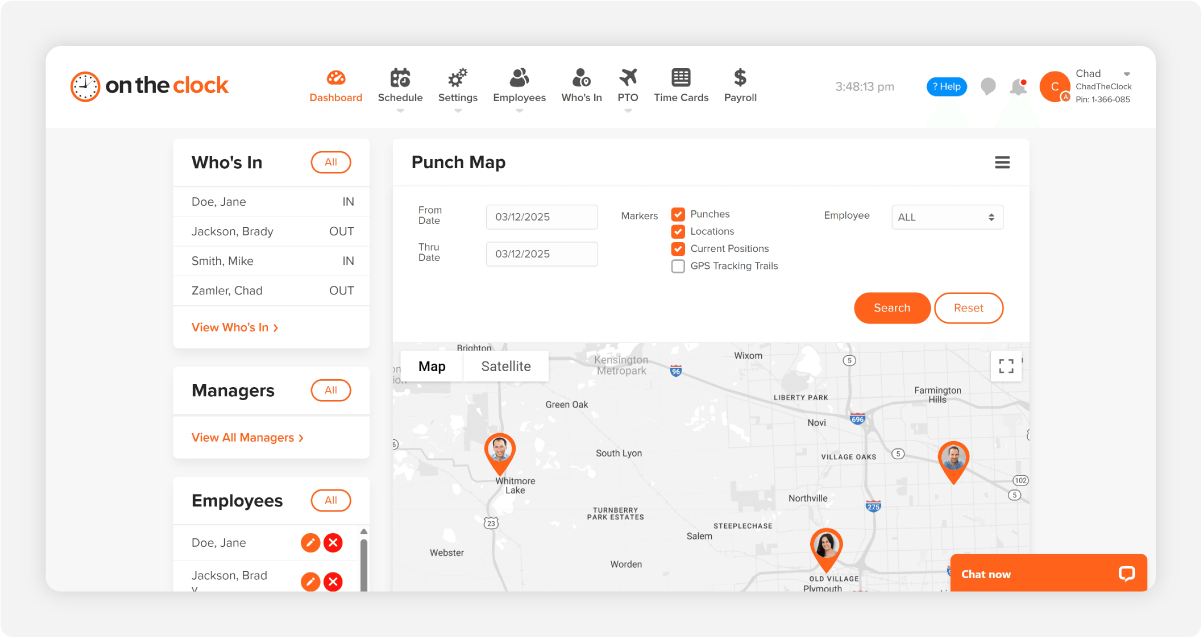
Your caregiver opens the app at the client's door and taps in. It takes a few seconds and records the time, the client, and the location. No paper, no calling the office, and no end-of-week reconstruction.
b12c23e0-de9f-4556-99fe-fc955f820d04
03
Watch the day as it happens
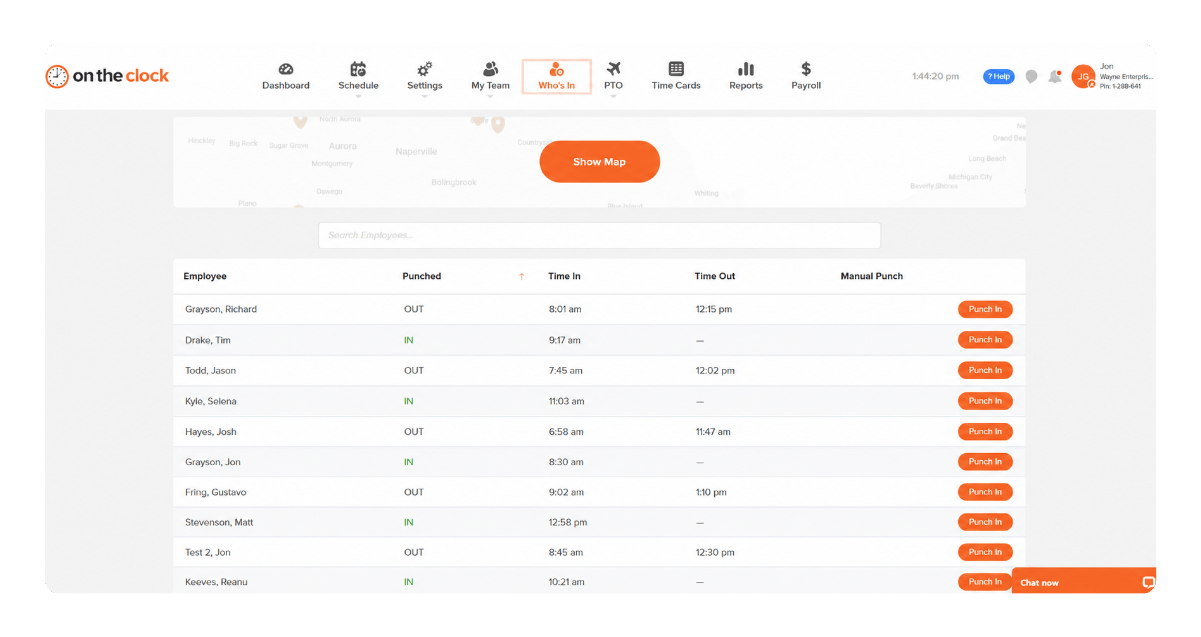
 The Who's In dashboard shows who is on a visit right now. The Schedule vs. Actual report flags late arrivals and no-shows automatically, so a missed visit reaches you the same morning instead of days later. 
cleaning-crew-gps-who-is-in
04
Approve, bill, and pay from the same record
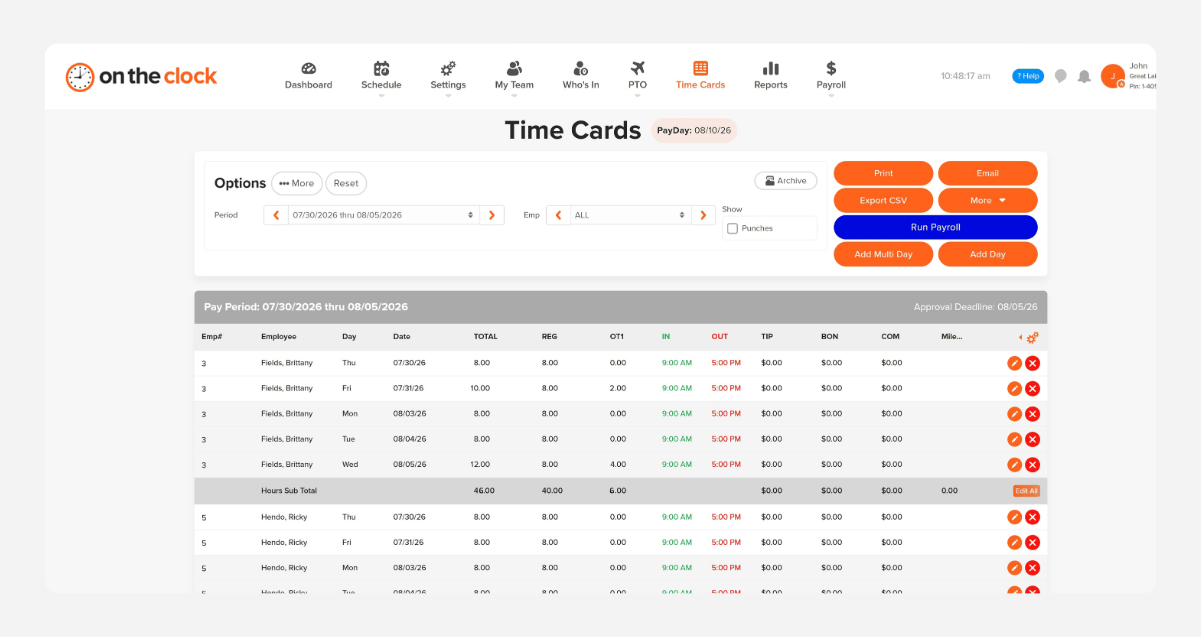
Review the week's timecards and approve them. Pull hours by client for invoicing, then send approved time to payroll or export to QuickBooks, Gusto, ADP, or Paychex. Friday goes from an evening to a few minutes.
payroll-export-screenshot-1
FROM HOME CARE AGENCY OWNERS

The proof you've been missing, from agencies your size

★★★★★
"After trying expensive alternatives we found on the clock. Thank you for making functions so simple, clear, and user friendly!!!! Love that I can control the information gathered from the admin account so our employees dont have to worry about being tracked. Just simple punch in/out, PTO, and manager tracking of hours. Love that there is a payroll option as well. Especially love that users can edit their punch ins if they forget to clock in or out! So simple! Thank you!!!!"

J
Julie
★★★★★
"Amazing and exactly what I was looking for!
This thing is awesome and simple to use. Finally a program that makes sense and is easy for the small businesses out there. Keep it up!"

S
Seth
★★★★★
" "If something goes wrong or a system goes down, I can say the hour it went down, show up on-site and show I was there and when to show time to resolution. "

S
Shawn
Transparent pricing

Simple pricing. No feature tiers. No surprises.

OnTheClock charges $4 per active employee per month plus a $5 base fee. That's it. Every feature, including GPS tracking, geofencing, scheduling, PTO management, audit trails, and payroll exports, is included from day one.
$0 /mo
0 active employees

Need payroll, too?

OnTheClock Payroll runs $40/month plus $6 per employee, with direct deposit, automated tax calculations, and the same dashboard your crew already uses for time tracking.

Every home care feature on this page is in the base plan — GPS clock-ins, geofencing per client home, hours by client, scheduling, PTO, overtime alerts, and payroll exports. Nothing is held back for a higher tier.
Start your free, 30-day trial
No credit card required at sign-up.
Get Started Today

Your caregivers are ready. Setup takes an afternoon.

Verified clock-ins, hours by client, and payroll that matches what you billed. No credit card, no contract.

Common Questions

Questions from home care agency owners

Caregivers need internet or Wi-Fi to clock in. If they’re in a basement, rural area, or dead zone, they can clock in as soon as they have service and note the correct arrival time. You can also fix it from the office. Every change is saved in the audit log, so you’re never left wondering who changed a timecard or why.
It doesn’t have to. By default, OnTheClock records the location when a caregiver clocks in and clocks out. That gives you proof they were at the client’s home without making employees feel watched all day. Breadcrumb tracking during the shift is optional. You decide how much tracking makes sense for your agency, caregivers, and the trust you’re trying to protect.
 Yes. Caregivers can clock in and out from any iPhone or Android in just a few seconds. There’s no special equipment to buy, no tablet to leave in a client’s home, and no extra device for someone to lose. They can also check their schedule and hours from the same app, which means fewer calls to the office asking when or where they work next. 
 Yes. Set up each client as a job and assign caregiver punches to that client. Then you can see exactly how many hours each client received during any date range. That makes it much easier to compare what you’re paying in labor against what you’re billing, catch mistakes, and see which clients are actually helping your agency make money. 
Yes. Caregivers can enter mileage directly on their timecards along with their hours. That information stays with the rest of the payroll record, so you don’t have to chase down mileage sheets at the end of the week. OnTheClock does not automatically calculate drive time between visits. Caregivers enter the miles themselves.
 OnTheClock can alert you when a caregiver is getting close to overtime. That gives you time to move a visit, call another caregiver, or approve the extra hours before they become a surprise. Hours are totaled across every client the caregiver works with, so extra visits can’t quietly push someone into overtime without you seeing it. 
For 15 active caregivers, time tracking costs $65 a month: A $5 base fee plus $4 per caregiver. GPS, geofencing, scheduling, PTO, reporting, and payroll exports are included. There are no feature tiers forcing you to upgrade just to get something you need. Payroll is optional and starts at $40 a month plus $6 per employee.
 Yes. Approved hours can be sent to QuickBooks, Gusto, ADP, Paychex, Square, and other payroll systems. Or you can run payroll directly inside OnTheClock with direct deposit, tax filing, W-2s, and 1099s. Either way, you spend less time copying hours from one system to another and worrying that a small mistake will turn into a payroll problem.