Skip to content

Time Tracking Software for Plumbers

Stop fixing punches at night. Every hour, tied to the job.

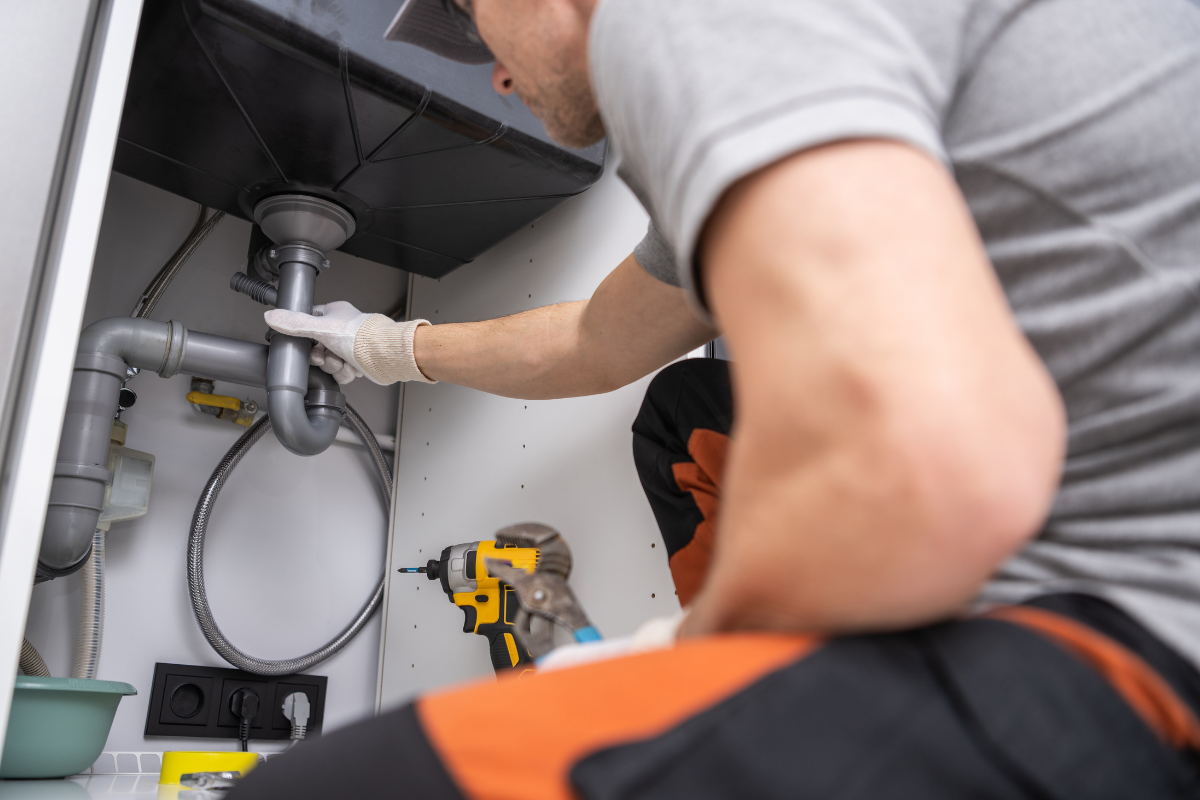
Techs clock in on-site from their phones, and every hour lands on the right job.
No credit card required
Cancel anytime
5-minute setup
ontheclock-plumbing-hero
18,000+
Companies rely on OnTheClock Everyday
160,000+
Employees Punching in Daily
★★★★★
4.8
Capterra
★★★★★
4.5
G2

Why time tracking is different for plumbing businesses


Your 10 techs start the day at 10 different addresses. By noon, they’ve moved between service calls, supply runs, and an emergency job. By Friday, their hours are scattered across notepads, texts, and memory.

The problem isn’t your techs. It’s piecing together who worked where and how long each job took. When those details are missing, you’re left sorting them out before payroll.

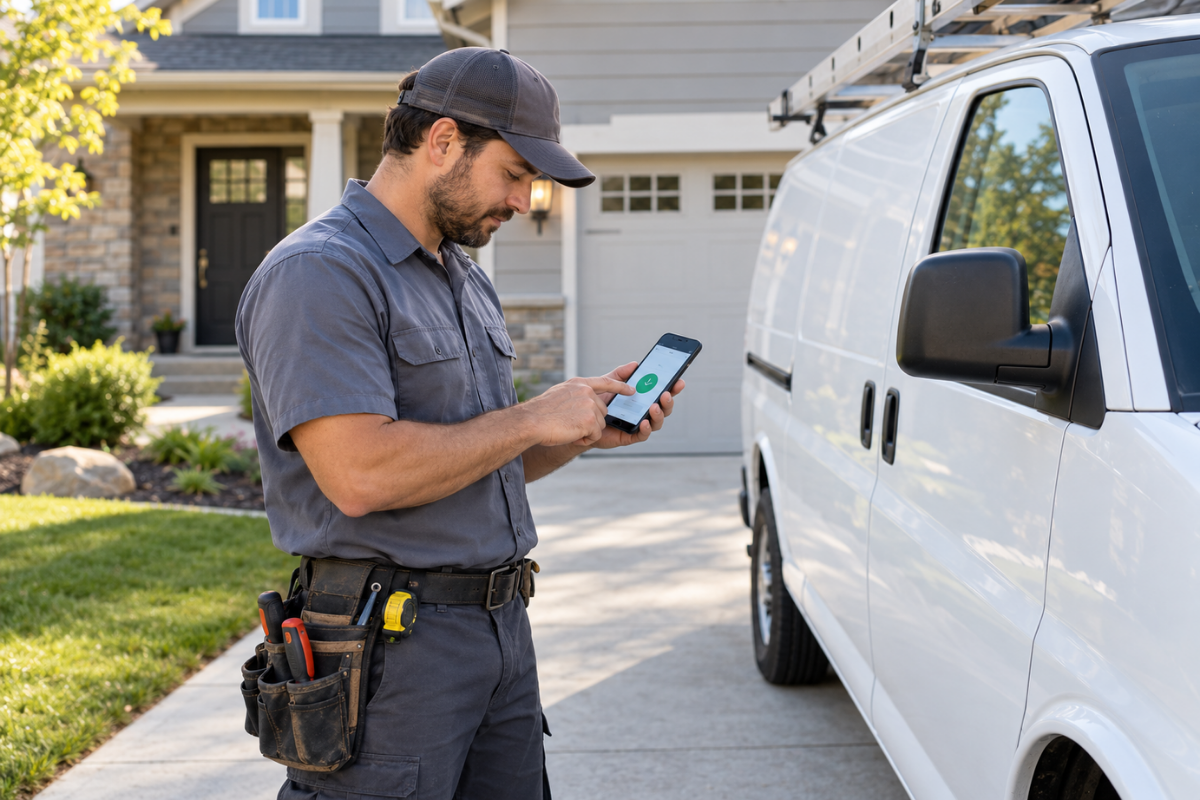
OnTheClock gives plumbing techs a way to clock in from their phones and assign time to the right job and cost code. Geofencing helps verify where they punched in, while overtime alerts help you catch extra hours. You can review job hours as they come in, then send approved time to payroll.
ontheclock-plumbers-punch-in

What OnTheClock does for plumbing businesses

Geofenced clock-ins

Set a boundary around each job site. Techs clock in from their phones when they arrive, and the geofence checks that they’re in the approved area. You can see where each punch happened without calling around to confirm arrivals.

Hours by job and cost code

Techs select the job and cost code when they punch in. Their hours land on the right call, even when they move between jobs during the day. You can review labor time by job before quoting the next one.

Automatic breaks and quick fixes

Set automatic breaks so lunch time appears on the timecard without another punch. If a tech misses a punch, you can correct the time before approving it. The audit log records edits, so you can see what changed.

Overtime alerts

Get an alert as a tech approaches your overtime limit. You can check who has hours available before assigning the next call or an emergency job. That gives you time to adjust the schedule before overtime catches you by surprise.

Scheduling that keeps up

Assign shifts and locations, then update the schedule when an emergency call changes the day. Techs can check their schedules from their phones, so they know where they’re expected next without relying on an old text or printed list.

Payroll in one click

Review and approve your techs’ hours in one place, then send them to a connected payroll provider such as QuickBooks, Gusto, ADP, Paychex, or Square. You can also record mileage on timecards, keeping it with the rest of your records.
BEFORE & AFTER

Sound familiar? 

Here’s the real cost of running a shop without OnTheClock.

Without OnTheClock
With OnTheClock
✕ A tech clocks in at 7:10 a.m. from home and reaches the first call at 7:45. You pay for that drive.
✓ Geofencing only allows clock-ins once the tech is at the job site.
✕ Techs run eight calls a day, but hours come in as one daily total. You quote the next job from memory.
✓ Every punch is tied to a job and cost code, so you know what each call really took.
✕ A tech forgets to clock out Friday. Monday starts with three phone calls to rebuild the week.
✓ Techs fix missed punches for your approval, lunch deducts automatically, and every edit is logged.
✕ Two after-hours emergency calls push a tech to 46 hours by Friday. Nobody sees it until payday.
✓ Overtime alerts reach you before anyone crosses 40 hours, while you can still move the next call.
✕ An emergency call reshuffles the day, and the whiteboard and group text are wrong by 9 a.m.
✓ Move calls in the schedule, and techs see the update on their phones.
✕ Thursday night, after a full day of calls, you add up notepads and texts to run payroll.
✓ Approve hours in one screen and export to payroll in one click. You're done in 30 minutes or less.
How it work
How it works
01
Add your techs and set up your job sites
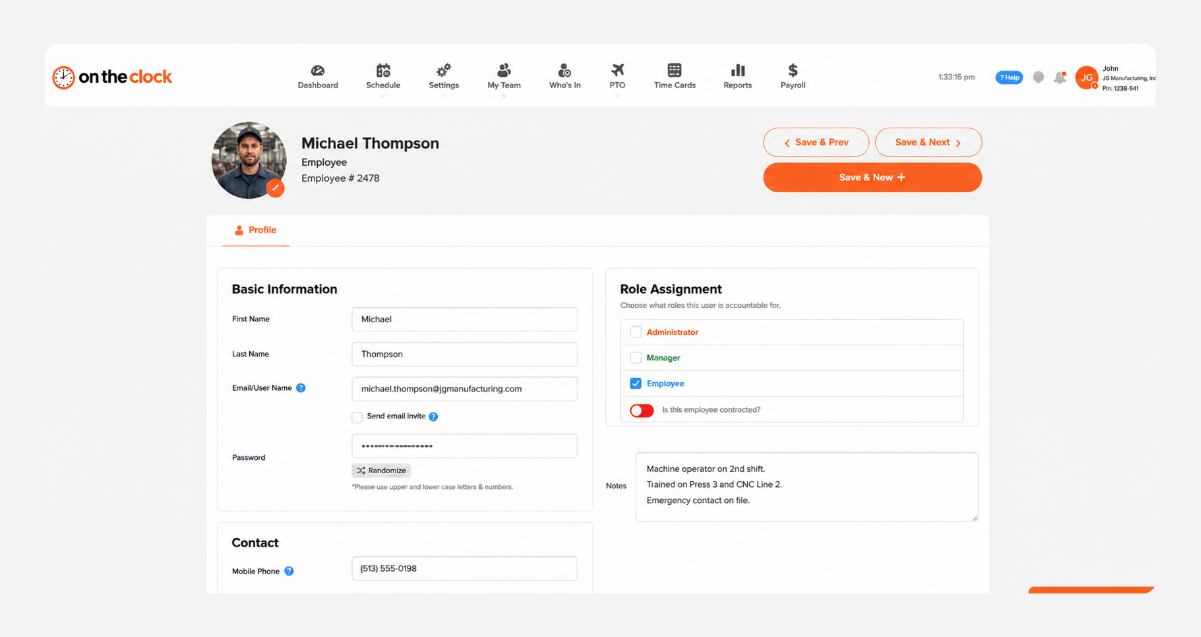
Create your OnTheClock account, add your techs, and set up your jobs, cost codes, and geofences. There's nothing to install. Techs get a login by text or email and download the app.
add-team-member-manufacturing-screenshot
02
Techs clock in at the job site
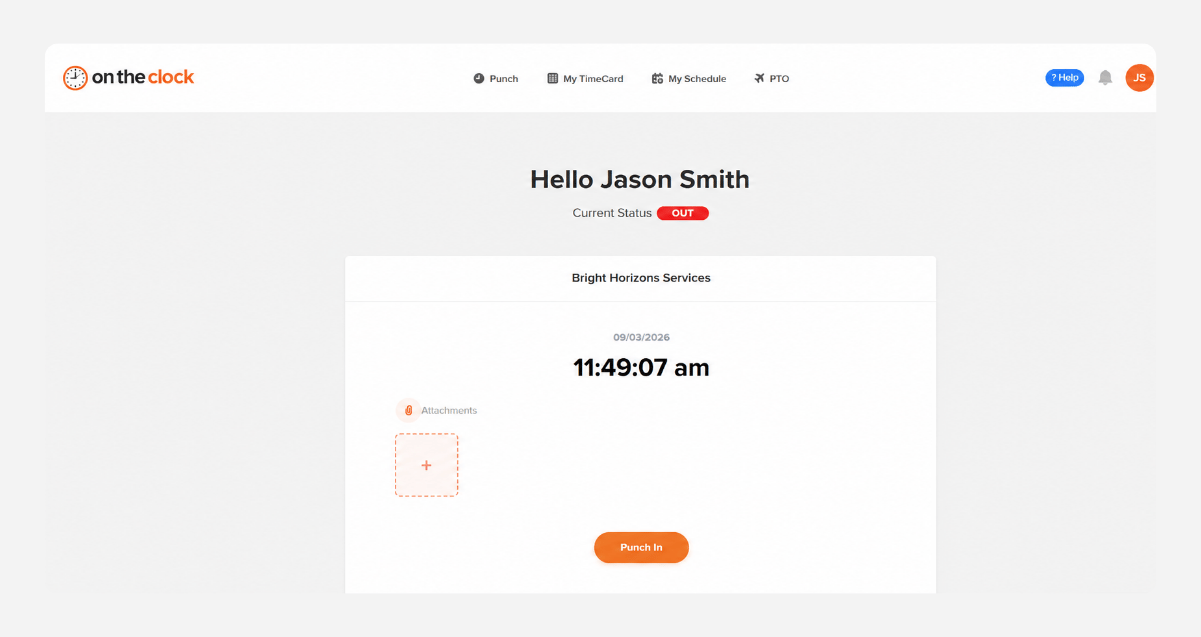
Each tech taps clock in on their phone when they arrive and picks the job. GPS confirms they're at the job site. If they're outside the geofence, the punch doesn't go through.
punch-in-screenshot
03
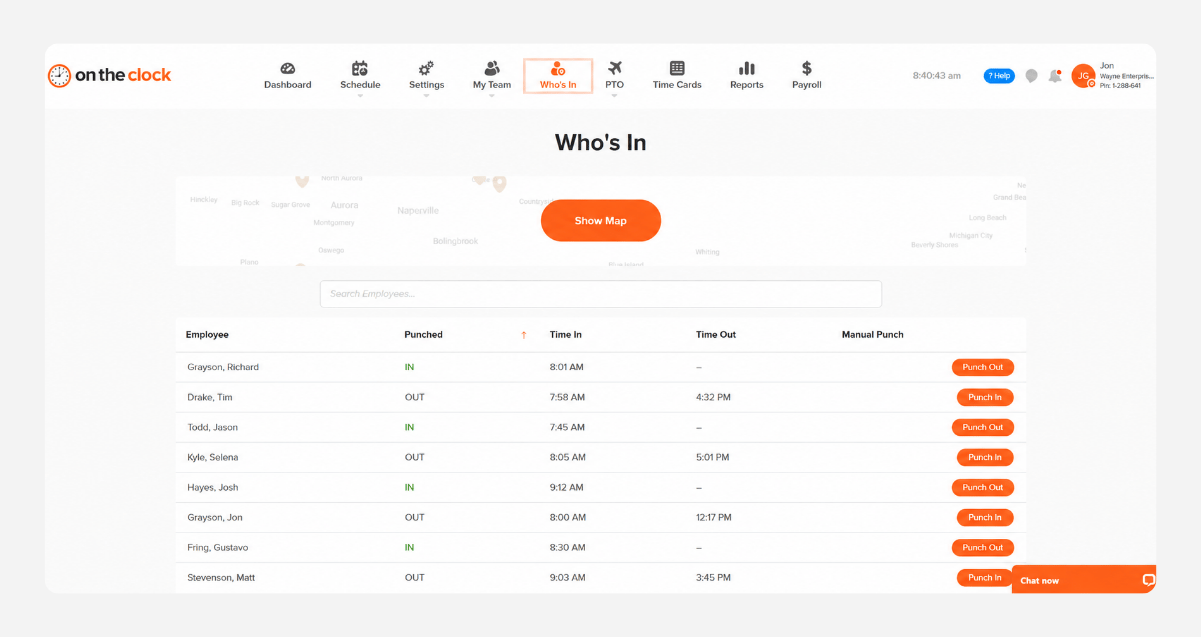
See who's on which call in real time
The Who's In dashboard shows which techs are working and where they clocked in. Overtime alerts and schedule-versus-actual reports flag late starts and long weeks while you can still adjust
who-is-in-screenshot
04
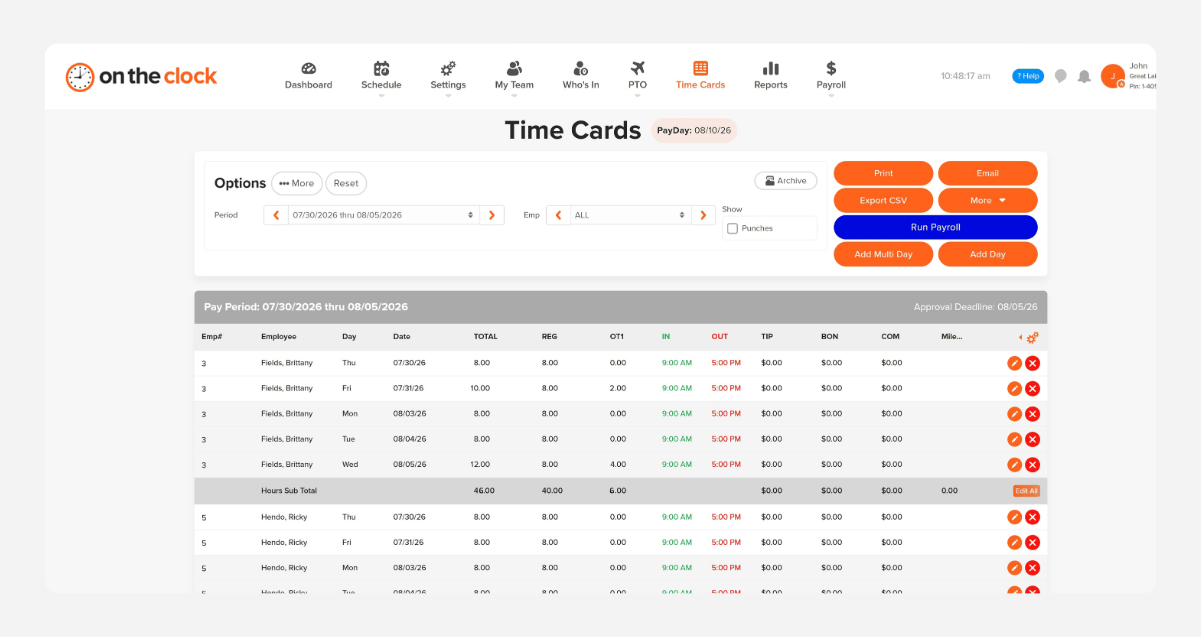
Approve hours and send them to payroll
At the end of the week, review hours by tech or job, approve them in one place, and export to payroll. QuickBooks, Gusto, ADP, Paychex, and Square are supported.
payroll-export-screenshot-1

Know what every call cost before the next quote.

OnTheClock is free for the first 30 days. No credit card is required, and you can set up your account in 5 minutes from your phone.
Side by side

How OnTheClock compares

A feature-by-feature look at OnTheClock, Clockify, and Buddy Punch for cleaning businesses.
Feature OnTheClock ClockShark Harvest
Best for Small plumbing shops Field crews that need job costing Teams that bill clients by the hour
Pricing (per month) $4/user + $5 base $40 base + $9/user  $9–$14/seat 
Free trial 30 days, no credit card 14 days 30 days
GPS time tracking ✓ Included ✓ Included ✗ Not available 
Geofencing ✓ Included ✓ Included ✗ Not available
PTO tracking ✓ Included ✓ Included ✗ Not available
Scheduling ✓ Included ✓ Included ✗ Separate product (Forecast)
Payroll integrations ✓ QuickBooks, Gusto, ADP, Paychex, Squar ✓ QuickBooks, ADP, Gusto, Sage ✗ Accounting only (QuickBooks, Xero)
OnTheClock is best for small plumbing shops that need geofenced clock-ins, hours by job, and payroll integration at a transparent price with real U.S.-based support.
FROM REAL PRACTICES

Trusted by electrical crews of all sizes

★★★★★
"I looked at quite a few time card systems - including ones that were more expensive. OnTheClock was the best bang for the buck. I love how employees have it on their phone for easy punch in and punch out. Add tasks to know what people are working on and attribute time to it. If someone forgets to punch in or out, it is easy to fix and have hours recalculate. This is an excellent tool for keeping track of employee and contractor hours."

MR
Merance
★★★★★
"We only have a couple of contract employees, but this saves me a lot of time in figuring checks. A+"

KF
Kathy Fortner
★★★★★
"OnTheClock is a great tool for any small business or independent contractor to manage time spent on projects. I highly recommend it - especially to any independent contractors out there!"

JN
James Nichols
Transparent pricing

Simple pricing. No feature tiers. No surprises.

OnTheClock charges $4 per active employee per month plus a $5 base fee. That's it. Every feature, including GPS tracking, geofencing, scheduling, PTO management, audit trails, and payroll exports, is included from day one.
$0 /mo
0 active employees

Need payroll, too?

OnTheClock Payroll runs $40/month plus $6 per employee, with direct deposit, automated tax calculations, and the same dashboard your crew already uses for time tracking.

There are no feature upgrades. No plan switching. No "GPS is a Pro feature" surprises.
Start your free 30-day trial
No credit card required at sign-up.
Get Started Today

Your techs are ready. Setup takes 5 minutes.

No credit card, contracts, or IT is required. Just clean hours that flow straight to payroll.

Common Questions

Questions from electrical contractors

A 10-tech shop pays $45/month ($4 per active employee per month plus the $5 base fee). There are no feature tiers or setup fees. GPS, geofencing, job costing, scheduling, and payroll exports are all included from day one.
It should confirm techs are on-site when they clock in, tie hours to each job, and send clean hours to payroll. OnTheClock does all three from one app, with overtime alerts and scheduling included.
Yes, in most cases. Federal rules count travel between job sites during the workday as hours worked. The normal drive from home to the first call usually isn't. Techs stay clocked in between calls, and they can log mileage with their hours. Check your state's rules too.
Yes. Techs tie each punch to a job and cost code in the app. Job costing reports show hours and labor cost by job, by tech, or both, so you can price repeat work from real numbers.
2. 
Only if you want it to. GPS punch recording logs location at clock-in and clock-out. GPS breadcrumb trails are a separate feature that shows the route during a shift, and you decide whether to turn it on.
They can add or fix the punch from their phone, and you approve it before payroll. Every change is logged in the audit trail, and automatic breaks handle lunch so there's one less punch to forget.
Yes. OnTheClock supports W-2 employees and 1099 contractors on the same account, with different pay rates per person. Apprentices, helpers, and part-time techs all use the same mobile app.
No contract. You can cancel anytime from your account settings. Every account starts with a free, 30-day trial, so you can run a full pay period with your techs first.
Get Started Today

Get your evenings back from timecards

OnTheClock is affordable time tracking and payroll software built for plumbing shops with techs in the field.