Skip to content

Time Tracking Software for Security Guard Companies

Stop guessing who's on post. Know every guard's hours, by site.

Guards clock in with GPS and a photo, so every punch shows who arrived, when, and where.
No credit card required
Cancel anytime
5-minute setup
ontheclock-security-guard-companies
16,000+
Companies rely on OnTheClock Everyday
160,000+
Employees Punching in Daily
★★★★★
4.8
Capterra
★★★★★
4.5
G2

Why time tracking is different for security guard companies


It's 11 p.m., and a client is on the phone. You have 15 guards across six client sites, and they're telling you the overnight post at the warehouse is empty. Your records say the guard arrived at 10.

The problem is proof. Paper logs and texts show what someone reported, not where they actually clocked in. When a client questions coverage, you need something more reliable than a handwritten log or message.

OnTheClock gives security companies GPS-verified punches, optional photo verification, geofencing at each post, and hours tracked by client site. Guards clock in from their phones, you can see who's clocked in right now, and approved hours flow into payroll.
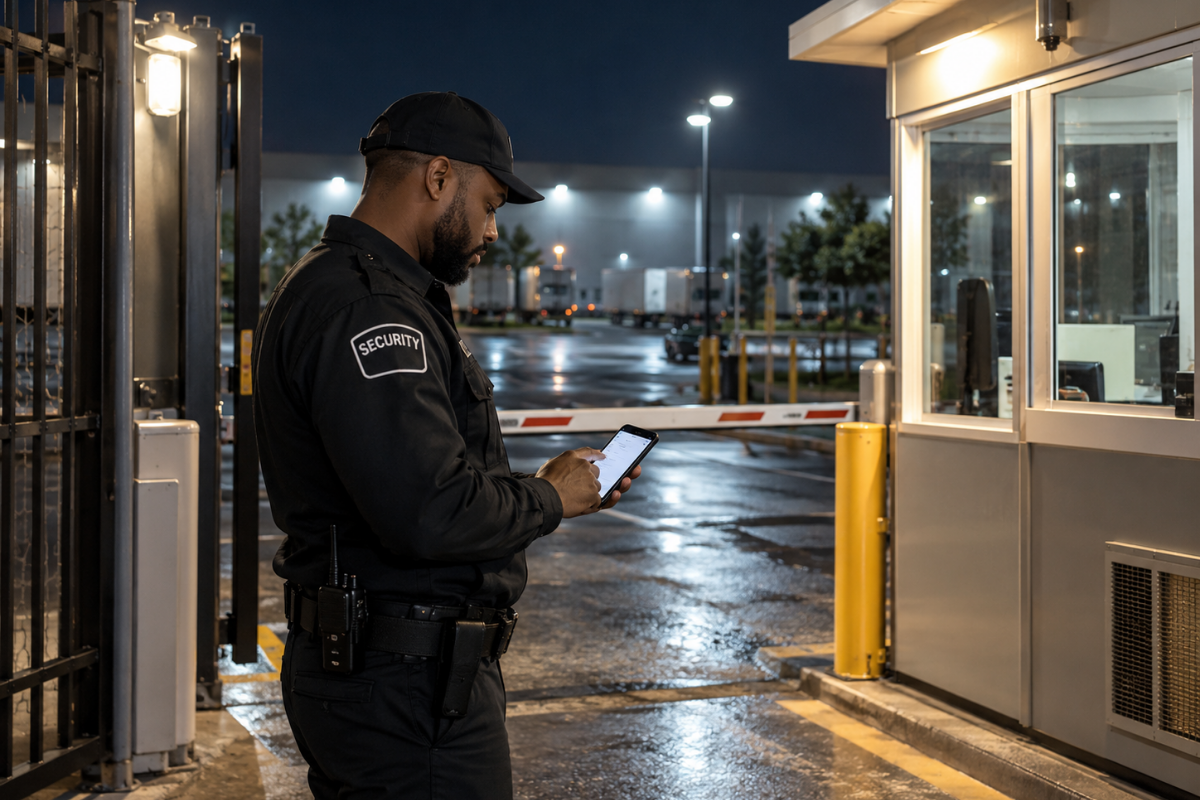
ontheclock-security-guard-punching-in

What OnTheClock does for security guard companies

GPS and photo at every punch

Every clock-in records the guard's GPS location and a photo taken at the post. When a client asks, you can show who arrived and when.

See who's on post right now

The Who's In dashboard shows who's clocked in and where. The Schedule vs. Actual report flags no-shows and late arrivals, so you can send relief fast.

Punch controls at every post

Geofencing, kiosk PINs, and fingerprint punching make sure each guard clocks in for themselves. No more punching in for a late partner.

Overtime alerts

Get notified before a guard crosses 40 hours, so you can adjust the schedule. Call-outs stop turning into surprise overtime on payday.

Hours tracked by client site

Set up each post or client as a job, and guards pick one at clock-in. Pull payroll totals and hours by site from one record.

Fill a post in minutes

Drag a shift to another guard when someone calls out. Schedule notifications tell the new guard right away, without a group text.

Before and after

Without OnTheClock
With OnTheClock
✕ A client says the overnight post sat empty at 2 a.m. All you have is a handwritten log.
✓ Every punch carries the guard's GPS location and a photo from the post, ready to show the client.
✕ The overnight guard never shows at 10 p.m. The day guard leaves at 10:15, and the client calls you at 11.
✓ Who's In shows the missing punch at 10 p.m., and Schedule vs. Actual flags the no-show.
✕ At the guard shack tablet, one officer punches in for a partner who's 40 minutes late.
✓ Kiosk PINs, fingerprint punching, and a photo at clock-in make sure each guard punches in for themselves.
✕ Two call-outs in one week, and one guard ends at 52 hours. The contract rate doesn't cover the overtime.
✓ Overtime alerts reach you before anyone crosses 40 hours, while you can still move a shift.
✕ A patrol guard covers three client sites in one night. Payroll needs her total, and billing needs each site's hours.
✓ Guards pick the site at clock-in, and one report shows hours by guard and by client.
✕ A guard calls out at 8 p.m. Finding relief takes 12 texts and 2 hours.
✓ Drag the shift to an open guard, and schedule notifications tell them right away.
How it works
01
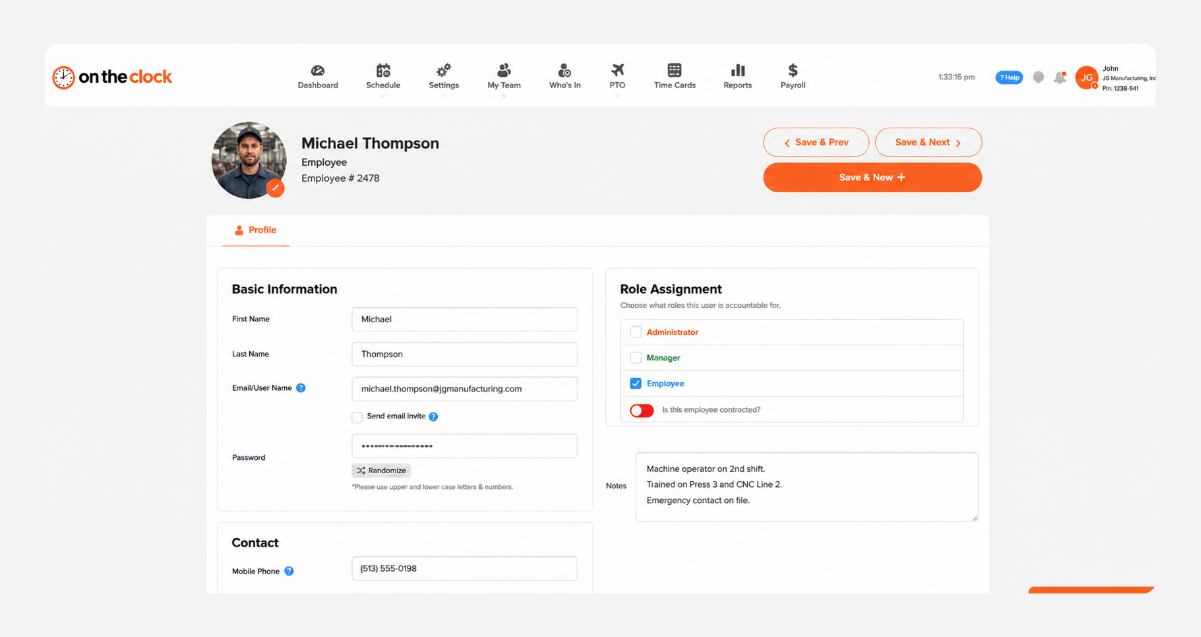
Add your guards and set up each post

Create your OnTheClock account, add your guards, and set up a job for each client site or post. Draw a geofence around each property. Guards get a login by text or email and download the app
add-team-member-manufacturing-screenshot
02
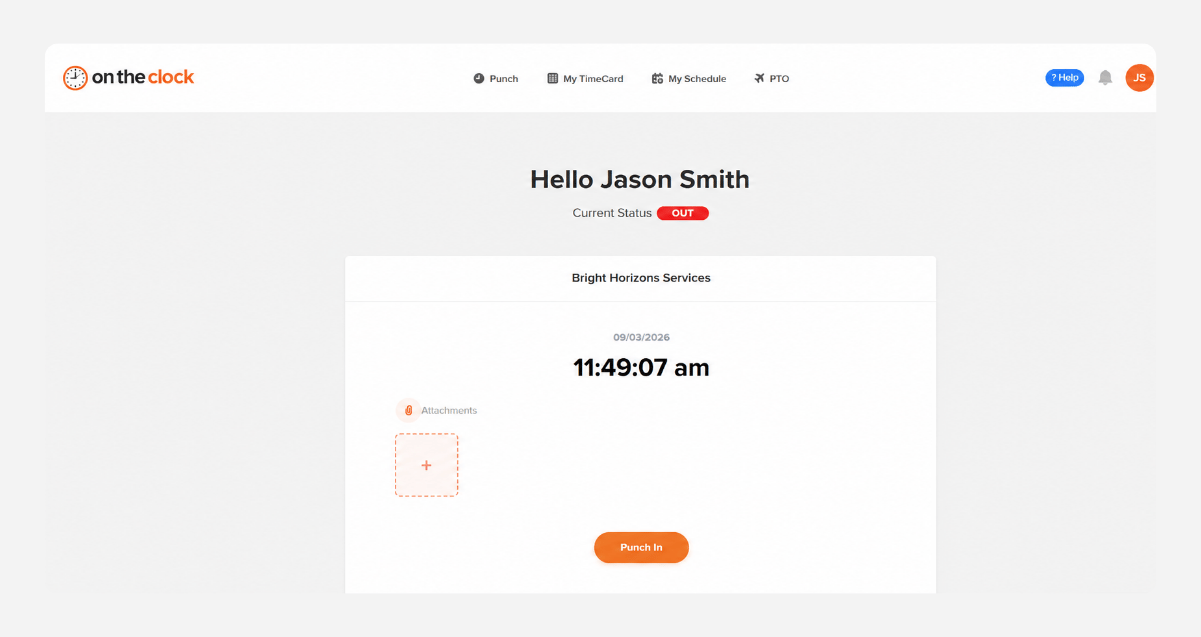
Guards clock in with GPS and a photo
Each guard clocks in from their phone or the post tablet and picks the site. OnTheClock records the GPS location and a photo, and the geofence blocks punches from outside the property.
punch-in-screenshot
03
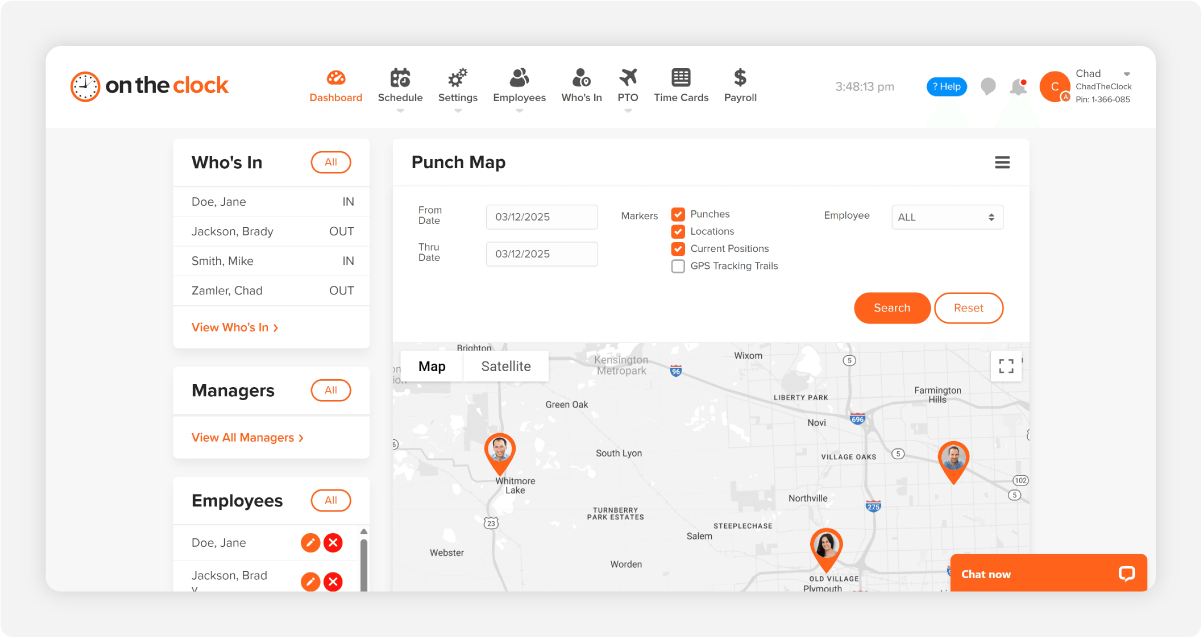
See who's on post across every site

The Who's In dashboard shows who's clocked in and where. The Schedule vs. Actual report flags no-shows and late arrivals, and overtime alerts warn you before anyone reaches 40 hours.
b12c23e0-de9f-4556-99fe-fc955f820d04
04
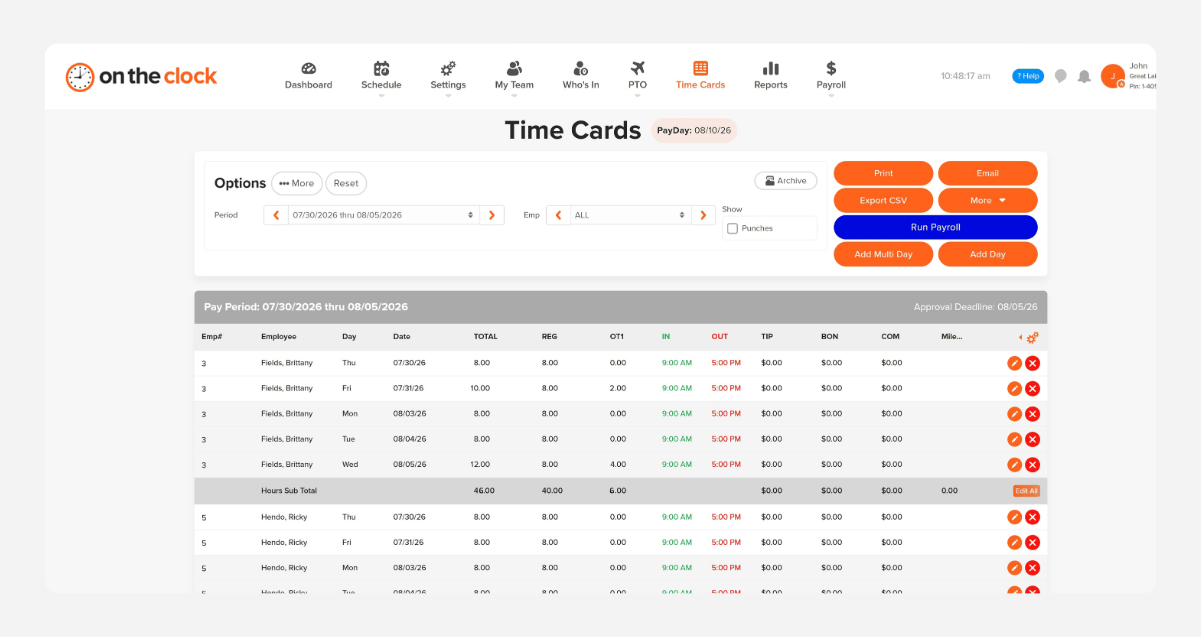
Approve hours and send them to payrol
At the end of the pay period, review hours by guard or client site and approve them in one place. Export to Gusto, ADP, QuickBooks, Paychex, or Square, or run OnTheClock Payroll.
payroll-export-screenshot-1

Know who's on post before the client has to ask.

OnTheClock is free for the first 30 days. No credit card is required, and you can set up your account in 5 minutes from your phone.

How OnTheClock compares
Feature OnTheClock Clockify Clockspot
Best for Small guard companies that need post proof Teams tracking time by project and location Guard companies that need call-in punches
Pricing (per user/mo) $4/user + $5 base Free–$14.99/user (tiered) $6/user + $25 base
GPS at clock-in ✓ Included ✓ Pro plan only ($9.99/user) ✓ At clock events
Geofencing ✓ Included ✓ Pro plan only ✓ Included
Tablet kiosk clock-in ✓ Kiosk with PIN ✓ Included ✓ Kiosk with PIN
Payroll integrations ✓ Gusto, ADP, QuickBooks, Paychex, Square ✓ QuickBooks only (Standard+) ✓ QuickBooks Online
✓ $40/mo + $6/employee ✗ Not available ✗ Not available  ✗   Not available
OnTheClock is best for small security guard companies that need GPS and photo proof at every post, hours by client site, and payroll at a transparent price.
From real security companies

Why small teams trust OnTheClock with every shift

★★★★★
"I looked at quite a few time card systems - including ones that were more expensive. OnTheClock was the best bang for the buck. I love how employees have it on their phone for easy punch in and punch out. Add tasks to know what people are working on and attribute time to it. If someone forgets to punch in or out, it is easy to fix and have hours recalculate. This is an excellent tool for keeping track of employee and contractor hours."

MR
Merance
★★★★★
"We only have a couple of contract employees, but this saves me a lot of time in figuring checks. A+"

KF
Kathy Fortner
★★★★★
"OnTheClock is a great tool for any small business or independent contractor to manage time spent on projects. I highly recommend it - especially to any independent contractors out there!"

JN
James Nichols
Transparent pricing

Simple pricing. No feature tiers. No surprises.

OnTheClock charges $4 per active employee per month plus a $5 base fee. That's it. Every feature, including GPS tracking, geofencing, scheduling, PTO management, audit trails, and payroll exports, is included from day one.
$0 /mo
0 active employees

Need payroll, too?

Need payroll too? OnTheClock Payroll runs $40/month plus $6 per employee with direct deposit, automated tax calculations, and the same dashboard your crew already uses for time tracking.

There are no feature upgrades. No plan switching. No "GPS is a Pro feature" surprises.
Start your free 30-day trial
No credit card required at sign-up.
Get Started Today

Your guards are ready. Setup takes 5 minutes.

No credit card, contracts, or IT is required. Just a cleaner, more accurate way to manage your team's hours.

Common Questions

Questions from security company managers

A 15-guard company pays $65/month ($4 per active employee per month plus the $5 base fee). There are no feature tiers or setup fees. GPS, geofencing, photo clock-in, scheduling, and payroll exports are all included from day one.

Yes. Set up each client site or post as a job, and guards pick one when they clock in. Job costing reports show hours by site, by guard, or both, for billing and payroll.

Yes. Turn any tablet into a kiosk, and guards clock in with their own PIN. It works well at a gate or guard shack, and guards can also use their own phones.

Only if you turn it on. GPS punch recording logs location at clock-in and clock-out. GPS breadcrumb trails are optional, and they're most useful for mobile patrols that cover several sites.

Yes. Full-time, part-time, and on-call guards all use the same app with their own login. OnTheClock also supports 1099 contractors and different pay rates per person.

If they stay on duty, yes. Under federal rules, a meal break is unpaid only if the guard is completely relieved from duty. A guard who eats at the post while watching the gate is still working. Set break rules in OnTheClock to match how your posts actually run.

OnTheClock needs an internet or Wi-Fi connection to record a punch. At a remote post, a kiosk tablet on the client's Wi-Fi usually solves it. If a site has no connection at all, talk to support before you roll it out.

No contract. You can cancel anytime from your account settings. Every account starts with a free, 30-day trial, so you can test it with real guards first.
Get Started Today

Every shift on record, at every post

OnTheClock is affordable time tracking and payroll software built for security guard companies with hourly guards on client sites.