


Jump to section
Try OnTheClock Free
Save time and make payroll effortless with our easy-to-use, affordable employee time tracking app.
Try It FreeTime tracking is a simple solution for recording employees' hours worked. The main purpose of time tracking isn't time management; rather, it's necessary for legal compliance and payroll.
But, surprisingly, some employers struggle to introduce time tracking to their companies. Team members may misunderstand time tracking as a form of surveillance or feel anxiety about correctly filling out time sheets. The idea of time tracking may be uncomfortable, but it doesn't have to be.
Here are five tips to help you introduce time tracking in a positive light, showcasing the positive impact it can have on the entire organization.
How to Introduce Time Tracking in Five Steps
OnTheClock has served more than 15,000 companies, tracking more than 500 million hours worked. Since being founded in 2004, we have found certain strategies that work well when implementing an employee time tracking system into your business.
1. Educate Your Employees on the Reasoning and Benefits
Honest, transparent communication is very important in all organizations. Not only does it build trust — it also openly defines why time tracking software is being implemented.
Rather than sending an email, hold a company meeting to speak in person about the change. Depending on your company size, you may want to schedule one-on-one meetings with employees or hold smaller meetings within each department. Emails can lead to misunderstandings and unanswered questions, so avoid sending them unless you’re following up on an in-person conversation.
In preparation for your meeting, put together a document that lists the benefits employees will experience. Having benefits listed on paper is great for employees to use as a reference instead of relying on memory. Here are some of the benefits for employees who track their time:
- Confirms proper allocation of work.
- Reflects accurate timecards for accurate paychecks
- Brings awareness to unconscious routines.
- Allows employees to understand which tasks they're spending their time on.
- Visually see punch-in and -out times for recordkeeping purposes.
- Request time off and see if it is approved or denied.
- Reveals effectiveness for due dates and schedules.
- Prevents employee burnout.
- Improves work-life balance by knowing how much time is being spent on work.
There are other mutual benefits too, including legal compliance, increased payroll accuracy, more organized schedules, and streamlined PTO calculations. Do everything you can to be honest and transparent so your employees have a clear understanding of the goals behind the change.
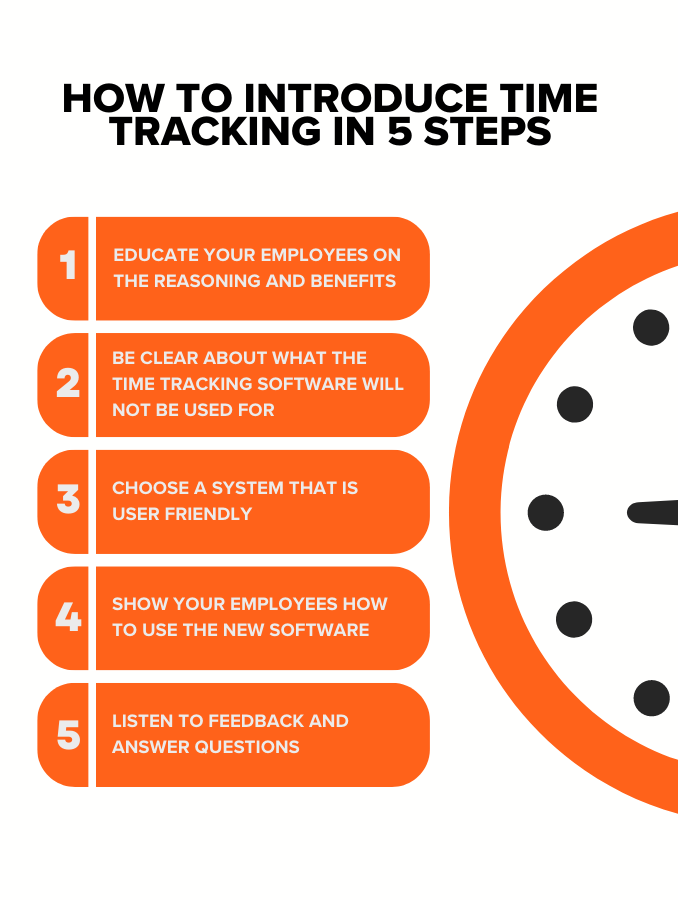
2. Be Clear About What the Time Tracking Software will not Be Used for
Employees may feel like they are not trusted and that they will be micromanaged via time tracking, which may lead to a hostile response. In this case, it’s your job to make it clear how the time tracking system will be utilized.
Emphasize that time tracking will not be used as a single indicator when evaluating an employee’s talent, work ethic, or overall job performance. Instead, it's a tool to help guide management in the right direction to improve their overall team and allow employees to be more autonomous. It also creates a more accurate payroll processes, which is mutually beneficial.
This is an opportunity to put your great management and leadership skills on display. Give employees reassurance about the big picture, and don’t single an individual out. This will gain their trust and make them more accepting of the change.
3. Choose a System that Is User-Friendly
Employees will already be faced with a lot of uncertainty and questions. Selecting a reliable time tracking solution that is easy to use is crucial. A program with a cumbersome interface will only make it more difficult for them to adopt time tracking.
Another benefit of a user-friendly system is that it will help employees remember to punch in and out, improving overall workflow. Employees want to be productive and enjoy the rewards that come with it.
Conversely, if the system you choose is not user-friendly, it could cause employees to be frustrated. The frustration could trickle into their work productivity and cause major issues. Employees can accomplish tasks more efficiently when a good time tracking system is in place.
If you have expectations for employees to use the newly implemented time tracking tool, then it’s only fair to provide them with a tool that is simple to use.
4. Show your Employees How to Use the New Software
Like when introducing any new software to the workplace, your employees will need to be trained on how to use the time tracking system. Additionally, your introductory meeting should include a brief demonstration of how to use the new time tracking tool. So, before taking the time to introduce the tool, make sure you become familiar with its interface.
This is one of many reasons why OnTheClock offers a 30-day free trial. This allows you and your employees enough time to use the system and see if it is the right fit for you, your business, and the employees.
If you’re using OnTheClock, you can reach out to our support team at any time for hands-on guidance. We also offer live webinars and one-on-one demos to help train new users. Finally, our robust learning center has resources for self-guided learning, including articles and videos.
5. Listen to Feedback and Answer Questions
Encourage your team to share their feedback about time tracking. This step is very important for employees to express their thoughts and feelings. Opening up a dialogue will also give you the opportunity to go into further detail about how time tracking is beneficial to everyone.
In addition to taking feedback, make time to answer your team’s questions. Keep in mind: your answer will affect the team, so it’s crucial to be honest and accurate.
Common Employee Objections (And How to Respond)
OnTheClock was founded in 2004 — so when it comes to employee time tracking, we’ve pretty much seen it all. That’s why we’ve compiled some of the concerns most frequently raised by employees when introducing our software with a few examples of how to respond.
“I’m anxious that you no longer trust me.”
We’re tracking time as a team. The goal is to understand whether we are investing our time effectively and to look for opportunities to engage in new projects or activities.
“We've never done this before. Why start now?”
As a business, we’re ready to level up. In our industry, it’s best practice to track hours worked. Federal law also requires us to keep accurate records of your hours, and this software will make it much easier for us to do that.
“I feel like I’m being micromanaged.”
Micromanagement is definitely not the goal here! We’re keeping track of your hours worked. This software does not monitor your activities. Everyone will be following the same time tracking process. This is a team effort so we can see the big picture when it comes to our business outcomes.
“This is an extra step in my day that wastes time.”
We understand that this is a new step. It will take time to make a daily habit out of time tracking. Eventually, though, clocking in and out should feel like second nature. If you need help learning the software, OnTheClock provides free training and technical support. We appreciate you taking the time to adopt this practice as it will make the company as a whole much more efficient.
“I’m concerned about my privacy. How do I know this app isn’t stealing my data?”
We respect your privacy! OnTheClock is not monitoring software. It cannot track your activity on your personal device. This is a simple time clock that logs your hours worked.
“I’m concerned about my privacy. Why does it need access to my location?”
We respect your privacy! We’re using the GPS tracking feature to ensure workers are on-site and safe. OnTheClock cannot log your location unless you’re clocked in, and it don’t track location data when you’re off the clock.
“How do I know if this is accurately tracking my time?”
This is software developed by an outside service to ensure hours are accurately logged. One reason we need to do this is for compliance, as accurate time tracking is mandated by the Department of Labor. It’s illegal for OnTheClock to modify your hours; doing so would put the company at risk for litigation. To keep everyone transparent, you can review and sign off on your timecards through OnTheClock — let me know if you’d like us to set this up!
“I don’t have access to a device I can use to clock in or out.”
When you arrive at work, we’ll provide a device for you. We can configure a device as a group punch-in site that any employee can use, or you can use a computer to access your OnTheClock account via browser. All you need is your login credentials.
What to Do After a Time Tracking Solution Has Been Implemented
Once you've successfully introduced your time tracking solution, it’s important to keep the discussion going.
Follow up! Frequently ask your team how the experience is going. Some employees may shy away from bringing up any issues or concerns, so let them know you care about their experience with time tracking.
Likewise, track your company’s progress and measure the impact the new tool is providing. You should notice more accurate timecards, an improved payroll process, and an increase in employee productivity. If implemented correctly, time tracking can improve your company’s culture. It allows employees to coordinate their time appropriately, increase work productivity, and give an analysis of how much time is being spent on specific projects, all while streamlining workflow.
