
Jump to section
Try OnTheClock Free
Save time and make payroll effortless with our easy-to-use, affordable employee time tracking app.
Try It FreeThe best Connecteam alternatives for 2026 are OnTheClock, Homebase, Jibble, ClockShark, 7shifts, and Hubstaff. Each one fixes a different problem, from surprise pricing to missing offline clock-ins. Below, you'll see what each tool costs, where it stands out, and where it falls short.
Connecteam offers a lot of what small businesses look for in a workforce management app. Scheduling is clean; the GPS time clock does what you expect; the mobile app feels modern; and most teams pick it up quickly.
So, when people start looking for alternatives, it's rarely because something is broken. It's what shows up later.
The platform is marketed as an all-in-one workforce app. In practice, that means three separate hubs: Operations, Communications, and HR & Skills. Each is priced individually. As of October 2026, a team that needs all three pays $105 per month at the Basic level, billed monthly. At the Expert level, it's up to $357 per month (see Connecteam's pricing). Those prices only cover your first 30 users. After that, you pay for each extra person.
That structure works fine on paper. But for a small construction crew or a 10-person cleaning company, the cost adds up quickly. Geofencing needs the Advanced plan. Breadcrumb GPS and automated reports need the Expert tier.
That's usually the moment things change.
But pricing isn't the only issue for some teams; things like offline mode aren't optional. Once teams rely on it day to day, those gaps become hard to ignore. A field crew loses signal and can't clock in; payroll exports lump overtime in with regular hours; and features that seemed standard turn out to sit behind higher tiers.
Now, it's not just expensive; it's getting in the way. That's when teams start looking for something better.
What Most Teams Actually Want from a Connecteam Alternative
When teams start comparing options, the conversation usually comes down to two things: Cost and what's missing.
The pricing issue isn't about paying for software. It's about not knowing what you'll actually pay until you're already in. A team signs up expecting a simple monthly bill and realizes "all-in-one" means stacking three separate hubs.
That's where the friction starts. Different teams notice different gaps depending on how the work actually happens. For example, field crews don't always have a signal, so offline clock-ins aren't an option. Restaurant managers need tip pooling built into the same system they use to schedule shifts. Cleaning companies and plumbing teams need job costing that connects directly to payroll — not a CSV they have to fix every Friday just to make the numbers line up.
That's the breaking point. When the system doesn't match how the work actually gets done, you feel it every day.
Most teams aren't just looking for a cheaper option. They're looking for something that solves the problem slowing them down — without turning pricing into another one.
Quick Picks: Which Connecteam Alternative Best Fits Your Team
Not sure where to start?
Here's how the top Connecteam competitors stack up based on what your team actually needs:
-
OnTheClock — Best overall alternative
-
Homebase — Best for location-based businesses
-
Jibble — Best free time tracker
-
ClockShark — Best for construction and trades
-
7shifts — Best for restaurants and hospitality
-
Hubstaff — Best for remote teams
How I Evaluated These Connecteam Alternatives
To evaluate each tool, I focused on what actually matters to the small and mid-sized teams Connecteam is built for. Here are the criteria I used:
-
Mobile-first design
-
GPS and geofencing
-
Job costing and cost codes
-
Payroll integration
-
Ease of use
-
Pricing transparency
-
Compliance and overtime
-
Offline capability
- User reviews and reputation
These are the areas where most systems either save time or quietly create more work behind the scenes.
The Best Connecteam Alternatives
Not every alternative solves the same problem. Some are built for scheduling, while others focus on time tracking, compliance, or field operations.
Below is a list of alternatives designed to meet teams where they actually work. You'll see which platforms fit different needs, where they stand out, and where they fall short.

OnTheClock: Best Overall Connecteam Alternative
Available on: Web, iOS, Android
Most businesses don't need more tools; they need one system that actually works without making things more complicated.
That's where OnTheClock stands out.
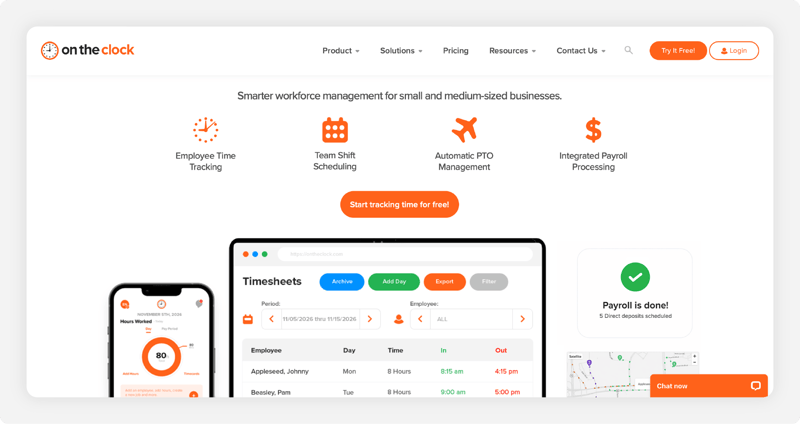
Unlike platforms that split core time tracking features across multiple tiers, OnTheClock includes GPS tracking, scheduling, PTO management, payroll integrations, and kiosk mode, all of which are included from day one. There's no need to upgrade to a higher time tracking tier to access these features. Businesses can also add OnTheClock Payroll for an additional monthly fee.
For most small teams, that immediately changes how the tool feels. Pricing stays predictable, too. It's $4 per employee per month plus a $5 base fee. For a team of 15 employees, that comes out to about $65 per month — with nothing hidden and no pressure to upgrade later.
That matters more than people expect. When the system doesn't change as you grow, you spend less time managing the tool and more time running your team.
What Makes it Different from Connecteam
At a high level, both tools cover the same ground. They handle time tracking, scheduling, GPS tracking, and payroll prep. Connecteam brings all of this into one platform, combining operations, communication, and HR tools for deskless teams.
That part overlaps. The difference shows up when you actually run payroll. Connecteam helps you prepare for payroll. It tracks hours and organizes time sheets, but payroll still happens somewhere else. You're exporting data, syncing it, and hoping everything carries over cleanly.
That extra step is where errors usually creep in.
OnTheClock takes a more direct approach with built-in payroll. Hours don't get exported. They move straight into payroll inside the same system. Taxes, direct deposit, and year-end forms are handled in one place. No handoff. No second system to manage.
Everything stays connected. That's the real difference.
Key Features
Integrations:
Pros
Cons
Pricing
-
Plans start at $5/month base fee + $4 per user/month
Built to End Your Scheduling Stress
Try it free and see how effortless scheduling can be.
Try it Free!Homebase: Best Connecteam Alternative for Location-Based Businesses
Available on: Web, iOS, Android
Homebase works best when your team stays in one location.
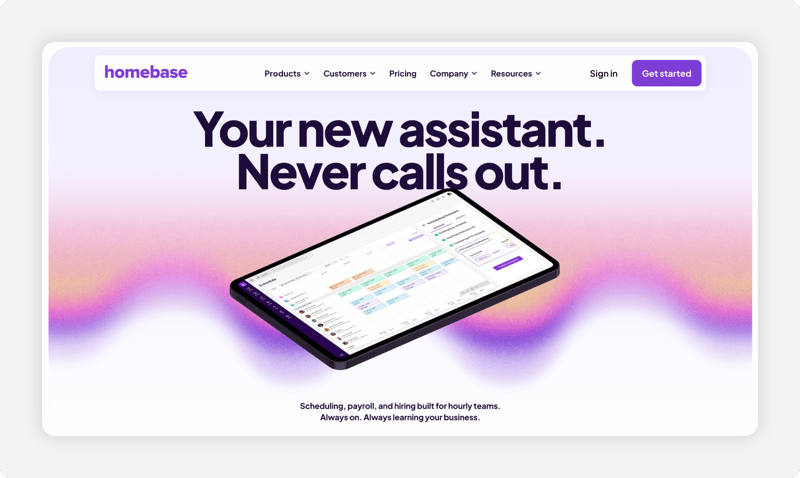
If you run a restaurant, retail shop, or café, the setup makes sense. Employees clock in at the same place. Schedules are built around one site. Labor stays tied to that location. That's what Homebase is built for. It handles scheduling and time tracking well for fixed teams. Everything stays organized around a single workplace, which keeps day-to-day management simple.
Where it stands out from Connecteam is how it connects to your operation. Homebase integrates with POS systems like Square, Toast, and Clover. Sales data feeds directly into scheduling and labor reports, so you can see how staffing aligns with revenue without pulling data manually. It also includes hiring tools on every plan, even the free one. You can post jobs to Indeed, ZipRecruiter, Google, and Facebook, and manage applicants in one place. For teams with frequent turnover, that removes extra steps.
Key Features
Integrations:
Pros
Cons
Pricing
-
Free plan for one location with up to 10 employees
-
Paid plans start at $30 per location/month ($24/month with annual billing)
-
Payroll add-on: $49/month plus $6 per employee
Jibble: Best Free Connecteam Alternative
Available on: Web, iOS, Android
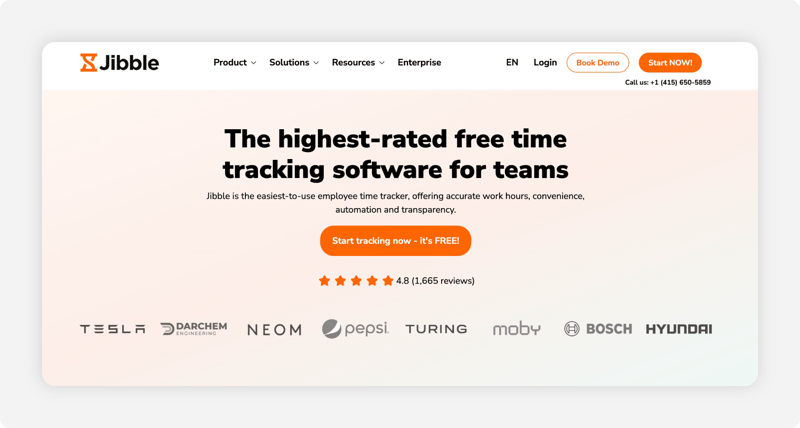
Jibble sits on the opposite end of the pricing spectrum from Connecteam. Its core product, which includes GPS time tracking, facial recognition for identity verification, NFC clock-in, kiosk mode, and automated time sheets, is completely free for unlimited users. No trial period. No feature expiration. That's a real shift from how most tools are structured.
But "free" doesn't always mean unlimited across everything. Jibble gives you full access to core time tracking features at no cost. For many teams, that covers what actually matters day to day. You can track hours, verify location, and run basic reports without thinking about pricing tiers.
However, once your needs go beyond that, limits start to show. More advanced features, deeper reporting, and certain compliance tools may sit behind paid plans. That's not unusual, but it's something teams usually discover after they've already set everything up.
Key Features
Integrations:
Pros
Cons
Pricing
-
A free plan is available
-
Paid plans add more features; Jibble quotes prices inside the app

ClockShark: Best Connecteam Alternative for Construction and Trades
Available on: Web, iOS, Android
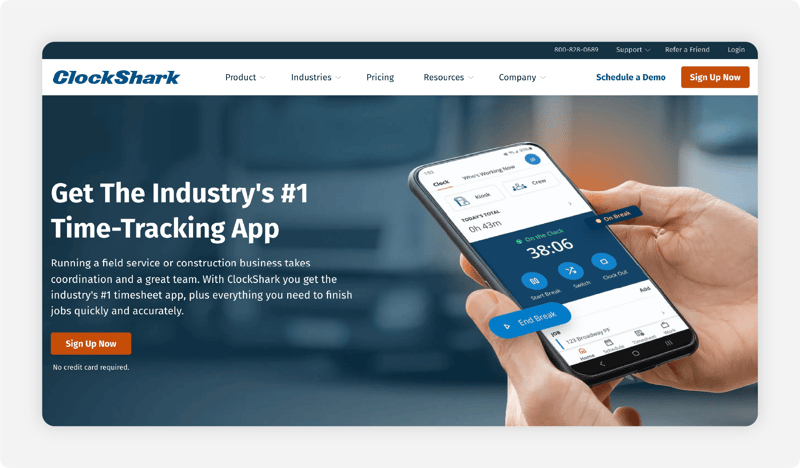
ClockShark wasn't built to cover every industry. It was built for construction, contracting, and field service, and that focus shows up in how it handles the day-to-day work of a crew on the move.
Where Connecteam tries to do a bit of everything, ClockShark goes deep on what actually matters for trades: accurate GPS tracking at each job site, clean job costing, and direct integration with QuickBooks.
The GPS tracking is more detailed than most tools in this space. Managers can see a live "Who's Working Now" map, review a breadcrumb trail for any employee on any day, and get alerts when someone enters or leaves a job site. If you bill for travel time or need to confirm where work happened, that level of visibility matters.
Job costing is where it most clearly separates itself.
Employees can switch between jobs and cost codes mid-shift directly from their phones. That time flows straight into QuickBooks, including QuickBooks Desktop, which many construction teams still use. If you're estimating jobs based on actual labor, you get numbers you can trust.
It also handles real crew dynamics better than most tools.
There's a native Spanish-language interface, which makes adoption easier for mixed-language teams. And on the Pro plan, you're not stuck in a support queue. You can book time with a customer success rep to get your setup right.
Key Features
Integrations:
Pros
Cons
Pricing
-
14-day free trial available
-
Paid plans start at $42/month base + $9.50 per active user

7shifts: Best Connecteam Alternative for Restaurants and Hospitality
Available on: Web, iOS, Android
.png?width=800&height=424&name=7shifts-screenshot%20(1).png)
Just like ClockShark is built for field crews, 7shifts is built for restaurants. If you run a bar, café, or multiple locations, this matches how your shifts actually run.
The difference shows up when you build the schedule. 7shifts integrates with POS systems, such as Toast, Square, and Lightspeed. You're not guessing how busy a shift will be. You're using actual sales data.
If Thursday lunch is trending 30% lower than last week, you cut a server before the shift. If dinner is trending higher, you add coverage before it gets busy. That's the shift most teams need.
Tip pooling is also handled inside the system, on the Premium plan or as a paid add-on. So, instead of tracking hours, roles, and splits manually after a long weekend, 7shifts calculates it based on your rules and pushes it to payroll.
In short, it solves the parts of restaurant operations that usually slow managers down.
Key Features
Integrations:
Pros
Cons
Pricing
-
A free plan is available
-
Paid plans start at $44.99 per location/month (up to 30 employees)
Hubstaff: Best Connecteam Alternative for Remote Teams
Available on: Web, iOS, Android
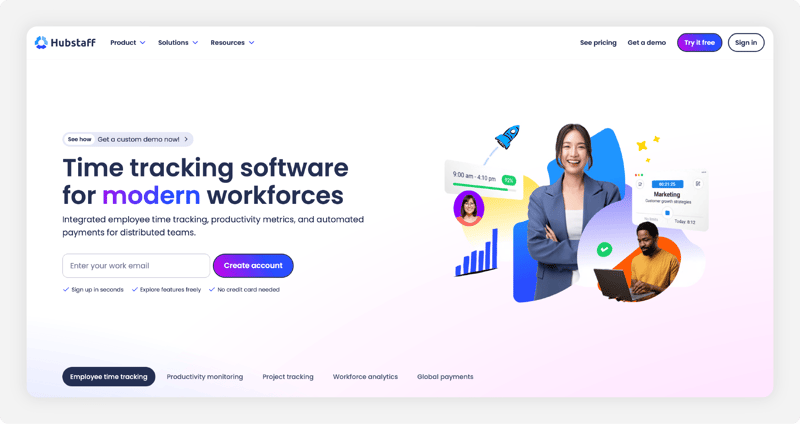
Hubstaff is built for teams working behind a screen, such as agencies, IT firms, consultants, and remote employees, who spend most of their day on a computer. That changes what "tracking" actually means.
Instead of focusing on location, Hubstaff focuses on activity. It can take screenshots at set intervals, track which apps and websites are being used, and measure activity levels based on keyboard and mouse input. For teams that bill hourly or need proof of work, that level of visibility goes far beyond GPS.
You're not just seeing when someone clocked in. You're seeing how that time was used. That becomes especially useful when client billing is tied directly to tracked hours. Time logged to a project flows automatically into invoices that Hubstaff can generate and send. For teams managing multiple clients with different rates, this removes a lot of manual work that usually happens at the end of the week or month.
But this is where the tradeoff shows up.
Monitoring tools, such as screenshots and activity tracking, can foster accountability. They can also create tension if they're rolled out without context. Teams notice when their work is being watched that closely.
Key Features
Integrations:
Pros
Cons
Pricing
-
A 14-day free trial is available.
-
Starting price: $7 per user/month, billed monthly
A Side-by-Side Comparison of Connecteam Alternatives
| Tool | Best For | Starting Price (2026) | Key Strengths | Top Integrations |
|---|---|---|---|---|
| OnTheClock | Simple pricing + built-in payroll | $5/month base + $4/user/month | Flat pricing, built-in payroll, U.S.-based support, and fast setup | ADP, QuickBooks, Gusto, Square, Paychex |
| Homebase | Hourly teams + hiring tools | Free plan; paid from $30/location/month | Generous free plan, hiring/ATS, payroll add-on, and POS focus | Square, Toast, Clover, QuickBooks, ADP |
| Jibble | Free time tracking (any team size) | Free; paid plans available | Unlimited free users, facial recognition, offline mobile, and GPS | Slack, MS Teams, QuickBooks, Xero, Zapier |
| ClockShark | Construction & trades crews | $42/month base + $9.50/user/month | GPS breadcrumb trails, advanced job costing, and Spanish language support | QuickBooks, ADP, Sage, Xero |
| 7shifts | Restaurants & hospitality | Free plan; paid from $44.99/location/month | 25+ POS integrations, tip pooling, and labor cost forecasting | Toast, Square, ADP, Gusto, Lightspeed |
| Hubstaff | Remote & distributed teams | From $7/user/month (billed monthly) | Screenshots, productivity monitoring, app/URL tracking, and invoicing | Jira, Asana, QuickBooks, Slack, Gusto |
Pricing reflects published monthly rates as of October 2026. Annual billing discounts, minimum user requirements, add-ons, and setup fees may apply.
What's the Best Option for You?
The best option depends on what's actually slowing you down.
Most teams don't switch tools because they want more features. They switch because something in their day keeps breaking — payroll errors, messy timecards, schedules that take too long, or data they can't trust.
Start there. Then, ask yourself a few simple questions:
-
Are you paying more just to unlock basic features?
-
Does your team move between job sites during the day?
-
Are you spending too much time building schedules every week?
-
Do you double-check timecards before every payroll run?
-
Can your team clock in easily from wherever they are?
Your answers will point you in the right direction.
Frequently Asked Questions About Connecteam Alternatives
What is the best free alternative to Connecteam?
Jibble is one of the best free alternatives to Connecteam, offering unlimited users, GPS time tracking, facial recognition, and offline clock-ins at no cost. Connecteam also offers a free Small Business Plan for up to 10 users and a separate free Limited plan for teams of 11–30 employees, although the Limited plan offers fewer features.
Why do people switch from Connecteam?
It usually comes down to two things: pricing and gaps in functionality. Connecteam uses a hub-based pricing model where Operations, Communications, and HR are sold separately; to get the full system, you end up paying for all three. Teams also run into reliability issues like app crashes, sync delays, and the lack of an offline mode. Additionally, businesses that need dispatching, invoicing, route optimization, or deeper payroll integration often find Connecteam doesn't go far enough for their operations.
Is Connecteam good for small businesses?
It works well up to a point. For teams under 10 employees, the free plan covers a lot, making it a strong starting option. However, growth changes the equation. As teams grow, Connecteam's free Limited plan can accommodate up to 30 users, but businesses needing advanced capabilities such as geofencing, breadcrumb GPS, or automated scheduling may need to move to paid tiers. At that stage, alternatives like OnTheClock and Jibble may offer a better fit, depending on the features required.
Which Connecteam alternative is best for construction companies?
ClockShark is built specifically for construction, including GPS breadcrumb trails, geofenced job sites, and cost codes that connect directly to QuickBooks Desktop for job costing. OnTheClock is another strong lower-cost option at $4 per employee per month, providing GPS tracking, geofencing, and job costing. Connecteam tends to fall short in this sector as it doesn't offer the same level of job-cost detail or reliable offline functionality.
Does Connecteam work offline?
No. Connecteam's Help Center confirms there's no offline mode on mobile, kiosk, or desktop. This can be a problem for teams working in areas without cell service. Other tools handle this better; ClockShark and Jibble allow employees to clock in offline and sync later, and Hubstaff tracks offline on desktop and mobile.
What is the cheapest Connecteam alternative with payroll included?
OnTheClock offers one of the simplest setups. Time tracking costs $4 per employee per month, plus a $5 base fee. Payroll is an add-on at $6 per employee per month, plus a $40 base fee. For a 15-person team, that's about $195 per month for the full suite, including direct deposit and tax filing. There's also a one-time $250 payroll setup fee. Homebase offers payroll too, at $49 per month plus $6 per employee, on any plan.
Can I use Connecteam alternatives with QuickBooks?
Yes. All six tools on this list connect to QuickBooks Online. OnTheClock, ClockShark, and Hubstaff also support QuickBooks Desktop. 7shifts connects to QuickBooks Online, but its strongest payroll links are with ADP and Gusto. If QuickBooks is a priority, OnTheClock and ClockShark offer the most direct connection. They sync hours, overtime, and job data without manual exports.
Is Connecteam worth it?
It can be, especially for small teams. Connecteam's free Small Business plan covers up to 10 users, with every hub included. For larger teams, Connecteam offers a free Limited plan for up to 30 users. Businesses needing more advanced features can upgrade to paid plans, with each hub priced separately.
A team that needs all three pays $105 a month at the Basic level, billed monthly. If you only need time tracking and payroll, a simpler tool usually costs less.
Which is better, Connecteam or Homebase?
It depends on how your team works. Homebase is built for one location, like a restaurant or a shop. Its free plan covers one location and up to 10 employees, and paid plans start at $30 per location. Connecteam fits teams that move around. It has more tools, but you pay for each hub you add.
Which time tracking tool is better, Connecteam or Clockify?
Clockify is the simpler pick if your team tracks hours on a computer. Its free plan covers up to 5 users, and paid plans start at $4.99 per user each month. GPS tracking needs its Pro plan or higher. Connecteam fits deskless teams better. Its mobile time clock has GPS and comes with scheduling and team chat.
What companies use Connecteam?
Connecteam says more than 80,000 businesses use it. Most are deskless teams in construction, cleaning, health care, food service, retail, field service, and security. Its website names brands like Chick-fil-A, Saint-Gobain, F45, and Visiting Angels. So it's a common pick for hourly crews that don't work at a desk all day.
How expensive is Connecteam?
Connecteam charges for each hub on its own. As of October 2026, the Basic plan costs $35 per hub each month, or $29 if you pay yearly. That covers your first 30 users. Need all three hubs? That's $105 a month at Basic. The Expert plan runs $119 per hub, or $357 for all three.
Is there a free version of Connecteam?
Yes. Connecteam's Small Business plan is free for up to 10 users, and it includes every hub. There's also a free Limited plan for up to 30 users, but it only covers basic features. Once your team grows past those limits, you move to paid plans that are priced per hub.
Is Connecteam a legit company?
Yes. Connecteam is a real software company based in Israel, and it says more than 80,000 businesses use it. As of October 2026, it holds a 4.6 out of 5 rating on both G2 and Capterra. Its website also lists SOC 2 Type 2, ISO 27001, and GDPR security standards.
Can Connecteam see other apps I use?
Connecteam doesn't say it tracks other apps on your phone. Its help center says managers only see your location while you're clocked in. Before you clock in and after you clock out, your location stays on your device. Your employer also decides whether GPS is turned on at all.
