If you’re using Homebase, it probably worked fine when your team stayed in one place.
It’s simple, easy to set up, and built for hourly workers in a single location. For restaurants, retail shops, or small offices, that setup makes sense.
But if you run a construction company, a field service team, or any business where employees move between job sites, things start to break fast.
Your crew clocks in at one site in the morning, then moves to another job in the afternoon. Some workers rotate between projects all week. Others split time across multiple crews. Now you’re trying to track hours by location, job, and cost, all inside a system that wasn’t built for that.
In our experience, this is where Homebase becomes frustrating. It’s designed around fixed locations, not mobile teams. That makes it harder to see where time is actually going, difficult to track labor by project, and more complicated to run accurate payroll without double-checking everything.
You end up chasing timecards, fixing errors, and trying to piece together reports that should have been clear from the start.
That’s usually the point when managers start looking for something better.
What Most Teams Actually Want from a Homebase Alternative
When I talk to managers who are ready to move away from Homebase, pricing is usually the first thing they mention.
Homebase charges per location. That works if you run a single shop. But once you add another location — or manage crews that move between job sites — your costs scale with each new site. Over time, that adds up quickly, especially for teams that are growing or operating across multiple locations.
At the same time, your data is organized around locations. That structure works for fixed teams, but it can make cross-location reporting harder when employees move between sites or work across multiple projects.
So what people are really looking for in a Homebase alternative is a system that allows them to work the way their business actually runs.
They want to track time by job, not just by location. They want to see labor tied to specific projects without having to dig through multiple reports. They want a clear view of what’s happening across their entire team, not just one site at a time.
They also want confidence in their data. When someone clocks in, they need to know it’s accurate. When payroll runs, they want to trust the numbers without double-checking every entry.
And just as important, they want a system that keeps up as they grow. Adding a new location, crew, or project shouldn’t feel like starting over or increasing complexity.
Quick Picks: Which Homebase Alternative Best Fits Your Team
If you just want a quick answer, here’s how the top Homebase alternatives stack up based on different team needs:
-
OnTheClock — Best for budget-conscious teams
-
Deputy — Best for compliance-heavy industries
-
When I Work — Best for high-volume scheduling
-
7shifts — Best for restaurants
-
Sling — Best for zero-budget teams
How We Evaluated These Homebase Alternatives
To evaluate these alternatives to Homebase, we focused on what actually matters in day-to-day operations. Here’s what we looked at:
-
Pricing transparency
-
Mobile-first design
-
GPS and geofencing
-
Job costing and cost codes
-
Photo or biometric verification
-
Overtime and compliance tracking
-
Payroll sync
-
PTO and availability management
These are the areas where most systems either save you time or quietly create more work behind the scenes.
The Best Homebase Alternatives
Below, we break down the best alternatives based on real operational needs. For each platform, we’ll explain who it's best suited for, where it stands out, and where it may not be the right fit for your team.

OnTheClock: Best Homebase Alternative for Budget-Conscious Teams
Available on: Web, iOS, Android
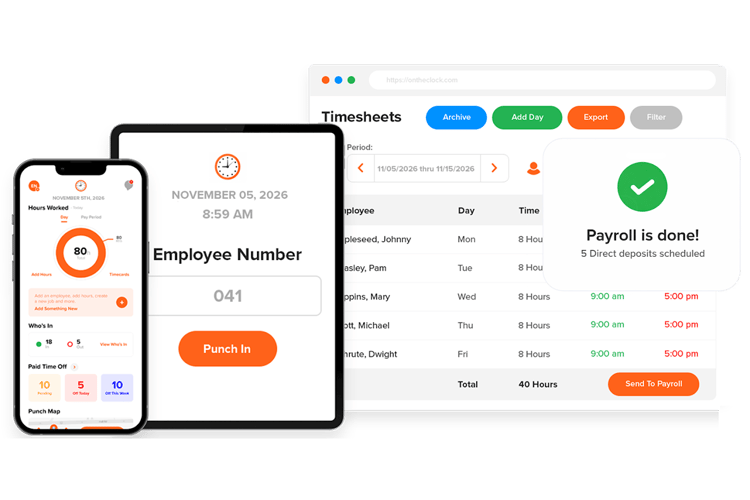
If you’re trying to control costs as your team grows, Homebase can start to feel expensive for what you actually use.
Costs increase as you add locations or unlock features that should already be included. Tools like PTO tracking or GPS-based clock-ins often sit in higher tiers, which can push your monthly costs up over time.
That’s where OnTheClock stands out.
It uses a simple pricing model: $4 per employee per month plus a $5 base fee. There are no feature tiers. You get full access from day one.
For a team of 15 employees, that comes out to about $65 per month. There are no hidden upgrades or feature locks as your team grows.
In our experience, this matters more than most teams expect. When pricing stays predictable, you can focus on running your business instead of tracking software costs.
What Makes it Different from Homebase
Beyond pricing, the biggest difference between OnTheClock and Homebase is how each system is structured.
Homebase is built around locations. OnTheClock is built around employees and the work they do.
That means with OnTheClock, you can track time by job or task instead of tying everything to a single site. This makes it easier to understand where labor hours are going, especially for teams that move between projects.
You also get a single, clear view of your team without switching between locations. Timecards, activity, and reports stay consistent as your business grows.
In practice, one system organizes your business by place. The other organizes it by the work itself.
Key Features
Integrations:
Pros
Cons
Pricing
-
Plans start at $5/month base fee + $4 per user/month

Deputy: Best Homebase Alternative for Compliance
Available on: Web, iOS, Android
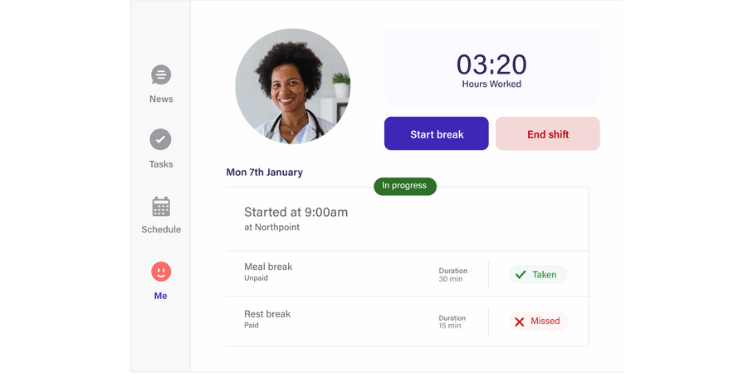
Unlike Homebase, Deputy puts a strong focus on labor law enforcement. It’s designed for teams that must adhere to strict scheduling rules, union requirements, or state-specific break laws.
What stands out is how it actively prevents problems before they happen. Managers get built-in guardrails that flag or block schedules that violate rest periods, overtime thresholds, or break requirements. Instead of fixing issues after payroll, you can avoid them during scheduling.
Deputy also uses demand-based scheduling tools to help managers align staffing with expected workloads. This is especially useful for businesses with fluctuating demand, where overstaffing or understaffing can quickly impact costs and service.
Another key feature is its internal shift marketplace. Employees can claim, swap, or bid on shifts with manager approval. This reduces the need for constant messaging and helps fill gaps faster without losing control.
For teams operating in regulated environments, Deputy acts as a layer of protection. It helps you stay compliant, reduce risk, and keep schedules running smoothly without adding more manual oversight.
Key Features
Pros
Cons
Pricing
-
A free 31-day trial is available
-
Starting price: $5 per user/month

When I Work: Best Homebase Alternative for High-Volume Scheduling
Available on: Web, iOS, Android
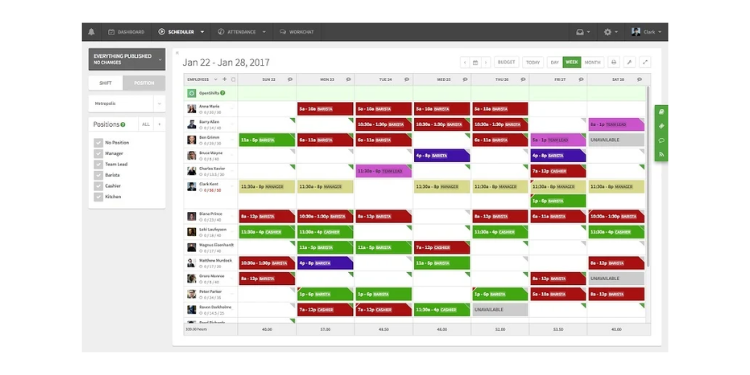
If your biggest challenge is building schedules every week, When I Work is designed to save you time.
Unlike Homebase, it separates scheduling from time tracking. This gives you more control over what you pay for and keeps the platform focused on solving one problem well: building schedules quickly.
The biggest advantage is how fast you can create a schedule. With one click, the system can assign shifts based on employee availability, hour limits, and role requirements. Instead of building schedules manually, you can generate a clean draft in seconds and adjust as needed.
In our experience, this is where teams see the biggest time savings. What used to take hours of back-and-forth can be done in minutes.
It also helps you stay ahead of labor costs. Managers receive real-time overtime alerts before a schedule is published, making it easier to control hours without fixing issues later.
For teams that manage frequent shift changes or large staff rotations, When I Work reduces scheduling time and keeps everything organized without adding complexity.
Key Features
Pros
Cons
Pricing
-
A 14-day free trial is available
-
Starting price: $2.50 per user/month

7shifts: Best Homebase Alternative for Restaurants
Available on: Web, iOS, Android
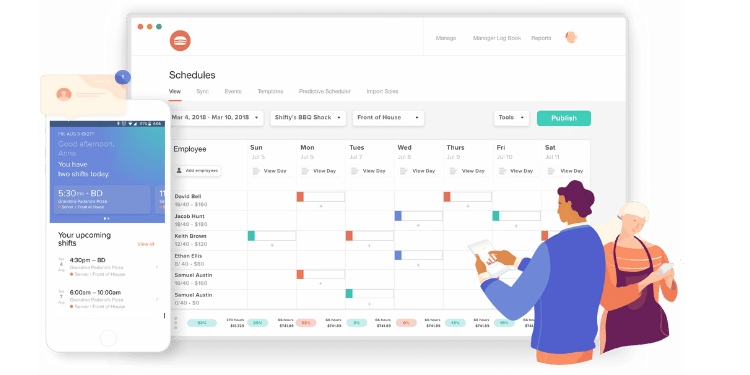
If you run a restaurant, 7shifts is built for how your team actually operates day to day.
It focuses entirely on hospitality, as shown in its handling of both front-of-house and back-of-house coordination. From servers to kitchen staff, everything is structured around how shifts really work in a restaurant.
One of its biggest advantages is its integration of scheduling with sales. Through POS integrations, 7shifts pulls real-time sales data to help forecast labor needs. This makes it easier to avoid overstaffing during slow periods and understaffing during busy shifts.
It also solves common restaurant challenges directly. Managers can use a digital logbook to track shift notes and handoffs. Tip pooling can be managed inside the system. Staff can be assigned to specific roles or stations, which helps keep service organized during peak hours.
For restaurant teams that rely on timing, coordination, and fast decisions, 7shifts helps keep everything aligned without adding extra steps.
Key Features
Pros
Cons
Pricing
-
A free plan is available for one location (up to 30 employees).
- Paid plans start at $44.99 per location/month when billed monthly.

Sling: Best Homebase Alternative for Zero-Budget Teams
Available on: Web, iOS, Android
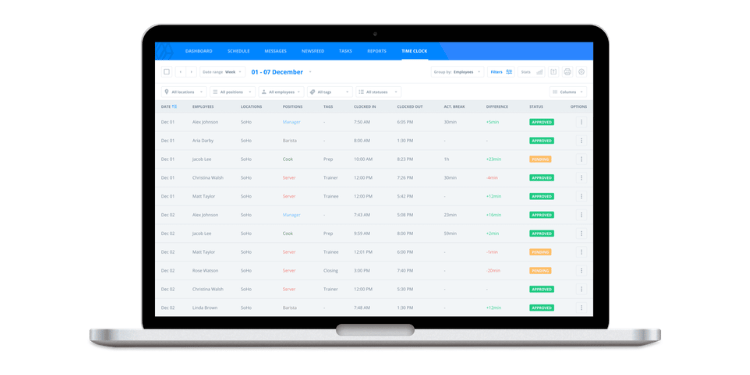
If you need a scheduling tool without adding another monthly expense, Sling is one of the strongest free options available.
It’s built for teams that want to organize shifts and communication without paying upfront. Sling offers a free plan with basic scheduling and communication features. What stands out is how quickly it replaces manual coordination. Instead of relying on group texts, you can manage availability, shift swaps, and team announcements from a single dashboard. This keeps everyone aligned without constant back-and-forth.
As your needs grow, Sling offers a paid tier that adds time tracking, geofencing, and labor-cost tools. You can upgrade when you’re ready without switching systems.
Key Features
Integrations:
Pros
Cons
Pricing
-
A free plan is available (unlimited users for scheduling)
-
Paid plans start at $1.70 per user/month (billed annually).

ClockShark: Best Homebase Alternative for Field Service & Construction
Available on: Web, iOS, Android
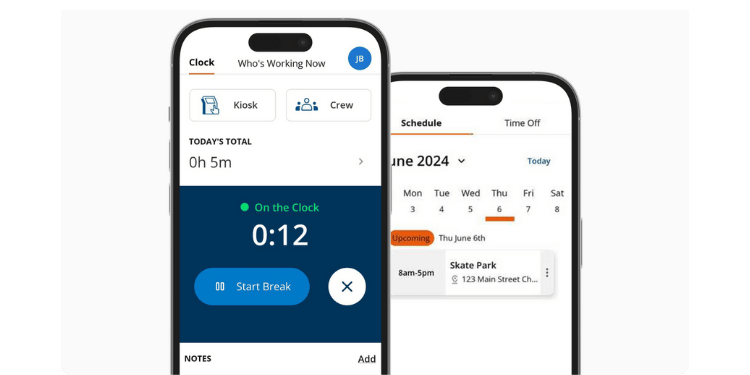
If your team works in the field, ClockShark is built for how your day actually unfolds.
It’s designed specifically for construction and field service teams that move between multiple job sites. Instead of relying on a single clock-in location, ClockShark tracks movement throughout the day using GPS breadcrumbing. You can see where employees have been and how time is spent across different sites.
This is especially useful for crews working in remote areas. Because it uses satellite-based tracking, it continues to record activity even when there’s no reliable cellular signal or Wi-Fi.
ClockShark also stands out in job costing. Employees can switch between tasks or cost codes mid-shift, keeping labor directly tied to specific jobs or clients. This makes invoicing more accurate and gives you a clearer picture of where your labor costs are going.
For construction and field teams that need visibility across multiple sites, ClockShark provides a level of tracking and control that aligns with the realities of mobile work.
Key Features
Pros
Cons
Pricing
-
A 14-day free trial is available.
-
Starting price: $42/month base fee + $9.50 per user/month
A Side-by-Side Comparison of Homebase Alternatives
Side-by-Side Comparison Table
See how OnTheClock compares to other industry leaders in 2026.
| Tool | Best For | Pricing (2026) | Key Strengths | Top Integrations |
|---|---|---|---|---|
| OnTheClock | Budget-conscious teams | $5 base + $4 /employee | Flat pricing, no feature paywalls, and built-in PTO & GPS tracking | ADP, QuickBooks, Gusto, Square |
| Deputy | Compliance-heavy industries | $5-$9/user/month; $30 minimum monthly spend | Compliance automation, facial recognition, and shift marketplace | Paycor, Gusto, Square, QuickBooks |
| When I Work | High-volume scheduling | Starts at $2.50/user/month | Auto-scheduling algorithms and rapid shift coverage tools | Rippling, Gusto, ADP, QuickBooks |
| 7shifts | Restaurants | $44.99/location/month when billed monthly | POS labor forecasting, tip pooling, and manager logbooks | Toast, Square, Revel, Gusto |
| Sling (by Toast) | Zero-budget teams | Free; paid plans start at $1.70/user/month (annual billing) | Unlimited free scheduling, shift checklists, and team newsfeed | Toast, Square, Gusto, Harbortouch |
| ClockShark | Field service & construction | $40 base + $8 /employee | Continuous GPS breadcrumbing and advanced job costing | QuickBooks, ADP, Sage, Xero |
*Pricing and features are based on current 2026 market data and are subject to change by respective providers.
What’s the Best Option for You?
The best option isn't the one with the longest feature list; it’s the one that solves the problem you deal with every day.
Start with one simple question: What’s slowing you down right now?
We’ve seen many managers choose software based on features they might need later. That usually leads to systems that feel heavier than necessary and teams that don’t fully use them.
Instead, focus on your current bottleneck.
-
If you’re paying more just to unlock basic features, you need a simpler pricing system.
-
If your team moves between job sites, you need better job-based tracking.
-
If scheduling takes hours every week, you need automation that actually works.
-
If you’re fixing timecards before every payroll, you need more reliable data.
Your answer should guide your decision.
Pro Tip: The right system should remove work, not add steps. If your process still feels manual, the tool isn’t solving the right problem.
When you choose based on your biggest friction point, everything else improves. Payroll runs smoother, reports become easier to trust, and you spend less time fixing issues and more time running your business.
Frequently Asked Questions About Homebase Alternatives
What is the best alternative to Homebase?
The best alternative depends on your main priority. For teams that value affordability and want access to all tracking features without hitting paywalls, OnTheClock is often a strong fit. For companies that need strict labor law compliance and demand forecasting, Deputy may be a better option. The right choice depends on your biggest operational pain point.
Which Homebase alternative is best for preventing buddy punching?
Homebase alternatives that offer photo verification, biometric authentication, or kiosk-based facial recognition provide the strongest protection against buddy punching. Platforms like OnTheClock and Deputy excel in this area by offering fingerprint and facial recognition integrations.
Is Homebase still worth it?
Homebase can still be worth it for very small, single-location teams testing the waters on a free plan. However, companies seeking to scale across multiple locations or needing advanced features, such as PTO tracking, without massive price increases often explore alternatives.
How long does it take to switch from Homebase to another platform?
Most small to mid-sized teams can switch time tracking platforms in a few days to two weeks. The timeline depends on employee count, payroll setup, and integration needs.
Will my employees resist switching from Homebase?
Employees usually resist change only when the new system feels more complicated. If the replacement platform is simple and mobile-friendly, most crews adapt quickly.
What should I look for when choosing a Homebase alternative?
Focus on your biggest operational challenge. Evaluate pricing scalability, GPS reliability, payroll integration, overtime compliance, job costing accuracy, and ease of use.
Do Homebase alternatives integrate with payroll tools like QuickBooks or ADP?
Yes, many alternatives integrate directly with payroll tools, such as QuickBooks, ADP, Sage, and Gusto. Always confirm the level of integration to avoid manual data entry.
