
Jump to section
Try OnTheClock Free
Save time and make payroll effortless with our easy-to-use, affordable employee time tracking app.
Try It FreeMost workforce management software starts with one goal: tracking employee time. Sling takes a different approach by putting scheduling first and building workforce coordination around it.
Sling is an employee scheduling and workforce management platform designed to help businesses organize shifts, communicate with employees, monitor attendance, and manage labor costs. With tools for scheduling, team messaging, time tracking, labor forecasting, time-off management, and employee communication, Sling aims to simplify one of the most challenging parts of running an hourly workforce: getting the right people in the right place at the right time.
Where some workforce platforms prioritize payroll processing or detailed reporting, Sling focuses heavily on scheduling efficiency. Features like open shifts, labor-cost visibility, employee availability settings, built-in messaging, and AI-assisted scheduling tools create an experience that feels intentionally built for businesses managing shift workers.
Restaurants, retail operations, hospitality businesses, health care offices, warehouses, and service organizations will likely find Sling’s scheduling-first approach particularly appealing.
At the same time, specialization creates trade-offs. Sling handles scheduling exceptionally well, but payroll functionality remains limited, integrations feel narrower than larger workforce platforms, and some administrative functions require more navigation than expected.
In this honest review, I walk through how Sling performs in real-world use — from pricing and setup to scheduling workflows, time tracking, payroll integrations, and day-to-day usability. The goal is simple: provide an honest look at where Sling excels, where it creates friction, and whether it aligns with how your business actually operates.
Verdict: Is Sling Worth It?
Score: 7.4/10
Sling performs particularly well for businesses where scheduling drives day-to-day operations. Its greatest strength is not time tracking or payroll — it is workforce coordination.
Scheduling is where Sling separates itself from many competitors. Open shifts, labor forecasting, labor-cost visibility, recurring scheduling, employee availability tools, AI-assisted automation, and built-in communication create a scheduling experience that feels thoughtfully designed for companies managing hourly teams.
The employee onboarding process is also refreshingly straightforward. Adding employees via email, CSV imports, or invitation links keeps setup relatively painless, particularly for businesses onboarding larger groups of workers.
Built-in communication is another area where Sling stands out. Internal messaging, announcements, and group conversations reduce the need for separate communication tools while keeping scheduling discussions centralized.
Where Sling begins to show limitations is outside its scheduling foundation.
Payroll functionality remains relatively narrow. Native payroll processing is unavailable, integration options are more limited than some competitors, and businesses requiring broader payroll flexibility may find themselves relying on outside systems.
Customer support accessibility also leaves room for improvement. During testing, escalation paths felt less obvious than expected, and businesses facing urgent workforce issues may prefer stronger live support availability.
Some administrative workflows — particularly around time off and configuration settings — can also require more clicking than expected.
Overall, Sling earns a 7.4/10. Businesses focused heavily on scheduling, communication, and labor coordination will likely find substantial value here. However, companies seeking a broader workforce management platform with stronger payroll capabilities, deeper integrations, and more unified operational tools may eventually outgrow it.
How Much Does Sling Cost?
Score: 7.2/10
Sling keeps pricing fairly simple, offering three tiers: Free, Premium, and Business. Unlike some workforce management platforms that immediately push businesses into paid subscriptions, Sling allows smaller teams to access core scheduling functionality without spending anything upfront.
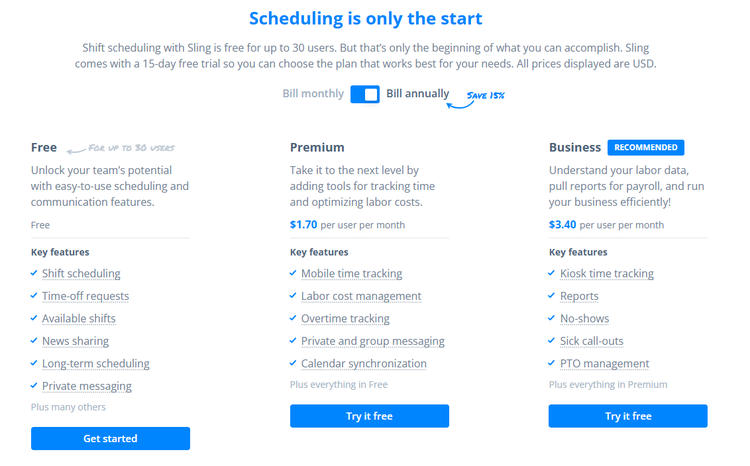
The Free plan supports up to 30 users. It includes core scheduling tools, like shift scheduling, time-off requests, available shifts, news sharing, long-term scheduling, and private messaging. For smaller businesses primarily focused on employee scheduling and communication, this free offering provides meaningful value.
The Premium plan costs $1.70 per user per month when billed annually, or $2 per user per month when billed monthly, and includes workforce management tools such as mobile time tracking, labor cost management, overtime tracking, private and group messaging, and calendar synchronization. Businesses looking to move beyond basic scheduling will likely find Premium necessary.
The Business plan costs $3.40 per user per month when billed annually, or $4 per user per month with monthly billing, and includes kiosk time tracking, payroll-ready reports, no-show tracking, sick call-out management, and PTO administration tools. Sling positions this plan toward businesses seeking stronger labor visibility and operational oversight.
One thing Sling deserves credit for: Pricing remains refreshingly affordable compared to many workforce management competitors. Even its highest-tier plan remains reasonably priced for growing teams.
That said, the lower pricing partially reflects Sling’s narrower focus. Sling excels at scheduling and workforce coordination but does not provide native payroll processing, broader workforce management functionality, or the larger integration ecosystems offered by some competitors.
By comparison, OnTheClock’s pricing model remains more comprehensive. With OnTheClock, 10 employees cost $45 per month, with core time tracking, scheduling, PTO management, GPS tools, reporting, and workforce management functionality operating together within a single system.
For a 10-person company, Sling’s Business plan costs approximately $34 per month when billed annually, making it less expensive than OnTheClock on paper. However, businesses wanting payroll workflows, GPS accountability, broader reporting, PTO administration, and operational visibility may find the higher investment offsets the need for additional systems.
For businesses focused heavily on scheduling, shift management, and team communication, Sling offers strong value. Companies seeking broader workforce management capabilities may find themselves evaluating whether lower software costs outweigh the need for additional systems.
How Do You Get Started on a Web Browser?
Score: 6.5/10
I started by visiting the Sling website (http://getsling.com) to create an account. The website identified Sling as “Employee scheduling made easy.” The homepage further established, “Sling is the easiest way to schedule and communicate with your employees – for free!”
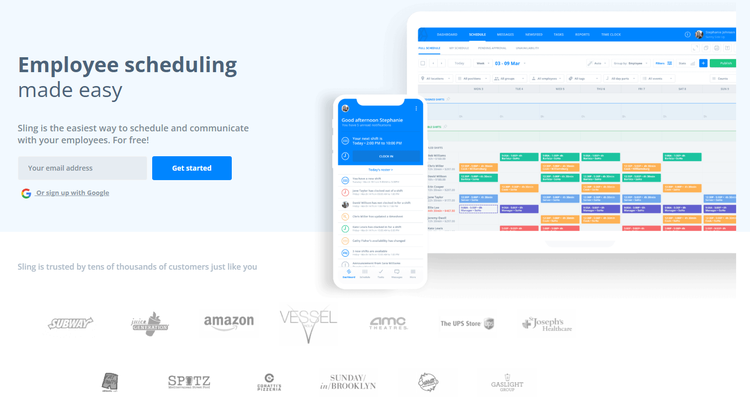
Positioned below the lead image were numerous company logos, representing partnerships with conglomerates such as Subway, Amazon, The UPS Store, and more.
Scrolling down the page, I encountered informational pages focused on employee scheduling, team communication, and time and attendance.
Next, the website showcased numerous written and video case studies featuring high-ranking officials from various corporate entities across industries.
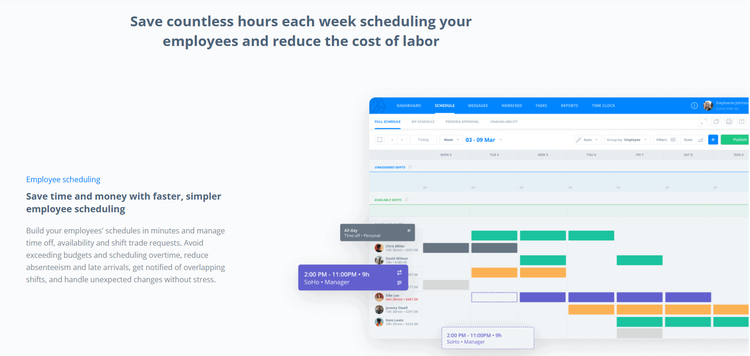
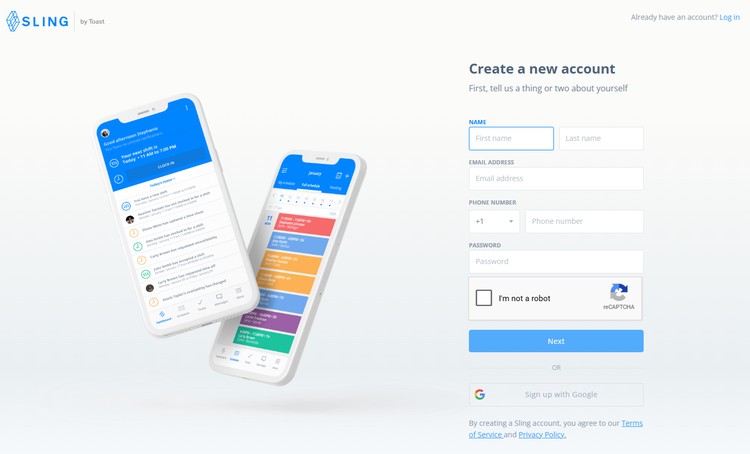
Clicking the "Get Started" button prompted me to create a new account or join an existing company on Sling.
During setup, I entered my name, email address, phone number, and set up a password. From there, I verified my sign-up via my email inbox.
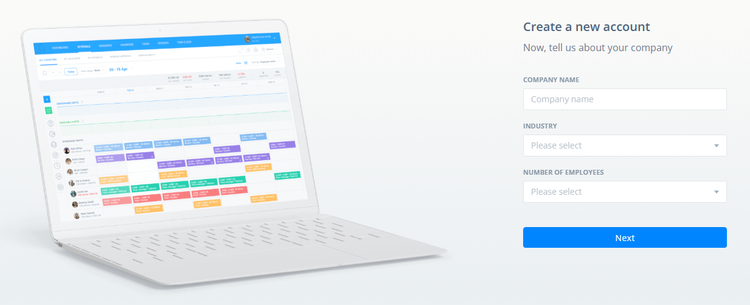
Upon email verification, I was prompted to enter my company's details, including its name, industry, number of employees, and more. From there, I established some position titles and then invited employees using their email addresses.
The setup process was straightforward, and my 15-day trial was up and running in less than 15 minutes.
How Do I Get Started on the Mobile App?
Score: 6.8/10
It took me a few searches to find the Sling app (there are quite a few “Slings” out there), but once I did, I was logged in and ready to go in less than two minutes!
The dashboard was simple to navigate and complete with the brand’s trademark blue and white color scheme. The top of the page welcomed me as the admin and notified me that I didn’t have any shifts scheduled as of yet. The middle of the page displayed the remaining time left on my 15-day trial.
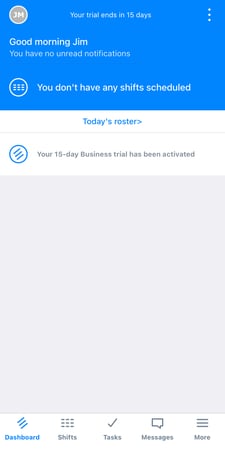
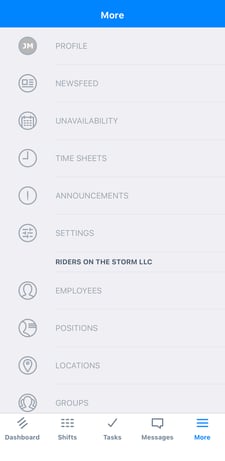
The bottom of the screen held five shortcuts: Dashboard, Shifts, Tasks, Messages, and More. The More prompt opened a list of additional options, including a Newsfeed, Time Sheets, Announcements, Settings, and more.
The three dots in the top-right corner allowed me to dismiss any pending notifications.
Overall, the initial app experience was incredibly easy. While the presentation was a bit basic, the essentials are all accessible if you click deep enough into the solution.
How Do You Add Employees?
Score: 8.5/10
To add an employee, I clicked the admin’s name in the top-right corner and selected Employees.
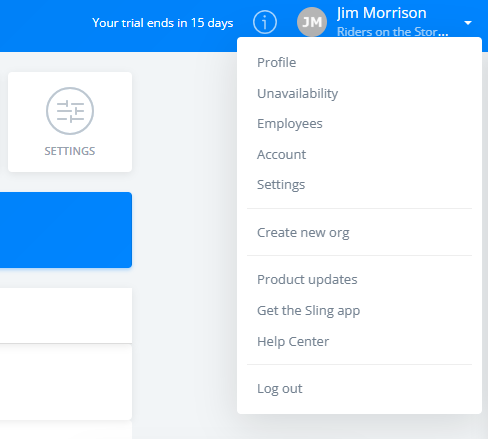
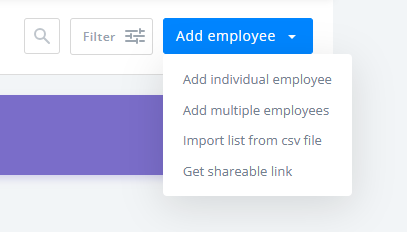
From there, I clicked "Add Employee." I was prompted to add an individual employee, multiple employees, import a list from a CSV file, or download a shareable link.
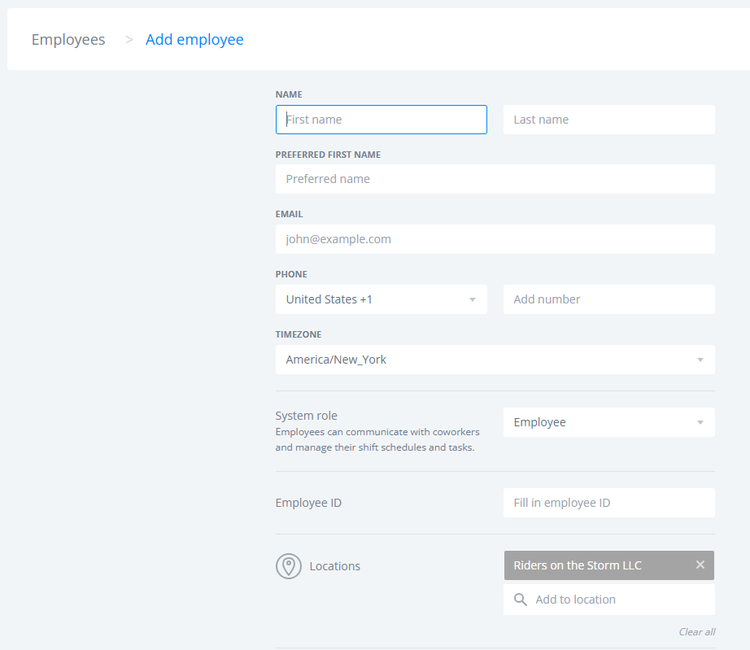
I entered my employee’s name, email address, phone number, and role to add them to the team. After verifying the email address and establishing a password, the employee was effectively added to the squad.
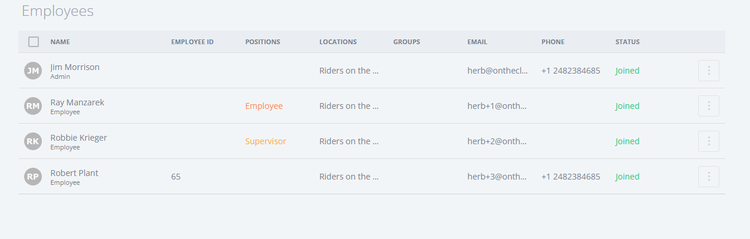
Once the employee was added to the team, they were noted as “Joined” and appeared on the company’s team page.
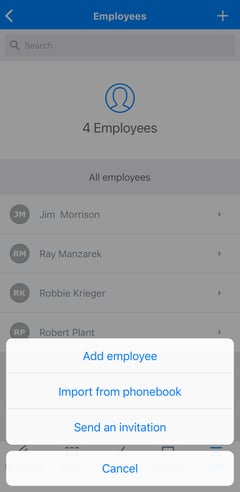
The process was very similar on the mobile app as well. Clicking the Employees tab under the More menu led me to a team page. Within, I clicked the + sign in the top right to add an employee. The options allowed me to add an employee, import a contact from my phonebook, or send an invitation.
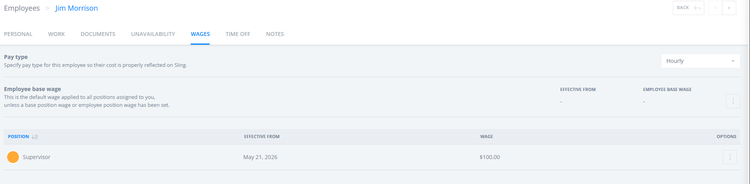
By clicking an employee’s name, I was able to establish their personal and work information, including birthdate, wages, and more.
Adding employees was fairly simple. Approval via email was easy, and everything went smoothly, as planned. While there were no added filters or views, the process was quick and to the point. Good work, Sling!
How Does Scheduling Work?
Score: 8.5/10
After setting up my account and adding employees, I navigated to the Schedule tab.
The scheduling calendar appeared, with unassigned and available shifts separated. A tutorial appeared in purple, sharing how to create a shift.
Shifts aren’t visible to employees until they’re published.
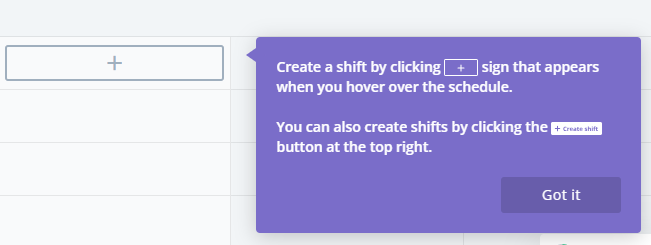
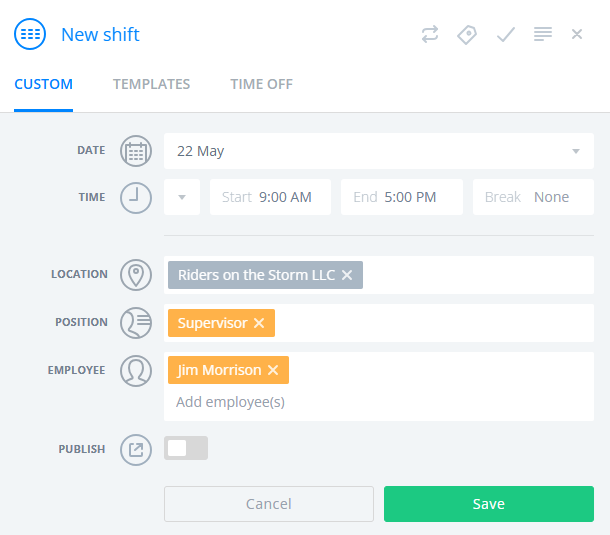
Clicking within the calendar matrix allowed me to add a shift for that employee on that date.
To copy a shift, I held down the CTRL key and dragged the shift to another date.
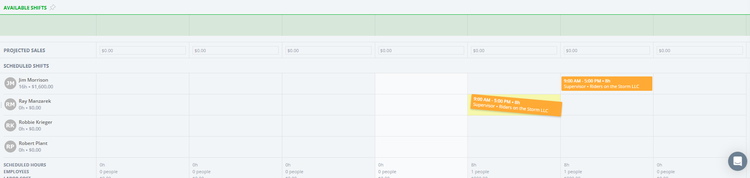
The estimated labor cost is shown near the bottom of the screen. This is extremely helpful for companies with numerous employees and/or multiple jobs running simultaneously.
Additionally, the schedule could be filtered by location, position, employees, or events. An Auto function allows me to use AI to make unassigned shifts available and auto-assign them.
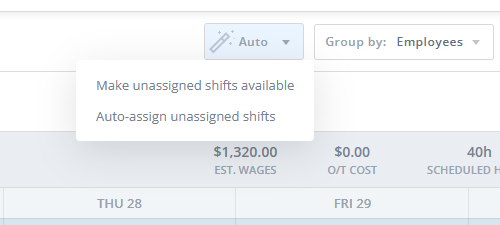
In summary, the scheduling tool was quite spectacular. Its multiple filters, views, and information make it comprehensive for both big and small companies. Its AI-led features, automation, open shifts, and other advanced capabilities place it ahead of the curve compared to many other time-tracking solutions. This is certainly the star of Sling’s solution!
How Do Timecards Work?
Score: 7.8/10
I clicked the Time Clock tab to access any and all time data.
The Time Tracker option allowed my employees to record their time entries. Punches may be recorded via a tap of the start/stop button. Records are kept below and totaled in the top-right banner of that table.
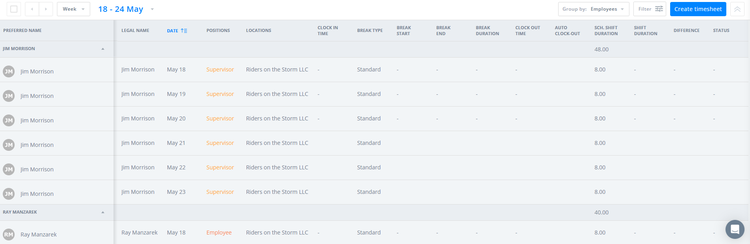
Clicking the "Create Timesheet" tab opened a pop-up that allowed me to attribute time assignments to specific employees.
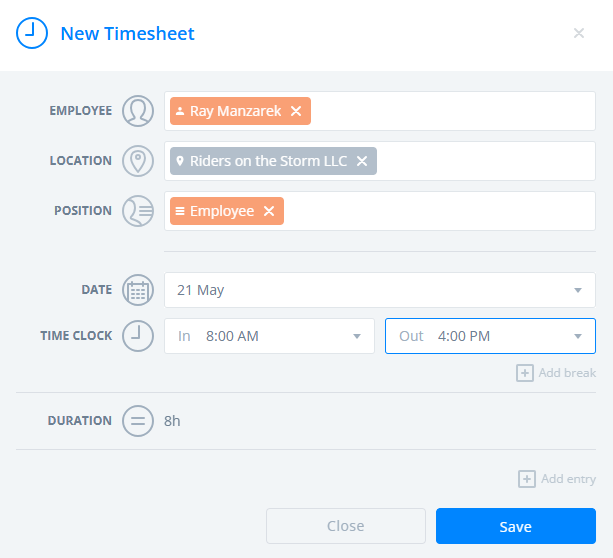
Revisiting the Time Clock, I found my time sheet as “Pending Approval” when viewing the employee’s time data.
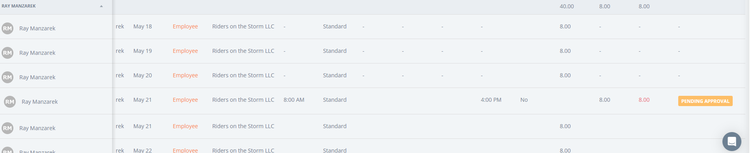
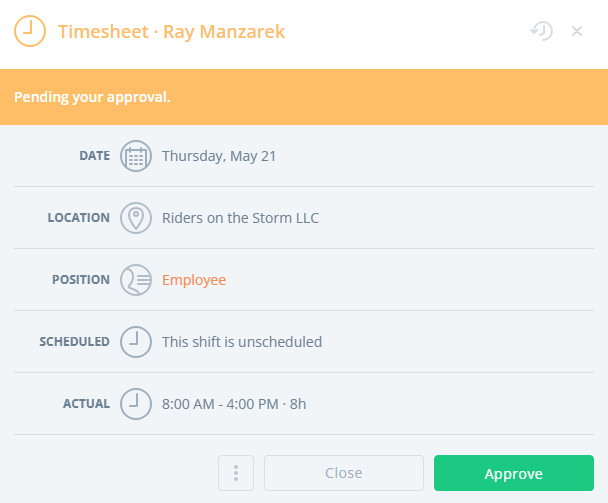
Clicking the "Pending Approval" button granted the admin the ability to approve the time sheet.
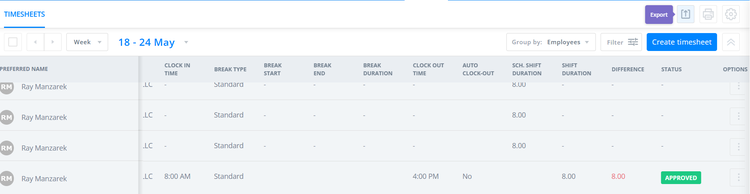
Once approved, the status changes to Approved.
What Kind of Customer Support Does Sling Offer?
Score: 6.8/10
Support is a very important part of any time tracking company. It’s crucially important to have a real person available if/when problems arise.
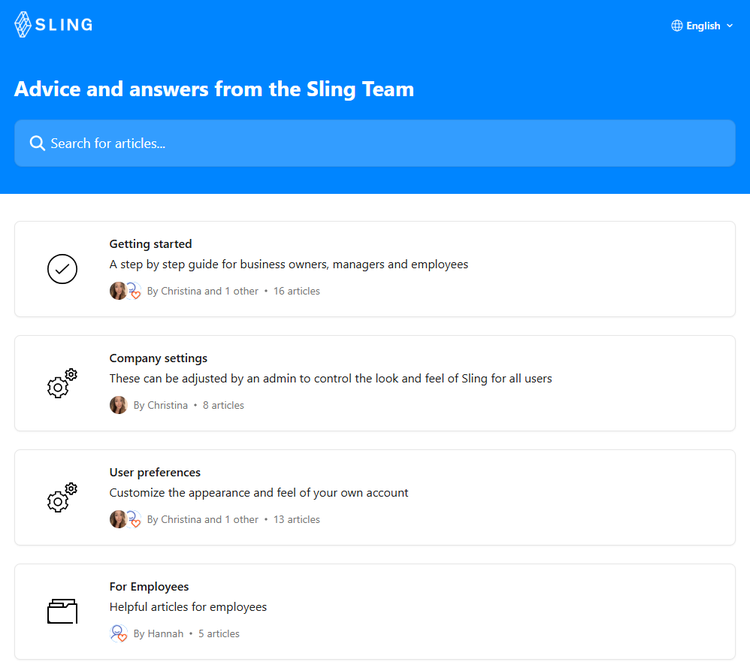
Clicking the Help Center tab under my profile opened a scrollable library of articles. There was no live chat option there.
I then clicked the quote bubble in the bottom-right corner and discovered an AI agent. I asked, “When was the last time Sling raised its prices?” The chat said that I can expect an email response as soon as possible.
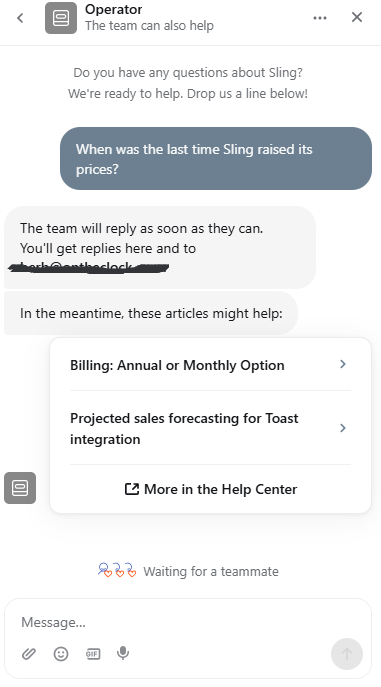
Unfortunately, Sling’s customer support is quite lacking. No live support, phone number, or immediate way for me to escalate an issue. This is a real sore spot with Sling’s solution.
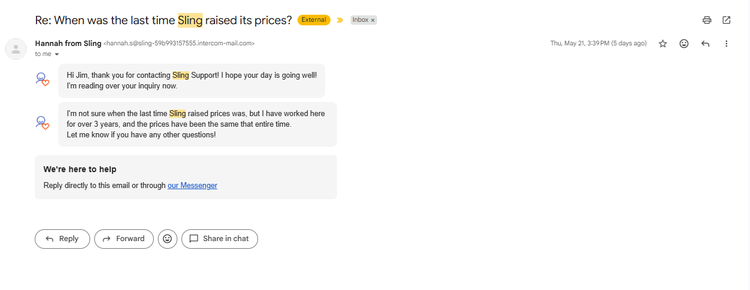
That said, I did get an email response from customer support member, Hannah, who stated that Sling has not increased its prices in her three years with the company.
How Does In-App Chat Work?
Score: N/A
Clicking the Messages tab opened Sling’s internal chat feature. I was given two options: Create a group conversation or a private conversation.
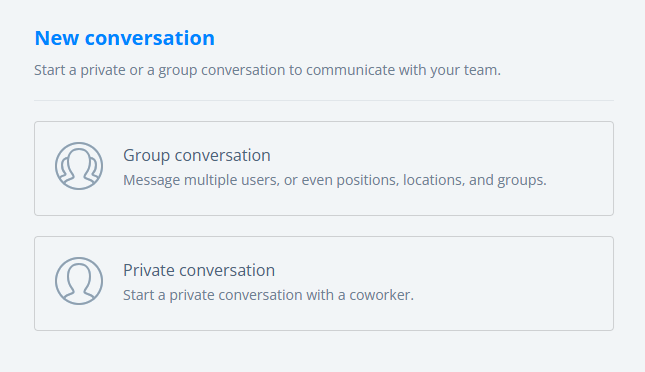
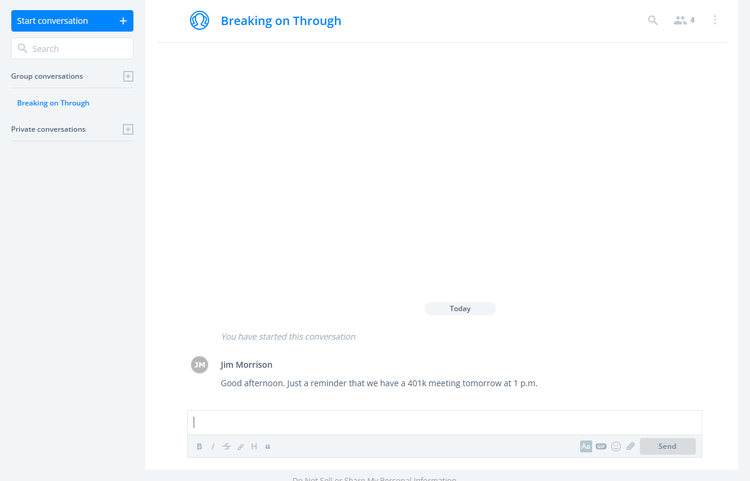
Starting a group conversation, I was then able to add members (everyone or specific individuals) and set restrictions. I typed out a message and hit send – that was it. The process was really easy.
How Do You Manage Time Off?
Score: 7.5/10
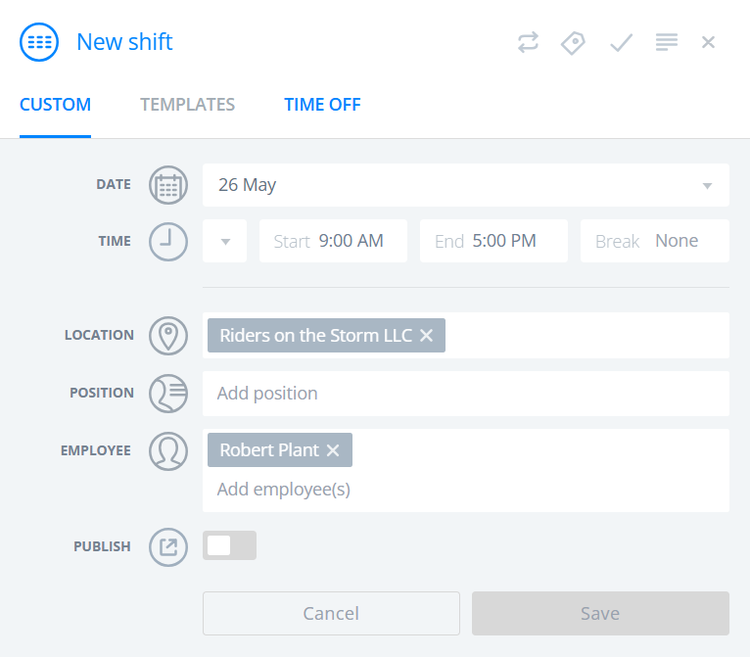
To implement time off, I clicked around the software, first visiting the Schedule tab and then the Settings tab. I found the Time Off tab under each employee, but it wasn’t the right place, since it was just an overview of each employee’s time off. Finally, when I clicked on an individual day in the calendar, I found the Time Off prompt in the New Shift pop-up.
The fact that it took me — a user with extensive familiarity using workforce management software — multiple attempts is troubling.
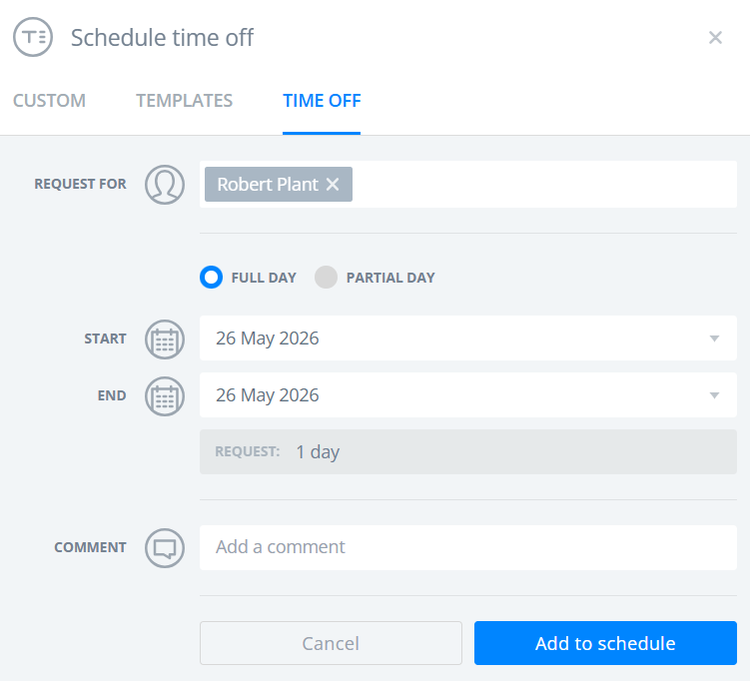
While making a time off request for my employee, I entered the date range, whether it was a full or partial day, any comments, and then added it to the schedule.
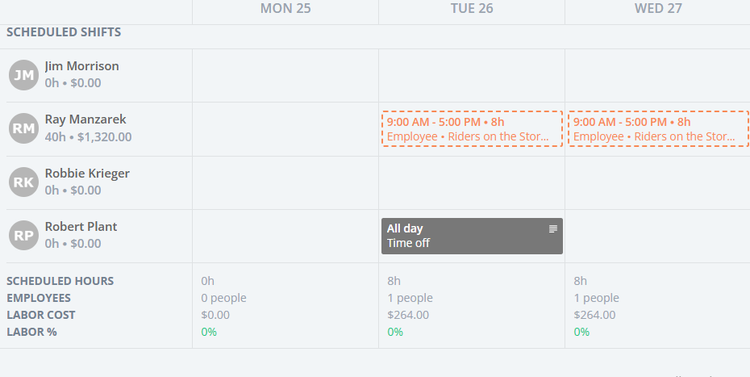
Once established, the time off request appeared on the calendar.
For an employee, the interface was very similar, with the only difference being that the request had to be approved by an admin.
Upon my admin’s next login, a message appeared notifying me of the request.

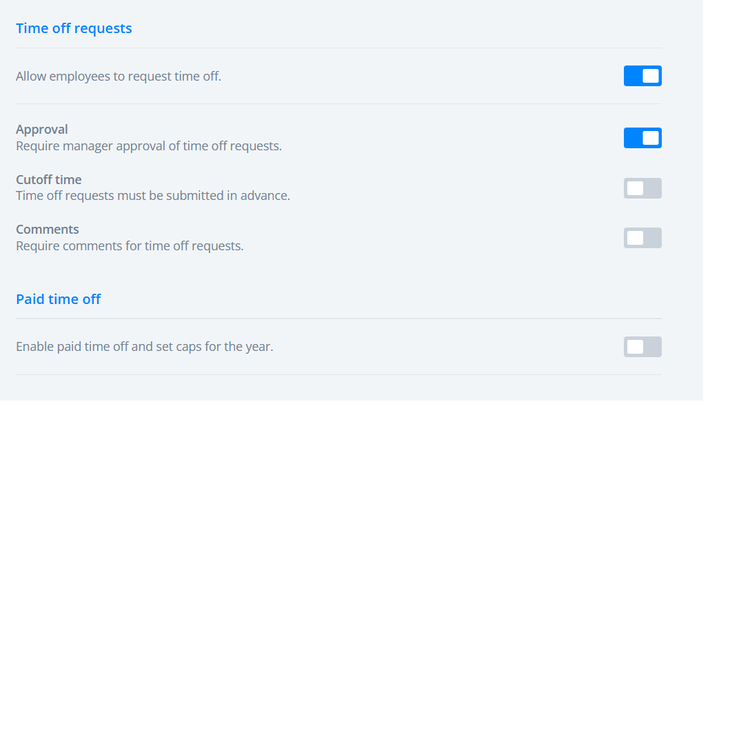
Oddly enough, I did not have to set up a PTO policy with accrual or earned amounts. The system just let me make requests and approvals without parameters. That said, under Settings and Time Off, I did discover some rules that could be applied.
How Does Payroll Integration Work?
Score: 7.0/10
Sling does not have an in-house payroll solution; however, it does offer a direct integration with Gusto.
To activate this, I visited Settings and then clicked Integrations. Lo and behold, Gusto was the only option.
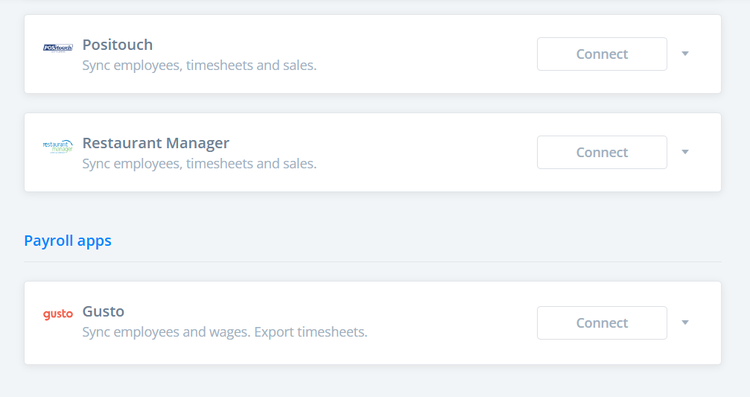
To export a time sheet to a third-party provider, I visited Time Clock and clicked the Export button.
Sling's payroll workflow feels more manual than those of platforms that offer native payroll. The fact that payroll integrations remain limited may create additional administrative work for businesses using other payroll providers.
I can’t speak to how streamlined the export process was, because I didn’t put it to the test; however, businesses already committed to payroll providers outside Sling’s ecosystem may encounter additional manual steps.
What Add-Ons Does Sling Offer?
Score: 6.0/10
Sling doesn’t necessarily offer add-ons, though it does offer a number of POS integrations, including Toast, Square, and Harbortouch.
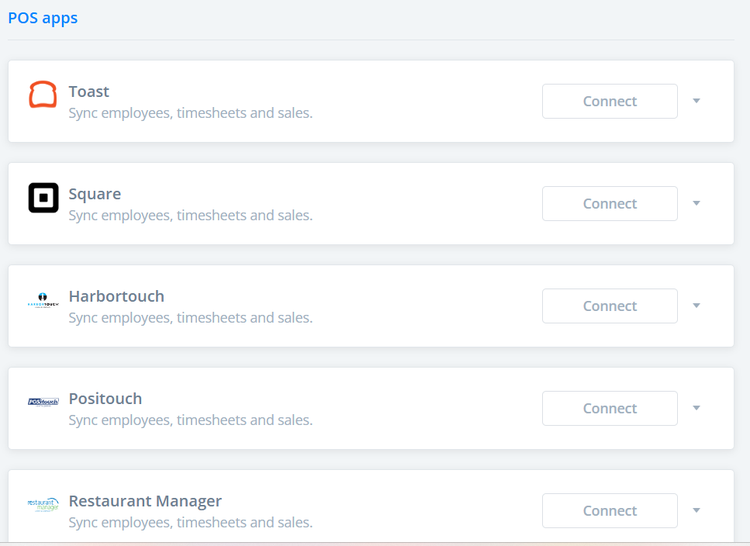
The lack of add-ons is refreshing yet underwhelming. It seems Sling could offer a few additional extras without overwhelming customers with costs.
How Does Sling Handle Follow-Ups and Outreach?
Score: 7.2/10
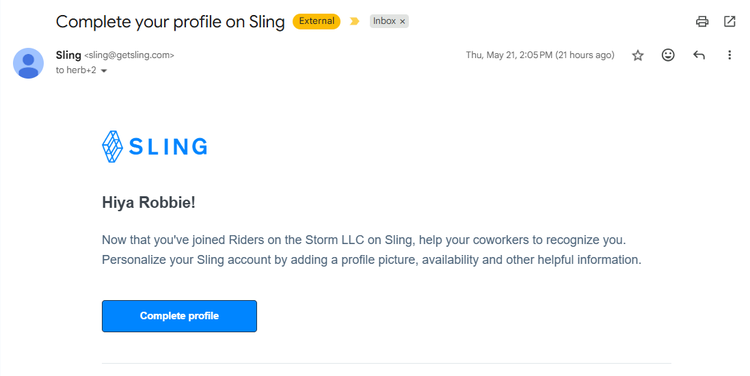
The majority of the emails I received from Sling were sent in conjunction with an event, such as signing up or completing my profile. Accordingly, I feel as though Sling is missing an opportunity here to market its features or tools.
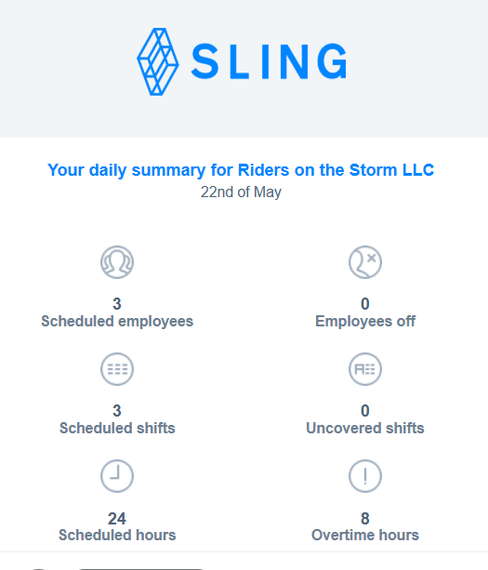
I did receive daily reports, notifications, shift reminders, and more. While this did fill my inbox a bit, I did appreciate the written record of such events.
What Are the Pros and Cons of Using Sling?
Pros
- Exceptional Scheduling Capabilities: Sling was clearly built with scheduling at its core. Features like open shifts, recurring schedules, shift publishing, labor cost estimates, shift templates, availability management, and AI-assisted scheduling tools make it one of Sling’s strongest areas. Businesses managing hourly employees or rotating shifts will likely appreciate the level of control.
- Built-In Team Communication Tools: Unlike many workforce management solutions, Sling includes internal messaging directly within the platform. Employees and managers can create private messages, group conversations, announcements, and company-wide updates without relying on separate communication software.
- Labor Cost Visibility Helps Control Spending: Sling surfaces estimated labor costs directly within scheduling workflows. Managers can see staffing costs before publishing schedules, helping businesses better manage labor budgets and avoid unnecessary overtime.
- Simple Employee Setup and Onboarding: Adding employees is straightforward. Admins can invite team members individually, import lists via CSV, or distribute a shareable invitation link. New users can join quickly without extensive setup requirements.
- Works Particularly Well for Shift-Based Industries: Sling feels especially well-positioned for restaurants, retail stores, hospitality businesses, health care offices, warehouses, and service companies where scheduling complexity often matters more than project tracking.
- Open Shift and Availability Features Improve Flexibility: Employees can update availability preferences, managers can publish open shifts, and scheduling changes become easier to coordinate without excessive back-and-forth communication.
- Built-In Communication Reduces App Switching: Between messaging, announcements, scheduling notifications, and reminders, Sling centralizes more workforce communication than many scheduling competitors.
Cons
- Payroll Capabilities Feel Limited: Sling does not provide native payroll processing. Payroll relies heavily on exports and a smaller integration ecosystem compared to broader workforce management platforms. Businesses wanting payroll fully embedded inside the same system may find this limiting.
- Customer Support Accessibility Falls Behind Competitors: During testing, immediate access to live support felt limited. Escalation options were less obvious than expected, and businesses dealing with urgent scheduling or time tracking issues may prefer providers with more readily available support channels.
- Time-Off Management Could Be Easier to Locate: PTO functionality exists, but important controls feel buried within menus. Even experienced workforce software users may spend more time than expected locating certain administrative settings.
- Limited Integration Ecosystem Compared to Larger Platforms: While Sling supports integrations with tools like Gusto, Toast, Square, and select POS solutions, companies requiring broader operational integrations may find options somewhat restrictive.
- Navigation Can Occasionally Feel Disconnected: Scheduling workflows are excellent, but some administrative functions require jumping between multiple sections of the platform. Certain actions could feel more centralized.
- Presentation Prioritizes Function Over Polish: Sling’s interface is approachable and easy to understand, but portions of the desktop and mobile experience feel somewhat basic visually compared to newer workforce platforms.
- Less Ideal for Project-Based Businesses: Sling excels with shift management and scheduling but may feel limiting for companies heavily focused on billable projects, client tracking, or consulting-style workflows where project allocation matters more than labor scheduling.
What Do Real Users Say About Sling?
Looking beyond marketing claims, user feedback on Sling tends to follow a fairly consistent pattern: Users appreciate its scheduling capabilities, ease of use, and communication tools, but some businesses eventually encounter limitations as workforce needs become more complex.
Across platforms such as G2, Capterra, Google Play, and the Apple App Store, users frequently praise Sling for simplifying employee scheduling and improving day-to-day workforce coordination. Features such as shift management, availability tracking, internal messaging, open shifts, and scheduling automation are commonly highlighted as meaningful time savers for managers overseeing hourly teams.
Businesses in restaurants, retail, hospitality, and other shift-based industries often respond particularly well to Sling’s scheduling-first design. Users regularly point to the platform’s ability to streamline communication, reduce scheduling confusion, and make workforce coordination easier without requiring multiple software tools.
At the same time, reviews surface several recurring friction points. Some businesses mention that payroll functionality feels limited compared to broader workforce management platforms. Others point to support accessibility concerns or note that certain administrative functions require more navigation than expected.
There are also mixed opinions regarding scalability. While many smaller businesses appreciate Sling’s affordability and straightforward scheduling tools, larger organizations or businesses seeking broader workforce management functionality may eventually require additional systems alongside Sling.
Overall, real users generally agree that Sling performs especially well for businesses focused heavily on employee scheduling, workforce communication, and labor coordination. Companies seeking scheduling-first software often find substantial value, while businesses looking for deeper payroll functionality or broader workforce administration tools may encounter limitations as operational needs expand.
For example, the most relevant review on G2, where Sling has a 4.4-star review out of 88-plus ratings, comes from Zoe W., who, on Dec. 11, 2025, wrote, “I appreciate how easy it is to use; it was extremely helpful for managing my work schedule. I enjoyed the variety of features, and I found myself using it every day. Additionally, the customer support was quick and efficient.”
On Apple, where Sling has a 4.7-star rating based on 27,000-plus reviews, Gretbridge wrote, on May 12, 2026, “We have used Sling for our small business scheduling for six years and have never felt the need to change. It’s easy to add and remove staff and easy and clear with scheduling.”
On Capterra, where Sling has 4.6 stars on 200-plus ratings, Lauren A. writes, on May 14, 2026, “It's great. We switched over from a different scheduling program, and there was no learning curve. The integration with Toast is ultimately why we chose it.”
How Does Sling Compare to OnTheClock?
To understand where Sling fits, it helps to compare it to a simpler, all-in-one alternative like OnTheClock.
| Feature | Sling | OnTheClock |
|---|---|---|
| Mobile Experience | Sling’s mobile app focuses heavily on scheduling and workforce communication. Employees can view shifts, message teammates, request time off, and manage availability directly from the app. The experience is straightforward, though some administrative functions require additional navigation. | The mobile app supports time tracking, scheduling, PTO, and payroll workflows through a streamlined interface. Managers can also access broader team visibility and administrative controls directly from the app. |
| Desktop Clock-Ins | Employees can clock in through Sling’s desktop interface while managers oversee scheduling, attendance, and labor management workflows. Desktop functionality centers heavily around shift management and workforce coordination. | Fully supported across desktop and laptop devices with built-in admin controls and minimal configuration required. |
| Time Tracking | Sling includes time clocks, approvals, attendance tracking, and labor visibility. Time tracking integrates naturally into scheduling workflows, though reporting functionality is less extensive than some project-focused competitors. | Core time tracking includes approvals, edits, reporting, PTO tracking, and user permissions without requiring tier upgrades for essential tools. |
| Payroll Functionality | Sling does not offer native payroll processing. Payroll depends primarily on exports and a direct integration with Gusto. Businesses using alternative payroll systems may require additional manual processes. | Offers integrated payroll as an optional add-on, allowing timecards and payroll data to operate within the same system. It also integrates with major payroll providers, if preferred. |
| User Roles & Permissions | Sling offers role-based permissions for admins, managers, and employees. Permissions are straightforward and scheduling-focused but less granular than some workforce management systems. | Admin, manager, and view-only roles are available without additional tier requirements. |
| Customer Support Access | Sling offers a help center and email support, but immediate access to live assistance felt more limited during testing. Escalation paths were less obvious than expected. | Phone, chat, and email support are available to all subscribers. |
| Team Communication | One of Sling’s biggest strengths. Built-in messaging, group conversations, announcements, and internal communication tools reduce reliance on outside messaging platforms. | Team communication exists alongside scheduling, payroll, and workforce management tools without requiring separate communication software. |
| Scheduling Functionality | Scheduling is Sling’s standout feature. Open shifts, labor forecasting, shift templates, employee availability tools, automation, and AI-assisted scheduling provide strong workforce planning capabilities. | Scheduling includes shift management, PTO coordination, and workforce visibility with broader workforce management functionality operating alongside it. |
| API Access & Integrations | Sling offers integrations with payroll and POS systems like Gusto, Toast, Square, and Harbortouch, though the ecosystem is smaller than some larger workforce platforms. | API access is available to businesses that need custom workflows or integrations. |
What’s the Final Verdict on Sling?
Sling is a scheduling-first workforce management platform.
It’s built for businesses that operate around shift coverage, employee availability, labor visibility, and workforce coordination. Features such as open shifts, labor forecasting, built-in communication, scheduling automation, time tracking, and labor-cost management make Sling particularly effective for companies managing hourly employees.
Where Sling stands out most is workforce scheduling.
The scheduling tools are comprehensive, flexible, and thoughtfully built. Labor estimates, AI-assisted assignment tools, employee availability settings, recurring schedules, and built-in messaging create an experience that feels purpose-built for industries where staffing efficiency directly impacts operations.
But that specialization comes with trade-offs.
Sling is not a fully unified workforce platform. Payroll capabilities remain limited, integration flexibility is narrower than some competitors, and certain administrative functions require more navigation than they should.
It is also not built around broader operational management. Businesses wanting scheduling, payroll, workforce reporting, GPS controls, and workforce administration operating together in one system may eventually encounter limitations.
Sling is best for:
- Restaurants and hospitality businesses
- Retail operations
- Service companies managing shift workers
- Businesses prioritizing scheduling efficiency
- Companies seeking built-in workforce communication
Sling is not ideal for:
- Businesses wanting built-in payroll processing
- Companies needing extensive integration ecosystems
- Teams heavily focused on project tracking or billable work
- Businesses seeking a broader all-in-one workforce management platform
Bottom line
If scheduling is your biggest operational challenge, Sling delivers one of the stronger scheduling experiences in workforce software.
But businesses often outgrow scheduling alone.
When payroll, time tracking, PTO management, workforce reporting, overtime visibility, and labor oversight start becoming daily operational priorities, having everything work together inside one platform becomes increasingly valuable.
OnTheClock brings scheduling, time tracking, PTO tracking, workforce reporting, GPS tools, and payroll together in one easy-to-manage platform — helping businesses reduce administrative work while gaining better visibility into labor costs and workforce operations.
If you're evaluating workforce software for long-term growth, start a free 30-day trial and see how OnTheClock simplifies workforce management without adding complexity at www.ontheclock.com.