Skip to content

Time Tracking for Manufacturing

Stop Buddy Punching. Start Trusting Your Labor Costs

With OnTheClock, your floor runs on verified punches, not the honor system. So every shift, every overtime hour, and payroll run is accurate from the start.
No credit card required
Cancel anytime
5-minute setup

ontheclock-manufacturing-clockin
16,000+
Companies rely on OnTheClock Everyday
160,000+
Employees Punching in Daily
★★★★★
4.8
Capterra
★★★★★
4.5
G2

One Bad Punch Shouldn't Cost You a Full Shift of Pay

Time tracking software for manufacturing companies needs to handle more than a single 9-to-5 workday. OnTheClock is built for plants running multiple shifts and hourly crews that don't all start and stop at the same time.

  • Shift scheduling: Build day and night shift schedules, then let employees view them from any device.
  • Automatic overtime calculation: Regular time and overtime are calculated automatically based on the rules you set.
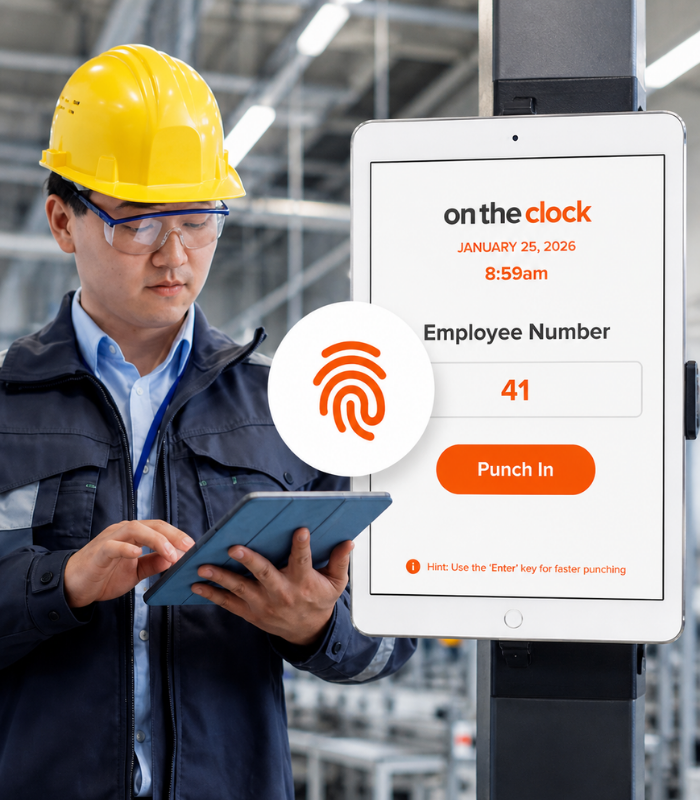
  • Kiosk and biometric clock-in: Give employees multiple ways to clock in, including a shared kiosk with a PIN, fingerprint punching with a compatible reader, desktop, mobile app, or mobile browser.
  • Department and job tracking: See labor hours by department or production line.
ontheclock-shift-and-overtime-tracking

Before OnTheClock vs. After OnTheClock

Without OnTheClock
With OnTheClock
Employees use a shared PIN to clock in, making it easy for someone else to punch in for them.
A compatible fingerprint reader verifies the employee at the clock, helping prevent shared or buddy punches.
Supervisors have to sort employee hours by shift manually before they can review timecards.
Hours are automatically organized by shift, so supervisors can see where the time belongs.
Overtime gets calculated by hand at the end of the pay period, when it’s already too late to control it.
Overtime is calculated automatically as employees work, so you can see it before payroll.
Labor hours get lumped together, making it difficult to see where your production time is actually going.
Track labor by department or production line so you can see exactly where hours are being spent.
How Manufacturing Teams Set Up OnTheClock
01
Create your OnTheClock account.

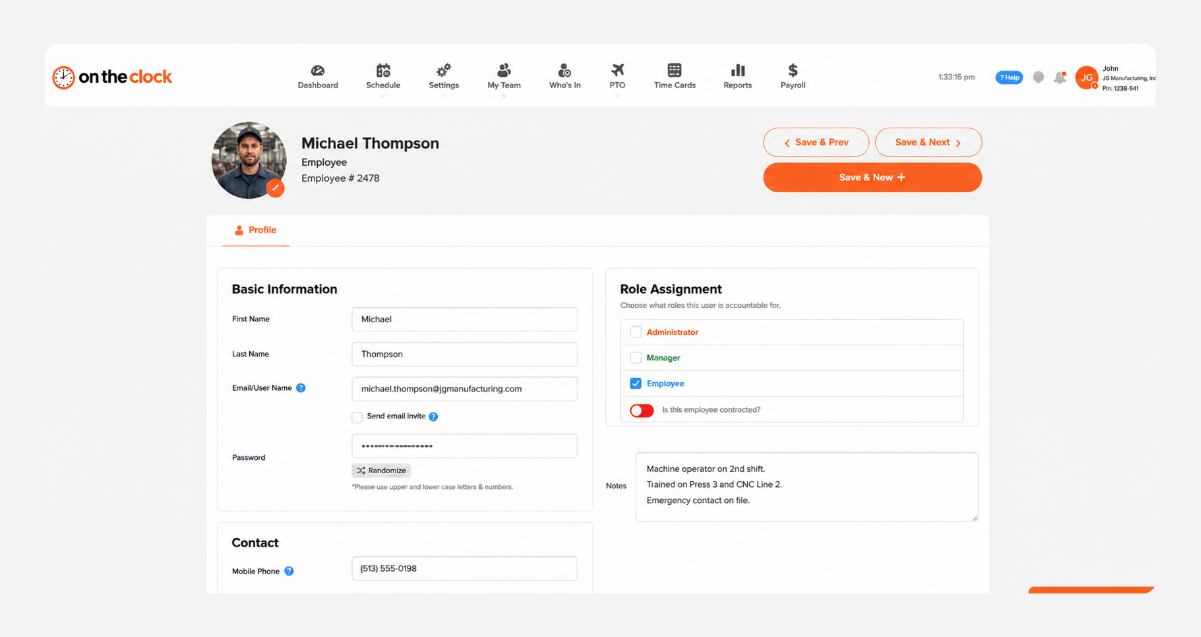
Create your OnTheClock account, add your employees, and set up your shifts, departments, and overtime rules. This takes most owners about 30 minutes. There’s nothing to install, and employees can clock in from a phone, tablet, computer, or shared kiosk on the factory floor.
add-team-member-manufacturing-screenshot
02
Enroll your employees and configure settings
Add your employees, assign them to the right shifts or departments, and set rules for overtime, breaks, and time tracking. Once everything is configured, your team is ready to start clocking in.
add-team-member-screenshot (1)
03
Set up a kiosk at your facility entrance.
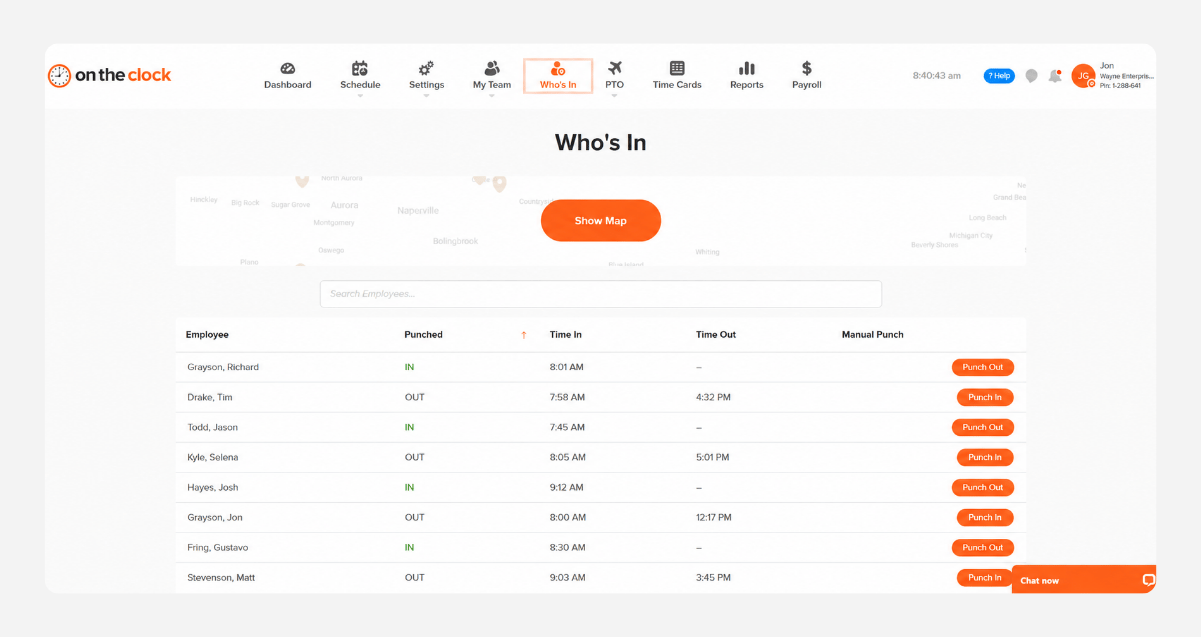
Mount a shared tablet near your facility entrance, break room, or production floor so employees can clock in and out from one central location. Use employee PINs to help verify punches and keep time tracking consistent across every shift.
who-is-in-screenshot
04
Employees clock in, supervisors approve, and payroll runs from accurate hours.
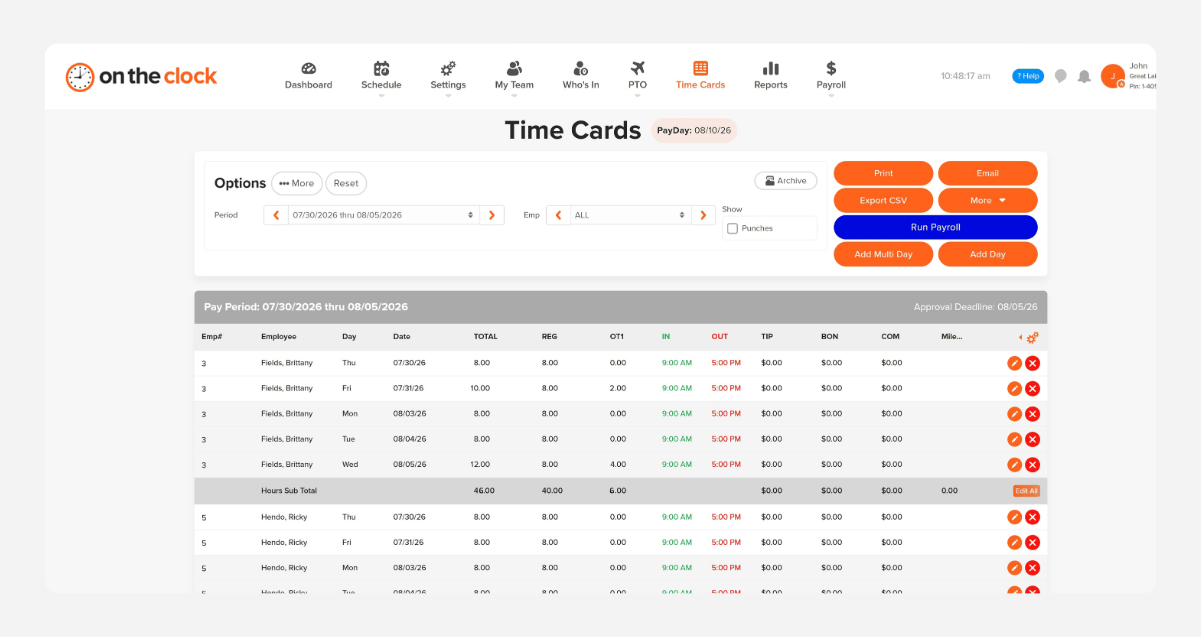
 At the end of each pay period, supervisors can review hours by employee, shift, department, or production line, fix missed punches, and approve timecards in one place. Once everything looks right, send accurate hours to payroll through integrations with QuickBooks, Gusto, ADP, Paychex, and Square. 
payroll-export-screenshot-1
How OnTheClock compares
Feature OnTheClock TimeCamp TCP Software
Starting price (10 employees) $45/month $55/month Contact for pricing
Kiosk + biometric clock-in Fingerprint reader service costs $0.50 per employee, per month, with hardware sold separately.  Limited Included
Shift scheduling Included Included Included
Built-in payroll
(OnTheClock Payroll) Not available Not available
 Best for   Small to mid-sized plants that want accountability and payroll in one affordable tool   Teams already using TimeCamp for project time tracking   Larger manufacturers needing enterprise-grade hardware 
OnTheClock is best for small manufacturing businesses that want accurate shift tracking, overtime control, labor-cost reporting, and payroll integration at a transparent price with no upsells and real support.

What Manufacturing Customers Say About OnTheClock

★★★★★
"I looked at quite a few time card systems - including ones that were more expensive. OnTheClock was the best bang for the buck. I love how employees have it on their phone for easy punch in and punch out. Add tasks to know what people are working on and attribute time to it. If someone forgets to punch in or out, it is easy to fix and have hours recalculate. This is an excellent tool for keeping track of employee and contractor hours."

MR
Merance
★★★★★
"We only have a couple of contract employees, but this saves me a lot of time in figuring checks. A+"

KF
Kathy Fortner
★★★★★
"OnTheClock is a great tool for any small business or independent contractor to manage time spent on projects. I highly recommend it - especially to any independent contractors out there!"

JN
James Nichols

Simple pricing. No feature tiers. No surprises.

Time tracking costs $5/month base fee plus $4 per employee. Kiosk setup, shift scheduling, and overtime calculations are included from day one. No tiers or per-feature upgrades.
$0 /mo
0 active employees

Need payroll, too?

Need payroll too? OnTheClock Payroll runs $40/month plus $6 per employee with direct deposit, automated tax calculations, and the same dashboard your crew already uses for time tracking.

There are no feature upgrades. No plan switching. No "GPS is a Pro feature" surprises.
Start your free 30-day trial
No credit card required at sign-up.

Common Questions About Time Tracking for Manufacturing

Yes. Set up one shared tablet or device at your facility entrance, and each employee clocks in with their own ID number. A fingerprint reader can be purchased and installed on a shared PC as well. 
Biometric verification confirms that the person clocking in matches the employee record, which addresses the most common form of buddy punching.
Yes. Hours can be tracked and reported by department or job, not just a single plant-wide total.
Yes. Build and manage day, swing, and night shift schedules from one account.
OnTheClock's U.S.-based support team is available by live chat, phone, and email, with most issues resolved in three to four minutes.
Get Started Today

Ready to Stop Guessing on Labor Costs?

OnTheClock is a time tracking platform built for small and mid-sized businesses with hourly and shift-based teams. More than 16,000 businesses use OnTheClock to verify clock-ins, manage shifts, and run payroll, all from one place.

Try it free for 30 days. No credit card is required at sign-up. No demo is needed.

$5/month plus $4 per employee. All features are included from day one.