Skip to content

Online timesheets with reporting and editing features

Capturing and editing employee timesheet information has never been easier. Our time tracking system allows easy timesheet updates while saving you time. Designed to eliminate the manual process, OnTheClock’s time tracking software improves time data accuracy based on clock in and out time. Having issues with employees remembering to punch? Adjust their timesheets to reflect real-time updates.


time-sheets-intro
time-sheets-add-multiple-days

Timesheets populated in real-time

Whether an employee is clocking from a mobile device or desktop, business owners and managers can access and update daily and total amounts in real-time. Live updates provide a huge convenience when tracking hours worked, job progress and other essential details of employees who are on the clock.

Easy timesheet editing and adjustments

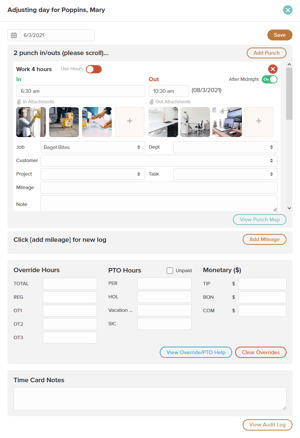
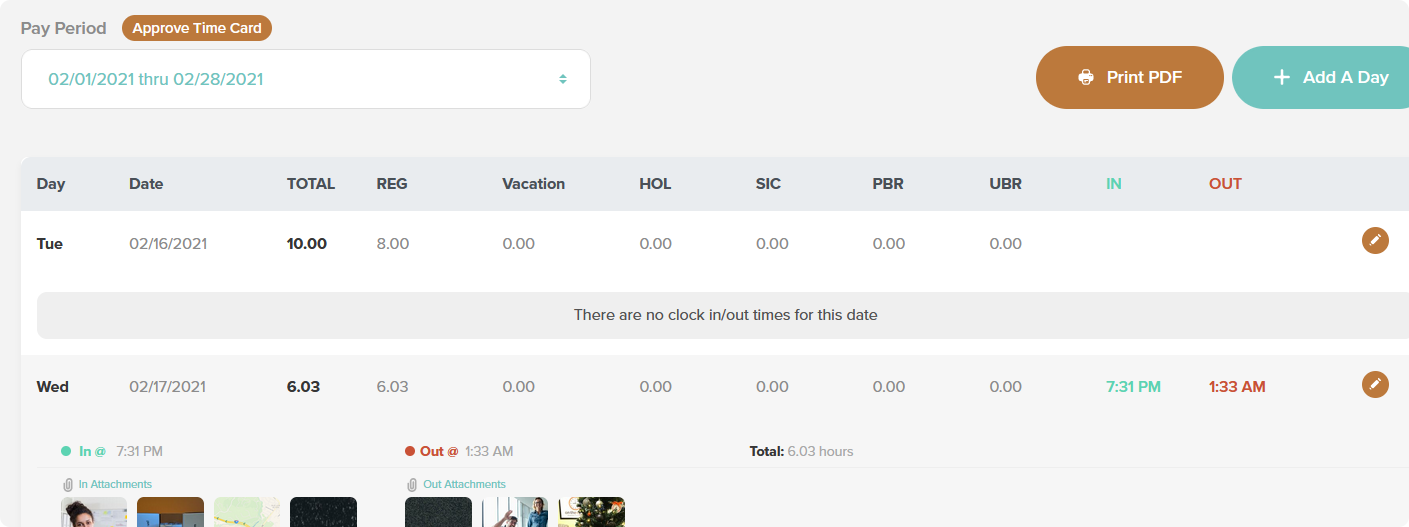
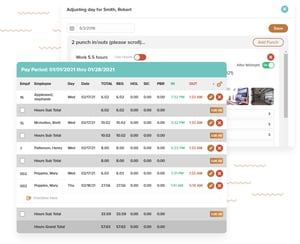
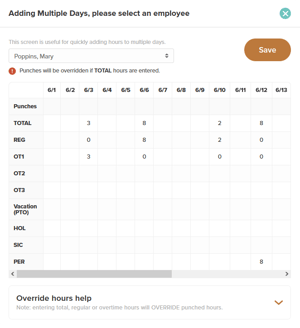
A solution to quickly add or adjust single and multiple day’s worth of hours all in one screen. Make the appropriate adjustments to an employee’s punch time and allow our system to do the rest by providing accurate hours for your payroll needs. Our timesheet editing feature automatically calculates and instantly reflects the updates you create.

time-sheets-adjusting-day
time-sheets-reminders-and-notifications

Reminders and notifications

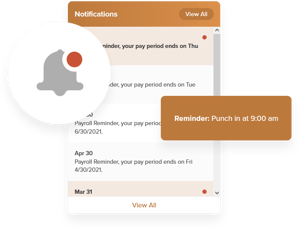
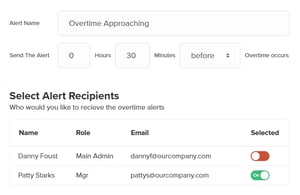
Eliminate employee forgetfulness and improve attendance by sending punch reminders via text message. Your employees will be notified when to punch in and out at specific times you create in our system. Notifications reduce unnecessary hours worked and save time by not adjusting timesheets for those who forget to punch the clock.

Audit log timesheet data

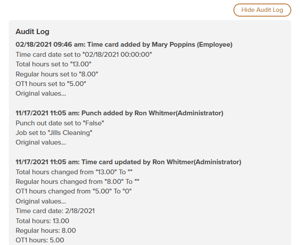
Quickly accessing your team’s time data to identify changes made to timesheets. Our employee audit log displays the date when adjustments were made, the action taken, the original values, and what the value was changed to. Stay on top of timesheet activity to ensure accuracy.

time-sheets-audit-log
time-sheets-job-filter

Accurate job costing summary

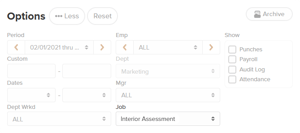
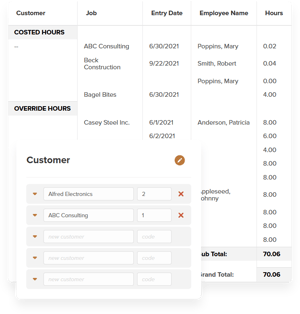
This feature is a simple solution when tracking costs associated with individual jobs. Filtering your timesheets for a neat and easy-to-read job costing summary provides detailed and accurate information. Understanding how much time is being invested per job and task will improve payroll and invoicing.

Timesheet department reporting

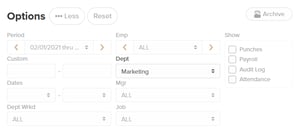
Great for companies who have multiple locations and departments, managers can view data for each department segment. Easily select a department of choice to create a report reflecting which employee worked, when they clocked in and out, and the total hours worked.

time-sheets-department-filtering
time-sheets-understanding-projected-wages

Understand projected wages

A clear comprehension of accurate timesheet data will help you see which employees are working overtime and understand how many hours are being invested to reflect company payroll.

Employee GPS punch map

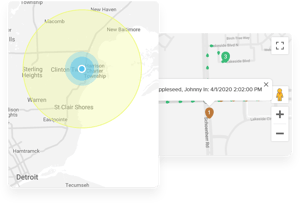
Knowing when employees punch the clock and from where by viewing the employee punch map improves accountability. Whether your employees operate in-office, from home, or in the field, GPS monitoring gives business owners and managers a peace of mind like never before.

time-sheets-employee-gps-punch-map

Employee timesheet summary

To prevent confusion and provide verification, employees have access to their timesheet summary to understand the amount of time they worked per day. This visual represents their regular, overtime, and PTO hours. Employees can also pull previous week's worth of time data for their records.

time-sheets-employee-timesheet-summary


time-sheets-billable-information

Extract billable information

By tracking hours worked and having that data available on a timesheet, companies can adequately bill for hours worked. Easily extract billable time to create invoices for clients while supplying accurate documentation.

View, print and export timesheets to payroll

Viewing regular, overtime, and PTO hours allows managers to review and approve them before sending to payroll. Although your employees’ time data is safely stored in our cloud-based system, there’s a chance you need to supply a physical copy, and the printing option is excellent for performing this. To streamline the payroll process, enjoy the convenience of exporting timesheets to your accounting department. We also offer integrations with QuickBooks, Gusto, Accounting CS, and additional payroll providers.
"The program is easy to use for employees and management. I use it for weekly payroll and monthly statistics for the business."

GCMFS

Start your free 30-day trial today!

No Contracts, Cancel Anytime, No Credit Card Required.