/** * FAQ Accordion * Handles expand/collapse behavior for FAQ items */ * Schema */
Skip to content
Herb WoerpelJun 18, 2026 9:03:43 AM28 min read

Best Time Clock Software for Cleaning Businesses in 2026


TABLE OF CONTENTS
loading...

Prove Your Crew Was There, Every Shift

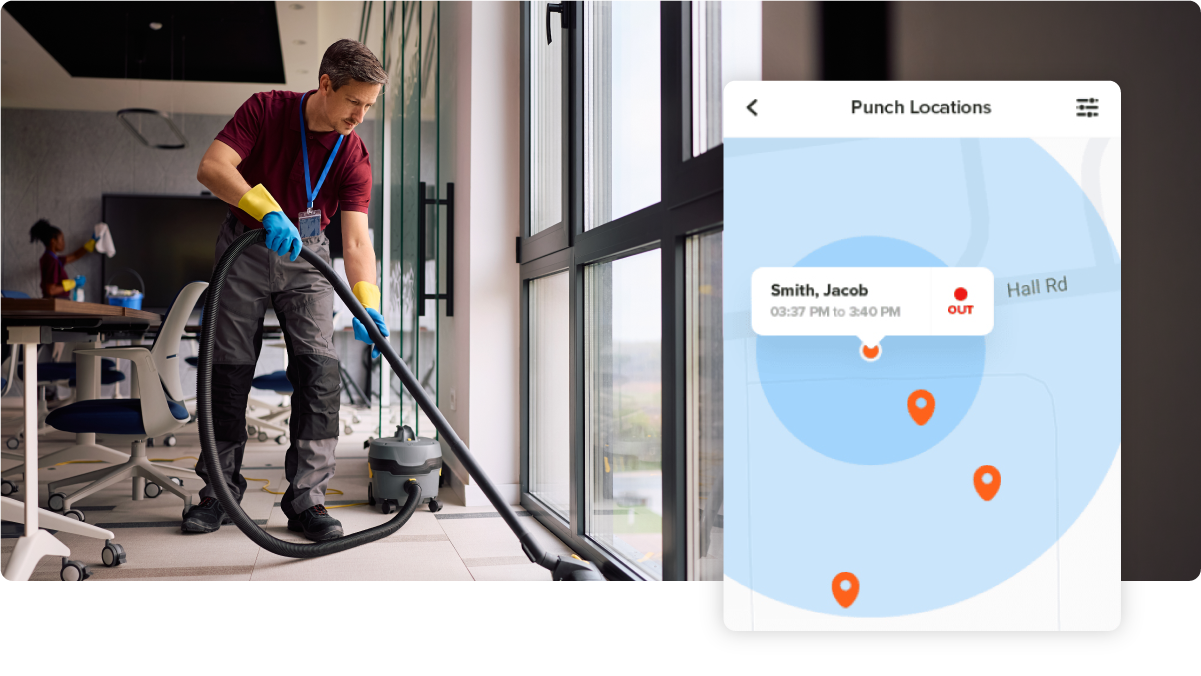
Every punch carries a GPS stamp and a geofence, so a client dispute becomes a 30-second records check instead of a free re-clean.

Try It Free

Key Takeaways

  • OnTheClock is the best time clock software for small cleaning businesses, with GPS punches, geofencing, scheduling, and per-job tracking in one $5 base + $4/user plan.
  • Proof beats promises. A punch with a GPS stamp, a geofence, or an on-site tag tap settles client disputes that a paper time sheet never could.
  • Drive time is payroll, by law. Travel from job site to job site during the workday counts as hours worked under the FLSA, so your time clock should capture it.
  • Every tool here passed a hard gate. All seven picks offer a genuine punch clock, verified on each vendor's own site in June 2026.
  • Trial the winner through one full pay period before you commit, and run it at your hardest account first.

The best time clock software for cleaning businesses settles one argument before it starts: whether your crew was inside the client's building when the time sheet says they were. Everything else, from scheduling to payroll exports, builds on that single piece of proof.

Picture Thursday, 7:05 a.m. Renee runs a 14-person commercial cleaning company, and a property manager is on the phone saying the third floor of the medical building never got cleaned last night. Her paper time sheet shows the night crew worked 9:00 p.m. to midnight. She has no GPS stamp, no punch record, no way to prove anyone walked through that door. So she eats the credit, re-cleans the floor for free, and spends the morning wondering which other time sheets are fiction.

No single app fixes every version of that problem, so we matched seven tools to seven situations. Here's the best pick for each one.

What Cleaning Business Owners Actually Want From a Time Clock

Owners tell review sites the same three things, over and over. First, proof of presence. Your crews work alone, at night, inside other people's buildings, and you can't stand at the door of every account. When a cleaner punches in from the parking lot (or from their couch), you pay for time that never happened and risk the contract that pays for everything else.

Second, they want no-show alerts that fire before the client notices. A missed office cleaning gets discovered at 8:00 a.m. by the person who signs your invoice. That's the worst possible inspector. Tools with scheduled-shift alerts flip that timeline, pinging you at 9:15 p.m. when nobody has punched in, while there's still time to send someone. Third, they want hours that flow straight into payroll, including GPS-verified punches and the drive time between accounts, without a Saturday spent retyping texts into a spreadsheet.

Weight those three needs for your own business. The right pick shifts with whether your pain is proof, alerts, or the payroll grind.

Quick Picks: The Best Time Clock Software for Cleaning Businesses at a Glance

  • OnTheClock: Best for small cleaning businesses

  • Chronotek Pro: Best for guaranteed on-site punches

  • Connecteam: Best for cleaning checklists and crew chat

  • Swept: Best for commercial janitorial operations

  • Timeero: Best for drive time and mileage

  • Buddy Punch: Best for photo-verified punches

  • Jibble: Best free plan

How We Evaluated the Best Time Clock Software for Cleaning Businesses

We reviewed 20 platforms and kept seven. Tools got cut for missing a true punch clock (project timers don't count), for hiding pricing behind a sales call, or for being built around a different industry with no real story for cleaning crews. We pulled every price and feature claim from each vendor's own website in June 2026, and we read what cleaning companies say on G2, Capterra, and the app stores. Each survivor was compared against the eight needs cleaning businesses keep raising, what we call the OnTheClock Cleaning Business Checklist:

  • Location-verified punches: GPS stamps, geofences, or an on-site tap that proves the punch happened at the account

  • Buddy punch prevention: photo capture, facial recognition, PINs, or individual logins so one cleaner can't punch for three

  • No-show and late alerts: a warning that reaches you before the client finds an uncleaned office

  • Per-job hour tracking: hours tied to each account so you know which contracts make money

  • Drive time and mileage capture: travel between buildings recorded, because the FLSA counts it as paid time

  • Simple punching for every crew: phone app, shared kiosk, or no-smartphone options your cleaners will actually use

  • Payroll-ready exports: hours that land in Gusto, QuickBooks, ADP, or your provider without retyping

  • Price a small operation can carry: clear public pricing that still makes sense at eight or 12 cleaners

OnTheClock takes the top spot because it covers all eight needs inside one base plan: GPS and geofenced punches, photo verification, scheduling, per-job tracking, overtime alerts, and payroll exports, with nothing held back for a higher tier. That breadth at $5 plus $4 per user is the basis for its "Best for Small Cleaning Businesses" label. The other six picks each win one specific situation, and we say which below.

Pro Tip: Before you compare features, write down your three messiest accounts and why they're messy. A tool that fixes your worst building will fix the easy ones for free.

The Best Time Clock Software for Cleaning Businesses

Below are the seven picks, each matched to the situation it serves best. For every tool, we cover who it fits, where it stands out, and where it may not be the right move.

1

OnTheClock: Best for Small Cleaning Businesses

Available on: Web, iOS, Android

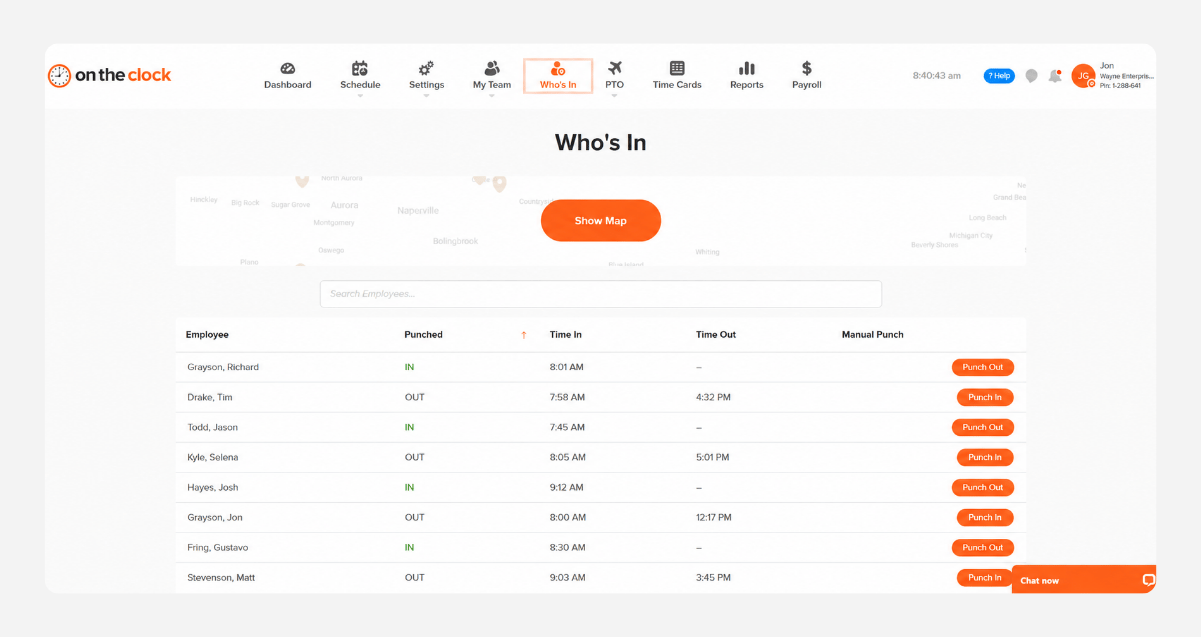
ontheclock-desktop-screenshot

Why OnTheClock Is Best for Small Cleaning Businesses

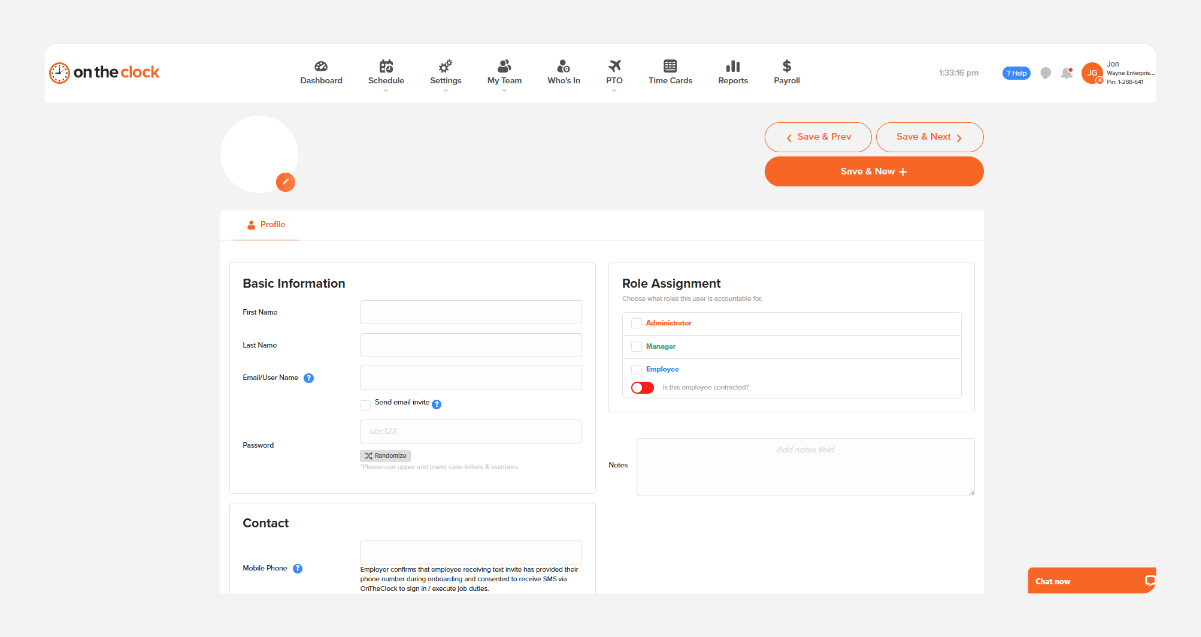
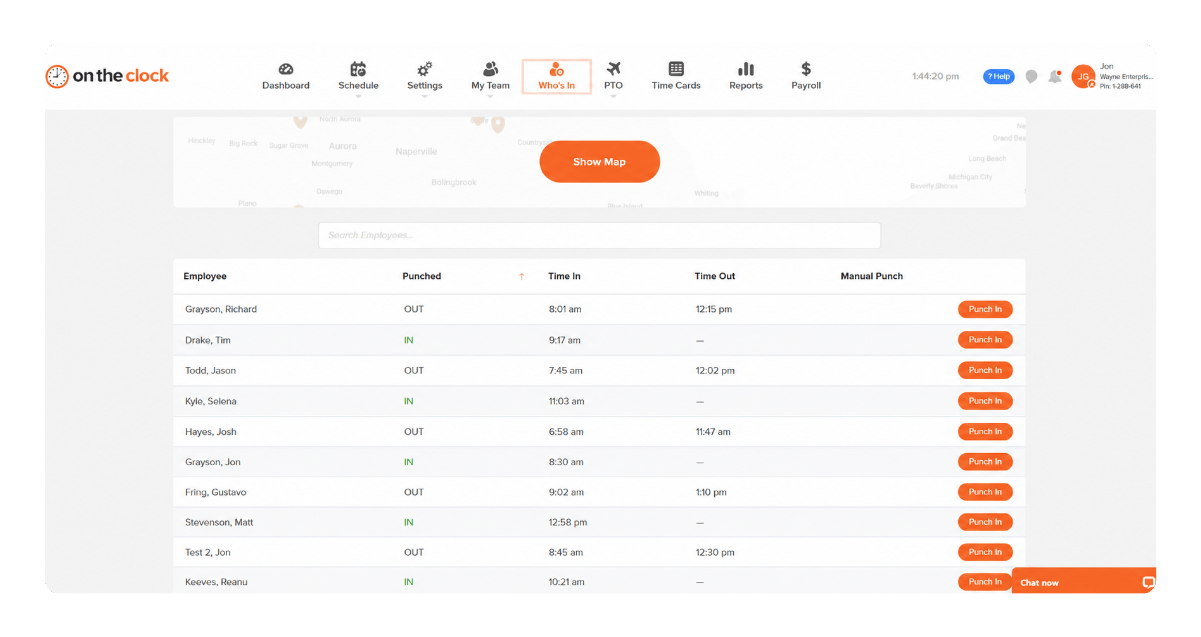
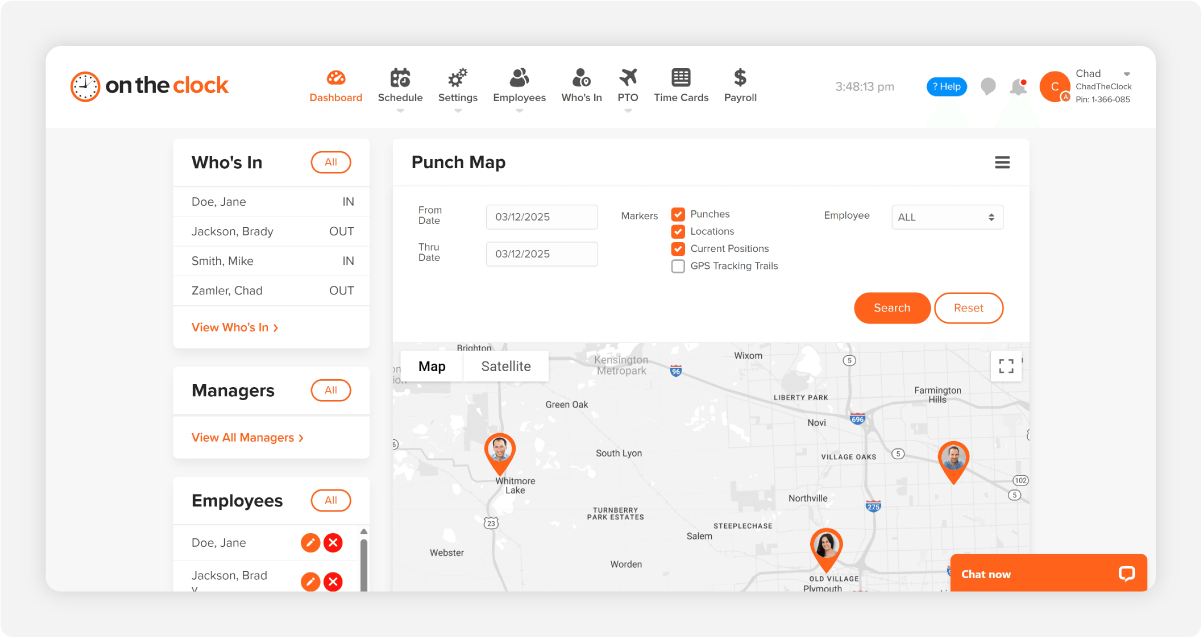
OnTheClock fits the owner running two to 50 cleaners across offices, clinics, and storefronts who needs proof of presence without an enterprise price. Cleaners punch in from their own phones, and every punch carries a GPS stamp. Draw a geofence around each account and the app blocks clock-ins from the parking lot down the street. Hours roll up by client, building, or route with time tracking built for cleaning businesses, so you can see which contracts quietly lose money before you renew them at the same rate.

It earns the top spot by covering the whole checklist in one base plan. Scheduling, PTO, overtime alerts, photo verification, and per-job tracking are all included, and more than 18,000 companies run on it with a 4.8-star rating on Capterra. One cleaning company owner put it simply in a review: it was the best bang for the buck, with easy phone punches and per-task time tracking.

What Makes It Different for Cleaning Businesses?

No fine print. The plan is $5 a month plus $4 per user, and everything rides along. A 15-cleaner crew pays about $65 a month, GPS and geofencing included. Compare that with tools that gate location features behind a tier that costs more than your supply budget.

Plenty of owners land here after a heavier platform buried them in modules they never opened. The honest limits: punches need an internet or Wi-Fi connection to record, and reporting stays simple compared with big-company dashboards. For a small crew, simple is usually the point.

See where every cleaning hour goes

Try OnTheClock free for 30 days and run your next payroll from GPS-verified punches.
No credit card required, and you'll be set up in minutes.

Start Tracking Time for Free

Key Features

GPS punch recording with geofencing per account
Per-job and per-client hour tracking
Photo capture to stop buddy punching
Drag-and-drop crew scheduling with PTO
Overtime alerts before anyone hits 40 hours

Pros

Everything included at one low price
Geofences keep punches at the job site
Mixes W-2 cleaners and 1099 contractors on one account
One-click exports to Gusto, QuickBooks, and ADP
Optional built-in payroll with direct deposit

Cons

Requires an internet or Wi-Fi connection to punch
Reporting is lighter than enterprise platforms
Text alerts cost $2/month plus $0.01 per message

Pricing

  • 30-day free trial, no credit card
  • $5/month base plus $4 per user/month (see how OnTheClock pricing works)
  • Optional payroll: $40/month base plus $6 per employee/month, plus a one-time $250 migration fee
2

Chronotek Pro: Best for Guaranteed On-Site Punches

Available on: Web, iOS, Android

Chronotek-Pro-homepage

Why Chronotek Pro Is Best for Guaranteed On-Site Punches

Chronotek has tracked cleaning crews for more than 25 years, and it shows. Its TimeTiles are small NFC tags you stick at each account; cleaners must physically tap one to clock in, so a punch from the couch is impossible by design. GPS alerts fire if someone leaves the geofence mid-shift, and the live dashboard flags no-shows in real time. For owners who've been burned by a client dispute, that tap-at-the-door proof is the whole sale.

The fit is commercial janitorial companies whose crews scatter across many buildings at night. Where it gives ground: signup runs through a booked meeting instead of a self-serve trial page, the trial is 14 days, and some Capterra reviewers describe GPS route maps that draw odd paths. It also serves North America only.

Key Features

TimeTiles NFC tags require an on-site tap to punch
No-show and left-job alerts in real time
Travel time and mileage between jobs, automated
Team messaging with auto-translation in 35 languages

Pros

Built for janitorial work from day one
Strongest on-site punch proof on this list
Real-time job costing with overtime forecasts
Supply and inventory tracking included

Cons

Onboarding starts with a sales meeting, not self-serve
Some reviewers report quirky GPS route maps
North America only

Pricing

  • 14-day free trial, no credit card
  • $14/month base fee plus $6 per employee/month, billed monthly
3

Connecteam: Best for Cleaning Checklists and Crew Chat

Available on: Web, iOS, Android

connecteam-homepage-screenshot

Why Connecteam Is Best for Cleaning Checklists and Crew Chat

Some owners need more than punches; they need the whole shift to run through one app. Connecteam pairs its time clock with forms, checklists, and team chat. The same phone that clocks a cleaner in also shows the building's task list and carries the "lobby floor is done" photo back to you. Crews can punch by tapping an NFC tag, through a geofenced phone app, or on a shared kiosk tablet with PIN or selfie verification. One commercial cleaning company, NAE Cleaning Solutions, credits it with saving about $30,000 a year in payroll costs.

Teams of 10 or fewer get the Small Business Plan free, which is a serious gift. The catch arrives as you grow: paid plans price per hub, so time clock and communication features can stack into separate $29-and-up subscriptions. Punches also need a connection; Connecteam's own help center confirms the app has no offline mode at all.

Key Features

NFC tag, kiosk, and geofenced mobile punches
Digital cleaning checklists and forms per site
Built-in team chat and announcements
Late and no-show alerts with live clock-in view

Pros

Free for life for up to 10 users
Checklists give clients proof of work
Auto clock-out when a cleaner leaves the geofence
Payroll sync plus PDF and XLS exports

Cons

No offline punching, even from the kiosk app
Paid features split across separately billed hubs
Per-user overage fees past 30 users

Pricing

  • 14-day free trial; free Small Business Plan for up to 10 users
  • Operations Basic: $29/month billed annually ($35 monthly) for the first 30 users, then $0.80 to $1 per extra user/month
4

Swept: Best for Commercial Janitorial Operations

Available on: Web, iOS, Android

swept-screenshot

Why Swept Is Best for Commercial Janitorial Operations

Running 20 buildings is a different job than running 20 cleaners, and Swept is built for the buildings. Time tracking and scheduling sit alongside photo inspections, supply requests, client messaging, and profitability reports per location, all priced by how many locations you clean rather than by headcount. Cleaning instructions appear right after clock-in and translate into more than 100 languages, which matters when your crews speak four of them.

Plan gates deserve a close read before you buy. Geofenced clock-ins start on the Optimize plan at $150 a month, and checklists live on Scale at $225, so the janitorial-specific features that justify Swept sit above its $30 entry price. Capterra reviewers also mention app lag and occasional GPS check-in hiccups. For a company with a handful of accounts, that math favors a per-user tool; at 15-plus locations, it flips.

Key Features

Location-based pricing, from 15 locations up
Photo inspections and proof-of-work reports
Cleaning instructions shown at clock-in, 100+ languages
Supply requests and per-location profitability

Pros

Janitorial-specific from top to bottom
Headcount doesn't change your bill
No-show and late alerts on every plan
Client portal and messaging on Scale

Cons

Geofencing locked to the $150/month Optimize plan
Checklists locked to the $225/month Scale plan
Reviewers report app lag and sync hiccups

Pricing

  • No public free trial; demo and direct checkout available
  • Launch from $30/month, Optimize from $150/month, Scale from $225/month, priced in location bands starting at 1 to 15 locations
5

Timeero: Best for Drive Time and Mileage

Available on: Web, iOS, Android

Timeero-homepage

Why Timeero Is Best for Drive Time and Mileage

Residential cleaning crews live in their cars between houses. Timeero treats that windshield time as first-class data. Every plan tracks time, GPS, and mileage together, and the Pro tier adds auto clock-in by geofence, so the punch starts when the crew arrives even if nobody remembers to tap. Its segmented tracking add-on maps the whole day, house by house, drive by drive, which makes paying legal drive time and reimbursing miles a report instead of an argument.

One thing to plan around: the $5-per-user Basic plan caps at 10 users and skips geofencing, scheduling, and payroll integrations, so most cleaning companies really shop the $9 Pro tier. Reviewers also note tracking stops if a cleaner force-closes the app, so build a quick phone-setup step into onboarding.

Key Features

Time, GPS, and mileage tracking on every plan
Auto clock-in/out by geofence on Pro
Segmented day timeline add-on per route
Facial-recognition kiosk on Premium

Pros

Strongest mileage story on this list
No base fee on any plan
California break-law tools built in
QuickBooks and payroll integrations on Pro

Cons

Basic plan caps at 10 users and skips geofencing
Tracking can stop if the app is force-closed
Messaging costs $2 per user extra

Pricing

  • 14-day free trial, no credit card
  • Basic $5, Pro $7.50, Premium $10 per user/month billed annually ($6, $9, and $12 monthly); no base fee
6

Buddy Punch: Best for Photo-Verified Punches

Available on: Web, iOS, Android

buddy-punch-homepage-screenshot

Why Buddy Punch Is Best for Photo-Verified Punches

Buddy Punch is named after the problem it kills. If your worry is who punched rather than where, this is the pick. The Pro plan snaps a webcam photo at every punch, supports QR-code clock-ins unique to each cleaner, and runs a shared kiosk with PINs for crews that meet at one building. Geofencing on Pro keeps those punches at the account, and Face ID works on iOS.

Where it falls short for cleaning crews is the road. There's no mileage tracking, advanced GPS dashboards cost $2 per user extra, and the $19 monthly base fee stings at very small headcounts. A four-cleaner residential team pays more per head here than on a flat per-user tool.

Key Features

Webcam photo on every punch (Pro)
QR-code and PIN kiosk punching
Basic geofencing on Pro plans
Scheduling add-on included with Pro

Pros

Identity proof on every single punch
Simple enough to roll out in an afternoon
Payroll and accounting integrations plus Zapier
Optional built-in payroll at $39 base plus $6 per user

Cons

$19/month base fee on every plan
Photo punches and geofencing require the Pro tier
No mileage tracking for driving crews

Pricing

  • Free trial, no credit card; no free plan
  • Starter $4.49, Pro $5.99, Enterprise $10.99 per user/month billed annually ($5.49, $6.99, and $11.99 monthly), each plus a $19/month base fee
7

Jibble: Best Free Plan

Available on: Web, iOS, Android

jibble-homepage-screenshot

Why Jibble Is Best Free Plan

Jibble gives unlimited users a real punch clock for $0, forever. The free plan carries GPS time tracking, biometric verification, NFC and RFID punching, two geofences, one shared kiosk, and offline mode that syncs punches when the signal returns. A startup cleaning company can run its first year on it without typing in a card number, and the vendor says 90 percent of its users stay on the free tier.

Growth exposes the limits. Two geofences cover two accounts; the third needs Premium at $4.49 per user, and advanced policies sit on the $7.99 Ultimate tier. Jibble also has no mileage tracking and no janitorial-specific tools, so treat it as a lean punch clock rather than an operations platform.

Key Features

Free forever for unlimited users
Facial-recognition kiosk with PIN backup
Offline punches that sync later
Automated geofence-based clock in/out

Pros

Unbeatable price for tight budgets
Face recognition stops buddy punching
Works offline in dead-signal basements
QuickBooks Online, Xero, Slack, and Teams integrations

Cons

Free plan caps you at 2 geofences and 1 kiosk
No mileage tracking between accounts
No cleaning-specific checklists or inspections

Pricing

  • Free plan forever for unlimited users; paid features trial free at signup
  • Premium $4.49 and Ultimate $7.99 per user/month

Side-by-Side Comparison

Tool Best For Pricing Key Strengths Top Integrations
OnTheClock Small cleaning businesses $5 base + $4/user/month GPS + geofenced punches, per-job tracking, scheduling, photo capture Gusto, QuickBooks, ADP, Paychex, SurePayroll
Chronotek Pro Guaranteed on-site punches $14 base + $6/employee/month TimeTiles NFC punch proof, no-show alerts, travel time ADP, Paychex, Paycom, PDP
Connecteam Checklists and crew chat Free ≤10 users; $29/month first 30 users (annual) NFC/kiosk punches, checklists, chat, auto clock-out ADP, payroll sync, PDF/XLS exports
Swept Commercial janitorial operations From $30/month by location band Inspections, supplies, 100+ language translation Payroll report exports
Timeero Drive time and mileage $5 to $10/user/month (annual); no base fee Mileage + segmented tracking, auto clock-in geofences QuickBooks, payroll integrations on Pro
Buddy Punch Photo-verified punches $19 base + $4.49 to $10.99/user/month (annual) Webcam punch photos, QR codes, PIN kiosk Payroll and accounting integrations, Zapier
Jibble Free plan Free unlimited users; Premium $4.49/user/month Facial-recognition kiosk, offline mode, NFC/RFID QuickBooks Online, Xero, Slack, Microsoft Teams

Comparison data verified June 2026 against each vendor's own site; subject to change by respective providers.

Pro Tip: Price every tool at your real headcount and your real account count, then again at next year's numbers. Base fees, per-hub charges, and location bands all bend the math as you grow.

What's the Best Time Clock Software for Your Cleaning Business?

The best pick fixes the problem that costs you the most, so start there instead of with feature lists.

Ask one question: what burned you last quarter? Your answer points at your tool.

  • A client disputed hours, or payroll keeps surprising you: OnTheClock ties every punch to a GPS stamp and a job, then hands clean hours to payroll.
  • Crews keep punching from the parking lot, or no-shows reach the client first: Chronotek Pro's tap-to-punch TimeTiles and real-time alerts close both doors.
  • Your real cost is windshield time between houses: Timeero turns drive time and mileage into a report.

The right tool removes friction from the problem you hit most. Pick for that, and the rest follows.

What Is Time Clock Software for Cleaning Businesses?

Time clock software for cleaning businesses is an app that lets cleaners punch in and out from a phone, kiosk tablet, or on-site tag, then turns those punches into payroll-ready time sheets. Each punch can carry a GPS location, a photo, or a geofence check, so the record shows where the work happened, who did it, and when.

For cleaning companies specifically, it adds the pieces a generic office clock skips: hours grouped by client and building, alerts when a scheduled shift has no punch, and drive time between accounts. The simple point: it replaces trust-me time sheets with evidence.

Who Needs Time Clock Software for a Cleaning Business?

Any cleaning company paying hourly wages for work it can't watch. The math changes the day you stop cleaning alongside your crew: a solo cleaner can vouch for their own hours, but the owner of a five-person team is paying roughly 800 unsupervised hours a month on faith. At $18 an hour, a padded 15 minutes per cleaner per shift drains about $495 a month from that team, and nobody ever calls to confess.

Residential maid services, commercial janitorial companies, post-construction cleanup crews, and window or floor-care specialists all fit. If you're chasing punches by text on Friday night, you're the audience.

Why Cleaning Businesses Rely on Time Clock Software

Cleaning work happens behind the client's locked door, usually after hours. Labor is the biggest line on a cleaning company's budget, so even a small share of phantom hours can erase the margin on an entire contract. Accuracy here is the business.

The old way fails quietly. Paper sheets get filled in from memory, group texts vanish, and a crew leader punches in three people who are still asleep. Software replaces all of it with one timestamped record per cleaner per site, plus crew schedules that tell everyone where to be before the no-show happens.

Key Features Cleaning Business Time Clock Software Should Have

Before comparing prices, make sure any tool on your shortlist covers the basics for field crews.

  • GPS punch verification: every clock-in records where it happened, not just when

  • Geofencing: punches only register once the cleaner is on the client's property

  • Buddy punch prevention: photos, facial recognition, or PINs tied to one person

  • No-show alerts: a ping when a scheduled shift starts with no punch

  • Per-job tracking: hours grouped by account so bids stop guessing

  • Payroll integration: approved hours flow to Gusto, QuickBooks, ADP, or your provider in one click

Pro Tip: Test geofencing at your worst building, the one with the parking garage or the dead-zone basement. A geofence that works at your office proves nothing.

How to Choose the Proper Time Clock Software for Cleaning Businesses

Step 1: Count your cleaners and accounts, then do the monthly math.

Pricing models punish the wrong-shaped business. Per-user tools love small headcounts: 12 cleaners on OnTheClock cost $53 a month ($5 base plus 12 x $4), while the same 12 on Buddy Punch's Pro annual plan cost $90.88 ($19 base plus 12 x $5.99). Location-based tools flip it. Swept's $150 Optimize plan looks steep for a company with six accounts but gets cheap per building at 15.

Run the numbers twice: once at today's size and once at the size you expect in 18 months. A free plan that ends at 10 users, like Connecteam's, or at two geofences, like Jibble's, is a great deal right up until the month it isn't. Know where your growth crosses the line before you commit your crews to an app they'll have to relearn.

Step 2: Name the problem you're actually solving.

Every tool here punches in and out. They differ on which failure they prevent, so name yours first. Client disputes call for location proof. Payroll-night chaos calls for clean exports. Mystery mileage calls for drive tracking. Pick the one that costs you the most real dollars.

Be honest about the size of the problem too. If a dispute happens once a year at a $300 account, any GPS-stamped tool covers you. If your contracts live and die on proof of nightly service at a medical building, the tap-at-the-door certainty of NFC tiles is worth shaping your shortlist around.

Step 3: Match the punch method to your actual crews.

A time clock only works if every cleaner can use it on their worst night. Crews with smartphones and data plans do fine with app punches. Teams that share one building can run a kiosk tablet by the supply closet. Crews with flip phones or empty data plans need an on-site option that doesn't depend on their device, like an NFC tag or a shared kiosk.

Language matters as much as hardware. Chronotek Pro auto-translates messages into 35 languages and Swept handles more than 100, while Jibble's interface switches languages per user. If your roster speaks four languages, a clock your crew can't read is a clock they'll work around.

Step 4: Demand location proof that survives a client dispute.

"The time sheet says we were there" loses the argument. A punch with a GPS coordinate inside the client's geofence, a photo of the cleaner at clock-in, or an NFC tap that can only happen at the building wins it. Decide which level of proof your contracts need, then check what each plan actually includes.

Read the tier gates closely; this is where budgets break. Photo punches and geofencing need Buddy Punch's Pro tier. Geofencing needs Swept's $150 Optimize plan. Timeero parks geofencing on Pro. OnTheClock and Jibble include geofencing at their entry price, though Jibble caps free accounts at two fences. The feature you bought the tool for shouldn't arrive two upgrades later.

Step 5: Decide how you'll handle drive time and mileage.

Federal law has already decided part of this for you. Time spent traveling from job site to job site during the workday is work time under the FLSA, so a cleaner driving from the bank branch to the dental office at 9:40 p.m. is on the clock between them. A time clock that drops that segment understates hours and builds a wage claim into your payroll.

If crews hit multiple accounts a night, favor tools that record travel automatically. Chronotek Pro creates a travel record when a cleaner clocks between jobs, and Timeero tracks mileage on every plan. If your teams park at one building all shift, this step matters less; skip the upcharge and put the money into better location proof instead.

Step 6: Check the no-show alert chain end to end.

An alert that lands in a dashboard nobody watches at 10:00 p.m. is a report, and a report can't save the account. Trace the chain: shift scheduled, no punch by 15 minutes in, then what? Who gets pinged, on what device, and can they see who else is on shift nearby to cover?

OnTheClock pairs schedules with punch data so you can see the gap in real time, Chronotek Pro streams no-shows to a live dashboard with mobile alerts, and Connecteam and Swept both flag late or missing clock-ins. Whichever you choose, assign one named person to own the alert each night. Tools fail quieter than people do.

Step 7: Make sure hours flow to payroll without retyping.

Retyping is where the Saturday goes. Approved hours should move to your payroll system in one click: OnTheClock exports to Gusto, QuickBooks, ADP, Paychex, and SurePayroll, Chronotek Pro exports to ADP, Paychex, and Paycom, and Jibble syncs hours to QuickBooks Online. Match the tool to the payroll you already run, in that order, never the reverse.

Account for the people on the edges too. A 1099 floor-care contractor and a part-time fill-in cleaner should live in the same system as your W-2 crew, with their own rates. If the tool can't mix them, you'll keep a side spreadsheet, and the side spreadsheet is how errors come back.

Step 8: Run the trial through one full pay period at your messiest account.

A demo at your desk proves the buttons work. A pay period at the building with the basement dead zone, the 11:00 p.m. crew, and the picky property manager proves the tool works. Use OnTheClock's 30-day trial or a 14-day trial from Chronotek Pro, Connecteam, or Timeero to run real punches through real payroll once before any money moves.

Watch three numbers during the trial: punches you had to fix by hand, minutes you spent building the payroll file, and disputes you could answer with a record instead of a memory. If all three didn't drop, the tool failed the audition, no matter how good the demo looked.

Pro Tip: During the trial, have your crew leader try to cheat the system once: punch from the car, punch for a teammate, skip a geofence. Better you find the hole in week one than a client finds it in month six.

Tips for Implementing Time Clock Software in Your Cleaning Business

  • Tell the crew what it fixes for them. GPS-stamped punches end he-said-she-said pay disputes, and accurate hours mean accurate checks. Cleaners who see the tool as proof of their work adopt it; cleaners who see surveillance fight it. Note that punches record location at clock-in and clock-out, never off the clock.

  • Set up geofences and job codes before night one. Draw a fence around each account, name jobs the way your crews talk ("Riverside Dental," never "Job 117"), and load the schedule a week ahead. The first night should ask cleaners for exactly one new habit: tap the button when you walk in.

  • Keep the records your state and the DOL expect. Federal rules treat travel between job sites during the workday as paid time, per DOL Fact Sheet #22 on hours worked, and the FLSA requires accurate daily hour records you keep for at least two years, per Fact Sheet #21 on recordkeeping. Your time clock's history is that record; export it on a schedule.

Pro Tip: Roll out to one crew for two weeks before going company-wide. Their punches become your training material, and their gripes become your settings checklist.

Frequently Asked Questions

What's the best time clock software for cleaning businesses?


OnTheClock is the best time clock software for small cleaning businesses because GPS punches, geofencing, photo capture, scheduling, and per-job tracking all come in one $5 base plus $4 per user plan. Chronotek Pro is the pick for guaranteed on-site punches, Timeero for drive time and mileage, and Jibble for a free plan with unlimited users.

How much does time clock software for a cleaning business cost?


Plan on free to roughly $12 per cleaner per month. Jibble is free for unlimited users, and Connecteam is free for teams of 10 or fewer. Per-user plans run $4 to $12 per person; a 15-cleaner crew on OnTheClock pays about $65 a month. Location-priced tools like Swept start at $30 a month and climb with your account count.

How can you prove your cleaners were actually at the client's building?


Use punches that carry evidence: a GPS stamp recorded at clock-in, a geofence that blocks punches from outside the property, a photo or facial scan of the cleaner, or an NFC tag tap that can only happen at the door. Any one of these turns a billing dispute into a 30-second records check.

Do cleaning businesses have to pay for drive time between accounts?


Generally, yes. Under the FLSA, travel from job site to job site during the workday counts as hours worked, so the drive from the first office to the second is paid time. The ordinary commute from home to the first job usually isn't. State rules can add to this, so pick a time clock that records travel segments automatically.

What if my cleaners don't have smartphones?


Choose a tool with punch options beyond a personal app. A shared kiosk tablet at the building works with PINs, QR codes, or facial recognition, and OnTheClock includes kiosk mode in its base plan. Chronotek Pro's NFC TimeTiles let any phone tap to punch at the door, and Connecteam supports NFC tags and kiosk punching too.

Does OnTheClock work for both residential and commercial cleaning?


Yes. Residential teams use per-job tracking and schedules to manage house-to-house routes, while commercial crews use geofences and kiosk mode at each building. You can mix W-2 employees and 1099 contractors with different pay rates on one account, and the 30-day trial is long enough to test both kinds of work.

Know your crew was there, every shift

Stop re-cleaning floors for free and rebuilding hours from texts. OnTheClock gives every punch a GPS stamp and gets payroll done in minutes.
No credit card required, and you'll be set up in minutes.

Start Tracking Time for Free
avatar
Herb Woerpel
Herb Woerpel is a writer and content strategist at OnTheClock with 17+ years of experience in journalism and business communications. He specializes in workforce management, employee time tracking, and payroll compliance — translating complex labor regulations and HR processes into clear, practical guidance for small business owners and managers.

Before joining OnTheClock, Herb served as Senior Editor of ACHR News and Editor in Chief of Engineered Systems Magazine, two of the most respected trade publications in the mechanical contracting and HVAC industry. Leading editorial operations at both outlets gave him a deep understanding of how field-based, hourly, and contractor workforces actually operate, which directly informs how he writes about time tracking and payroll.

At OnTheClock, Herb works alongside HR professionals, payroll administrators, and business owners daily, giving him firsthand insight into the compliance challenges and operational realities that small businesses navigate every week.

RELATED ARTICLES