

Jump to section
Try OnTheClock Free
Save time and make payroll effortless with our easy-to-use, affordable employee time tracking app.
Try It FreeKey Takeaways
- ✔OnTheClock is the best pick for small hospitality teams. One plan at $5 a month plus $4 per user covers punches, scheduling, tips, and PTO.
- ✔Tipped and multi-rate roles need real support. The right time clock tracks tips and two pay rates on one card, so payroll stays clean.
- ✔Buddy punching is the costly leak. Kiosk photos, PINs, and GPS restrictions can help deter buddy punching and support punch reviews.
- ✔Per-location pricing stacks up fast. Per-location pricing can work well for one busy venue but grows with additional sites. Compare total monthly costs by staff count and locations.
- ✔Test before payday. Test the tool through as much of your payroll workflow as the trial allows, ideally one full pay period.
The best time clock software for hospitality replaces the clipboard by the kitchen door with more reliable punch records and hours payroll can review. Know who worked, when, and at which rate. That's the whole job.
Here's the old way. A line cook scribbles "4 p.m." on a sheet of paper, but the back-door camera shows 4:20 p.m. A server clocks in a friend who's still stuck in traffic. Saturday dinner service ends at 11:40 p.m. and three punches are just gone. Now here's the turn. Staff tap a tablet at the pass, the system flags the early punch, and every hour lands in payroll on its own. Seven padded minutes per shift sounds tiny. If 10 staff each report seven minutes they did not work across 20 shifts per month, that amounts to about $373 in additional wages at $16 per hour.
No single tool fits every venue the same way. We matched seven solutions to seven situations, starting with the pick for small hospitality teams.
What Hospitality Teams Actually Want from a Time Clock
Hospitality buyers want one thing first: accurate hours with no nightly cleanup. The floor moves quickly. Punches have to be quick, honest, and ready for payroll without a manager rebuilding the week from memory.
They also want a clock that fits how staff actually work. Servers, cooks, hosts, and housekeepers move between roles and rates, so the tool needs to track tips and multiple wages on one card. A clock that connects to employee scheduling saves even more time, since the schedule and the punches finally match.
The right pick shifts with what you need most. A single cafe tends toward a free or low-per-user plan. A hotel with several departments needs roles, permissions, and a kiosk that holds up at a busy front desk.
Quick Picks: The Best Time Clock Software for Hospitality at a Glance
-
OnTheClock: Best for small hospitality teams
-
Homebase: Best free plan for one location
-
7shifts: Best for full-service restaurants
-
Deputy: Best for hotels with many departments
-
When I Work: Best for fast shift swaps
-
Connecteam: Best for deskless team chat
-
QuickBooks Time: Best for QuickBooks payroll users
How We Evaluated the Best Time Clock Software for Hospitality
We judged each time clock on what matters on a busy floor, not on feature-sheet length. We compared every option against the eight needs hospitality managers keep raising using what we call the OnTheClock Hospitality Checklist:
-
Fast punches: Staff clock in and out in seconds at a kiosk, tablet, or phone.
-
Buddy punch controls: Photos, PINs, and GPS can help deter inaccurate punches and support verification.
-
Tip and multi-rate support: Tracks tips and two pay rates on one timecard.
-
Scheduling link: The schedule and the punches live in one place.
-
Break and overtime rules: Flags breaks and overtime before they cost you.
-
Payroll connection: Sends clean hours to your payroll provider.
-
Multilocation fit: Handles a second site or department without a mess.
-
Total cost: Real monthly price for a typical hourly crew.
OnTheClock earns the small-team spot here because it covers all eight needs in a single base plan: kiosk and mobile punches, GPS and device controls, tip tracking, scheduling, PTO, and overtime alerts, with none of these held back for a higher tier. That breadth at the base price is the basis for the "best for small hospitality teams" label, not a ranking against the other picks. Each of those serves its own situation best.
The Best Time Clock Software for Hospitality
Here are the best time clock software solutions for hospitality, with the right pick for each situation. For each one, we cover whom it fits best, where it stands out, and where it may not be the right move.

OnTheClock: Best for Small Hospitality Teams
Available on: Web, iOS, Android
Why OnTheClock Is Best for Small Hospitality Teams
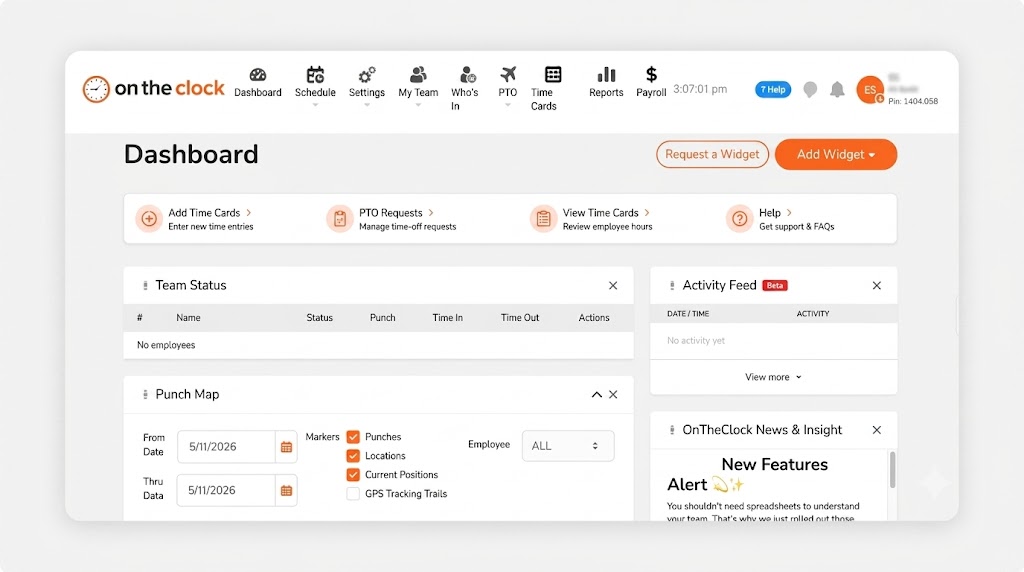
OnTheClock is a good fit for the owner of one busy venue who wants honest hours without a big platform. Think a 12-person cafe, a neighborhood bar, or a small inn. Staff punch in at a tablet kiosk at the counter or on their phones, and the manager sees who's in on a single dashboard.
It meets every need on the Hospitality Checklist in the base plan. Tips, bonuses, and commissions track right on the timecard. Scheduling, PTO, and overtime alerts are built in. More than 16,000 companies use OnTheClock, and it holds a 4.8-star rating across 2,500 reviews on its own site.
Why OnTheClock Is Different
There's one plan and no feature gates. You pay a $5 base fee per month plus $4 per user, and punch controls, GPS, kiosk mode, scheduling, and tip tracking are all included. For a crew of eight, that's $37 a month, with nothing locked behind an upgrade.
It's a lighter tool than a full hotel suite, and that's the trade-off. OnTheClock requires an internet or Wi-Fi connection to record punches, and its reporting is simpler than that of enterprise platforms. For a small team that just wants clean hours, that's a fair deal. Want tighter location proof? See the time clock with GPS.
Key Features
Pros
Cons
Pricing
- 30-day free trial, no credit card
- $5/month base plus $4 per user/month (see how OnTheClock pricing works)
- Optional payroll: $40/month base plus $6 per employee/month, with a one-time $250 implementation fee

Homebase: Best Free Plan for One Location
Available on: Web, iOS, Android
Why Homebase Is Best for One Location
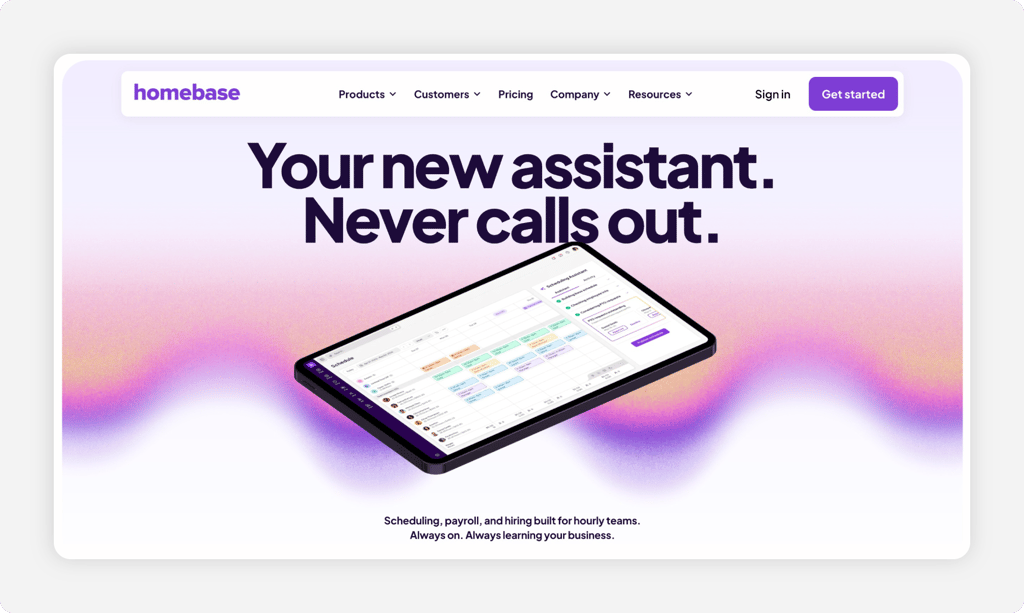
Homebase fits a single cafe, food truck, or small shop watching every dollar. The free Basic plan covers one location with up to 10 employees, and staff clock in on tablets, computers, and POS devices at no cost.
Step up, and it does more. On the paid Essentials plan, location-based mobile punching and photo capture on supported tablets and POS devices help deter buddy punching. The catch is the pricing model. Homebase bills per location, not per user, so a second site means a second subscription. Tools like early clock-in blocks and auto clock-out sit on the higher Plus and All-in-One tiers. See how it stacks up in our Homebase alternatives guide.
Key Features
Pros
Cons
Pricing
- Free Basic plan: one location, up to 10 employees
- Essentials: $30/location/month; Plus: $70/location/month; All-in-One: $120/location/month
- Optional payroll: $49/month base plus $6 per employee paid/month

7shifts: Best for Full-Service Restaurants
Available on: Web, iOS, Android
Why 7shifts Is Best for Full-Service Restaurants
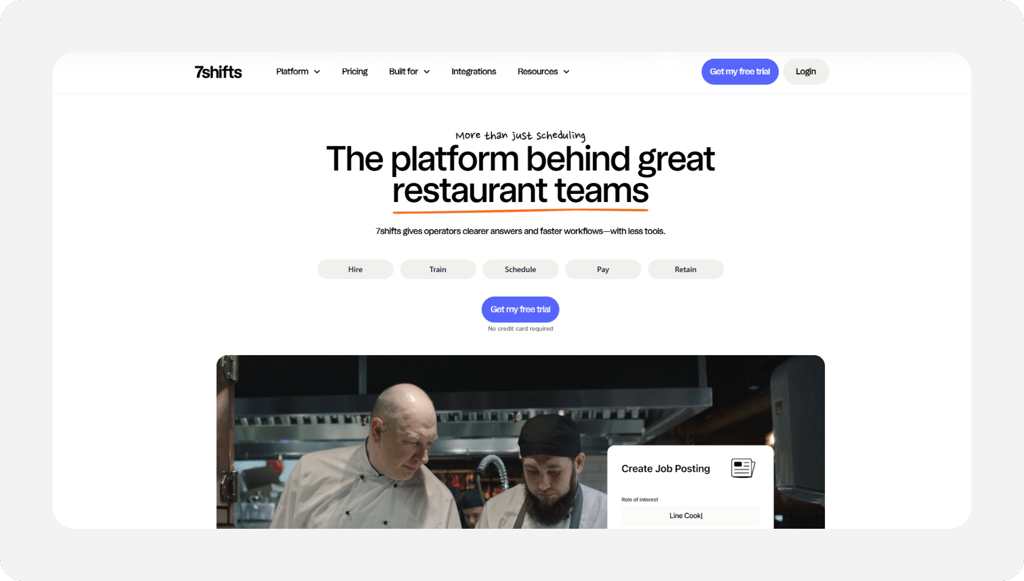
7shifts is built for restaurants, and more than 55,000 of them use it. Its 7punches time clock offers restaurant-focused punching on supported devices, with capabilities that vary by plan.
What sets it apart is the schedule link. 7punches connects time clock records to staff schedules, allowing managers to compare planned and actual hours. Advanced schedule enforcement, tip tools, and payroll integrations depend on the selected paid plan. Photo punches and geofencing can provide additional evidence of location and punches. The trade-off is focus. 7shifts is made for restaurants, so a hotel or event venue is a weaker fit, and paid plans are priced per location. Compare it in our 7shifts alternatives guide.
Key Features
Pros
Cons
Pricing
- Comp: Free for one location and up to 15 employees
- Essentials: $44.99/location/month (up to 30 employees); Pro: $89.99/location/month; Premium: $149.99/location/month (unlimited employees on Pro and Premium)

Deputy: Best for Hotels with Many Departments
Available on: Web, iOS, Android
Why Deputy Is the Best for Hotels with Many Departments
Deputy fits a hotel that runs front desk, housekeeping, and food service under one roof. Staff clock in on a tablet, phone, web, or watch, and managers handle roles and permissions across each department.
Its standout is the kiosk. On Core and higher plans, biometric kiosk verification can help deter buddy punching, while geofencing provides additional location controls. Two cautions to plan for. There's a $30 monthly minimum spend, and Deputy charges a full month when you add, archive, or unarchive a user, which stings with seasonal staff. See our Deputy alternatives guide for a closer look.
Key Features
Pros
Cons
Pricing
- Lite $5 per user/month; Core $6.50; Pro $9
- $30 monthly minimum. Optional Deputy Payroll via Paycor is advertised at $49/month base plus $8/user/month for eligible U.S. customers on annual Core and Pro plans; confirm eligibility and pricing

When I Work: Best for Fast Shift Swaps
Available on: Web, iOS, Android
Why When I Work Is Best for Fast Shift Swaps
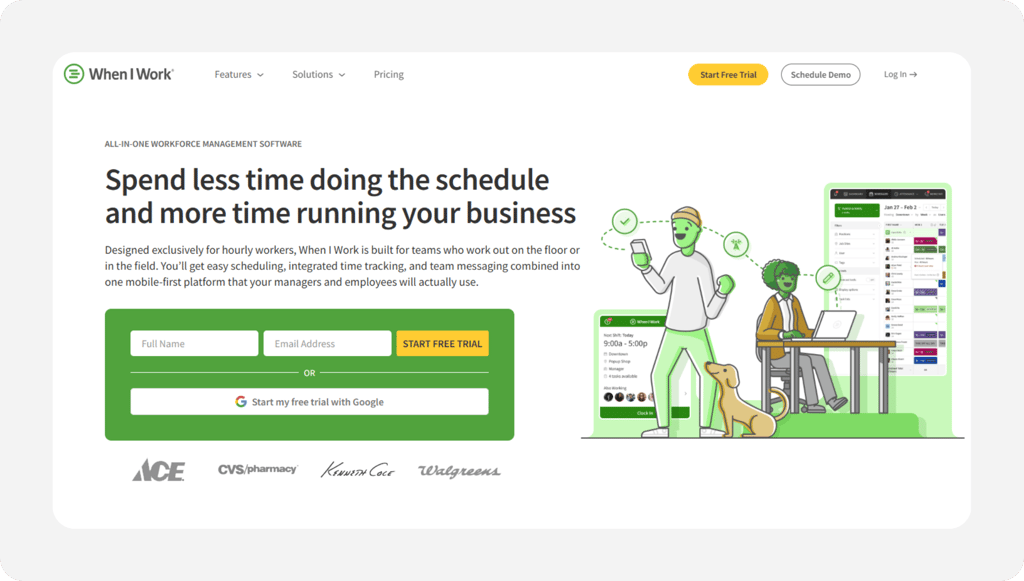
When I Work fits a venue where shifts change a lot and staff cover for each other. The scheduling is the draw, with quick shift swaps and open shifts staff can claim from their phones.
It turns any device into a time clock, and staff can punch in with GPS or geofencing. Plans start at $2.50 per user/month, with time-and-attendance capabilities available. Confirm the full monthly price with attendance enabled at signup; included features vary by plan.
Key Features
Pros
Cons
Pricing
- Essentials: $2.50/user/month; Pro: $5/user/month; Premium: $8/user/month
- Confirm the final monthly price with time and attendance enabled at signup

Connecteam: Best for Deskless Team Chat
Available on: Web, iOS, Android
Why Connecteam Is Best for Deskless Team Chat
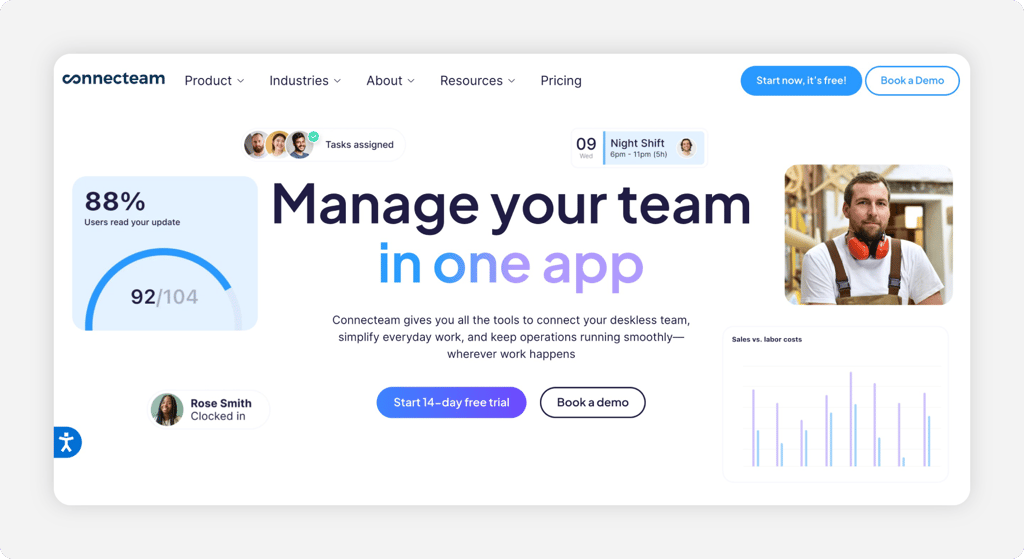
Connecteam fits a venue that wants the time clock and staff chats in one app. The free Small Business Plan provides core time tracking, scheduling, and communication features for up to 10 users, a useful start for a small team.
Connecteam offers kiosk punching and GPS location stamps that help managers verify where employees clocked in. Chat, schedules, and tasks sit beside it, so a manager runs the floor from one screen. Watch the GPS tiers, though. Geofence sites require the Advanced plan, and live breadcrumb tracking requires the Expert plan, so the full location toolkit costs more.
Key Features
Pros
Cons
Pricing
- Free Small Business Plan for up to 10 users
- Operations Basic: $35/month; Operations Advanced: $59/month; Operations Expert: $119/month. Each plan covers the first 30 users, with additional-user fees and separately priced hubs potentially increasing the total

QuickBooks Time: Best for QuickBooks Payroll Users
Available on: Web, iOS, Android
Why QuickBooks Time Is Best for QuickBooks Payroll Users
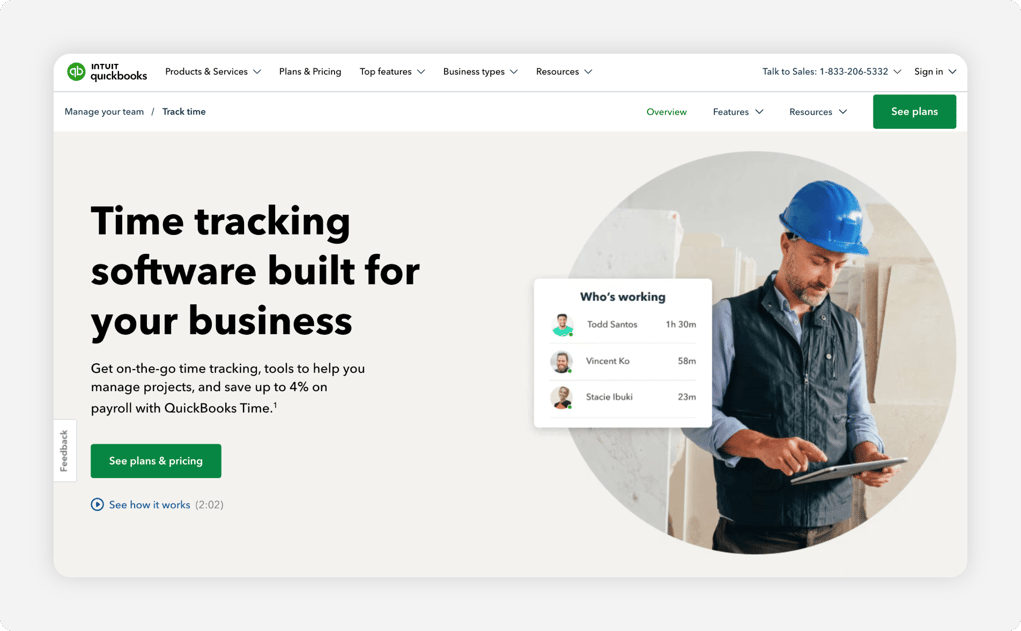
QuickBooks Time is a good fit for a venue that already runs QuickBooks for accounting or payroll. Approved hours sync with QuickBooks, reducing manual entry and helping streamline payroll preparation.
Its Time Kiosk lets staff clock in and out on-site from any computer or tablet, and the Workforce app handles mobile punches with photos. The big caution is the requirement. QuickBooks Time requires a QuickBooks Online account, so it's an extra cost if you don't already use it, and geofencing is only available on the higher Elite plan. See our QuickBooks Time alternatives guide.
Key Features
Pros
Cons
Pricing
- Premium: $20/month base plus $10 per user/month
- Elite: $40/month base plus $12 per user/month. A QuickBooks Online subscription is required on both plans
Side-by-Side Comparison
| Tool | Best For | Pricing | Key Strengths | Top Integrations |
|---|---|---|---|---|
| OnTheClock | Best for small hospitality teams | $5 base + $4/user/month | All features in one plan; tips and kiosk included | Gusto, QuickBooks, ADP, Paychex |
| Homebase | Best free plan for one location | Free; Essentials $30/location/month | Real free plan; POS clock-in | POS systems, payroll providers |
| 7shifts | Best for full-service restaurants | Comp free up to 15 employees; Essentials $44.99/location/month | Restaurant scheduling, time clocking, paid-plan tip tools | POS systems, payroll providers |
| Deputy | Best for hotels with many departments | $5 to $9/user/month ($30 minimum) | Biometric kiosk; department roles | Paycor, payroll and POS |
| When I Work | Best for fast shift swaps | From $2.50/user/month; confirm attendance pricing | Easy swaps; any-device clock | Rippling, payroll and POS |
| Connecteam | Best for deskless team chat | Free up to 10 users; Operations Basic $35/month for first 30 | Clock plus chat; kiosk station | QuickBooks, Gusto, payroll |
| QuickBooks Time | Best for QuickBooks payroll users | $20 base + $10/user/month | Tight QuickBooks link; kiosk | QuickBooks Online and Payroll |
Pricing and comparison data reviewed October 2026 against official vendor websites. Prices reflect standard monthly subscriptions, excluding promotional discounts, and may change.
What's the Best Time Clock Software for a Hospitality Business?
The best option isn't the one with the longest feature list; it's the one that fits your floor. Start with one question: Where does payroll go wrong most often?
- Want one simple plan with tips and scheduling included? OnTheClock fits a small team.
- Run one location on a tight budget? Homebase has a real free plan.
- Run a full-service restaurant? 7shifts ties punches to the schedule.
Pick the tool that removes the friction you hit on your busiest shift. That choice pays you back every payroll day.
What Is Time Clock Software for Hospitality?
Time clock software for hospitality records when staff start and stop work, then turns those punches into time sheets payroll can use. Staff clock in on a kiosk, tablet, or phone, and the system stamps the time.
For hospitality, it adds the features a busy venue needs: tip and multi-rate tracking, schedule links, break and overtime alerts, and controls that help verify employee punches. The point is simple: Replace guesswork with proof.
Who Needs Time Clock Software in Hospitality?
Any hospitality business with hourly staff benefits, and the math changes once you pass a handful of workers. Past five or six people on shifting hours, paper sheets start to leak money through early punches and missed clock-outs.
Restaurants, bars, cafes, hotels, inns, catering crews, and event venues all fit. If you're chasing missing punches or rebuilding hours from memory on payday, you're the audience.
Why Hospitality Businesses Rely on Time Clock Software
Hospitality runs on thin margins and hourly labor, so every minute on a time sheet hits the bottom line. Work happens across the kitchen, floor, front desk, and back office, and accuracy keeps payroll and tips honest.
The old way fails because memory and paper can't keep up with split shifts and tipped roles. A time clock replaces the clipboard with timestamped punches and cleaner exports, and a connected payroll link means the hours and the paychecks finally agree.
Key Features Hospitality Time Clock Software Should Have
Before you compare prices, make sure any tool covers the basics your venue needs.
-
Fast kiosk punches: Staff clock in seconds at a shared tablet.
-
Buddy punch controls: Photos, PINs, and GPS restrictions help deter buddy punching and provide information managers can use to investigate suspicious punches.
-
Tip and multi-rate tracking: Tips and two rates on one card.
-
Schedule link: Punches and the schedule live together.
-
Break and overtime alerts: Catch costs before they hit payroll.
-
Payroll export: Clean hours flow to your provider.
How to Choose the Proper Time Clock Software for Your Hospitality Business
Step 1: Count your team, roles, and locations
Start with the numbers that drive price. Count your hourly staff, the roles they cover, and how many sites you run. A 10-person cafe pays very differently than a hotel with three departments.
Do the simple math. OnTheClock for 10 staff is $5 plus 10 times $4, or $45 per month. A per-location tool charges per site, so two venues mean two bills. Knowing your count now saves a surprise later.
Step 2: Name your single biggest time clock problem
Pick the one leak that costs you most. For many venues, it's buddy punching or early punches that pad payroll a few minutes at a time.
Be honest about it. If a friend clocks in for a late server twice a week, photo or GPS evidence can help managers investigate suspicious punches. If clock-outs go missing, look for reminders, configurable punch-out rules, and exception reports so managers can review and pay all actual hours worked. Choose the tool that fixes that problem first.
Step 3: Match the punch method to your floor
Your floor decides the punch. A fixed counter or front desk is well-suited to a shared tablet kiosk. A roaming crew, like housekeeping or catering, needs mobile punches with GPS.
Most hospitality teams use both. A kiosk at the pass handles the kitchen, while phones cover staff on the move. Confirm the tool you pick supports the mix you actually run.
Step 4: Handle tipped and multi-rate roles
Hospitality pay is rarely one flat rate. A bartender who also works the door earns two rates, and tipped staff need tips tracked on the card for accurate pay and reporting.
Check this before you buy. Under federal law, eligible tipped employees may receive cash wages as low as $2.13 per hour if the employer meets the tip credit requirements. Cash wages and qualifying tips must together meet at least the federal minimum wage of $7.25 per hour, or a higher applicable state or local minimum wage. Employers must cover any shortfall, and state rules can require higher cash wages or disallow tip credits. Tracking tips and multiple rates help maintain records but do not, by themselves, establish compliance.
Step 5: Confirm the payroll connection
The clock is only half the job. Hours have to reach payroll without retyping, or you trade one chore for another.
Match the tool to your payroll. If you use Gusto, QuickBooks, ADP, or Paychex, pick a clock that exports cleanly to it. OnTheClock connects to all of those, so approved hours move in one step.
Step 6: Check break and labor law compliance
Hospitality draws extra scrutiny on breaks, overtime, and tip rules. A clock that flags a missed break or a coming overtime hour helps you stay on the right side of labor law.
Look for break tracking, overtime alerts, and clear records. Schedule restrictions must never be used to exclude hours an employer knows or should know were worked. Some states add predictive scheduling and break rules on top of federal law, so accurate punch records protect you if a question ever comes up.
Step 7: Test through as much of a pay period as possible
Never buy on a demo alone. Test with your actual staff and shifts, including one complete punch-to-payroll cycle when the trial period permits.
You'll see what a slideshow hides: how fast the kiosk really is during a rush, whether punches export cleanly, and how staff like the app. Most picks here, including OnTheClock, offer a free trial with no credit card, so the test costs you nothing.
Tips for Implementing Time Clock Software in a Hospitality Team
-
Train on one short shift. Walk staff through a punch in five minutes before service. Hands-on beats a long manual.
-
Set the rules up front. Configure appropriate early-punch controls and break alerts while ensuring all hours actually worked remain recorded and paid.
-
Post the labor law basics. Share the tip and break rules with your team. The U.S. Department of Labor explains tipped pay in its Fact Sheet #15 on tipped employees.
Frequently Asked Questions
What's the best time clock software for hospitality?
For small hospitality teams, OnTheClock is the best fit. It covers kiosk and mobile punches, tip tracking, scheduling, and PTO in a single plan for $5 per month plus $4 per user. Larger or specialized venues may prefer Deputy for hotels or 7shifts for restaurants.
How much does hospitality time clock software cost?
Prices vary between free plans, per-user subscriptions, and per-location subscriptions, with some requiring base fees or minimums. OnTheClock is $5 a month plus $4 per user. Homebase and 7shifts offer free plans for one location, while Deputy and QuickBooks Time add base fees or minimums.
Can a hospitality time clock track tipped employees?
Yes. The best tools track tips and multiple pay rates on a single time card. OnTheClock includes tip, bonus, and commission tracking in its base plan, helping employers maintain wage records. Employers must still apply applicable tip-credit, overtime, and recordkeeping rules.
How does a time clock stop buddy punching in a restaurant or hotel?
It can help deter inaccurate punches. Kiosk photos, personal PINs, GPS controls, and biometric verification provide evidence for managers reviewing time entries. OnTheClock uses device, GPS, and Wi-Fi controls, and Deputy adds a biometric kiosk on its Core plan.
Do hospitality teams need separate scheduling and time clock software?
No. The best tools combine both, so the schedule and the punches match. OnTheClock includes scheduling with its time clock at no extra cost, which saves the step of moving hours between two systems before payroll.
Does time clock software help hospitality businesses follow labor laws?
Yes. Accurate punch records, break tracking, and overtime alerts can help hospitality businesses comply with applicable federal and state labor laws. These records also provide useful documentation when employers need to investigate wage, overtime, or tip-related questions.
Clean hours, every shift, no payroll-night detective work.
Give your hospitality team a time clock that tracks tips, helps deter buddy punching, and sends approved hours to payroll.
Start your free, 30-day trial without a credit card.
