

Jump to section
Try OnTheClock Free
Save time and make payroll effortless with our easy-to-use, affordable employee time tracking app.
Try It FreeKey Takeaways
- ✔The best time clock software for real estate captures every punch accurately across the office and the field, so payroll is clean the first time.
- ✔OnTheClock is the best overall value for a mixed office and field team, as GPS, scheduling, job codes, and payroll connections are included on one plan, with no QuickBooks subscription required.
- ✔For field staff, Timeero is built for people driving between properties, and Buddy Punch offers punch-verification controls that can help deter buddy punching.
- ✔Free options are real: Jibble is free for unlimited users, and Connecteam is free for up to 10.
- ✔Pricing models vary widely. Some tools start around $2.50 per user per month, while others charge base fees or per-location rates, so compare the full monthly cost for your actual team and property count.
It's Friday afternoon, and the time sheets don't add up.
One leasing agent forgot to clock in on Tuesday. And, a maintenance tech swears he was at the Oak Street property by 8 a.m., but there's no punch to prove it. So, you do what you do every payroll: guess, call people, and fix hours by hand before the deadline.
The best time clock software for real estate is the one that accurately captures every punch across the office and field, so you can trust the team's hours without chasing them. That's the whole job. Your people split their days between a front desk and a dozen properties, and the clock has to follow them without anyone thinking about it.
Get that right, and payroll stops being a Friday fire drill. Get it wrong, and you pay for hours nobody can verify.
No single tool wins for every real estate business, so in the article below, we break down the best pick for each situation.
What Real Estate Teams Actually Want
You want hours you can trust. That's the real need underneath every feature list.
Real estate work happens in two places at once. Front desk and admin staff sit in the office; leasing agents, maintenance crews, and property managers are out at buildings all day. You want a clock that captures both without turning payroll into a cleanup job. You want to know whether a punch at the Oak Street property really happened there. And you want those hours to land in payroll clean, tied to the right property, with nothing re-keyed.
The right pick shifts with what you need most. Some teams need to prove workers' locations above all. Others just want something free and simple, or a tool that already talks to QuickBooks. That's why there's no single winner here, only the best one for each situation.
The Best Time Clock Software for Real Estate at a Glance
-
OnTheClock: Best overall value
-
Homebase: Best for on-site leasing offices
-
Jibble: Best free option
-
When I Work: Best for staff scheduling
-
Buddy Punch: Best for stopping buddy punching
-
Timeero: Best for agents on the road
-
QuickBooks Time: Best if you use QuickBooks
-
Connecteam: Best for deskless teams needing chat
How We Evaluated the Best Time Clock Software for Real Estate
We compared every option against the OnTheClock Real Estate Time Clock Scorecard to identify the needs that actually matter to a real estate business, not feature-sheet length.
We read verified user reviews on G2, Capterra, Software Advice, and the app stores, checked each vendor's own pricing and feature pages, and cited the U.S. Department of Labor for the wage and hour rules that apply to your staff. Here's what we measured:
-
Mobile clock-in: Field staff rarely sit at a desk, so they need to punch in from a phone.
-
GPS and location proof: GPS records can help document the device location associated with a punch.
-
Job and property codes: Hours should tie to the building or client so you can track costs or bill back.
-
Buddy punch prevention: Photos, PINs, and facial recognition can help deter one employee from clocking in for another.
-
Multisite and kiosk support: One shared tablet works for an office or a property entrance.
-
Scheduling: Assigning people to properties and shifts in the same tool saves a step.
-
Overtime and break tracking: The software should calculate overtime and flag breaks.
-
Payroll-ready output: Hours should export or sync straight to payroll.
-
Ease of setup: Setup should be practical for a small office without dedicated IT staff.
-
Price and value: The total monthly cost should make sense for a small team.
OnTheClock earns the best overall value label for one specific reason: It combines many of these features on a competitively priced time tracking plan, and it doesn't make you buy a separate accounting subscription to do it. We'll show where it gives up ground, too.
Pro Tip: Before you compare features, write down the one problem costing you the most time. Most teams overbuy on features they never use and underbuy on the fix they actually needed.
Best Time Clock Software Options for Real Estate
Below are the best time clock software options for real estate, with the right pick for each situation. For each one, we cover who it fits best, where it stands out, and where it may not be the right move.

OnTheClock: Best Overall Value
Available on: Web, iOS, Android, kiosk
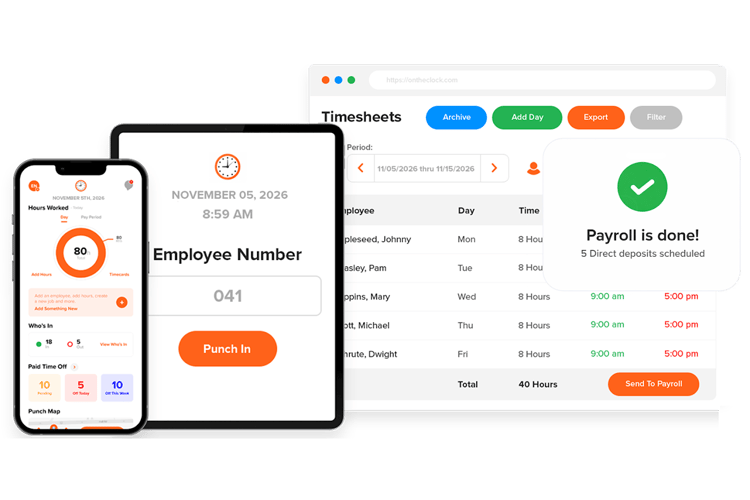
OnTheClock is the best overall value for a real estate business that runs both office and field staff. It combines GPS-enabled punches, geofencing, scheduling, job and project tracking, and payroll integrations in its time tracking service, and a 10-person team pays $45 a month. You don't need a separate accounting subscription to make it work.
Why OnTheClock Is Best for Value
Most real estate offices are small, mixed teams without a dedicated IT person. You want a clock that just works and a bill you can predict. OnTheClock charges a flat $4 per employee per month plus a $5 base fee, with a free, 30-day trial. For that, you get GPS punch records and geofences to help review where devices were located when employees punched in, a kiosk option for the front desk, job and project codes to tie hours to a property, scheduling, PTO, and more — and all of these features are included rather than sold as add-ons.
Picture a property management company with four office staff and six field people. The field crew punches from their phones, with their locations captured at the property. The office crew uses a shared tablet, and every hour flows to one place, is tagged to the right building, and is ready for payroll. At this price, that's difficult to beat.
What Makes It Different for Real Estate?
OnTheClock gives you a real choice on payroll that most clocks don't. You can connect to QuickBooks, Gusto, ADP, Paychex, or Square and keep your current setup. Or you can run payroll inside OnTheClock with its own add-on, which handles direct deposit, tax filing, and year-end W-2s and 1099s. Supported integrations can reduce manual entry when transferring approved hours into payroll.
It also stays honest about scope. This is a time clock with payroll, not a full property management platform. For a business whose main job is capturing accurate hours and paying people correctly, that focus is the point.
Key Features
Integrations
Pros
Cons
Pricing
- 30-day free trial, no credit card is required at sign-up
- $5 base per month plus $4 per employee
- Optional full-service payroll: $40/month base plus $6/employee/month, with a one-time $250 implementation fee
Want to see it on your own team? Start tracking time for free with OnTheClock. No credit card required at sign-up.

Homebase: Best for On-Site Leasing Offices
Available on: Web, iOS, Android, kiosk
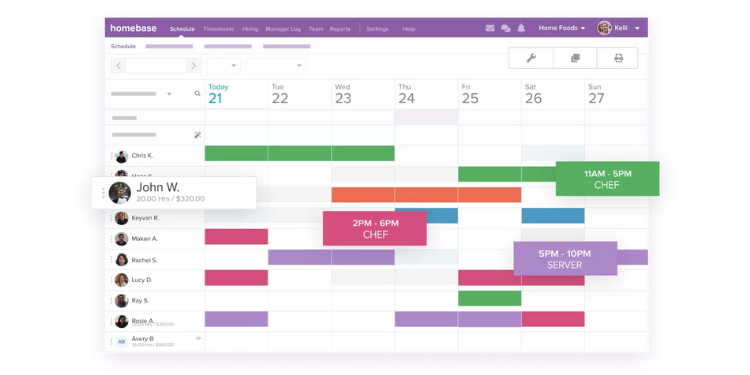
Homebase is a strong choice for a single leasing office or property management location with mostly on-site hourly employees. Its free Basic plan supports one location with up to 10 employees, making it particularly attractive to smaller teams that need scheduling and time tracking without an initial subscription cost.
Homebase charges by location, not by head. One office on the free Basic plan gets scheduling and a time clock for up to 10 employees at no cost. Add locations or features, and you move to a paid tier, with plan-specific employee limits and charges. That's rare and is genuinely useful when a single property has a rotating cast of leasing and front desk staff.
A property management firm with three leasing offices can run all three from one dashboard, see who's clocked in where, and approve time across sites in one place. Homebase also offers its own payroll add-on and connects to ADP, Gusto, QuickBooks, and Square.
Key Features
Integrations
Pros
Cons
Pricing
- Basic: Free for one location with up to 10 employees
-
Essentials: $30/location/month; Plus: $70/location/month; All-in-One: $120/location/month
- Optional payroll: $49/month base plus $6 per employee paid/month

Jibble: Best Free Option
Available on: Web, iOS, Android, kiosk
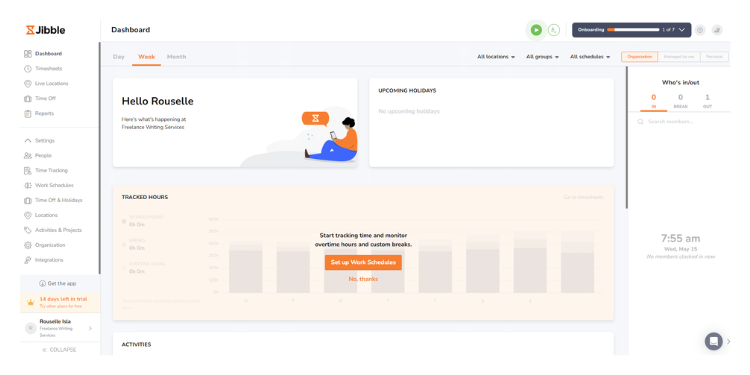
Jibble is a strong free time clock option for real estate offices on tight budgets. Its free plan supports unlimited users and offers mobile time tracking, with GPS, facial recognition, and kiosk capabilities subject to current plan limits and configuration.
Free plans often come with significant limitations, but Jibble offers a useful starting point. You get unlimited employees, mobile and kiosk clock-in, GPS-enabled punches, project and client codes, and supported facial recognition; verify current free-plan geofence and feature limits. For a small brokerage counting every dollar, that's a real time clock without a bill.
The tradeoff is payroll and scheduling. Jibble has no built-in payroll or true shift scheduling, so you export hours to your existing payroll provider. If your team is small and your scheduling needs are simple, that's a fair trade for free.
Key Features
Integrations
Pros
Cons
Pricing
- Free forever for unlimited users
-
Free: $0; Essential: $3.49/user/month; Growth: $5.99/user/month; Pro: $10.99/user/month (U.S. monthly rates, excluding tax).

When I Work: Best for Staff Scheduling
Available on: Web, iOS, Android, kiosk
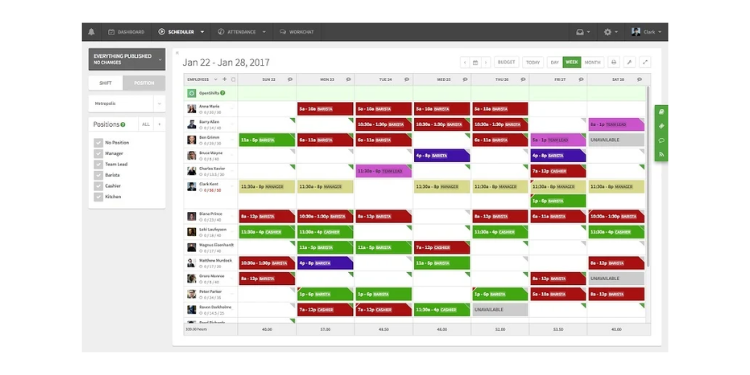
When I Work is the best pick when your real estate team's biggest headache is scheduling, not just hours. It offers drag-and-drop scheduling, shift swaps, and reminders for busy teams.
Some real estate operations live and die by coverage. A leasing office needs someone at the desk every open hour; a property team needs shifts spread across sites. When I Work builds and shares those schedules quickly, lets staff swap shifts from their phones, and sends reminders that cut down on no-shows. Employees see their schedules anytime, which removes a stack of "when am I working?" texts.
When I Work includes scheduling, time and attendance, and team messaging in its current workforce-management plans. Published plans start at $2.50/user/month for Essentials, $5 for Pro, and $8 for Premium; confirm the checkout total with time tracking enabled. It also connects to payroll providers, including Gusto, ADP, QuickBooks Online, Square Payroll, and Paychex, so approved hours can be transferred with less manual reentry.
Key Features
Integrations
Pros
Cons
Pricing
- 14-day free trial, no credit card is required at sign-up
- Essentials: $2.50/user/month; Pro: $5/user/month; Premium: $8/user/month. Confirm checkout with time tracking enabled

Buddy Punch: Best for Stopping Buddy Punching
Available on: Web, iOS, Android, kiosk
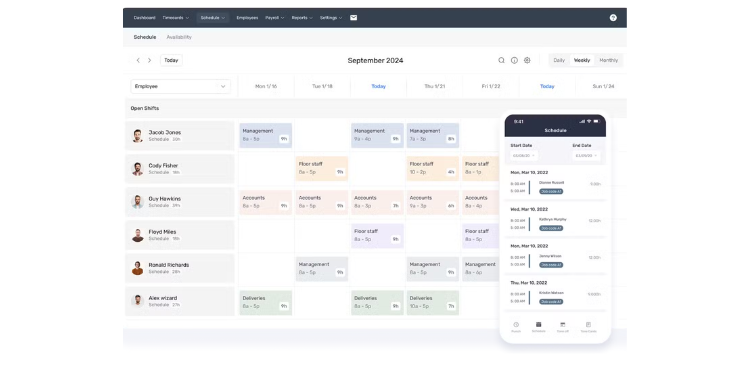
Buddy Punch is the best pick if your real estate team's problem is people clocking in for each other. It offers supported photo capture and facial verification on eligible plans to help deter buddy punching.
Buddy punching is one of the most common and well-documented time theft problems for businesses with staff spread across sites. When people clock in from scattered properties, it's easy for one person to punch for a friend who's running late. Buddy Punch offers photo capture, PIN and QR entry, and supported facial verification to help deter unauthorized punches; availability varies by plan and device.
It also tracks GPS on every punch and codes hours by job, location, or property. A property-management company can review identity-verification information and punch locations. Starter pricing is $5.99 per user/month plus a $19 monthly base fee, with real-time GPS and scheduling as paid extras on the lower tier.
Key Features
Integrations
Pros
Cons
Pricing
- 14-day free trial, no credit card
- Starter: $5.99/user/month; Pro: $7.99/user/month; Advanced: $13.99/user/month, plus a $19 monthly base fee (confirm Advanced checkout rate)

Timeero: Best for Agents on the Road
Available on: Web, iOS, Android
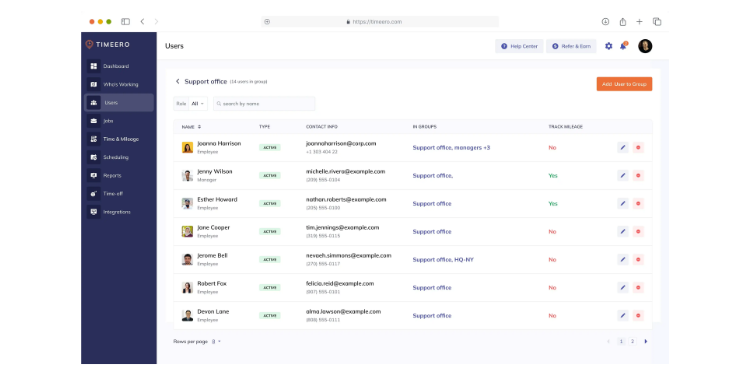
Timeero is the best pick for real estate staff who drive all day. It tracks GPS, automatically logs mileage, and replays the route, which matters when you reimburse travel between properties.
A leasing agent showing five properties before noon racks up miles you may owe them for. Timeero can help capture mileage and trip records for review. Its GPS works offline, logs mileage without manual odometer entries, and records each stop along the way. These records can help managers review employee hours, travel between properties, and mileage reimbursement.
Timeero also runs a California break tracker and compliance hub, which is useful for strict daily overtime and meal-break rules. Basic costs $6/user/month for up to 10 users; Pro costs $9/user/month and Premium costs $12/user/month on standard monthly billing. There's no native payroll, but it exports to QuickBooks, ADP, Gusto, and Paychex.
Key Features
Integrations
Pros
Cons
Pricing
- 14-day free trial, no credit card is required at sign-up
- Basic: $6/user/month (up to 10 users); Pro: $9/user/month; Premium: $12/user/month. Segmented Tracking is an additional paid feature on eligible plans

QuickBooks Time: Best if You Use QuickBooks
Available on: Web, iOS, Android, kiosk
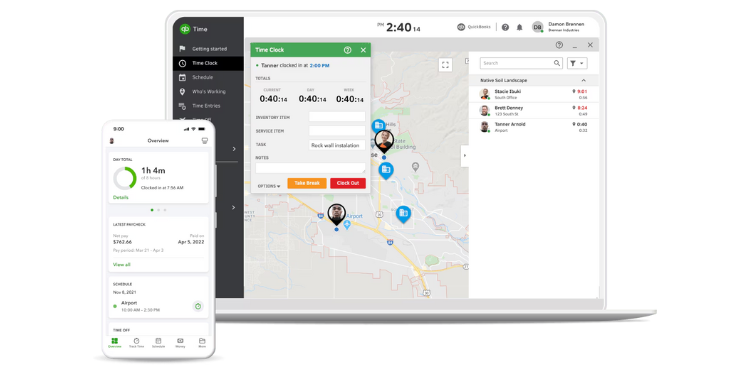
QuickBooks Time is the best pick if your books already live in QuickBooks Online. Approved hours integrate with supported QuickBooks payroll workflows, which is its whole advantage.
If your bookkeeper already runs QuickBooks Online, this is the path of least resistance. QuickBooks Time tracks GPS on all plans, adds geofencing on the Elite tier, handles scheduling and job costing, and syncs time straight to payroll inside the same ecosystem. For a firm already paying for QuickBooks, that tight link saves real steps.
The catch is cost and lock-in. QuickBooks Time requires an active QuickBooks Online subscription in addition to its time tracking fees. Premium costs $20 per month plus $10 per user, while Elite costs $40 per month plus $12 per user. For smaller teams, those combined subscription costs can add up quickly.
Key Features
Integrations
Pros
Cons
Pricing
- 30-day free trial
- Premium: $20/month base plus $10/user/month; Elite: $40/month base plus $12/user/month
- A QuickBooks Online subscription is required

Connecteam: Best for Deskless Teams Needing Chat
Available on: Web, iOS, Android, kiosk
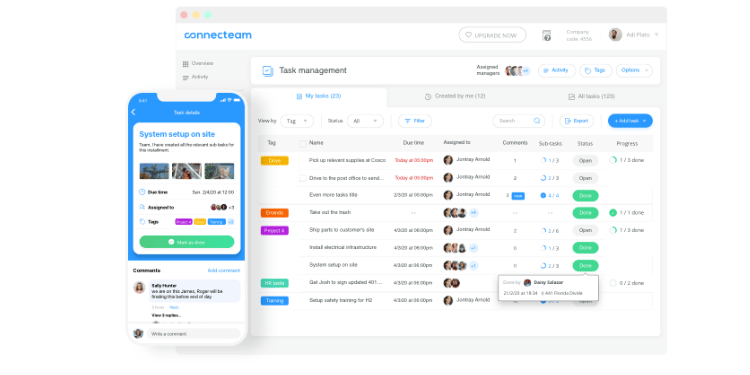
Connecteam is the best choice for a property management team that wants time tracking and team communication in one app. Its free Small Business plan covers up to 10 users, with plan-specific feature limits.
Maintenance, cleaning, and leasing staff are rarely at a computer. Connecteam is built for them. It combines a GPS time clock with scheduling, team chat, checklists, and task lists, so a property manager can message the crew, assign jobs, and track hours without juggling apps. Smaller teams should check which features are included in the free plan.
For those with more than 10 users, pricing may depend on the Operations, Communications, and HR hubs selected. Operations Basic starts at $35/month for the first 30 users. Confirm offline punch recording and synchronization before using it at low-signal properties.
Key Features
Integrations
Pros
Cons
Pricing
- Free for up to 10 users
- Operations Basic: $35/month; Advanced: $59/month; Expert: $119/month for the first 30 users; additional users and separate hubs may cost more
Real Estate Time Clock Software Compared
| Tool | Best For | Pricing | Key Strengths | Top Integrations |
|---|---|---|---|---|
| OnTheClock | Best overall value | $5 base + $4/user/month | GPS, scheduling, payroll choice | QuickBooks, Gusto, ADP, Square |
| Homebase | On-site leasing offices | Free up to 10 at one location; Essentials $30/location/month | Per-location, free tier, scheduling | ADP, Gusto, QuickBooks, Square |
| Jibble | Free option | Free; Essential $3.49/user/month | Free facial recognition, GPS | Slack, Teams, exports |
| When I Work | Staff scheduling | From $2.50/user/month | Scheduling, shift swaps | Gusto, ADP, QuickBooks, Square |
| Buddy Punch | Stopping buddy punching | Starter $5.99/user/month + $19 base | Photo + facial recognition | QuickBooks, ADP, Gusto, Paychex |
| Timeero | Agents on the road | Basic $6/user/month; Pro $9/user/month | Mileage, offline GPS | QuickBooks, ADP, Gusto, Paychex |
| QuickBooks Time | QuickBooks users | Premium $20 base + $10/user/month; QuickBooks Online required | Native QuickBooks sync | QuickBooks ecosystem |
| Connecteam | Deskless teams + chat | Free up to 10; Operations Basic $35/month for first 30 | All-in-one, chat, scheduling | Gusto, QuickBooks, Paychex |
Pricing and features reviewed October 2026 using available vendor information. Standard month-to-month rates shown where verified; confirm add-ons, feature limits, and checkout totals.
Pro Tip: Pricing in this market often moves. Check per-location charges, base fees, and optional add-ons before comparing subscription totals.
What's the Best Time Clock Software for Real Estate?
The best option isn't the one with the longest feature list; it's the one that fits the situation you're actually in.
Start with one question: What's your real bottleneck? Many buyers choose features they might need someday and end up with something heavier than their team will use. Focus on the friction you encounter most often.
- Do your people drive between properties all day? Look at Timeero for mileage and location.
- Is your problem people clocking in for each other? Buddy Punch or Jibble offer tools that can help deter it.
- Are you watching every dollar? Jibble is free; Connecteam is free for up to 10 users.
- Do your books already live in QuickBooks? QuickBooks Time removes the export step.
Your answer points to your pick. The right time clock for you removes the friction from the problem you hit most, and the rest gets easier.
What Is Time Clock Software for Real Estate?
Time clock software for real estate is a digital tool that records when your staff starts and stops work, then turns those punches into time sheets for payroll. Instead of paper cards or a spreadsheet, employees clock in on a phone, tablet, or computer.
For real estate, the key part is location. Because your team works across offices and properties, good software clearly records each punch and ties the hours to the correct building or client.
Who Needs Time Clock Software for Real Estate?
Any real estate business with hourly or non-exempt staff needs it. That includes property management companies with maintenance and leasing crews, brokerages with front desk and admin staff, and commercial real estate firms with on-site teams.
Real estate agents may qualify for the outside-sales exemption depending on their actual duties and applicable law; commissions alone do not establish exempt status. But the people who keep the office running and the properties maintained almost always do, both to pay them right and to stay compliant.
Why Real Estate Teams Rely on Time Clock Software
Real estate runs on people spread across many places. A property manager can't stand at every site to confirm who showed up and when. Time clock software does that for them.
It captures hours from the field and the office in one place, provides GPS-related location records, and flags overtime before it becomes a surprise. Most of all, it gives the owner numbers they can trust at payroll, instead of a Friday spent reconstructing the week from memory and text messages.
Key Features Time Clock Software Should Have
The right time clock for real estate covers a short list of must-haves. Look for these before you buy:
- Mobile clock-in: Staff punch from their phones in the field.
- GPS and geofencing: GPS-enabled punches help record device location at the property.
- Job and property codes: Hours tie to the building or client they belong to.
- Buddy punch prevention: Photo, PIN, or facial verification can help deter unauthorized punches.
- Overtime and break tracking: The software supports overtime calculations and compensable-time records for manager review.
- Payroll connection: Supported integrations or exports can reduce manual entry when preparing payroll.
A tool that covers these will handle almost any real estate situation. Extras, like mileage or team chat, matter only if your team actually needs them.
How to Choose the Proper Time Clock Software for Real Estate
Step 1: Name your biggest bottleneck
Before comparing features, write down the one problem that's costing you the most time or money. Maybe it's missed punches, proof of where the field staff were, or messy payroll exports. The clearer you are about the real pain, the easier every other choice gets. Buying a long list of features you don't need is the most common mistake.
Step 2: Map your office and field split
Count how many staff sit in an office versus how many work across properties. A mostly on-site team needs strong scheduling and a kiosk. A team of mostly field workers needs GPS, mobile clock-in, and maybe mileage. This split points you straight at the right short list, because a tool built for a front desk and one designed for a crew on the road rarely look the same.
Step 3: Check the GPS and location verification
For real estate, location tracking can be especially valuable. Your staff moves between listings, units, and job sites all day, so you need reliable punch times and associated device-location records that managers can review when discrepancies arise. Look for GPS on every punch and geofencing that ties a clock-in to a specific property. Test it in the real world, not the parking lot. GPS accuracy and phone battery drain are two of the most common complaints in user reviews, so check how often the app pings locations and whether it works when the signal drops.
Step 4: Confirm overtime and break compliance for your state
Federal law sets the floor, but your state may go further. Under the Fair Labor Standards Act, nonexempt staff earn overtime for hours worked beyond 40 in a workweek. Some states add daily overtime and required meal and rest breaks. California, for example, pays overtime for hours worked beyond eight in a day and carries strict break rules. Choose software that supports applicable wage-and-hour rules and lets managers review overtime and break records. If you operate in a strict state, confirm the tool supports it before you buy, not after a payroll mistake.
Step 5: Check the payroll fit
Decide whether you want the clock to connect to your current payroll or run payroll itself. If you already use QuickBooks, a native sync saves steps. If you want one bill, look at tools with built-in payroll, like OnTheClock or Homebase. Confirm how approved hours move into payroll and what review or import steps are required.
Step 6: Run the free trial and time it
Sign up for a trial and have a real employee clock in. Time how long it takes. Test whether employees can complete common clock-in tasks comfortably and identify any training needs. Test it the way your team will actually use it in the field and at the desk before you commit.
Tips for Implementing Time Clock Software Successfully
- Tell your team why before you roll it out. Staff resist tracking when it feels like surveillance. Explain that accurate hours protect their paychecks and keep the business compliant. When people understand the clock is there to pay them correctly, adoption climbs and complaints drop.
- Set up job and property codes first. Before the first punch, build out your buildings, clients, and tasks as codes. That way, hours tie to the right place from day one, and you avoid a month of untangling where time actually went. This is the step most teams skip and later regret.
- Turn on punch reminders. Forgotten punches are the top payroll headache for mixed office and field teams. Most tools can send a reminder when someone forgets to clock in or out. Switch it on during setup, so you're not chasing missing hours every Friday.
Frequently Asked Questions
Do real estate agents need time tracking software?
It depends on how they're classified. Real estate agents may qualify for an FLSA outside-sales exemption based on their actual duties and applicable law, but commission-based compensation alone does not establish exempt status. For nonexempt employees, including leasing agents, front desk administrators, maintenance crews, and assistants, employers must maintain accurate records of hours worked to ensure proper pay and compliance with applicable wage-and-hour laws.
What's the best free time clock app for a small real estate office?
Jibble is the strongest free option: It's free for unlimited users and includes GPS, facial recognition, and kiosk mode. Connecteam offers a free plan for up to 10 users with feature limitations, and Homebase offers a free Basic plan for one location with up to 10 employees.
How do I track hours for agents who travel between properties?
Use a GPS-enabled app to record device-location information for punches at each property, ideally with automatic mileage. Timeero is built for this with automatic mileage and route replay. OnTheClock includes GPS and geofencing at a lower cost.
What does time clock software cost for a small team?
Pricing varies by user count, location, base fees, and required features. Free plans are available from Jibble, Connecteam (up to 10 users), and Homebase (one location, up to 10 employees). For a 10-person team, OnTheClock runs about $45 a month.
Can it stop employees clocking in for each other?
These tools can help deter unauthorized punches but cannot guarantee prevention. Consider supported photo capture, facial verification, PINs, kiosk options, and GPS records; review plan availability.
Does the time clock connect to payroll?
Most connect through QuickBooks, ADP, Gusto, Paychex, or Square. Some offer built-in payroll, including OnTheClock, Buddy Punch, Homebase, and the QuickBooks Time bundles, which can help transfer approved hours and reduce manual reentry, depending on configuration.
Do I have to track hours for salaried real estate staff?
If they're nonexempt, yes. Salaried status doesn't automatically mean an employee is exempt under the FLSA. Nonexempt, salaried employees must still receive overtime for hours over 40 in a workweek, so you need to track their time. See the U.S. Department of Labor overtime guidance for details.
Stop chasing hours every Friday
OnTheClock helps track office and field hours using GPS-enabled punches, scheduling, job tracking, and payroll integrations. Optional full-service payroll is available separately.
Start Tracking Time for FreeNo credit card is required at sign-up for the 30-day trial.
