Key Takeaways
- ✔The best time clock software for restaurants gets hours, tips, and pay right together, in one place, without a Sunday-night cleanup.
- ✔OnTheClock is a strong all-around option for most restaurants, pairing affordable time tracking with optional full-service payroll, tip recording, and punch-verification controls, without requiring a particular POS platform.
- ✔The right tool depends on your biggest pain: 7shifts is great for tip pooling, Toast is formidable for POS integration, Push Operations supports multilocation workforce management, Homebase offers a free option for one small location, Deputy provides compliance-support tools, and Jibble offers a free time clock with identity-verification options.
- ✔Accurate tip records help employers manage reporting and applicable tip-credit requirements, while eligible workers may qualify for a federal deduction for certain tips.
- ✔Match the tool to the problem you encounter most, not the one with the longest feature list.
The best time clock software for a restaurant is the one that gets hours, tips, and pay right together, in one place, without a Sunday-night cleanup.
That sounds simple, but it isn't. Consider a server picking up two hours behind the bar at a different rate, a line cook forgetting to clock out, and three tip-outs that need to be divided by role before everyone goes home. Friday comes, and, unfortunately, the numbers don't match the schedule. So, you stay late, fixing punches by hand and hoping the tip math holds up if anyone ever checks.
Restaurants aren't normal workplaces, and a normal time clock quickly falls apart. Tipped wages, split shifts, multiple roles, high turnover, and tight margins all hit the same payroll run at once. The right tool absorbs that, while the wrong one adds to it.
No single tool wins for all of it. Below, we break down the best solution for each type of restaurant, starting with the best overall.
What Restaurant Operators Actually Want
When a clock-in is accurate, payroll is efficient, quiet, and nobody disputes a paycheck. When it isn't, every Friday turns into an argument with a spreadsheet.
Underneath that, three things decide it for most restaurants: You want tips handled correctly, because tip-outs and tipped-wage math are where restaurant payroll breaks; staff working multiple roles to record the correct rates so overtime can be reviewed accurately; and controls to help deter buddy punching, because time theft eats thin margins one padded shift at a time.
The right pick shifts with what you need most. Some operators live and die by tip pooling. Others just want a free, reliable clock for one location. A few need to run payroll across a dozen sites without losing their minds. That's why there's no single winner here, only the best one for each situation.
Quick Picks: The Best Time Clock Software for Restaurants at a Glance
-
OnTheClock: Best overall for time plus payroll
-
7shifts: Best for tip pooling and tip-outs
-
Toast: Best for restaurants that need POS integration
-
Push Operations: Best for multilocation restaurant groups
-
Homebase: Best free option for a single location
-
Deputy: Best for scheduling and labor law compliance
-
Jibble: Best free option for punch verification
How We Evaluated the Best Time Clock Software for Restaurants
We compared each option against the needs that actually matter to restaurant managers, not each solution's feature-sheet length. We read the vendor pages, dug through real reviews on G2 and Capterra, and checked each tool against the way a restaurant really runs. The basics weren't enough on their own.
Here is what we compared every option against:
-
Tip and tipped-wage handling: Tips, tip-outs, and tip-credit math disrupt more restaurant payroll runs than anything else.
-
Multiple wage rates per employee: A server who also tends bar must clock different pay rates, and overtime must be calculated according to applicable regular-rate rules.
-
Built-in payroll: Optional payroll in the same platform may reduce exports and manual reentry.
-
Break and overtime compliance: Mandatory breaks and overtime rules carry real legal risk, and they vary by state.
-
Buddy punch prevention: PINs, photos, GPS records, and biometrics can help deter one employee from clocking in another.
-
POS integration: Direct POS connections can help restaurants import sales and tip data; other workflows use exports and payroll integrations.
-
Ease of use for high-turnover staff: A new hire has to learn it in one shift.
-
Real-time labor cost: Labor-to-sales reporting, when included with the required POS connection, can inform staffing decisions.
-
Price and value: Restaurants run on thin margins, so cost matters, even if it isn't the lead.
The Best Time Clock Software for Restaurants
Below are the best time clock software solutions for restaurants, with the right pick noted for each situation. For each one, we cover who it fits best, where it stands out, and where it may not be the right move.

OnTheClock: Best Overall Option for Time and Payroll
Available on: Web, iOS, Android
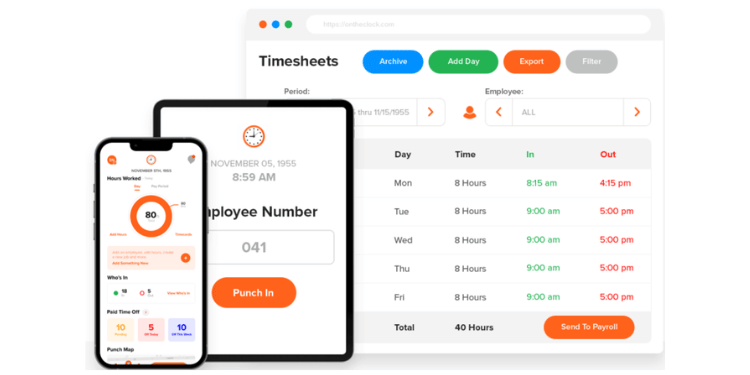
OnTheClock is a strong all-around option for restaurants that want to track hours and run payroll in one place. It fits the owner or manager who is tired of exporting time sheets to a separate payroll system every pay period and just wants the clock and paycheck under one roof.
Why OnTheClock Works for Restaurants That Want One System
Most time clocks stop at the time sheet. OnTheClock keeps going. Timecards, tip records, breaks, and overtime information can support payroll preparation. Optional full-service payroll is available for restaurants that want to manage time tracking and payroll within OnTheClock.
That matters most when tips and roles get complicated. OnTheClock can record tips, bonuses, and commissions and supports multiple pay rates for employees working different roles. Managers should verify tip records, role-based hours, and the applicable regular-rate calculation before payroll approval.
It also keeps the pricing honest. Time tracking costs $5 a month base plus $4 per employee, with all core features included and no tier upgrades to unlock the basics. For a thin-margin restaurant, that predictability is priceless. Ten employees cost $45 a month for time tracking; optional full-service payroll is priced separately.
Why OnTheClock Is Different
What sets OnTheClock apart is breadth without bloat. It supports time tracking, tip recording, multiple pay rates, optional payroll, and punch controls in one service, and it doesn't force you into a specific POS or long-term contract to get them.
Buddy punching is a good example. OnTheClock offers GPS punch records, geofencing, IP and device restrictions, and optional fingerprint verification with compatible hardware. These measures can discourage buddy punching and help managers review suspicious punches, but no control guarantees prevention.
Picture a single-location bistro with 15 staff members. The owner runs the schedule, the team punches on a wall tablet and their phones, tips are recorded for review, and approved hours can be used with optional full-service payroll. This can reduce time spent preparing the pay run. That's the case OnTheClock is built for, and few tools at this price match it.
Key Features
Pros
Cons
Pricing
- 30-day free trial, no credit card is required
- Time tracking: $5/month base plus $4 per employee/month
- Optional full-service payroll: $40/month base plus $6 per employee/month, with a one-time $250 implementation fee
- Visit the OnTheClock Pricing Page for more information.

7shifts: Best for Tip Pooling and Tip-Outs
Available on: Web, iOS, Android
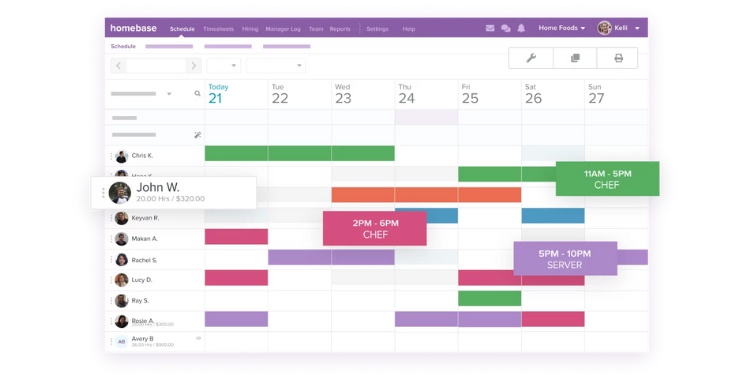
If tip pooling is your primary headache, 7shifts is the remedy. It's built from the ground up for restaurants, and tips are where it shines. Configured tip-pooling rules can support splits by role, shift, or other supported criteria.
7shifts handles tips the way restaurants actually run them. Its tip pooling supports splits by hours worked, role, or your own custom rules, and it can pull tip data straight from your POS. Instead of a manager doing tip-out math on a notepad after close, the system can calculate allocations for manager review and compatible payroll workflows.
Think of a busy full-service spot with servers, bartenders, bussers, and runners who all share tips differently. Configured rules can help managers calculate each nightly split. Many operators say it pays for itself just in saved tip-out time.
7shifts also covers the rest of the restaurant workflow well, with role-based scheduling, shift swaps, and labor forecasting tied to sales. It speaks restaurant language, not generic shift work.
One thing to know going in: Verify whether time clocking through 7punches is included in the selected plan. Tip pooling may require an additional product or subscription; confirm current feature availability and charges. For a deeper look, see our full 7shifts review.
Key Features
Pros
Cons
Pricing
- Free Comp plan for one location, up to 15 employees; confirm current time-clock access
- Pro $99.99/location/month (up to 60 employees); Premium $199.99/location/month (unlimited employees). Confirm current checkout
- Tip-pooling and payroll availability and extra charges depend on the selected plan

Toast: Best for Restaurants That Need POS Integration
Available on: Web, iOS, Android (Toast hardware)
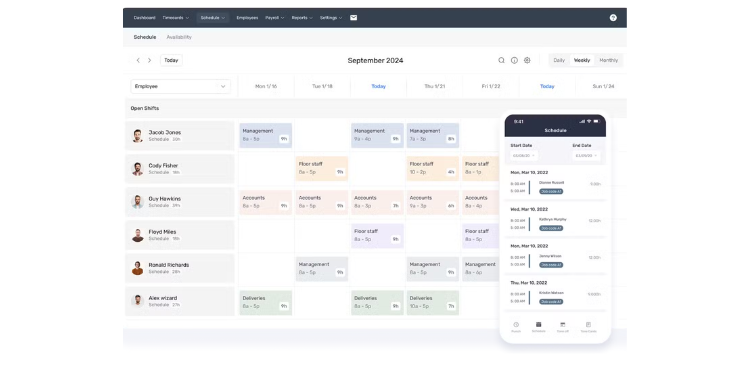
If you want your time clock wired straight into a POS, Toast is the pick. Toast POS and its payroll products can support connected hours, tips, and payroll workflows, subject to configuration. For a restaurant that runs everything through one platform, that tight loop is hard to beat.
When an employee clocks out on a Toast terminal, that time is already queued for payroll. Tips recorded at the POS sync into pay, and Toast can pay out tips quickly after a shift rather than waiting for the next check. For a restaurant drowning in POS-to-payroll re-entry, a connected system can reduce manual reentry and reconciliation errors.
It handles restaurant pay structures natively. Toast offers tools for multiple pay rates, tip handling, and overtime across locations. Employers should verify pay-rule settings, tip allocations, and hours before processing payroll.
The trade-off is the ecosystem. Toast Payroll is built for restaurants already on Toast POS, so the value depends on staying inside that hardware and software. Toast Payroll pricing is not publicly posted as a standard rate; request a quote that covers payroll, required POS products, hardware, and processing charges. Confirm current trial or promotional eligibility directly. Some operators also report slow or unhelpful support.
Key Features
Pros
Cons
Pricing
- Custom quote required; Toast does not publish a standard Payroll subscription price
- Confirm current trial or promotion availability
- Payroll is offered within the Toast ecosystem; confirm POS, payroll, and processing fees

Push Operations: Best for Multilocation Restaurant Groups
Available on: Web, iOS, Android
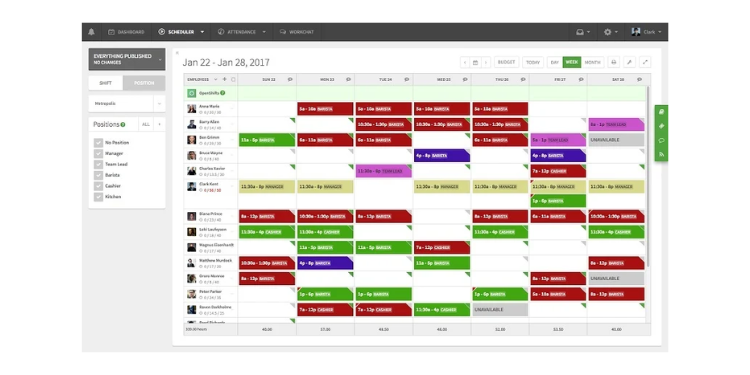
For restaurant groups running multiple locations, Push Operations is a strong fit. It incorporates hiring, scheduling, time tracking, and built-in payroll in one platform, and it's designed to support complex multilocation workforce operations.
Push connects shifts, clock-ins, and payroll in one system, so approved hours can feed supported payroll workflows with less manual entry. For a group running 10 or 15 locations, that single source of truth is the whole point. It offers tools for tip records, pay rates, and overtime, with availability and jurisdiction-specific payroll requirements to be confirmed for the selected package.
This suits a growing franchise or a multilocation operator who can't afford to reconcile labor by hand across sites. Centralized employee records and configurable workflows may simplify managing several restaurants. Reviewers running larger restaurant groups point to that visibility as the reason they switched.
Push is built for bigger operations, though, and that cuts both ways. It's heavier than a single, small independent restaurant needs, and pricing is quote-based for most configurations. Push advertises an Essentials offer starting at $200 for teams of 15 employees or fewer, with the billing interval requiring confirmation. Some users mention a learning curve and gaps in scheduling layout and reporting.
Key Features
Pros
Cons
Pricing
- Custom quote for most configurations
- Essentials advertised starting at $200 for 15 employees or fewer; billing interval and availability require confirmation. Signature, Supreme, and Enterprise require a quote

Homebase: Best Free Option for a Single Location
Available on: Web, iOS, Android
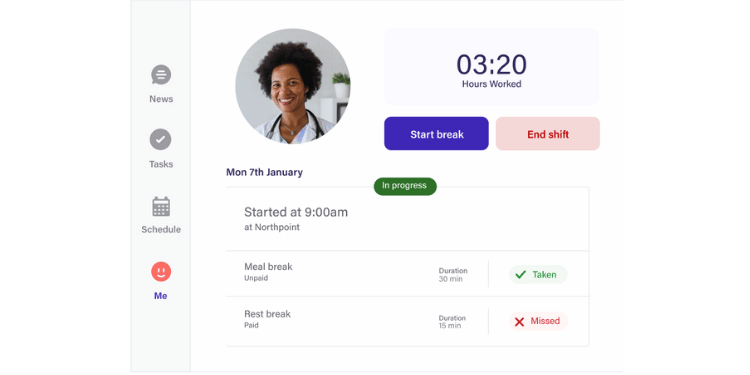
Running one location on a tight budget? Homebase is a strong free option. Its free plan covers core time tracking and basic scheduling for one site, which is plenty for many independents. You can run a small shop on it without paying a cent.
The free plan does real work. One location, scheduling, and time tracking are included at no charge for up to 10 employees. Photo verification, GPS-related controls, and POS integration availability depend on the selected plan and setup. For an owner who's been running paper time cards, that's a clean upgrade for free.
With eligible plans and compatible POS connections, managers may compare labor and sales data. Tip information may be transferred through supported workflows; confirm feature entitlements before purchasing.
The catch shows up when your company grows. Homebase prices by location, so a second and third site add up even on a cheap tier. Optional Homebase Payroll costs $49/month base plus $6 per employee paid/month, and the jump between plan tiers can be steep. For one location, though, the free plan is a strong starting point.
Key Features
Pros
Cons
Pricing
- Free for one location, up to 10 employees
- Essentials $30/location/month; Plus $70/location/month; All-in-One $120/location/month
- Optional payroll: $49/month base plus $6 per employee paid/month

Deputy: Best for Scheduling and Labor Law Compliance
Available on: Web, iOS, Android
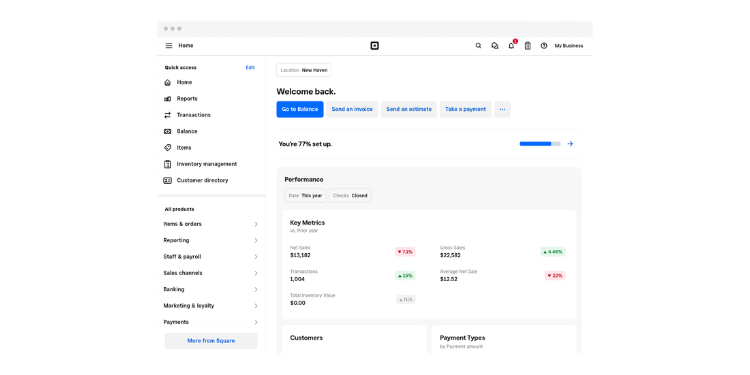
When scheduling and labor law compliance are your real worries, Deputy leads. It's strong on building schedules and helping managers review break and fair-workweek rules through configurable tools. For a restaurant in a strict labor state, those tools can be valuable.
Deputy bakes compliance into the schedule. It tracks break requirements, overtime thresholds, and predictive scheduling laws, and it can flag potential issues for manager review. For a restaurant in California, New York, or another strict state, that compliance support may be a reason to consider it.
It's also a serious scheduling tool, with demand forecasting, auto-scheduling, and labor budgets that help you staff to projected sales. A multilocation operator juggling labor law across sites gets real safeguards instead of guesswork.
Two honest notes. Tips aren't native: Tip-pooling workflows may depend on supported third-party integrations. Payroll availability varies by region, plan, and supported integrations; confirm current Paycor arrangements and fees before purchasing. New admins also face a learning curve in setting up locations and rules. If Deputy isn't quite right, our Deputy alternatives guide covers other options.
Key Features
Pros
Cons
Pricing
- Lite $5/user/month; Core $6.50/user/month; Pro $9/user/month; $30 monthly minimum
- Confirm the cost and availability of third-party tip pooling and payroll workflows
- Free trial available; confirm current trial duration
Jibble: Best Free Option for Punch Verification
Available on: Web, iOS, Android, desktop
If buddy punching is your single biggest problem, start with Jibble. It's free for unlimited users and includes face recognition, which competitors usually charge for. Its supported identity-verification features can help managers review punches.
Jibble's free plan is built around proof of presence. Supported facial recognition and liveness checks can help deter unauthorized punches. Geofencing, kiosk capabilities, and advanced verification features are subject to current free-plan limits.
Picture a restaurant whose main pain is padded hours and one server clocking in another. Set up a compatible kiosk with supported identity-verification options to help deter inappropriate punches and support manager review.
Be clear about what it isn't. Jibble is not a full restaurant payroll or tip-pooling platform; confirm whether it connects to your POS or payroll workflow. It's an attendance tool, not a restaurant labor platform. For tips and pay, you'll pair it with something else. For a free time clock with useful punch controls, it is worth considering.
Key Features
Pros
Cons
Pricing
- Free forever for unlimited users
- Free $0; Essential $3.49/user/month; Growth $5.99/user/month; Pro $10.99/user/month (U.S. monthly rates, excluding tax)
Side-by-Side Comparison Table
| Tool | Best For | Pricing | Key Strengths | Native Payroll |
|---|---|---|---|---|
| OnTheClock | Time plus payroll in one place | $5 base + $4/user/month | All-in-one, low cost, anti-theft | Yes (add-on) |
| 7shifts | Tip pooling and tip-outs | Free up to 15 at one location; Pro $99.99/location/month; Premium $199.99/location/month | Restaurant-focused tip pooling and scheduling | Add-on |
| Toast | POS integration | Custom quote; standard Toast Payroll rates not publicly listed | Deep Toast POS-to-pay flow | Yes |
| Push Operations | Multilocation groups | Quote-based; Essentials advertised from $200 (billing interval unconfirmed) | Multilocation workforce tools; verify payroll jurisdictions | Yes |
| Homebase | Free single location | Free up to 10 at one location; Essentials $30/location/month | Strong free plan, labor costing | Add-on |
| Deputy | Scheduling and compliance | Lite $5; Core $6.50; Pro $9/user/month; $30 minimum | Compliance, forecasting | Third-party/payroll integration; confirm plan |
| Jibble | Stopping buddy punching | Free; Essential $3.49/user/month; Growth $5.99; Pro $10.99 | Free plan with supported facial recognition | No |
Pricing and features reviewed October 2026 using the available vendor information. Standard monthly pricing is shown where verified; quotes, contract terms, add-ons, and feature limits may change the final cost.
What's the Best Time Clock Software for Your Restaurant?
The best option isn't the one with the longest feature list; it's the one that fixes the friction you actually experience.
Start with one question: What's your most painful weekly headache? Many owners buy on features they might use someday and end up with something heavier than they need and a team that won't use it. Focus on the bottleneck you hit right now.
Ask yourself:
- Do I want hours and payroll in one place, at a predictable price? That points to OnTheClock.
- Is splitting tips my weekly nightmare? That points to 7shifts.
- Do I want hours and tips wired into my POS? That points to Toast.
- Do I run several locations across states? That points to Push Operations.
- Do I have one location and want to start free? That points to Homebase.
- Are break and scheduling compliance tools my main worry? That points to Deputy.
- Do I want a free time clock with identity-verification features? That points to Jibble.
Your answer points to your pick. The right tool removes the friction from the problem you encounter most frequently. When that friction disappears, the rest of the week gets easier.
What Is Time Clock Software for Restaurants?
Restaurant time clock software is a tool that records when your staff start and end shifts, then turns those punches into accurate hours for payroll. Employees clock in on a tablet, phone, or POS terminal instead of a paper card or a punch machine.
The good ones do more than count hours; they track tips, support multiple pay rates, flag overtime and breaks, and help deter inappropriate punches. For a restaurant, that's the difference between a quiet payroll run and a Friday-night mess.
Who Needs Time Clock Software?
Any restaurant with hourly staff needs it, which means almost all of them. The moment you have servers, cooks, and bartenders punching in and out, paper time cards start costing you in errors and missing punches.
It matters most for tipped, high-turnover teams. If staff share tips, work multiple roles, or rotate often, manual tracking breaks down quickly. Owners, general managers, and multilocation operators all feel that pain, and all benefit from automating it.
Why Restaurants Rely on Time Clock Software
Restaurants run on thin margins and tight labor rules, and both suffer when small mistakes are committed. A few padded shifts a week, a missed overtime calculation, or a botched tip-out adds up to real money and legal risk.
Staff turnover means many restaurants regularly onboard new employees. The Bureau of Labor Statistics tracks turnover in the broader leisure and hospitality sector, which should not be treated as a restaurant-only rate. Software that's easy to learn and hard to cheat keeps payroll accurate even as faces change. That reliability is why the tool becomes part of how the restaurant runs.
Key Features Restaurant Time Clock Software Should Have
Not every feature matters. These do.
- Tip tracking and tip pooling: Records tips and, where supported, helps calculate tip allocations and transfer information to payroll; automated pooling is not universal.
- Multiple pay rates: Records multiple role-based rates and supports review of applicable overtime calculations.
- Break and overtime rules: Offers configurable break and overtime rules and helps flag potential issues for review.
- Buddy punch prevention: Uses supported PIN, photo, GPS, or biometric controls to help deter unauthorized punching.
- POS integration: Can transfer hours and tip information through supported POS connections where needed.
- Mobile and kiosk clock-in: Lets staff punch on a phone or shared tablet.
How to Choose the Proper Time Clock Software for Your Restaurant
Step 1: Name your biggest pain point
Before comparing features, figure out what actually goes wrong each week. Is it tip-outs, missing punches, payroll re-entry, or compliance worry? The tool that fixes your biggest problem beats the tool with the most features. Write down the one thing that costs you the most time or money, and judge every option against it.
Step 2: Check how it handles tips and multiple rates
This is the make-or-break test for a restaurant, so push on it hard. Make sure the tool can split tips the way your house does and can clock one employee on different rates for different roles. Confirm it calculates overtime using the applicable regular-rate rules; a weighted-average approach is common, but other legally permitted methods may apply. If a tool is vague here, it wasn't built for restaurants.
Step 3: Confirm the real price, including add-ons
Many tools advertise a low base price, then charge extra for the time clock, tips, or payroll. Add up what you'll actually pay with the features you need turned on for the number of locations you run. Per-location pricing, especially, can surprise multilocation operators. Get the full number before you commit.
Step 4: Test it with your real staff
Use the free trial and put a few employees on it for a week. Watch how quickly a new hire learns it, since high turnover means you'll be onboarding constantly. If your team finds it confusing, they'll work around it, and the data you depend on falls apart. Easy adoption is a feature, not a bonus.
Tips for Implementing Time Clock Software Successfully
- Roll it out before a slow week, not a busy one. Give your team room to learn the new clock when the dinner rush isn't bearing down. A soft launch during a quieter stretch means fewer missed punches and less frustration while everyone gets the hang of it. Restaurants that switch mid-chaos usually regret the timing.
- Train one shift lead per shift. Pick a reliable person on each shift to learn the tool well, then let them help everyone else. With high turnover, you can't retrain the entire team every month, so a go-to person per shift keeps adoption steady as staff change. It also takes the load off managers.
- Lock down the kiosk to stop buddy punching from day one. If you use a shared tablet, turn on PIN plus photo or face verification right away. Setting the rules at launch sets the expectation that hours are tracked honestly, which is far easier than tightening the screws after staff get used to loose punching.
Frequently Asked Questions
What's the best time clock software for restaurants?
It depends on your biggest need. For affordable time tracking with optional payroll in the same service, OnTheClock is a strong overall choice. If tip pooling is your main pain, 7shifts leads the way. If you want time and tips wired into your POS, Toast is a great fit. Match the tool to the problem you encounter most frequently.
What is the tipped minimum wage, and how does the tip credit work?
Under federal law, eligible employers may pay tipped employees a direct cash wage of at least $2.13/hour and claim a tip credit of up to $5.12 toward the $7.25 federal minimum wage, if all applicable conditions are met. Employers must make up any shortfall and meet tip-credit notice and recordkeeping requirements. Many states require higher wages or restrict tip credits. See the U.S. Department of Labor guidance.
Do restaurant employees pay tax on tips in 2026?
Eligible workers may qualify for a federal income-tax deduction of up to $25,000 in qualified tips annually, subject to eligibility and income limits. The deduction does not generally eliminate Social Security or Medicare taxes. Employers must continue meeting tip-reporting and withholding requirements; workers should consult current IRS guidance.
Is there a free time clock app for restaurants?
Yes. Homebase offers a free time clock and scheduling for one location with up to 10 employees, with some integrations reserved for paid plans. Jibble offers a free plan for unlimited users with supported verification features, subject to plan limitations. Free plans usually limit payroll and advanced features, so confirm the limits before you commit.
How does time clock software handle an employee who works two roles?
Good restaurant tools let one employee clock different pay rates for different jobs, like server and bartender. For employees working at different rates, the applicable regular-rate rules must be followed. Weighted-average calculations are common, but other permitted methods may apply when their requirements are met. Employers should verify payroll calculations.
Does time clock software stop buddy punching?
Time clocks can help deter buddy punching through supported PIN, photo, GPS punch records, and biometric or facial verification. None guarantees that all improper punches will be prevented; managers should review exceptions.
Do I need POS integration?
It helps a lot if you want tips and hours to flow without re-entry. If you already use Toast or Square, a compatible integration may reduce manual entry of sales and tip data. If your POS isn't central to payroll, integration matters less, and an independent tool like OnTheClock works fine.
Ready to stop fighting your time cards?
Start tracking time for free with OnTheClock. No credit card required at sign-up for the 30-day free trial.
Start Tracking Time for Free