Key Takeaways
- ✔The best time clock software for plumbing companies captures field hours accurately, ensuring techs are paid for the hours they work.
- ✔OnTheClock is the best overall option for small plumbing shops because it supports job-coded time tracking and payroll integrations, with time tracking priced at $5 per month plus $4 per employee; full-service payroll is priced separately.
- ✔GPS, job costing, offline reliability, and easy clock-ins are helpful for technicians who struggle with technology.
- ✔Base fees can add up. A $42-$63 monthly base fee plus per-user costs adds up quickly for a 10-person crew.
- ✔Travel between job sites during the workday generally counts as paid time under federal law (29 CFR 785.38). Your clock should track this time accordingly.
Your tech says he worked nine hours, but the job ticket says six. Payroll's due tomorrow, and you're stuck guessing who's right.
The best time clock software for plumbing fixes that gap. It accurately captures field hours, so the hours your crew works are the hours you pay, no more reconstructing the day from memory. For a small plumbing shop, that one thing decides everything else.
Picture a normal Tuesday. Six service calls, paid drive time between each stop, an emergency call-out after five, and two of your guys are in a basement with no cell signal. If your clock drops those punches or pins the wrong address, payday becomes a cleanup project. You overpay, misbill the job, and lose a Saturday fixing it.
No single tool wins for every shop. So, below, we break down the best solution for each situation a plumbing business actually faces.
What Plumbing Shops Actually Want
You want to trust the hours. That's the whole game.
When the day is spread across a dozen addresses, you need useful punch-location records without calling to check. You want to know what each job really cost, because you price and bill off labor, and a job that looks profitable can quietly bleed money if inaccuracies exist. You want the app to be simple enough that a 55-year-old master plumber and a 19-year-old apprentice both clock in without a training session. And you want a predictable bill, not a base fee that balloons every time you hire.
Different shops feel these differently. Some live or die on GPS proof. For others, it's job costing or just getting techs to use the thing. That's why there's no single winner here, only a best one for each.
Quick Picks: The Best Time Clock Software for Plumbing at a Glance
-
OnTheClock: Best overall for small plumbing shops
-
Workyard: Best for proof you were on the job
-
busybusy: Best for knowing what each job costs
-
Buddy Punch: Best for a tight budget
-
QuickBooks Time: Best for clean payroll
-
ClockShark: Best for scheduling and time together
-
Timeero: Best for working where there's no signal
-
Connecteam: Best for the newest, smallest shops
-
Jobber: Best for running the whole business in one app
-
ShiftFlow: Best for flat per-user pricing
How We Evaluated: The OnTheClock Plumbing Time Clock Scorecard
We compared every option against the eight things that actually decide it for a plumbing shop. Plenty of time clock features look great in a demo and change nothing in the field. We measured only the ones that move the needle for crews on the road. Our evaluation draws on vendor documentation, published product information, and user reviews on G2, Capterra, and Software Advice.
Here's what we judged each tool on:
-
GPS and geofence accuracy: You need location information associated with punches that managers can review when questions arise.
-
Offline reliability: Plumbers work in basements, crawlspaces, and dead zones. A punch that needs live signal is a punch that gets lost.
-
Job costing: Recorded hours should be assigned to the right job and cost code to support labor-cost analysis.
-
Payroll sync: Approved hours should transfer to supported payroll systems with less manual entry.
-
Ease of use: If a tech can't clock in within seconds, your crew won't use it, and the data is worthless.
-
Overtime and break compliance: The tool should support configurable overtime calculations and accurate records of compensable time, including paid short breaks.
-
Pricing that scales sanely: A 10-person shop lives on the monthly bill, so predictable per-seat cost matters as much as any feature.
-
Drive-time separation: Plumbers make six to 10 stops a day with paid travel between them. Splitting truck time from on-site time protects payroll and job costs.
OnTheClock earns the best overall spot for its combination of accessible monthly pricing, job-based time tracking, payroll integrations, configurable overtime tools, and GPS punch records. Where it trails is offline work. Timeero and Workyard offer offline recording capabilities, so if your crew lives in dead zones, weigh that against the price and breadth. We'll be honest about it in the writeup below.
Pro Tip: Before you compare a single tool, write down your one biggest time problem, e.g., verifying hours, costing jobs, or getting techs to adopt the app. The right scorecard for you weights that need first.
The Best Time Clock Software for Plumbing
Below are ten formidable options, each listed with pros and cons for each situation. For every tool, we cover who it fits, what it does well, and where it falls short.

OnTheClock: Best Overall Solution for Small Plumbing Shops
Available on: Web, iOS, Android
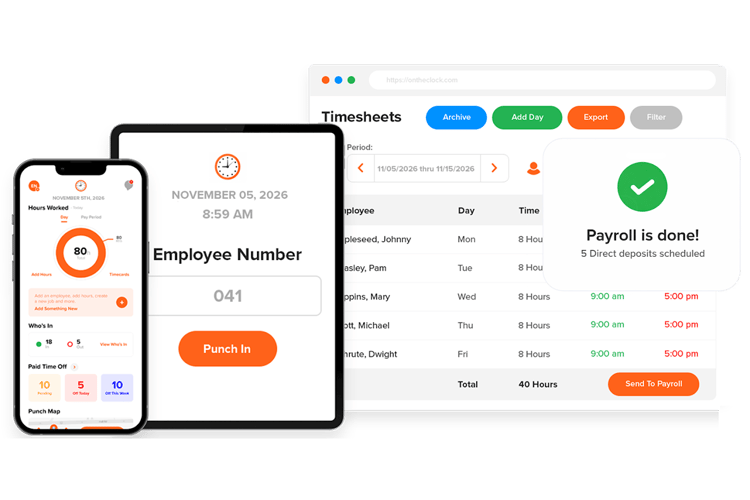
OnTheClock is the best overall time clock software for a small plumbing shop because it combines straightforward time tracking, GPS punch records, job and task coding, configurable overtime, and payroll integrations at an accessible monthly price. For a five- to 20-person crew, that combination is tough to beat.
Why OnTheClock Is Best for Small Plumbing Shops
Start with the money, because that's where small shops feel the pain. OnTheClock charges $4 per employee per month plus a flat $5 base fee. A 15-tech plumbing company pays $65 a month for time tracking, before optional payroll. There's no per-feature upcharge for GPS, no separate scheduling tier, and no surprises. Compare that to tools with higher base fees and per-user charges, and the gap widens fast.
The features match the work. Employees can assign worked hours to jobs and tasks, helping managers review labor time and costs. GPS punch records and configured geofences provide device-location information to support review. Managers can check timecards and overtime before approving hours for payroll.
What Makes It Different for Plumbing?
Most field tools ask you to choose between simple and capable. OnTheClock gives you both, and that's the real difference for a plumbing owner who's also the dispatcher, estimator, and payroll clerk.
Setup doesn't need an IT person or a contract. Approved hours can be transferred to supported providers such as QuickBooks, Gusto, ADP, and Paychex, reducing manual entry. Optional full-service OnTheClock payroll is available for an additional fee. The simple clock-in options can help teams adopt digital time tracking without an elaborate rollout.
Picture your Friday. Instead of chasing three guys for their hours and squaring them against job tickets, you open your phone, review GPS-associated punches and time assigned to jobs, approve timecards, and prepare payroll. That's the difference. See our time tracking built for contractors for the full feature set.
Key Features
Integrations
Pros
Cons
Pricing
- 30-day free trial, no credit card is required at sign-up.
- $5 base per month plus $4 per employee
- Optional full-service payroll: $40/month base plus $6 per employee/month, with a one-time $250 implementation fee
Review your crew’s hours by job. Tie every plumbing punch to a job and cost code with OnTheClock. Free for 30 days, no credit card required at sign-up.
Start Tracking Time for Free.

Workyard: Best for Proof You Were on the Job
Available on: Web, iOS, Android
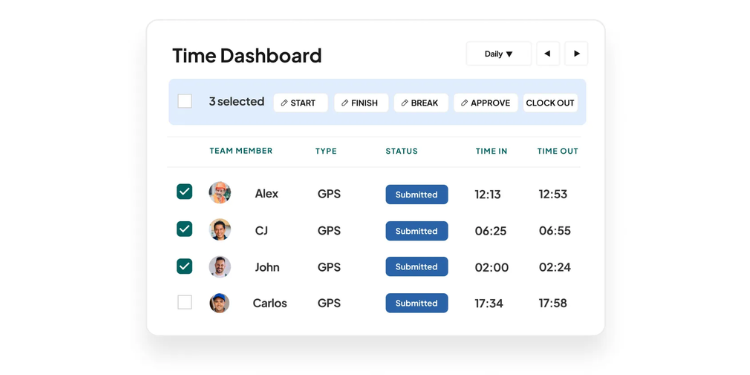
Need better visibility into field punches? Workyard is a strong choice for GPS-oriented time tracking in the trades. Its location records, timestamps, and supported route information can help managers review disputed hours.
That accuracy comes from a battery-saving GPS engine Workyard calls Meerkat, which is designed to balance location capture with battery usage. Geofencing adds automatic clock-in reminders at the job site, and supported photo verification can help deter buddy punching. Hours tag to jobs and cost codes, so recorded hours can support labor-cost estimates, not just dots on a map.
One honest note from reviews: A few users found GPS or mileage readings off in spots, and break tracking is often thinner than they wanted. For most small plumbing crews, though, Workyard offers detailed punch-location reporting.
Key Features
Integrations
Pros
Cons
Pricing
- 14-day free trial
- $6 per user per month (Starter) to $13 per user per month (Pro)
- Both tiers require a $50 monthly base fee

busybusy: Best for Knowing What Each Job Costs
Available on: Web, iOS, Android
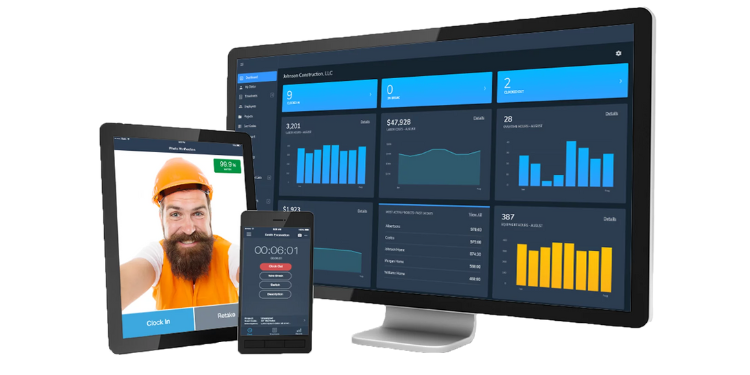
Which jobs actually make you money? If you can't answer that, busybusy is built for you. Job costing is its primary purpose. You set project budgets, tag hours to cost codes, and watch labor spend track against the budget in real time, with alerts as a job nears its limit. That's how you catch a money-losing job while you can still do something about it.
It started in construction, so it handles the field well. GPS records punch-location information, offline mode keeps tracking when signal drops, and it stores unlimited job site photos for documentation. The app supports English and Spanish, which matters to many plumbing crews. It also offers a free plan with limited GPS detail, so a budget-minded shop can start costing jobs at no cost and upgrade when it needs deeper tracking.
busybusy integrates with QuickBooks, Sage, and Paychex, which can reduce manual work when reconciling time and job costs.
Key Features
Integrations
Pros
Cons
Pricing
- Free plan (unlimited users)
- Pro: Confirm standard month-to-month per-user pricing and whether a $40 administrator license applies
- Premium: Confirm standard month-to-month per-user pricing and administrator-license charges
- 14-day free trial on paid tiers

Buddy Punch: Best for a Tight Budget
Available on: Web, iOS, Android
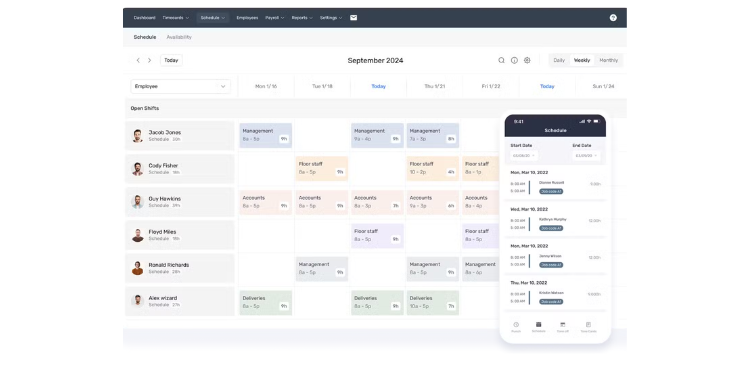
Starter costs $5.99 per user per month plus a $19 monthly base fee. That's a low entry price for field-capable tracking, and it's why Buddy Punch is a great fit for a shop counting every dollar. Even the Starter plan covers GPS punches, PTO, and overtime alerts.
The name says it all. Buddy Punch was built to kill buddy punching, the trick where one worker clocks in for an absent coworker. Photo or identity checks, GPS, geofencing, and QR or PIN options on eligible plans can help deter inaccurate punches. Hours export cleanly to QuickBooks, ADP, Gusto, and Paychex, plus more than 20 payroll providers.
Watch the add-ons, though. Geofencing sits on the pricier Pro plan, real-time GPS costs an extra $2 per user, and offline punching depends on the selected plan and configuration, so confirm its behavior before using it at low-signal sites.
Key Features
Integrations
Pros
Cons
Pricing
- 14-day free trial, no free plan
- Starter: $5.99/user/month plus a $19 monthly base fee
- Pro: $7.99/user/month; Advanced: $13.99/user/month, plus the $19 base fee (confirm checkout)
- Real-time GPS is an extra $2 per user

QuickBooks Time: Best for Clean Payroll
Available on: Web, iOS, Android
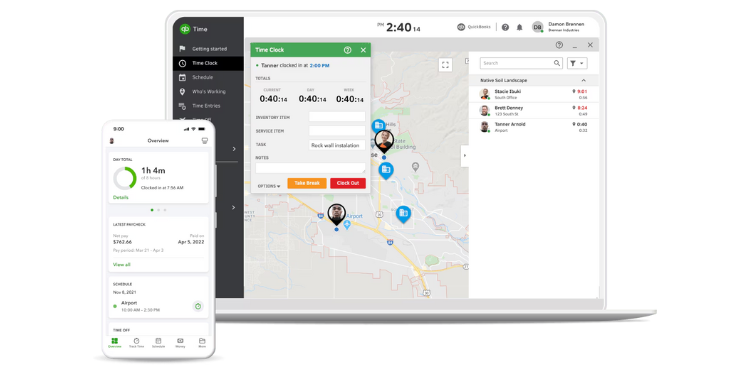
Already run QuickBooks? Then this is your tool. QuickBooks Time, formerly TSheets, syncs job codes, service items, and customers straight from QuickBooks Online, so approved time sheets become payroll with a few clicks and almost no re-keying. For a plumbing shop already using QuickBooks, that tight integration is the whole selling point.
It handles the field well, too. GPS tracking, a kiosk mode for shared clock-in, offline punching that syncs once signal returns, and supported clock-in verification controls all support crews on the move, wrapped in a polished mobile app.
The cost is the catch. QuickBooks Time uses a base fee plus per-user pricing, geofencing and mileage tracking are locked to the higher Elite plan, and you need an active QuickBooks Online subscription on top. For a small shop that doesn't already use QuickBooks, that stack gets expensive quickly.
Key Features
Integrations
Pros
Cons
Pricing
- Free trial available, no free plan
- Premium is $20 base plus $10 per user per month
- Elite: $40/month base plus $12/user/month
- Requires a separate QuickBooks Online subscription

ClockShark: Best for Scheduling and Time Together
Available on: Web, iOS, Android
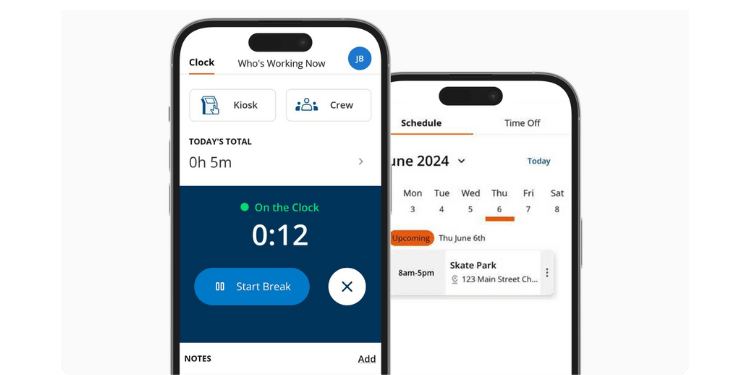
Tired of paying for a scheduler and time clock that don't talk to each other? ClockShark puts both in one app. Its drag-and-drop scheduler lets you build the week, assign crews to job sites, and handle same-day dispatch changes, then techs clock into those jobs from their phones. Hours flow straight into job tracking, so the schedule and the time sheet stay in sync.
It's built for construction and field service, with 57% of its reviewers in construction. GPS and geofencing provide location information for punch review, job costing tracks labor by project, and the Pro plan adds PTO and deeper costing. QuickBooks integration is a strength, with hours, travel time, and job-level costs mapping over cleanly. Field crews are its home turf.
The price is steep for a small crew. Standard costs $42/month base plus $9.50 per active user; Pro costs $63/month base plus $11.50 per active user. At these rates a 10-person shop pays $137 or $178/month, respectively. Confirm the three-year contract condition before purchasing.
Key Features
Integrations
Pros
Cons
Pricing
- 14-day free trial
- Standard: $42/month base plus $9.50 per active user/month
- Pro: $63/month base plus $11.50 per active user/month
- Three-year contract term applies to advertised plans; confirm terms and any included administrator seats

Timeero: Best for Working Where There's No Signal
Available on: Web, iOS, Android
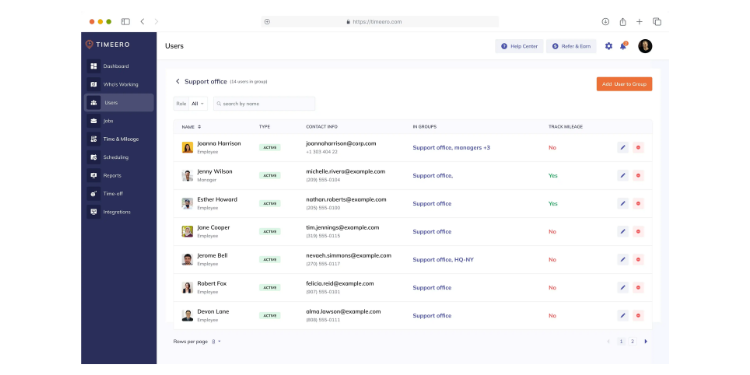
Half the day underground, the other half in rural dead zones. That's a plumber's reality, and it's exactly where Timeero shines. Its offline mode keeps tracking time and location when the connection drops, then syncs everything once the phone reconnects. For a tech spending hours in basements and mechanical rooms, that reliability is the difference between a clean time sheet and a guessing game.
Its standout feature is segmented tracking. Timeero offers optional Segmented Tracking on eligible plans to distinguish travel and on-site segments; confirm the additional charge before enrolling. For plumbers running six to 10 calls a day with paid drive time between them, that separation makes payroll and job costing far more accurate. It also offers a California breaks tracker for shops in the Golden State.
Pricing is friendly at the low end: Basic is $6/user/month for up to 10 users; Pro is $9/user/month, and Premium is $12/user/month, with feature differences by tier. It integrates with QuickBooks and Gusto.
Key Features
Integrations
Pros
Cons
Pricing
- Free trial is available
- Basic: $6/user/month (up to 10 users)
- Pro: $9/user/month
- Premium: $12/user/month; optional Segmented Tracking add-on costs extra on eligible tiers

Connecteam: Best for the Newest, Smallest Shops
Available on: Web, iOS, Android
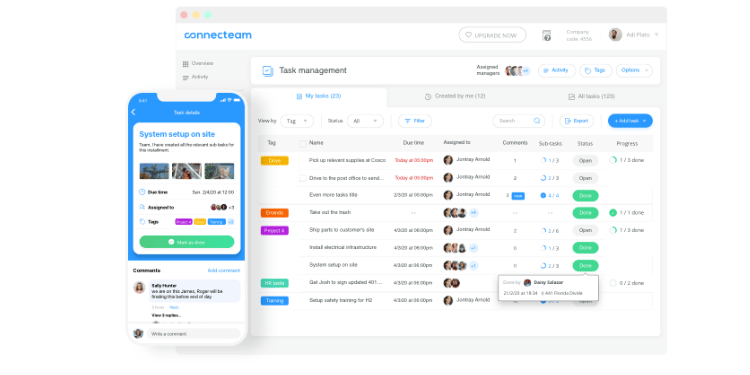
Connecteam is the best starting point for a brand-new or very small plumbing shop, because it's genuinely free for up to 10 users. It's more than a trial or stripped-down demo, it's a full time clock at zero cost, which is perfect for a one- to five-person operation finally getting off paper time sheets. Basic timekeeping is available for eligible free-plan teams; GPS and geofencing capabilities depend on the selected plan.
It's built mobile-first. The app is clean, and a technology novice can use it without training. Beyond the clock, Connecteam integrates scheduling, team chat, and basic HR, so a small shop can run much of its operations from one app. As you grow past 10 users, Operations Basic starts at $35/month for the first 30 users.
Two honest limits: Teams should confirm offline punch capture and synchronization before deploying it at low-signal work sites. And its live GPS tracking and breadcrumb trails sit on the higher Expert tier, at a higher monthly rate.
Key Features
Integrations
Pros
Cons
Pricing
- Free for up to 10 users
- Operations Basic: $35/month for first 30 users
- Operations Advanced: $59/month; Expert: $119/month for first 30 users; additional users and hubs may cost more

Jobber: Best for Running the Whole Business in One App
Available on: Web, iOS, Android
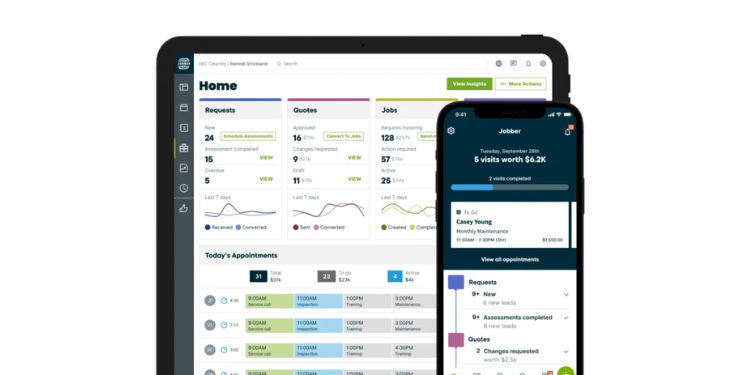
Sometimes a time clock isn't enough. If you want quoting, scheduling, dispatch, customer records, invoicing, and payments in one place, Jobber is a full field service management solution built for home-service trades, with time tracking inside the same app. Plumbers rate the mobile app among the best in the business for on-site estimates and collecting payment before leaving the driveway.
Time tracking is one module of a bigger system. Techs clock in against jobs, and the new offline mode, launched in January 2026, lets them track time and fill out job forms without a connection. The Client Hub keeps repeat residential customers organized. For a service-heavy plumbing business, that's a real advantage.
Know what you're buying, though. Jobber is a business platform, not a dedicated time clock, so it costs more (subscription costs vary by plan, user count, and monthly commitment terms), and you should confirm available overtime calculations and payroll features before subscribing. Time tracking sits on the Connect tier and above, not the entry Core plan. If you only need to track hours, this is more than you need. If you want to run the whole shop in one place, it's the strongest option here.
Key Features
Integrations
Pros
Cons
Pricing
- A 14-day free trial
- Monthly rates vary by plan and team size; confirm regular no-commitment pricing
- Verify the monthly checkout total for the required number of users
- Time tracking starts on the Connect tier

ShiftFlow: Best for Flat Per-User Pricing
Available on: Web, iOS, Android
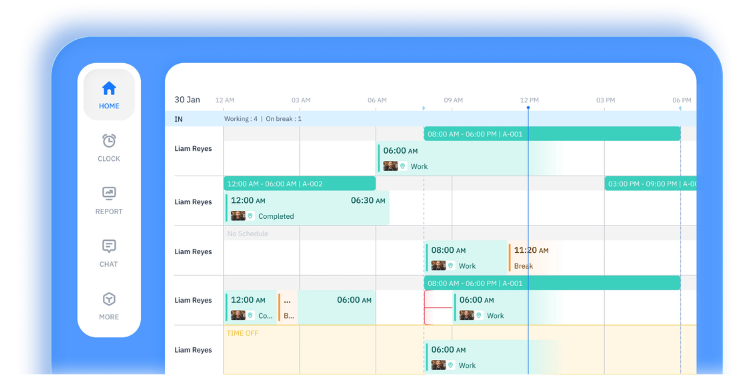
ShiftFlow is a time clock and scheduling app built for plumbing shops that want accurate labor hours without paying for a full field service suite. The pricing is flat at $5.99 per user with no base fee, so a 15-tech shop knows its bill before the crew grows. Verify automatic geofencing, job codes, and offline punch synchronization with ShiftFlow before selecting it for low-signal sites.
Key Features
Pros
Cons
Pricing
- $5.99 per user/month (monthly)
- Confirm current month-to-month price and included features at checkout
- 14-day free trial, no credit card required
Side-by-Side Comparison Table
| Tool | Best For | Pricing | Key Strengths | Top Integrations |
|---|---|---|---|---|
| OnTheClock | Best overall for small plumbing shops | $4/user + $5 base/month | Job costing, easy clock-in, low price | QuickBooks, Gusto, ADP, Paychex |
| Workyard | Proof you were on the job | Verify standard monthly Starter/Pro rates and $50 base fee | High-accuracy GPS, audit trail, offline | QuickBooks, ADP, Gusto, Sage |
| busybusy | Knowing what each job costs | Free; paid month-to-month rates and administrator fee require confirmation | Deep job costing, budgets, offline | QuickBooks, Sage, Paychex |
| Buddy Punch | A tight budget | $5.99/user/month + $19 base | Anti-buddy-punch, low per-user cost | QuickBooks, ADP, Gusto, Paychex |
| QuickBooks Time | Clean payroll | Premium $20 base + $10/user; Elite $40 + $12/user | QuickBooks sync, offline, kiosk | QuickBooks, Gusto |
| ClockShark | Scheduling and time together | $42 base + $9.50/user/month (Standard); 3-year term | Scheduling, crew dispatch, job costing | QuickBooks, ADP, Xero |
| Timeero | Working where there's no signal | $6/user/month (Basic); $9/user/month (Pro) | Offline, drive-time split, mileage | QuickBooks, Gusto |
| Connecteam | The newest, smallest shops | Free up to 10; Operations Basic $35/month for first 30 | Free plan, easy to use, all-in-one | QuickBooks, Gusto, Paychex |
| Jobber | Running the whole business | Varies by plan, team size, and monthly commitment | Full FSM, quoting, invoicing | QuickBooks, Stripe |
| ShiftFlow | Flat per-user pricing | $5.99/user/month (no base fee) | Flat pricing, offline mode, geofencing | N/A |
Pricing and features reviewed October 2026 using available vendor information. Standard month-to-month rates are shown where verified; confirm contract terms, fees, and features with each provider.
Pro Tip: Compare the total monthly cost, not the per-user sticker price. A $9-per-user tool with a $50 base fee would run a 10-person shop $140 a month. A $4-per-user tool with a $5 base runs $45. Same crew, very different bills.
What's the Best Time Clock Software for Plumbing?
The best time clock software for plumbing isn't the one with the longest feature list; it's the one that solves the friction you run into most. Start there.
Ask yourself one question first: What's actually breaking right now? A lot of owners buy for features they might use someday and end up with a heavy tool their crew resists. Focus on your current bottleneck instead.
- Losing money to hours you can't verify? Review GPS punch records. Workyard has detailed location features; OnTheClock offers lower-cost time tracking.
- Can't tell which jobs make money? You need job costing. busybusy goes deepest, with a free tier to start.
- Crew won't use the last app you tried? You need dead-simple. OnTheClock and Connecteam both win with ease.
- Techs working in basements with no signal? You need to be able to track data offline. Look at Timeero or busybusy.
- Just getting off paper and watching every dollar? Start free with Connecteam.
Your answer points to your pick. The right tool removes the friction from the problem you hit most, and once that friction's gone, the rest of payroll gets easier.
What Is Time Clock Software for Plumbing?
Time clock software for plumbing is a mobile app and dashboard that lets your field techs clock in and out from their phones, usually with GPS, and turns those punches into accurate time sheets for payroll and job costing.
For a plumbing shop, it replaces paper timecards, end-of-week guesswork, and texts like "I think I worked eight hours." Techs punch in at the job site, the software stamps the time and location, tags the hours to a job, and hands you clean data to pay your crew and bill your customers.
Who Needs Time Clock Software in a Plumbing Business?
Any plumbing business with hourly field techs needs it, but the pain grows with the crew. A solo plumber can track time in a notebook. A five-to-20-person shop cannot.
Owners and office managers feel it most, because they're the ones reconstructing the week and absorbing the cost of wrong hours. If your techs work across multiple addresses, you bill by labor, or you've ever caught a buddy punch or a rounded-up time sheet, you're the audience for this software. Dispatchers and lead techs benefit too, since the same app often handles scheduling and job assignments.
Why Plumbing Shops Rely on Time Clock Software
Plumbing shops rely on time clock software because work happens everywhere except the office, which makes hours hard to verify.
Your crew is spread across town all day. Without location-stamped punches, you're taking everyone's word for when they started, when they left, and how long the job took. That gap costs real money: inflated payroll, misbilled jobs, and hours of weekly cleanup. The software closes the gap by tying every punch to a time, a place, and a job. It also keeps records straight for labor law, which matters more than most owners think, as the next sections explain. For a deeper look, see our guide to GPS time tracking for field crews.
Key Features Plumbing Time Clock Software Should Have
The best plumbing time clock software covers the field-specific basics first, then the extras. Here's the checklist to run before you buy.
- GPS and geofencing: Confirms techs are at the customer's address and can auto-remind them to clock in on arrival.
- Offline mode: Keeps tracking time in basements, crawlspaces, and rural dead zones, then syncs when signal returns.
- Job and cost-code tracking: Attaches hours to the right job, so you can see labor cost and profit per project.
- Payroll integration: Pushes hours into QuickBooks, ADP, or Gusto without retyping.
- Overtime and break tracking: Calculates 40-hour overtime automatically and handles paid short breaks correctly. Under federal law (29 CFR 785.18), rest breaks of five to 20 minutes count as paid work time.
- Drive-time tracking: Captures paid travel between jobs, which federal law treats as hours worked (29 CFR 785.38).
- Simple mobile clock-in: Fast enough that any tech uses it without training.
How to Choose the Right Time Clock Software for Your Plumbing Business
Step 1: Name your biggest time problem first
Before you look at a single app, write down what's actually costing you. Is it hours you can't verify, jobs you can't cost, a crew that won't adopt the last tool, or payroll that eats your Friday? The honest answer points you to a category of tools and saves you from buying features you'll never touch. Most bad software decisions start with shopping before diagnosing.
Step 2: Check GPS and offline reliability for your real job sites
Plumbing happens in basements, crawlspaces, and rural homes, where signal dies. Test whether the app tracks a punch with no connection and syncs it later, because a tool that drops offline punches will quietly break your time sheets. During a free trial, have a tech clock in from your worst-signal job site and see what shows up. GPS accuracy matters just as much: A pin in the wrong yard is worse than no pin at all.
Step 3: Confirm it tracks hours by job and cost code
You price and bill off labor, so your software has to tie hours to specific jobs, not just pile them up by day. Look for the ability to switch jobs in a tap or two and to see labor cost build against a budget in real time. This is what turns a time clock into a profit tool. Without it, you're still guessing which work makes money.
Step 4: Test how fast a real tech can clock in
Adoption decides everything. If your least tech-savvy plumber can't clock in within a few seconds, your crew won't use it, and the cleanest data in the world is worthless if half your team ignores the app. Put the trial app in your crew's hands, not just the office computer. Watch whether they figure it out without a manual. Spanish-language support is important to many plumbing teams, so check for it if you need it.
Step 5: Add up the true monthly cost for your headcount
Per-seat pricing hides the real number. A tool at $9 per user with a $50 base fee costs far more than a $4-per-user app once you count a 10-person crew. Multiply the per-user price by your headcount, add every base fee, then add the cost of any feature you actually need that's locked behind a higher tier, like geofencing or real-time GPS. Compare the totals, not the sticker prices. A predictable bill protects a small shop more than a flashy feature does.
Step 6: Verify payroll and accounting integration
The whole point is getting accurate hours into payroll without retyping them. Confirm the software connects to your payroll provider, whether that's QuickBooks, ADP, Gusto, or Paychex, and check whether the sync is one click or a manual export. A clean integration removes the exact step where most payroll errors are born. If you don't yet use a payroll provider, look at tools that run payroll natively so you don't bolt on another cost later.
Step 7: Check overtime and labor-law compliance
Most hourly plumbing technicians are nonexempt employees, and employers must comply with applicable wage-and-hour requirements. Make sure the tool automatically calculates overtime for hours beyond 40 and correctly handles travel and break rules. Travel time between jobs is paid under federal law (29 CFR 785.38), and short breaks of five to 20 minutes count as paid time (29 CFR 785.18). Software that mishandles these turns small mistakes into wage claims. If you operate in a stricter state like California, confirm the tool also tracks the extra break rules.
Step 8: Run a free trial before you commit
Never buy on the demo alone. Use a free trial or free plan where available, and test it for a real week with real techs, job sites, and payroll runs. The demo shows you the best case; the trial shows you the truth. Pay attention to whether punches drop, whether the GPS lands right, and whether your crew complains. A week of honest testing saves you from a year stuck with the wrong tool.
Tips for Rolling Out Time Clock Software in Your Plumbing Shop
- Tell your crew why before you launch. Plumbers hear "tracking app" and assume you don't trust them. Head that off. Explain that accurate hours mean correct paychecks and fewer payroll disputes, and explain when location data is collected, how it is used, and who can access it. When the team understands the app protects their pay, resistance drops fast.
- Start with one or two crews, not everyone. Roll the software out to a small group first, work out the geofence and job-code kinks, then expand. A messy company-wide launch sours the whole team on the tool. A clean pilot gives you champions who help the rest of the crew get on board.
- Set up your job sites and cost codes before day one. Pre-load your common job sites, geofences, and cost codes so techs aren't fumbling with setup in the field. The first week shapes the habit. If clocking in is smooth from the start, it sticks; if it's clunky, they'll go back to texting you their hours.
- Run it alongside your old method for one week. Keep your current system going for the first week as a safety net while everyone learns. Compare the two, fix what's off, then cut over fully. This catches problems before they hit a real payroll run.
Pro Tip: Pick one crew lead as your in-app champion during week one. When a tech has a question, they ask the lead, not you. That single habit cuts your rollout headaches in half and speeds adoption.
Frequently Asked Questions
What is the best time clock app for a plumbing business?
The best time clock app depends on your primary need, but OnTheClock is a strong choice for small plumbing shops because it combines GPS punch records, job-based tracking, easy clock-in, and payroll integrations at a low, predictable price. If your top priority is GPS tracking, Workyard leads. If it's job costing on a budget, busybusy is strong. Match the tool to the problem you encounter most often.
Are there free time clock apps for plumbers?
Yes. Connecteam offers a free plan for up to 10 users with basic time tracking; GPS features vary by plan, and busybusy has a free tier with limited GPS detail. OnTheClock offers a 30-day free trial without a credit card, followed by paid time tracking at $5/month base plus $4/employee. Free plans work well for very small or brand-new shops; most growing crews eventually need a paid plan for offline mode or deeper GPS.
How much does time clock software cost for a small plumbing business?
Most tools run $4-$13 per user per month, often with a monthly base fee on top. OnTheClock is $4 per employee plus a $5 base fee, so a 15-tech shop pays about $65 a month. Watch the base fees: Some tools add $42-$63 a month before per-user costs, which adds up fast for a 10-person crew.
Do I have to pay plumbers for travel time between jobs?
Yes. Under federal law (29 CFR 785.38), travel between job sites during the workday generally counts as paid hours worked. Ordinary home-to-work commuting generally does not, though exceptions may apply. Good time clock software can help record paid drive time separately from ordinary commuting; employers should review the records. Some states have stricter rules, so check your local labor law.
Does GPS time tracking work in basements with no signal?
Only if the app has a true offline mode. Timeero, Workyard, busybusy, and QuickBooks Time keep tracking when signal drops and sync once the phone reconnects. For Buddy Punch and Connecteam, verify offline capabilities for your selected plan before relying on punches in dead zones. If your crew works underground often, treat offline mode as a must-have, not a bonus.
How is overtime calculated for plumbers?
Under the Fair Labor Standards Act, nonexempt plumbers earn at least 1.5 times their regular rate for hours worked over 40 in a workweek. Paid short breaks of five to 20 minutes (29 CFR 785.18) and paid travel between jobs count toward that 40-hour threshold. Look for configurable overtime calculations and verify their accuracy against your payroll rules.
How do I stop buddy punching on my plumbing crew?
Use a tool with location and identity verification. GPS and geofencing provide punch-location records that can support manager review, and photo or facial recognition can help deter buddy punching. Buddy Punch and Workyard both lead here with photo ID at clock-in. These controls turn "your word against theirs" into a clear record.
Start tracking your plumbing crew's hours for free
Stop guessing at hours and losing Saturdays to payroll cleanup. Review your crew’s hours by job and available punch-location records, then prepare approved timecards for payroll. Try OnTheClock free for 30 days.
Start Tracking Time for Free!No credit card required at sign-up.
