

Jump to section
Try OnTheClock Free
Save time and make payroll effortless with our easy-to-use, affordable employee time tracking app.
Try It FreeKey Takeaways
- ✔OnTheClock is the best pick for small restaurant teams, with tips, scheduling, GPS, and kiosk punching in one $5 base plus $4 per user plan.
- ✔Buddy punching is the No. 1 leak. A real punch has to tie to a real person, not a shared POS that any server can tap.
- ✔Tips and split roles break payroll. Tip math and one worker on two pay rates are where restaurant pay nights fall apart.
- ✔Pricing models differ. Some tools charge per user, some per location, so the cheap label flips once you count your team.
- ✔Test any tool through one full pay period before you commit.
It's 9:50 p.m. on a Friday at a 24-seat taco shop, and Devon just found two servers clocked in since 4 p.m. when one of them didn't tie on an apron until 5. A buddy tapped him in on the shared POS. The best time tracking software for restaurants kills that moment first: it ties every punch to a real person, counts tips and split roles right, then hands clean hours to payroll. Get that one thing right and the Friday close stops leaking money.
A restaurant runs on messy hours. A server clocks in for a double, a line cook covers a split, a busser jumps on register, and the manager floats across all of it. When those punches live on a shared screen or a paper sheet, payroll night turns into a rebuild. Reviewers on G2 and Capterra keep raising the same three pains: staff punching each other in on a shared terminal, tip and tipped-wage math that never adds up, and one person working two roles at two rates so overtime comes out wrong.
No single tool wins for every kitchen. Below are seven picks, each matched to a real restaurant situation, starting with the one for small teams.
What Restaurants Actually Want From Time Tracking
Restaurants want proof first. A punch has to tie to one real person, not a tablet by the pass that anyone can tap. That single need shapes almost every other choice here.
After proof comes the money math. Tipped wages, tip pools, and a server who also bartends at a different rate all have to land right, then move into payroll without hand keying. The Department of Labor counts tips and overtime by the worker, so the tool has to as well.
And it has to survive a rush. The right pick shifts with what you need most: stopping time theft, getting tips correct, or just ending the Sunday-night payroll scramble.
Quick Picks: The Best Restaurant Time Tracking Software at a Glance
-
OnTheClock: Best for small restaurant teams
-
Homebase: Best free for a single location
-
7shifts: Best for tip pooling and restaurant-native labor
-
Toast: Best for restaurants already on Toast POS
-
Square Team Management: Best for cafes and quick service on Square
-
When I Work: Best for multilocation shift swapping
-
Deputy: Best for break and labor law compliance
How We Evaluated the Best Restaurant Time Tracking Software
We judged each tool on what actually matters behind a busy pass, not on feature-sheet length. We compared every option against the seven needs restaurant owners keep raising, what we call the OnTheClock Restaurant Time Tracking Checklist:
-
Punch proof: ties each clock-in to one person through a passcode, photo, PIN, or biometric.
-
Buddy punch control: stops a server from clocking in a friend on a shared device.
-
Tip handling: records tips and tip pools so paychecks and tipped-wage math come out right.
-
Multiple pay rates: clocks one worker at the right rate for each role, so overtime stays legal.
-
Punch devices: works on the POS, a tablet kiosk, or a phone, whatever sits on your floor.
-
Payroll handoff: moves approved hours and tips into payroll without retyping.
-
Cost to run: the real monthly bill once you count your team and your locations.
OnTheClock earns the top spot for small restaurant teams because it covers these needs in one base plan: tip, bonus, and commission tracking, kiosk and GPS punching, scheduling, PTO, and overtime alerts, with none of it held back for a higher tier. That breadth at the base price is the basis for the label, not a ranking against the other picks. Each of those serves its own restaurant situation best.
The Best Restaurant Time Tracking Software
Below, the best restaurant time tracking software, with the right pick for each situation. For each one, we cover who it fits best, where it stands out, and where it may not be the right move.

OnTheClock: Best for Small Restaurant Teams
Available on: Web, iOS, Android
Why OnTheClock Is Best for Small Restaurant Teams
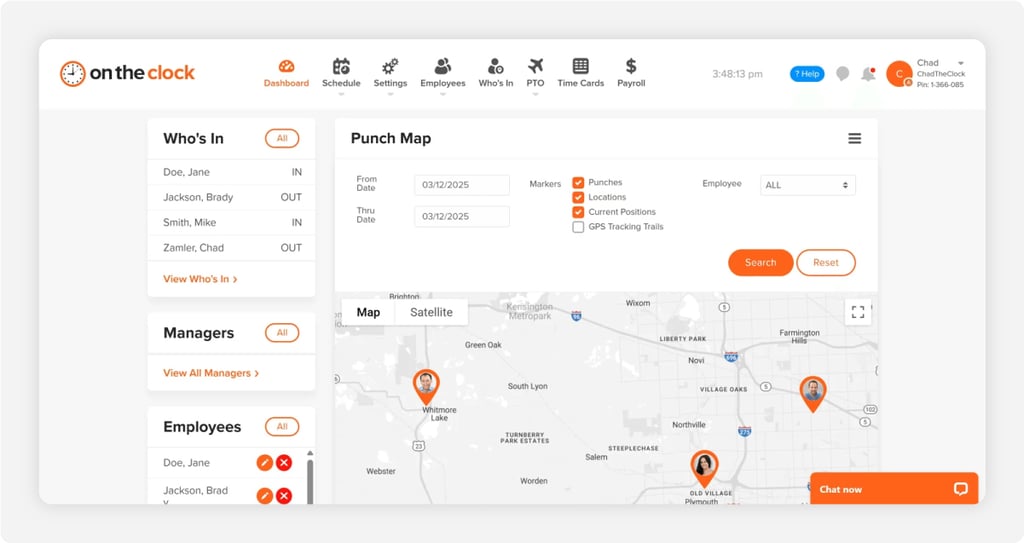
Picture the owner of a single taqueria or a 30-seat cafe who also runs the floor. You don't need a labor suite. You need clean hours, honest tips, and a punch that proves who showed up. OnTheClock does that job in one plan, which is why it fits small restaurant teams so well.
Servers and cooks clock in from the wall tablet in kiosk mode, a phone, or a shared screen, and a PIN plus GPS ties each punch to a person and a place. Tips, bonuses, and commissions track inside the base plan, so a busser who picks up bar shifts gets the right pay. Owners on review sites keep saying the same thing: setup took minutes and the math just works. See the restaurant time tracking rundown for the full feature set.
Why OnTheClock Is Different for Restaurants
One plan, no fine print. OnTheClock costs $5 a month plus $4 per user, and the restaurant features come included, not bolted on at a higher tier. A 12-person crew runs about $53 a month. Add full payroll for a $40 base plus $6 per employee when you want pay runs in the same place.
It isn't a fit for everyone. A manager who got burned by a heavy enterprise platform will love how light this is, but heavy custom labor forecasting lives elsewhere. And every punch needs an internet or Wi-Fi connection, so a dead router means a manual clock-in.
Key Features
Pros
Cons
Pricing
- 30-day free trial, no credit card
- $5 a month base plus $4 per user/month; optional payroll at a $40 base plus $6 per employee/month (see how OnTheClock pricing works)

Homebase: Best Free for a Single Location
Available on: Web, iOS, Android
Why Homebase Is Best Free for a Single Location
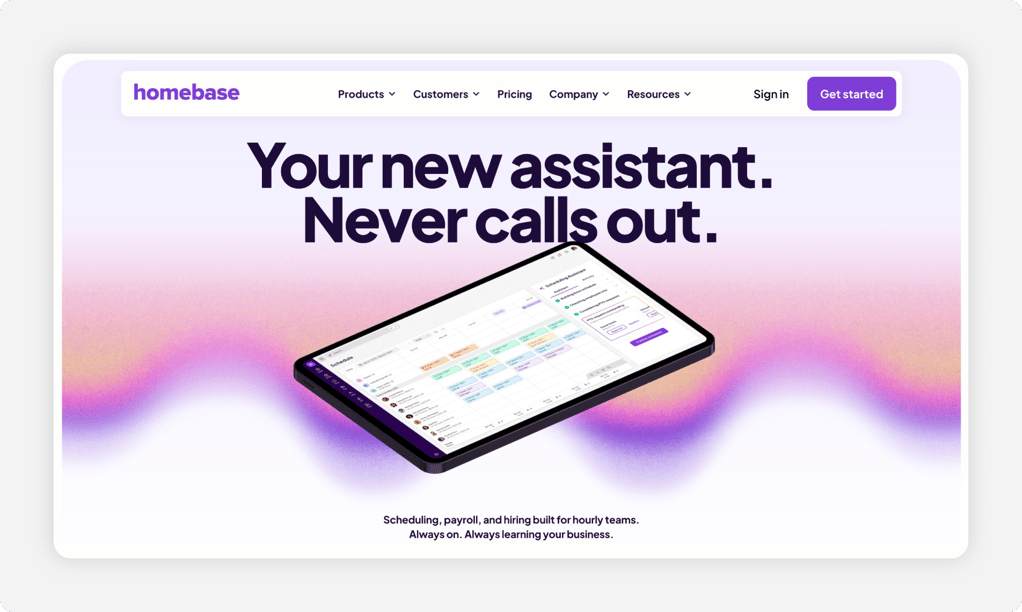
Run one diner or coffee bar with a tight team? Homebase gives you a real punch clock for free. The Basic plan covers one location and up to 10 employees, with scheduling, time tracking, and POS integration at no cost. For a brand new spot watching every dollar, that's a soft place to start.
Staff clock in on a tablet, a computer, or a POS device, and the mobile time clock can capture a photo and a location to keep punches honest. Reviewers love the price and the easy scheduling, though they note that real restaurant extras like tip pooling and photo punch enforcement sit on paid tiers. Paid plans run $30 to $120 per location each month, billed by location, so the bill climbs fast once you add sites.
Key Features
Pros
Cons
Pricing
- Free Basic plan for one location, up to 10 employees
- Essentials $30, Plus $70, All-in-One $120 per location/month; payroll add-on $39 base plus $6 per employee paid/month

7shifts: Best for Tip Pooling and Restaurant-Native Labor
Available on: Web, iOS, Android
Why 7shifts Is Best for Tip Pooling and Restaurant-Native Labor
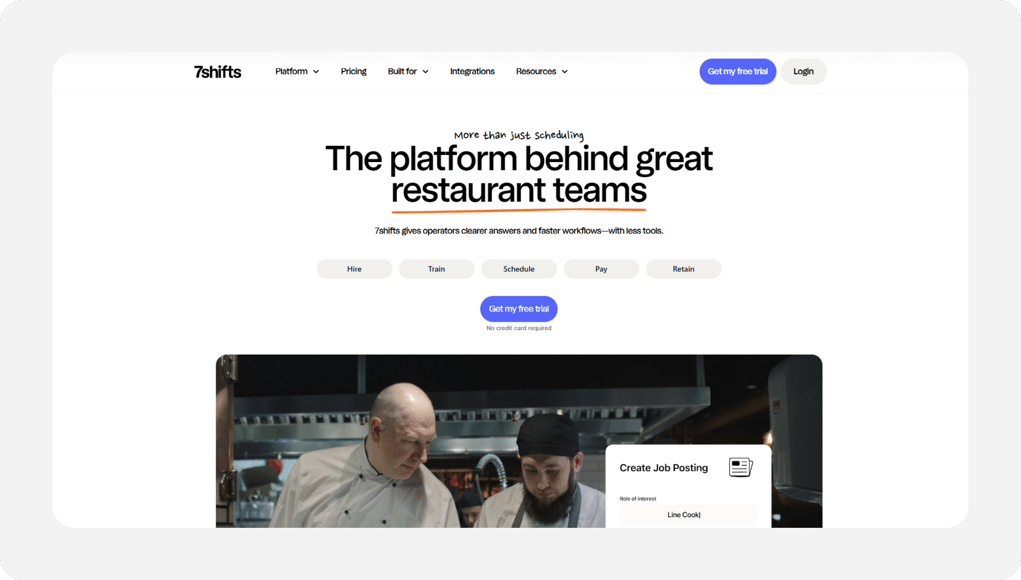
7shifts was built for restaurants and nothing else, and it shows. A full-service spot juggling tip pools, server rates, and a back of house schedule will feel at home. The platform pairs scheduling and labor compliance with tip management, so the tip math that wrecks most pay nights gets handled where the hours live.
Staff punch through the 7punches time clock app, which records starts and ends and syncs them to the labor hub for review and payroll. It connects to Toast and Square so tips and sales flow in. Two honest cautions: time clocking lives in that separate 7punches app rather than the main scheduler, and you'll need a paid plan to unlock it. A free plan exists for a single small location to test the waters.
Key Features
Pros
Cons
Pricing
- Free plan for one location
- Paid plans billed per location/month; time clocking unlocks on paid tiers (compare 7shifts alternatives)

Toast: Best for Restaurants Already on Toast POS
Available on: Web, Toast hardware, iOS, Android
Why Toast Is Best for Restaurants Already on Toast POS
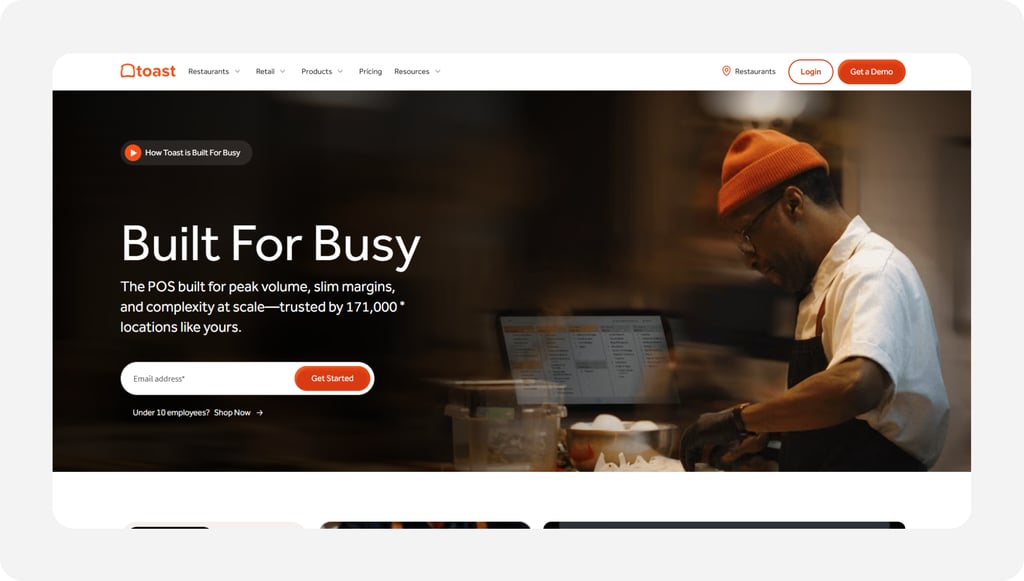
Already ringing every order through Toast? Then your hours already live there too. Toast Payroll and Team Management pulls punch data straight from the Toast POS, so time sheets, wages, and tips sync without anyone retyping a number. For a restaurant deep in the Toast world, that one-system flow is the whole point.
It tracks hours and tips, manages multiple job rates and blended overtime across locations, and handles scheduling and tax compliance in the same hub. The honest limit is the doorway: this only makes sense if you run Toast POS hardware, and Toast doesn't publish payroll pricing, so you'll need a quote built around your restaurant's size.
Key Features
Pros
Cons
Pricing
- Quote-based; requires Toast POS
- Payroll and team management priced per restaurant; contact Toast for a quote
.png?width=208&height=48&name=Square-logo%20(1).png)
Square Team Management: Best for Cafes and Quick Service on Square
Available on: Web, Square POS, iOS, Android
Why Square Team Management Is Best for Cafes and Quick Service on Square
A coffee bar or quick-serve counter on Square already has a clock at the register. Square Shifts is free for up to five team members, with time cards and a real punch clock. Staff clock in and out right at the Square POS or in the Team app with a personal passcode, and you can lock it to the store with geofencing.
Breaks track automatically, overtime calculates on its own, and time cards export to Square Payroll or another provider. For a small cafe that lives in Square, that's a clean, free start. The catch is the ecosystem: it's built around Square, and the free tier stops at five people, so a growing crew moves up to Shifts Plus, a paid per-team-member upgrade.
Key Features
Pros
Cons
Pricing
- Shifts Free for up to five team members
- Shifts Plus starts at a paid per-team-member rate for larger teams

When I Work: Best for Multilocation Shift Swapping
Available on: Web, iOS, Android
Why When I Work Is Best for Multilocation Shift Swapping
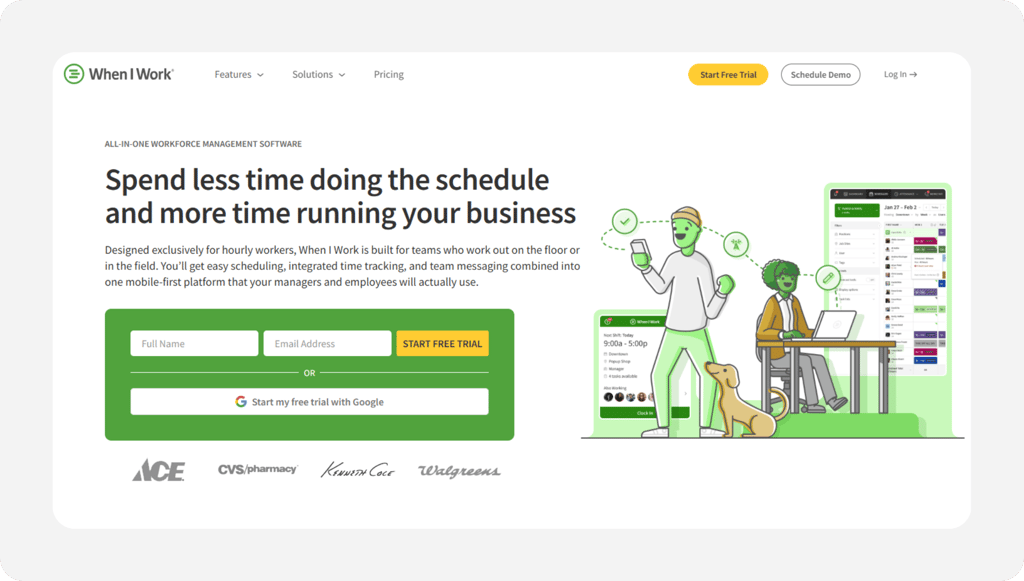
Run two or three restaurants and your headache is coverage, not just hours. When I Work shines at multilocation scheduling and shift swaps, so a server can pick up a Saturday at your second location without a flurry of texts to the manager. The schedule and the clock sit together.
Any device becomes a time clock that tracks attendance, breaks, and time off, with GPS and geofencing to keep punches honest. One thing to plan for: scheduling and messaging come in the base plan, but time tracking and attendance ride as a paid add-on on top of the per-user price. Read our full When I Work review before you commit.
Key Features
Pros
Cons
Pricing
- 14-day free trial, no credit card
- Essentials $2.50, Pro $5, Premium $8 per user/month; time tracking add-on $1.50 to $2 per user/month

Deputy: Best for Break and Labor Law Compliance
Available on: Web, iOS, Android, iPad kiosk
Why Deputy Is Best for Break and Labor Law Compliance
Work in a state with strict meal-break and predictive scheduling rules? Deputy was built to keep you on the right side of them. It bakes labor law compliance into scheduling and punching, so breaks get planned, tracked, and flagged before they turn into a wage claim. Hospitality names like Hampton by Hilton and Dutch Bros run on it.
The time clock works on a tablet, phone, web, or an iPad kiosk, with geofencing to fence punches to the store. Move up to the Core plan and biometric face-unlock kills buddy punching at the kiosk. Watch the floor on cost, though: there's a $30 monthly minimum, and that anti-buddy-punch biometric sits on Core and above, not the entry Lite plan. See our Deputy alternatives guide for smaller teams.
Key Features
Pros
Cons
Pricing
- Free trial available; $30 monthly minimum on paid plans
- Lite $5, Core $6.50, Pro $9 per user/month
Side-by-Side Comparison
| Tool | Best For | Pricing | Key Strengths | Top Integrations |
|---|---|---|---|---|
| OnTheClock | Small restaurant teams | $5 base + $4/user/month | Tips, kiosk, GPS, scheduling in base plan | Gusto, QuickBooks, ADP, Paychex, Square |
| Homebase | Free for a single location | Free; paid $30 to $120/location/month | Free single-site punch, scheduling | Square, Clover, Toast, QuickBooks, Gusto |
| 7shifts | Tip pooling, restaurant-native labor | Free plan; paid per location/month | Tip pooling, labor compliance | Toast, Square, Gusto, ADP |
| Toast | Restaurants on Toast POS | Quote-based; needs Toast POS | POS-synced hours and tips | Toast POS ecosystem |
| Square Team Management | Cafes and quick service on Square | Free up to 5; Shifts Plus paid/user | Free register punch, auto breaks | Square POS, Square Payroll |
| When I Work | Multilocation shift swapping | $2.50 to $8/user/month + tracking add-on | Multilocation scheduling, swaps | Gusto, QuickBooks, ADP, POS |
| Deputy | Break and labor law compliance | $5 to $9/user/month, $30/month minimum | Compliance, biometrics, kiosk | Gusto, QuickBooks, ADP, Paychex, Square |
Comparison data verified June 2026 against each vendor's own site; subject to change by respective providers.
What's the Best Time Tracking Software for Restaurants?
The best option isn't the longest feature list; it's the one that fixes the friction you hit most. Start with one question: what breaks first on your floor?
- Want tips, scheduling, and honest punches in one cheap plan? OnTheClock.
- Running one small spot on a tight budget? Homebase free.
- Living inside Toast or Square already? Toast or Square Team Management.
Match the tool to the pain, and payroll night stops being the worst part of your week.
What Restaurant Time Tracking Software Actually Does
Restaurant time tracking software is a digital punch clock built for tipped, hourly crews. Staff clock in and out on a POS, tablet, or phone, and the system logs exact hours, breaks, and tips against each person.
For a restaurant, it does more than count minutes. It ties a punch to one worker so nobody clocks in a friend, splits hours by role and rate, and ships clean numbers to payroll. The simple point: real hours in, correct pay out.
Who Needs Time Tracking in a Restaurant?
Any restaurant with hourly staff benefits, and the math tips fast. Once you pass a few employees or a single tablet that everyone shares, paper sheets and POS guesswork start costing real money in padded hours and tip errors.
Full-service spots, quick-serve counters, coffee bars, food trucks, and multisite groups all qualify. If you're chasing missed punches or rebuilding tips every pay period, you're the audience.
Why Restaurants Lose Money Without Good Time Tracking
Restaurants run on thin margins, and labor is the biggest controllable cost. A few buddy punches a week, a little rounding here, a tip miscount there, and the leak adds up to thousands a year against a slim bottom line.
The old way fails because it trusts memory and a shared screen. A real system replaces guesswork with proof, and it keeps you clear of wage claims by tracking breaks and overtime correctly. Federal overtime rules under the Fair Labor Standards Act apply to your nonexempt cooks and servers, so accurate hours protect both the paycheck and the business. Tighten it up with employee shift scheduling that feeds the clock.
Key Features Restaurant Time Tracking Software Should Have
Before you compare prices, make sure any tool covers the basics a kitchen actually needs.
-
Buddy punch control: a PIN, photo, passcode, or biometric so one person can't clock in another.
-
Tip tracking: records tips and tip pools so paychecks and tipped-wage math hold up.
-
Multiple pay rates: one worker, two roles, the right rate and legal overtime for each.
-
Flexible punch devices: POS, tablet kiosk, or phone, matched to your floor.
-
Break and overtime rules: tracks meal breaks and flags overtime before it hits.
-
Payroll handoff: moves approved hours and tips into payroll without retyping.
How to Choose the Proper Time Tracking Software for Restaurants
Step 1: Count your team and locations, then do the pricing math.
Pricing models split two ways, and the cheap label flips depending on yours. Per-user tools like OnTheClock, When I Work, and Deputy charge by head. Per-location tools like Homebase and 7shifts charge by site, no matter the headcount.
Run your real numbers. A 12-person single cafe on OnTheClock is about $53 a month ($5 base plus 12 times $4). That same team on Homebase Essentials is $30 for the one location. But open a second and third location, and the per-location bill triples while a per-user bill barely moves. Do this math first, because it reorders the whole list.
Step 2: Name your single biggest problem.
Pick the one leak that hurts most. Is it buddy punching at the shared terminal, tip math that never balances, or the Sunday-night payroll rebuild?
Your answer points straight at a tool. Time theft means Deputy biometrics or OnTheClock PIN and GPS. Tip pooling means 7shifts. Payroll pain means whichever tool plugs cleanest into how you already pay your team.
Step 3: Match the punch method to your floor.
Where will people actually clock in? A counter cafe wants the register or a tablet by the pass. A food truck or catering crew needs a phone punch with GPS. A full-service floor often wants a fixed kiosk near the schedule.
Test the method during a rush, not a quiet afternoon. If clocking in slows the line or pulls the POS away from orders, staff will skip it, and skipped punches are how the data breaks.
Step 4: Check tip handling and multiple pay rates.
This is where restaurant payroll lives or dies. Confirm the tool records tips the way you pay them, pooled or individual, and that it can clock one worker at two rates when a server also bartends.
Picture a server who earns $2.13 tipped plus tips on the floor and $18 an hour bartending. The system has to keep those hours and rates separate so overtime and tipped-wage math come out legal. If it can't, you'll fix it by hand every pay period.
Step 5: Confirm the payroll connection.
The point of clean hours is a clean pay run. Check that the tool exports to your payroll, whether that's Gusto, QuickBooks, ADP, Paychex, or a built-in option like OnTheClock or Toast.
A real connection carries hours, tips, and multiple rates, not just a total. If you're retyping tip splits into payroll, you haven't solved the problem, you've moved it.
Step 6: Check labor law compliance for breaks and overtime.
Restaurants get hit hardest on meal breaks and overtime. If you operate in a state with strict break or predictive scheduling rules, you want a tool that plans and tracks breaks and flags overtime before it happens.
The Department of Labor sets the federal floor, and many states stack stricter rules on top. A tool that tracks this for you turns a compliance risk into a non-issue. This is exactly where Deputy earns its slot.
Step 7: Run a free trial through one full pay period.
Never buy on a demo. Run the tool live through a real pay period, rush nights and all, so you see how punches, tips, and the payroll export behave under pressure.
Most picks here offer a free trial. OnTheClock gives 30 days with no credit card, which is enough time to cover two pay cycles and watch a full payroll run before you decide.
Tips for Rolling Out Time Tracking in Your Restaurant
-
Tell the team why first. Frame it as accurate, on-time pay, not surveillance. Staff who trust the clock use it right.
-
Set punch rules before day one. Decide PIN, photo, or geofence, and where the device lives, so the first shift starts clean.
-
Train on the rush, then check the federal rules. Walk new hires through clock-in, breaks, and tip entry, and confirm your overtime setup against the Department of Labor wage and hour standards for nonexempt staff.
Frequently Asked Questions
What is the best time tracking software for restaurants?
For small restaurant teams, OnTheClock is the best fit. It puts tip tracking, kiosk and GPS punching, scheduling, and overtime alerts in one plan at $5 a month plus $4 per user. Larger or POS-tied restaurants may prefer 7shifts, Toast, or Square, each matched to a specific situation in the list above.
How much does restaurant time tracking software cost?
It depends on the model. Per-user tools run about $2.50 to $9 per user each month, while per-location tools like Homebase run free to $120 per location. OnTheClock charges a $5 base plus $4 per user, so a 12-person team costs around $53 a month. Count your team and locations before you compare.
Can time tracking software stop buddy punching in a restaurant?
Yes. A PIN, photo capture, geofence, or biometric ties each punch to one real person so a server can't clock in a friend. OnTheClock uses PIN and GPS, Deputy adds biometric face-unlock on its Core plan, and Square locks punches to the store with geofencing.
Does restaurant time tracking handle tips and tip pooling?
The right ones do. OnTheClock tracks tips, bonuses, and commissions in its base plan, and 7shifts offers full tip pooling built for restaurants. Confirm the tool records tips the way you actually pay them, pooled or individual, before you commit.
Can one employee clock in at two different pay rates?
Yes, with a tool that supports multiple rates. A server who also bartends can clock the tipped rate on the floor and an hourly rate behind the bar, and the software keeps overtime and tipped-wage math legal for each. OnTheClock, Toast, and Deputy all handle split roles.
Do I need time tracking software if I already use a POS?
Often yes. A basic POS clock rarely proves who punched, splits pay rates, or exports tips cleanly to payroll. If you run Toast or Square, their built-in tools cover the basics. If you want stronger punch proof and tip handling without switching your POS, a dedicated tool like OnTheClock layers on top.
Stop the payroll-night rebuild.
Track real hours, capture tips, and pay your restaurant team right, all from one simple platform.
No credit card required, and you'll be set up in minutes.