Skip to content

Punch In Punch Out App

The Punch In Punch Out App for Accurate Time, Every Shift

Clock in and out accurately on a phone or in a browser.
No credit card required
Cancel anytime
5-minute setup

Punch-In-Punch-Out-App
16,000+
Companies rely on OnTheClock Everyday
160,000+
Employees Punching in Daily
★★★★★
4.8
Capterra
★★★★★
4.5
G2

A Missed Punch Shouldn't Turn Into a Payroll Headache


Someone forgets to punch out at lunch. Someone else clocks in 10 minutes late, and nobody notices until payday. A basic punch-in/punch-out app should catch these problems before they become paycheck problems. OnTheClock is built to make punching in and out simple for employees and accurate for you.

punch-in-punch-out-mobile-device

Punch In From Wherever Your Team Works


  • Mobile app: Employees punch in and out from their phones, on both iOS and Android.
  • Shared kiosk: Set up a tablet at one location for your whole team to punch in and out.
  • Web browser: No app is needed. Employees can punch in from any computer.
  • Biometric verification: Fingerprint option confirms that the right person is punching in.
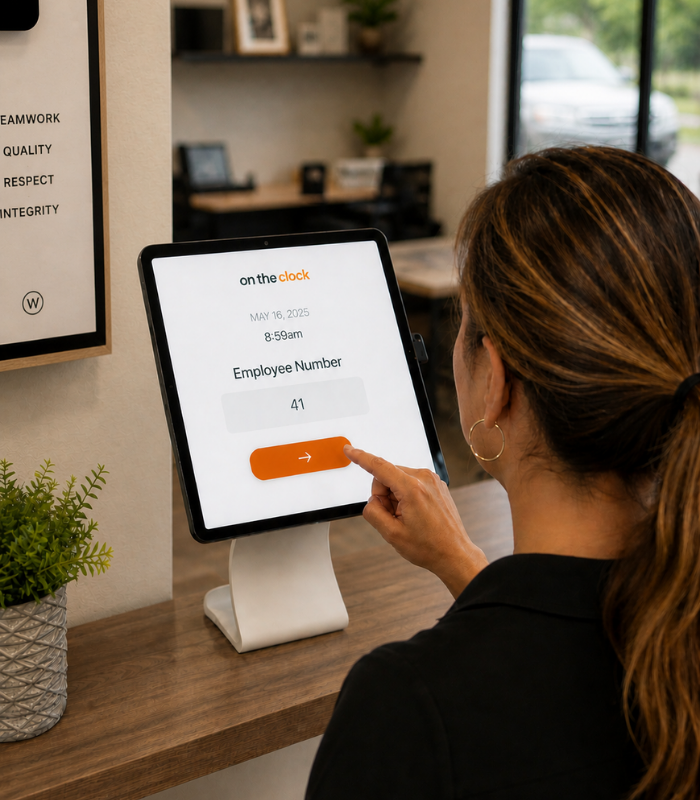
kiosk-time-clock
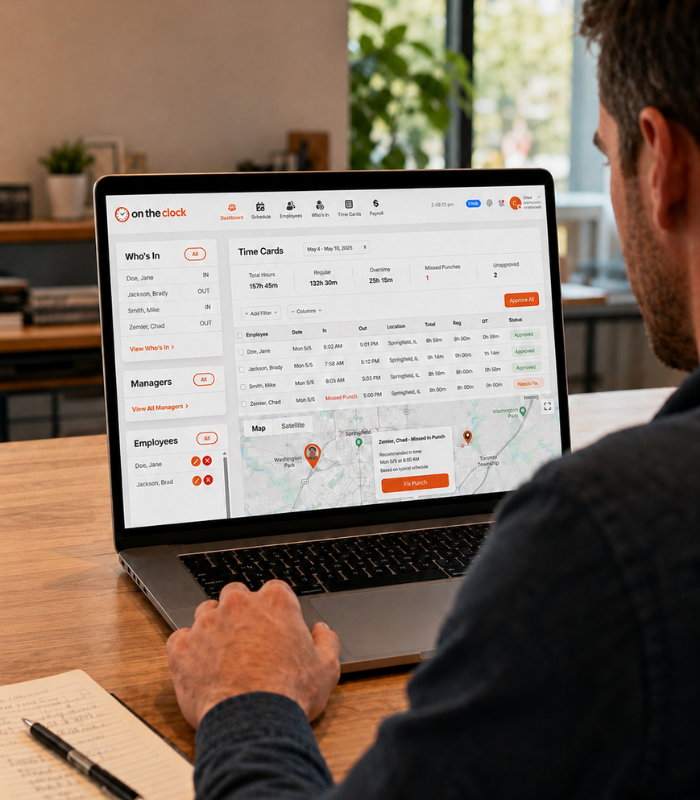
dashboard-time-clock

Built to Catch Mistakes Before Payroll Does


  • Punch reminders: Automatic reminders reduce forgotten clock-ins and clock-outs.
  • GPS on every punch: See where an employee was when they punched in, with GPS mapping available to admins.
  • Manager corrections: Fix a missed punch in seconds, no separate spreadsheet is required.
  • Automatic rounding and overtime: Regular time, overtime, and breaks are calculated automatically based on the rules you set.

How it works
01
Create your OnTheClock account

Sign up and set your basic company details. You can have your account ready in just a few minutes, with no complicated setup or software to install.
cleaning-crew-add-team-member
02
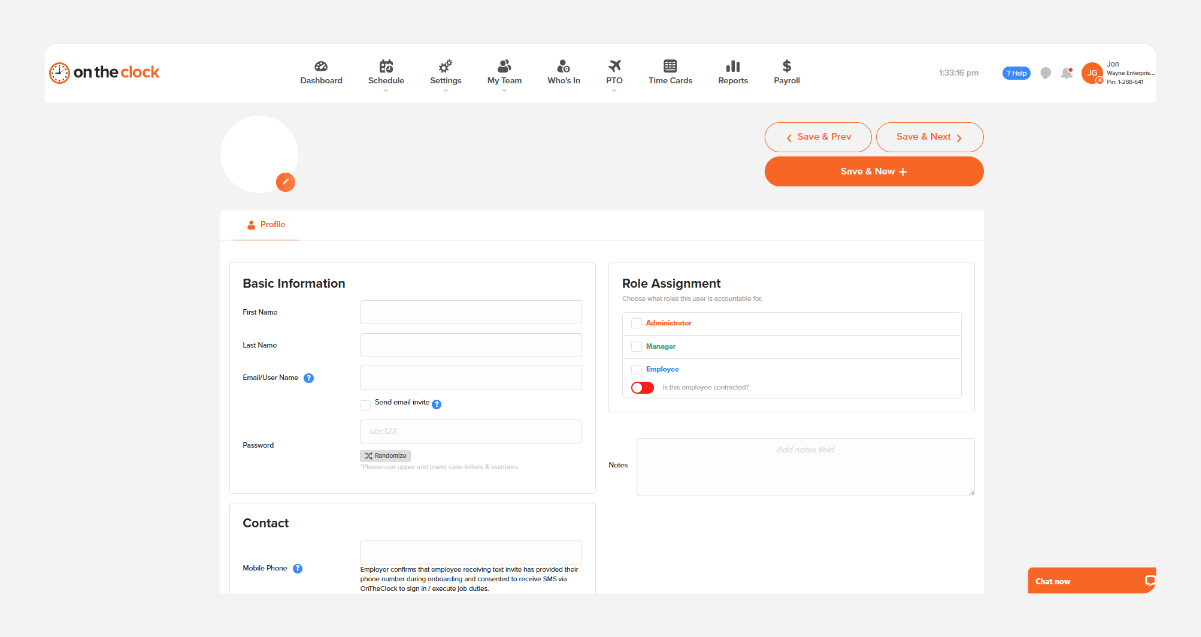
Add your team
Add your employees and set the rules that apply to them, including schedules, overtime, breaks, and paid time off. Once they’re added, they’re ready to start tracking time.
add-team-member-screenshot (1)
03
Start tracking time from any device
Employees can clock in and out from a phone, tablet, computer, or shared kiosk. Their hours are recorded automatically, so you always know who worked and when.
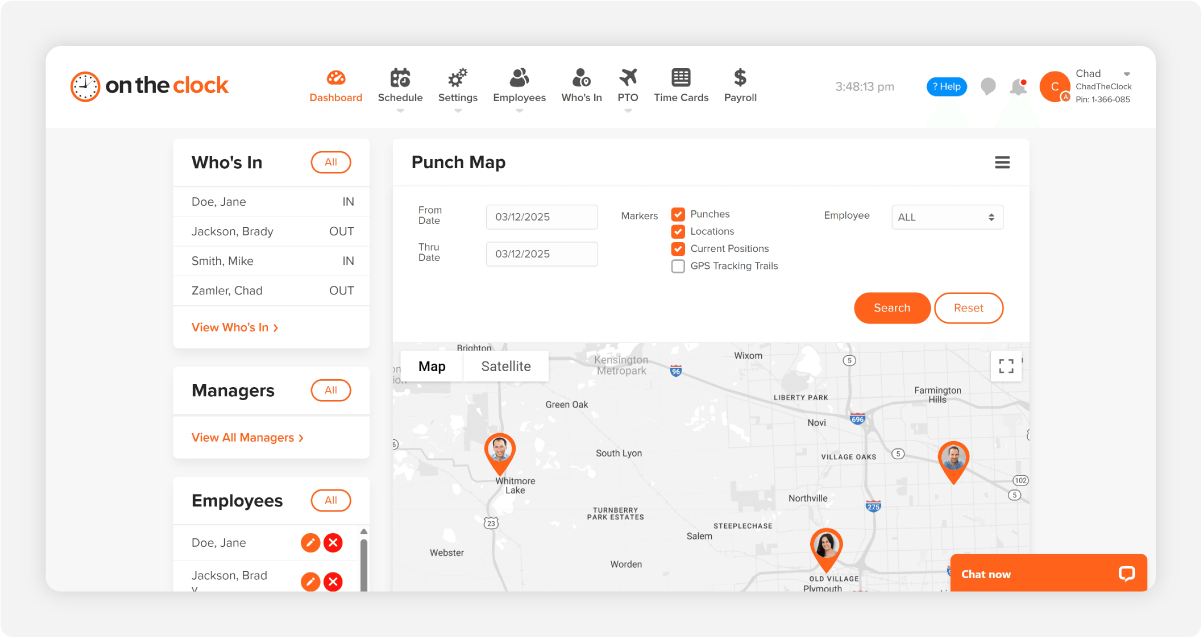
b12c23e0-de9f-4556-99fe-fc955f820d04
04
Review hours, approve timecards, and run payroll
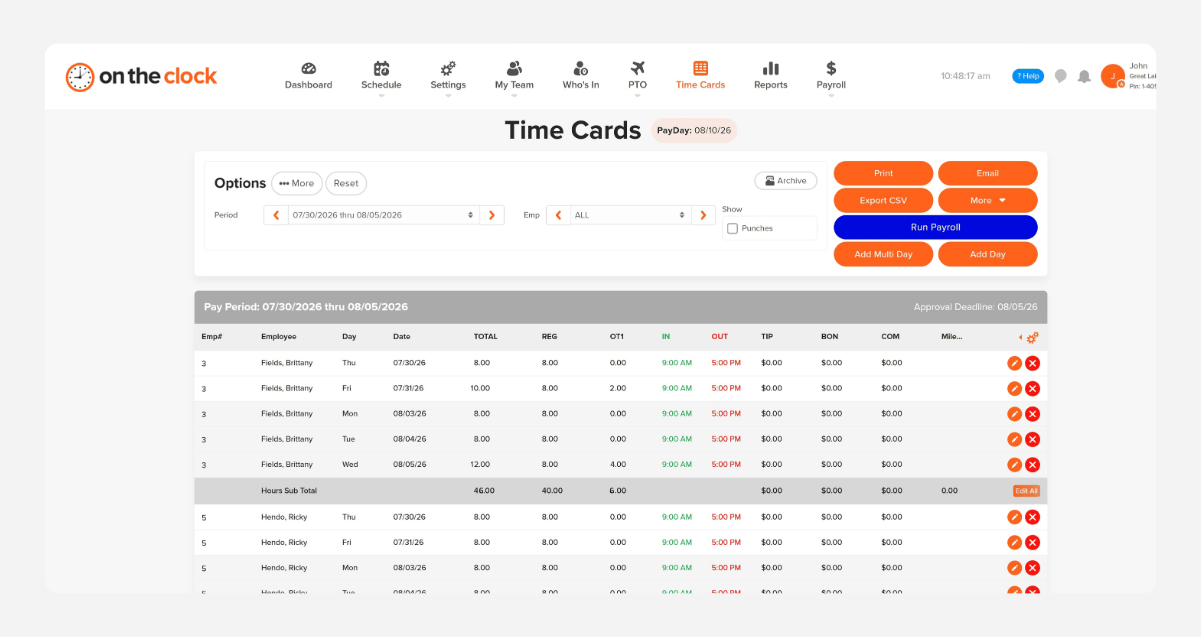
Review employee hours, fix missed punches, and approve timecards before payroll. When everything looks right, use those approved hours to run payroll without re-entering the same information.
payroll-export-screenshot-1
How OnTheClock's Punch In Punch Out App Compares

Feature OnTheClock Jibble Clockify
Starting price  $5/month plus $4/employee   Free (limited)   $0.99–$3.99/user 
GPS on punch Included Limited Included
 Biometric verification  Included
Not available Not available
Built-in payroll  (OnTheClock Payroll)  Not available
Not available
Best for Hourly workers who want a simple, accurate punch clock with payroll built in Teams wanting a free, no-frills punch app Teams already using Clockify for project time tracking
OnTheClock is best for small businesses that want a cloud-based time clock with GPS tracking, anywhere access, automatic updates, job-level reporting, payroll integrations, transparent pricing, and real customer support.

What Our Customers Say 

★★★★★
"I looked at quite a few time card systems - including ones that were more expensive. OnTheClock was the best bang for the buck. I love how employees have it on their phone for easy punch in and punch out. Add tasks to know what people are working on and attribute time to it. If someone forgets to punch in or out, it is easy to fix and have hours recalculate. This is an excellent tool for keeping track of employee and contractor hours."

MR
Merance
★★★★★
"We only have a couple of contract employees, but this saves me a lot of time in figuring checks. A+"

KF
Kathy Fortner
★★★★★
"OnTheClock is a great tool for any small business or independent contractor to manage time spent on projects. I highly recommend it - especially to any independent contractors out there!"

JN
James Nichols
Transparent pricing

Simple pricing. No feature tiers. No surprises.

Time tracking costs $5/month base fee plus $4 per employee. Every punch-in method (app, kiosk, web, biometric) is included from day one.
$0 /mo
0 active employees

Need payroll, too?

Need payroll too? OnTheClock Payroll runs $40/month plus $6 per employee with direct deposit, automated tax calculations, and the same dashboard your crew already uses for time tracking.

There are no feature upgrades. No plan switching. No "GPS is a Pro feature" surprises.
Start your free 30-day trial
No credit card required at sign-up.

Common Questions About the OnTheClock Punch Clock App

OnTheClock doesn't offer a permanently free plan, but every feature is included in the free, 30-day trial.
Yes. Employees can punch in and out from a web browser without an app.
No. OnTheClock requires an internet or Wi-Fi connection to punch in or out.
Yes. Managers can add or correct a missed punch from their accounts.
OnTheClock's U.S.-based support team is available by live chat, phone, and email, typically resolving issues in three to four minutes.

Ready for a Punch In and Out App That Actually Keeps Up?

OnTheClock is a time tracking platform built for small businesses that want punching in and out to be simple for employees and accurate for payroll. More than 16,000 businesses use OnTheClock to track hours, manage PTO, and run payroll from one place.


Try it free for 30 days. No credit card is required at sign-up. No demo is needed.

$5/month plus $4 per employee. All features are included from day one.