Key Takeaways
- ✔OnTheClock is the best pick for small home care agencies due to its price. At $5 base plus $4 per user per month, users gain access to GPS punches, geofencing, scheduling, PTO, payroll integrations, and more.
- ✔Drive time is money. Caregivers travel between client homes all day, and Timeero automatically captures that mileage and travel time.
- ✔Free can be enough for tiny teams. Connecteam gives agencies with 10 or fewer caregivers its full feature set at $0.
- ✔Medicaid billing changes the rules. The 21st Century Cures Act requires electronic visit verification (EVV) with six data points per visit, so confirm your software of choice works with your state's system.
- ✔Match the tool to your biggest leak (missed punches, untracked miles, or open shifts), then prove it in a free trial.
The best time clock software for home care does three things: It proves each caregiver arrived at the client's home, captures the drive between visits, and hands payroll clean hours. Paper time sheets and memory can't do any of the three.
Run the math on doing nothing. Say 12 caregivers each work five visits a week, and every handwritten time sheet rounds up or misremembers just 10 minutes per visit. That's 600 minutes a week, or 10 full hours. At $16 an hour, you're paying about $160 a week or roughly $690 a month for time nobody worked. Add the hours your scheduler spends every payroll chasing signatures and deciphering handwriting, and manual tracking quietly costs more than any tool on this list.
One tool can't be the right answer for every agency, though. Here's the best pick for six different situations.
What Home Care Agencies Actually Want from a Time Clock
Agency owners want proof the 9 a.m. visit started at 9 a.m., it happened at the client's address, and the hours feeding payroll match the care that was delivered. Your workforce is spread across a county, working alone in private homes, so the time clock has to travel in every caregiver's pocket.
The second thing they want is fewer apps. Most agencies already juggle a scheduling board, billing system, and payroll provider. The right time clock connects the punch to the paycheck with employee shift scheduling built into the same tool instead of bolted on.
The right pick shifts with what you need most: visit proof on a budget, automatic mileage, a $0 starting point, or care plans living next to the punch clock.
Quick Picks: The Best Time Clock Software for Home Care at a Glance
-
OnTheClock: Best solution for small home care agencies
-
Timeero: Best solution for mileage and drive time
-
Connecteam: Best free plan for 10 or fewer employees
-
ShiftCare: Best solution for care plans and visit notes
-
When I Work: Best solution for filling open shifts fast
-
QuickBooks Time: Best solution for QuickBooks payroll users
How We Evaluated the Best Time Clock Software for Home Care
We judged each time clock on what actually matters at a client's front door, not on feature-sheet length. We compared every option against the eight needs home care operators keep raising in G2, Capterra, and app store reviews, then checked every pricing and feature claim against each provider's own website. We call it the OnTheClock Home Care Checklist:
-
Visit-level punch proof: GPS stamps and geofences that confirm the punch happened at the client's address.
-
Mileage and drive time capture: Travel between client homes is recorded without a second app.
-
Caregiver simplicity: A new hire can clock in from any phone on day one without any training.
-
Shift scheduling: building, publishing, and filling visits inside the same tool.
-
Overtime alerts: Warnings are issued before a caregiver crosses 40 hours, not after payroll closes.
-
Dead-zone handling: What happens when a client's home has a weak or no signal.
-
Payroll-ready output: Hours that flow into Gusto, QuickBooks, ADP, or built-in payroll.
-
Price transparency: A 15-caregiver agency can predict its monthly bill before signing up.
OnTheClock takes the top spot for small home care agencies because it covers seven of these eight needs in a single base plan: GPS and geofenced punching, mileage on timecards, scheduling, PTO, overtime alerts, and payroll integrations are offered with nothing held back for a higher tier. And it's upfront about the eighth: punches need an internet or Wi-Fi connection. That breadth at one flat price is the basis for the "best solution for small home care agencies" label. That said, there are numerous other options, and each serves its own situation best.
The Best Time Clock Software for Home Care
Below are the six best time clock options for home care, with the right pick for each situation. For each one, we cover who it fits best, where it stands out, and where it may not be the right move.

OnTheClock: Best Solution for Small Home Care Agencies
Available on: Web, iOS, Android
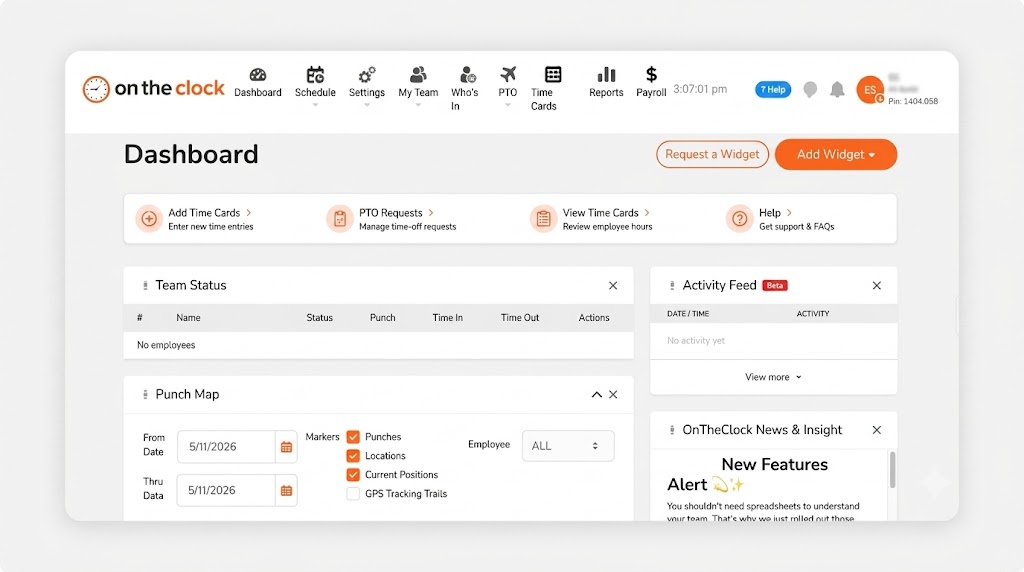
Why OnTheClock Is the Best Solution for Small Home Care Agencies
Most small agencies don't need a 14-module care platform; they need punches they can trust and a bill they can predict. OnTheClock gives caregivers a one-tap clock-in from their phones at the client's homes, with GPS and geofencing confirming the punch-in occurred at the client's location. Automatic punch outs catch the shifts nobody closed, so a forgotten Friday punch never turns into a 19-hour time sheet.
The top spot rests on breadth. Scheduling, PTO, overtime alerts, and mileage tracking on timecards all sit in the one base plan, and hours flow straight into Gusto, QuickBooks, ADP, Paychex, SurePayroll, or OnTheClock's own payroll solution. More than 16,000 companies rely on it every day, and reviewers consistently praise the free phone and chat support, which matters when your scheduler hits a snag at 7 a.m.
What Makes OnTheClock Different for Home Care?
There's no fine print. There's only one plan, and it costs $5 base plus $4 per user per month. Nothing is held back for a higher tier. A 15-caregiver agency pays $65 a month, offering users a predictable price before they sign up. Agencies serving several towns pay nothing extra for multilocation tracking, and an optional full-service payroll add-on can replace a separate provider entirely.
Two things to plan around: Punches need an internet or Wi-Fi connection, and OnTheClock doesn't submit visit data to state Medicaid EVV aggregators. Private-pay agencies get everything they need, and Medicaid-billing agencies can run OnTheClock for hours, scheduling, and payroll alongside their state's required EVV system.
Key Features
Pros
Cons
Pricing
- 30-day free trial, no credit card is required at sign-up
- $5/month base plus $4 per user/month (see how OnTheClock pricing works)
- Optional full-service payroll: $40/month base plus $6 per employee/month

Timeero: Best Solution for Mileage and Drive Time
Available on: Web, iOS, Android
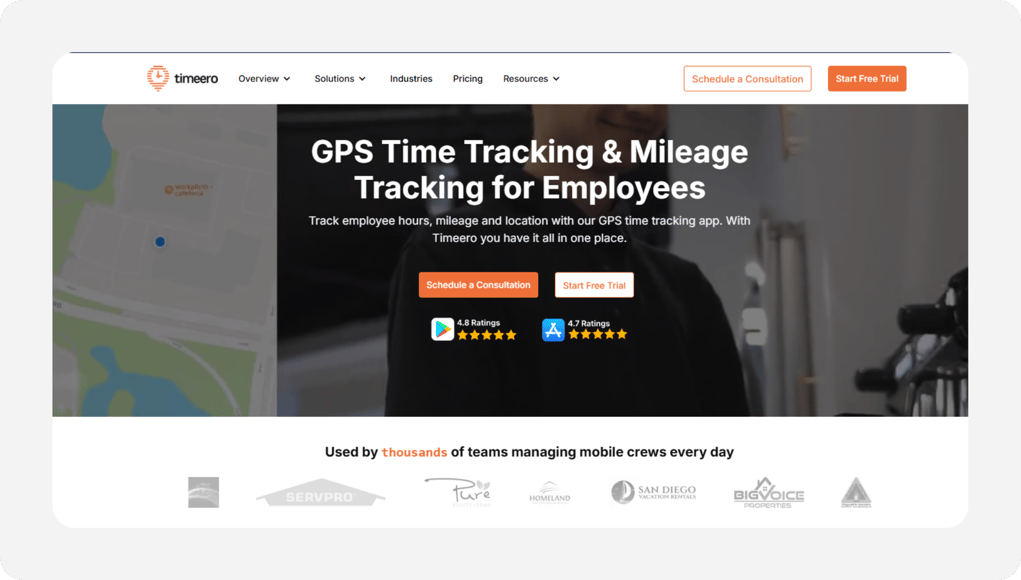
Why Timeero Is the Best Solution for Mileage and Drive Time
Caregivers spend a surprising share of their paid weeks behind the wheel. Timeero is built around that fact. Its GPS time clock records mileage automatically while a caregiver is on the clock, and the Segmented Tracking add-on turns one clock-in into a full-day timeline: first visit, the drive, second visit, the drive, and all of these segments are separated without anyone touching the app between stops. Reimbursement stops being a guess scribbled on a sticky note.
Check the tier map before you buy, though. Scheduling, geofencing, and payroll integrations start on the Pro plan, and EVV, HIPAA compliance tools, and the facial-recognition kiosk access sit on Premium. Agencies that need the compliance stack should price the $12 tier, not the $6 one.
Key Features
Pros
Cons
Pricing
- 14-day free trial, no credit card is required at sign-up
- Basic $6 per user/month (up to 10 users); Pro $9; Premium $12, with discounts for annual billing

Connecteam: Best Free Plan for 10 or Fewer Caregivers
Available on: Web, iOS, Android
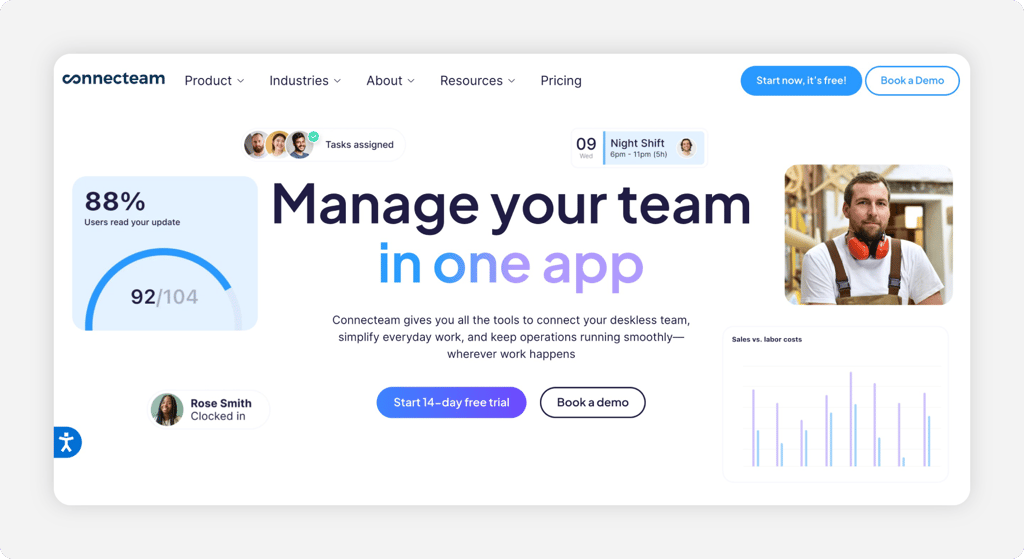
Why Connecteam Is Best Free Plan for 10 or Fewer Caregivers
Free rarely means full access. Connecteam's Small Business Plan is the exception: Agencies with up to 10 users get the GPS time clock, scheduling, in-app chat, and forms at $0, for life, on the vendor's own published terms. For a brand-new agency running its first handful of caregivers, that's a real time clock and a caregiver communication channel before the first software dollar is spent. The forms and checklists double as simple visit notes.
Growth changes the math. Caregiver number 11 moves you to a paid hub, starting at $35 a month (or $29 billed annually) for the first 30 users, and Operations, Communications, and HR are priced as separate hubs. Agencies that scale quickly should model the two-hub cost before committing.
Key Features
Pros
Cons
Pricing
- Small Business Plan: free for up to 10 users
- Basic hub: $35/month, or $29/month billed annually, for the first 30 users

ShiftCare: Best Solution for Care Plans and Visit Notes
Available on: Web, iOS, Android
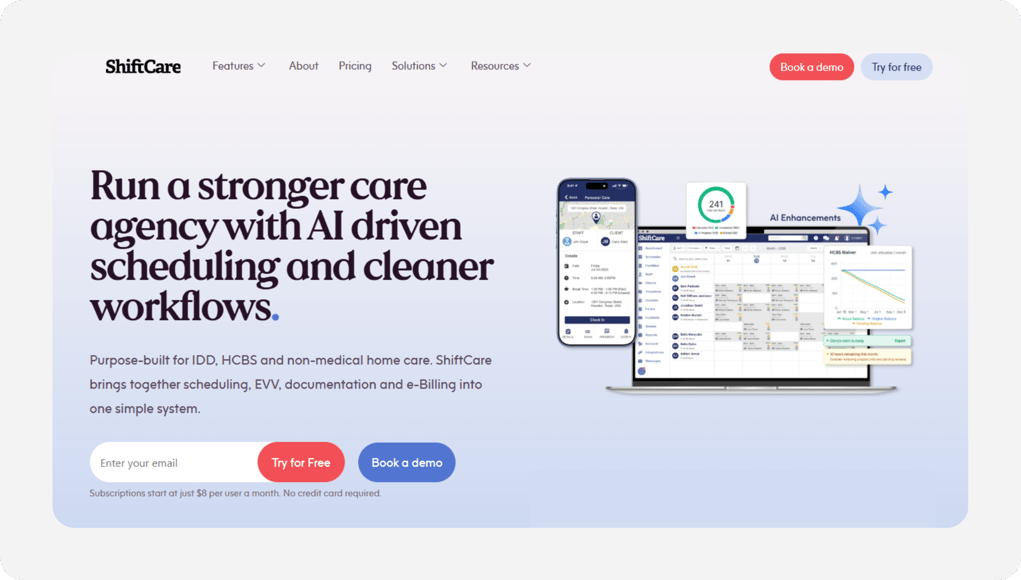
Why ShiftCare Is the Best Solution for Care Plans and Visit Notes
When a client's daughter calls asking how Tuesday's visit went, the answer shouldn't live in a caregiver's memory. ShiftCare was built for home care, and it shows: Caregivers clock in and out of each shift in the app; the punch is GPS-checked against the client's address; and progress notes, care plans, and documents attach to the same visit record. A job board lets caregivers claim open shifts, and a family portal keeps relatives in the loop.
That depth carries a price. ShiftCare charges a minimum of five staff licenses, and admins count toward that total. The per-user rate is costlier than the general purpose time clocks on this list. It earns the spend when you need care documentation, less so if you only need punches.
Key Features
Pros
Cons
Pricing
- Minimum of five staff licenses per account
- Essentials from $9 per user/month; Growth $15; Premium $25, with about 20% off billed yearly

When I Work: Best Solution for Filling Open Shifts Fast
Available on: Web, iOS, Android
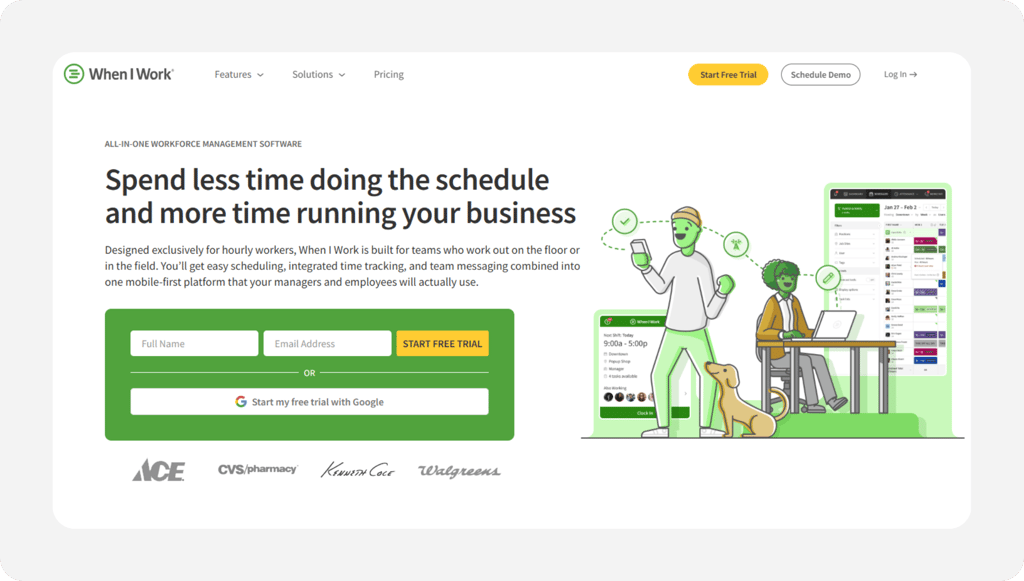
Why When I Work Is the Best Solution for Filling Open Shifts Fast
What happens when tomorrow's 7 a.m. caregiver calls out at 9 p.m. tonight? With When I Work, you post the visit as an OpenShift, and qualified caregivers claim it from their phones. Shift swaps run the same way, with manager approval built in, and the time clock turns any phone into a GPS punch clock once the time and attendance option is on. Scheduling is the heart of the product, and it's the smoothest scheduling experience in this group.
One line on the pricing page deserves a careful read: Time tracking and attendance features are paid add-ons on top of the $2.50 per user Essentials rate, with the add-on price shown at sign-up. For a fuller breakdown, see our When I Work review.
Key Features
Pros
Cons
Pricing
- 14-day free trial, no credit card is required at sign-up
- Essentials $2.50 per user/month; Pro $5; Premium $8; Time Tracking & Attendance add-on extra per user

QuickBooks Time: Best Solution for QuickBooks Payroll Users
Available on: Web, iOS, Android
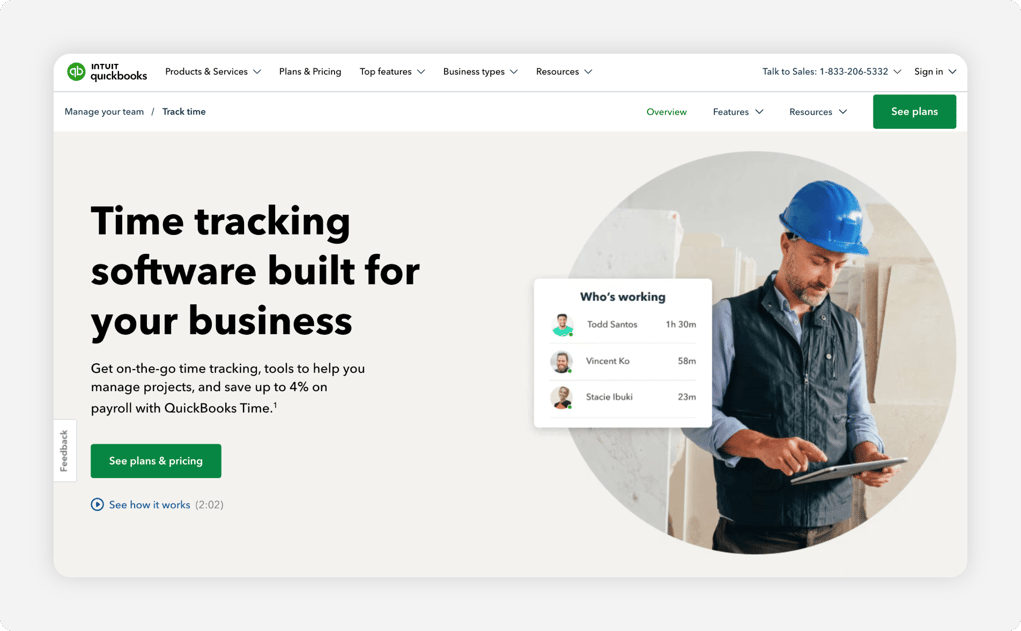
Why QuickBooks Time Is the Best Solution for QuickBooks Payroll Users
If your books, invoices, and payroll already live in QuickBooks, QuickBooks Time is the shortest path from punch to paycheck. Caregivers track time in the Workforce app with GPS while on the clock, the office can run a tablet kiosk, and approved hours land in QuickBooks Online or QuickBooks Payroll without a CSV export step. For an agency whose accountant lives in QuickBooks, that one connection erases hours of double entry every payroll.
It cuts the other way for everyone else: The product requires an active QuickBooks Online subscription, geofencing and mileage tracking sit on the pricier Elite tier, and the base-fee-plus-per-user model costs more than most tools here. Outside the QuickBooks world, these QuickBooks Time alternatives deserve a look first.
Key Features
Pros
Cons
Pricing
- 30-day free trial
- Premium $20/month base plus $8 per user/month; Elite $40/month base plus $10 per user/month
Side-by-Side Comparison
| Tool | Best For | Pricing | Key Strengths | Top Integrations |
|---|---|---|---|---|
| OnTheClock | Small home care agencies | $5 base + $4/user/mo | GPS punches, scheduling, PTO, mileage in one plan | Gusto, QuickBooks, ADP, Paychex, SurePayroll |
| Timeero | Mileage and drive time | From $6/user/month | Automatic mileage, segmented trip timeline, EVV option | QuickBooks, payroll and accounting tools |
| Connecteam | Free plan for 10 or fewer | Free up to 10 users; $35/month first 30 | Free GPS time clock, chat, forms | Gusto, QuickBooks |
| ShiftCare | Care plans and visit notes | From $9/user/month (5-user min) | Visit notes, care plans, family portal | QuickBooks, Xero |
| When I Work | Filling open shifts fast | From $2.50/user/mo + time clock add-on | OpenShifts, swaps, auto-scheduling | Rippling, plus payroll and POS integrations |
| QuickBooks Time | QuickBooks payroll users | $20 base + $8/user/month | Native QuickBooks sync, kiosk, reporting | QuickBooks Online, QuickBooks Payroll |
Comparison data verified June 2026 against each vendor's own site; subject to change by respective providers.
What's the Best Time Clock Software for Home Care?
The best time clock for home care is the one that fixes the leak costing your agency the most money right now. Feature-list length has nothing to do with it.
Start with one question: Where do your hours and payroll process go wrong?
- If punches, scheduling, PTO, and payroll handoffs all need fixing at once, OnTheClock covers the whole job with one affordable price: $5 base fee plus a $4 per user per month plan.
- If unreimbursed miles and forgotten drive time are the leak, Timeero tracks both automatically.
- If you run 10 or fewer caregivers and every dollar matters, Connecteam's free plan is the obvious starting point.
The right tool removes friction from the problem you encounter most frequently and leaves the rest of your week alone.
What Is Time Clock Software for Home Care?
Time clock software for home care is a mobile punch clock that lets caregivers clock in and out from a phone at the client's home, with GPS stamping to verify where the punch occurred. The software turns those punches into digital time sheets, applies overtime rules, and sends approved hours to payroll.
For home care specifically, it replaces the weakest link in the chain: a paper time sheet riding around in a caregiver's car for two weeks. Some tools add home care extras, like mileage capture, visit notes, or electronic visit verification (EVV), for Medicaid-funded care. The core job stays simple: Who worked, where, and for how long.
Who Needs Home Care Time Clock Software?
Any agency that pays hourly caregivers could benefit from using time clock software. The math turns at about five caregivers: below that, an owner can sanity-check hours from memory; above it, errors hide. A 10-caregiver agency where punches drift by 10 minutes each visit loses real money every month, and never sees it happen.
Private-pay agencies, Medicaid-billing agencies, franchise locations, and nonprofit senior services all fit the profile. If you're chasing paper time sheets, fielding "did she make the visit?" calls, or reconstructing drive time at payroll, you're the audience.
Why Home Care Agencies Rely on Time Clock Software
Home care runs on thin margins and distributed trust. Your team works alone, in private homes, across a county. Billing depends on visits that actually happened, and payroll depends on hours that are actually true. Since the Department of Labor's Home Care Final Rule took effect in 2015, most home care workers are covered by federal minimum wage and overtime protections, which makes accurate hours a labor law requirement, not a nice-to-have.
The old way fails quietly: A rounded-up time sheet here, an unbilled visit there, a missed overtime hour that turns into a complaint. A time clock with GPS replaces all of that with a timestamped, location-stamped record nobody has to argue about.
Key Features Home Care Time Clock Software Should Have
Before comparing prices, make sure any tool on your shortlist covers the basics for mobile care work:
-
GPS punch verification: every clock-in carries a location stamp tied to the client's address.
-
Geofencing: Punches outside the client's home are automatically flagged or blocked.
-
Mileage and travel capture: Drive time between clients is paid time, and miles need to be recorded.
-
Shift scheduling: Visits get built, published, and filled in using the same tool that tracks them.
-
Overtime alerts: A warning lands before a caregiver crosses 40 hours, while you can still adjust.
-
Payroll integration: Approved hours flow to Gusto, QuickBooks, ADP, or built-in payroll without retyping.
How to Choose the Proper Time Clock Software for Your Home Care Agency
Step 1: Count your caregivers and map where they work
Your headcount and territory decide more than any feature list. A four-caregiver agency in one town has different needs than a 40-caregiver agency covering three counties, and several tools on this list change pricing or plans at specific thresholds: Connecteam's free plan ends at 10 users, Timeero's Basic plan caps at 10, and ShiftCare charges a minimum of 5 licenses.
Map the territory honestly. Note which client homes sit in cell dead zones, how far apart visits run, and whether caregivers cluster in one area or scatter. An agency with long rural drives should weigh mileage capture heavily; a dense urban agency cares more about geofencing accuracy in apartment buildings. Write down the three most desolate addresses on your schedule. They become your test sites in Step 7.
Step 2: Decide what proof you need at the door
Every agency needs some proof a visit happened. The question is how much. For private-pay agencies, a GPS-stamped punch with a geofence usually settles every dispute: The record shows the caregiver clocked in at the client's address at 8:55 a.m., and the conversation ends there.
Medicaid changes the standard. The 21st Century Cures Act requires EVV for Medicaid-funded personal care and home health services, and a compliant record must capture six data points: the type of service, person receiving it, person providing it, date, location, and time the service begins and ends. Check the Medicaid.gov EVV guidance and your state's aggregator rules before you buy. If Medicaid billing is in your future, shortlist tools with an EVV path now, even if you don't need it today.
Step 3: Follow the money: mileage, travel time, and overtime
Drive time between clients during the workday generally counts as paid hours worked under the Fair Labor Standards Act, and unrecorded miles are unreimbursed expenses waiting to become a grievance. A tool that captures travel automatically protects you twice: Caregivers get paid correctly, and your records hold up if anyone ever asks.
Overtime is the second leak. Home care schedules shift constantly, and a caregiver who picks up two extra visits can cross 40 hours before anyone notices. Look for alerts that fire before the line is crossed, not a report that explains the overage after payroll runs. The Department of Labor's direct care workers resource page covers how minimum wage and overtime rules apply to home care, and it's worth a read before you set policies inside any tool.
Step 4: Separate must-have features from nice-to-haves
Write two short lists before you look at a single demo. For home care, the must-have column almost always reads the same: GPS punch verification, geofencing, mileage capture, shift scheduling, overtime alerts, and a payroll connection. If a tool misses one of those, it leaves your shortlist, no matter how good the rest looks.
The nice-to-have column is where agencies overspend. Care plans, family portals, facial-recognition kiosks, and in-app messaging are all real features with real value, but only for the agencies that will actually use them. A heavier platform full of unopened modules costs money every month and slows caregivers down every shift. Pay for the features that fix your leak from the intro math, and skip the rest until your roster demands them.
Step 5: Check the payroll connection before anything else
Every punch exists to become a paycheck. So start at the end: Name your payroll provider, then confirm the time clock sends approved hours there without retyping. OnTheClock connects to Gusto, QuickBooks, ADP, Paychex, and SurePayroll, and QuickBooks Time syncs natively with QuickBooks Online. A tool that only exports a CSV puts a manual step back into every payroll run, which is the exact chore you're buying your way out of.
Ask one more question while you're there: Who fixes a bad punch, and where? The cleanest setups let your scheduler correct a missed punch-out on the time card, route it through approval, and send it to payroll once, with an audit trail. If corrections happen in a spreadsheet outside the system, errors will follow them there.
Step 6: Run the total-cost math, not the sticker price
Sticker prices on this list run from $0-$25 per user, but the real bill depends on the software's structure. Add the base fees (OnTheClock's $5, QuickBooks Time's $20 or $40), the add-ons (When I Work's time and attendance toggle, Timeero's messaging at $2 per user), the minimums (ShiftCare's five licenses), and any required subscriptions (QuickBooks Time needs QuickBooks Online).
Then price your actual roster at two sizes: today's headcount and next year's. A 12-caregiver agency pays $53 a month on OnTheClock, and that same roster prices out differently on every other tool here once tiers and add-ons land. Ten minutes with a calculator now prevents an ugly renewal surprise later.
Step 7: Trial it with your hardest week
Every tool on this list offers a free trial or a free plan, so make the trial earn the decision. Pick three caregivers, including your least tech-comfortable hire, and run two full pay cycles. Send them to the difficult addresses you flagged in Step 1, including the dead-zone home, and watch the punches on the admin side.
Then, finish the loop: Export the trial hours into your actual payroll system and run a test cycle. The punch-to-paycheck handoff is where weak tools fall apart, and it's the one step most agencies skip during evaluation. If the export lands clean and the caregivers stopped complaining by week two, you've found your tool.
Step 8: Get caregiver buy-in, then commit
The trial crew is your sales team. Ask the three caregivers who tested the tool what worked, what annoyed them, and whether they'd rather keep it or go back to paper. Their answer travels through your whole roster faster than any memo, and a tool the field staff endorses rolls out in days instead of months.
Then decide and move. Set a hard start date, announce the why (accurate paychecks, reimbursed miles, no more time sheet chases), and retire the old process on schedule. Agencies that let the decision drift end up running two systems at once, which doubles the work and proves nothing. You did the math in Step 6 and the proof in Step 7; the last step is simply to act on it.
Tips for Implementing Time Clock Software in Your Home Care Agency
-
Lead with the caregiver's win. Frame the rollout around what they get: no more paper time sheets, mileage that actually gets reimbursed, and paychecks that match hours worked. A tool announced as "so we can watch you" gets quietly sabotaged; the same tool announced as "so you get paid right" gets adopted.
-
Put your punch policy in writing first. Decide the grace window for late punches, who fixes a missed punch and how quickly, and when GPS is recorded (only while clocked in, on work time). Share it before day one so the software enforces a policy people have already agreed to.
-
Train in the field, not the office. Have each caregiver do their first real clock-in at an actual client home during week one, with a supervisor a phone call away. Keep your labor law obligations in view as you set rules; the Department of Labor's guidance for direct care employers explains the pay rules your time records need to support.
Frequently Asked Questions
What is the best time clock software for home care?
For most small home care agencies, OnTheClock is the best pick because GPS punching, geofencing, scheduling, PTO, mileage on timecards, and payroll integrations all come in one plan that costs $5 base plus $4 per user per month. Timeero is the best pick for mileage-heavy agencies, Connecteam for teams of 10 or fewer that want a free plan, and ShiftCare for agencies that need care plans and visit notes beside the punch clock.
What is EVV, and does a GPS time clock satisfy it?
Do we have to pay caregivers for drive time between clients?
Generally, yes. Under the Fair Labor Standards Act, time spent traveling between clients during the workday usually counts as paid hours worked, and those hours count toward overtime. The ordinary commute from home to the first client and from the last client back home is typically unpaid. A time clock that records travel between visits protects both the caregiver's paycheck and your records.
Can caregivers clock in at homes with no cell service?
It depends on the tool. Most mobile time clocks, OnTheClock included, need an internet or Wi-Fi connection to record a punch, and many client homes have Wi-Fi that a caregiver can join. For true dead zones, plan a fallback in your punch policy: a same-day manual entry the office approves, or a quick punch once the caregiver is back in coverage. Test your worst-signal addresses during the free trial before you commit.
How much does home care time clock software cost?
Expect $0 to about $25 per caregiver per month. Connecteam is free for up to 10 users. OnTheClock runs $5 base plus $4 per user, so a 12-caregiver agency pays $53 a month. Timeero starts at $6 per user, When I Work at $2.50 per user plus a time clock add-on, ShiftCare at $9 per user with a five-license minimum, and QuickBooks Time at $20 base plus $8 per user. Watch for base fees, add-ons, and required subscriptions when comparing.
Is GPS tracking of caregivers legal?
Employers can generally use GPS tracking on work time for legitimate business reasons, like verifying visits and paying travel correctly. Reputable time clocks record location only while a caregiver is clocked in, never off the clock. State rules vary on notice and consent, so put the policy in writing, tell your team exactly when the location is recorded, and have caregivers acknowledge it before rollout.
Ready for punches you can trust?
Give your caregivers a one-tap clock-in at the client's door, and give payroll clean hours every cycle.
No credit card is required at sign-up, and you'll be set up in minutes.
