Key Takeaways
- ✔OnTheClock is the best time clock software for small health care teams. One plan covers kiosk punching, GPS, scheduling, PTO, and overtime alerts for $5 base plus $4 per user/month.
- ✔Free plans are real options here. Connecteam gives clinics with 10 or fewer users its full feature set at $0, and Jibble runs a free kiosk for unlimited staff.
- ✔Hospital overtime math is different. The Department of Labor lets hospitals and residential care facilities pay overtime on an 8 and 80 system. Your software must handle daily and 14-day calculations together.
- ✔Buddy punching has a fix. Photo capture and face verification at a shared kiosk confirm the right person is clocking in at every shift change.
- ✔Match the tool to your biggest leak, then prove it in a free trial that runs a full pay period.
The best time clock software for health care earns its keep at one exact moment: the shift change, when one tired crew files out and the next rushes in. Capture clean punches there, and everything downstream stays clean too, from overtime to differentials to payroll.
Here's a rule most clinic and facility managers have never run the numbers on. Under Section 7(j) of the Fair Labor Standards Act, hospitals and residential care facilities can pay overtime on an 8 and 80 system. That means time and a half after eight hours in a workday, and again after 80 hours in a 14-day period. So one missed punch breaks two calculations at once. An aide who forgets to clock out at 7:00 p.m. shows a 15-hour day. That single gap distorts her daily overtime, her 14-day total, and the labor report your administrator reads on Monday. Paper time sheets can't protect that math. Software can.
No single tool wins every situation, though. So we matched seven of them to the seven situations health care teams actually face.
What Health Care Teams Actually Want from a Time Clock
They want proof. Proof that the person punching in at the nurses' station is the person on the schedule. Proof that the 11:00 p.m. punch-out happened. Proof that nobody slid into overtime without a warning. In a building that never closes, a clock that can't verify identity is an honor system with a login screen.
They also want hours that arrive payroll-ready. Clinics and practices run lean front offices, and the person fixing time sheet errors is usually the same person checking in patients. That's why time tracking built for medical practices focuses on clean punches, automatic overtime totals, and a direct line into payroll. No extra spreadsheet to babysit.
The right pick shifts with your biggest leak. A two-location urgent care fighting buddy punching needs different strengths than a 40-bed facility juggling 24/7 coverage. Start with the problem that costs you the most.
Quick Picks: The Best Time Clock Software for Health Care at a Glance
-
OnTheClock: Best for small clinics and practices
-
Connecteam: Best free plan for teams of 10 or fewer
-
Deputy: Best for round-the-clock facilities
-
When I Work: Best for covering callouts fast
-
QuickBooks Time: Best for offices already on QuickBooks
-
Buddy Punch: Best for stopping buddy punching
-
Jibble: Best free kiosk for large staff counts
How We Evaluated the Best Time Clock Software for Health Care
We judged each time clock on what matters inside a clinic, practice, or care facility, not on feature-sheet length. We pulled current pricing from each vendor's own site and read what real users report on G2, Capterra, and the app stores. Then we compared every option against the eight needs health care teams keep raising. We call it the OnTheClock Health Care Checklist:
-
Punch verification: Photo, face, PIN, or fingerprint proof that the right person clocked in.
-
Shared-device kiosk: A tablet or desktop station where a whole unit can punch without personal phones.
-
Mobile and web punching: Clock-in options for staff who float between sites or work from satellite offices.
-
Overtime and break rules: Automatic daily and weekly overtime totals, with alerts before the threshold hits.
-
24/7 schedule fit: Overnight shifts, split shifts, and handoffs that don't confuse the time math.
-
PTO tracking: Requests, balances, and accruals handled inside the same tool as the punches.
-
Payroll connection: Hours that flow to your payroll provider without retyping.
-
Price transparency: Public pricing a practice manager can verify without a sales call.
OnTheClock takes the top spot because one base plan covers all eight: kiosk mode, GPS and geofencing, scheduling, PTO, overtime alerts, and payroll integrations. Nothing is held back for a higher tier. That breadth at $5 base plus $4 per user is the basis for its small-clinic label, not a ranking over the other picks. Each of those serves its own situation best.
The Best Time Clock Software for Health Care
Below, the best time clock software for health care, with the right pick for each situation. For each one, we cover who it fits best, where it stands out, and where it may not be the right move.

OnTheClock: Best for Small Clinics and Practices
Available on: Web, iOS, Android
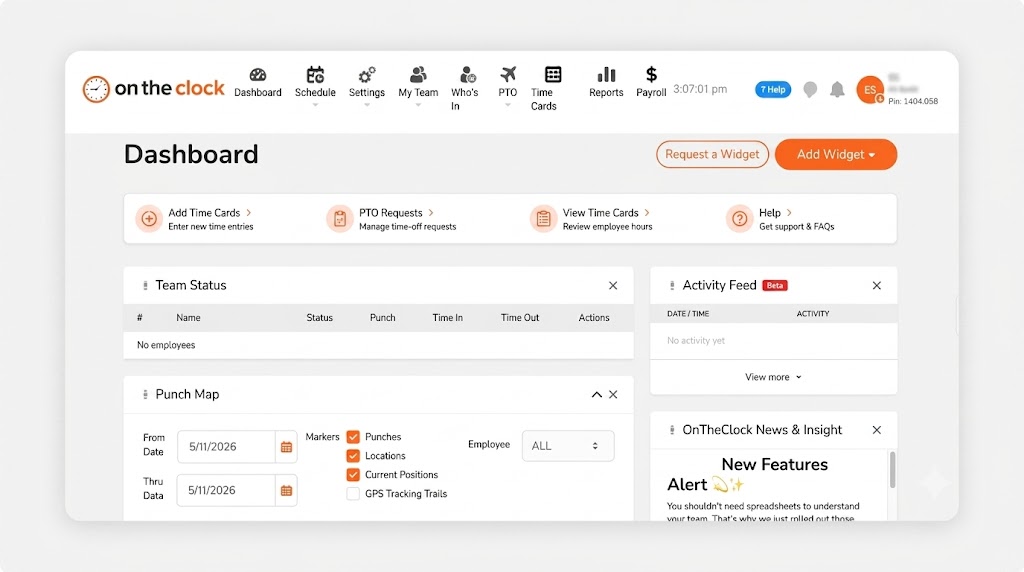
Think of the office manager at a six-provider family practice. She checks in patients, fights with the insurance portal, and still has to know who's creeping toward overtime by Thursday. OnTheClock hands her one screen for all of it. Staff punch in at a front-desk kiosk or on their phones. GPS and geofencing confirm where each punch happened, and overtime alerts fire before the budget breaks instead of after.
The whole checklist lives in the base plan. Kiosk mode, location controls, scheduling, PTO tracking, and payroll integrations all come standard, and an optional fingerprint reader adds biometric proof at a shared station. Reviewers rate it 4.8 stars across 2,500 reviews and keep praising the same two things: it's simple, and support picks up the phone.
Why OnTheClock Is Different
One plan, no tiers, no surprise gates. A 12-person clinic pays $5 plus 12 times $4, so $53 a month, and that's the entire bill unless you add payroll. Compare that with platforms that gate geofencing or verification behind their top tier, and the appeal is plain. You never discover mid-contract that the feature you need costs more.
There's a trade-off to weigh. OnTheClock needs an internet or Wi-Fi connection to record punches, and its reporting runs lighter than enterprise workforce suites. For a small team that wants trustworthy punches without an implementation project, that trade lands in your favor.
Key Features
Pros
Cons
Pricing
- 30-day free trial, no credit card
- $5/month base plus $4 per user/month (see how OnTheClock pricing works)
- Optional payroll: $40/month base plus $6 per employee/month, with a one-time $250 migration fee

Connecteam: Best Free Plan for Teams of 10 or Fewer
Available on: Web, iOS, Android
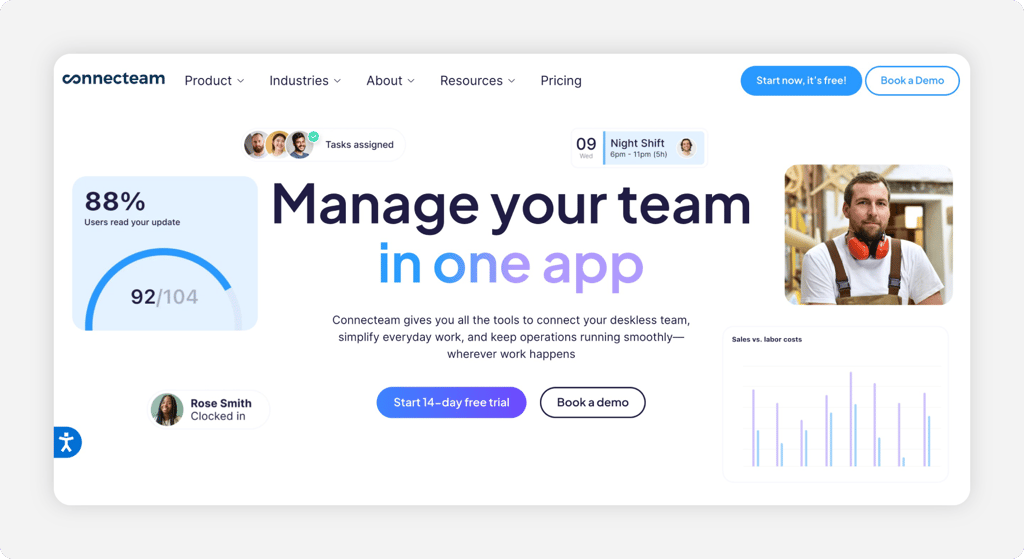
A small dental office or single-location therapy clinic with nine employees can run Connecteam's Small Business Plan without paying a cent. That's the full platform, free for up to 10 users. GPS-stamped punches, a kiosk app with PIN codes and optional selfie verification, scheduling, and chat. Time sheets export to Gusto, QuickBooks, Xero, or Paychex.
Growth is where the bill starts. Paid Operations plans begin at $35 a month for the first 30 users, which stays reasonable. But some users report that advanced features sit in higher tiers and that the app can lag when juggling schedules. Our Connecteam review breaks down where the free plan ends and the real costs begin.
Key Features
Pros
Cons
Pricing
- Free Small Business Plan for up to 10 users; 14-day free trial of paid plans
- Operations Basic from $35/month (first 30 users), then $1 per additional user/month; $29/month billed annually

Deputy: Best for Round-the-Clock Facilities
Available on: Web, iOS, Android
Coverage never sleeps in a residential care facility, and neither does the schedule. Deputy was built for exactly that grind. Any tablet becomes a secure time clock with face verification and voice commands, a touch-free option staff appreciate in a building where hygiene rules everything. Micro-scheduling splits one shift across units to match patient flow. Labor law compliance tools watch break rules, and shift ratings flag teams sliding toward burnout.
Health care names like Kaiser Permanente and Brookdale Senior Living appear on its customer list, so the 24/7 credibility is earned. Mind the meter, though. Per-user pricing across three tiers plus add-ons grows faster than flat-rate rivals. Billing counts any user who worked that month in full, and there's a $30 monthly minimum. Weigh the math against the best Deputy alternatives before committing a big roster.
Key Features
Pros
Cons
Pricing
- Free trial up to 31 days, no credit card
- Lite $5, Core $6.50, Pro $9 per user/month; $30/month minimum spend

When I Work: Best for Covering Callouts Fast
Available on: Web, iOS, Android
Why When I Work Is Best for Covering Callouts Fast
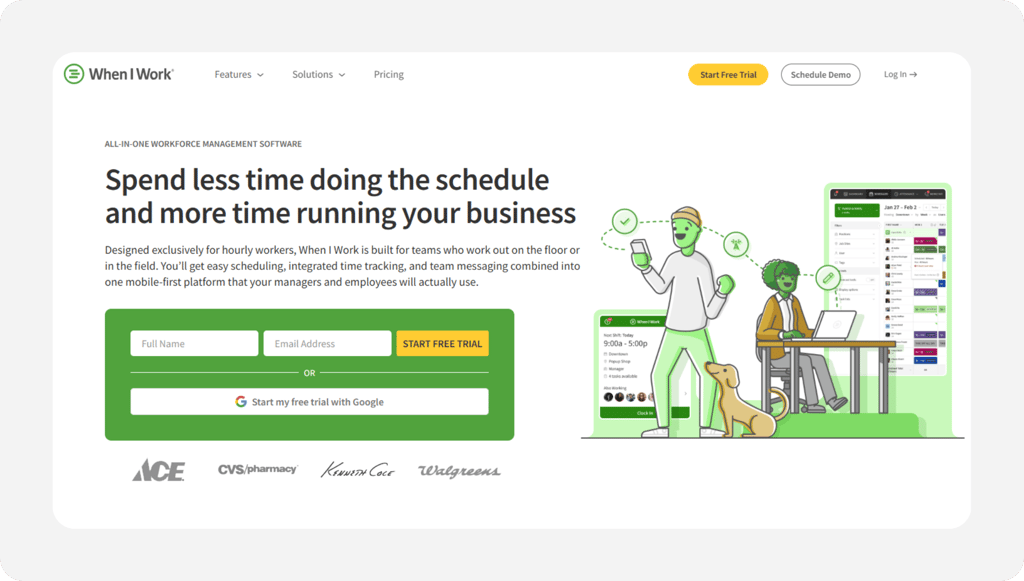
A medical assistant texts at 5:40 a.m. that she's sick, and your 7:00 a.m. opening just lost a body. When I Work turns that scramble into a post. Push the open shift to qualified staff, let them claim or swap it from their phones, and watch the hole fill before the doors unlock. The time clock rides along on any device with GPS, geofencing, and photo clock-ins to keep punches honest.
Pricing starts low at $2.50 per user, yet read the fine print before you budget. Time tracking is an add-on of $1.50 to $2 per user on top of each plan. The real time clock price runs $4 to $10 per user. Reviewers also report the app can freeze when a whole crew clocks in at once. Our When I Work review walks through what the add-on actually buys.
Key Features
Pros
Cons
Pricing
- 14-day free trial, no credit card
- Essentials $2.50, Pro $5, Premium $8 per user/month; time tracking add-on raises each by $1.50 to $2

QuickBooks Time: Best for Offices Already on QuickBooks
Available on: Web, iOS, Android
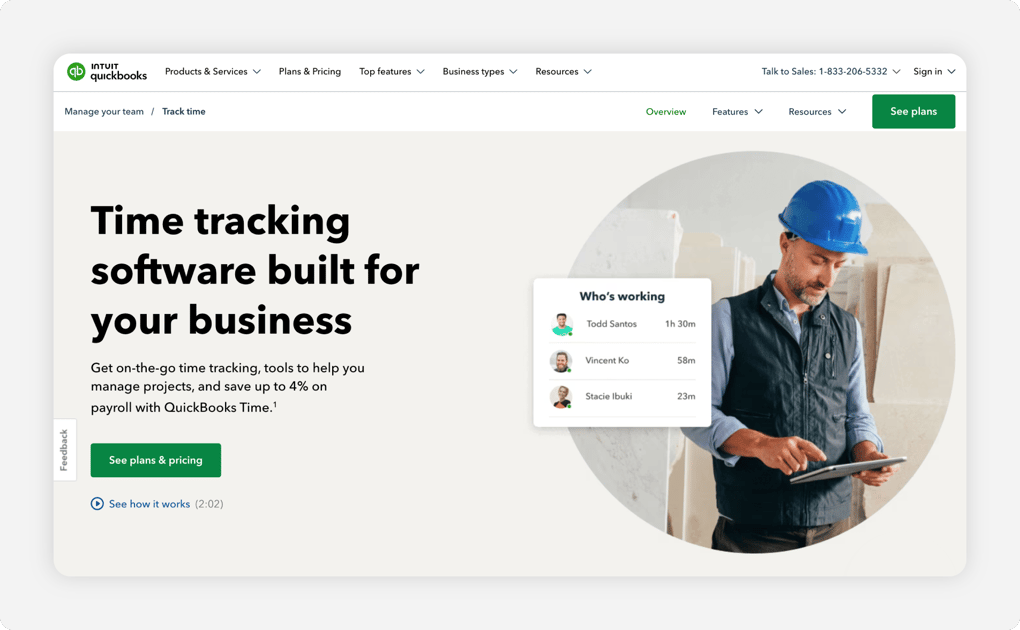
Why QuickBooks Time Is Best for Offices Already on QuickBooks
QuickBooks Time makes sense for one specific reader: the practice whose books, invoices, and payroll already live in QuickBooks Online. Punches flow straight from the Workforce app or an on-site kiosk into the same system that cuts the checks. Payroll day shrinks from an afternoon to a coffee break. Scheduling, PTO, and overtime alerts come along in the Premium plan.
Outside that world, the value fades quickly. You need an active QuickBooks Online subscription just to use it, and geofencing waits in the pricier Elite tier. Reviewers also describe the kiosk as temperamental; it logs itself out whenever the browser closes or the computer updates. A 12-person clinic pays $20 plus $96, so $116 a month before the QuickBooks subscription itself. These QuickBooks Time alternatives show what the same money buys elsewhere.
Key Features
Pros
Cons
Pricing
- 30-day free trial, no credit card
- Premium $20/month base plus $10 per user/month; Elite $40/month base plus $12 per user/month

Buddy Punch: Best for Stopping Buddy Punching
Available on: Web, iOS, Android
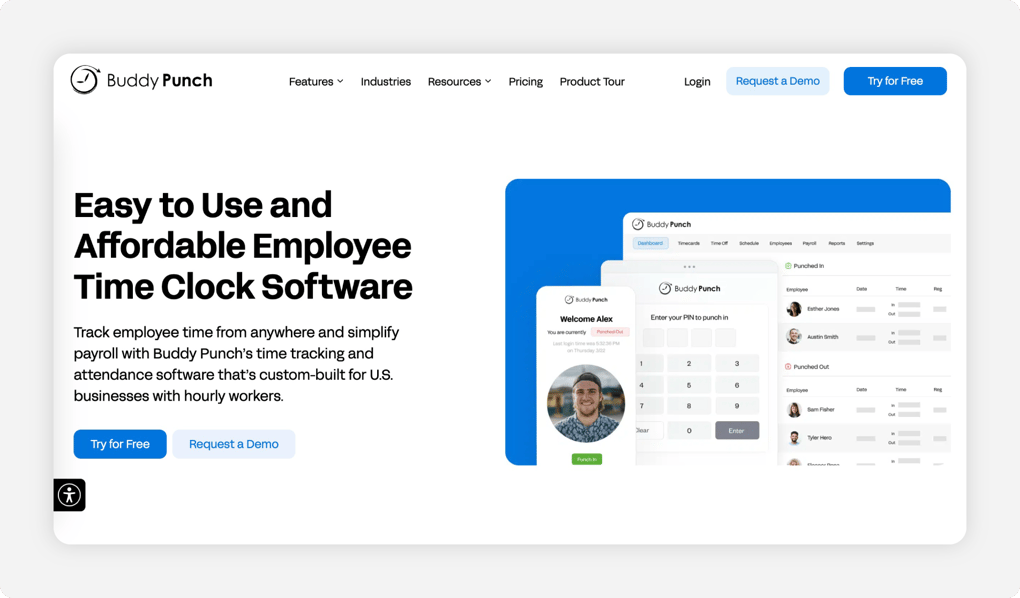
Why Buddy Punch Is Best for Stopping Buddy Punching
The name says it all. When a friendly coworker punches in for someone stuck in traffic, your clinic pays for time nobody worked. Buddy Punch exists to end that favor. Every punch can demand evidence: a webcam photo, facial recognition, a personal PIN at the shared kiosk, or a QR code scan. Managers see the photo next to the timestamp, so disputes die in seconds.
Verification is the headline and the supporting cast holds up. GPS stamps each punch from the Starter tier, and geofencing locks punches to your building in Pro. PTO accruals run automatically. Hours export to 20 payroll providers, including QuickBooks, Gusto, ADP, and Paychex Flex. Two cautions surface in reviews: the mobile app trails the web version on features, and the $19 base fee stings a three-person office. The Buddy Punch alternatives guide covers cheaper routes to the same proof.
Key Features
Pros
Cons
Pricing
- 14-day free trial, no credit card
-
Starter $4.99, Pro $6.99, Advanced $12.99 per user/month when billed annually, each plus a $19/month base fee

Jibble: Best Free Kiosk for Large Staff Counts
Available on: Web, iOS, Android
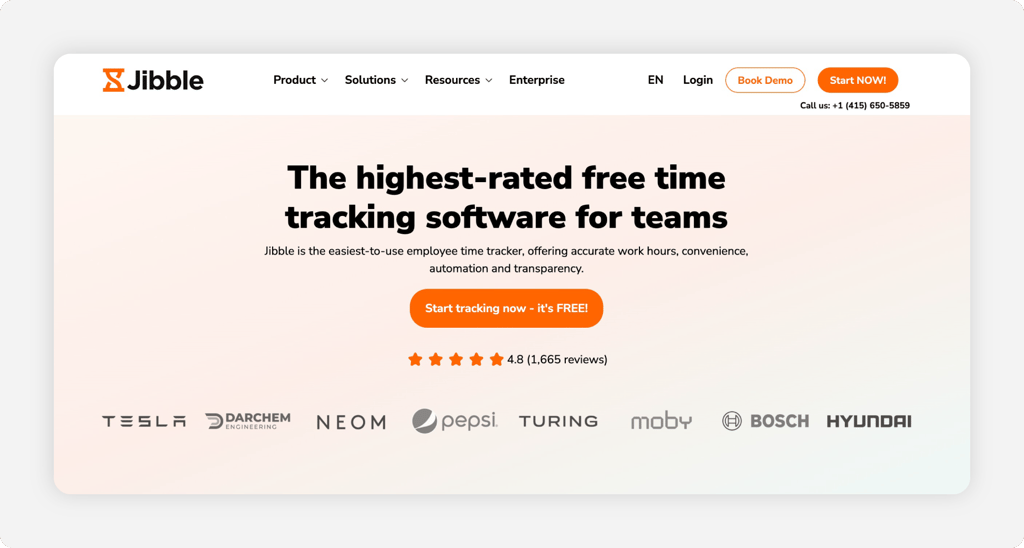
Why Jibble Is Best Free Kiosk for Large Staff Counts
Free for unlimited users sounds like a catch. With Jibble, it mostly isn't. A 60-person facility can mount a tablet at every entrance and run face-verified, PIN, or NFC clock-ins for $0. Punches sync to automated time sheets and overtime totals. The kiosk even works offline and uploads everything once the connection returns, a real comfort in buildings with dead zones.
The free plan does draw lines. You get two geofences and one work schedule. Leave accruals and custom policies wait in Premium at $4.99 per user, and reviewers want deeper report customization and steadier mobile performance. There's no real shift scheduling either, so pair it with a scheduler or step up when rotations get complex. Our Jibble review maps exactly where free ends.
Key Features
Pros
Cons
Pricing
- Free plan for unlimited users; 14-day free trial of paid tiers
- Premium $4.99 and Ultimate $7.99 per user/month
Side-by-Side Comparison
| Tool | Best For | Pricing | Key Strengths | Top Integrations |
|---|---|---|---|---|
| OnTheClock | Small clinics and practices | $5 base + $4/user/month | Kiosk, GPS, scheduling, PTO, and overtime alerts in one plan | Gusto, QuickBooks, ADP, Paychex, SurePayroll |
| Connecteam | Free plan for 10 or fewer | Free up to 10 users; from $35/month for 30 users | All-in-one app with kiosk, chat, and scheduling | Gusto, QuickBooks, Xero, Paychex |
| Deputy | Round-the-clock facilities | $5 to $9/user/month; $30/month minimum | Face and voice clock-in, micro-scheduling, compliance tools | Paycor payroll add-on, Xero, payroll and HR systems |
| When I Work | Covering callouts fast | $2.50 to $8/user/month + $1.50 to $2 time clock add-on | OpenShifts, swaps, photo clock-ins | Rippling, ADP |
| QuickBooks Time | Offices already on QuickBooks | $20 base + $10/user/month (Premium) | Punches sync straight into QuickBooks payroll | QuickBooks Online, QuickBooks Payroll, QuickBooks Desktop |
| Buddy Punch | Stopping buddy punching | $4.99–$12.99/user/month + $19 base | Photo, face, PIN, and QR punch verification | QuickBooks, Gusto, ADP, Paychex Flex |
| Jibble | Free kiosk for large staffs | Free; paid from $4.99/user/mo | Face-verified kiosk with offline mode, unlimited users free | QuickBooks, Slack, Microsoft Teams |
Comparison data verified October 2026 against each vendor's own site; subject to change by respective providers.
What's the Best Time Clock Software for Health Care?
The best time clock for your health care team is the one that fixes your most expensive problem first. Feature lists won't tell you that. Your payroll corrections will.
Start with one question: where did the last three payroll errors come from? Then follow the answer.
- Punches you can't fully trust, plus overtime sneaking up on you: OnTheClock covers verification, alerts, scheduling, and PTO in one plan.
- A team of 10 or fewer with no software budget: Connecteam's free plan carries the whole load.
- Coworkers punching for each other at a shared station: Buddy Punch puts a photo on every timestamp.
- A 24/7 facility with units, wings, and burnout risk: Deputy matches coverage to patient flow.
The right tool removes friction from the problem you hit most. Everything else is a bonus.
What Is Time Clock Software for Health Care?
Time clock software for health care is a digital punch clock that records when clinical and support staff start and end work. It then turns those punches into payroll-ready hours. Staff clock in on a wall-mounted tablet, a desktop, or their own phones. The software stamps each punch with the time, the location, and proof of identity.
For health care specifically, it adds the guardrails a 24/7 operation needs. Overtime rules handle overnight shifts, break tracking satisfies labor law, staff check their own PTO balances, and alerts fire when someone forgets to punch out. The point is simple; hours stop being a memory exercise and start being a record.
Who Needs Health Care Time Clock Software?
Any health care employer paying hourly staff benefits, and the math turns urgent at about five employees. Below that, an owner can eyeball a paper time sheet. Above it, every rounded-up punch and forgotten clock-out compounds. Ten employees each padding six minutes a day adds up to an hour of phantom pay daily, roughly $500 a month at $25 an hour.
Family practices, dental and vision offices, urgent care centers, therapy clinics, labs, surgery centers, and residential care facilities all fit the profile. If you're chasing signatures on paper time sheets the night before payroll, you're the audience.
Why Health Care Teams Rely on Time Clock Software
Healthcare runs on coverage, and coverage runs on accurate hours. A clinic can't tell if Thursday afternoons are understaffed when its time records are guesses. And a facility can't control labor costs it can't see until payday. Accurate punches feed accurate schedules, and employee shift scheduling built on real data is how thin margins survive.
The old way fails quietly. Paper time sheets get filled in from memory at week's end, buddy punches go undetected, and overtime surfaces as a surprise on the payroll report. Software replaces all three failure points with timestamps, verification, and alerts that fire while there's still time to act.
Key Features Health Care Time Clock Software Should Have
Before comparing prices, confirm any tool on your shortlist covers the basics for a health care floor.
-
Punch verification: Photo capture, face recognition, PIN, or fingerprint proof at every clock-in.
-
Kiosk mode: One shared tablet or desktop per unit, so nobody needs a personal phone to punch.
-
Overtime alerts: Warnings before an employee crosses the threshold, not a report after.
-
Break and overnight handling: Automatic break deductions and shifts that cross midnight without splitting.
-
PTO tracking: Requests, approvals, and balances inside the same system as the hours.
-
Payroll integration: Direct export to your payroll provider, with overtime already calculated.
How to Choose the Proper Time Clock Software for Your Health Care Organization
Step 1: Count your staff and locations, then run the real monthly math.
Pricing models punish different team shapes. Flat per-user pricing favors small teams: a 12-person clinic on OnTheClock pays $53 a month, all features included. Base-fee models flip the math. That same clinic pays $116 on QuickBooks Time Premium before the required QuickBooks Online subscription. Buddy Punch's $19 base, spread across 12 people, adds about $1.58 each.
Run your number three ways: today's headcount, headcount after your next hire, and headcount if you add a second location. Connecteam's free plan looks unbeatable at nine users and gets billed at 11. Deputy looks modest per user until add-ons and the $30 minimum land. Five minutes with a calculator now prevents an annoying migration in a year.
Step 2: Name the problem that costs you the most.
Pick one. Buddy punching, missed punches, overtime surprises, schedule holes, or payroll-day rework. Every tool on this list is best at exactly one of these, and your top problem should pick your top candidate. A clinic bleeding money to padded punches needs Buddy Punch's photo verification more than it needs prettier schedules.
Be honest about scale, too. A two-chair dental office fixing one missed punch a month doesn't need a compliance engine. A 70-person facility fixing 40 needs more than a simple punch app. Match the weight of the tool to the weight of the problem.
Step 3: Match punch devices to how your building actually works.
Walk your floor and watch a shift change. Do staff pass one natural choke point where a kiosk tablet makes sense, like the nurses' station or the staff entrance? Or do they scatter across two buildings and a parking lot, which argues for mobile punching with geofencing?
Most health care teams need both. A kiosk serves the units; mobile covers floaters, on-call staff, and the manager approving time sheets from home. Confirm both are included in the tier you're pricing. When I Work sells time tracking as an add-on, and Deputy gates biometric kiosk verification to its Core tier and above.
Step 4: Check the overtime engine against your actual pay rules.
Health care overtime is its own animal. If you run the 8 and 80 system as a hospital or residential care facility, the software must track daily and 14-day overtime together. If you pay shift differentials for nights and weekends, the tool needs multiple pay rates per employee. If your state adds daily overtime on top of the federal weekly rule, that needs a setting too.
Ask each vendor to show you, in the trial, your exact rule running against a sample week. A tool that calculates 40-hour weekly overtime perfectly but can't see your 14-day period will quietly underpay or overpay someone every cycle. Both errors cost you.
Step 5: Confirm the payroll connection before you commit.
The time clock only pays off if hours flow into payroll without retyping. Check the integration list against your provider by name. OnTheClock connects to Gusto, QuickBooks, ADP, Paychex, and SurePayroll. Buddy Punch covers 20 providers, and QuickBooks Time only makes sense inside QuickBooks.
Then test the export with one real pay period of data. Watch how overtime hours, PTO, and regular hours land in separate buckets. One reviewer complaint that recurs across tools is overtime arriving mashed into regular hours, which forces manual edits that erase the time you just saved.
Step 6: Test PTO and scheduling in the same trial.
Punches, time off, and schedules feed each other. When a nurse requests Friday off, the schedule should show the hole. The open shift should go out for claims, and her PTO balance should update without anyone touching a spreadsheet. Run that whole loop during your trial with real staff.
If a tool handles punches well but makes PTO an add-on or scheduling an afterthought, price the gap. Jibble's free kiosk is excellent, yet it has no true shift scheduling, so a facility with rotating coverage would still need a second tool. Two tools mean two logins, two exports, and two chances for error.
Step 7: Run the trial through one full pay period, then decide.
Every vendor here offers a free trial. OnTheClock and QuickBooks Time give 30 days, Deputy gives up to 31, and the rest give 14. Use at least one complete punch-to-payroll cycle. A demo shows you features. A pay period shows you the truth.
Watch three numbers at the end. How many punches needed manual fixes, how many minutes payroll prep took versus your old process, and how many staff complaints reached your desk. If the trial cuts your payroll prep from three hours to 30 minutes, the math made your decision for you.
Tips for Implementing Time Clock Software in Your Health Care Organization
-
Roll out one unit first. Pick your steadiest team, run two weeks, and collect the complaints while they're cheap. Fix punch rules and geofence borders there, and the rest of the building inherits a smoother launch.
-
Write the punch policy before day one. Decide grace periods, rounding, missed-punch fixes, and who approves edits. Then set those rules in the software so it enforces policy for you instead of leaving it to memory.
-
Keep records like an auditor is coming. The FLSA requires accurate records of hours worked and wages paid, and the Department of Labor's overtime rules decide how those hours must be paid. Digital time sheets with edit logs give you a defensible trail that paper never will.
Frequently Asked Questions
What's the best time clock software for health care?
OnTheClock is the best time clock software for small health care teams. Its $5 base plus $4 per user plan includes kiosk punching, GPS, scheduling, PTO, and overtime alerts, with nothing gated behind tiers. Connecteam wins for teams of 10 or fewer with its free plan, Deputy fits 24/7 facilities, and Buddy Punch leads on punch verification.
Can time clock software handle the hospital 8 and 80 overtime rule?
Yes, if you configure it. Under Section 7(j) of the FLSA, hospitals and residential care facilities may pay time and a half after eight hours in a day. The second trigger is 80 hours in a 14-day period. Confirm during your trial that the tool tracks daily and 14-day overtime together, because a standard 40-hour weekly setting won't match the rule.
How does time clock software stop buddy punching in a clinic?
It attaches proof of identity to every punch. Photo capture, facial recognition, personal PINs, QR codes, or fingerprint readers confirm who actually clocked in at the shared station. Buddy Punch photographs every punch, Deputy and Jibble verify faces at the kiosk, and OnTheClock offers an optional fingerprint reader plus device restrictions.
Is there free time clock software for health care teams?
Yes, two real options. Connecteam's Small Business Plan gives teams of up to 10 users its full feature set for free, including the kiosk and scheduling. Jibble is free for unlimited users with face-verified kiosk punching, though the free tier caps at two geofences and one work schedule. Larger or growing teams usually outgrow both.
Does time clock software work for overnight and 24/7 shifts?
The good ones handle it cleanly. A shift that starts at 11:00 p.m. and ends at 7:30 a.m. should record as one shift. It shouldn't split into two pieces at midnight. Overtime math should follow your rules across the boundary. Deputy and OnTheClock both manage overnight shifts, and Deputy adds micro-scheduling for facilities staffing multiple units around the clock.
How much does time clock software cost for a medical office?
Plan on $0 to about $10 per user per month. A 12-person office pays $53 on OnTheClock and about $78 on Deputy Core. When I Work runs $48 to $120 with the time clock add-on, and QuickBooks Time Premium hits $116 plus the required QuickBooks subscription. Connecteam and Jibble start free. Always verify current pricing on the vendor's own site.
Ready for shift changes that don't break payroll?
Give your team a kiosk they can trust at 7:00 a.m. and hand payroll clean hours every cycle.
No credit card required, and you'll be set up in minutes.
