

Jump to section
Try OnTheClock Free
Save time and make payroll effortless with our easy-to-use, affordable employee time tracking app.
Try It FreeKey Takeaways
- ✔
OnTheClock is the best overall pick. It includes mobile GPS punches, scheduling, job tracking, and payroll integrations for $5 per month plus $4 per user. Full-service payroll is available separately.
-
✔Buddy punching is the leak that hurts most. A five-person crew rounding 15 minutes a day can quietly cost thousands per crew, per year.
-
✔The best pick depends on your biggest headache. Those prioritizing job costing, price, mileage tracking, and routing each have a different option.
-
✔Every tool here has a real-time clock. Scheduling-only and CRM-only lawn apps were left off the list.
-
✔You can start most of these free. OnTheClock runs a 30-day free trial with no credit card required at sign-up.
The best time clock software for lawn care businesses is the one that records field hours and helps document where crews clock in. Mowers don't lie; time sheets do.
Here's the math nobody puts on the invoice. Suppose five employees each report 30 minutes they did not work, four days a week. At a $28 hourly rate, that adds up to $280 per week, or $1,120 over four weeks. Across three crews, the hypothetical cost would reach $40,320 over 12 months if that pattern continued.
A lawn care time clock can help reduce inaccurate punches by recording timestamps and GPS data, supporting the review of exceptions and the preparation of hours for payroll. No single tool wins in every situation, so, below, we break down the best pick for each.
What Lawn Care Businesses Actually Want
You want hours you can trust. When a crew works at five different properties before lunch, it's imperative that you know they were actually there, not parked down the street, and that the hours on the time sheet reflect the time spent working.
You also want to know which accounts make money. A weekly mow at one house and a full cleanup at another aren't the same job, and if every hour lands in one bucket, you're guessing at margin. The crews that grow are the ones that can see labor costs per property and price the next season based on real numbers.
And you want something your seasonal hires will actually use. Half your team in July might be gone by November, so the app has to make sense on day one, on a phone, in the sun. When lawn care owners pick a time clock, they're really trying to stop paying for hours that didn't happen. But the right pick shifts with what you need most. Some need job costing above all; for others, it's mileage, a free plan, or routing. That's why there's no single winner, only the best solution for each situation.
Quick Picks: The Best Time Clock Software for Lawn Care at a Glance
-
OnTheClock: Best overall for lawn care crews
-
Buddy Punch: Best for stopping buddy punching
-
SingleOps: Best for job costing per property
-
Connecteam: Best free for a small crew
-
Timeero: Best for mileage and drive time
-
Service Autopilot: Best for routing recurring routes
-
QuoteIQ: Best all-in-one for the whole business
-
Workyard: Best for detailed GPS and job-site records
-
Aspire: Best for scaling commercial operations
How We Evaluated the Best Time Clock Software for Lawn Care
We compared every option against the needs of lawn care owners using what we call the OnTheClock Lawn Care Time Clock Scorecard. We judged each tool on how it handles a real route, not on how long its feature sheet runs. Here's what we measured:
-
Field clock-in and connectivity: Crews punch from mobile devices; confirm whether offline punching and later syncing are supported.
-
GPS and geofence location records: GPS-enabled punches can document device locations, while geofences can restrict punches to designated areas.
-
Buddy-punching controls: Photos, facial recognition, and geofencing can help deter buddy punching and support manager reviews.
-
Crew clock-in: Some platforms allow a crew leader to record time for multiple employees. Confirm how individual employee hours are verified.
-
Job and property costing: Hours are attached to each account, so you can see margins by job.
-
Scheduling and routing fit: The tool handles recurring routes and seasonal crews.
-
Payroll and QuickBooks integration: Hours export cleanly, with no Sunday night re-keying.
-
Ease of use for seasonal hires: New crew members get it without a training session.
-
Price fit for a small lawn shop: What a three- to 15-person crew actually pays each month.
OnTheClock is a strong option for small lawn care crews because its base plan offers mobile GPS clock-ins, geofencing, job tracking, employee scheduling, and payroll integrations. Shops needing offline punches, crew-wide clock-ins, or more advanced job costing should compare specialized tools. That selection at $5/month base plus $4 per user is the basis for the label, not a ranking against every specialist. Each of those specialists serves its own situation best, and we'll say so plainly.
The Best Time Clock Software for Lawn Care
Here are the best time clock software options for lawn care with the right pick highlighted for each situation. For each one, we cover whom it fits best, where it stands out, and where it may not be the right move.

OnTheClock: Best Overall for Lawn Care Crews
Available on: Web, iOS, Android
Why OnTheClock Is Best Overall for Lawn Care Crews
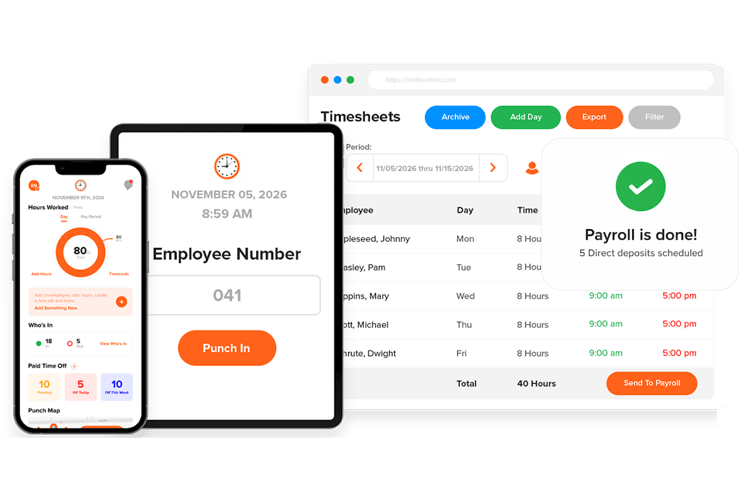
OnTheClock is the best overall pick because it handles the full daily workload of a lawn care time clock without the weight or price of an enterprise platform. It's a good fit for owners running three trucks who want accurate hours, GPS location records, and clean payroll -- and who doesn't want to learn a dispatch suite to get them. Crews clock in from a phone. The punch carries a GPS location, and a geofence can hold clock-ins to the property.
That covers the leak most lawn shops bleed from. GPS and geofencing help document the device location at a punch and deter off-site time entries. Managers can review exceptions and verify that all hours worked are recorded. Hours flow into payroll and export to QuickBooks, Gusto, and ADP, so time sheets and payroll finally agree.
Why OnTheClock Is Different
Many specialized field-service platforms charge higher base fees or reserve advanced features for more expensive plans. OnTheClock keeps it simple. One plan, $5/month base plus $4 per user, with GPS, scheduling, PTO, and payroll exports included rather than gated behind a higher tier. For a six-person crew, time tracking costs $29 per month before optional payroll.
Here's where the difference shows. A landscaper who tried a heavier field-service suite and gave up on it after the third training call doesn't need more software. They need their crew to clock in correctly and their payroll to be right on Friday. That's the lane OnTheClock's field crew time tracking owns. It does ask for two honest concessions. It requires an internet or Wi-Fi connection to record punches, and its job tracking is lighter than that of specialized platforms offering detailed service-line costing and project budgets.
Key Features
Pros
Cons
Pricing
- 30-day free trial, no credit card is required at sign-up
- $5/month base plus $4 per user/month (see how OnTheClock pricing works). Optional full-service payroll: $40/month base plus $6 per employee/month, with a one-time $250 implementation fee

Buddy Punch: Best for Deterring Buddy Punching
Available on: Web, iOS, Android
Why Buddy Punch Is Best for Deterring Buddy Punching
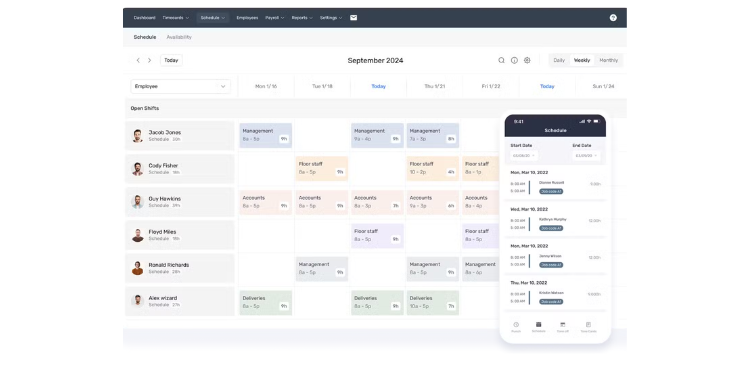
The name says it all. Buddy Punch is built around time sheet integrity, making it the pick for the owner who wants to reduce inaccurate time entries. It fits a crew where trust has frayed, or where one bad apple clocks in a buddy who's still asleep.
The anti-fraud stack is the standout. Photo-on-punch captures a webcam image at each clock-in, Face ID handles facial verification on iOS, and geofencing on the Pro plan restricts punches to approved locations. Add the optional real-time GPS for a live map of who's where. These controls can help deter inaccurate time entries and provide managers with additional information for review. Just know the full setup isn't all on the cheapest plan. Real-Time GPS costs $2/user/month on Starter and Pro and is included with Advanced; scheduling costs extra on Starter and is included with Pro and Advanced.
Key Features
Pros
Cons
Pricing
- 14-day free trial, no credit card is required
-
Starter: $4.99/user/month; Pro: $6.99/user/month; Advanced: $12.99/user/month. Each plan carries a $19 monthly base fee.

SingleOps: Best for Job Costing per Property
Available on: Web, iOS, Android
Why SingleOps Is Best for Job Costing per Property
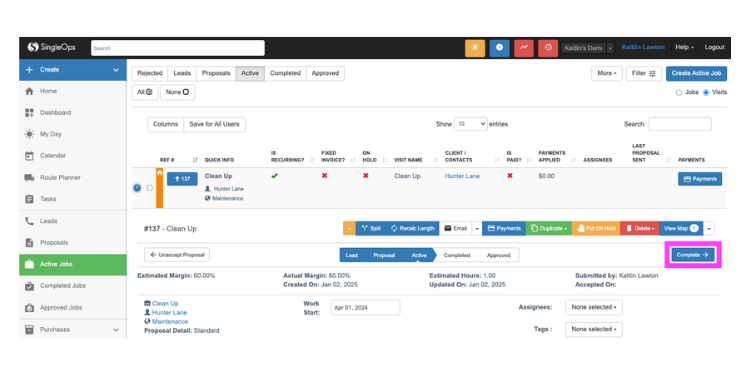
If you can't tell which accounts make money, SingleOps is built to help you find out. It's a green-industry platform that ties GPS-stamped time records directly to job profitability, so labor costs roll up per account automatically. The fit is the lawn care, landscape, or tree care owner who needs to know whether the Henderson account actually cleared a profit, not just how many hours the crew logged this week.
This is field-service software made for turf, not trades. Crews clock in via a mobile app with GPS and geofencing to help document punch locations, then add job updates, photo proof, and customer signatures from the same screen. The reporting is what sets it apart. Job profit margin reports put estimated cost against actual cost, so you can see which services and properties earn their keep and reprice the ones that don't. That's why SingleOps is cited for helping growing shops achieve real costing without an enterprise contract. It asks something back, though. Verify current plan pricing and GPS feature eligibility with SingleOps; the depth of costing also requires more setup than a basic clock.
Key Features
Pros
Cons
Pricing
- Demo available
- Contact SingleOps for current monthly pricing, user limits, and GPS plan eligibility

Connecteam: Best Free Option for a Small Crew
Available on: Web, iOS, Android
Why Connecteam Is the Best Free Option for a Small Crew
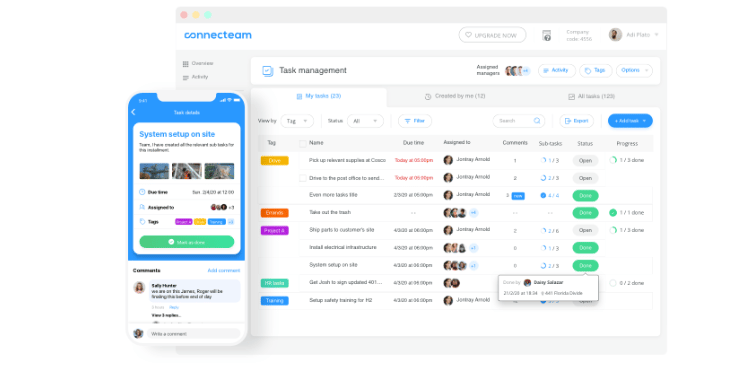
Not ready to pay for software yet? Connecteam's Small Business plan is genuinely free for up to 10 users, and it includes a real GPS time clock, scheduling, and team chat. That makes it the pick for the solo operator or small crew just coming off paper time sheets.
For a nine-person lawn shop, that free plan is hard to argue with. Crews clock in with GPS location, the schedule lives in the same app, and the built-in chat replaces the group text where job updates used to get lost. New seasonal hires onboard quickly because the app is mobile-first and built for deskless teams. Two things to be aware of: The deepest GPS features, like live breadcrumbs, sit on higher paid tiers, and pricing is billed per hub, so adding communications or HR stacks requires separate subscriptions. Operations Basic is $35/month for the first 30 users on monthly billing, with additional-user fees; confirm whether a limited free option is available above 10 users.
Key Features
Pros
Cons
Pricing
- Small Business plan is free for up to 10 users
- Operations Basic: $35/month; Advanced: $59/month; Expert: $119/month, each covering the first 30 users. Extra users and separately priced hubs may increase the total

Timeero: Best for Mileage and Drive-Time
Available on: Web, iOS, Android
Why Timeero Is Best for Mileage and Drive-Time
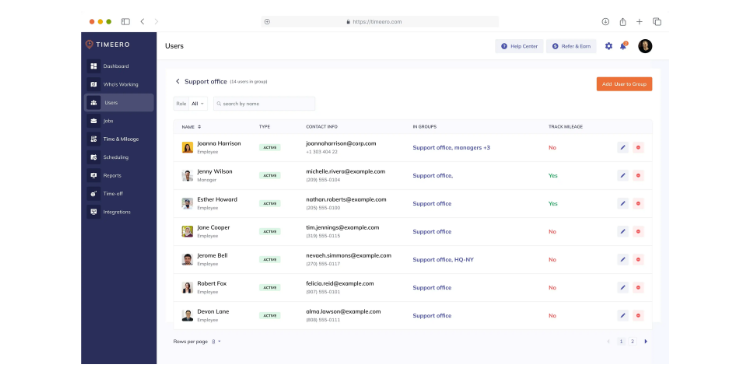
Long routes burn hours nobody tracks. Timeero automatically tracks mileage, while its optional Segmented Tracking add-on helps separate drive time from time spent at properties. It fits the lawn care business that wants mileage records for reimbursement review without asking crews to log odometer readings by hand.
This is a GPS-first app built for mobile teams. It records the route each crew drives, can replay where they went, and offers optional Segmented Tracking to distinguish travel from property visits. Automatic clock-in and clock-out features on eligible plans can reduce missed punches, but managers must still review records and ensure all time worked is paid. Accurate mileage records can support job costing, reimbursements, and applicable tax deductions. Timeero also runs facial recognition to curb buddy punching. One issue to be aware of: Its job costing is lighter than the cost-code specialists, so if margin-by-service-line is your top need, pair it or look at SingleOps.
Key Features
Pros
Cons
Pricing
- 14-day free trial
-
Basic: $6/user/month (up to 10 users); Pro: $9/user/month; Premium: $12/user/month. Optional Segmented Tracking starts at $5/user/month on Pro and Premium

Service Autopilot: Best for Routing Recurring Routes
Available on: Web, iOS, Android
Why Service Autopilot Is Best for Routing Recurring Routes
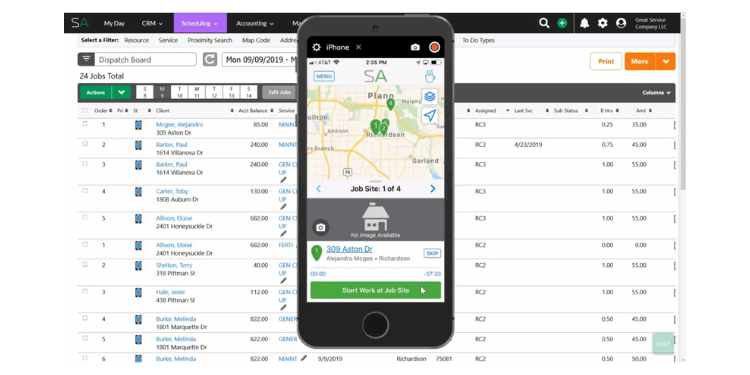
Run the same accounts every week, and the schedule becomes the business. Service Autopilot is built for that, with route automation and a time clock built in to the work. It fits the owner who manages 40 recurring properties and wants the schedule, route, and crew hours in one place.
Routing is the heart of it. The software automates recurring scheduling, optimizes the order of stops, and logs time against each job as the crew works, with GPS data helping document punch locations. That ties drive order, service, and labor together, so a tighter route shows up as lower cost. It also handles chemical tracking and billing, which matters for full-service lawn and pest crews. The catch is weight. The time clock lives inside a larger operations platform, so setup takes longer, and a crew that only wants a clock will feel the extra surface area. Confirm standard monthly pricing and the availability of routing, GPS, and payroll features before subscribing.
Key Features
Pros
Cons
Pricing
- Demo available
- Confirm current monthly pricing, features, and optional add-ons

QuoteIQ: Best All-in-One Option for the Whole Business
Available on: Web, iOS, Android
Why QuoteIQ Is the Best All-in-One Option for the Whole Business
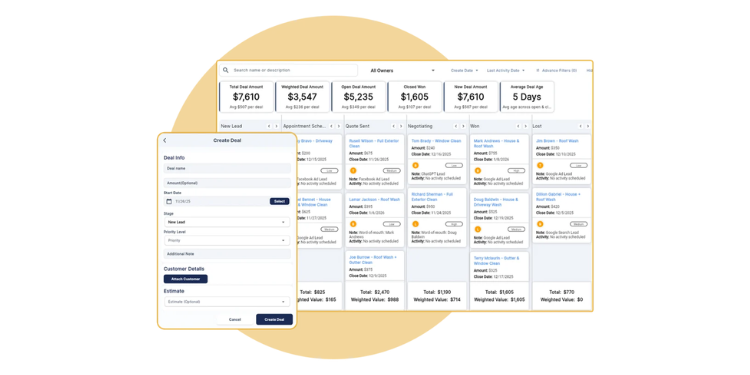
Tired of stitching a clock, scheduler, and an invoicing tool together? QuoteIQ puts it all in one app: A real crew time clock with GPS, plus job costing, scheduling, and invoicing, all under one transparent price. It fits the growing lawn care owner who wants the entire operation in one place.
The draw is breadth without a custom quote. Crews clock in with GPS; hours feed into job costing; and the same platform handles estimates and invoices, so a job can run from bid to paid in one place. Its app store rating is high, based on thousands of reviews from lawn and landscape operators. Pricing is published rather than hidden, with the Elite plan at $299.99/month for up to 10 users and a 14-day trial requiring a card at signup. Where it stops short of the enterprise crowd is depth. QuoteIQ doesn't include equipment depreciation tracking or multilocation labor allocation, so a very large commercial operation will outgrow it.
Key Features
Pros
Cons
Pricing
- 14-day free trial available on each plan; credit or debit card required at signup
- Elite: $299.99/month for up to 10 users; includes EmployeeHub, GPS tracking, and route optimization

Workyard: Best for Detailed GPS and Job-Site Records
Available on: Web, iOS, Android
Why Workyard Is Best for Detailed GPS and Job-Site Records
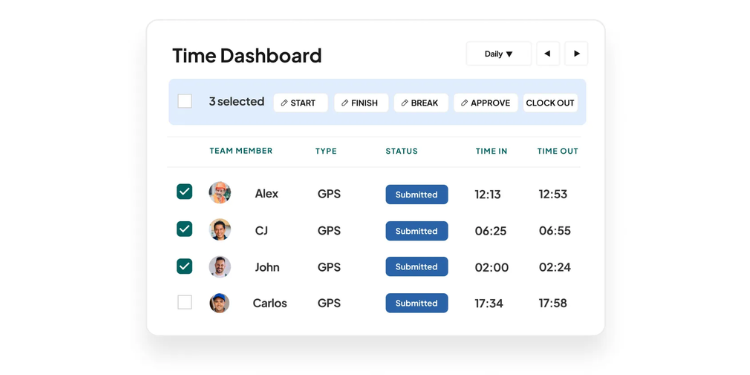
Workyard provides detailed GPS records and geofence reminders that can help lawn care managers investigate job site arrivals and departures. Location records are useful evidence, but cannot independently prove which employee performed the work.
Detailed location records are central to its offering. Workyard can capture GPS information during configured tracking periods, send clock-in and clock-out reminders as crews enter and leave a geofence, and tie labor hours to projects for cost reporting. It also captures mileage and works offline, syncing when a signal returns, which suits remote properties. For a lawn care business burned by fuzzy location data, that job site visibility may justify the cost. It comes at a price and from a different world. Its advertised entry price is $6 per user/month when billed annually, plus a base fee; confirm monthly billing rates and admin-seat costs. The product is built construction-first, so some of its depth is aimed at job sites larger than a backyard.
Key Features
Pros
Cons
Pricing
- 14-day free trial, no credit card is required at sign-up
- From $6/user/month billed annually plus a base fee; confirm monthly pricing and admin-seat charges

Aspire: Best for Scaling Commercial Operations
Available on: Web, iOS, Android
Why Aspire Is Best for Scaling Commercial Operations
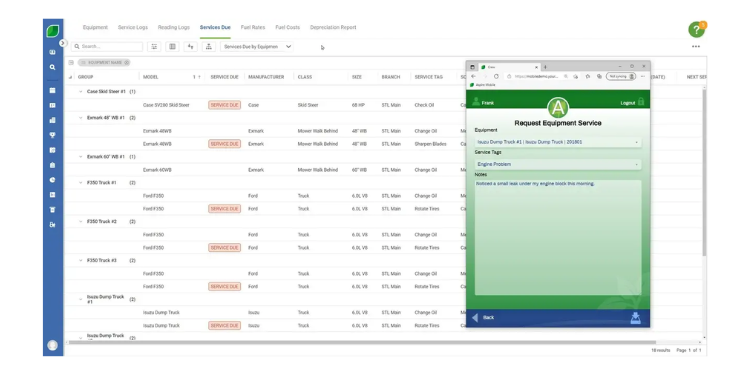
Once you've outgrown the simple clocks, Aspire is the pick. It's the enterprise platform for commercial landscape companies that run 20-plus crews and generate several million in revenue. It offers GPS-supported time tracking integrated with full job costing and production management, and is most appropriate where labor allocation crosses branches and equipment costs need to be tracked, rather than for three-truck shops.
At that scale, the depth earns its keep. Aspire ties crew hours to production reporting, equipment depreciation, and profitability by service line, so a large operator can see margin across the whole book. Time tracking is one piece of a system built to run the business end-to-end. For most readers, that's the problem. This is more than a small or mid-size lawn care business needs, and pricing is custom and enterprise-grade, starting well above the rest of this list. If your company employs fewer than 15 workers, one of the picks above will serve you better and cost far less.
Key Features
Pros
Cons
Pricing
- Custom quote, demo required
- Custom enterprise pricing; contact Aspire for a quote
Side-by-Side Comparison
| Tool | Best For | Pricing | Key Strengths | Top Integrations |
|---|---|---|---|---|
| OnTheClock | Best overall for lawn care crews | $5 base + $4/user/month | GPS, geofencing, scheduling, payroll integrations | QuickBooks, Gusto, ADP, Paychex |
| Buddy Punch | Stopping buddy punching | Starter $4.99/user/month + $19 base | Photo-on-punch, Face ID, geofencing | QuickBooks, ADP, Gusto, Paychex |
| SingleOps | Job costing per property | Contact vendor for monthly quote | Job profit reports, GPS, green-industry FSM | QuickBooks |
| Connecteam | Best free for a small crew | Free up to 10; Operations Basic $35/month for first 30 | Free GPS clock, scheduling, chat | QuickBooks, Gusto, Xero, ADP |
| Timeero | Mileage and drive-time | From $6/user/month; Segmented Tracking extra | Automatic mileage; optional segmented tracking | QuickBooks, ADP, Gusto, Paycor |
| Service Autopilot | Routing recurring routes | Confirm current monthly rates | Route automation, job-tied time | QuickBooks |
| QuoteIQ | All-in-one for the business | $299.99/month (Elite, up to 10 users) | Clock, job costing, invoicing in one | QuickBooks |
| Workyard | Detailed job-site GPS records | From $6/user/month billed annually; confirm monthly rate | Detailed GPS records, geofence prompts | QuickBooks, Sage, ADP, Gusto |
| Aspire | Scaling commercial operations | Custom enterprise | Enterprise job costing, production | QuickBooks, custom |
Pricing and feature information reviewed October 2026 using available vendor documentation. Figures reflect month-to-month rates where confirmed; verify any other billing terms and custom quotes with the provider.
What's the Best Time Clock Software for Lawn Care?
The best option isn't the one with the longest feature list; it's the one that fits the situation you're actually in.
Start with one question: What are you really trying to solve? Many owners buy on features they might need someday and end up with a heavy platform their crew won't open. Focus on your current bottleneck instead. Ask yourself:
- Are crews padding hours or punching for each other? Look at OnTheClock or Buddy Punch.
- Do you need to see profit per property? Consider SingleOps or QuoteIQ.
- Just getting off paper with a tiny crew? Connecteam's free plan is a formidable option.
- Drowning in drive-time across a big route? Timeero may be worth a look.
Your answer points to your pick. The right lawn care time clock removes the friction from the problem you hit most. When those hurdles disappear, the rest gets easier.
What Is Lawn Care Time Clock Software?
Lawn care time clock software is a mobile app that lets crews punch in and out from the field and records when and where each shift happens. Instead of paper sheets or a group text, the hours land in one place, tied to a GPS location and ready for payroll.
For a lawn care business, it adds proof. You can see that a crew was on the property, how long the job took, and how that time maps to what you billed. The simple point: accurate hours in, accurate paychecks and invoices out.
Who Needs Lawn Care Time Clock Software?
Any lawn care business with employees who work away from an office needs it, and the math tips the moment you hire your first crew member. One owner mowing solo can track time on a notepad. Two crews across a dozen properties cannot.
Residential maintenance crews, commercial landscape teams, and full-service lawn and pest operations all benefit. If you're chasing time sheets on Sunday night, paying for hours you can't verify, or guessing at job profit, you're the audience. The bigger and more spread out your crews, the more the time clock pays for itself.
Why Lawn Care Businesses Rely on Time Clock Software
Lawn care runs on thin margins and hourly labor, so an hour logged incorrectly is money down the drain. Crews work across many sites in a day, often with no manager on-site, which makes accurate hours harder to obtain and more important to have.
The old way fails quietly. Paper sheets get filled in from memory at week's end, padded by a few minutes here and there, and nobody can prove otherwise. A mobile time clock replaces the guesswork with a GPS-stamped record. It also helps with labor law: the U.S. Department of Labor requires employers to keep accurate records of hours worked under the Fair Labor Standards Act, with federal recordkeeping rules detailed in 29 CFR Part 516. Digital time records support compliance but require manager review.
Key Features Lawn Care Time Clock Software Should Have
Before comparing prices, make sure any tool you consider covers the basics a field crew needs:
-
Mobile GPS clock-in: Crews punch from a phone, with location attached to each punch.
-
Geofencing: Restricts clock-ins to designated areas, helping deter off-site punches and giving managers additional information to review.
-
Buddy-punching controls: Photo capture and facial verification can help deter employees from clocking in for one another.
-
Crew clock-in: A lead punches the whole team in at once at each stop.
-
Job costing: Hours are attached to each account, so you can read the profit by property.
-
Payroll integration: Hours export clean to QuickBooks, Gusto, or ADP.
How to Choose the Proper Time Clock Software for Lawn Care
Step 1: Name your single biggest time leak first. Before you look at a single app, get specific about where money is actually walking out the door. For most lawn care businesses, it's one of four things: crews clocking in before they reach the property, workers punching in for each other, hours that never tie back to a profitable or unprofitable account, or drive time that nobody is really measuring. Write down the one that costs you the most right now. This matters because every tool on this list leads with a different strength, and the fastest way to overpay is to buy a platform built for a problem you don't have. If buddy punching is bleeding you, a precise mileage tracker won't fix it. Pick the leak, then pick the tool that plugs that exact leak.
Step 2: Confirm it has a true field time clock, not just scheduling or GPS. This sounds obvious, and it's the step people skip. Plenty of lawn care apps market themselves as crew tools but only do scheduling, routing, or customer management, with time tracking bolted on as an afterthought or missing entirely. Open the feature list and confirm three things: A crew member can clock in and out from a phone, the punch records a GPS location, and the hours export to payroll. If any of those three are missing or sit behind a much higher tier, keep looking. A time clock that can't actually clock time in the field is just expensive software your crew won't use.
Step 3: Match the price model to how your crew actually grows. Lawn care is seasonal, so the pricing structure matters as much as the headline number. Look closely at whether a tool charges a flat rate, per-user rate, or base fee plus a per-user rate, because each behaves differently as you scale up for summer and down for winter. A base-fee-plus-seat model, like Workyard or Buddy Punch, can be efficient at a steady headcount but stings when you swing from four crew members to 14 and back. Connecteam's Operations plans have a fixed price for the first 30 users, while the free Small Business Plan supports up to 10. OnTheClock's $5 base plus $4 per user stays predictable and lets you deactivate seasonal workers without paying for empty seats. Run the math on your real peak and offseason headcount, not today's number.
Step 4: Test it in the field with a real crew, not at your desk. A time clock that demos beautifully on your laptop can fall apart in a crew member's hands at 7 a.m. behind a row of oaks with one bar of signal. Use the free trial the way your crew will use the tool: hand it to two or three actual workers, send them out on a route, and watch what happens. Does it clock in fast? Does it work when the signal drops and then syncs later? Can a seasonal hire who started yesterday figure it out without calling you? Offline mode and dead-simple punching matter more in lawn care than almost any advanced feature, because a tool your crew resists is a tool that quietly goes unused while you keep paying for it.
Step 5: Check the payroll and accounting connection before you commit. The whole point of accurate hours is a faster, cleaner payday, so the export step decides whether you actually save time. Confirm the tool connects to the payroll or accounting system you already run, whether that's QuickBooks, Gusto, ADP, or Paychex, and ensure it's a real integration, not a CSV you have to clean up by hand. Ask how overtime is calculated and whether it complies with your state's rules, since the FLSA sets the federal floor, but many states add their own daily overtime on top. A clock that transfers approved hours into payroll can reduce manual entry, subject to integration and approval settings. That saved time is a real part of the return, so weigh it like one. Travel between customer properties during the workday generally counts as paid work time under federal law, even if the employer doesn't bill customers for that travel. Make sure your time clock captures compensable travel hours separately from mileage reimbursements and customer-billable job time.
Step 6: Plan for the season after this one. Buy for where you'll be in 18 months, not just where you are today. If you're a two-truck shop with plans to add commercial accounts, a free or low-cost clock gets you started, but check that it can grow with you before you're forced into a painful switch mid-season. If you're already running multiple crews and eyeing real job-cost data, lean toward a tool with native costing now rather than retraining everyone later. The goal is one migration, not three. A tool that fits both your current crew and your next stage saves you the cost and chaos of ripping out a system your team has just learned.
Tips for Implementing Time Clock Software Successfully
-
Roll it out to one crew first. Pick your most reliable crew lead and run the new clock with that team for a week before going company-wide. You'll catch the snags, like a geofence drawn too tight or a confusing punch screen, on a small scale, where they're easy to fix. That lead then becomes your in-house trainer for everyone else.
-
Tell crews why, not just how. People resist being tracked when it feels like suspicion. Frame it straight: Accurate hours mean correct paychecks, fewer payroll mistakes, and proof that protects them if a client disputes a visit. Crews who understand the clock works for them, too, will fight it far less.
-
Set your geofences and overtime rules on day one. Draw a geofence around every recurring property and configure overtime to comply with your state's labor laws before the first real punch. The U.S. Department of Labor's FLSA overtime rules set the federal standard, but several states add daily overtime on top of that, and getting the rules right from the start avoids back-pay headaches later.
Frequently Asked Questions
What is the best time clock software for lawn care?
OnTheClock is the best overall time clock software for lawn care because it covers mobile GPS clock-in, geofencing, employee scheduling, job tracking, and payroll integrations in one plan at $5/month base plus $4 per user. The best pick for you depends on your biggest need, though. For job costing, SingleOps leads; for a free option, Connecteam is the leading choice; for mileage, Timeero is a formidable option.
How does GPS time tracking work for lawn care crews?
GPS time tracking can associate a device location with each punch. Geofencing can flag or restrict punches outside configured property boundaries. These records help managers investigate reported arrival times but do not prove who performed the work or which services were completed.
Can time clock software stop buddy punching?
Time clock software can help deter buddy punching through photo capture, facial recognition, PINs, and location restrictions, depending on the product. Managers should review exceptions because these controls do not eliminate every inaccurate punch.
Is free time clock software good enough for a small lawn care business?
For a crew of 10 or fewer, yes. Connecteam's Small Business plan is free for up to 10 users and includes a GPS time clock, scheduling, and chat. You'll outgrow the free tier's deeper GPS and job-costing features as you scale, but it's a real way to get off paper at no cost.
How much does time clock software for lawn care cost?
It ranges widely. Simple crew clocks like OnTheClock start at $5/month base plus $4 per user, and Buddy Punch at $4.99 per user plus a $19 base. SingleOps pricing requires a current vendor quote. QuoteIQ Elite is $299.99/month for up to 10 users; Aspire uses custom enterprise quotes. Compare billing terms, user limits, and add-on costs.
Does lawn care time clock software help with labor law compliance?
Yes. The Fair Labor Standards Act requires employers to keep accurate wage and hour records, with detailed federal recordkeeping rules in 29 CFR Part 516. Time clock software can help document hours and calculate overtime, but employers must still verify entries, pay all compensable time, and apply relevant federal and state laws.
Do these apps work without internet in the field?
Some do. Workyard and Timeero offer offline modes that store punches locally and sync once the device reconnects, which matters on remote properties with weak signals. Others, including OnTheClock, need internet or Wi-Fi to sync, so check offline support if your routes run through dead zones.
Start Tracking Time for Free
See how OnTheClock keeps your crew's hours accurate from the first property to the last.
Start your free, 30-day trial without a credit card today.
