Key Takeaways
- ✔OnTheClock is the best overall option for auto repair shops: It records actual hours worked, supports configured overtime calculations, and exports approved time to payroll for $5/month base plus $4 per employee.
- ✔The best time clock tracks real hours, not just flagged hours. Flagged repair-order hours and actual hours worked are different records; employers must account for compensable work time.
- ✔Flat-rate pay does not automatically eliminate overtime obligations. Eligibility depends on actual hours worked, applicable exemptions, and federal and state law.
- ✔For pure, flat-rate shops, ACCTimeTracker is built for the book-time split, though it fits a solo tech or small crew best.
- ✔A repair-order timer is not necessarily a payroll clock. Verify that your system also captures all compensable hours and maintains payroll records.
The best time clock software for an auto repair shop is the one that keeps your real hours straight while you pay your techs for flagged hours. That one job sits under every payroll you run.
Picture a Friday. Two of your techs flagged 50 hours of book time this week but were physically in the bay for 44. Flagged book hours and actual hours worked can differ. The shop needs reliable records of the 44 clock hours to evaluate minimum-wage, overtime, and recordkeeping requirements, including any applicable exemptions.
That's the split that no generic clock handles well. So, what time clock is the best choice and why? Below, we answer those questions and more, breaking down the best pick for each kind of shop.
What Auto Repair Shops Actually Want
When a tech's check doesn't match what they think they flagged, the argument lands on your desk. So, the first thing you want is a record nobody can argue with: Who clocked in and who clocked out, down to the minute.
Then you want the math to hold up. You may pay based on flagged hours, but you must also record actual hours worked and determine any overtime obligations under the applicable rules. You also want it to be simple enough that a tech with grease on both hands can punch it in without a fight. The right tool ties hours to a repair order and the right pay rate quietly in the background.
When shops choose a time clock, they're really trying to make payroll stop hurting. But the right pick shifts with what you need most. Some need the flat-rate math handled for them. Others just need to stop buddy punching or keep one location running cheaply. That's why there's no single winner, only a best one for each.
Quick Picks: The Best Time Clock Software for Auto Repair Shops at a Glance
-
OnTheClock: Best overall for auto repair shops
-
ACCTimeTracker: Best for flat-rate and flag-hour shops
-
Buddy Punch: Best for stopping buddy punching
-
QuickBooks Time: Best for shops already on QuickBooks
-
Homebase: Best for single-location shops
-
Connecteam: Best for time clock with scheduling
How We Evaluated the Best Time Clock Software for Auto Repair Shops
We judged each time clock on what actually matters in a working shop, not on feature-sheet length. We read verified user reviews on G2 and Capterra, checked each vendor's own live pricing and feature pages, and grounded the overtime and recordkeeping points in U.S. Department of Labor sources. We compared every option against the eight needs auto repair shops keep raising in what we call the OnTheClock Auto Shop Time Clock Checklist:
-
Real-hour accuracy on a shop floor: Kiosk, mobile, and shared-device punching that survives a busy bay.
-
Job and repair-order tracking: Time tied to a specific RO, so you can see labor cost per ticket.
-
Flat-rate and flag-hour support: Whether the tool understands that you pay on book time but track real time.
-
Overtime and FLSA records: Configurable overtime calculations using recorded hours, plus accessible wage-and-hour records.
-
Payroll and accounting integration: Clean exports to QuickBooks, ADP, Gusto, and the rest.
-
Buddy-punch prevention: PINs, photos, facial verification, and location controls that can help deter buddy punching and support punch reviews.
-
Setup and tech adoption: Whether your crew will actually use it without a training headache.
-
Price for a small shop: Real cost for a three- or 15-tech shop, base fees and all.
OnTheClock is our small-shop recommendation because it combines actual-hours recording, configurable overtime, kiosk and mobile punching, optional fingerprint verification, job tracking, and payroll exports at an accessible monthly price. Two picks below are free for small crews, and if you're looking for a free tool, we point you to them. This is a comparison against what shops need, not a ranking against the other solutions, as each of those serves its own purposes.
The Best Time Clock Software for Auto Repair Shops
Here are the best time clock software solutions for auto repair shops with the right pick for each situation. For each one, we cover whom it fits best, where it stands out, and where it may not be the right move.

OnTheClock: Best Overall for Auto Repair Shops
Available on: Web, iOS, Android
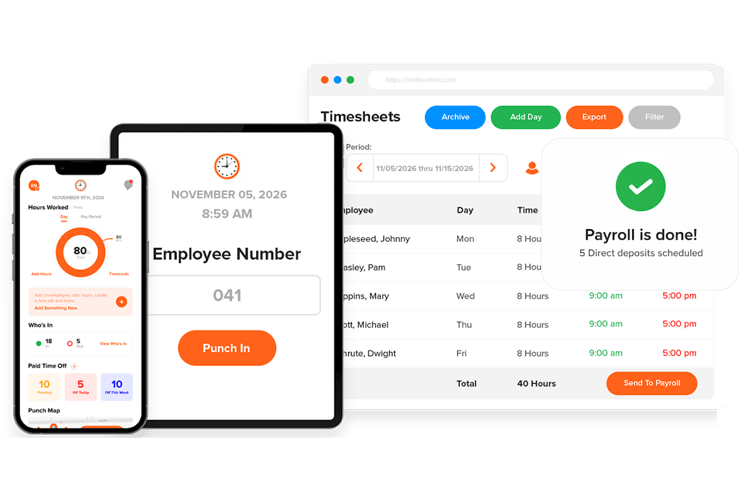
Why OnTheClock Is Best Overall for Auto Repair Shops
If you run a shop and pay on flagged hours, your real job consists of proving the actual hours. OnTheClock is centered on exactly that. Techs punch in from a shared shop computer, their phones, the web, or a fingerprint reader, and every punch lands in a timecard you can audit down to the minute. Overtime can be calculated using configured rules and recorded hours worked. Employers still need to review entries, pay calculations, and applicable exemptions.
It goes wider than a basic clock, too. You get GPS and geofencing, IP and device restrictions, job and project costing, and one-click exports to the payroll tools you already run. For a shop owner who wants real hour records, overtime handled, and clean payroll without buying a full management platform, it offers a useful combination of timekeeping and payroll features at a predictable price.
What Makes it Different for Auto Repair Shops
Most time clocks are built for offices or retail and then pointed at a shop. OnTheClock gives you the punch flexibility a bay actually needs. A tech can clock in at the shared kiosk on the way past or from a phone if they're road-testing a car, and optional fingerprint verification can help deter buddy punching at the door. The hours flow into a single timecard with a full edit trail, so when a tech questions his or her check, you have the receipts in seconds rather than having to sift through a shoebox full of paper.
Here's where it earns the overall pick. A four-tech shop can configure time tracking, overtime rules, and approved-hours exports to QuickBooks without a long-term contract. The trade-off it won't hide: It doesn't do flat-rate book-time math the way a purpose-built automotive tool does, so if your whole world is flag hours, see the next pick. And it needs internet or Wi-Fi to punch.
Key Features
Pros
Cons
Pricing
- 30-day free trial, no credit card
- $5/month base plus $4 per user/month (see how OnTheClock pricing works). Optional payroll: $40/month base plus $6 per employee/month, with a one-time $250 implementation fee
- Optional fingerprint punching: Supported hardware is not included
Try OnTheClock for free.
Start tracking shop hours with a 30-day free trial. No credit card or long-term contract.
ACCTimeTracker: Best for Flat-Rate and Flag-Hour Shops
Available on: Web (mobile-first app)
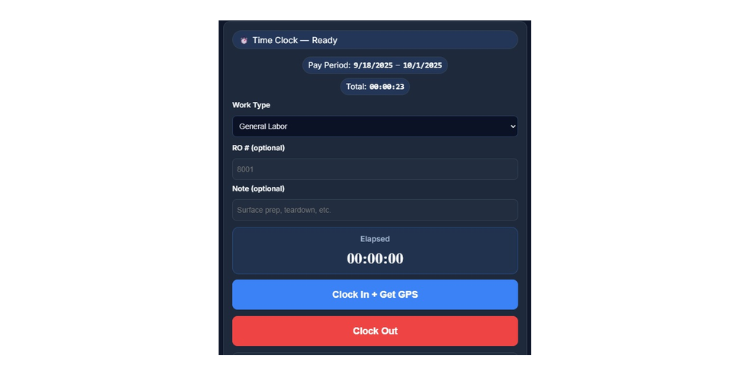
Why ACCTimeTracker Is Best for Flat-Rate and Flag-Hour Shops
This one was built by someone who lived the problem. ACCTimeTracker is designed for automotive shops that pay on book time and natively tracks flat-rate versus flag hours, unlike any general clock. One thing to know up front: It's a per-tech logging tool, not a shop-wide system, so it's best for a solo mechanic or a small flat-rate crew, not a busy multi-bay shop that needs a shared clock. Within that scope, every entry is tied to a repair order number. It flags duplicate ROs and handles dual-rate structures, so a tech doing both restoration and general labor gets paid properly for each.
It fits a body shop, restoration shop, or budget-minded independent that's tired of doing flag math on a spreadsheet. A tech installs the app on a phone, logs each job against its RO, and the running totals show the pace toward payroll for the week. Be clear-eyed about the limits, though: Data lives on each device; there's no shared kiosk; and payroll goes out via email or CSV export rather than a direct connection. One more thing: The homepage lists a $4.99 Pro tier, while the site's terms still say it's completely free. Confirm current pricing before you commit.
Key Features
Pros
Cons
Pricing
- Free base tier
- Pro plan listed at $4.99/month with a seven-day trial

Buddy Punch: Best for Deterring Buddy Punching
Available on: Web, iOS, Android
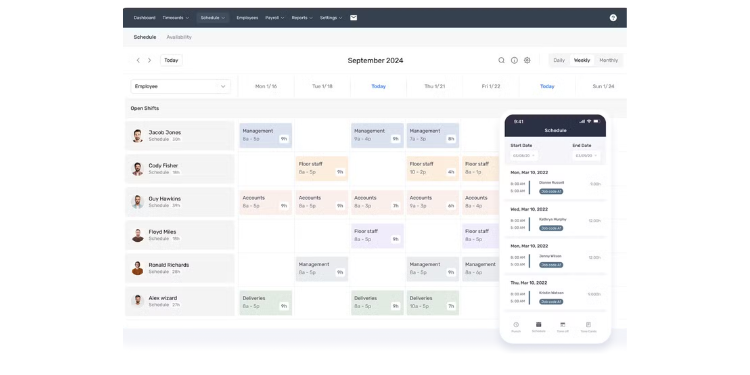
Why Buddy Punch Is Best for Deterring Buddy Punching
The name says it all. If you've ever suspected one tech is clocking in for another, Buddy Punch offers photo verification, supported facial authentication, geofencing on eligible plans, and IP restrictions. These controls can help deter inaccurate punches and give managers records to investigate.
It's a real time clock underneath all that, not just a security gadget. You get job codes, automatic overtime, a full punch audit log, and approvals, plus a shared tablet kiosk for the shop floor. For an owner concerned about inaccurate punches, the photo and geofence controls may help improve accountability. Reviewers on G2 and Capterra rate it among the highest in this group. The watch-out is cost at small headcounts: Every plan carries a $19 monthly base fee, so a three-tech shop feels it more than a 15-tech one, and offline punching depends on the selected plan.
Key Features
Pros
Cons
Pricing
- 14-day free trial, no credit card
- Starter: from $4.99 per user/month plus $19 monthly base; confirm month-to-month checkout rate
- Pro: from $6.99 per user/month plus $19 monthly base; confirm month-to-month checkout rate

QuickBooks Time: Best for Shops Already on QuickBooks
Available on: Web, iOS, Android
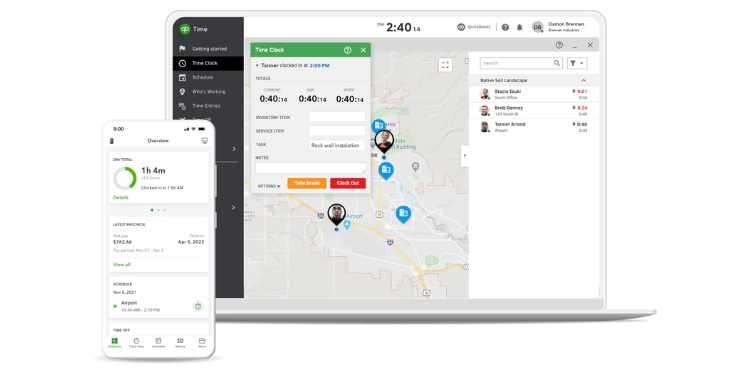
Why QuickBooks Time Is Best for Shops Already on QuickBooks
If your books already live in QuickBooks, this is the clock that drops in with the least friction. QuickBooks Time, formerly TSheets, pushes hours directly into QuickBooks payroll and accounting with no re-keying, exporting, or copy-pasting. For a shop whose accountant runs everything through QuickBooks, that single connection saves real hours every pay period.
The tracking itself is strong. You get a tablet kiosk, mobile app, GPS, photo capture, automatic overtime, and drag-and-drop scheduling. Tie labor to jobs to see the cost per ticket, which helps you spot where the shop bleeds time. Two honest catches, though: Its base-plus-user pricing can be expensive for small shops, especially after the July 1, 2026, price increase, and advanced project tracking and geofencing depend on the selected plan and QuickBooks subscription.
Key Features
Pros
Cons
Pricing
- No free plan; 30-day free trial
- Effective July 1, 2026: Premium $20 base plus $10 per employee/month
- Elite: $40 base plus $12 per employee/month. A QuickBooks Online subscription is required

Homebase: Best for Single-Location Shops
Available on: Web, iOS, Android
Why Homebase Is Best for Single-Location Shops
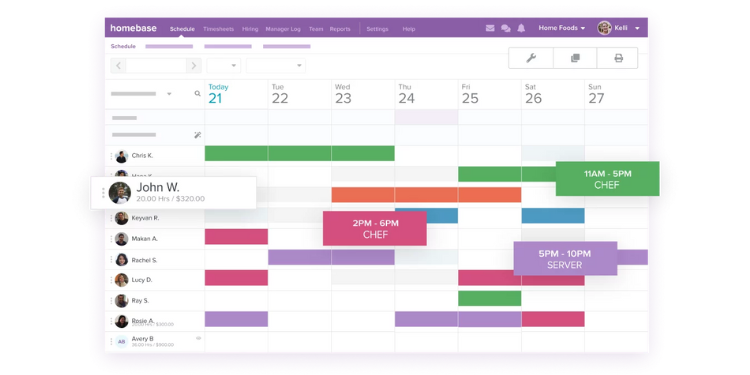
If you run one shop and you're watching every dollar, Homebase gives you a real time clock for free. The free plan covers a single location with up to 10 employees and includes the basics that matter: clocking in on a tablet, computer, or POS device, plus basic scheduling. For a small, independent shop getting off paper timecards, that's a genuine on-ramp at no cost.
It's easy to live with. The interface is friendly, techs pick it up quickly, and you can move into paid tiers as you grow to add GPS clock-ins, overtime alerts, and auto clock-outs. Know where the free ride ends, though: Homebase prices per location, not per user, so the minute you open a second shop, the bill jumps. GPS tracking starts at the paid Essentials tier, not free, and there's no facial recognition, only a photo at clock-in. It's best when you're in one location and plan to stay that way for a while.
Key Features
Pros
Cons
Pricing
- Free for one location, up to 10 employees
- Essentials: $30 per location/month
- Plus: $70 per location/month; All-in-One: $120 per location/month. Optional payroll: $49/month base plus $6 per employee paid/month

Connecteam: Best for Time Clock With Scheduling
Available on: Web, iOS, Android
Why Connecteam Is Best for Time Clock With Scheduling
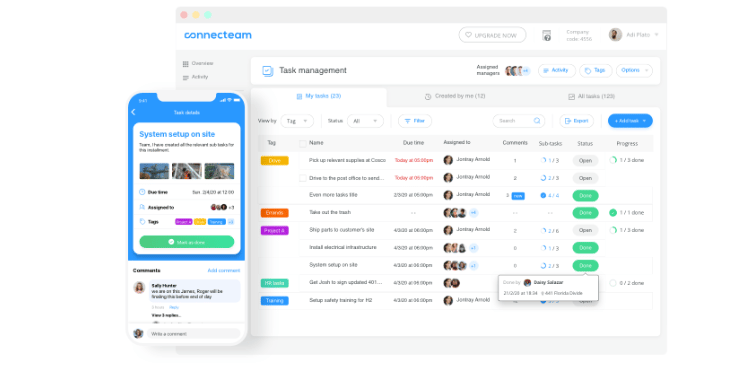
Some shops don't just need a clock; they need to know who's working tomorrow. Connecteam combines the time clock and schedule in one app, so you can build shifts, publish them, and track hours against them without bouncing between tools. Techs see their week, swap shifts, and clock in from the same place, and you get a push notification trail whenever anything changes.
The clock holds its own. You get mobile punching, GPS stamps, geofencing on higher tiers, automatic overtime, and payroll-ready time sheets that export to QuickBooks, Gusto, Paychex, and Xero. Best of all, for a small shop, the free plan covers up to 10 users. The catch is the pricing model: Connecteam sells in "hubs," which gets confusing fast, and advanced geofencing requires eligible higher-tier Operations plans; confirm kiosk configuration by plan. There's also no offline mode or facial recognition.
Key Features
Pros
Cons
Pricing
- Free for up to 10 users
- Operations Basic: $35/month; Advanced: $59/month; Expert: $119/month for the first 30 users, with extra-user fees and separately priced hubs
- 14-day free trial, no credit card
Side-by-Side Comparison
| Tool | Best For | Pricing | Key Strengths | Top Integrations |
|---|---|---|---|---|
| OnTheClock | Best overall for auto repair shops | $5 base + $4/user/month | Real-hour records, auto overtime, low cost | QuickBooks, ADP, Gusto, Square |
| ACCTimeTracker | Flat-rate and flag-hour shops | Free; Pro $4.99/month | Native flat-rate, RO tracking | Email/CSV export only |
| Buddy Punch | Stopping buddy punching | Starter from $4.99/user/month + $19 base; verify monthly rate | Photo and facial verify, geofencing | QuickBooks, ADP, Gusto, Paychex |
| QuickBooks Time | Shops already on QuickBooks | Premium $20 base + $10/user/month; QuickBooks Online required | Direct QuickBooks sync, scheduling | QuickBooks, ADP, Gusto, Xero |
| Homebase | Single-location shops | Free up to 10 employees at one location; Essentials $30/location/month | Free for one location, easy to use | QuickBooks, ADP, Gusto, Square |
| Connecteam | Time clock with scheduling | Free up to 10 users; Operations Basic $35/month for first 30 users | Clock plus scheduling, free for 10 | QuickBooks, Gusto, Paychex, Xero |
Pricing and features reviewed October 2026. Rates reflect standard monthly billing, where confirmed; verify that rates shown are starting prices and that any additional subscription requirements apply.
What's the Best Time Clock Software for Auto Repair Shops?
The best option isn't the one with the longest feature list; it's the one that fits the situation you're actually in.
Start with one question: What hurts most at payroll right now? Many owners buy on features they might need someday and end up with a heavy tool the crew won't use. Focus on your current bottleneck instead.
- Do techs and the office argue about hours every payday? You need rock-solid, real-hour records. If so, look at OnTheClock.
- Is your whole pay model flagged book time? You need the flat-rate split handled. Look at ACCTimeTracker.
- Do you suspect one tech punches in for another? You need photo and geofence controls; check out Buddy Punch.
Your answer points to your pick. The right time clock removes the friction from the problem you run into most often. When that friction goes, the rest of payroll gets easier.
What Is Time Clock Software for Mechanics?
Time clock software for mechanics is a digital tool that records when your technicians start and stop work, then converts those punches into time sheets you can use to run payroll. Techs clock in on a tablet, a phone, the web, or a fingerprint reader instead of a paper card or punch machine.
For an auto repair shop, the keyword is real hours. Even when you pay on flagged book time, the software keeps a clean record of the actual time each tech was on the clock, which is the record that payroll and the law are built on. For a deeper primer, see our complete guide to employee time tracking.
Who Needs Time Clock Software?
Any auto repair shop with employees on the clock needs it, but the pain grows with the crew. A solo operator can scrape by on memory. A shop with five or 10 techs, hundreds of repair orders a week, and a flat-rate pay plan cannot.
It's worth knowing what doesn't count here. The "job clock" in a shop management system, such as Tekmetric or Shopmonkey, tracks technician efficiency and compares billed hours to actual hours. That's useful, but it isn't a time clock for payroll. Tekmetric says so plainly: The job clock is to track efficiency, not to pay your technicians. Confirm that your system records all compensable work hours, including tasks not attached to repair orders.
Why Auto Repair Shops Rely on Time Clock Software
Shops rely on it because flat-rate pay and labor laws pull in opposite directions, and only a clean record bridges them. Flat-rate and flagged hours may differ from actual hours worked, and overtime rules or exemptions depend on the employer and pay arrangement. Without timestamped clock-in and -out records, you can't prove the real hours, and that's where back-pay claims and Department of Labor headaches start.
There's a productivity payoff, too. When every hour is logged digitally, you stop chasing time sheets, spot which techs and which jobs run long, and payroll takes minutes instead of a Sunday afternoon. See how the right setup turns hours into clean pay on our time tracking for mechanics page.
Key Features Time Clock Software Should Have
Before you shop, know the must-haves. The right tool for an auto repair shop should cover the basics and a few specifics of your trade.
-
Multiple punch options: Kiosk, mobile, and web, so a tech can clock in however the bay allows.
-
Real-hour and overtime tracking: Automatic overtime on actual hours worked, with records you can keep for years.
-
Job or repair-order tracking: Time tied to a specific ticket, so you can see labor cost per job.
-
Buddy-punch prevention: PINs, photos, facial verification, and GPS controls to help deter inaccurate punches.
-
Payroll integration: A clean export or direct sync to the payroll tool you already run.
-
Easy adoption: Simple enough that your crew uses it without a fight.
How to Choose the Proper Time Clock Software for Auto Repair Shops
Step 1: Identify your biggest payroll pain. Before you look at a single product, write down what hurts the most. Maybe it's techs disputing their hours, flat-rate math eating your weekends, or a nagging worry about buddy punching. The tool that fixes your No. 1 pain is worth more than the one with the most features. Start there and narrow the field accordingly.
Step 2: Confirm it tracks real clock hours, not just flagged hours. This is the step most shops skip and later regret. Make sure the tool keeps timestamped clock-in and clock-out records for actual time worked, separate from the book time you pay on. Accurate work-hour records support minimum-wage, overtime, and recordkeeping reviews, subject to applicable exemptions. A tool that only tracks efficiency or flagged hours leaves you exposed.
Step 3: Check how techs will punch in. Walk your bay in your head. Will techs clock in at a shared tablet by the door, on their phones, or with a fingerprint? A shop where everyone shares a single terminal needs kiosk mode. A shop where techs road-test cars needs reliable mobile punching. Match the punch method to how your crew actually moves, or they'll fight the tool every day.
Step 4: Look for buddy-punching deterrents. Time theft is quiet and expensive. Look for photo capture, facial matching, geofencing, or IP restrictions to help discourage employees from punching for one another. Managers should still review questionable entries. Decide how much protection your shop needs and pick a tool that meets it without making honest techs jump through hoops.
Step 5: Match it to your payroll system. The hours have to be entered into payroll without anyone retyping them. If you run QuickBooks, a direct sync saves real time. If you use ADP, Gusto, or Paychex, confirm the tool exports cleanly to it. A clock that forces manual entry into payroll just moves the busywork instead of killing it.
Step 6: Run a free trial during a real pay period. Never buy on a demo alone. Test with real techs through as much of a normal pay period as the trial allows, ideally including one complete punch-to-payroll cycle. Watch whether punches land, overtime is calculated correctly, and payroll comes out clean. The trial will tell you in two weeks what a sales page never will.
Step 7: Add up the true cost for your headcount. Sticker prices lie. Multiply the per-user fee by your real crew size, add any base fee, and factor in per-location charges if you have more than one shop. A tool that looks cheap per user can end up costing more than a flat-rate plan once you do the math. Compare the real monthly bill, not the headline number.
Tips for Implementing Time Clock Software Successfully
-
Tell your crew why before you tell them how. Techs hear "new time clock" and assume you're spying on them. Get ahead of it. Explain that clean records protect their paychecks and your shop, and that they end the payday arguments they hate, too. When techs understand the record is on their side, adoption stops being a battle.
-
Start with a single pay period of parallel running. For your first two weeks, keep your old method alongside the new tool. Compare the two at payroll. This catches setup mistakes, like a misconfigured overtime rule, before they hit anyone's check.
-
Set the overtime rules to your state, not just federal. Federal law is the floor, and some states stack daily overtime or stricter rules on top. Configure the tool for applicable wage-and-hour requirements, and confirm any exemptions before running payroll. The U.S. Department of Labor explains the federal baseline in its overtime fact sheet, and verify your payroll settings rather than assuming the software guarantees compliance.
-
Put one person in charge of approvals. Decide who will review and approve timecards each period, and make it a routine. A consistent set of eyes catches missed punches and odd entries early, keeping the real-time record clean and trustworthy when you need it most.
Frequently Asked Questions
What's the best time clock software for an auto repair shop?
For many small shops, OnTheClock is a strong choice. It records actual hours, supports configured overtime calculations, and exports approved hours to payroll, starting at $5/month base plus $4 per employee. If your shop pays entirely on flat-rate book time, ACCTimeTracker is the better fit because it's built for the flag-hour split.
Do I have to pay my mechanics overtime if they're on a flat rate?
Many flat-rate mechanics are entitled to overtime, but eligibility depends on the employer, compensation arrangement, and applicable exemptions. Certain dealership employees may qualify for an automobile-dealer exemption, while some commissioned employees of retail or service establishments may qualify under FLSA Section 7(i). A flat-rate label alone does not establish an exemption. For nonexempt employees, federal overtime generally applies after 40 hours worked in a workweek. Track actual work hours and check federal and state rules or consult a wage-and-hour attorney.
Isn't the job clock in my shop management software enough?
No, not on its own. Job clock-in tools, like Tekmetric or Shopmonkey, measure technician efficiency by comparing billed hours to actual hours. Tekmetric itself says the job clock is for tracking efficiency, not for paying technicians. The shop must also record all compensable hours, including nonproductive tasks, and maintain appropriate payroll records.
How long do I have to keep time records?
Under federal law, you must keep payroll records for at least three years and the records that wage calculations are based on, like timecards, for two years. A digital time clock can help retain this history, but employers must confirm that retention settings and continued access are maintained for the required periods.
What does time clock software cost for a small shop?
It ranges widely. Free tiers are available for one location or small crews from tools like Homebase and Connecteam. Pricing varies by plan, headcount, and location. OnTheClock is $5/month base plus $4 per user; Homebase Essentials is $30 per location/month; and Connecteam Operations Basic is $35/month for the first 30 users. Always multiply by your real headcount to find the true cost.
Can techs clock in from their phones?
Yes. Every tool here offers mobile punching, which helps when a tech is road-testing a car or working off-site. Some offer GPS or geofencing to help document or restrict punch locations. If your crew shares one terminal instead, look for a kiosk mode on a shop tablet.
Start Tracking Your Shop's Hours for Free
You don't have to spend another Friday arguing over hours. Get clean records your techs can trust and make payroll the easy part of your week.
Start your free, 30-day trial without a credit card.
