

Jump to section
Try OnTheClock Free
Save time and make payroll effortless with our easy-to-use, affordable employee time tracking app.
Try It FreeKey Takeaways
- ✔OnTheClock is a strong pick for small and mid-size medical practices. A 20-person practice pays $85/month for time tracking, including kiosk, mobile, and web punching. Full-service payroll is available separately.
- ✔The best time clock keeps a mixed team's hours clean. It captures clinical and front-desk punches and feeds payroll without manual cleanup.
- ✔Break and overtime records matter here. Short rest breaks of about five to 20 minutes generally count as paid work time under federal law, so practices must account for them accurately.
- ✔HIPAA is the big gotcha. A BAA may be required if a vendor handles protected health information on your practice's behalf. Confirm actual data flows before choosing a tool.
- ✔There's no single winner. We picked the best option for eight real situations, from free single-location offices to multisite physician groups.
The best time clock software for medical practices is the one that captures every punch from your entire team, keeps break and overtime records clean enough to withstand a wage audit, and sends accurate hours straight to payroll. That's the real task at hand -- everything else is a bonus.
It's Friday afternoon, and payroll is due. A medical assistant forgot to clock back in after lunch on Tuesday. Two front desk staff swapped shifts, and nobody logged it. One nurse hit overtime, and you're not sure the breaks were recorded correctly. So, here you go again, rebuilding the week by hand.
Here's the honest part. No single tool wins for every practice. A solo dental office needs something different than a five-site physician group or a home-health agency with nurses driving between patient homes.
With so many situations and solutions available, we look at every scenario and break it down below.
What Medical Practices Actually Want
You want hours you can trust. When a clock is reliable, timekeeping can reduce payroll corrections and preparation time. That's the real goal behind every feature on the list.
You also want to stop losing money to bad punches. Buddy punching, where one employee clocks in for another, and other inaccurate time entries can create unnecessary payroll costs. In a practice running on thin margins, even small leaks add up across a year of pay periods.
And, trust me, you definitely want to stay out of trouble with labor laws. Medical staff work long shifts, skip breaks, and rack up overtime. If you can't prove you paid them correctly, you're exposed.
The right clock helps maintain those records for manager review. When practices choose a time clock, they're really trying to make payroll accurate and defensible, but the right pick shifts with what you need most.
Quick Picks: The Best Time Clock Software for Medical Practices at a Glance
-
OnTheClock: Best for small and mid-size medical practices
-
Homebase: Best free option for single-location offices
-
Clockify: Best for simple, low-cost tracking
-
When I Work: Best for nurses and schedules with rotating shifts
-
ClockShark: Best for home-health and visiting staff
-
Connecteam: Best for practices that need a HIPAA BAA
-
Deputy: Best for multisite physician groups
-
Gusto: Best all-in-one payroll plus time
How We Evaluated the Best Time Clock Software for Medical Practices
We judged each time clock on what actually matters in a medical office, not on feature-sheet length. We compared every option against the eight needs medical practices keep raising using what we call the OnTheClock Medical Practice Scorecard:
-
Reliable clock-in for mixed staff: Nurses, techs, and front desk all need to punch easily by kiosk, phone, or web browser.
-
Break and overtime tracking that holds up: Short rest breaks of about five to 20 minutes generally count as paid work time under 29 CFR 785.18; the system should help document all compensable hours.
-
Buddy punching and time theft prevention: GPS, IP restrictions, photo capture, and PINs can help deter inaccurate punches and support manager reviews.
-
Multilocation support: One clinic or several sites can run under a single account.
-
Payroll integration: The clock should feed ADP, QuickBooks, Gusto, or built-in payroll without rekeying.
-
Scheduling and shift coverage: Assigning shifts, handling swaps, and tracking PTO are important tasks in a practice with rotating coverage.
-
Data security and access control: Role-based access protects staff data, and we checked which vendors make HIPAA claims and which don't.
-
Price for a small practice: We identify the real monthly cost for a typical team, not a sticker number.
OnTheClock earns its spot here because it covers the core needs in a single base plan: kiosk, mobile, and web punch; GPS and IP restrictions; scheduling; and payroll integrations in its time-tracking plan. Full-service payroll is available separately. That breadth at the base price is the basis for the "best for small and midsize practices" label, not a ranking against the other picks. Each of those best serves its own situation.
The Best Time Clock Software for Medical Practices
Below are the best time clock software options for medical practices, with the right pick for each situation. For each one, we cover who it fits best, where it stands out, and where it may not be the right move.

OnTheClock: Best for Small and Mid-size Medical Practices
Available on: Web, iOS, Android
Why OnTheClock Is Best for Small and Mid-size Medical Practices
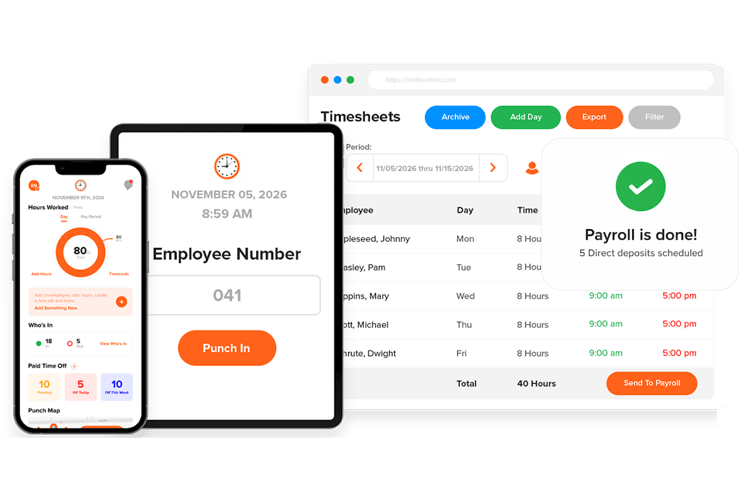
If you run a practice with five to 50 staff and you want clean payroll without a big bill, OnTheClock fits. It costs $5 a month as a base fee plus $4 per employee per month. For a 20-person office, that's $85 a month.
The value isn't the only reason it fits a medical office. Your team punches in using the method that works best for them: on a phone, shared kiosk tablet at the front desk, or computer. Supported fingerprint and PIN-based controls can help deter buddy punching. GPS, geofencing, and IP restrictions can help limit or document punches based on configured location or network rules. Approved time records can be used to prepare payroll in OnTheClock or transferred to supported providers, reducing manual entry.
Why OnTheClock Is Different
We built our product in-house for small and mid-size businesses, with setup options designed for office managers. You add your team, set your clock-in rules, and go. It handles the messy parts of a medical schedule, too. Staff work across departments, cover for each other, and take PTO. You build schedules with drag-and-drop, assign people by role, and flag overtime risks before you finalize the week. The "Who's In" view shows who's working right now across every location, which helps when you're covering a busy front desk and three exam rooms at once.
Key Features
Pros
Cons
Pricing
- 30-day free trial, no credit card is required at sign-up
- $5/month base plus $4 per user/month (see how OnTheClock pricing works)
- Optional full-service payroll: $40/month base plus $6 per employee/month; one-time $250 implementation fee

Homebase: Best for Single-Location Offices
Available on: Web, iOS, Android
Why Homebase Is Best for Single-Location Offices
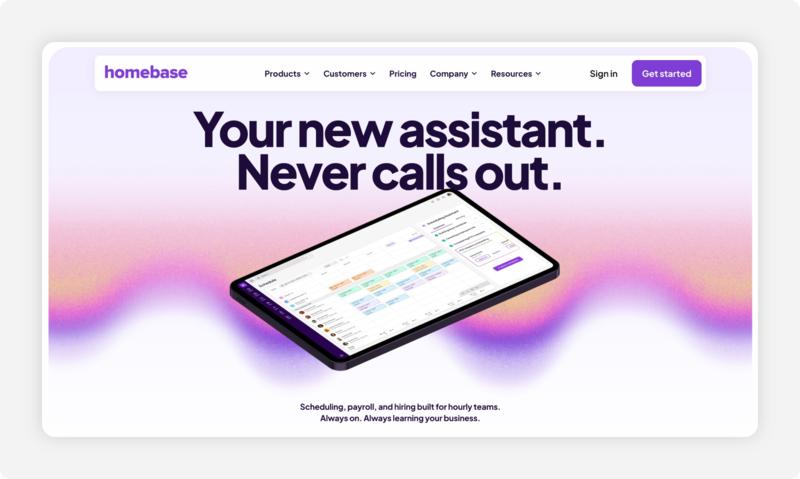
If you run one location with 10 or fewer staff and you want to spend nothing, Homebase is the pick. Its free plan includes a basic time clock and scheduling for a single site with no trial clock ticking down or expiration. For a solo dental office, chiropractic practice, or small family clinic, that covers the basics without a bill. Staff clock in from a shared tablet or their phones, and the hours are recorded in simple time sheets.
Here's the catch to watch. Homebase prices by location, so the free plan covers one site only. GPS and location-based clock-in verification are included in the paid Essentials tier, not the free plan. The moment you open a second office, the math changes, and you'll want to compare per-user tools like OnTheClock. For a single location that wants a free solution, Homebase is hard to beat.
Key Features
Pros
Cons
Pricing
- Free for one location, up to 10 employees
- Essentials: $30/location/month; Plus: $70/location/month; All-in-One: $120/location/month. Annual billing discounts may be available
- Optional payroll: $49/month base plus $6 per employee paid/month

Clockify: Best for Simple, Low-Cost Tracking
Available on: Web, iOS, Android, desktop
Why Clockify Is Best for Simple, Low-Cost Tracking
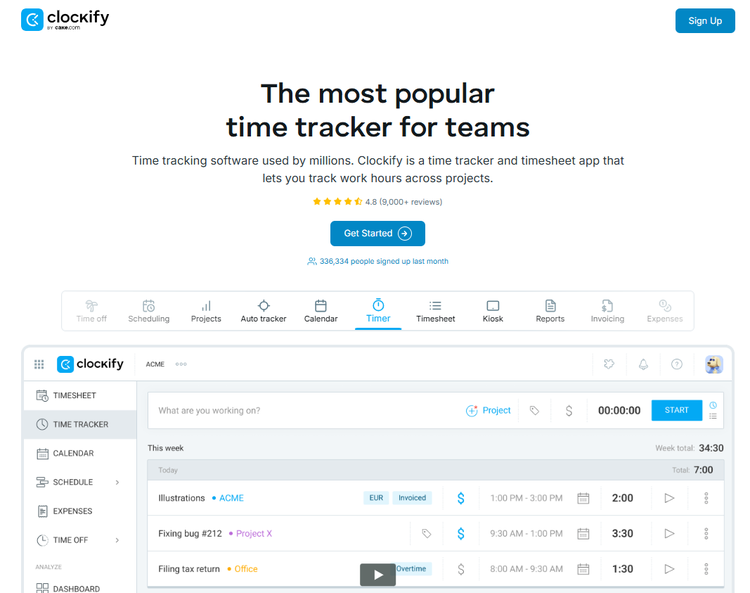
When you want the leanest possible clock for the lowest possible cost, Clockify delivers. Its free plan supports up to five active users, including the workspace owner. You can track hours and export time sheets using free web and mobile tools; the shared PIN-based kiosk requires a paid plan. The name says it all. Clockify is a straightforward time tracker first. Staff can track time through the web or a mobile app, or use a shared kiosk on a paid plan.
It fits a budget-conscious practice that mainly needs to log hours and doesn't need deep scheduling or compliance tooling. The trade-off is depth. Clockify leans toward project and productivity tracking, so the interface can feel busy for a manager who just wants quick timecard access. For simple, cheap hour logging, it's a smart choice.
Key Features
Pros
Cons
Pricing
- Free plan for up to five active users
- Paid plans add shared kiosk functions and more administrative controls; confirm monthly plan prices

When I Work: Best for Nurse and Rotating-Shift Scheduling
Available on: Web, iOS, Android
Why When I Work Is Best for Rotating-Shift Scheduling
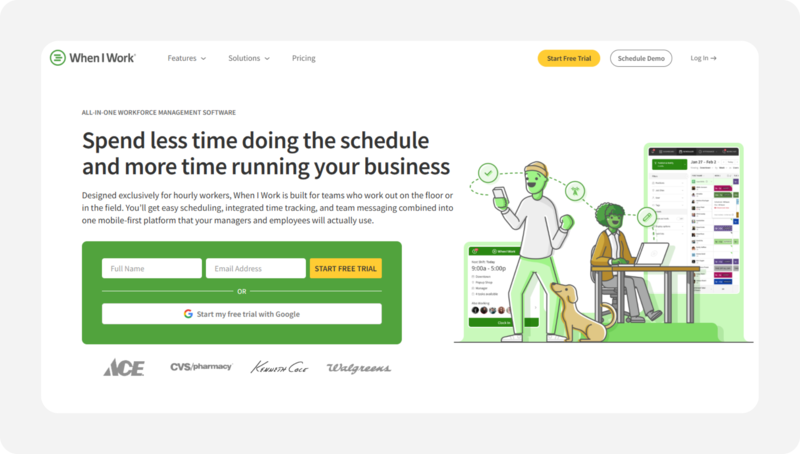
If building the weekly nurse schedule is the part of the job that keeps you at the office late on Fridays, When I Work is built for you. It's a scheduling tool first, with a time clock built into the same view. Staff see their schedule in the app and clock in directly from it. Charge nurses can post open shifts, approve swaps, and spot coverage gaps across a rotating roster in one screen.
This fits nursing units, urgent care, and outpatient clinics where schedules change constantly. The compliance engine isn't as deep as some specialist tools, and published plans include attendance features, though you should confirm the final checkout price and chosen time-clock features. For schedule-first practices, the time saved each week is worth it.
Key Features
Pros
Cons
Pricing
- Essentials: $2.50/user/month; Pro: $5/user/month; Premium: $8/user/month
- Scheduling and attendance features are advertised; confirm the final checkout total

ClockShark: Best for Home Health and Visiting Staff
Available on: Web, iOS, Android
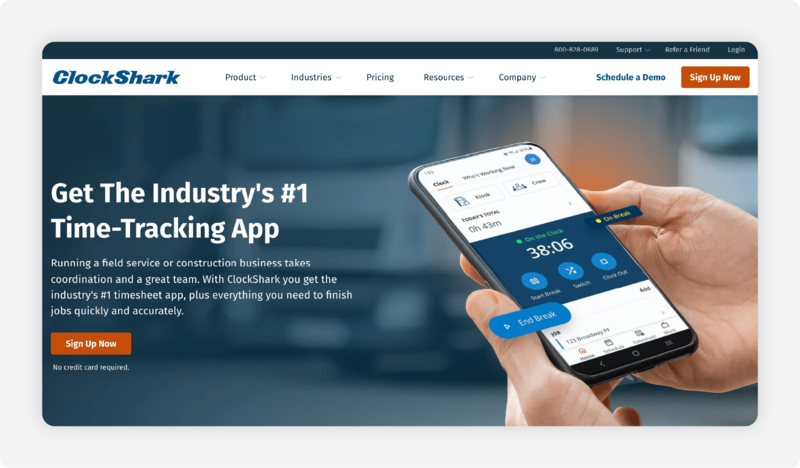
Why ClockShark Is Best for Home Health and Visiting Staff
If your staff drives to patients' homes, GPS punch records can help document when and where a device was used, and offline capabilities may help when a signal is unavailable. ClockShark is the pick for home health agencies and visiting nurses because it pairs GPS and geofencing with true offline clock-ins. A home health aide pulls up to a rural address with one bar of signal, clocks in, and the punch records even without a live connection, then syncs when the phone reconnects.
Many fixed-office time clocks need a live connection to record a punch, so a dead signal at a patient's door means a missing record at exactly the moment you need proof of the visit. ClockShark is built to avoid that. The trade-off is that ClockShark started in field-service industries, like construction, so some features lean that way. For mobile medical staff, offline time records may be useful. GPS time tracking alone does not satisfy Medicaid electronic visit verification (EVV) requirements; agencies should confirm their system meets applicable federal and state rules.
Key Features
Pros
Cons
Pricing
- A free trial is available
- Standard: $42/month base + $9.50/user/month; Pro: $63/month base + $11.50/user/month

Connecteam: Best for Practices that Need a HIPAA BAA
Available on: Web, iOS, Android
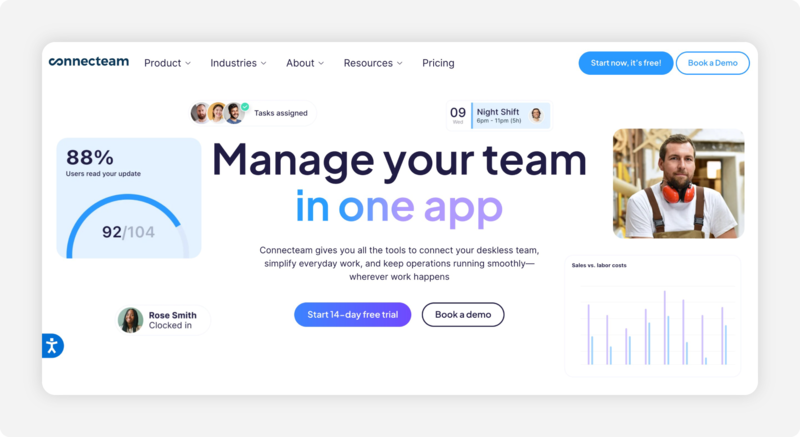
Why Connecteam Is Best for Practices that Need a HIPAA BAA
If the timekeeping vendor creates, receives, maintains, or transmits protected health information on your practice's behalf, Connecteam is the cleanest option on this list. Its Trust Center spells out the terms plainly: HIPAA support applies to customers who enter into a business associate agreement, and the account must register and complete that BAA before HIPAA support is available. Additional charges apply for HIPAA-registered customers. A signed BAA is one part of HIPAA compliance; practices must also configure access controls and safeguards. Connecteam offers time tracking, scheduling, and staff communication, plus a free plan for small teams that should not be assumed to cover HIPAA-supported use.
This fits a practice that handles protected health information and won't move without a BAA. Two other tools publish HIPAA language worth knowing about. Hubstaff states it maintains HIPAA compliance and provides a BAA, though it notes the tool doesn't automatically enforce compliance and must be configured correctly. TimeCamp lists HIPAA among its security standards and runs a dedicated HIPAA page, though it's less explicit than Connecteam about a signed BAA. Read each vendor's own terms before you commit, because publishing a HIPAA security claim and signing a BAA aren't the same promise.
Key Features
Pros
Cons
Pricing
- Free Small Business Plan for up to 10 users; HIPAA-supported use is not assumed
- Operations Basic: $35/month; Advanced: $59/month; Expert: $119/month (first 30 users). Additional users, hubs, and HIPAA services may add costs

Deputy: Best for Multisite Physician Groups
Available on: Web, iOS, Android
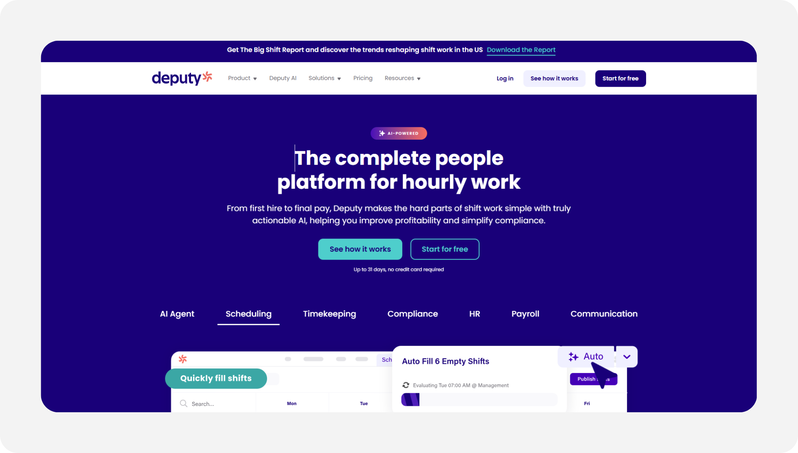
Why Deputy Is Best for Multisite Physician Groups
When you run several offices and need central oversight, Deputy scales. It combines deep scheduling, break and overtime rules, and multilocation management under one roof, which is what a growing physician group needs as it adds sites and staff. A regional manager sees all sites in one view, approves time sheets in bulk, and catches coverage gaps before they become call-outs.
This fits multisite groups and larger practices with real scheduling complexity. It's more tool than a solo office needs, and the per-user cost climbs as you grow, so it earns its place when scale is the actual problem. For a one-site clinic, the simpler picks above will serve you better and cost less.
Key Features
Pros
Cons
Pricing
- A free trial is available
- Lite: $5/user/month; Core: $6.50/user/month; Pro: $9/user/month; $30 monthly minimum (confirm billing terms)
.png?width=178&height=40&name=Gusto-logo%20(1).png)
Gusto: Best All-in-One Payroll Plus Time
Available on: Web, iOS, Android
.png?width=800&height=451&name=gusto-homepage-screenshot%20(1024%20x%20581%20px).png)
Why Gusto Is Best for All-in-One Payroll Plus Time
If you'd rather run payroll and time tracking in one place, Gusto is a good fit. It's a full payroll and HR platform with time tracking built into its Plus and Premium plans, so the hours your staff clock automatically flow into payroll without an export step. Because the tracked hours, taxes, and filings live in one system, Gusto markets payroll that runs in minutes rather than hours.
This fits a practice that wants payroll, benefits, and time under a single login and bill. The trade-off is that time tracking is a feature of a payroll platform, not a dedicated clock, so the punch tooling is lighter than specialist options. If payroll is your real headache and time tracking is secondary, Gusto solves the bigger problem first.
Key Features
Pros
Cons
Pricing
- Simple: $49/month base + $6/person/month; Plus: $80 base + $12/person/month; Premium: $180 base + $22/person/month
- Time tracking included on Plus and Premium; available as a paid add-on for Simple
Side-by-Side Comparison
| Tool | Best For | Pricing | Key Strengths | Top Integrations |
|---|---|---|---|---|
| OnTheClock | Small and midsize practices | $5 base + $4/user/month | Time tracking, configurable punch controls, multilocation | QuickBooks, ADP, Gusto, Paychex |
| Homebase | Free single-location offices | Free for one location, up to 10 employees; paid from $30/location/month | Free clock and scheduling | QuickBooks, Gusto |
| Clockify | Simple, low-cost tracking | Free for up to 5 active users; kiosk requires paid plan | Free for small teams; web/mobile tracking; paid kiosk | QuickBooks, 80-plus apps |
| When I Work | Nurse and rotating-shift scheduling | Essentials $2.50/user/month; Pro $5; Premium $8; verify checkout | Strong shift scheduling | QuickBooks, Gusto, ADP |
| ClockShark | Home-health and visiting staff | Standard $42 base + $9.50/user/month | Offline clock-in; GPS punch records (not standalone EVV) | QuickBooks, ADP, Gusto |
| Connecteam | Practices needing a HIPAA BAA | Free up to 10; Operations Basic $35/month for first 30 | Documented BAA pathway | QuickBooks, Gusto, Paychex |
| Deputy | Multi-site physician groups | From $5/user/month; $30 monthly minimum | Scheduling, rules configuration, multisite management | QuickBooks, ADP, Gusto, Xero |
| Gusto | All-in-one payroll plus time | Simple $49 base + $6/person; Plus $80 + $12/person | Integrated payroll and time tracking | Built-in payroll, QuickBooks |
Pricing and feature information reviewed October 2026 against available vendor documentation. Prices reflect standard month-to-month subscriptions where verified, excluding promotions and annual discounts. Confirm plan restrictions and additional fees with each provider.
What's the Best Time Clock Software for Medical Practices?
The best option isn't the one with the longest feature list. It's the one that fixes the friction you actually hit. So, start with one question: What headache are you trying to resolve?
Your practice size, locations, and biggest daily pain point all point to a different pick. Match yourself to one of these:
- Want clean payroll, strong punch controls, and a small bill for a five-to-50-person practice? OnTheClock fits most offices here.
- Run one location on a tight budget and mostly need basic hours? Look at Homebase or Clockify.
- Will a vendor handle protected health information on your practice's behalf? Assess BAA requirements and vendor safeguards; Connecteam publishes a BAA process.
Your answer points to your pick. When the friction you encounter disappears, the rest of the week gets easier.
What Is Time Clock Software for Medical Practices?
Time clock software for medical practices is a digital tool that records when your staff clock in and out, then turns those punches into time sheets for payroll. Instead of a paper card or a manual log, employees punch in from a phone, shared tablet kiosk, or web browser, and the system automatically records the hours.
For a medical office, it tracks a mixed team: nurses, medical assistants, techs, and front-desk staff, often across shifts and sometimes across locations. Good software also tracks breaks, overtime, and PTO, so the record stays accurate and ready for payroll.
Who Needs Time Clock Software in a Medical Practice?
Any practice that pays staff by the hour needs it. That includes family practices, dental offices, urgent care clinics, specialty practices, and home health agencies. If your nurses, assistants, and front desk team are hourly, their hours decide their pay, so the record has to be right.
Practice managers and office administrators feel the pain most. They're the ones rebuilding time sheets on payroll day and answering for break and overtime records if a question ever comes up. A solo provider with one or two staff might get by on a spreadsheet, but the complexity climbs quickly with each new hire.
Why Medical Practices Rely on Time Clock Software
Medical practices run on tight schedules and thin margins, and payroll mistakes cost both money and trust. Staff work long shifts, swap coverage, and skip breaks during busy stretches. Tracking all of that by hand invites errors and disputes.
The software helps maintain punch records, highlight overtime risks, and document breaks, subject to correct setup and manager review. That matters because labor law requires accurate pay for hours worked and breaks taken. You can read more in our guide to time tracking for health care. Reliable records can reduce payroll preparation time and provide documentation for wage-and-hour reviews.
Key Features Time Clock Software Should Have
The right time clock for a medical practice covers the basics well before it adds extras. Before comparing prices, make sure any tool covers this checklist:
-
Multiple clock-in options: phone, kiosk tablet, and web, so every role can punch easily.
-
Buddy punch prevention: GPS, IP restrictions, PINs, and supported fingerprint options to help deter inaccurate punches.
-
Break and overtime tracking: configurable rules, reliable records, and manager reviews to support wage-and-hour compliance.
-
Payroll integration: a clean feed to ADP, QuickBooks, Gusto, or built-in payroll.
-
Scheduling and PTO: shift assignment, swaps, and time-off tracking in one place.
-
Multilocation support: one account for one site or several, if you plan to grow.
How to Choose the Proper Time Clock Software for Medical Practices
Step 1: Name your biggest time-tracking headache. Before you look at any tool, write down the single problem that costs you the most time or money right now. Maybe it's payroll cleanup every Friday, or staff forgetting to clock in, or breaks that aren't recorded. The tool that solves your top headache is worth more than the one with the most features. Start there and judge every option against it.
Step 2: Count your locations and your staff. Your practice size shapes the pricing math more than anything else. A single office on a per-location free plan like Homebase costs nothing, but the moment you open a second site, a per-user tool like OnTheClock often costs less. List how many sites and employees you have today, and where you'll be in two years. Then compare the real monthly cost, not the sticker price.
Step 3: Check the break and overtime tools. Medical staff work overtime and skip breaks, and you have to pay both correctly. Under 29 CFR 785.18, short rest breaks of about five to 20 minutes generally count as paid time. Bona fide meal periods, typically 30 minutes or longer, may be unpaid only when employees are completely relieved of duties. Make sure the tool documents breaks and hours worked, supports overtime review, and maintains records for an audit.
Step 4: Decide whether you need HIPAA coverage. Assess whether your vendor handles protected health information on behalf of a covered entity or business associate. If so, confirm whether a BAA is required and available before sharing that information. An employee-only time clock may not require one, but data flows, integrations, vendor access, and safeguards should be reviewed.
Step 5: Test the punch experience, then confirm the payroll handoff. The best software fails if your team won't use it. During a free trial, have a nurse, tech, and front desk person each clock in and out for a few days, and watch where they get confused. Then run a sample export to your payroll provider or run payroll in the tool, and check that hours, overtime, and PTO carry over correctly. If both the punch and the handoff are clean, you've found your tool.
Tips for Implementing Time Clock Software Successfully
-
Roll it out with a short staff demo. Don't just email a login and hope. Spend 15 minutes showing your team how to punch in, request time off, and fix a missed punch. In a busy practice, a quick walkthrough prevents weeks of confused clock-ins. Adoption is everything; a tool nobody uses correctly is worse than the paper system you replaced.
-
Set your clock-in rules before day one. Decide your GPS or IP restrictions, rounding rules, and overtime alerts up front, then turn them on before staff start punching. Changing the rules mid-stream confuses people and muddies your records. Get the settings right first, and the data stays clean from the first pay period.
-
Review the first two pay periods, and keep a backup for outages. Watch the early data for late punches or missed breaks so you can coach staff before small problems become payroll headaches. Most of these tools require an internet or Wi-Fi connection, so decide what staff should do if the connection drops. For the federal rules behind break and overtime pay, see the U.S. Department of Labor.
Frequently Asked Questions
What's the best time clock software for a medical practice?
It depends on your biggest need. For a typical five- to 50-person practice that wants clean payroll, strong punch controls, and a small bill, OnTheClock is a strong fit. For free, single-location use, consider Homebase. For rotating nurse schedules, When I Work is a formidable option. For home health staff, ClockShark is adequate. For a signed HIPAA BAA, Connecteam may be the pick. Match the pick to the situation you're actually in.
Do medical practices need HIPAA-compliant time clock software?
HIPAA obligations depend on whether a vendor creates, receives, maintains, or transmits protected health information on behalf of a covered entity or business associate. A system used solely for employee timekeeping may not need a BAA. Practices should assess actual data flows, integrations, and vendor access, and confirm whether the vendor will sign a BAA when required.
Do doctors and medical staff clock in and out?
Hourly staff do, and most practice teams are hourly: nurses, medical assistants, techs, and front-desk staff. Salaried providers often don't punch a clock, but practices still track their schedules and PTO. The software lets you track hourly and salaried staff differently in the same system.
How much does time clock software for a small medical office cost?
It ranges from free to a few dollars per employee per month. Homebase is free for one location with up to 10 employees. OnTheClock runs $5 a month base plus $4 per employee, so $85 a month for a 20-person office. Clockify offers a free plan for up to five active users. Full payroll platforms, like Gusto, cost more because they do more than track time.
What's the best free time clock for a single-location practice?
Homebase is the choice for most single-site offices. Its free plan covers a basic time clock and scheduling for one location with up to 10 employees, with no trial expiration. Clockify is another free option for up to five active users, if you don't mind a busier interface.
Can time clock software track breaks and overtime for compliance?
Yes, and a medical practice should insist on it. Good software can help document break time and flag overtime for review. Under 29 CFR 785.18, short breaks of about five to 20 minutes generally count as paid time. Employers remain responsible for paying all compensable time and maintaining accurate records.
Start Tracking Time for Free
Payroll day shouldn't eat your Friday. Capture every punch, keep your break and overtime records clean, and send accurate hours straight to payroll, so you can get back to running your practice.
Start a 30-day free trial without a credit card.