Key Takeaways
- ✔The best time clock software for security records guards’ hours and documents device locations at punches to support accurate payroll.
- ✔Match the tool to your biggest problem: accurate pay, patrol checkpoint records, scheduling, or weak-signal posts.
- ✔OnTheClock fits guard companies that want GPS-enabled time tracking and scheduling with optional full-service payroll.
- ✔Companies with checkpoint tours, lone worker safety, or client report portals need a security-specific platform, like TrackTik, Silvertrac, or Novagems.
- ✔Under the FLSA, covered, nonexempt guards generally earn overtime after 40 hours in a workweek; hours at client sites for the same employer are combined.
The best time clock software for security is the one that records employee hours across posts and offers GPS-enabled punches, helping managers review device locations and prepare payroll.
That sounds simple, but it isn't. Picture a paper time sheet that reads 7 to 4, every shift, every guard, every week. The hours never change, but the real shifts do. A guard clocks in from the parking lot, or from home, 10 minutes late, on a 2 a.m. post that nobody is watching. You pay for all of it. Spread that across a dozen client sites and a 40-hour workweek, and the small gaps turn into real money walking out the door.
So the right tool answers one question first: Does the punch record show the expected site and time? After that, it has to get the hours and the overtime right when one guard covers posts for three different clients in the same week. No single tool wins on everything.
Below, we break down the best pick for each situation a guard company runs into.
What Security Companies Actually Want
You want to trust the hours; that's the whole thing. When a guard punches in, you want reliable punch records and device location information. GPS-related controls can help review discrepancies and deter unauthorized punches.
You also want clean pay. Guards move between client sites, work nights, and rack up overtime that must comply with state rules. The hours need to land in one place and come out right. Some companies need more: checkpoint scans that document interactions with checkpoints, safety check-ins for lone guards on overnight posts, and reports that clients can actually read. Others just need a clock that works and pays the team. The best pick changes with what bites you the most.
Tired of guessing whether guards were really on post?
Start tracking time free for 30 days. No credit card is needed.
Quick Picks: The Best Time Clock Software for Security at a Glance
-
OnTheClock: Best for time tracking and optional payroll
-
TrackTik: Best for guard tours and patrol records
-
Silvertrac: Best for client reports
-
Novagems: Best for integrated guard operations
-
Deputy: Best for overtime across sites
-
Connecteam: Best for post orders and training
-
When I Work: Best for easy scheduling
-
Buddy Punch: Best for PTO rules and punch methods
How We Compared Time Clock Software for Security
We didn't score these tools on a secret chart. We compared every option against the same set of needs a guard company actually has, then matched each tool to the job it does best.
Here's what we looked at:
-
Real time clocks: Guards can clock in and out, and you get clean time sheets. This was the price of entry. No clock, no spot on the list.
-
Location proof: GPS punch records can document the device location associated with a punch.
-
Multiple sites: Hours stay sorted by client and post, not lumped into one pile.
-
Overtime done right: The tool supports overtime calculations using configured rules and manager review.
-
Overnight shifts: Shifts that cross midnight get handled cleanly.
-
Works on a phone: Guards punch from their own phones at any point along the route.
-
Pay and reports: Approved hours can support payroll preparation and operational reporting.
-
Easy and clear-priced: Fast for guards to learn with pricing you can actually find.
A few tools also include guard tours, lone-worker safety, and client portals. Those matter to some companies and not others. We name them where they appear, so you can pick based on what you need, not on a feature you'll never use.
The Best Time Clock Software for Security Companies
Here's the best pick for each situation, starting with the simplest need and moving to the more advanced security tools.

OnTheClock: Best for time tracking and optional payroll
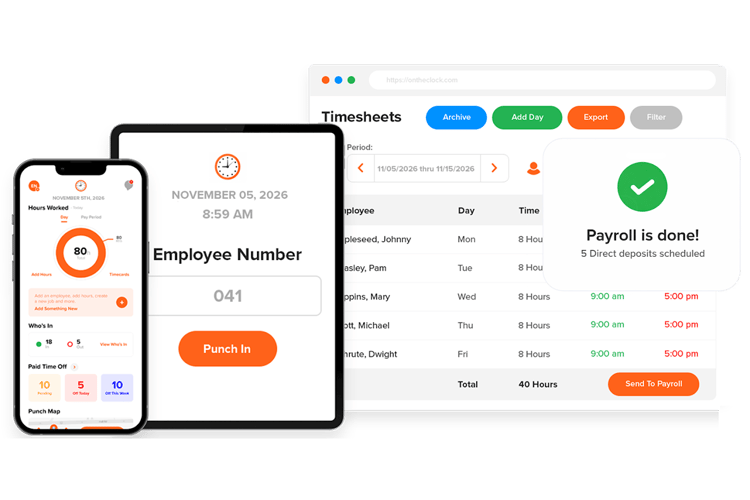
OnTheClock is a strong fit for a guard company that wants a single tool to track hours, review punch locations, and optionally process payroll without buying a full security platform. It offers time tracking and separately priced full-service payroll in the same system.
Here's why that matters for you. A guard punches in from his or her phone, and OnTheClock records the GPS location on the spot. You set a geofence around each client site, so a punch from outside the fence gets blocked. You can lock clock-ins to your work Wi-Fi or to specific devices, which can help deter unauthorized punching. The "Who's In" view helps managers see who is currently clocked in and review available punch-location records. OnTheClock serves more than 16,000 businesses.
Why OnTheClock Is Different
The payroll is the real separator. Most tools here only send your hours to an outside payroll company. OnTheClock can pay your guards directly with the payroll add-on that includes direct deposit, tax filing, and unlimited pay runs. Approved hours can be used in its optional payroll workflows, reducing manual reentry after manager review.
It also handles the messy pay rules companies hit. Configurable overtime calculations can help guard companies manage different work schedules and pay rules. Employers must verify the configuration and review pay in accordance with the laws applicable to each location.
The watch-out: OnTheClock requires an internet or Wi-Fi connection to punch in, so it is not ideal for posts without connectivity. It also doesn't support guard tours, lone-worker check-ins, or client report portals. If your contracts need checkpoint scans or a client login, pair it with a security tool or pick one below.
Key Features
Pros
Cons
Pricing
- 30-day free trial, no credit card is required
- Time tracking: $5/month base plus $4 per employee/month
- Optional full-service payroll: $40/month base plus $6 per employee/month, plus a one-time $250 implementation fee

TrackTik: Best for guard tours and patrol records
TrackTik is the best fit for larger guard companies that need checkpoint and patrol records, not just employee punches. It's built from the ground up for security work, and it supports security-specific attendance and patrol-checkpoint tracking.
Most tools check location with a GPS pin. TrackTik goes further. Guards can scan NFC tags, QR codes, or BLE beacons placed at each checkpoint, which can document a device interaction at each designated checkpoint. Its live dashboard shows clock-ins, checkpoint scans, and out-of-zone alerts as they happen. For a company with formal client contracts and a dispatcher on staff, that depth is the point.
It pairs the patrol tracking with scheduling, dispatch, billing, and operational reports. The trade-off is weight. TrackTik assumes you have someone running dispatch, so a small office may pay for power it never uses.
Key Features
Pros
Cons
Pricing
- Custom pricing; confirm subscription and implementation charges
- Contact TrackTik for a current quote

Silvertrac: Best for client reports
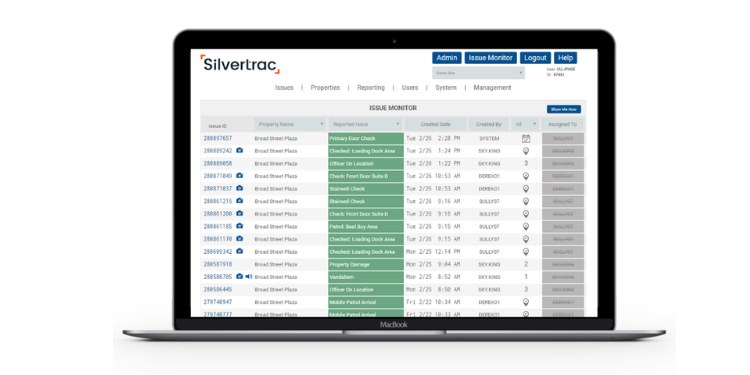
Silvertrac is the best fit when your clients want to log in and see patrol records for their own site. Its client-facing portal is a central feature, providing site-specific operational reporting.
The core is a tight loop built for guard work. Guards run tours with NFC, QR, or GPS checkpoints. Configured lone-worker check-ins and emergency alerts can support safety procedures when actively monitored. Guards file incident and daily activity reports with photos right from the phone. Then the client logs in and reads its own site's patrol history without calling you. Clients can review available site-specific records without requesting every report manually.
Where it gives ground is scale. Dispatch and multisite overtime are thinner than on the bigger platforms, which becomes apparent once you pass a few dozen guards.
Key Features
Pros
Cons
Pricing
- Custom pricing; request a quote based on devices and features
- Confirm subscription and implementation charges with sales
- Free demo offered by the sales team
.png?width=175&height=40&name=novagems-logo%20(1).png)
Novagems: Best for integrated guard operations
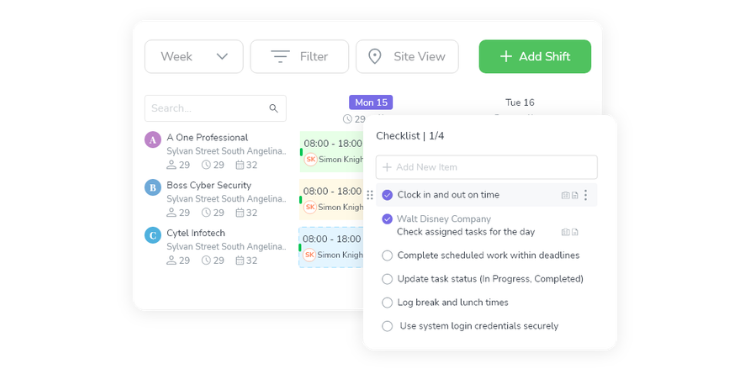
Novagems suits guard companies looking for security-specific scheduling, tours, and incident workflows. Compare its custom quote with competing platforms.
You get GPS tracking, QR and NFC checkpoint tours, scheduling, incident reports, a client portal, and time sheets that feed payroll. The one feature worth circling: It works offline. For basements, stairwells, and rural posts, confirm which clock-in, checkpoint, and incident functions work offline and synchronize later.
The range of available modules and client-facing reports should be evaluated alongside the vendor’s custom quote.
Key Features
Pros
Cons
Pricing
- Custom pricing; request plan and feature details from Novagems
- Trial terms vary; ask Novagems about evaluation options

Deputy: Best for overtime across sites
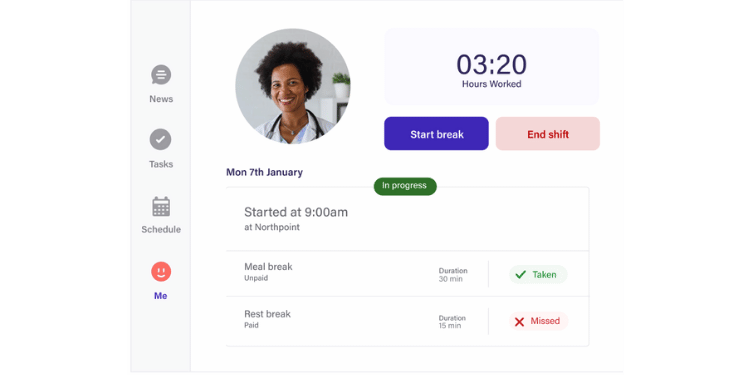
Deputy is the best fit when one guard works posts for several clients, and the overtime math is the headache. It offers multi-location time tracking and configurable overtime tools.
A guard covers a night post for one client and a morning post for another. Deputy can consolidate hours across posts, support configured overtime calculations, and help allocate labor records to client sites. Its compliance engine is a real strength in tough states like California, New York, and Oregon. Guards clock in from a phone, browser, or shared tablet with GPS and geofencing controls to review punch locations.
Two honest gaps exist for security companies. Confirm offline clock-in capability for your devices and plans before deploying at weak-signal posts. Deputy supports payroll integrations and partner workflows; check compatibility and applicable fees.
Key Features
Pros
Cons
Pricing
- Lite: $5/user/month
- Core: $6.50/user/month; Pro: $9/user/month
- Monthly plans carry a $30/month minimum spend; a free trial is available

Connecteam: Best for post orders and training
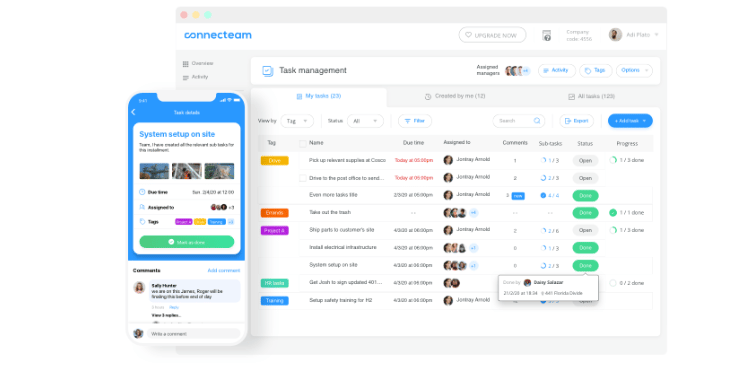
Connecteam is the best fit for a guard company that wants to push instructions and training to guards, not just track their hours. Its Operations, Communications, and HR hubs offer different capabilities, so pricing depends on what you need.
Post orders go straight to each guard's phone, so they read the site rules before the shift starts. Shift-open and shift-close checklists keep work consistent. Training modules handle annual renewals, and team chat keeps dispatch and guards talking. GPS-enabled punching and location tools depend on the selected plan. The free Small Business plan covers up to 10 users, while more advanced geofencing and separate communication or training hubs have their own feature limits.
What's missing is the security-specific layer. It does not offer a verified dedicated guard-tour and client-reporting system comparable with specialist platforms. Review supported incident forms and location features by plan.
Key Features
Pros
Cons
Pricing
- Free Small Business plan for up to 10 users; feature limits apply
- Operations Basic $35/month; Advanced $59/month; Expert $119/month for first 30 users; additional users and hubs may cost more
When I Work: Best for easy scheduling
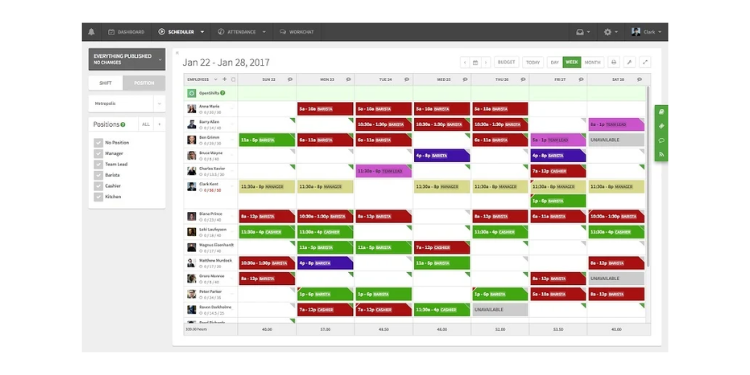
When I Work is the best fit for a small guard office where the weekly schedule is the real time sink. It's a scheduling tool first and a time clock second, and it offers an affordable scheduling-first option.
Open shifts nobody picks up, last-minute callouts, a gap that shows up 30 minutes before a post opens: These are the pain points it solves. Guards can review assigned shifts and use supported attendance features. Managers can identify missed coverage using configured scheduling and attendance alerts. Location-based punching depends on the selected configuration. For an office with fewer than 20 guards, the low entry price is hard to argue with.
The limits are clear. There's no lone worker safety, guard tour, or incident reporting. The compliance tools are decent but not built for security.
Key Features
Pros
Cons
Pricing
- Essentials: $2.50/user/month
- Pro: $5/user/month; Premium: $8/user/month; confirm total with attendance enabled
- 14-day free trial, no free plan

Buddy Punch: Best for PTO rules and punch methods
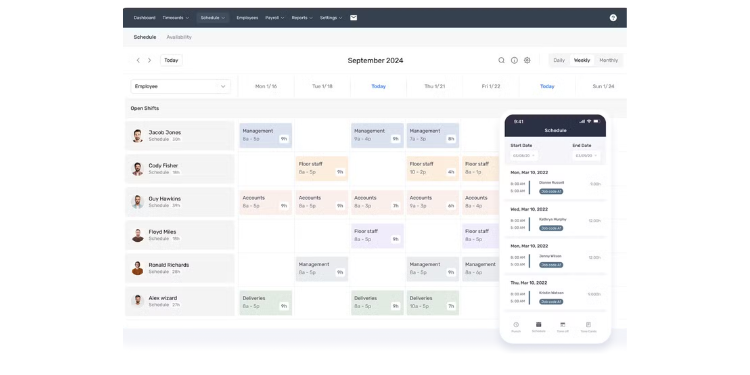
Buddy Punch is the best fit for a small guard company with tricky PTO and overtime rules. It offers configurable PTO and time-off rules with multiple supported clock-in methods.
For teams with different PTO rules for armed and unarmed officers, tenure-based accruals, or state sick-leave requirements, Buddy Punch offers configurable policies that should be tested against the employer’s needs. Guards can clock in by supported mobile, kiosk, PIN, or QR methods on eligible plans, with location information available for punch review. Hours export clean to QuickBooks, ADP, Paychex, or SurePayroll. Reviewers consistently praise how easy it is to fix a missed punch.
For security specifically, Buddy Punch supports offline punching on Pro and Advanced, but does not replace guard tours, lone-worker procedures, or dedicated client portals. It's a strong time clock, not a guard platform.
Key Features
Pros
Cons
Pricing
- Starter: $5.99/user/month plus $19 monthly base
- Pro: $7.99/user/month; Advanced: $13.99/user/month, each plus $19 monthly base
- Free trial is available
Side-by-side comparison
| Tool | Best for | Pricing | Key strengths | Payroll |
|---|---|---|---|---|
| OnTheClock | Simple time tracking with payroll | $5 base + $4/user/month | GPS punch records, optional payroll, low cost | Optional native payroll + integrations |
| TrackTik | Guard tours and patrol checkpoint records | Quote-based | Checkpoint records, dispatch, reports | Integrations |
| Silvertrac | Client reports | Custom quote | Client portal, incident reports, lone worker | Export |
| Novagems | Low-cost security tool | Custom quote | Security workflows; confirm offline support | Timesheets and exports |
| Deputy | Overtime across sites | $5/user/month (Lite) | Multi-location time records, configured rules | Payroll integrations |
| Connecteam | Post orders and training | Free up to 10; Operations Basic $35/month for first 30 | Post orders, training, free tier | Integrations |
| When I Work | Easy scheduling | $2.50/user/month | Shift scheduling and configured alerts | Integrations |
| Buddy Punch | PTO rules and punch methods | Starter $5.99/user/month + $19 base | PTO settings; plan-specific punch methods | Integrations |
Pricing and features reviewed October 2026 using available vendor information. Standard monthly rates are shown where verified; custom quotes and add-ons vary.
What's the best time clock software for your security firm?
The best pick isn't the one with the longest feature list; it's the one that fixes the problem you hit most. Start with one question: What hurts right now?
Ask yourself:
-
Do I just need clean hours and easy pay? Look at OnTheClock.
-
Do clients want to log in and see patrol checkpoint records? Look at Silvertrac, TrackTik, or Novagems.
-
Is the weekly schedule my biggest time sink? Look at When I Work.
-
Do guards work posts with no cell signal? Verify offline punching and synchronization with each vendor, including Novagems.
Your answer points to your tool. The right one removes the friction from your worst problem. Solve that, and the rest of the week gets easier.
What Is Time Clock Software for Security?
Time clock software for security lets guards clock in and out from a phone, kiosk, or computer, and turns those punches into accurate time sheets. For guard companies, it adds tools built for the job: GPS and geofencing to document associated device locations, scheduling across multiple client posts, and overtime calculations that support employer compliance reviews. Some tools go further with checkpoint tours, lone worker safety, and client reports. The goal is simple: Replace paper time sheets and guesswork with records managers can review and pay you can stand behind.
Who Needs Time Clock Software for Security?
Any company that pays guards by the hour and posts them away from a main office needs it. Contract security firms are the clearest fit, since they staff guards across many client sites and bill each client separately. In-house security teams at hospitals, malls, and campuses benefit too. So do event security companies that ramp up quickly and need to track a large, temporary crew. If you manage people you can't see, and you pay them for time you can't easily verify, this software closes that gap. The bigger the spread of posts, the more it saves.
Why Security Companies Rely on Time Clock Software
Security runs on trust, and trust starts with knowing your guards are where they should be. A client pays you to cover a site. If a guard skips a shift or clocks in from down the block, the client loses faith and you lose the contract. Time clock software can provide GPS-related punch records, attendance status, and timecards for manager review. It also protects your money. Time theft drains payroll a few minutes at a time, across every guard and every shift. Accurate records and punch controls can help identify discrepancies. And it makes payroll faster, turning shifts into accurate checks without hours of manual cleanup.
Key Features Security Time Clock Software Should Have
Not every tool needs every feature. But for guard work, a few are close to non-negotiable. Start here when you compare options:
-
GPS and geofencing: Device-location records associated with a punch, subject to GPS accuracy.
-
Multisite tracking: Hours sorted by client and post.
-
Overtime and state rules: Configurable overtime calculations, subject to employer review.
-
Mobile punching: Guards clock in from their own phones.
-
Offline mode: Confirm offline recording and later synchronization at low-signal posts.
-
Scheduling: Assign guards to posts and catch no-shows early.
-
Reporting: Records you can share with clients and payroll.
If your contracts call for it, add checkpoint tours, lone worker safety, and a client portal to the list.
How to Choose the Proper Time Clock Software for Security
Step 1: Name your worst problem
Before you look at a single tool, write down what hurts the most right now. Maybe it's guards clocking in off-site. Maybe it's overtime you can't track across clients. Maybe it's the schedule itself. The right tool is the one that fixes that problem first. Everything else is a bonus.
Step 2: Match the tool to your size
A one-office company with eight guards needs something different than a firm running 200 posts. Small teams do well with a simple clock or free plan. Larger fleets with formal client contracts need the depth of a security platform. Don't buy power you won't use, and don't outgrow your tool in six months.
Step 3: Decide if you need security-specific features
Be honest about checkpoint tours, lone worker safety, and client portals. If your contracts require them, you need a guard platform like TrackTik, Silvertrac, or Novagems. If you just need clean hours and pay, a simple time clock will serve you better and cost less.
Step 4: Test it with real shifts
Use the free trial. Put a few guards from your most problematic posts on it for a week. Check that punches are accurate, your overtime calculates right, and that your guards can actually use it. A tool that looks good in a demo can still fail on a 2 a.m. post.
Tips for Rolling Out Time Clock Software Successfully
- Tell guards why, not just how. Guards may see a GPS clock as spying. Head that off. Explain when location data is collected, who can access it, and how long it is retained based on the selected product and privacy settings. Buy-in beats a memo.
- Start with one site. Roll out to a single post or client first. Work out the kinks where the stakes are low, then expand. A company-wide launch on day one turns small problems into big ones.
- Write a clear punch policy. Put the rules in writing: when to clock in, what happens if you miss a punch, how to correct an error, etc. A short, plain policy stops most disputes before they start and keeps your payroll records clean.
Frequently Asked Questions
What is the best time clock software for a small security company?
For most small guard companies, OnTheClock is a strong starting point, since it offers GPS-enabled time tracking with optional full-service payroll at clearly stated rates. If your clients need patrol checkpoint records or a login to view reports, consider a security-specific tool like Silvertrac or Novagems instead. The right pick depends on whether you need guard tours or just clean time and pay.
How do guards clock in across multiple client sites?
Guards clock in from a phone at each post, and the software tags the punch to the right client and site. Good tools keep those hours organized so you can bill each client correctly and pay a single, clean total. GPS and geofencing can help document the associated device location at clock-in.
How is overtime handled when a guard works for several clients?
Overtime is figured on a guard's total hours for the workweek, not per client. Under the federal FLSA, hours exceeding 40 in a workweek are paid at least 1.5 times the regular rate, and hours from all sites are combined. So a guard who covers posts for three clients still gets a single overtime calculation across all of them. Check that the selected system combines hours across posts and supports the relevant overtime rates and jurisdictions.
What about overnight posts with a weak cell signal?
Look for offline punching. A guard on a basement or rural post may have no signal, and connectivity requirements vary by vendor and device. Confirm Novagems’ current offline clock-in, checkpoint, and synchronization features before deployment. If your posts have dead zones, make this a top requirement.
Is there a free time clock app for security?
Yes. Connecteam offers a free Small Business plan for up to 10 users, with plan-specific time tracking, scheduling, and geofencing limits. It's a real option for a one- or two-office company with fewer than 10 guards. If you expect to grow beyond 10 within the year, start on a paid plan to avoid moving everything mid-year.
Do I need full guard-tour software or just a time clock?
It depends on your contracts. If clients require proof of patrol rounds at designated checkpoints or a portal to view their own reports, you need guard-tour software such as TrackTik, Silvertrac, or Novagems. If you mostly need to track hours, review associated device locations, and optionally run payroll, a simple time clock like OnTheClock does the job for less.
You can't fix what you can't see. Stop guessing at hours and start proving them.
Start tracking time free for 30 days with no credit card or contract.