

Jump to section
Try OnTheClock Free
Save time and make payroll effortless with our easy-to-use, affordable employee time tracking app.
Try It FreeKey Takeaways
- ✔OnTheClock is the best pick for small security companies. One plan at $5 a month plus $4 per user covers GPS punches, geofencing, scheduling, and overtime alerts.
- ✔Your guards work where you can't watch them. GPS and geofencing prove an officer punched in at the post, not the parking lot across the street.
- ✔A shared post invites buddy punching. A photo or facial check at clock-in stops one guard from punching in for another.
- ✔Night shifts pile up overtime fast. Daily and weekly alerts catch the 40-hour line before payday, not after.
- ✔One shift feeds two ledgers. The same hours pay the guard and bill the client, so a clean export saves hours of rework.
The best time tracking software for a security company is the one that proves a guard stood the post, on time, for every shift, and turns those scattered hours into one clean paycheck. Verify the punch, tie it to the site, and the client dispute ends before it starts.
How do you know the overnight officer actually walked the 2 a.m. round? Most clocks can't tell you. They assume your people clock in at one building, on one schedule, under one manager who can see them. Your guards don't work that way. They cover posts you don't control, alone, on nights and weekends, and the client pays for that coverage, so the client questions it the second a log looks thin. Reviewers on G2 and Capterra keep raising the same three pains: hours they can't prove a guard was on post, officers punching in for each other, and payroll that has to split one shift across a pay rate and a client bill rate.
No single tool wins for every security company. Below are seven picks, each matched to a real situation, starting with the one for small security companies.
What Security Companies Actually Want From Time Tracking
Security companies want proof first. When a client asks whether the post was covered from 10 p.m. to 6 a.m., you need a record that answers without a phone call. That one need shapes almost every other choice on this list.
They also want hours that move cleanly into pay and billing. A guard roster shifts week to week, overtime stacks up on long night posts, and the same hour feeds both the paycheck and the invoice. Strong GPS time tracking plus a verified punch keep both sides honest before anyone cuts a check.
And they want it simple for a lone guard. Your officers stand a gate or walk a building at 3 a.m., so the punch has to be one tap on a phone or a quick PIN at a post kiosk. The right pick shifts with whichever of these you feel most.
Quick Picks: The Best Time Tracking Software for Security Companies at a Glance
-
OnTheClock: Best for small security companies
-
Connecteam: Best for all-in-one guard operations
-
Buddy Punch: Best for stopping buddy punching at posts
-
Deputy: Best for 24/7 shift coverage
-
Timeero: Best for GPS patrol routes
-
Jibble: Best free option for small patrols
-
Hubstaff: Best for patrol GPS tracking
How We Evaluated the Best Time Tracking Software for Security Companies
We judged each tool on what actually matters when your people stand posts you can't see, not on feature-sheet length. We compared every option against the eight needs security companies keep raising, what we call the OnTheClock Security Checklist:
-
Post proof: GPS and geofencing that confirm a guard punched in at the real post.
-
Punch verification: photo, PIN, or facial recognition that stops buddy punching.
-
Lone guard check-ins: reminders and alerts that flag a missed punch on a solo post.
-
Mobile and kiosk punching: a one-tap phone clock or a shared post kiosk.
-
Overtime alerts: daily and weekly flags that catch FLSA overtime on long night shifts.
-
Multisite scheduling: coverage you can post and fill across many client sites.
-
Clean payroll export: hours that leave the system ready for pay and client billing.
-
Total cost: the real base fee plus per-user math as you add and drop guards.
OnTheClock earns the small-security slot here because it covers the whole checklist in one base plan: GPS and geofencing, kiosk and mobile punching, scheduling, PTO, and overtime alerts, with none of it held back for a higher tier. That breadth at $5 base plus $4 per user is the basis for the small-security label, not a ranking against the other picks. Each tool below serves its own situation best.
The Best Time Tracking Software for Security Companies
Below are our picks for the best time tracking software for security companies, with the right pick for each situation. For each one, we cover who it fits best, where it stands out, and where it may not be the right move.

OnTheClock: Best for Small Security Companies
Available on: Web, iOS, Android
Why OnTheClock Is Best for Small Security Companies
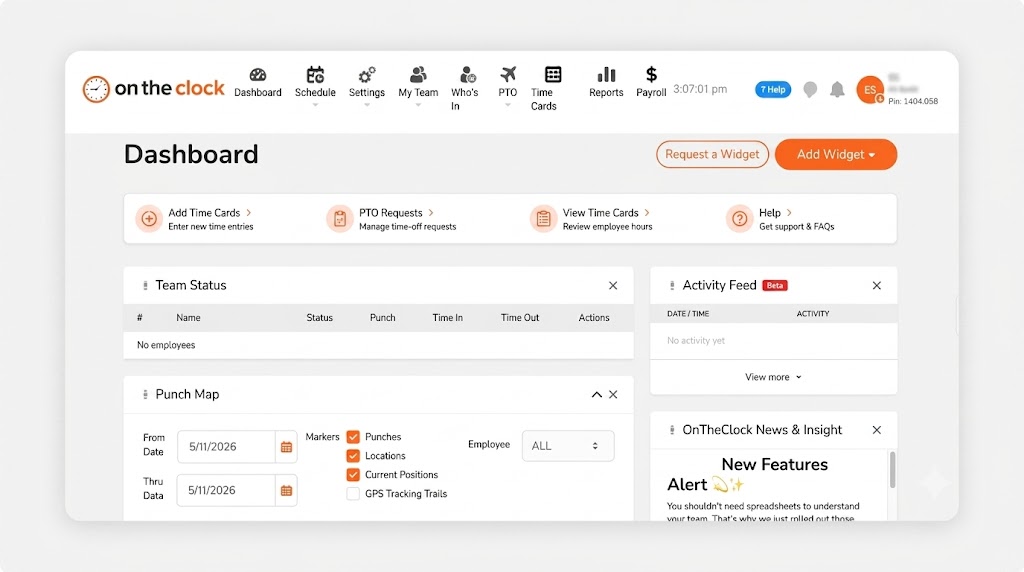
OnTheClock fits the lean security firm that runs a handful of posts and a small office. Picture an eight-guard company covering two retail sites and a construction gate. The owner needs proof of coverage, a punch a guard can't fake, and a clean payroll file, not a platform that takes a week to learn. OnTheClock gives an officer a punch button on their own phone, stamps it with GPS, and shows the office who's on post in minutes.
It covers the full checklist in the base plan. GPS, geofencing, and IP rules confirm the punch happened at the post. Kiosk mode with a PIN handles a shared guard shack tablet. Scheduling fills the night and weekend posts, overtime alerts flag the 40-hour line, and punch reminders catch a guard who forgot to clock in on a quiet shift. Reviewers single out the support team, who answer by phone, chat, or email without a wait, which matters most on payroll night.
Why OnTheClock Is Different
One plan, no fine print. You pay a $5 base a month plus $4 per user, and the location controls, scheduling, PTO, and overtime tools are all included, not gated behind a pricier tier. For a 10-guard company, that's $45 a month with every feature on. Need pay runs in the same place? Add OnTheClock Payroll for a $40 base a month plus $6 per employee.
It stays honest about the trade-off. Punches need an internet or Wi-Fi connection, so a remote gate with no signal needs the offline workaround or a post kiosk. Companies that want deep custom dashboards may find the reporting lighter than a heavy enterprise suite. For most small security teams, the simple, low cost is the point. It integrates with Gusto, QuickBooks, ADP, Paychex, and SurePayroll for the rest.
Key Features
Pros
Cons
Pricing
- 30-day free trial, no credit card
- $5 base a month plus $4 per user (see how OnTheClock pricing works)
- Optional payroll: $40 base a month plus $6 per employee

Connecteam: Best for All-in-One Guard Operations
Available on: Web, iOS, Android
Why Connecteam Is Best for All-in-One Guard Operations
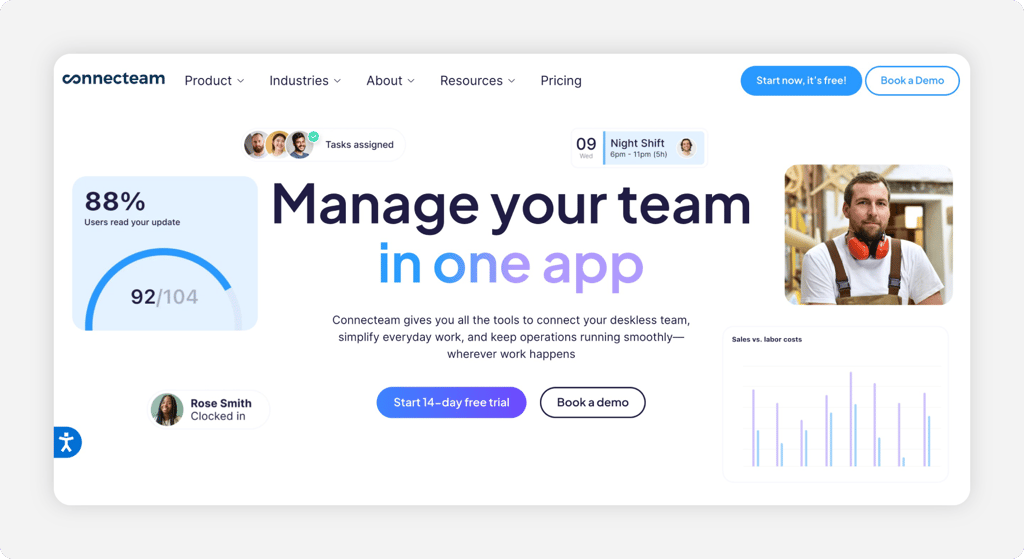
Connecteam puts the whole guard operation on one app. An officer clocks in with a GPS stamp, reads the post orders for that site, works a shift-open checklist, and chats with the dispatcher, all without juggling separate logins. The time clock carries scheduled check-in reminders and GPS breadcrumbing, which helps a lone guard prove the round happened. For a security company that wants the clock plus communication and forms in one place, that bundle is the pull.
Read the structure before you buy. The free Small Business plan is genuinely useful and covers up to 10 users with GPS and geofencing. On paid plans, the GPS time clock starts on Basic at $29 a month for the first 30 users billed annually, while geofencing, auto clock-out, and kiosk-only clock-in sit on the Advanced tier. For deskless guard teams that want everything in one app, the value is real once you map which tier holds the location controls you need.
Key Features
Pros
Cons
Pricing
- Free Small Business plan for up to 10 users
- Basic from $29 a month for the first 30 users (billed annually), then per user; Advanced $49; Expert $99

Buddy Punch: Best for Stopping Buddy Punching at Posts
Available on: Web, iOS, Android
Why Buddy Punch Is Best for Stopping Buddy Punching at Posts
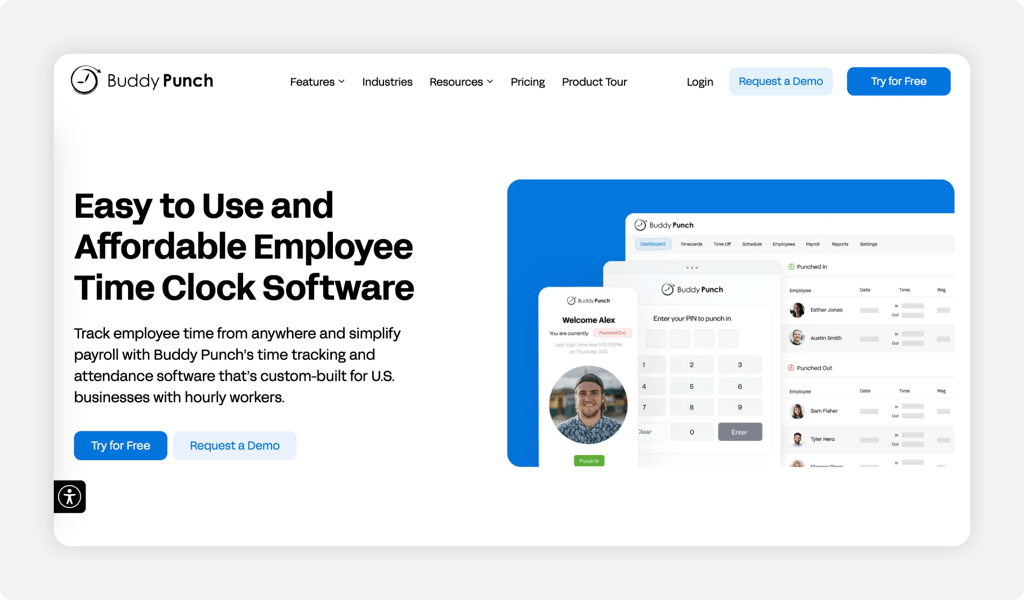
Buddy Punch goes after one specific kind of theft. The name says it all. Every punch can capture a webcam photo or run a facial recognition match, so a guard can't clock in for a buddy who never showed. On a shared post tablet or a kiosk at the guard shack, that one check shuts down the most common form of time theft on a security contract. It adds geofencing and QR scanning on top for location proof.
Watch the small-team math. A $19 base a month rides on top of the per-user price, so a four-guard company feels it more than a 40-guard one. The Starter plan covers time tracking, GPS, and overtime alerts at $4.99 per user a month billed annually, while geofencing, kiosk punch, and the webcam photo land on the Pro plan at $6.99 per user a month. If you mainly want the photo proof, compare it with other photo-punch time clocks before you commit.
Key Features
Pros
Cons
Pricing
- 14-day free trial, no credit card
- Starter $4.99 per user plus a $19 base a month (billed annually); Pro $6.99 per user

Deputy: Best for 24/7 Shift Coverage
Available on: Web, iOS, Android
Why Deputy Is Best for 24/7 Shift Coverage
Deputy was built for the schedule, and security runs on the schedule. Posts need bodies around the clock, swaps happen at the last minute, and a no-show at 11 p.m. is a contract problem. Deputy builds the coverage, fills open shifts, and lets a guard clock in from a phone or a post kiosk with a PIN or a facial recognition match. For a company that lives and dies by who covers which post tonight, that scheduling muscle is the draw.
Price climbs with the features. The Lite plan covers scheduling, time sheets, and the time clock at $5 per user a month, Core adds auto-scheduling and demand forecasting at $6.50 per user a month, and Pro layers on single sign-on and custom access at $9 per user a month. Some guards report the per-user fees add up at scale, so run the math on your full roster. If the cost climbs, see why some teams switched in our Deputy alternatives guide.
Key Features
Pros
Cons
Pricing
- Free trial available
- Lite $5 per user a month; Core $6.50 per user a month; Pro $9 per user a month

Timeero: Best for GPS Patrol Routes
Available on: Web, iOS, Android
Why Timeero Is Best for GPS Patrol Routes
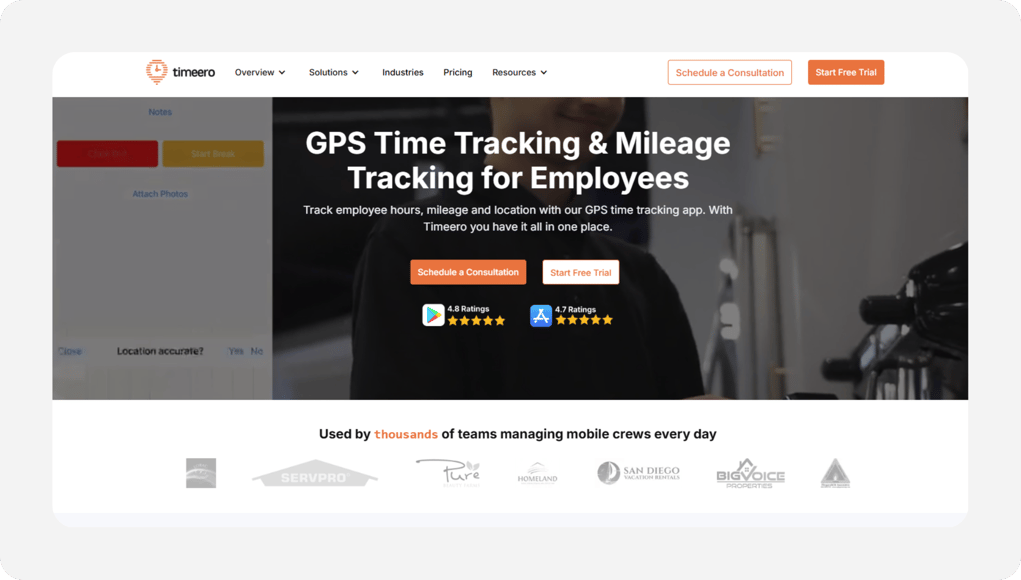
Timeero earns its slot the moment your guards patrol instead of stand. It tracks time and GPS like the others, then maps where each officer went between punches, so a mobile patrol that hits six client sites in a night leaves a route you can show. For a company running roving patrols and vehicle checks, that location trail is the standout. Owners point to the live map view as a daily win for knowing where a guard actually is.
Mind the tiers. Basic time, GPS, and mileage tracking start on the Basic plan, which caps at 10 users, while geofencing, scheduling, job tracking, and auto clock-in sit on the Pro plan. Timeero charges a flat per-user rate with no base fee, so the math stays simple as you add officers. If a roving patrol with proof of route is your need, few clocks handle it this cleanly.
Key Features
Pros
Cons
Pricing
- 14-day free trial, no credit card
- Basic $5 per user a month billed annually ($6 monthly); Pro $7.50 per user; Premium $10 per user

Jibble: Best Free Option for Small Patrols
Available on: Web, iOS, Android
Why Jibble Is the Best Free Option for Small Patrols
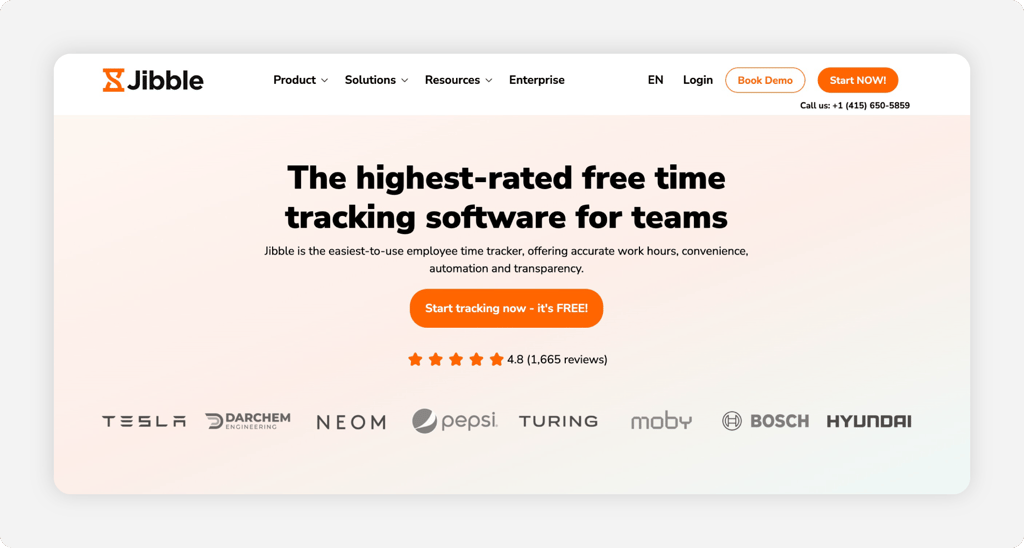
Start with Jibble when the budget is zero but the stakes aren't. The free plan covers unlimited users, tags each clock-in to a GPS location, and includes facial recognition at no cost, which is rare on a free tier. For a small patrol putting its first guards on an app, that's a real time clock with a verified punch for nothing. Its liveness check even blocks a guard from holding up a photo to fake the face match.
Know where free stops. Premium at $4.49 per user a month billed annually adds management controls and richer reports, and Ultimate at $7.99 per user a month layers on advanced location tracking and compliance tools. Free also keeps geofencing and deeper location detail lighter than the paid tiers. For pure, cheap punch tracking with a face check baked in, few tools match it.
Key Features
Pros
Cons
Pricing
- Free forever for unlimited users
- Premium $4.99 per user a month (billed annually); Ultimate $7.99 per user a month

Hubstaff: Best for Patrol GPS Tracking
Available on: Web, iOS, Android
Why Hubstaff Is Best for Patrol GPS Tracking
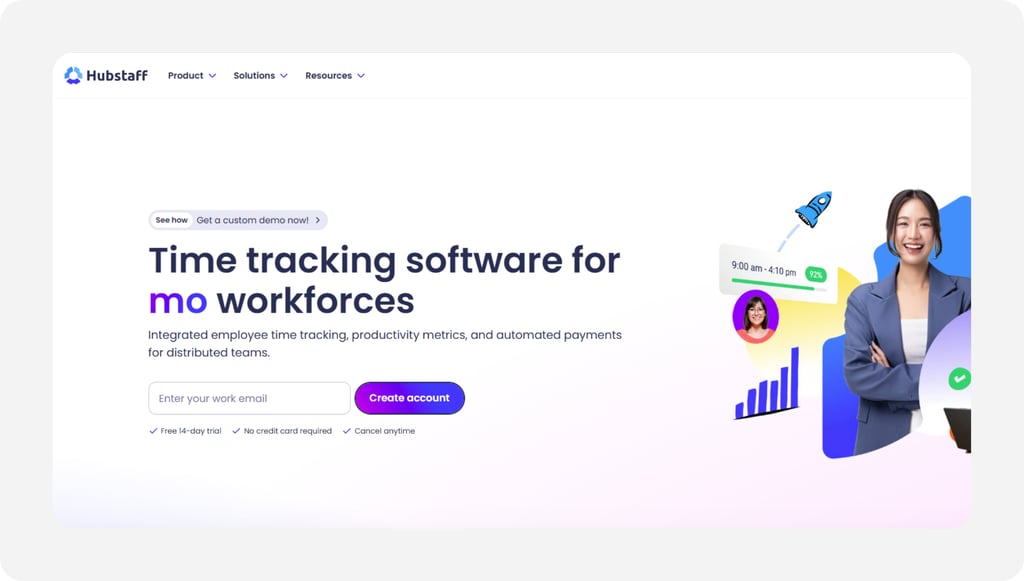
Hubstaff fits the security company running roving patrols across many client sites. Picture a firm with cars hitting a dozen stops a night. You set each client property as a job site, and the app auto clocks a guard in and out as they reach it and leave. The GPS trail shows where each officer went between stops, so a thin patrol log stops being a guessing game.
Its standout is the job-site geofencing that runs hands-free for a moving guard. The honest caution: GPS and geofencing live on the Grow plan, scheduling waits for the Team plan at $10 per user, and the productivity screenshots can feel like heavy monitoring for a guard who just wants to punch and patrol. There's also a two-seat minimum, even for a one-person test.
Key Features
Pros
Cons
Pricing
- 14-day free trial, no credit card
- Starter $4.99 per user a month (billed annually); GPS on the Grow plan at $7.50 per user
Side-by-Side Comparison
| Tool | Best For | Pricing | Key Strengths | Top Integrations |
|---|---|---|---|---|
| OnTheClock | Best for small security companies | $5 base + $4/user | GPS, geofencing, scheduling, overtime alerts | Gusto, QuickBooks, ADP, Paychex |
| Connecteam | All-in-one guard operations | Free to 10; $29+ monthly | Post orders, chat, GPS time clock | Gusto, QuickBooks, Paychex |
| Buddy Punch | Stopping buddy punching at posts | $19 base + $4.99/user | Webcam and facial recognition punches | QuickBooks, Gusto, Paychex |
| Deputy | 24/7 shift coverage | Per user from $5 | Auto-scheduling and open shifts | QuickBooks, Gusto, ADP |
| Timeero | GPS patrol routes | Per user from $5; no base | Route map and automatic mileage | QuickBooks, Gusto, ADP |
| Jibble | Free option for small patrols | Free; paid from $4.99/user | Free facial recognition punches | QuickBooks, Gusto, Xero |
| Hubstaff | Patrol GPS tracking | $4.99 to $10/user | GPS job sites, geofencing, invoicing | QuickBooks, Gusto, PayPal, Deel |
Comparison data verified October 2026 against each vendor's own site; subject to change by respective providers.
What's the Best Time Tracking Software for Security Companies?
The best option depends on where your hours leak, not on the longest feature list. Start with one question: what breaks most often on payroll day?
- Need every core feature in one cheap plan? OnTheClock fits small security companies.
- Want post orders and chat with the clock? Connecteam runs the whole operation.
- Fighting buddy punching at a shared post? Buddy Punch puts a face on every punch.
Match the tool to your biggest problem, and the rest of the decision gets easier.
What Is Time Tracking Software for Security Companies?
Time tracking software for security companies records when guards start and stop, where they punch, and which post each hour belongs to. It swaps paper logs and call-in check-ins for a digital record you can prove to a client.
For security, it adds the parts a basic clock skips: GPS proof for off-site posts, a verified punch to stop buddy punching, and exports that feed payroll and billing clean. The simple point is one trusted record that pays the guard and proves the coverage.
Who Needs Time Tracking Software in the Security Industry?
Any security company with guards posted away from the office needs it. The moment your contract depends on coverage you can't see, guesswork costs you money and trust. The threshold is low, often as few as three guards.
Guard firms, patrol services, event security, and in-house teams all qualify. If you're calling posts to confirm a guard showed, you're the audience.
Why Security Companies Rely on Time Tracking Software
Your guards earn money on other people's property. A vague log turns into a client dispute and a payroll fight on the same day, so verified punches with location proof end the argument before it starts. Tie those hours to the post and the client sees exactly what they paid for.
The old way fails twice over. A missed punch becomes a wrong paycheck and a thin coverage report at once, and federal rules expect accurate hour records anyway. The U.S. Department of Labor requires employers to keep complete and accurate time records under the FLSA recordkeeping rules. Good software keeps those records and exports them clean to scheduling and payroll.
How Time Tracking Software Works for Security Companies
It starts at the punch. A guard opens an app on a phone or a post kiosk, taps clock-in, and the software stamps the time, the GPS location, and the post. No paper, no rounding up in their head.
From there the hours flow. The system tallies regular and overtime hours, holds them against the schedule, and tags each one to its site for billing. At the end of the week, the office approves the time sheets and exports clean totals to payroll and invoicing. The same record that pays the guard also proves the post was covered.
Key Features Security Time Tracking Software Should Have
Before you compare prices, make sure any tool covers the basics a guard force actually needs.
-
GPS and geofencing: proof a guard punched in at the real post.
-
Verified punches: photo, PIN, or facial recognition that stops buddy punching.
-
Lone guard check-ins: reminders and alerts for a missed punch on a solo post.
-
Multisite scheduling: coverage you can post and fill across client sites.
-
Overtime alerts: daily and weekly flags that catch the 40-hour line on night posts.
-
Clean payroll export: hours that move to pay and billing without a manual fix.
How to Choose the Proper Time Tracking Software for Security Companies
Step 1: Count your guards and posts, then do the pricing math. Start with real numbers. Count the guards you run in a busy week and the posts they cover, because per-user pricing decides your true cost, not the headline rate.
Run two quotes side by side. A 15-guard company on OnTheClock pays a $5 base plus $4 per user, or $65 a month, with every feature on. The same 15 guards on Hubstaff Grow, the tier that unlocks GPS, run $7.50 per user, or about $113 a month, with a two-seat minimum on top.
Now factor churn. Security adds and drops guards constantly, so favor tools that bill only for active users and let you deactivate an officer without a penalty.
Step 2: Name the single problem that costs you most. Pick one. Unproven posts, buddy punching, and payroll rework each point to a different tool, and chasing all three at once leads to an overbuilt plan you won't use.
Be honest about the dollars. If a guard pads six minutes a shift across 25 officers at $20 an hour, that's about $1,000 a month gone. If a client keeps disputing coverage, location proof is your lever.
Write the top problem down before you demo anything. It keeps a slick sales call from selling you features that don't fix your leak.
Step 3: Match the punch method to lone and overnight posts. A roving guard needs a one-tap phone punch. A staffed gate needs a kiosk with a PIN or a photo. A solo officer on a long building shift may only need a simple mobile clock with a reminder.
Most companies mix all three. OnTheClock, Buddy Punch, and Connecteam each support mobile, kiosk, and web punching, so one account can cover a patrol officer and a gate post at once.
Test the punch on a cheap tablet and a guard's own phone before you roll it out. The device that fails in the cold or the dark is the one that creates the missed punch you're trying to prevent.
Step 4: Demand location proof that ties a punch to the post. This is the security-specific step. The hours mean little until they sit on a verified location, because the client is paying for a body at a place, not just clocked time.
Confirm how each tool proves it. OnTheClock includes GPS, geofencing, and IP rules in the base plan, Timeero maps the full patrol route, and Hubstaff auto clocks a guard in and out at each job site. Ask for a sample post report you could actually hand a client.
Pull one shift through the trial. If the report shows the punch landed inside the post's geofence, you've found your proof.
Step 5: Set up missed-punch and check-in alerts for lone guards. A solo officer at 3 a.m. is a safety issue, not just a payroll one. A tool that pings the office when a scheduled punch never lands turns a silent gap into a quick phone call.
Decide how much it matters. If you run overnight solo posts, Connecteam's scheduled check-in reminders and OnTheClock's punch reminders both flag a guard who didn't clock in.
Set the alert window to your shift change. A reminder that fires 10 minutes after a post should be covered gives you time to send backup before the client notices.
Step 6: Pre-configure overtime rules before your first run. Overtime errors are the most common payroll complaint reviewers raise. Long night posts and double shifts push guards past 40 hours fast, and the Fair Labor Standards Act requires at least time and a half for those hours, per the U.S. Department of Labor.
Set the rules before payday, not after. A tool with daily and weekly overtime alerts, like OnTheClock, warns you while you can still adjust a schedule rather than eat the cost.
Map your state rules too. Some states add daily overtime past eight hours, so confirm the software can hold both the federal and the state line for nonexempt guards.
Step 7: Confirm the payroll and billing export path. Trace one hour from punch to paycheck to client invoice. The hours have to leave the system clean, because a wrong number here pays a guard wrong and bills a client wrong at the same time.
Check the named integrations. OnTheClock exports to Gusto, QuickBooks, ADP, Paychex, and SurePayroll, while Hubstaff connects to QuickBooks, Gusto, PayPal, and Deel. If you want pay in the same tool, OnTheClock Payroll adds it for a $40 base plus $6 per employee.
Run a test export during the trial. A file that needs hand-editing every week is a hidden labor cost no demo will mention.
Step 8: Test the tool through a full pay period before you commit. A 14-day or 30-day trial only proves something if you run real punches through it. Put one site on it for a complete pay cycle, punch to payroll.
Watch the rough edges. Time how long approvals take, count the missed punches, and check whether support answers fast when a punch goes wrong on payroll night.
Then add up the true monthly cost with your real headcount. The right tool feels boring by the end of the trial, because nothing broke.
Tips for Implementing Time Tracking Software in a Security Company
-
Train your supervisors first. Show each shift supervisor the punch and approval flow before go-live, so they can coach their own guards on day one instead of calling the office.
-
Set geofences per post early. Draw the approved zone before a guard arrives, so the first punch already carries location proof you can tie to the site.
-
Lock overtime and break rules from the start. Configure them before your first payroll run and check them against the federal overtime standard, so the export comes out clean.
Frequently Asked Questions
What is the best time tracking software for security companies?
OnTheClock is the best time tracking software for small security companies. One plan at $5 base a month plus $4 per user covers GPS punches, geofencing, kiosk mode, scheduling, and overtime alerts, with no features held back for a higher tier. Larger operations may prefer Connecteam for post orders and chat or Deputy for heavy 24/7 scheduling.
How do security companies prove a guard was at the post?
Guards punch in on a phone or a post kiosk with GPS and geofencing turned on. The software stamps the location, and a geofence can block or flag a clock-in outside the post's approved zone. That gives you a record you can hand a client showing the hours happened where the log says.
Can time tracking software stop buddy punching at guard posts?
Yes. A photo, PIN, or facial recognition check at clock-in stops one guard from punching in for another. Buddy Punch captures a webcam photo or face match on every punch, and Jibble includes facial recognition with a liveness check even on its free plan. On a shared post device, that one step shuts down the most common form of time theft.
How does time tracking software handle 24/7 security shifts and overtime?
Good software ties the punch to the schedule and counts hours across overnight and weekend posts. Daily and weekly overtime alerts flag the 40-hour line before payday, which matters because the FLSA requires at least time and a half past 40 hours. OnTheClock and Deputy both build the schedule and watch the overtime line for nonexempt guards.
How much does time tracking software for security companies cost?
Most tools charge a base fee plus a per-user rate. OnTheClock is $5 base a month plus $4 per user. Deputy starts at $5 per user with no base, and Hubstaff runs $4.99 per user on Starter, with GPS on the Grow plan at $7.50 per user. Jibble offers a free plan for unlimited users with GPS and facial recognition built in.
Does security time tracking software integrate with payroll?
Yes. OnTheClock exports to Gusto, QuickBooks, ADP, Paychex, and SurePayroll, and offers its own payroll add-on for a $40 base plus $6 per employee. Hubstaff connects to QuickBooks, Gusto, PayPal, and Deel. Clean payroll exports keep the same hours feeding both pay and your client billing.
Prove Every Post With Verified Hours
Stop calling posts to confirm coverage. Give your guards GPS-verified punches that prove the post and export clean to payroll and billing.
No credit card required, and you'll be set up in minutes.
