

Jump to section
Hours You Can Actually Trust
Geofencing keeps punches on the job site. Biometric verification stops buddy punching. Both included free for 30 days.
Try It FreeTime tracking in construction is messy, especially when crews are moving between sites, clocking in late, or writing hours on paper (if at all).
We’ve examined dozens of tools and found construction time tracking systems that work offline, track crews, handle job costing, and play nice with payroll without slowing down the field.
In this guide, you’ll find 10 apps that solve real construction time tracking problems. Whether you’re managing union crews, prevailing-wage jobs, juggling cost codes, or just tired of late-night payroll math, these tools help bring accuracy, visibility, and peace of mind to your job site hours.
| Service | Best For | Capterra Rating | Starting Cost | Free Trial? |
|---|---|---|---|---|
| OnTheClock | Small construction businesses needing geofence-verified data that’s ready for payroll | 4.7 | $5/month plus $4/employee/month | Yes - 30 days |
| ClockShark | Crew scheduling and job costing compliance | 4.7 | $40/month plus $9/user/month | Yes - 14 days |
| Connecteam | All-in-one mobile crew app | 4.6 | Free (up to 10 users); $29/month + $0.80/user/month (paid) | Yes - 14 days (or Free) |
| Raken | Daily field reporting | 4.6 | Custom quote | Yes - 15 days |
| Workyard | Automatic clock-ins | 4.7 | $6/user/month | Yes - 14 days |
| BusyBusy | Equipment tracking | 4.5 | $40/month + $9.99/employee/month (paid) | Yes - 14 days (or Free) |
| ExakTime | Contractors needing strict compliance | 3.6 | $9/employee/month | No |
| QuickBooks Time | QuickBooks integrations | 4.8 | $20/month + $10/employee/month (intro) | Yes - 30 days |
| SmartBarrel | Physical kiosk clock-ins | 4.9 | Custom quote | No (Demo only) |
| Buildertrend | Home builders | 4.5 | Custom quote | No (Personalized demo) |
How construction timecards compare to time tracking software
For some, a timecard is a paper card punched at a time clock or a time sheet filled out by hand and turned in at the end of the week. For others, it’s a digital record of when an employee worked and for how long. Both versions aim to solve the same problem.
A construction timecard needs to capture a few basics, whether it's paper or digital:
- The employee's name and job or cost code
- The date and hours worked
- A way to verify the entry, like a signature or a GPS-verified punch
Paper construction timecards work fine for three guys on one site. But they start to break down once you've got multiple crews, multiple job sites, and a foreman doing payroll math on a legal pad on Sunday night. Handwriting gets misread, hours are estimated instead of recorded, and a construction time sheet meant to track job costs becomes guesswork.
If you're not ready to give up paper yet, start with a free construction time sheet template to standardize what your crew turns in. But if you're managing more than a handful of employees across job sites, switching to a construction time tracking app will save you more hours than any template can.

OnTheClock: Best for small construction businesses
- Best for: Small construction businesses needing geofence-verified data that’s ready for payroll
- Capterra rating: 4.7
- Starting cost: $5/month plus $4/employee/month
- Free trial: 30 days
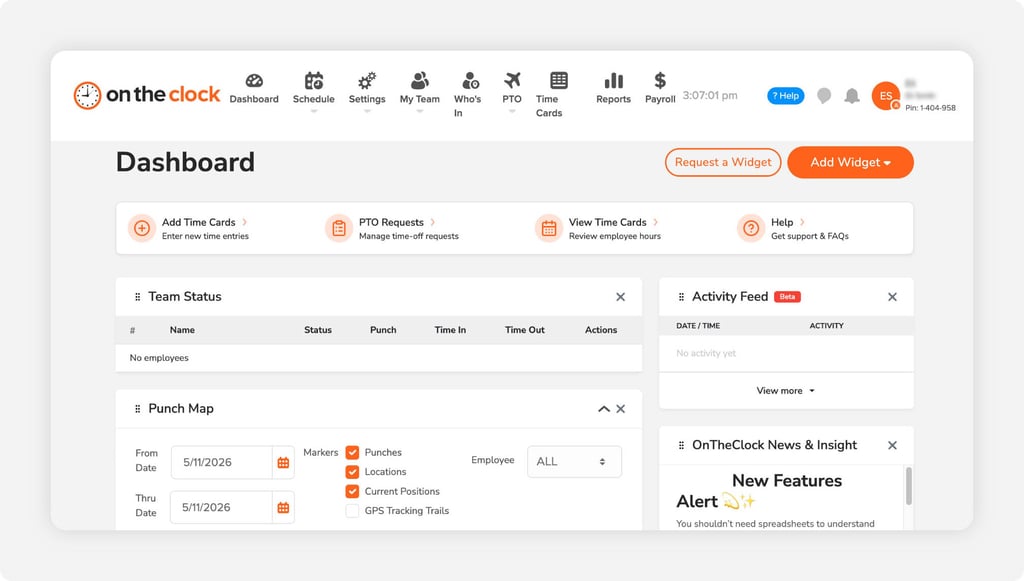
OnTheClock is a construction time tracking app that works for smaller crews without sacrificing key capabilities. It tracks employee time, handles shift scheduling, automatically manages paid time off (PTO), and integrates with several payroll providers, including ADP, Gusto, and QuickBooks.
Your crew can open the mobile app, choose a job or cost code, and clock themselves in with just a couple of taps, so your foreperson can head off knowing the office will see hours in real time. This helps maintain visibility over job costing and overtime without paying for enterprise features your crew may never use. No more sending your office manager to chase down missed punches or locations.
OnTheClock also comes with GPS tracking and anti-fraud features. Geofencing prevents crew members from clocking in from home or off the job site. With biometric and fingerprint scanning tools, you can be confident the person clocking in is the same one you hired.
“It's a game changer for the company! I started implementing it the past month, and it feels like I've used it for years. My workers find it very easy to use.”
— Rigo F., Capterra reviewer & construction owner
Capterra recognized OnTheClock as a best “ease of use” tool for payroll and time clock software in 2025. It’s also one of Capterra’s highest-rated attendance-tracking and employee-scheduling systems as of 2026.
For a small construction company looking to reliably track time, manage basic job codes, and reduce the chaos of Monday morning payroll corrections, OnTheClock delivers a simple, mobile-friendly option.
Key Features

ClockShark: Best for crew scheduling and job costing compliance
- Best for: Crew scheduling and job costing compliance
- Capterra rating: 4.7
- Starting cost: $40/month
- Free trial: 14 days
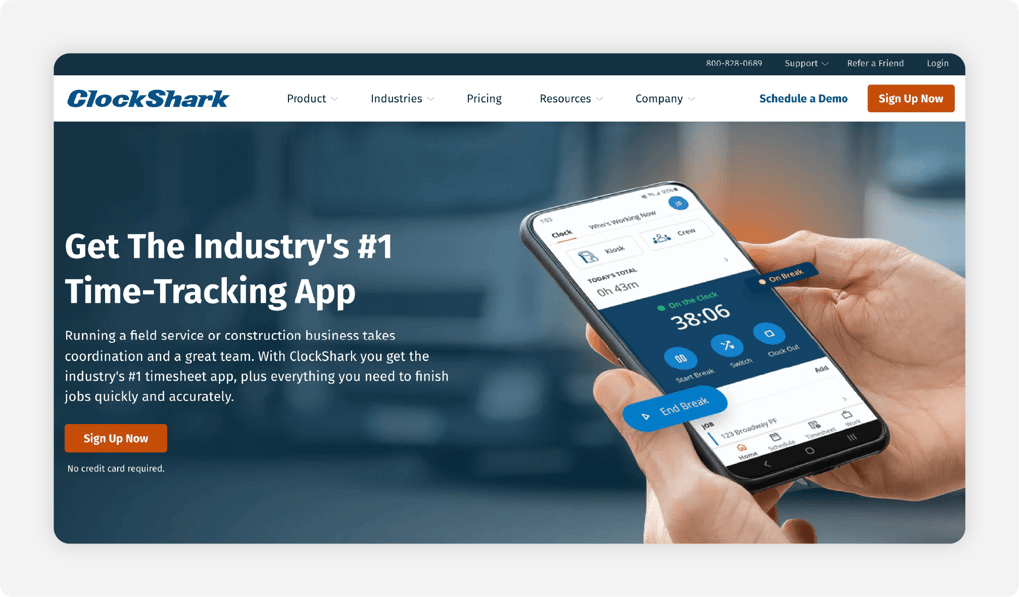
ClockShark is one of the best time tracking apps for construction platforms, with a GPS time clock mobile app designed for ease of use and crew-friendly scheduling tools. One foreman can clock in an entire crew via the “Crew Clock” feature, while the drag-and-drop schedule board lets you create, move, or copy shifts quickly.
ClockShark has a 4.7 out of 5 on Capterra, receiving nearly 2,000 reviews, leaning mostly positive. Customers appreciate how a crew can clock in from the field via a mobile-friendly interface. However, some customers find that it lacks features available with other providers, such as PTO tracking.
Key Features

Connecteam: Best all-in-one mobile crew app
- Best for: Mobile crews seeking an all-in-one mobile app
- Capterra rating: 4.6
- Starting cost: Free for up to 10 users; $29 + $0.80/employee/month after 30 users (per module)
- Free trial: 14 days
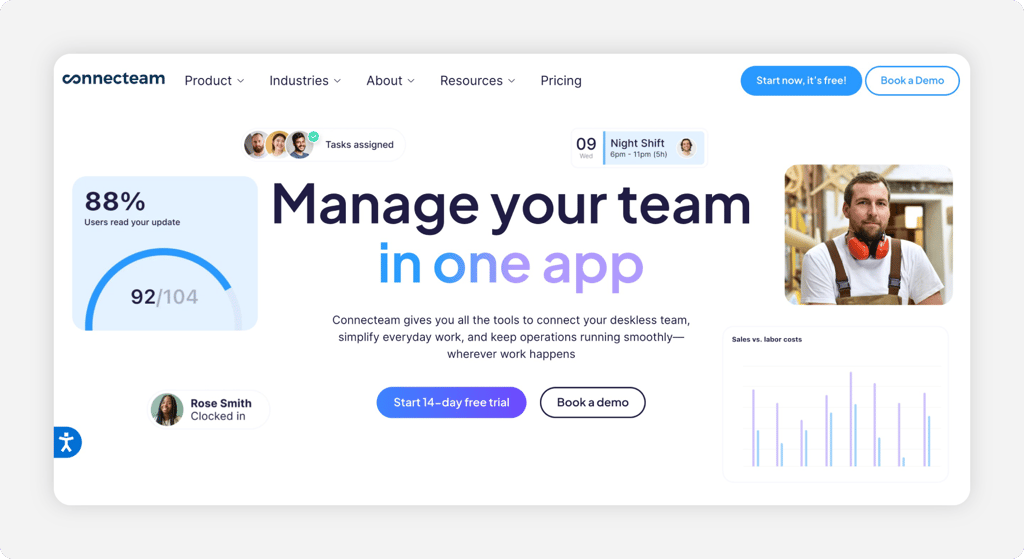
Connecteam combines time tracking, scheduling, communication, and training into a comprehensive construction time-keeping solution. Field workers clock in or out, update jobs, and submit forms, and managers see everything from the office.
Connecteam receives a 4.6 out of 5 on Capterra, with reviewers appreciating the integrated communication tools and all-in-one focus. However, some note that time-off requests are difficult to locate, especially when you need to access historical data.
Key Features

Raken: Best for daily field reporting
- Best for: Daily field reporting
- Capterra rating: 4.6
- Starting cost: Custom quote
- Free trial: 15 days
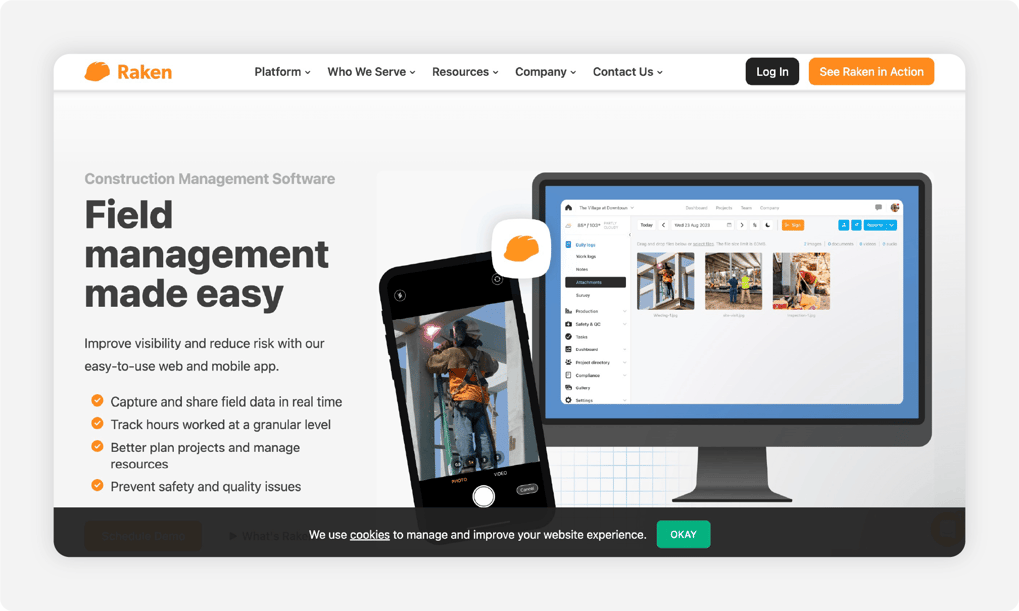
Raken is built for job sites where crews input hours, progress, safety checks, and photos in real time. With its mobile app, crews can clock in, upload photos, attach notes, track material or equipment use, and share it all with you at the office. The app also provides a unified mobile platform for job site conditions, safety logs, and quality inspections.
With a 4.6 out of 5 rating on Capterra, Raken receives mostly positive reviews from about 250 clients. Customers appreciate its fast responses to issues. However, some have found that the app has some glitches that it continues to work out, which could lead to a poor experience.
Key Features

Workyard: Best for automatic clock-ins
- Best for: Automatic clock-ins
- Capterra rating: 4.7
- Starting cost: $6/user/month
- Free trial: 14 days
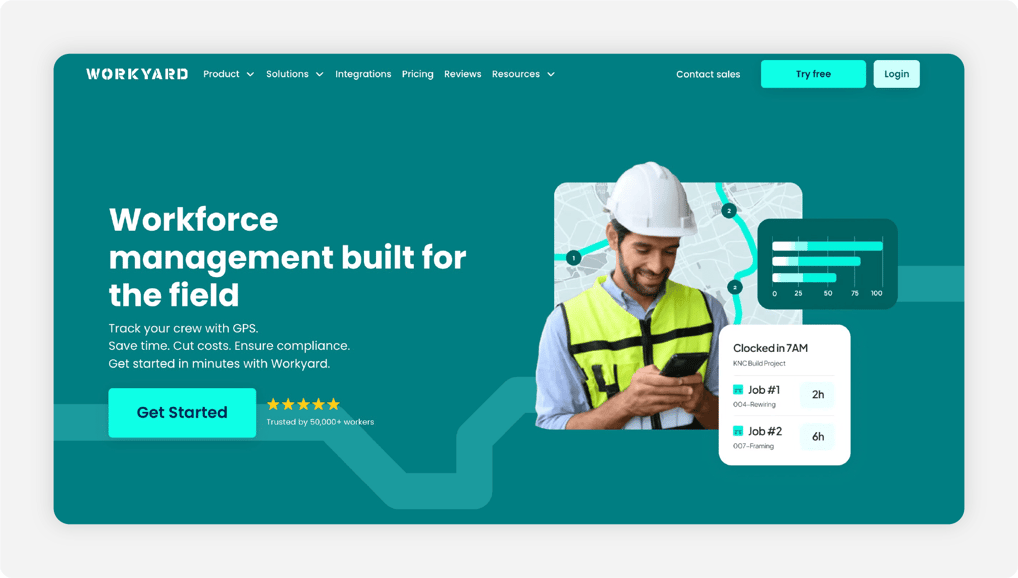
Workyard is a mobile workforce management tool built for field service industries. With geofencing, employees are automatically signed in to the job site, and costs are tracked by their assigned projects. You can also use the drag-and-drop scheduler to manage employees’ job progress and time worked.
Workyard has a 4.7 out of 5 rating on Capterra, based on around 100 reviews. Customers appreciate the geofencing feature, but some note that it sometimes clocks people in just when they drive by. Others have found that the tool has a limited number of pay categories, which may limit what larger crews can track.
Key Features

BusyBusy: Best for equipment tracking
- Best for: Equipment tracking
- Capterra rating: 4.5
- Starting cost: Free for unlimited users; $9.99/employee/month + $40/month
- Free trial: 14 days
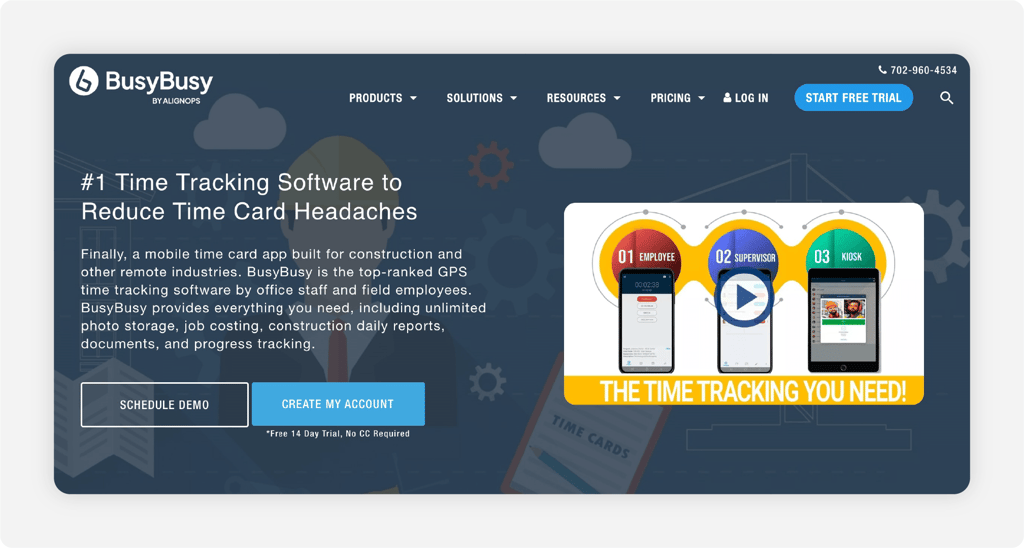
BusyBusy offers reliable clock-in/out and GPS location (even offline), breadcrumb tracking for both personnel and equipment, and a clean mobile UI that crews can adopt quickly. It also offers equipment-tracking functions: idle vs. active hours, equipment lists by site, and operator logs attached to machines for paid subscribers.
BusyBusy receives a 4.5 out of 5 on Capterra, with many users appreciating its simplicity and how updates are frequently prioritized based on customer feedback. However, some have found that it doesn’t always save punches, forcing employees to manually keep track of their time.
Key Features

ExakTime: Best for contractors needing strict compliance
- Best for: Contractors needing strict compliance
- Capterra rating: 3.6
- Starting cost: $9/employee/month
- Free trial: N/A
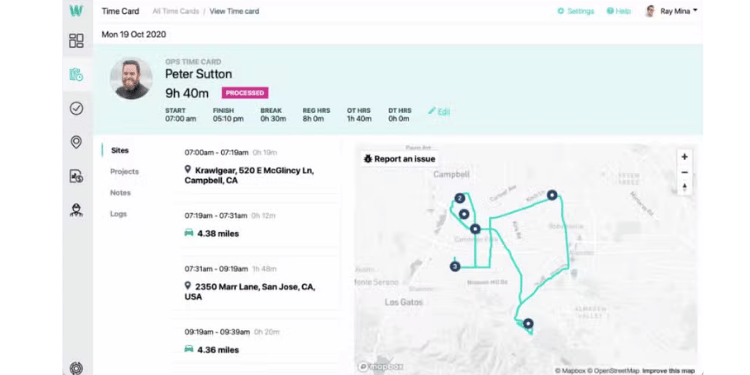
ExakTime is a time tracking system that supports compliance by keeping workers on top of field hours, meal breaks, and location verification. It provides GPS geofencing, photo ID capture, equipment tracking, and certified payroll reporting.
With a 3.6 out of 5 rating and around six reviews, Exaktime doesn’t have the same recognition as others on this list. Reviews have found it helpful for tracking precise hours; however, some have noted scalability issues and difficulty reaching customer service.
Key Features

QuickBooks Time: Best for QuickBooks integrations
- Best for: QuickBooks integrations
- Capterra rating: 4.8
- Starting cost: $20/month + $10/employee/month
- Free trial: 30 days
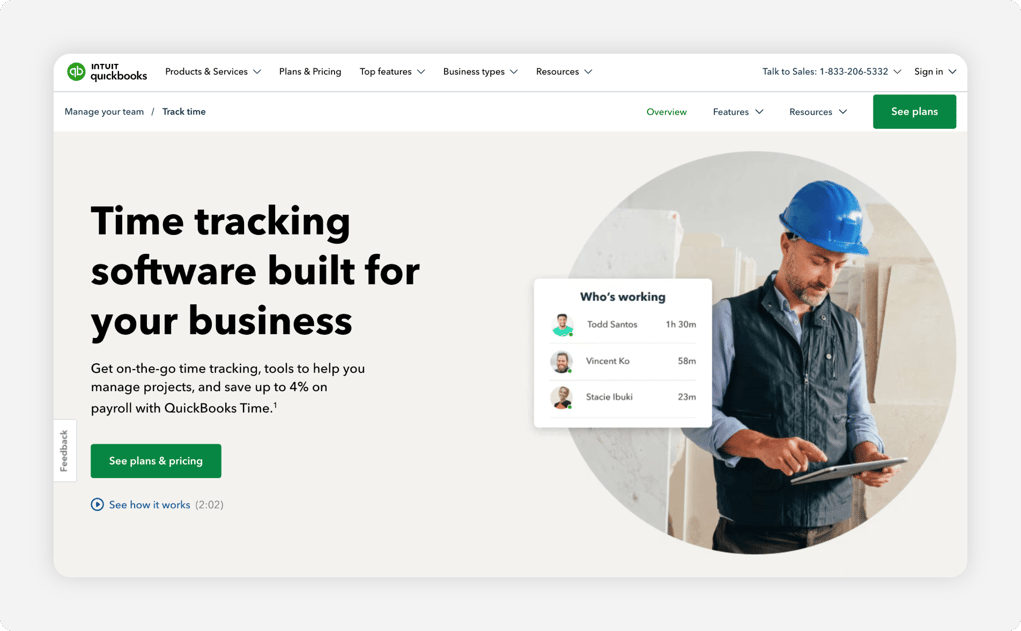
Formerly TSheets, QuickBooks Time is a cloud-based time tracking and employee scheduling software solution built alongside Intuit’s payroll tools. It also manages time-off requests, allows users to attach photos, and supports time kiosks built into tablets. If you’re already using QuickBooks for payroll, it’s a solid choice.
QuickBooks Time has a 4.8 out of 5 rating on Capterra, with most users praising its ease of use. However, as a tool that scales up to large enterprises, some reviewers find that the features feel expensive for smaller teams. Geofencing requires QuickBooks Time Elite, which costs $40 per month plus $12 per user.
Key Features

SmartBarrel: Best for physical kiosk clock-ins
- Best for: Physical kiosk clock-ins
- Capterra rating: 4.9
- Starting cost: Custom quote
- Free trial: No (Demo only)
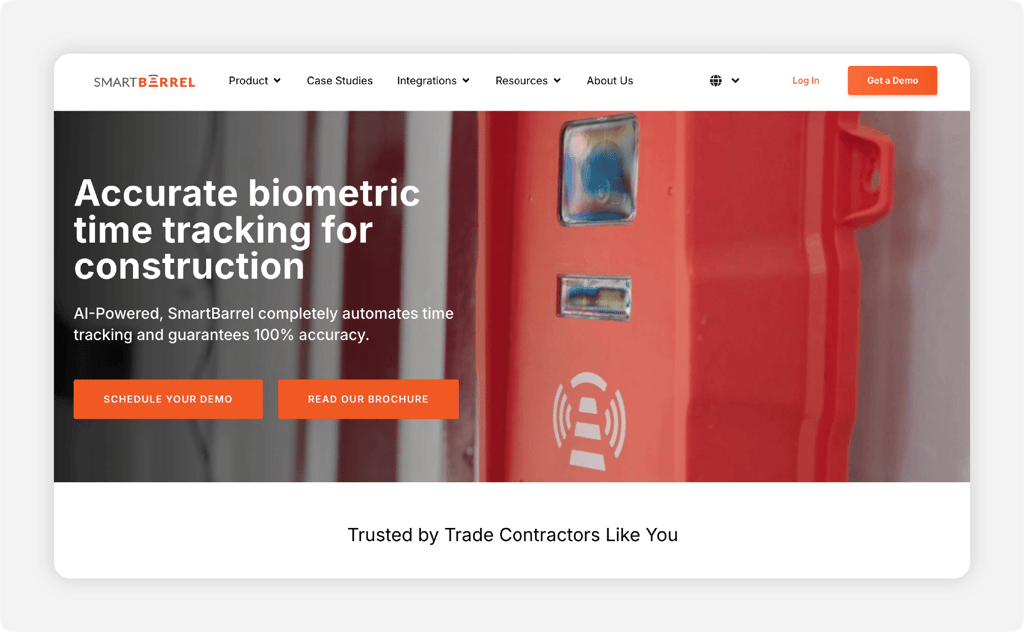
SmartBarrel is time tracking software with a rugged, weatherproof, solar-powered kiosk that supports facial recognition. It also offers a mobile app with a simple “punch” button that uses geofencing to track employees. You may also benefit from SmartBarrel’s construction safety features, such as personal protective equipment (PPE) verification and incident reporting.
As a relative newcomer, SmartBarrel has earned an impressive 4.9 out of 5 on Capterra, based on around 14 reviews. Customers appreciate its strong communication and solid platform, though some have encountered issues with the web app, leaving them to rely on the physical kiosk.
Key Features

Buildertrend: Best for home builders
- Best for: Home builders
- Capterra rating: 4.5
- Starting cost: Custom quote
- Free trial: No (Personalized demo)
Buildertrend is construction management software built for remodelers and home builders. Its time tracking software is a financially focused feature that alerts you when you’re about to go over budget. It also provides a central hub that includes client-facing tools to capture sales.
Buildertrend is better suited for small to mid-sized home remodeling groups than general construction. Among this audience, it has received a 4.5 out of 5 on Capterra, with customers appreciating the project management capabilities. However, some reviewers find the platform to be overly complex and costly for smaller teams.
Key Features
Tips for Choosing the Right Tool for Your Crew
Choosing the right time tracking software for your construction team doesn’t have to be complicated. The best way to find the right fit is to align the software’s features with how your crew actually works.
Geofencing and Employee Verification
Geofencing tools confirm an employee is actually where the work is being done. Without it, you risk employees clocking in outside of the job site. It also helps when they forget to clock out, as some systems send notifications or automatically log you out when an employee leaves the job site.
Other tools go too far in the other direction, clocking people in automatically just for driving past the job site. In this case, you’re trading convenience for accuracy, an important consideration when picking your tools. You should also consider facial recognition and other biometric features to help verify the identity of the employee clocking in.
This helps you block buddy punching, when a friend brings along their phone to punch you while they stay home.
Tools that offer geofencing and employee verification:
- OnTheClock
- ClockShark
- BusyBusy
Mobile Clock-Ins
Mobile clock-ins make it easy for your crew to clock in on their phones as soon as the job starts, saving them time in a kiosk line. Employees can skip to the part of the day that actually matters to you: getting the job done so you can get paid.
These tools should have very simple interfaces that simply say “punch in.” Extra points if they also notify employees about their schedules and let them trade with coworkers.
Tools that offer mobile clock-ins:
- OnTheClock
- Connecteam
- SmartBarrel
Job Costing and Payroll-Ready Data
Prevailing Wage and Certified Payroll
For contractors working on certain federal or federally assisted construction projects, accurate time tracking is also a compliance issue.
Under the Davis-Bacon and Related Acts, covered contractors and subcontractors must pay laborers and mechanics at least the applicable prevailing wage, including required fringe benefits. They also need accurate records showing the hours employees work and the classifications of work they perform.
That matters when one employee works in more than one classification or across multiple projects. Your time tracking system should make it easy to tie hours to the correct job, labor classification, and pay rate so payroll can apply the right prevailing wage.
Covered contractors must also submit certified payroll information weekly. Accurate job, classification, regular-time, and overtime records make that process easier and reduce the need to reconstruct hours after the fact. If your company performs prevailing-wage work, look for software that can track hours by job and cost code, support multiple pay rates, and produce clean reports your payroll process can use for certified payroll.
Construction crews need tools that track time beyond payroll, assigning jobs to different cost centers to ensure accurate tracking. That way, clients know how much each part of a project is costing, and they can be confident you’re on budget.
Time tracking should also provide you with payroll-ready data, so you’re not wasting time digging through sheets to pay your employees. Ideally, they should integrate with third-party payroll providers, such as QuickBooks or Gusto. Or, at the very least, they should export a clean CSV, so you’re not stuck copying things over.
Tools that offer job costing with payroll-ready data:
- OnTheClock
- QuickBooks Time
- SmartBarrel
Cost and Scalability
Small business owners don't have time to waste finding out how much an extra feature will cost. Look for companies that provide clear, per-unit pricing and break down exactly how much these extra features will cost.
This factor is doubly important if you're planning to add extra people to your crew. A system that works fine for tracking timecards for construction crews of five doesn't always scale cleanly to 50. Pick a tool that grows with you and doesn't add headaches when you've got to manage rising labor costs.
Equipment Tracking
Equipment tracking is a nice feature to have if you want to protect it from theft, but you might not be looking for this feature in your payroll provider. Instead, consider a dedicated equipment-tracking provider that can also track your vehicles, such as Geotab or Samsara.
Tips for Rolling Out Time Tracking Successfully
Switching to a new time tracking system can feel like one more thing on your plate. Here's how to roll out OnTheClock without disrupting a single payroll cycle.
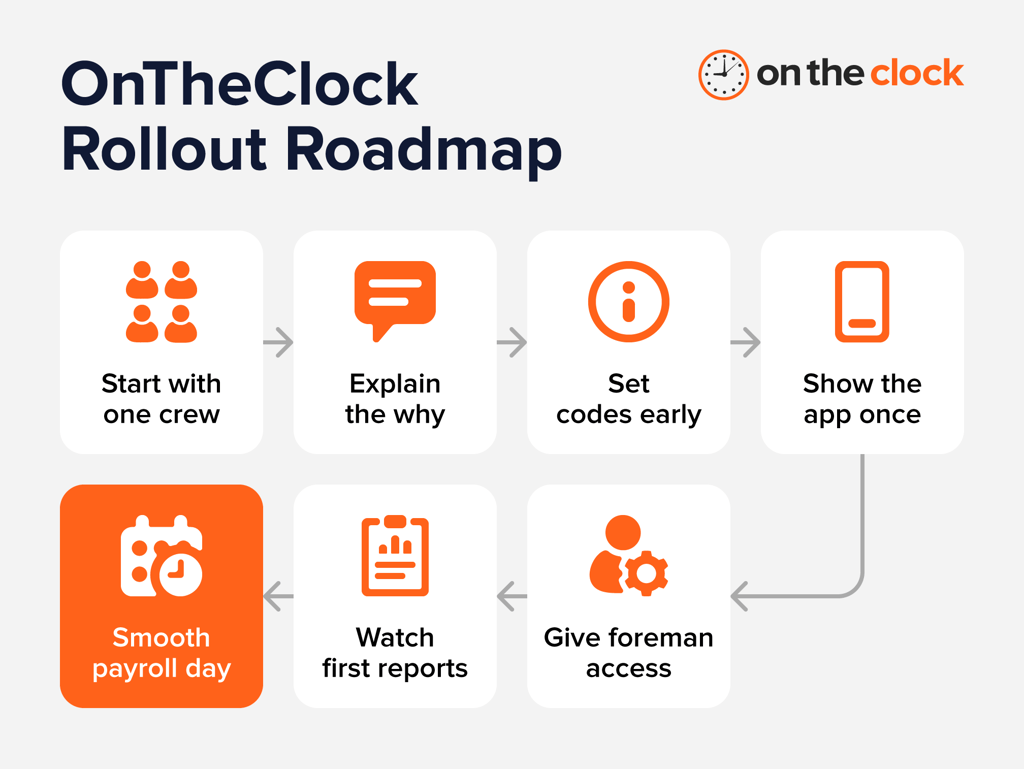
Start with one crew
Pick your smallest or most tech-comfortable crew first. Set up their job and cost codes in OnTheClock, hand them the mobile app, and run it alongside your current system for one pay period. You'll catch missing job codes or geofence boundaries that need adjustment before the whole company depends on them.
Explain the ‘why’ before the geofence
Employees notice GPS tracking right away, so tell them what it's for before they open the app: accurate hours and faster paychecks, not surveillance. Employees should understand how location features are configured before using the app. OnTheClock can record punch locations and, when enabled with the appropriate permissions, use GPS tracking while employees are clocked in. It does not track employees while they're clocked out.
Set job codes and break rules before day one
Build out your job or cost codes in OnTheClock ahead of the rollout, and set your break and overtime rules so the system calculates them automatically. Post the basics, like how to clock in and how breaks work, somewhere the crew can see them. Fewer questions on day one means fewer corrected timecards later.
Show them the app once
OnTheClock's mobile app comes down to picking a job code and tapping to punch in. Most crews need one walkthrough, not a training session. If your team uses fingerprint verification at a shared kiosk, show them that step too. Either way, plan for a few minutes at the start of a shift, not a meeting.
Give one foreman the login
Set up one foreman or supervisor as an admin in OnTheClock, so they can approve timecards and answer quick questions in the field. That's one less thing landing on your desk, and one fewer call your employees have to make to the office.
Watch your first few reports
Run OnTheClock's automated reports, like the payroll summary and scheduled versus actual hours, for the first couple of weeks, and check for missing punches or job codes that need cleanup. If you're catching the same issue twice, that's usually a sign to adjust a geofence radius or add a break reminder, not a sign the system isn't working.
Point out the first smooth payroll
When your first payroll run takes an hour instead of an afternoon of chasing paper timecards, notice it. That’s one less thing taking up your time. And if something ever slows you down, OnTheClock's U.S.-based live chat typically resolves issues in three to four minutes, not days.
Be Confident in Your Time Tracking Process With OnTheClock
The best time tracking software for construction may not be the same for your firm as it is for the next one. But we can all agree it should help you improve utilization without requiring the crew to sit through “onboarding” for a few hours.
OnTheClock’s mobile interface is simple, thanks to its one-button, punch-focused interface. Plus, it builds owners' confidence through built-in geofencing and identity verification.
Start your free trial today to find out how OnTheClock can help you focus on growing your construction business.
