
Jump to section
Try OnTheClock Free
Save time and make payroll effortless with our easy-to-use, affordable employee time tracking app.
Try It FreeKey Takeaways
- ✔OnTheClock is the best pick for small plumbing teams. One time tracking plan at $5/month base + $4/employee/month includes GPS-related time records, configurable geofencing, scheduling, PTO, and job costing.
- ✔Your techs work at homes you never see. GPS-related records and geofencing provide location information managers can review when questions arise about employee hours and job assignments.
- ✔Rounded arrival times leak real money. Differences between reported start times and available location records can reveal discrepancies managers should investigate.
- ✔Hours tied to jobs show which work pays. Job costing tells you whether a service call earned money or quietly lost it.
- ✔Run two real quotes before you buy. The per-user rate and any base fee decide your true monthly cost, not the headline price.
The old way: A plumber jots a start time on a work order, the office guesses the rest on Friday, and two service calls land on the wrong customer's bill. The better way: A mobile punch with reviewable time and location data, job assignments, and payroll-ready exports.
The best time tracking software for plumbing wins on one thing first: It helps plumbing companies assign employee hours to the right jobs, review labor costs, and prepare accurate payroll.
Most clocks assume one shop, one shift, and one manager watching the door. Plumbing doesn't work that way. Techs run from a water heater swap to a slab leak to an after-hours emergency, and the hours have to follow the truck. Common plumbing timekeeping challenges include missing or inaccurate punches at scattered job sites, rounded or disputed arrival times, and hours that are not allocated to specific jobs, making job costs harder to assess.
No single tool wins for every shop. Here are seven solutions, each matched to a real situation, starting with the best one for small plumbing teams.
What Plumbing Teams Actually Want From Time Tracking
Plumbing teams need time and location records that are reviewable. Work often happens at customers' homes, not on a shop floor, so supported punches can provide location information alongside timestamps. That single need shapes almost every other choice on this list.
They also want hours tied to jobs. A tech might hit four calls in a day, and each one needs its own hours to tell you whether the price held up. Time records linked to jobs can streamline payroll preparation and job costing.
And they want one honest view of a moving crew. Apprentices, journeymen, and a dispatcher all clock differently, so the right pick shifts with whichever gap you feel most.
Quick Picks: The Best Time Tracking Software for Plumbing at a Glance
-
OnTheClock: Best for small plumbing teams
-
ClockShark: Best for job costing
-
Workyard: Best for Detailed GPS Tracking
-
Connecteam: Best for field crew communication
-
Timeero: Best for drive time and mileage
-
Buddy Punch: Best for discouraging buddy punching
-
Hubstaff: Best for GPS job tracking
How We Evaluated the Best Time Tracking Software for Plumbing
We evaluated each tool based on the time tracking, scheduling, job costing, location controls, and payroll features relevant to plumbing companies. We compared every option against the eight needs plumbing teams keep raising using what we call the OnTheClock Plumbing Time Tracking Checklist.
-
Location controls: GPS records and configurable geofencing that help managers review where supported punches occurred.
-
Job costing: hours tied to a specific job, so you see which calls earn money.
-
Punch verification: Supported photos, PINs, and facial checks can help discourage buddy punching and support time record reviews.
-
Flexible punch methods: A mobile app for the truck and a kiosk for the shop.
-
Scheduling: Drag-and-drop shifts and on-call coverage for the crew.
-
Overtime and PTO rules: Alerts for approaching configured overtime thresholds and time-off tracking.
-
Payroll and accounting fit: Clean exports to the tools you already run.
-
Honest pricing: A clear monthly cost that accounts for base fees, per-user charges, and required add-ons.
OnTheClock is the best solution for small teams because its time tracking plan addresses these practical needs with GPS and geofencing, scheduling, PTO, job costing, and overtime alerts, with none of the field features held back for a higher tier. That breadth at the base price is the basis for the small-team label, not a ranking against the other picks. Each of the others serves its own situation best.
The Best Time Tracking Software for Plumbing
Here are seven time tracking software options for plumbing companies, with a recommended choice for each situation. For each one, we cover whom it fits best, where it stands out, and where it may not be the right move.

OnTheClock: Best for Small Plumbing Teams
Available on: Web, iOS, Android
Why OnTheClock Is Best for Small Plumbing Teams
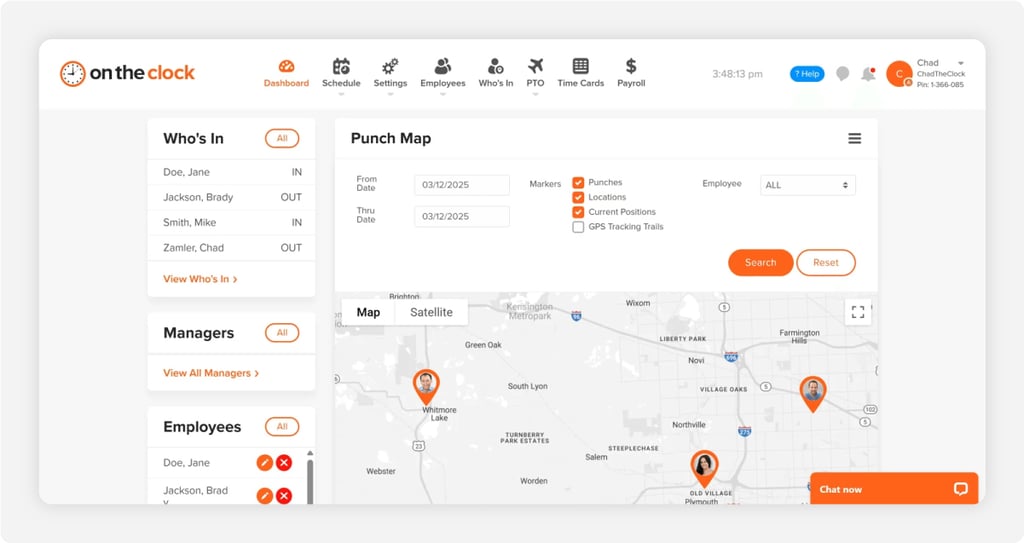
OnTheClock fits the small plumbing shop that runs a few trucks across town all day. It provides reviewable attendance records, scheduling, job tracking, and payroll-ready hours in one time tracking plan. The buyer here is the owner or office manager who wears the payroll hat, too.
It addresses the core time tracking and scheduling needs outlined in the evaluation checklist. GPS records and configurable geofencing support managers' reviews of punch locations, the live dashboard shows who's clocked in across the route, and timecard review tools help managers identify missing punches before payroll. More than 16,000 companies trust OnTheClock. You can see how the same tools serve field and trade crews in more detail.
Why OnTheClock Is Different
Core time tracking, scheduling, PTO, and job-costing features are available in one plan at $5/month base + $4/employee/month. A six-employee shop pays $29/month for time tracking before optional payroll.
Plumbing businesses looking for simpler time tracking, scheduling, and job costing may appreciate having these features in one place. The honest trade-off: Punches need an internet or Wi-Fi connection, and the reporting is lighter than an enterprise suite built for deep project analytics.
Key Features
Pros
Cons
Pricing
- 30-day free trial, no credit card
- $5/month base + $4/employee/month (see how OnTheClock pricing works)
- Optional full-service payroll: $40/month base + $6/employee/month; one-time $250 implementation fee

ClockShark: Best for Job Costing
Available on: Web, iOS, Android
Why ClockShark Is Best for Job Costing
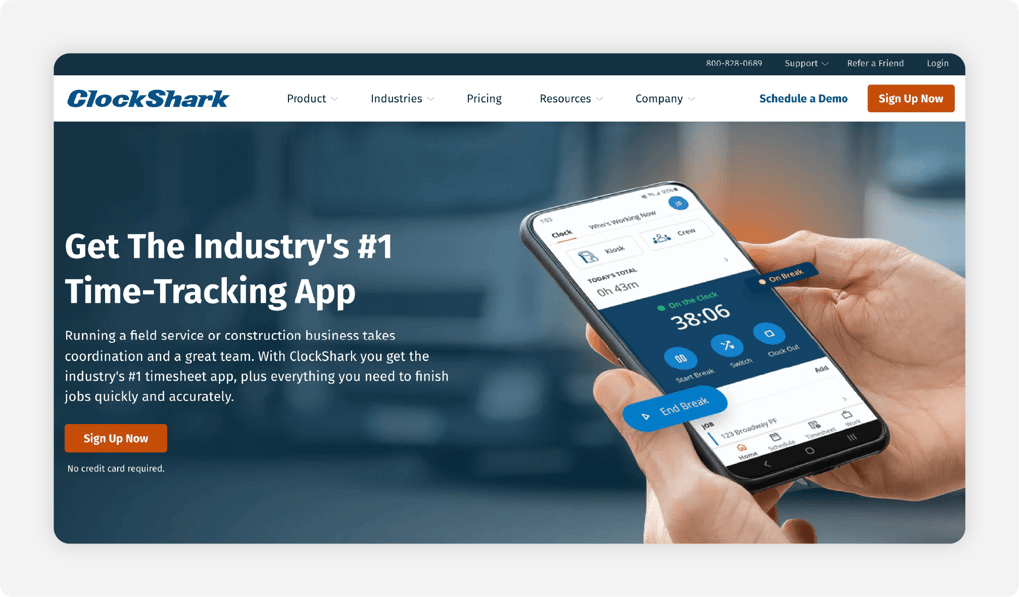
ClockShark fits the growing plumbing company that needs to know what each job really cost. Techs clock in against a specific job and task, so labor lands where the work happened. The buyer is the owner who bids work and wants the numbers to prove the bid.
Its standout is the job and task tracking built into every punch, with advanced job costing controls on the Pro plan. That ties straight to a clean payroll export. The caution: Confirm the contract terms and account for the base fee when comparing costs.
Key Features
Pros
Cons
Pricing
- 14-day free trial
- Standard $42/month base + $9.50/user/month; Pro $63/month base + $11.50/user/month. Confirm contract terms.

Workyard: Best for Detailed GPS Tracking
Available on: Web, iOS, Android
Why Workyard Is Best for Detailed GPS Tracking
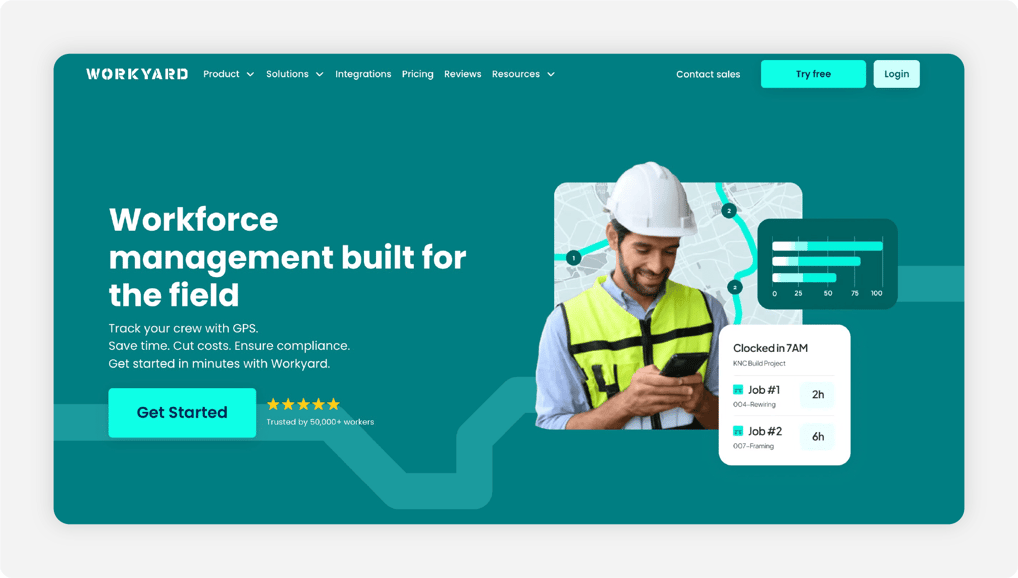
Workyard fits the plumbing company tired of rounded arrival times. Its detailed GPS-related records can help managers review reported clock-in times alongside available location information. The buyer is an owner who wants to investigate timekeeping discrepancies.
Its standout features are detailed GPS records and supervisor-led crew clock-in support. Configurable overtime rules may help calculate applicable overtime when correctly set up. Advanced scheduling and automation features vary by subscription; confirm current pricing and base fees.
Key Features
Pros
Cons
Pricing
- 14-day free trial, no credit card
- Starter, Pro, and Autopilot plans are offered. Confirm current monthly per-user rates, base fees, and included features with Workyard.

Connecteam: Best for Field Crew Communication
Available on: Web, iOS, Android
Why Connecteam Is Best for Field Crew Communication
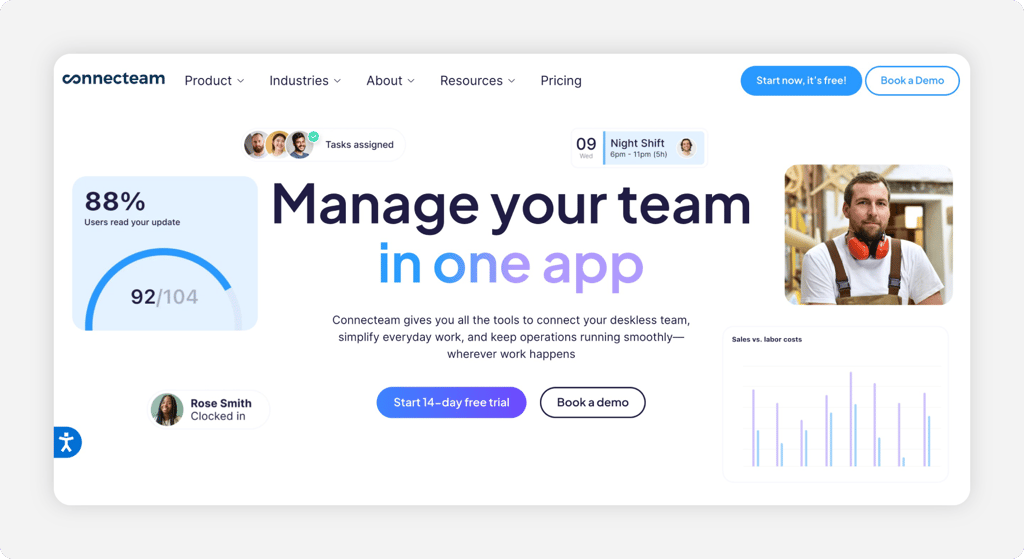
Connecteam fits the plumbing company that needs the whole crew on the same page. Technicians can track hours, complete operational checklists, and communicate with the office through available features. The buyer is the operations lead juggling calls across a busy day.
Where it stands out is breadth for deskless teams: Connecteam offers time tracking, scheduling, forms, and messaging across its platform. These features are distributed across separate hubs, so a shop that needs time tracking and communications may require more than one subscription. The free plan covers up to 10 users.
Key Features
Pros
Cons
Pricing
- Free Small Business plan for up to 10 users
- Operations Basic $35/month, Advanced $59/month, Expert $119/month for the first 30 users; extra users and separate paid hubs cost more

Timeero: Best for Drive Time and Mileage
Available on: Web, iOS, Android
Why Timeero Is Best for Drive Time and Mileage
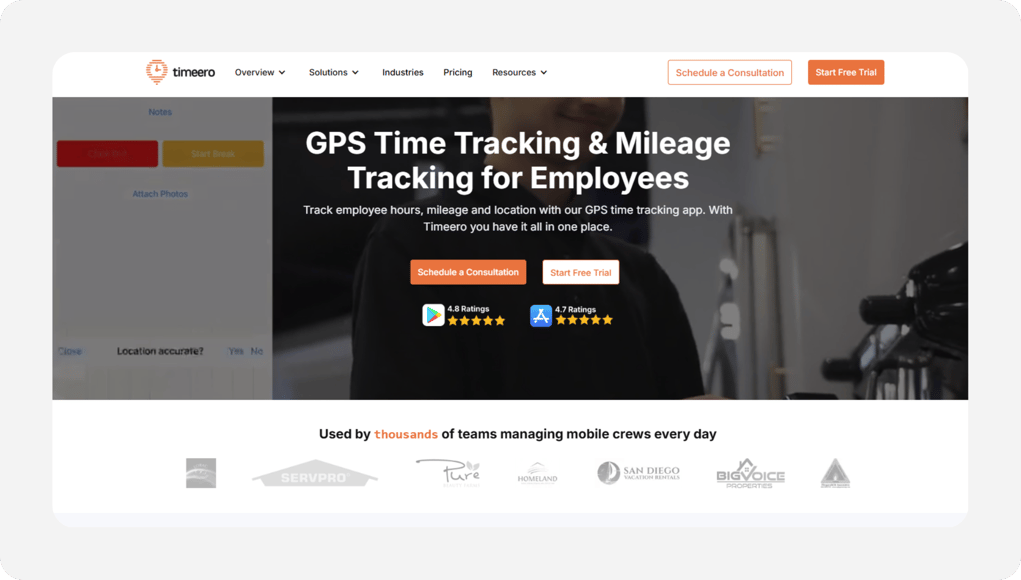
Timeero fits the plumbing shop whose techs live in the truck. It logs the drive automatically, so the miles between a supply house, a service call, and the next job land on their own without anyone writing them down. The buyer is the owner who reimburses mileage and wants the math airtight.
Its GPS records support mileage review; optional Segmented Tracking provides a timeline of stops and trips from one clock-in on eligible plans. That's a strong fit for IRS-rate reimbursement. The caution: Scheduling and geofencing require an eligible plan, while Segmented Tracking incurs an extra charge on Pro and Premium.
Key Features
Pros
Cons
Pricing
- 14-day free trial
- Basic $6/user/month (up to 10 users), Pro $9/user/month, Premium $12/user/month; optional Segmented Tracking from $5/user/month on Pro and Premium

Buddy Punch: Best for Discouraging Buddy Punching
Available on: Web, iOS, Android
Why Buddy Punch Is Best for Discouraging Buddy Punching
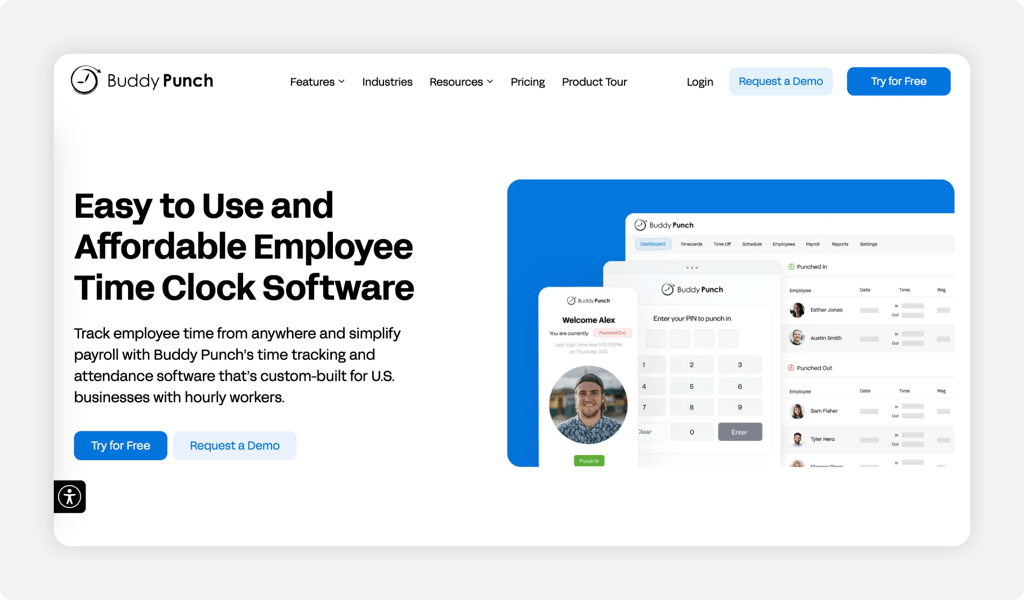
Buddy Punch fits the shop where a shared tablet tempts people to clock in for each other. The name says it all. Supported Face ID and photo controls can discourage unauthorized punches and provide attendance information for review. The buyer is the manager tired of paying for hours nobody worked.
Its standout features are supported punch-verification controls, GPS coordinates for eligible mobile punches, and a simple interface. The caution is the base fee. Every plan carries a $19 monthly base fee, which adds to small-team costs. Geofencing is included on Pro and Advanced and may be available as a Starter add-on.
Key Features
Pros
Cons
Pricing
- 14-day free trial, no credit card
- Starter $5.99/user/month, Pro $7.99/user/month, Advanced $13.99/user/month; each plus a $19/month base fee

Hubstaff: Best for GPS Job Tracking
Available on: Web, iOS, Android
Why Hubstaff Is Best for GPS Job Tracking
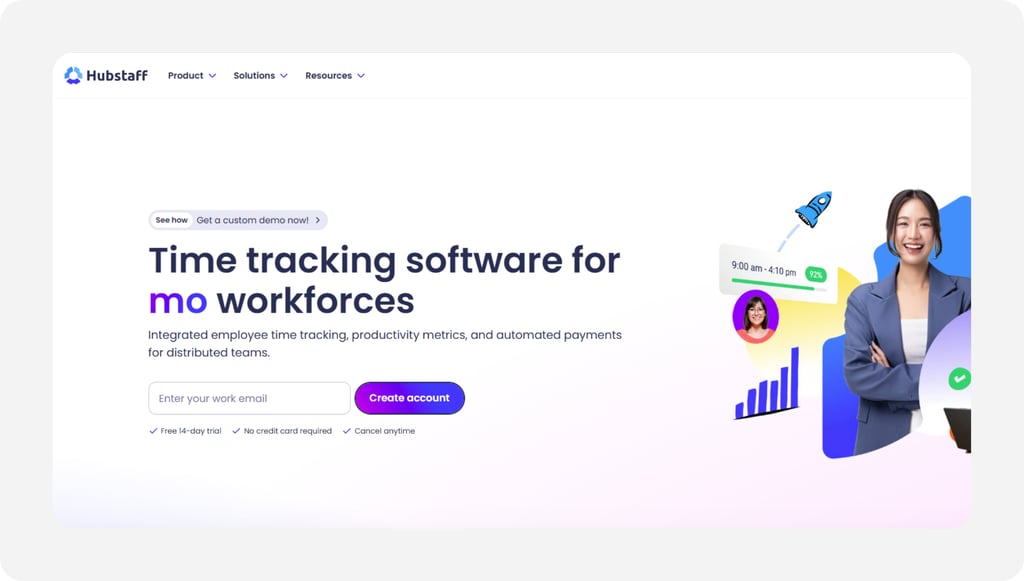
Hubstaff fits the plumbing shop whose crews drive between job sites all day. Supported GPS and geofencing tools can help managers review time and location records at configured job sites. The buyer is the owner who wants the punch to follow the truck, not a paper log.
Its standout is geofenced job site tracking, paired with project budgets that flag a call running long. Here's the honest caution: Location tracking, geofencing, scheduling, and project-budget capabilities vary by plan and add-ons, and the productivity screenshots can feel like heavy monitoring to a field crew.
Key Features
Pros
Cons
Pricing
- 14-day free trial, no credit card
- Starter $7/user/month, Grow $9/user/month, Team $12/user/month; two-seat minimum. Confirm location-feature add-ons.
Side-by-Side Comparison
| Tool | Best For | Pricing | Key Strengths | Top Integrations |
|---|---|---|---|---|
| OnTheClock | Best for small plumbing teams | $5/month base + $4/employee/month | GPS geofencing, scheduling, PTO, job costing | Gusto, QuickBooks, ADP, Paychex |
| ClockShark | Job costing | Standard $42/month base + $9.50/user/month | Job and task tracking, GPS, costing controls | QuickBooks, ADP, Gusto, Sage |
| Workyard | Detailed GPS tracking | Confirm current monthly Starter, Pro, and Autopilot pricing | Detailed GPS, supervisor clock-in, overtime rules | QuickBooks, Gusto, ADP |
| Connecteam | Field crew communication | Free up to 10 users; Operations Basic $35/month for first 30 | Time clock, chat, forms, scheduling | QuickBooks, Gusto, Paychex |
| Timeero | Drive time and mileage | $6 to $12 per user a month | Automatic mileage, GPS records, optional Segmented Tracking | QuickBooks, Gusto, ADP |
| Buddy Punch | Discouraging buddy punching | Starter $5.99/user/month + $19 base/month | Supported Face ID, webcam photos (Pro+), mobile GPS | QuickBooks, Gusto, Paychex |
| Hubstaff | GPS job tracking | Starter $7, Grow $9, Team $12/user/month; two-seat minimum | GPS-related records, geofencing options, project budgets | QuickBooks, Gusto, PayPal, Deel |
Pricing and features reviewed October 2026. Standard U.S. monthly rates are used where confirmed; base fees, add-ons, and contract restrictions may apply.
What's the Best Time Tracking Software for Plumbing?
The best option isn't the longest feature list; it's the one that fits how your shop actually works. Start with the single question that bugs you most, then pick.
- Need attendance controls, scheduling, and job costing in one affordable plan? OnTheClock fits a small plumbing team.
- Bidding work and need to know what each job cost? ClockShark ties hours to the job.
- Need more detailed location records? Workyard offers GPS-related field tracking.
The right tool removes friction from the problem you hit most, not the one a sales demo wants to show you.
What Is Plumbing Time Tracking Software?
Plumbing time tracking software is a digital clock that records when your techs start and stop work, and where. It replaces paper, spreadsheets, and texted hours with time-stamped entries and location data on supported punches.
For this audience, it adds the parts a shop clock skips: GPS-related location records on supported punches, hours assigned to jobs, and payroll exports. The goal is reviewable time records.
Who Needs Time Tracking Software in a Plumbing Business?
Any plumbing business with hourly techs who work away from the shop benefits. Service companies running multiple trucks, new-construction crews, and shops with apprentices and journeymen all gain the most. The math changes once you pass a handful of techs or more than one truck.
Think residential service shops, commercial plumbing contractors, and drain and sewer crews. If you're chasing missing hours, fixing time sheets, or guessing at job costs, you're the audience.
Why Plumbing Companies Rely on Time Tracking Software
Plumbing work spreads across town, so accuracy protects your margin. Hours are recorded at homes and job sites, and a wrong number can mean a short paycheck, a payroll fix, or a compliance risk. Federal law backs this up: the Fair Labor Standards Act requires employers to keep accurate daily and weekly hours for every nonexempt worker.
The old way, paper and memory, breaks the moment a customer questions a bill or a tech disputes a check. A digital clock with reviewable time and available location records reduces guesswork. See how OnTheClock handles time tracking with GPS for crews on the move.
Key Features Plumbing Time Tracking Software Should Have
Before you compare prices, make sure any tool covers the basics for a crew that works across job sites.
-
GPS and geofencing: Supported location records and configurable restrictions help managers review where punches occur.
-
Job costing: Hours are tied to a specific job, so you see which calls earn money.
-
Punch verification: Supported by photos, PINs, or facial checks designed to discourage buddy punching and support time record reviews.
-
Mobile and kiosk punching: A phone clock for the truck and a tablet or laptop for the shop.
-
Scheduling and PTO: Shift and on-call coverage plus time-off tracking.
-
Payroll export: Clean hours that move into Gusto, QuickBooks, ADP, or your own payroll.
How to Choose the Right Time Tracking Software for Plumbing
Step 1: Count your techs and trucks, then do the pricing math.
Start with real numbers. Count the hourly techs you run in a busy week and the trucks they drive, because per-user and base-fee pricing decide your true cost, not the headline rate.
Run two quotes side by side. A six-person shop on OnTheClock is $5 base plus six times $4, so $29 a month. The same crew on a tool with a $19 base fee and a higher per-user rate can land near $60. Check each vendor's billable-user policy, particularly when staffing varies seasonally.
Step 2: Name the one problem that costs you most.
Pick one. Unproven hours at job sites, padded arrival times, fuzzy job costs, and payroll rework each point to a different tool, and chasing all four at once leads to an overbuilt plan you won't use.
Write the top problem down before you demo anything. If location records matter most, prioritize GPS and geofencing. If profitability matters most, prioritize job costing. The named problem keeps a slick sales call from steering you toward features you don't need.
Step 3: Match the punch method to how your crew works.
A service tech needs a one-tap phone punch with GPS. A shop with an apprentice bench needs a tablet kiosk with a PIN or a photo. A crew lead may want to clock the whole truck in at once.
Test the punch on your real devices before you roll it out. A clock that's clumsy on a phone gets skipped, and a skipped punch is the missing hour you'll hunt for on payday.
Step 4: Decide how much GPS and job site proof you need.
Not every shop needs a GPS breadcrumb on every punch. A one-truck shop may only need a kiosk, while a service company running eight trucks needs geofences at recurring accounts and accurate clock-in times.
Ask to see available location reports in the trial. Review punch locations, compare them with intended job sites, and test what happens when someone punches outside an approved area. Those records can support reviews of customer questions or timekeeping discrepancies.
Step 5: Tie hours to jobs for accurate job costing.
Job costing is where plumbing profit hides. If a tech clocks four calls in a day but the hours land in one bucket, you can't tell which job made money and which one ran long.
Pick a tool that lets a tech tag each punch to a job or task. ClockShark and OnTheClock both do this, so labor is assigned to the right ticket. A $400 service call that requires six labor-hours may be less profitable than expected after accounting for wages, materials, travel, and overhead.
Step 6: Handle drive time and mileage between calls.
Driving is a hidden cost in plumbing. For July through December 2026, the IRS optional business mileage rate is 76 cents per mile. At that rate, 600 qualifying miles equal $456; actual reimbursement obligations depend on applicable law and employer policies. Manual mileage logs can contain omissions or errors.
If your techs drive a lot, prioritize automatic mileage capture heavily. A tool like Timeero logs the trip and miles on its own, so the reimbursement matches reality rather than a rounded guess scribbled on a work order.
Step 7: Check the payroll and accounting connection.
Trace one hour from punch to paycheck. Confirm the tool exports to the payroll you run, whether that's Gusto, QuickBooks, ADP, or Paychex, and run a test export during the trial.
If you use QuickBooks Online, confirm whether the software offers a direct integration, requires another subscription, or uses manual imports. A file that needs hand-editing every week is a hidden labor cost, so price that time in, too.
Step 8: Run a full pay period on a free trial before you commit.
Test a full pay period when the trial permits. For shorter trials, request an extension or test payroll exports with sample data. OnTheClock offers a free, 30-day trial without a credit card.
Time approvals, count missed punches, check how quickly support responds, and add up the true monthly cost with your actual headcount. The tool that survives one honest payroll run is the one to buy.
Tips for Implementing Time Tracking Software at a Plumbing Business
-
Set geofences before you invite the crew. Map your shop and recurring accounts first so configured location controls can support punch review.
-
Train on the phone, not just the desktop. Your techs punch from a truck or a doorstep, so walk them through the mobile app where they'll actually use it.
-
Keep records for the legal minimum. The U.S. Department of Labor's recordkeeping rules generally require payroll records for at least three years and supporting timekeeping records for at least two years. Other rules may require longer retention.
Frequently Asked Questions
What is the best time tracking software for plumbing?
OnTheClock is the best time tracking software for small plumbing teams. OnTheClock's time tracking plan costs $5/month base + $4/employee/month and includes core GPS-related attendance controls, scheduling, PTO, and job costing. Full-service payroll is available separately. Shops that bid a lot of work may prefer ClockShark for deeper job costing, while a crew that drives all day can lean on Timeero for automatic mileage.
How do plumbing companies track hours across job sites?
They use a mobile time clock with GPS and geofencing. Supported mobile punches can record GPS-related location information. Managers can review those records alongside job assignments and reported hours. OnTheClock, Workyard, and ClockShark all tie punches to a site, which gives you a record to answer a customer question or a payroll dispute.
Is there free time tracking software for a plumbing business?
Yes. Connecteam offers a free Small Business plan for up to 10 users, including GPS time clock, scheduling, and chat. It works well for a small, single crew, though geofenced sites and some tools require you to use a paid hub. OnTheClock isn't free, but its 30-day trial with no credit card lets you run a full pay period at no cost.
Can time tracking software help with plumbing job costing?
Yes. A tech tags each punch to a job, so labor lands on the right ticket and you see which calls earned money. ClockShark builds advanced job costing into its Pro plan, and OnTheClock includes job and project costing in its base plan. That turns a week of punches into a clear picture of which work paid and which ran long.
How much does time tracking software for plumbing cost?
Most tools charge a per-user rate, often with a base fee. OnTheClock costs $5/month base + $4/employee/month. ClockShark lists Standard at $42/month base plus $9.50/user/month, subject to contract terms. Hubstaff lists monthly Starter, Grow, and Team plans at $7, $9, and $12/user/month, respectively, with a two-seat minimum; confirm location-related plan features. Connecteam offers a free plan for a small crew, and Timeero starts at $6 per user per month with no base fee.
Does plumbing time tracking software connect to payroll?
Yes. OnTheClock exports to Gusto, QuickBooks, ADP, Paychex, and SurePayroll, and offers optional full-service payroll for $40/month base + $6/employee/month, plus a one-time $250 implementation fee. Hubstaff connects to QuickBooks, Gusto, PayPal, and Deel, and ClockShark connects to QuickBooks, Gusto, and ADP. Clean exports keep the same hours feeding both pay and your job costs.
Stop guessing who worked which job.
Track employee hours, review job site attendance, manage schedules, and prepare accurate time sheets for payroll with OnTheClock.
Start a free, 30-day trial without a credit card.